
Key Takeaways
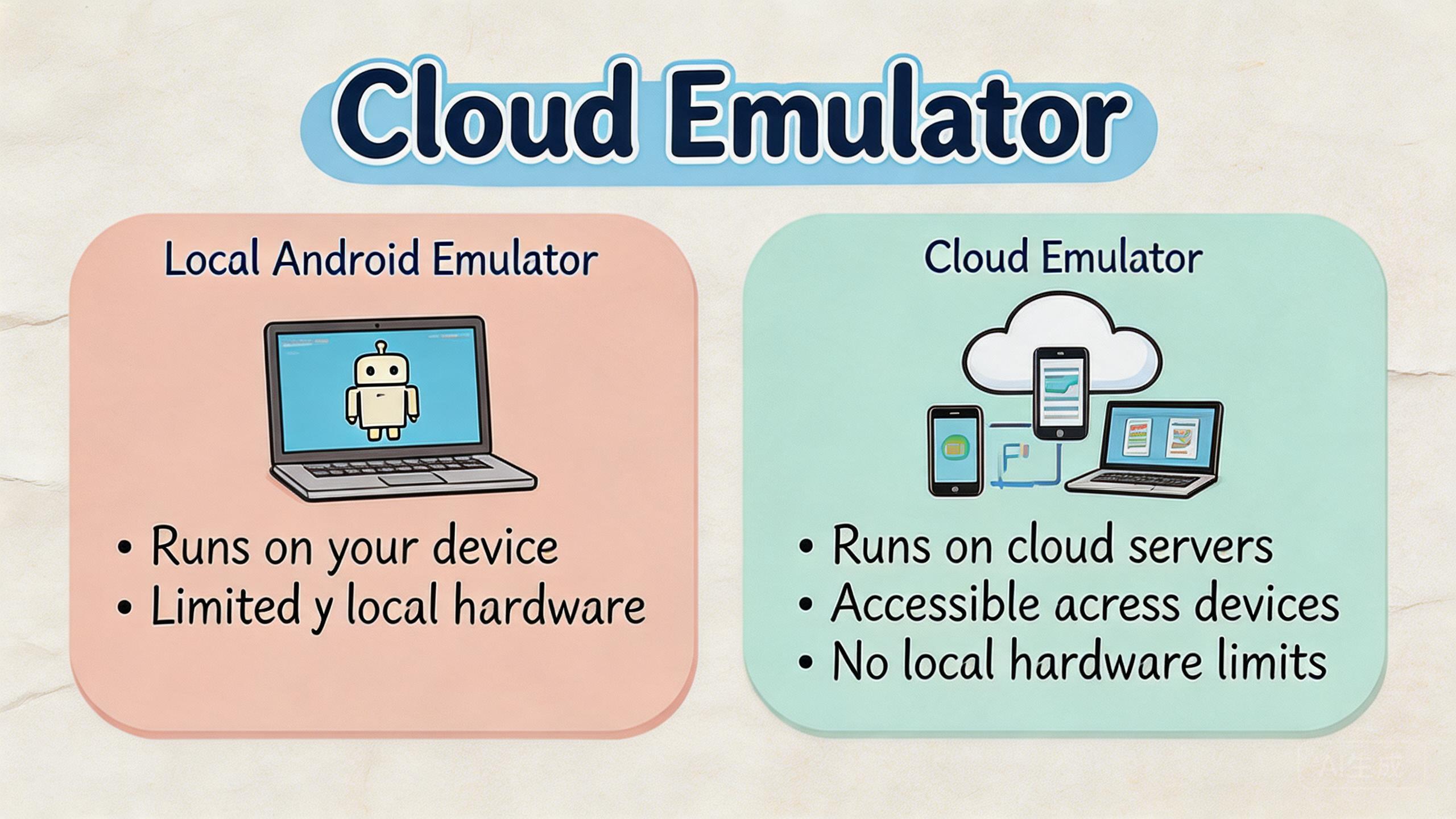
- This hosted model is a remote Android-like environment accessed through the cloud, while a local Android emulator runs on a user's own computer.
- Local emulators are strongest for development and debugging. Cloud-based options are usually better when access, handoff, parallel capacity, and review matter.
- Business teams should compare workflow fit, device state, routing, automation, recovery, and total management effort before choosing.
- MoiMobi is not positioned as a basic emulator replacement. The platform is closer to mobile execution infrastructure for repeated Android workflows.
Introduction
A cloud emulator is a remote Android-like environment that a user accesses through the cloud instead of running the emulator engine on a local computer. The simple idea is remote execution. The team opens a browser, client, API, or control panel, then works with a mobile environment hosted away from the operator's machine.
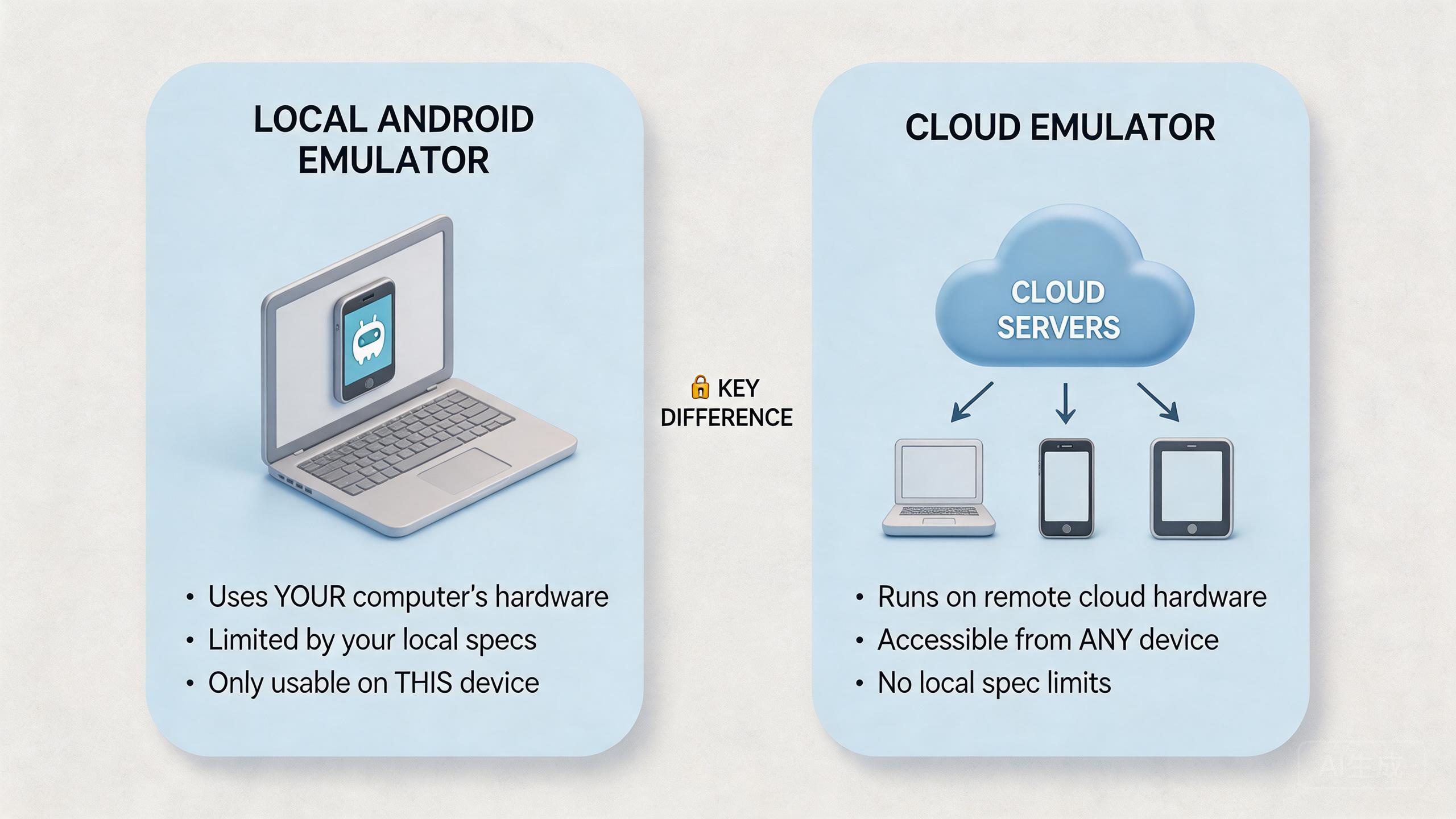
That sounds close to a local Android emulator, but the operating model is different. A local emulator is usually tied to one workstation, one developer setup, and one local resource pool. A cloud-based environment moves more of the device experience, access control, and capacity management to hosted infrastructure.
The difference matters because teams search this topic for different reasons. A developer may want faster app testing. A QA lead may want more repeatable device coverage. An operations team may need remote Android access, clean handoff, account separation, or workflow recovery. Those are not the same needs.
The practical answer is direct. Use a local Android emulator when the work is mainly development, debugging, and controlled local testing. Evaluate a cloud emulator or managed cloud phone setup when the work involves remote teams, repeated mobile operations, parallel device use, or reviewable execution.
MoiMobi sits closer to the second category. It supports cloud phone, phone farm, device boundaries, routing, and mobile automation for teams that need stable mobile workflows.
The Core Idea Behind a Cloud Emulator
This hosted model changes where the mobile environment runs and who controls it. The user does not rely only on local CPU, memory, disk, or workstation setup. The environment is hosted remotely, then exposed to the user through an interface.
That shift affects four practical areas: access, capacity, state, and recovery. Access decides who can open the environment. Capacity decides how many sessions or devices the team can run. State decides whether work can continue across users or sessions. Recovery decides what happens when a run fails.
Local Android emulators solve a different problem. Google describes the Android Emulator as a tool that lets developers test Android apps on a computer without needing each physical device in front of them (Android Developers: Emulator). That makes it valuable for development and test loops.
Business buyers usually evaluate the hosted option less like a developer utility and more like a shared environment. The buyer asks whether several people can access it, whether sessions can be repeated, whether state is clean, and whether the workflow can be reviewed.
Cloud emulator decision frame
| Question | Local Android emulator | Cloud emulator or cloud phone setup |
|---|---|---|
| Where does it run? | On the user's computer. | On remote infrastructure. |
| Who is it best for? | Developers and local testers. | Teams that need remote access and shared workflows. |
| What is the main limit? | Local resources and local setup. | Provider fit, workflow design, and operating rules. |
| What should buyers check? | Debugging, app compatibility, and developer tooling. | Access, isolation, routing, automation, and recovery. |
The core idea is not that one model is universally better. The better model depends on the job. Local emulation is often enough for app development. Cloud-based execution becomes more relevant when the work is shared, repeated, and operational.
Why Teams Search for a Cloud Emulator
Many teams start with a simple misunderstanding. They assume the hosted environment is just a local emulator placed on a server. That may describe part of the technical idea, but it misses the business reason people search for it.
The real search often begins with friction. A local emulator works for one developer, but it may not solve handoff across an operations team. A physical device works for one desk, but it may not scale across regions or shifts. A remote device service may help testing, but it may not support long-running operational state.
Teams usually look for a hosted Android environment when they want one of five outcomes: remote access, more parallel capacity, repeatable mobile environments, simpler review, and less dependency on one local machine.
Those goals are not only technical. They affect process. A manager needs to know who used which environment. An operator needs a clean starting state. A reviewer needs to see whether the workflow failed because of app behavior, route behavior, account state, or operator action.
This is where the topic overlaps with managed cloud phones. A cloud phone gives a team a remote Android environment. A hosted emulator may imitate Android behavior for testing or execution. A managed cloud phone system usually focuses more on persistent workflows, assigned environments, and team operations.
Google Search Central's helpful content guidance also gives a useful content lens: information should help users make progress, not only repeat terms (Google Search Central). For buyers, progress means choosing based on workflow fit instead of choosing a tool label.
The search intent is therefore mixed. Some users need a definition. Others need a comparison. Business teams need selection criteria. The practical answer should treat the topic as an operating decision, not a naming debate.
Cloud Emulator vs Local Android Emulator
A local Android emulator is usually part of a developer workflow. It runs near the code. It is convenient for debugging, fast iteration, and controlled app tests. Developers can start it, inspect behavior, change code, and repeat the loop.
The hosted option moves the environment away from the local machine. The user may not manage the underlying host directly. That can reduce local setup work, but it also means the provider's environment, controls, and limitations matter more.
The strongest local emulator use case is development speed. A developer can test app flows without waiting for physical devices. The official Android Emulator documentation also emphasizes virtual devices, hardware profiles, and testing app behavior during development (Android Developers: Emulator).
The strongest cloud-based use case is shared execution. A team can use remote mobile environments without each operator maintaining a separate machine. This helps when people need access from different locations or when a workflow must be reviewed by more than one role.
The trade-off is control. Local emulators give technical users deep local control. Cloud-based systems move some control into the provider layer. That can be useful when the provider offers access roles, device pools, logs, routing options, or reset workflows. It can be limiting when the team needs low-level debugging or hardware-specific checks.
Use this decision rule:
- Choose a local Android emulator when code-level iteration is the main job.
- Compare hosted Android options when remote access and shared use are important.
- Consider managed cloud phones when the team needs persistent Android workflows, isolation, routing, and operations review.
- Keep physical devices when hardware-specific behavior must be inspected directly.
The practical comparison is not cloud versus local. The practical comparison is solo technical testing versus shared mobile execution. Once the team names that difference, the choice becomes easier.
Who Benefits Most and in What Situations
Not every team needs this hosted model. The strongest fit appears when mobile work is repeated, shared, and hard to manage from one local machine. The weaker fit appears when a single developer only needs local tests.
Development teams may still prefer local emulators first. They need fast feedback and deep control. A cloud option can help when they need remote review, broader access, or a controlled environment that other people can inspect.
QA teams may benefit when device access, test repeatability, and reporting matter. A remote Android environment can be useful if the team needs browser-based access or shared test sessions. A remote device lab may also fit if the main goal is device coverage.
Operations teams often have a different need. They may run repeated Android workflows that involve accounts, apps, region settings, access rules, and handoff. For this group, a basic hosted emulator alone may be too narrow. A managed phone farm or cloud phone system may fit better.
Marketing and growth teams may care about mobile execution more than app debugging. They need operators to run consistent mobile tasks. They may also need routing clarity, device isolation, and a review process.
Strong fit
Remote teams, repeated workflows, parallel sessions, shared review, and controlled mobile execution.
Medium fit
QA or testing workflows where cloud access helps but some local or physical checks remain necessary.
Weak fit
Single-user local debugging, hardware sensor validation, or workflows with no defined ownership rules.
The fit boundary matters because cloud tools can hide process problems. A remote environment will not fix unclear ownership. A shared device pool will not help if nobody defines reset rules. A provider can supply infrastructure, but the team still needs operating discipline.
How to Evaluate or Start Using a Cloud Emulator
Evaluation should begin with the workflow, not the provider list. A tool that looks strong on a feature page may fail the daily process. A simpler option may work better if the team only needs one narrow job.
Use this sequence before buying or migrating:
- Define the exact mobile workflow. Name the app, account state, user role, route need, expected output, and review owner.
- Separate development from operations. Local emulators may fit development. Managed cloud phones may fit repeated business execution.
- Check access and handoff. Decide who can operate, who can review, and who can reset or change configuration.
- Test device state and reset rules. A reusable environment should have clear status, not guesswork.
- Review routing and region behavior. Some workflows need consistent routes through a proxy network or known region policy.
- Run a short pilot. Measure setup time, handoff time, recovery time, and review clarity before scaling.
The highest-risk step is usually not the first login. Recovery after failure is the harder test. A team should know how to pause a workflow, inspect the affected environment, reset the state, and return it to use.
Cost should be measured through total work. Local emulators may look cheap because they run on existing machines. That can be true for development. The cost changes when non-technical users need access, when handoff becomes slow, or when many environments must be managed.
MoiMobi should be evaluated when the business needs more than remote display. The useful questions are operational. Does the team need device assignment? Are separate sessions required? Will proxy network controls matter? Should tasks connect to mobile automation? Is recovery visible?
Google's SEO Starter Guide is written for search, not emulator selection, but one principle applies broadly: structure helps users and systems understand a page or process (Google Search Central SEO Starter Guide). The same is true for tool evaluation. Clear structure beats a vague feature comparison.
Mistakes That Reduce Results
The first mistake is treating remote emulation as a magic replacement for every Android environment. Some work needs local development tools. Some work needs physical devices. Some work needs managed cloud execution. The right model depends on the job.
The second mistake is ignoring ownership. Shared environments need rules. Without ownership, one user changes state, another user inherits the problem, and a third person has to diagnose it. That is not a tooling issue alone. It is a workflow design issue.
The third mistake is comparing only price. Price matters, but daily handling matters too. A low-cost setup can become expensive when operators spend time resetting sessions, asking for access, or rebuilding work.
The fourth mistake is overlooking routing. Some mobile workflows depend on explainable network behavior. Route changes can affect review and troubleshooting. Teams that need region clarity should evaluate routing as part of the core system, not as an afterthought.
The fifth mistake is scaling before the pilot is stable. More sessions create more noise when the workflow is unclear. A small pilot with clean measurement is usually more useful than a large rollout with vague success criteria.
Here is a simple recovery checklist:
| Failure question | Why it matters | Good operating answer |
|---|---|---|
| Which environment failed? | Prevents broad guessing. | Each session or device has an owner and status. |
| What changed before failure? | Helps isolate cause. | Recent user, route, app, or reset changes are reviewable. |
| Can work pause safely? | Limits damage. | The team can quarantine or stop reuse. |
| Who approves return to service? | Avoids accidental reuse. | One role owns reset and release. |
These mistakes reduce results because they turn a technical tool into an unmanaged shared resource. Strong teams avoid that by defining fit, ownership, measurement, and recovery before expansion.
Pilot and Measurement for Cloud Emulator Decisions
A pilot should be small enough to understand. Pick one workflow, one owner, and one review path. Avoid testing every possible use case at once.
The first metric is setup time. Count how long it takes to create the environment, prepare accounts, set routes, and start useful work. Long setup time can reveal hidden process gaps.
The second metric is handoff time. Ask a second operator to continue the same task. If that person needs many private notes or manual explanations, the environment is not yet team-ready.
Recovery time is the third metric. Breakage will happen in normal work. The question is whether the team can identify the affected environment, reset it, and continue without losing trust in the whole pool.
Review quality is the fourth metric. A lead should be able to see what happened. The review does not need to be complex. It does need enough context to distinguish app behavior, user action, device state, and route policy.
Use a pass, fix, or stop decision at the end. Pass means the option supports the workflow. Fix means the process needs changes before scale. Stop means the option is not right for the current job.
This is where MoiMobi's infrastructure framing matters. A business team may not only need remote emulation. It may need cloud phones, isolation, routing, automation hooks, and phone farm management in one operating model.
Simple Daily Review Checklist
A daily check keeps the tool useful after the pilot. The check does not need to be long. It should help the team see whether the work is clean enough to continue.
Start with device state. Each active phone or session should have a known owner, a known task, and a known status. Pause reuse when the status is unclear.
Next, look at access. The right people should be able to open the work. People who only need to review should not need full control. This keeps small changes from turning into hard-to-find issues.
Then check the route. The team should know which route or region each work group uses. Write down route changes before judging the result.
Finally, log the handoff. A second person should be able to see what was done and what comes next. A private chat should not be required for the next person to understand the task.
Use this short list at the end of each work block:
- Who owns this session now?
- Is the state clean, paused, or waiting for reset?
- Did the route stay the same?
- Can another person continue the work?
- What should be checked before reuse?
These small checks matter because they make the system easier to trust. A team does not need heavy reports for every task. It needs clear signals that help people avoid bad reuse and slow handoff.
Team Handoff Example
Picture a small team with three people. One person sets up the phone. One person runs the task. One person checks the result. This simple chain is easy to break when the tool is not shared in a clear way.
The first person should leave a short note. The note can say which app was used, which account state was expected, and which route was active. It should also say whether the phone is ready, paused, or waiting for reset.
The second person should not need to ask for hidden steps. They should open the same work item and see what to do next. If they must ask for a private note, the team has a process gap.
The third person should check the result without changing the setup. Review work is different from run work. A reviewer may need to see the screen, logs, route note, and end state. They may not need full edit rights.
This handoff pattern helps a buyer see the real gap between a local tool and a shared remote setup. A local tool can work well when one person owns the whole task. A shared setup is stronger when several people need to run, check, pause, and resume the same work.
Keep the test plain. Run one real task from start to finish. Ask each person to write down what they needed and what was missing. The list will show whether the team needs a local emulator, a hosted test tool, or a managed cloud phone system.
The same test also helps with cost. A cheap tool is not cheap if each handoff takes a long call. A richer tool is not useful if the team does not use its core controls. The best choice is the one that makes daily work clear, calm, and easy to repeat.
Quick Buyer Script
Use a short script when the team meets a vendor or tests a tool. Keep the script plain. The goal is to learn how the tool behaves during real work, not how it sounds in a sales call.
Ask the first question about the work itself. Can this tool run the task we do each day? Ask the second question about people. Can more than one person use the same task without losing context? Ask the third question about state. Can we see whether the phone is clean, busy, paused, or ready for reset?
Then ask about handoff. Can one person start the task and another person check it later? Can a lead see the result without changing the setup? Can the next user know what happened without a long chat?
Ask one more set of questions about bad days. What do we do when the app hangs? What do we do when the route changes? What do we do when the account state looks wrong? Who can stop reuse? Who can reset the phone? Who can say the phone is safe to use again?
This script helps keep the choice grounded. A tool may look good in a demo and still fail daily use. A plain test with real people, real tasks, and real handoff will show more than a long feature list.
Frequently Asked Questions
What is a cloud emulator?
A hosted emulator is a remote Android-like environment accessed through cloud infrastructure. Buyers usually evaluate it when users need remote access, shared sessions, or hosted mobile execution.
How is a cloud emulator different from a local Android emulator?
A local Android emulator runs on a user's computer. The cloud-based version runs remotely and is accessed through a cloud interface. The difference affects access, capacity, state, and recovery.
Is a cloud emulator the same as a cloud phone?
Not always. Remote emulation may focus on Android-like behavior. A cloud phone usually presents a remote Android environment for broader use. Provider details vary, so buyers should test the actual workflow.
When should developers use a local emulator?
Developers should usually start with a local emulator when they need code-level debugging, fast iteration, and control over a local test setup.
When should business teams consider cloud phones instead?
Business teams should consider cloud phones when the work is repeated, shared, and operational. Examples include remote review, multi-account workflows, mobile automation, and distributed handoff.
Does a cloud emulator reduce all device risk?
No. The model changes the operating approach, but it does not remove every technical, policy, or workflow risk. Teams still need clear rules, cautious testing, and review.
What should a first pilot measure?
Measure setup time, handoff time, recovery time, route clarity, device state, and review quality. These signals show whether the model fits real work.
Can a team use both local emulators and cloud phones?
Yes. A hybrid model is common. Developers may keep local emulators, while operations teams use cloud phones or phone farms for repeated mobile execution.
Conclusion
This category is best understood as a remote Android-like environment, not simply a buzzword for mobile testing. Its value depends on where the work runs, who needs access, how state is managed, and how the team recovers when something fails.
Local Android emulators are often the right starting point for developers. They support local app testing and debugging. Hosted options become more relevant when the work moves beyond one workstation and into shared execution.
Business teams should make the decision through workflow fit. Name the job first. Decide whether the main need is debugging, QA coverage, remote access, repeated operations, or managed mobile infrastructure. Then compare the options against setup, handoff, routing, isolation, automation, and recovery.
MoiMobi fits the case where the team needs more than an emulator. The system is built around cloud phone execution infrastructure, with supporting layers for phone farms, device isolation, proxy routing, and mobile automation.
The next step is practical. Pick one repeated mobile workflow. Run a small pilot. Track setup time, handoff time, recovery time, and review clarity. When the workflow becomes easier to run and easier to explain, the model is worth deeper review.



