
Key Takeaways
- Cloud phone alternatives include physical device fleets, emulators, device farms, browser-based mobile testing tools, and managed cloud phone systems.
- The best option depends on workflow fit, not only price or device count.
- Business teams should compare setup effort, device isolation, routing control, access roles, automation support, and recovery.
- MoiMobi fits teams that need cloud phones as execution infrastructure for repeated mobile work.
Introduction
Cloud phone alternatives are the different ways a business team can run mobile workflows without relying on one generic cloud phone setup. The practical options include physical devices, Android emulators, remote device labs, phone farms, mobile testing platforms, and managed cloud phone infrastructure.
The short verdict is direct. Choose physical devices when hardware behavior matters. Choose emulators when the work is development-heavy and local control is enough. Choose device labs when testing coverage is the main goal. Choose a managed cloud phone system when teams need repeatable Android work, user access, isolation, routing, and recovery.
This is not only a tool decision. The choice also defines an operating model. A small team may only need a few devices and a simple process. A larger team may need clear roles, reusable pools, account separation, route policy, automation, and status review.
MoiMobi belongs in the managed infrastructure category. The platform is strongest when the team needs remote Android environments as part of a broader execution system. That can include cloud phone, phone farm, device isolation, routing, and mobile automation.
This guide compares the main alternatives by fit. It does not claim one option is best for every team. The right answer depends on the work you need to run, how often it repeats, who needs access, and how failure will be reviewed.
A Practical Comparison Framework for Cloud Phone Alternatives
The first mistake is comparing cloud phone alternatives by category name alone. "Cloud phone," "emulator," "device farm," and "phone farm" can overlap in daily use. The better starting point is the workflow.
A business team should ask five questions before choosing. What mobile job needs to run? How often does it repeat? Who owns the device state? What route or network rule applies? What happens when the workflow fails?
Real handsets give direct hardware access. This can matter for camera tests, sensor checks, hardware-specific debugging, or cable-level work. The trade-off is handling. Devices need storage, charging, setup, reset, and physical access.
Emulators are often useful for developers. These tools can support app debugging and local tests. Android's developer documentation treats tooling and test environments as part of normal Android work (Android Developers). The trade-off is that emulator behavior may not match every business workflow.
Remote device labs and testing platforms can help QA teams test across device types. They may be a good fit when coverage matters more than account operations or long-running state. The trade-off is that they may not support ongoing team workflows the way a managed phone farm does.
Infrastructure-grade cloud phones focus on repeated remote Android work. The value comes from assigned devices, access rules, device isolation, routing policy, and recovery process. This is where MoiMobi is positioned.
Alternative types at a glance
| Option | Best fit | Main trade-off |
|---|---|---|
| Physical devices | Hardware-specific checks and local inspection | Manual handling, scaling effort, and handoff friction |
| Android emulators | Development, debugging, and controlled local tests | Limited fit for team mobile operations |
| Remote device labs | QA coverage and short test sessions | Less suited to long-running account workflows |
| Managed cloud phones | Repeated remote Android work across teams | Requires clear access, routing, and recovery rules |
The comparison becomes useful when each option is tied to a real job. A vague list of tools will not help. A workflow-based comparison will.
Cloud Phone Alternatives Comparison Scorecard
A scorecard helps teams avoid vague debates. Instead of asking which option sounds better, score each option against the work it must support. This makes the comparison easier to review with managers, operators, and technical staff.
Name the job first. Write down the main mobile workflow. Then rate each alternative against the same job. Do not compare an emulator for developer testing against a phone farm for account operations without naming the difference.
Use five simple scores. Setup effort shows how hard the option is to start. Daily effort shows how much manual work remains. Control shows whether roles, routes, and state can be managed. Recovery shows how fast the team can restore broken work. Fit shows whether the option matches the real use case.
Cloud phone alternatives scorecard
| Score area | Question to ask | Strong answer |
|---|---|---|
| Setup effort | How fast can one real workflow start? | The first useful run is clear and repeatable. |
| Daily effort | How much manual work remains each day? | Routine handoff, reset, and review do not depend on memory. |
| Control | Can the team manage users, routes, and state? | Access, routing, and device rules are visible. |
| Recovery | What happens when the workflow fails? | The team can pause, inspect, reset, and continue. |
Short notes are as important as scores. A provider may score well overall but fail one key area. For example, a device lab may score high for testing coverage and low for long-running account state. A managed cloud phone system may score high for team operations and lower for hardware-specific inspection.
A useful scorecard should lead to a pilot, not replace one. Use it to narrow options. Then run the top option through a real workflow before making the final choice.
Use Case Fit Before Feature Fit and Cloud Phone Alternatives
Feature lists can mislead buyers. A platform may have many features and still be a weak fit for the work. Another option may look simpler but support the core workflow better.
Use case comes first. A QA team may need many devices for short test runs. A growth team may need remote Android access for repeated mobile app checks. An operations team may need clean assignment, session separation, and handoff. A support team may need reviewed mobile environments without giving every user full control.
The same alternative can be strong in one case and weak in another. Local devices are strong when hardware signals matter. That fit becomes weaker when a distributed team needs remote access. Emulators are strong when developers need local test speed. Their fit drops when the task depends on account state and team review.
Cloud phone systems are strong when the mobile work is repeated and shared. They help when teams need consistent Android environments, clear access, and a recovery path. The fit is weaker when the team has no defined workflow yet.
MoiMobi is most relevant when the team needs controlled mobile execution rather than only remote access. The product connects cloud phones to multi-account management, device boundaries, and operational review.
Which option fits which team?
Development team
Start with emulators and local tools. Add cloud devices when remote review or real-device checks matter.
QA team
Compare device labs, physical benches, and cloud phones by coverage, logs, and repeat test needs.
Operations team
Prioritize isolation, assignment, routing, access roles, and recovery over device count alone.
Marketing team
Look for stable mobile workflows, route clarity, review, and handoff across users.
Use case fit should come before feature fit because it prevents overbuying. Teams should not pay for complexity they cannot use. They also should not choose a simple tool that fails after the first handoff.
Operational Trade-Offs and Team Workflow
Every cloud phone alternative changes the team's operating burden. The question is not only what the tool can do. The question is who must manage it after setup.
Local device fleets put more work on people. Someone must store, charge, label, reset, and move them. This can be acceptable for small teams or hardware-heavy work. Remote or multi-user teams usually feel the limits faster.
Emulators shift work toward technical setup. Developers may like the control. Non-technical operators may find it harder to use. Teams should check who will run the workflow each day before choosing this path.
Device labs shift work toward test planning. They may provide access to many device profiles. The team still needs clear test cases, expected outputs, and review rules. A lab does not define the workflow by itself.
Cloud phone platforms shift work toward access design, state control, and pool management. This can be a good trade-off when the mobile work repeats. The team gets a shared system instead of scattered devices.
The routing layer is often ignored. Many mobile workflows need route consistency, region clarity, or network review. MoiMobi's proxy network matters when route policy becomes part of the operating model.
Device isolation is another trade-off. A casual setup may work for one user. A team running account-linked workflows needs stronger separation. Without clear boundaries, device state, session history, and app data can create review problems.
Google's guidance on helpful content emphasizes clarity and user value rather than surface volume (Google Search Central). Business tooling should meet a similar bar. If the system is hard to explain, it will be hard to scale.
Setup Cost, Ongoing Cost, and Management Overhead
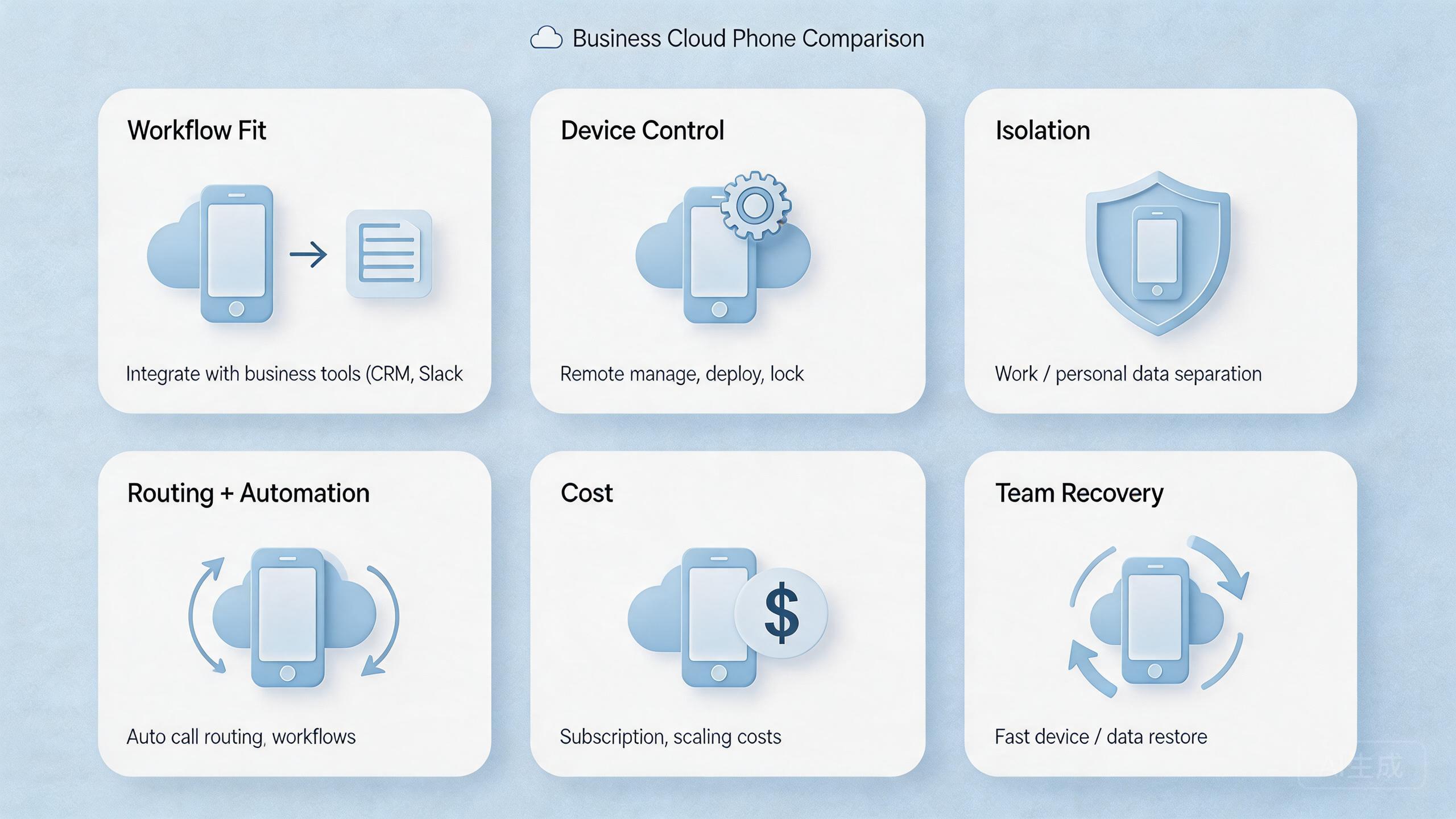
Cost is not only the monthly bill. Business teams should compare setup cost, ongoing cost, and management overhead. A tool that looks cheap may become expensive if it creates manual cleanup every day.
Setup cost includes time. How long does it take to prepare the first workflow? Who needs to configure devices, routes, users, and reset rules? How many steps depend on one person?
Ongoing cost includes daily work. A provider may require manual resets, route checks, or handoff notes. A physical device fleet may require charging, inventory, storage, and replacement. An emulator setup may require developer support.
Management overhead includes review and recovery. When something breaks, who can see the state? Who can pause the workflow? Who can reset it? How long does the team spend identifying the failed layer?
Use a simple cost model:
| Cost area | What to ask | Why it matters |
|---|---|---|
| Setup | How long until the first real workflow runs? | Delays show hidden complexity. |
| Daily operation | Who handles routine resets and access changes? | Manual work compounds over time. |
| Handoff | Can another user continue the task? | Team workflows need shared context. |
| Recovery | Can the team pause and restore quickly? | Failure handling affects real cost. |
| Scale | What changes when users or devices double? | Early shortcuts often break here. |
The strongest economic choice is usually the one that reduces total work. A cheap tool with poor recovery can cost more than a managed setup. A powerful tool with unused features can also waste budget.
Teams should run a small pilot before finalizing cost assumptions. Track setup time, handoff time, reset time, and incident review time. These numbers give a clearer view than a pricing page alone.
Which Option Fits Different Teams Best
The right option depends on team shape. A developer-led team, a QA team, a growth team, and an operations team may all search for cloud phone alternatives. They should not all choose the same answer by default.
Choose physical devices when hardware behavior is the core concern. This can include camera checks, sensor behavior, cable-level debugging, or device-specific review. The trade-off is slower scale and more physical handling.
Choose emulators when development speed matters most. Emulators can support local debugging and controlled test loops. They are less ideal when non-technical users need repeatable remote workflows.
Choose remote device labs when broad test coverage matters. QA teams may need many device types for short checks. The trade-off is that labs may not fit long-running operations or account-linked work.
Choose a phone farm when shared mobile execution matters. A phone farm is useful when teams need many Android environments with assignment, review, and recovery.
Choose managed cloud phone infrastructure when the work repeats daily. This is where MoiMobi fits. The focus is not only access. The focus is stable execution across people, devices, routes, and workflows.
Selection checklist
| Need | Likely fit | Check before choosing |
|---|---|---|
| Hardware inspection | Physical devices | Storage, access, replacement, and manual reset effort |
| Developer testing | Emulators plus selected real devices | Real-device gaps and team usability |
| QA coverage | Device lab or managed cloud device pool | Logs, repeatability, and test output review |
| Team operations | Managed cloud phones or phone farm | Isolation, routing, roles, and recovery |
Teams should avoid a false binary. The answer may be hybrid. A business can keep a few physical devices for hardware checks and use cloud phones for repeated remote work. The right mix should reduce friction, not create a bigger tool stack.
Pilot, Measurement, and Recovery Review
A comparison becomes real when it reaches a pilot. The pilot should use one workflow, one owner, one device pool, and one review loop. A broad test with no clear job will not teach much.
Begin with setup time. Track how long it takes to prepare devices, routes, access, and expected outputs. This shows hidden effort.
Measure handoff time. A second operator should be able to continue the workflow without asking for missing context. Slow handoff is a sign that the option does not yet fit team work.
Measure recovery time. A workflow will fail eventually. The question is whether the team can pause, inspect, reset, and return to service through a known path.
Review clarity matters as much as speed. Leads should be able to see what happened, which device was involved, which route applied, and what action came next. Without review clarity, scale creates more uncertainty.
End the pilot with a simple decision. Pass means the option supports the workflow. Fix means the process needs changes. Stop means the alternative does not fit the current use case.
Cloud Phone Alternatives Decision Path for Business Buyers
Business buyers should treat the final choice as a sequence, not a single vote. Begin with the job that repeats most often. Then decide which failure would hurt the team most. A developer group may worry about inaccurate test results. An operations group may worry about broken handoff. A marketing or account team may worry about unclear device state, unstable routing, or slow recovery.
After that, remove options that cannot support the main risk. If direct hardware behavior is required every day, a physical device bench stays in the plan. If local debugging is the main work, emulators remain useful. If the main problem is shared remote execution, controlled assignment, and repeatable Android state, managed cloud phone infrastructure becomes the stronger candidate.
The final step is to define an owner. Tool decisions fail when every team assumes another team will handle cleanup. The pilot should name who owns device state, route policy, reset rules, user access, and incident review. These ownership choices make cloud phone alternatives easier to compare because they expose the real operating cost.
For MoiMobi buyers, the practical question is simple. Does the team need a repeatable Android execution layer with isolation, routing, automation hooks, and review? If yes, MoiMobi should be compared against phone farms and device labs as infrastructure. If not, a lighter emulator or physical-device setup may be enough for the current stage.
Frequently Asked Questions
What are the main cloud phone alternatives?
The main alternatives are physical devices, Android emulators, remote device labs, phone farms, mobile testing platforms, and managed cloud phone infrastructure.
Are emulators a good cloud phone alternative?
They can be useful for development and local testing. They are weaker for business workflows that need remote access, team handoff, account state, and review.
Are physical devices still useful?
Yes. Real handsets are useful when hardware behavior matters. They become harder to manage when many people need access.
When should a team choose a phone farm?
Choose a phone farm when mobile work repeats across many environments and needs assignment, review, reset rules, and access control.
Where does MoiMobi fit?
MoiMobi fits teams that need managed cloud phone execution infrastructure. It supports remote Android workflows, isolation, routing, and team operations.
Should price decide the choice?
Price matters, but it should not be the first filter. Workflow fit, recovery time, and daily management effort often matter more.
Can a business use more than one option?
Yes. A hybrid setup is common. Teams may keep physical devices for hardware checks and use cloud phones for repeated remote work.
What should the first pilot measure?
Track setup time, handoff time, recovery time, route clarity, device state, and review quality.
Conclusion
Strong cloud phone alternatives are not chosen by labels. They are chosen by workflow fit. Physical devices, emulators, device labs, phone farms, and managed cloud phones each solve different problems.
Use this priority order. First, define the mobile workflow. Second, decide whether hardware access, developer control, QA coverage, or team operations matters most. Third, compare setup, isolation, routing, access, and recovery. Fourth, run a small pilot before scaling.
MoiMobi is a strong fit when the business needs repeatable remote Android work across teams. The product is not only a remote screen. It is built for cloud phone execution infrastructure, with links to device isolation, routing, automation, and phone farm operations.
The next step is practical. Pick one repeated workflow. Compare two or three alternatives against that workflow. Review setup, handoff, and recovery. Then choose the option that makes the work easier to run and easier to explain.



