
Key Takeaways
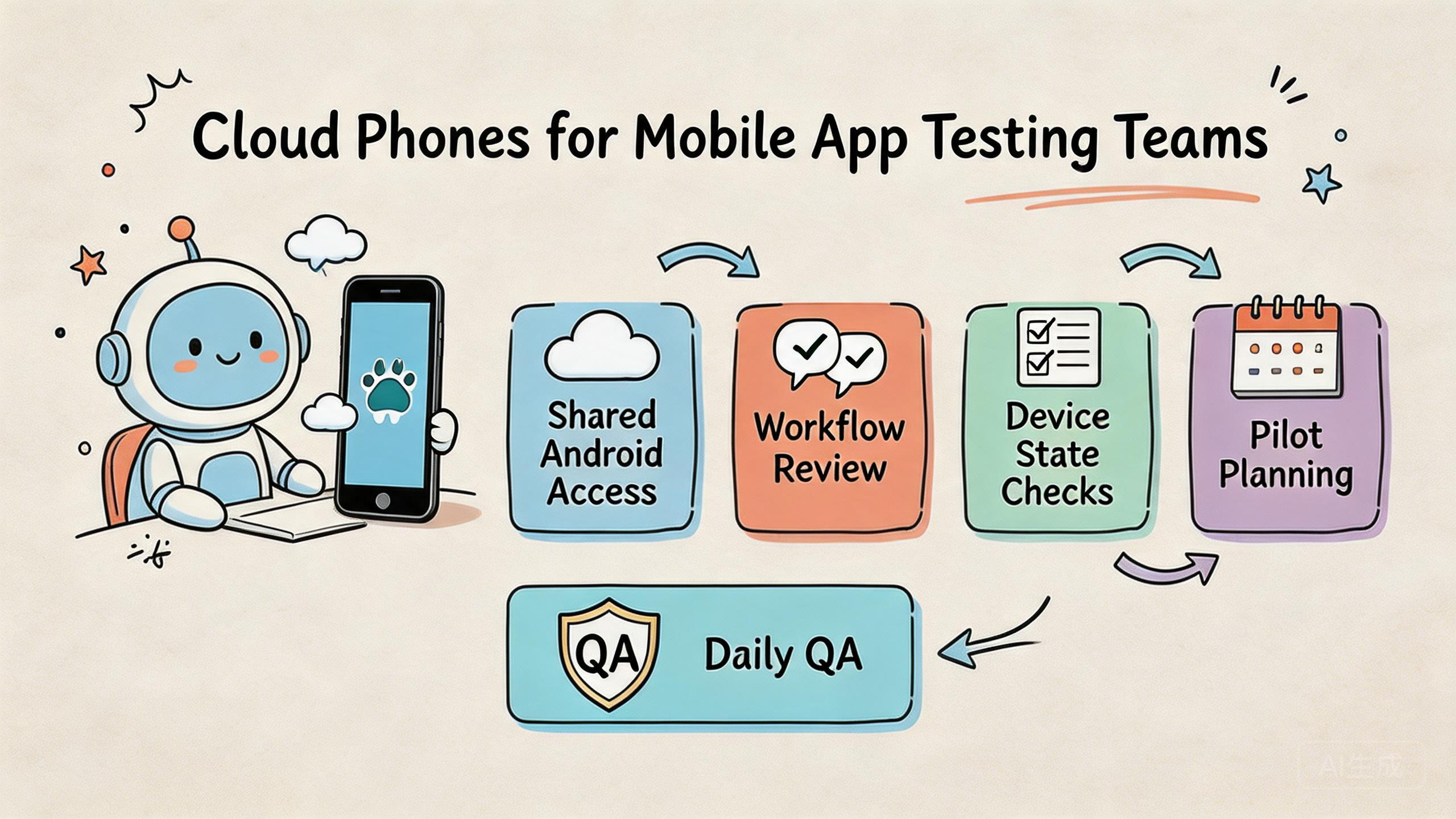
- Remote Android environments can help testing teams access, assign, review, and reuse test phones through the cloud.
- They are most useful when a team needs shared access, repeat checks, handoff, and clear device state.
- Local emulators and physical devices still matter. The remote layer works best as one part of a broader test setup.
- A good pilot should measure setup time, handoff time, recovery time, defect review quality, and route clarity.
Introduction
A remote phone testing setup is a hosted Android test workflow. QA, product, and operations teams use it to run app checks without keeping every test phone on a local desk. The cloud phones for mobile app testing model gives teams a way to open a mobile environment through the cloud, assign work, review results, and repeat test paths.
The main decision is not whether cloud phones are better than every emulator or device lab. The better question is where they fit inside the team's testing workflow. Some tests still belong on local emulators. Some checks still need physical devices. The hosted model becomes useful when the team needs shared Android access and a cleaner handoff model.
Testing teams usually face three limits. Local setups can be hard to share. Physical device benches can be slow to manage. Remote device services may help with coverage but may not match daily workflow needs. Hosted phones can help when the test job depends on remote access, stable state, routing, and review.
MoiMobi fits this operational use case. It is not only a remote screen. The platform connects cloud phone, phone farm, device isolation, proxy network, and mobile automation. These layers support a mobile execution workflow.
What Testing Teams Mean by Cloud Phones for Mobile App Testing
These hosted phones are Android environments that teams access remotely. For testing teams, the value is not only the screen. The value is the operating layer around that screen: access, device state, repeatable setup, review, and recovery.
This corrects a common misunderstanding. The hosted phone model is not the same thing as a local Android emulator. A local emulator is often part of a developer's machine and code loop. Google describes the Android Emulator as a way to test Android apps on a computer without using every physical device directly (Android Developers: Emulator). That is useful, but it is not the whole team workflow.
The model also differs from a simple device lab. A device lab may focus on coverage across many device models. Hosted phone testing is often judged by whether a team can use the same environment for repeated work, handoff, account state checks, or app workflow review.
The practical model has four parts:
- A remote Android environment that the tester can open.
- A rule for who owns the environment during a task.
- A way to inspect or reset state after a test.
- A review path for results, failures, and next steps.
Testing teams should treat cloud phones as shared workspaces, not loose gadgets. A shared workspace needs simple rules. Who can start a test? Who can change settings? Who reviews output? Who resets the environment? These answers decide whether the system stays useful after the first demo.
Why This Testing Model Matters
Mobile app testing often breaks down at handoff. One tester knows what happened, but another person cannot see the same state. A developer receives a bug note but cannot tell whether the issue came from the app, device state, network route, or test steps. A lead sees a failure count but lacks the context to decide what to fix first.
The model matters when it makes that process easier to see. A team can assign a remote phone to a test path. The tester can run the flow. A reviewer can inspect the result. Another person can continue from a known state or reset the device before reuse.
The key value is repeatability. Helpful testing is not only about running one pass. It is about running the same path again after a fix, after a route change, or after a new app build. Google Search Central's helpful content guidance is about search, but the general principle applies. Useful work should help people make progress instead of adding noise (Google Search Central).
Testing teams can use a simple frame:
- Access: Can the right tester open the right environment?
- State: Is the app, account, and session state known?
- Route: Is network behavior clear enough for review?
- Handoff: Can another person understand what happened?
- Recovery: Can the team reset and try again without guesswork?
This frame is more useful than asking for a large number of remote phones. More devices do not fix unclear state. More sessions do not fix weak reporting. Testing quality improves when the team can repeat, explain, and review the work.
Key Benefits and Use Cases
The strongest use case is shared QA work. A distributed team can open cloud phones without shipping physical devices between people. This is useful when testers, developers, and leads work from different locations.
Regression testing is another fit. Teams can keep a known Android environment for repeat checks. After a fix, a tester can rerun a workflow and compare the result. The setup still needs clear reset rules, but the remote model can make repeated access easier.
Account-based app testing may also benefit. Some mobile apps depend on logged-in state, role-based flows, or region behavior. Remote Android access can help the team keep those flows separated when paired with clear ownership and device isolation.
Remote review is a practical use case. A lead may not need to run the full test. They may only need to inspect the state, check a screenshot, or confirm the final screen. Shared access can reduce back-and-forth messages.
Use cases to review:
- Regression paths. Hosted phones help teams repeat the same flow after a build change. Check reset rules and app version tracking first.
- Remote QA review. Leads can inspect work without owning the device. Check read-only review roles and notes first.
- Account-state checks. Sessions can be assigned and kept separate. Check ownership, isolation, and cleanup rules first.
- Route-sensitive checks. Network paths can be easier to review. Check proxy policy and region notes first.
The weaker fit is hardware-specific testing. Camera behavior, sensors, battery behavior, and device-specific bugs may still require physical phones. A good team does not replace every test layer. It chooses the right layer for each job.
How to Get Started with Cloud Phones for Mobile App Testing
The biggest mistake is starting with too many devices. A large pool creates noise if the test workflow is unclear. Start with one app flow, one small team, and one review loop.
Use this path:
- Pick one repeated test flow. Choose a login path, checkout path, onboarding path, or role-based flow that the team already tests often.
- Name the test owner. One person should own the setup, expected result, and pass or fail note for the pilot.
- Define the device state. Decide whether the phone starts clean, logged in, paused, or reset before each run.
- Set access roles. Operators, reviewers, and admins should not all need the same control level.
- Record route behavior. If region or network path matters, tie the test to a known route or proxy rule.
- Measure the pilot. Track setup time, handoff time, repeat run time, and recovery time after a failed run.
The pilot should answer one plain question: does the remote phone setup make the test easier to run and review? If not, the team should fix the process before adding more devices.
Android's testing documentation emphasizes running tests in a way that supports clear app quality signals (Android Developers: Test apps on Android). The hosted setup should serve the same goal. It should help the team find, repeat, and explain app issues.
Fit Boundaries for Testing Teams
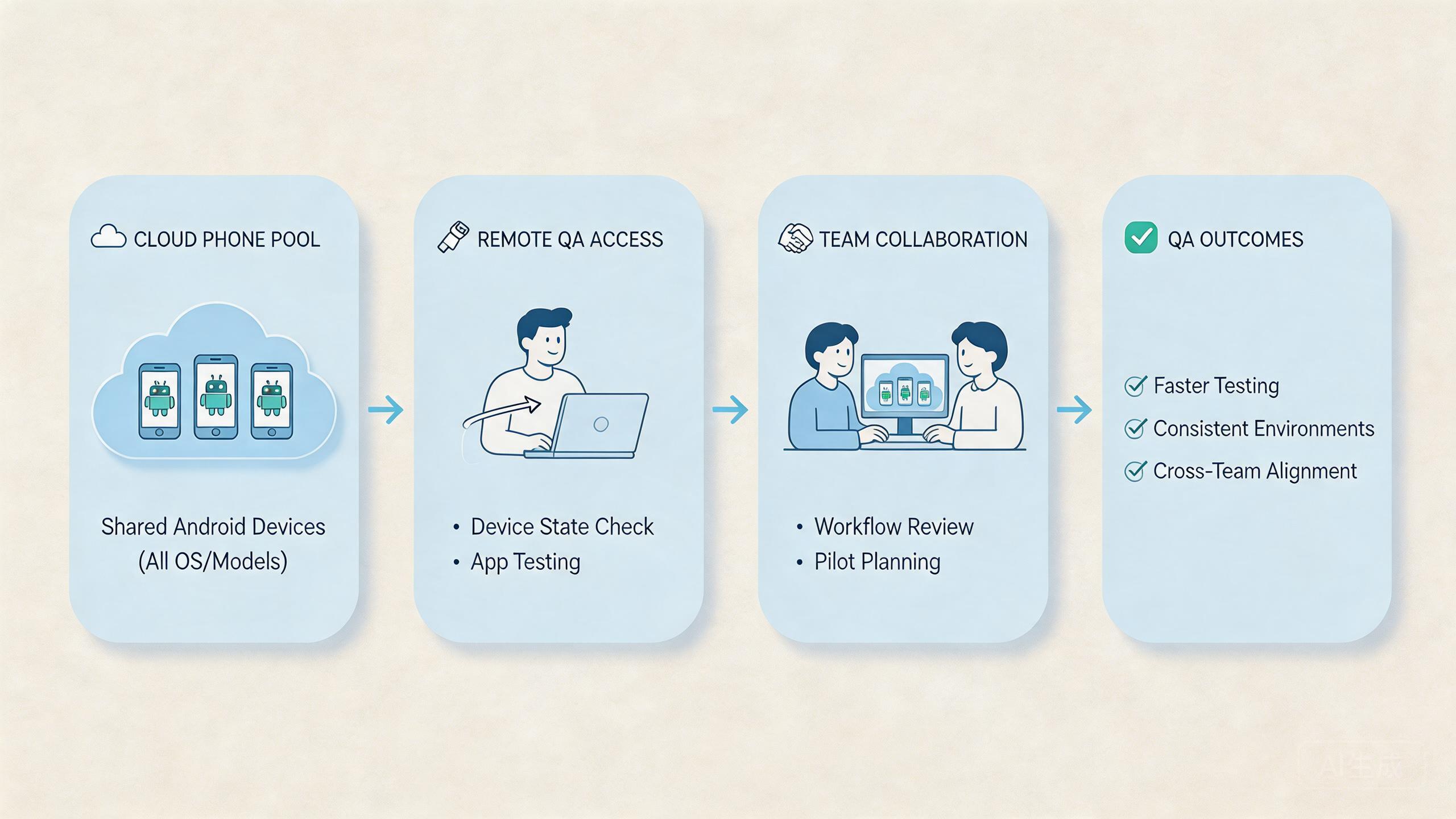
The fit is strongest when the test work is shared. These phones help when several people need the same Android environment, when a lead needs to review state, or when a team needs parallel access without moving physical phones.
A medium fit appears when the team still needs broad device coverage. Some workflows may need a remote device lab or a physical bench. Hosted phones can support repeated flows, while other tools cover model diversity or hardware checks.
A weak fit appears when the only job is local code debugging. A developer who needs fast edit-test-debug cycles may get more value from a local emulator first. The local loop is close to the code and easier to control.
Fit levels are simple:
- Strong fit: remote QA, repeated workflows, shared review, route checks, and team handoff.
- Medium fit: QA coverage where some checks use hosted phones and some still need device labs.
- Weak fit: hardware-level testing, sensor checks, battery behavior, and one-person local debugging.
MoiMobi should be compared when the team needs stable mobile execution, not just a quick emulator. Its value is stronger when phone farm, routing, device state, and automation are part of the same operating model.
Common Mistakes to Avoid
The first mistake is using cloud phones as an untracked shared pool. A tester runs a flow, leaves the device in an unknown state, and another tester starts from that same state. The second result may be hard to trust.
The second mistake is mixing too many app versions. A test result is only useful when the team knows the build, account state, route, and expected result. Without those details, the failure report becomes guesswork.
The third mistake is ignoring access roles. Reviewers may need to inspect a session. They may not need to change the setup. Operators may need to run a flow. They may not need admin rights. Clear roles reduce accidental drift.
The fourth mistake is treating route behavior as a side note. Some app tests depend on location, latency, or network path. When routing matters, connect the test to a known proxy network rule or region note.
The fifth mistake is scaling before recovery is clear. A bigger pool creates more work if failures cannot be paused, checked, and reset. Testing teams should know who can quarantine a phone and who can return it to service.
Use a small failure review:
Use a small failure review:
- What build was tested? This prevents version confusion. Build and test time should be recorded.
- What state was used? This explains repeatability. Login, account, and reset state should be known.
- What route applied? This helps isolate network factors. Route or region should be visible.
- Who owns the next step? This keeps work moving. One person should own retest or reset.
These mistakes are common because remote access feels simple at first. The system becomes useful only when the team adds clear rules around that access.
Pilot Plan for Cloud Phones for Mobile App Testing
A good pilot should run for a short, defined period. One week is often enough to expose basic handoff and state problems. The pilot should not try to prove every possible use case.
Track setup time first. Count how long it takes to prepare the phone, install or open the app, set the account state, and start the test. Long setup time shows hidden work.
Track handoff time next. A second tester should be able to understand what happened without a private call. Good handoff makes the system useful for remote teams.
Recovery time is the next signal. When a test fails or a phone state looks wrong, the team should know how to pause, inspect, reset, and continue. This matters more than raw device count.
Review quality should be checked at the end. A lead should be able to see the test result, the route note, the app state, and the next step. An unclear report means the workflow needs repair.
The pilot can end with three outcomes. Pass means the model supports the test flow. Fix means the team needs better rules or setup. Stop means the test case belongs in another tool layer.
Daily Test Board for Cloud Phones for Mobile App Testing
A simple board can make the test flow easier to manage. The board does not need to be a large tool. It can be a small table in the QA tracker, a sheet, or a field in the team's own system.
Each row should describe one phone or one test session. The useful fields are plain: owner, app build, test path, account state, route note, current status, and next action. These fields help the team avoid vague handoff.
Use short status labels. Ready means the phone can be used. Running means a test is active. Paused means someone must review before reuse. Reset means the phone should not be used until cleanup is done. Done means the test result has been logged.
Daily board fields:
- Owner. Record the person running or reviewing the test. This stops unclear handoff.
- Build. Record the app version under test. This prevents wrong-version reports.
- State. Record whether the phone is clean, logged in, paused, or waiting for reset. This makes reuse safer.
- Route. Record the route or region used for the check. This helps review network-sensitive issues.
- Next action. Record whether the next step is retest, reset, review, or close. This keeps the team moving.
This board also helps with team meetings. A lead can scan which phones are ready, which tests are blocked, and which failures need a retest. That is more useful than asking each tester for a private update.
The same board can support release checks. Before a new build goes live, the team can see which flows passed, which phones were used, and which routes were active. The record does not need to be complex. It needs to be clear enough for the next person to trust.
Keep the board small at first. Add fields only when the team actually uses them. A bloated board creates busywork. A clear board reduces repeat questions and helps cloud phones stay useful during daily QA.
One more field can help when releases move quickly. Add a short release note when a phone is used for a build check. The note can say whether the build is new, repeated, or waiting for a fix. This helps a lead understand why the same test appears again.
Simple notes also help developers. A bug report with app build, state, route, and next action is easier to use than a loose screenshot. The developer can see what was tested and what needs to be repeated.
The board should stay small enough for daily use. If testers stop filling it in, remove fields before adding more. A tool only helps when the team can keep it current.
Release days need the same discipline. Before a build is approved, the team can check whether the core flow was run, who ran it, which hosted phone was used, and what state remains. This does not require a heavy report. A short note is enough when it names the build, result, state, and next action.
Small records also protect the next test. A tester should not need to guess whether the phone is clean or still tied to a previous run. Clear notes keep the next pass fast and reduce repeated questions.
Frequently Asked Questions
Are remote phones useful for mobile app testing?
Yes, when the testing team needs remote Android access, shared review, repeated flows, or cleaner handoff. Hardware-specific tests are a weaker fit.
Do remote phones replace local Android emulators?
No. Local emulators remain useful for development and code-level checks. Remote phones are more useful when the workflow is shared across people.
Do testing teams still need physical devices?
Often, yes. Hardware-specific bugs, camera checks, sensor behavior, and battery behavior may still need real local devices.
What should the first pilot test?
Pick one repeated flow, such as login, onboarding, checkout, or role-based access. Measure setup, handoff, recovery, and review clarity.
How does MoiMobi fit this workflow?
MoiMobi fits when testing connects to repeated mobile execution. It combines cloud phones with phone farm operations, isolation, routing, and automation options.
Is cloud phone testing mainly for QA teams?
QA teams are a clear fit, but product, support, operations, and growth teams may also use shared Android environments for review.
What is the biggest risk in using cloud phones for tests?
The biggest risk is unclear state. A shared phone needs known ownership, known account state, and clear reset rules before reuse.
How many cloud phones should a team start with?
Start with the smallest pool that can run one real workflow. Add more only after setup, handoff, and recovery are stable.
Conclusion
This testing model works best when it solves a team workflow problem. It is not a universal replacement for local emulators, physical devices, or device labs. The strongest fit appears when testers need shared Android access, repeatable state, clearer review, and better handoff.
The right decision starts with the test job. Use local tools first for code debugging. Keep physical devices in the plan for hardware-specific checks. Run a cloud phone pilot when the job is repeated remote Android testing across several people.
MoiMobi is most relevant when testing is part of a larger mobile execution system. Teams can connect cloud phones with device isolation, proxy routing, phone farms, and mobile automation.
The next step is simple. Choose one high-value test flow. Run it on a small cloud phone pool. Track setup time, handoff time, recovery time, and review clarity. Expand only when the pilot makes daily testing easier to run and easier to explain.



