
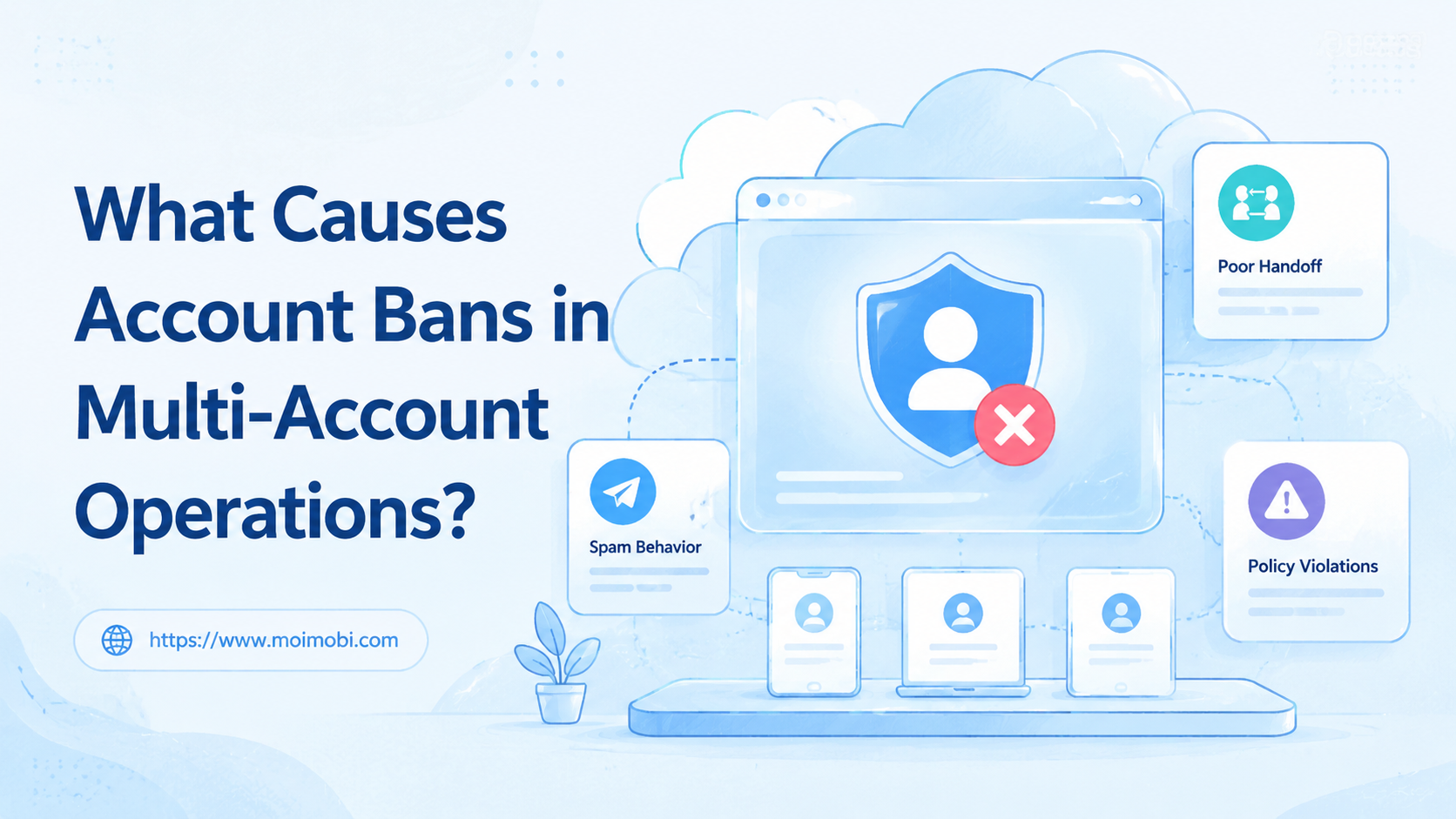
An account ban is a platform action that limits, suspends, disables, or removes an account after the platform decides the account or its activity does not meet its rules.
In multi-account operations, bans are rarely caused by one isolated setting. The common causes are repeated spam-like behavior, policy violations, unclear account ownership, shared sessions, inconsistent operator actions, and weak recovery records. Device signals can matter in some workflows, but they are only one part of the operating picture.
The practical answer is not "buy a tool and remove risk." Teams need a safer operating model: clear account roles, separated environments, reviewed actions, task logs, and pause rules when something looks wrong.
This matters because enforcement events can affect more than one daily task. A restricted account can stop publishing, support replies, ad work, marketplace follow-up, or client reporting. A calm response starts with evidence: stop new actions, collect the last task records, read the platform notice, and assign one owner for follow-up.
Key takeaways
- Platform rules and user trust come before automation speed.
- Repeated, unwanted, misleading, or coordinated behavior can create enforcement risk.
- Shared devices, shared sessions, and unclear handoff make problems harder to trace.
- A controlled workspace helps teams review actions before scaling.
- MoiMobi should be used as an execution layer, not as a shortcut around platform rules.
The Core Idea Behind Account Ban Risk
The biggest misunderstanding is that account ban risk is only a device problem. Device setup matters, but platforms also evaluate behavior, content, reports, identity signals, and policy history.
Meta's Community Standards cover Facebook, Instagram, Messenger, and Threads. They include rules around spam and inauthentic behavior. Instagram's Help Center also says accounts that do not follow Community Standards may be disabled. TikTok's Community Guidelines state that they apply to the TikTok community and describe what is and is not allowed.
Those sources point to the same operational lesson: teams should design account work around acceptable behavior and reviewable records. A clean device environment cannot fix repeated spam, misleading content, or uncontrolled operator actions.
Multi-account work adds a second layer of risk: confusion. One operator may think another person approved a message. A content assistant may reuse the same text across many accounts. A support rep may reply from the wrong account environment. None of these problems require bad intent, but each one can create patterns that look careless or unwanted.
| Risk area | What usually goes wrong | Better control |
|---|---|---|
| Content | Repeated, misleading, copied, or low-value posts | Approval, content library, and review notes |
| Behavior | Too many similar actions from many accounts | Task limits, scheduling, and human checks |
| Environment | Many accounts share one device or session | Dedicated browser or mobile workspace |
| Team process | No owner, no log, no pause rule | Role assignment and recovery checklist |
Why Teams Search for Account Ban Causes
Teams search this topic after a workflow becomes hard to control. A social media team may run multiple TikTok, Instagram, or Facebook accounts. An e-commerce team may manage marketplace support and outreach. An agency may operate client accounts across regions and platforms.
The problem is not only the number of accounts. The problem is that many accounts create many small decisions. Who posted? Who replied? Which environment was used? Was the message approved? Was the account already under review?
That is why multi-account management matters. Operators need one place to map accounts, environments, tasks, ownership, and review status. Otherwise, each account becomes a separate guess.
A cloud phone or browser profile can help only when it supports that operating model. It should not be treated as "cloud phone anti detection" in the reckless sense. A better framing is isolated mobile execution with clear task ownership.
Search demand around "prevent device flagging" usually reflects the same concern. Teams are worried that mixed device use, repeated logins, and messy routing may create account-level problems. The productive response is to document the environment map and stop accidental mixing before adding more accounts.
Fit and Not-Fit: Who Benefits Most?
Teams benefit most when they already have legitimate account workflows but lack control over execution. Good examples include customer replies, content publishing, support triage, brand monitoring, and marketplace app checks.
These teams need separation, not chaos. One account should have a known environment. One task should have an owner. One sensitive action should have review notes.
Good fit
- Agencies managing client account groups
- Support teams handling social messages
- Cross-border teams using browser and mobile apps
- Marketplace teams tracking account-specific work
Poor fit
- Teams trying to bypass platform enforcement
- Workflows based on mass unsolicited messaging
- Operations without account owners
- Teams that refuse review logs or pause rules
Use device isolation when account work needs cleaner separation. Use mobile automation only after the team has reviewed the manual workflow and knows which actions are safe to repeat.
The best-fit team has a normal business reason for multiple accounts. That may mean different brands, regions, clients, stores, or customer support lines. The not-fit team is trying to multiply the same unsolicited action across accounts. MoiMobi should support the first group with execution discipline, not encourage the second group.
How to Evaluate Account Ban Risk Before Scaling
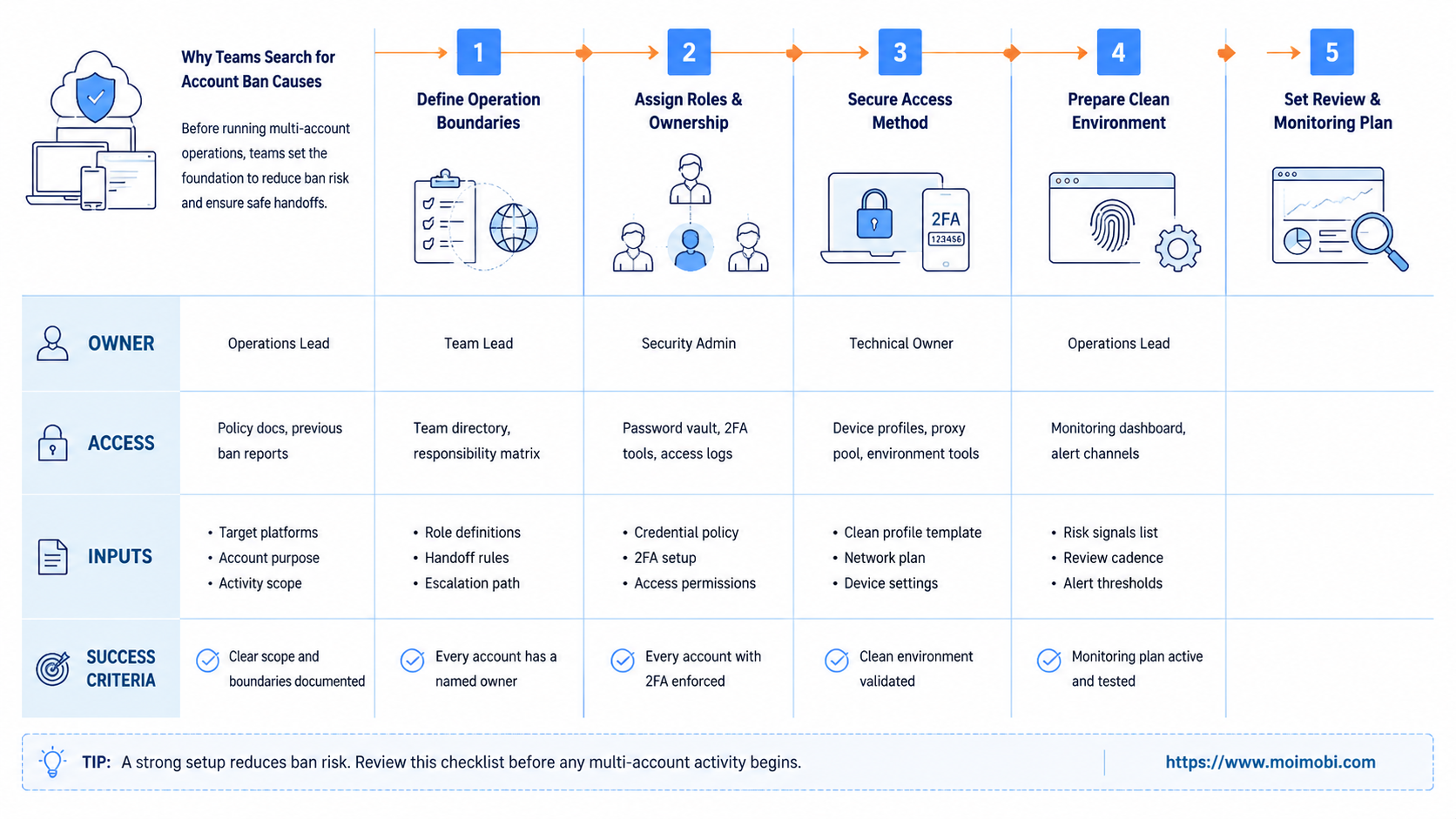
Start with a preflight checklist. This helps the team find operational gaps before adding more accounts or devices.
- Account ownership: each account has a named owner and operator list.
- Environment mapping: each account has an assigned browser profile, cloud phone, or Android workspace.
- Action boundaries: sensitive actions require review before execution.
- Content review: repeated content, copied assets, and misleading claims are checked before posting.
- Task logging: each action records account, environment, operator, result, and next step.
- Pause rule: unusual restrictions, failed logins, or warning messages stop expansion.
The checklist should run before any "account linkage prevention" discussion. If the team cannot explain who did what, changing device settings will not solve the operating problem.
For teams using both web and mobile channels, Android antidetect and browser profile tooling should be evaluated as workspace controls. The goal is cleaner separation and review, not risky automation claims.
Use a simple pass/fail rule before launch. Pass means every account has an owner, environment, task type, and pause owner. Fail means operators still choose accounts from memory, share devices casually, or use chat messages as the only task record.
Mistakes That Increase Account Ban Risk
The first mistake is scaling too early. A team that cannot manage ten accounts cleanly should not add fifty more. More accounts multiply weak process.
The second mistake is treating "avoid account bans" as a tool feature. No tool can replace platform rules, content quality, or operator judgment. Treat risk reduction as a workflow outcome.
The third mistake is shared execution. When many accounts use the same device, same browser session, same files, and same operator notes, investigation becomes difficult. Reviewers cannot easily trace which action caused the problem.
The fourth mistake is ignoring platform-specific rules. Meta, Instagram, TikTok, and Google Play each publish their own rule systems. Google Play's policy center, for example, prohibits deceptive, malicious, or abusive apps. Teams operating across platforms need platform-specific review, not one generic checklist.
Another mistake is hiding early warning signs. A login challenge, warning message, failed verification, or sudden task failure should not be treated as an obstacle to push through. It is a review signal. The safer response is to pause, document, and decide whether the workflow should continue.
What not to do
- Do not automate mass replies before testing manual review.
- Do not let every operator use every account.
- Do not hide warning signs to keep tasks running.
- Do not confuse device separation with permission to post low-quality content.
- Do not scale accounts when task logs are missing.
Pilot Rollout, Measurement, and Recovery Checks
Run a pilot with one account group. Keep the scope small enough that the team can review every task. Use the pilot to test the process, not only the device environment.
Track four measures:
- completed tasks with correct account mapping
- tasks paused because of warnings or unclear ownership
- repeated actions that needed manual review
- failed tasks with a documented recovery owner
A healthy pilot should make the work easier to explain. The account owner should know what happened. The operator should know which workspace to use. The reviewer should know when to stop or approve the next step.
Recovery is part of the system. If an account receives a warning, restriction, or login challenge, the team should pause the account workflow, record the last actions, check platform messages, and assign one owner for follow-up. Do not let other operators keep experimenting with the same account.
A good recovery record is short but complete. It should include the account, platform, environment, last five tasks, operator, platform message, suspected cause, decision owner, and next step. This record helps the team learn whether the issue came from content, behavior, environment mixing, or a normal platform review.
MoiMobi fits this operating model as an AI browser and cloud phone platform for separated execution environments. The platform is most useful when teams use it to assign workspaces, repeat approved workflows, and review results.
Frequently Asked Questions
What causes an account ban most often?
Common causes include platform rule violations, spam-like behavior, misleading content, reports, repeated abuse patterns, or account integrity issues. Exact causes depend on the platform.
Can device isolation prevent every account ban?
No. Device isolation helps teams reduce mixed-environment confusion. It does not replace platform rules, content review, or human judgment.
Is cloud phone anti detection the right way to think about this?
No. A safer framing is isolated mobile execution. The goal should be account separation, task ownership, and reviewable records.
What is account linkage prevention?
In a cautious operations context, it means avoiding accidental mixing of account sessions, devices, files, and operators. It should not mean bypassing platform enforcement.
How can teams avoid account bans safely?
Teams can reduce risk by following platform rules, reviewing content, limiting repeated actions, separating workspaces, and pausing when warning signs appear.
What should trigger a pause?
Pause when an account receives warnings, login challenges, unusual restrictions, repeated task failures, or unclear ownership. Review before continuing.
Do browser profiles help?
They help for web-based account work when each profile maps to a specific account. Mobile app workflows may also need cloud phones or Android environments.
How many accounts should a pilot include?
Start with one account group. Operators and reviewers should be able to inspect every action before expanding.
Small pilots also reveal whether the work is legitimate and repeatable. If most tasks require unusual exceptions, unclear content edits, or rushed manual overrides, the system is not ready for scale. Improve the SOP first, then add more environments.
That rule keeps expansion tied to evidence, not urgency.
Conclusion
Account bans in multi-account operations usually come from a mix of platform rule issues, repeated behavior patterns, weak ownership, and poor execution records. Device setup matters, but it is not the whole answer.
Before scaling, check five things: account owner, allowed actions, environment map, review log, and pause rule. If those are unclear, more devices or automation will only hide the problem.
MoiMobi can support teams that need separated browser and mobile execution environments. Use it to make account work clearer, safer to review, and easier to recover when something needs attention.



