
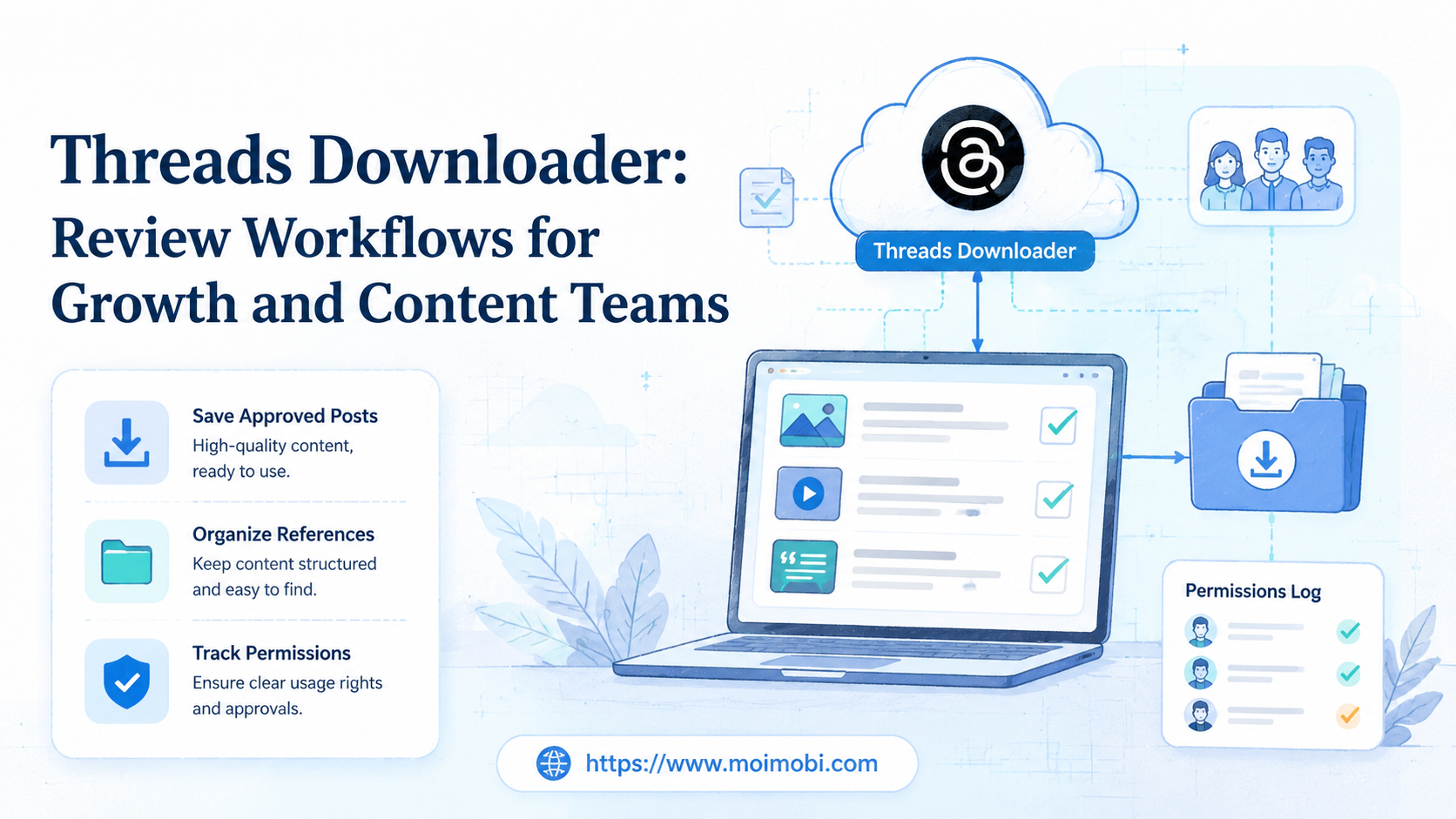
A threads downloader is a tool or workflow used to save Threads content for review, reference, reporting, or internal content planning. For growth and content teams, the responsible use case is not bulk copying public posts. It is collecting approved assets, documenting examples, preserving campaign evidence, and creating a review trail that respects ownership and platform rules.
Threads sits close to Instagram and Meta account systems, so teams should treat downloaded content as governed material. Meta's Instagram Help Center describes ways to access or download your own information, and Meta's Instagram Community Guidelines explain broad expectations for safe and respectful use. A team workflow should start from those boundaries, not from convenience.
The practical question is simple: what does the team need to preserve, who approved it, where will it be stored, and how will it be used later? A good review workflow answers those questions before anyone starts saving posts.
Key Takeaways
- A threads downloader should support review, evidence, and planning workflows, not uncontrolled copying.
- Teams need permission rules for owned posts, customer posts, competitor examples, creator content, and screenshots.
- Use a decision matrix before choosing manual save, official data export, browser review, or mobile execution.
- The workflow should record source URL, owner, purpose, reviewer, storage path, and reuse status.
- Start with one review loop before connecting Threads work to broader social media automation.
What Is a Threads Downloader for Review Workflows?
A threads downloader for teams is a controlled process for saving Threads posts, media, captions, URLs, and context into an internal review system. The purpose is usually content analysis, campaign reporting, customer response review, or creative planning. The stronger version also tracks permission and source context.
The phrase can sound like a one-click utility. That is too narrow for business use. A content team needs more than files. It needs a record of who captured the content, whether the brand owns it, whether it came from a creator, and whether it can be reused.
Meta's Privacy Center explains how Meta products process data and provides policy context for users. Teams should not treat public visibility as permission to reuse content. Public content can still have ownership, privacy, brand, or contractual limits.
The operational model has three pieces:
- Collection: Save the link, screenshot, media, caption, author, date, and campaign tag.
- Review: Decide whether the item is owned, licensed, referenced, or only used for internal inspiration.
- Storage: Keep the file, notes, and permission status in a shared library with a clear retention rule.
For teams that manage several social accounts, this review process belongs beside multi-account management, not inside one person's downloads folder.
Why Threads Downloader Workflows Matter for Growth Teams
Threads content can move quickly. A product mention, customer question, competitor launch, creator post, or campaign reply may be useful for a team meeting the next day. If the team only sends links in chat, context gets lost.
Growth teams often need repeatable reference material. They may review which hooks got replies, which customer objections appeared, which posts were approved for reuse, and which creator assets need follow-up. A downloader workflow gives the team a stable review package.
Content teams need different control. They may save drafts, owned brand posts, screenshots for reporting, or creator examples for planning. Each item has a different reuse boundary. A post owned by the brand is not the same as a customer post or competitor example.
The decision framework is:
| Content Type | Allowed Team Use | Review Needed |
|---|---|---|
| Owned brand post | Archive, report, repurpose internally | Campaign owner approval |
| Creator or partner post | Review under contract or permission terms | Partnership owner approval |
| Customer post | Support review or internal insight | Privacy and reuse check |
| Competitor post | Internal analysis only | No public reuse without separate rights |
This is why a downloader alone is not enough. The review layer decides what the team may do with the saved material.
Key Benefits and Use Cases
The main benefit is operational memory. A saved post with a source link, campaign tag, and reviewer note is easier to use than a loose screenshot. It can support weekly reviews, creator reports, support follow-up, and creative planning.
Growth teams can use the workflow for campaign evidence. For example, they may save brand-owned posts, response examples, and customer questions after a product announcement. Those items can inform the next campaign brief.
Content teams can use it for creative analysis. They may compare opening lines, visual framing, reply patterns, and topic clusters. The downloader is only the capture step. The real value comes from the tagging and review process.
Support teams can use a limited version for customer issues. A saved thread may help explain what a customer saw, what was promised, or what needs follow-up. In that case, access should be limited to the people handling the support case.
Teams working across TikTok, Instagram, WhatsApp, and Threads may connect Threads review to a broader social media marketing workflow. The goal is to avoid isolated tools that cannot show who saved what and why.
Threads Downloader Comparison: Manual, Export, Browser, or Mobile
The right option depends on content ownership, review volume, and execution environment. A solo marketer can use manual saves for a small set of owned posts. An agency or multi-account team needs a stricter workflow.
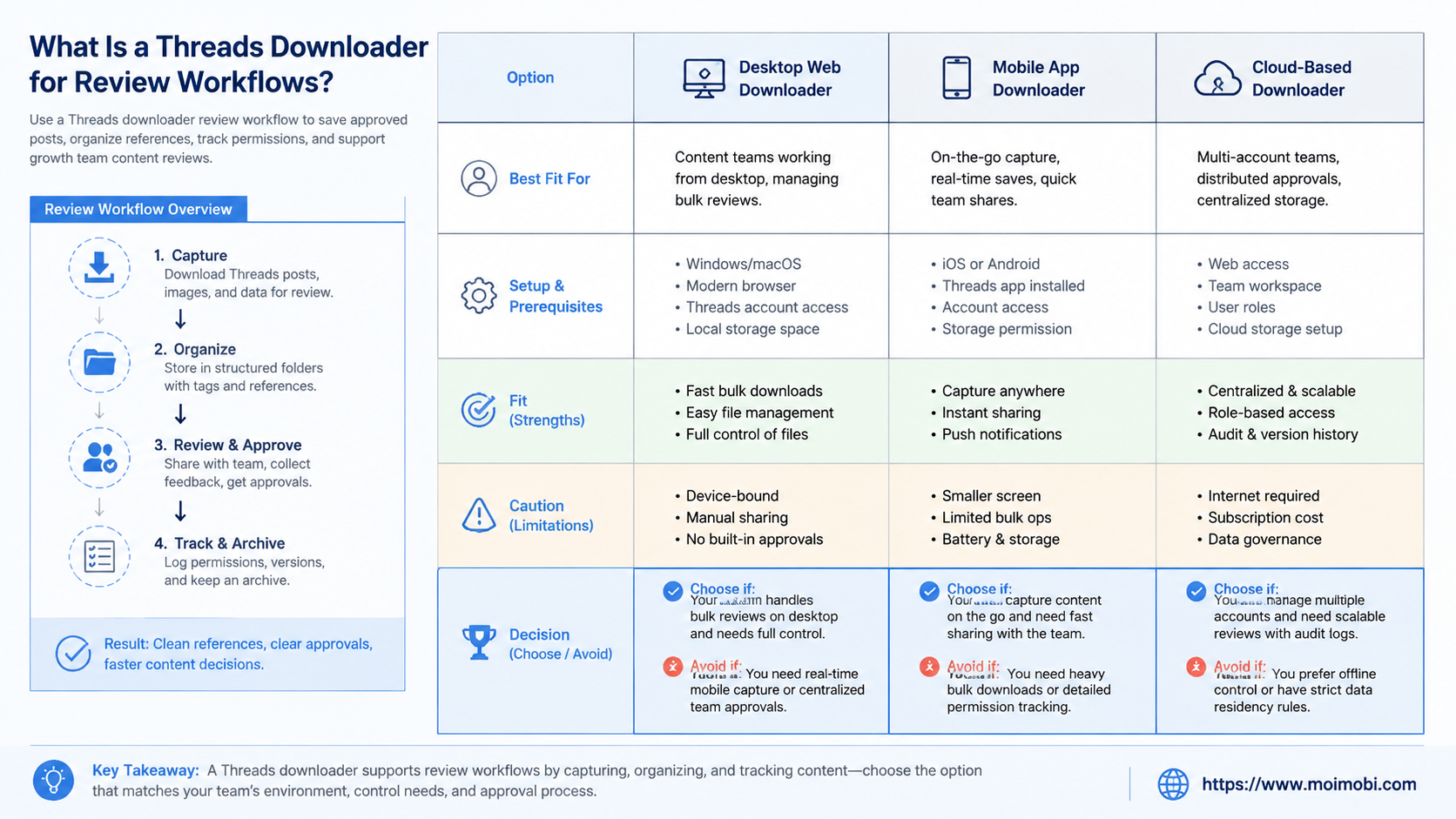
| Option | Best Fit | Main Limit |
|---|---|---|
| Manual screenshot and link | Small internal review set | Hard to standardize at team scale |
| Official data export | Owned account records and archive needs | Not designed for competitor or customer monitoring |
| Browser review workflow | Source links, comments, tagging, and reports | May miss mobile-only context |
| Managed mobile workflow | App-side review, notifications, and account checks | Needs assignment, logs, and human approval |
For teams that need app-side review, a cloud phone can be part of the execution setup. Use it when the review depends on mobile sessions, account switching, notifications, or app-only surfaces. Do not use mobile capacity as a reason to collect more than the workflow needs.
If the team is deciding between virtual Android setups and managed mobile environments, the existing cloud phone vs emulator guide is a better next read. Threads review may need real app behavior, but the decision should still be based on workflow requirements.
How to Get Started with a Threads Downloader Review Workflow
Start with the mistakes first. Do not save everything. Do not mix customer posts, creator assets, and owned posts in one folder. Do not let every operator decide reuse rules alone.
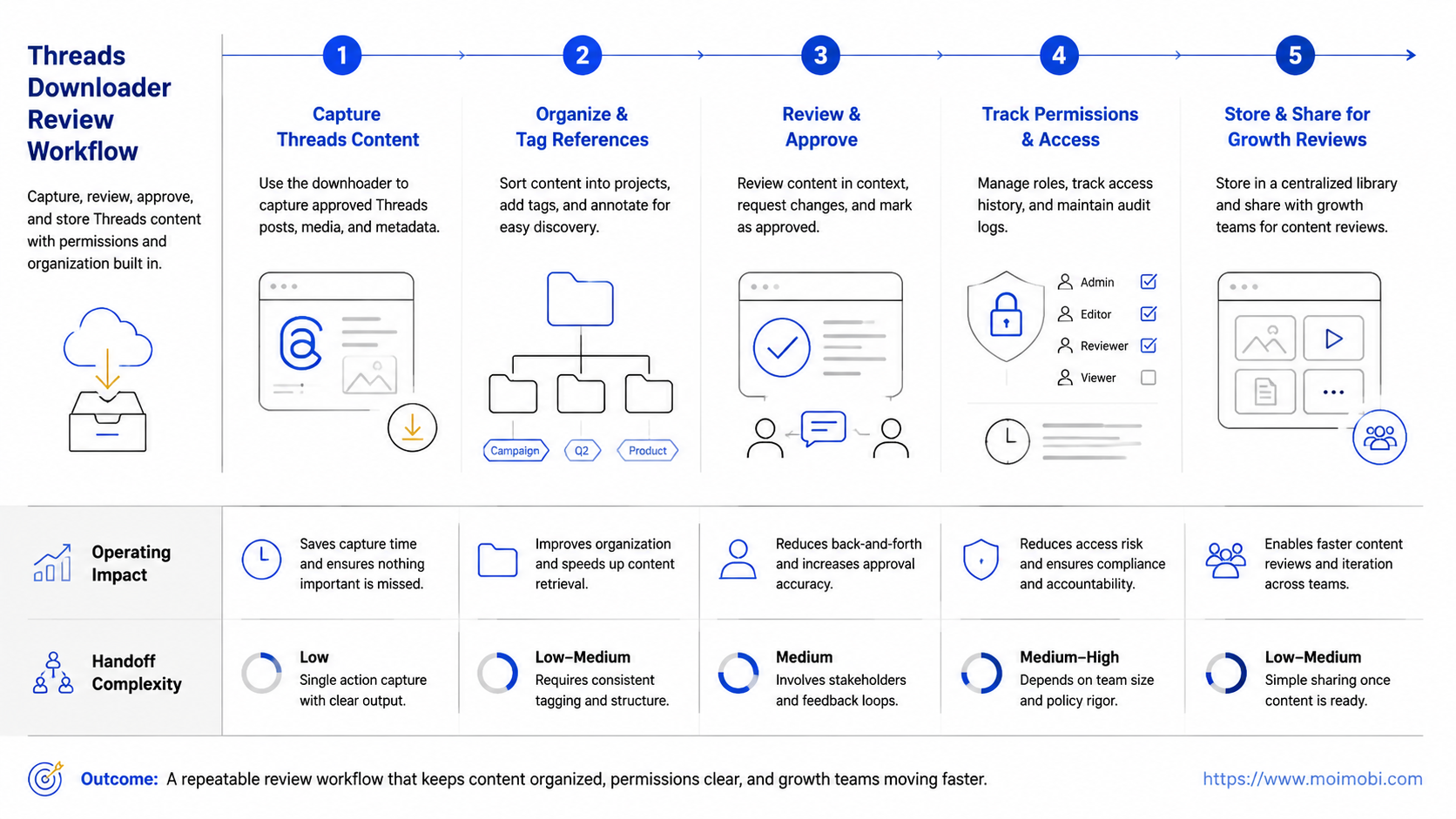
Use this rollout checklist:
- Define the review purpose. Choose campaign archive, creator review, competitor monitoring, customer support, or content planning.
- Classify the source. Mark each item as owned, partner, customer, competitor, or public reference.
- Capture the minimum record. Save URL, author, date, screenshot or media, caption, and context note.
- Assign a reviewer. Give one person authority to mark reuse status.
- Store with tags. Use campaign, account, product, region, and permission tags.
- Limit access. Customer and creator material should not be visible to every operator by default.
- Review retention. Decide when files should be archived, deleted, or moved to a content library.
Teams that run account-based social operations should align this with device isolation. The same operator should not mix unrelated brand accounts, customer evidence, and competitor references in one unmanaged environment.
Add a stop rule before scaling. If the team cannot explain the source, purpose, permission status, and storage owner for a saved post, the item should not enter the shared library.
Common Mistakes to Avoid
The biggest mistake is treating a downloader as a rights-management system. It is not. Downloading or saving a post does not answer whether the team may reuse it, quote it publicly, or include it in an ad.
Another mistake is ignoring account context. A post captured from one account may look different from another view, especially when privacy, following status, or app surfaces affect context. Keep the source URL and account used for review.
Teams also weaken their process when they only save media files. The caption, replies, date, author, and campaign context may matter more than the image. A file without context becomes hard to trust later.
Avoid these patterns:
- Saving competitor posts into a creative library without marking them as internal reference only.
- Reusing creator content without checking the agreement or approval record.
- Mixing customer issue screenshots with general marketing assets.
- Letting every team member use a different naming format.
- Keeping old downloaded files after the campaign no longer needs them.
For higher-volume operations, mobile automation can support repeatable review steps. It should still keep human approval in the loop for reuse and public action.
Who It Fits and When It Is a Strong Match
A Threads downloader workflow fits teams that need review memory. Growth teams, agencies, social content teams, and customer support groups can all use it when they have clear permissions and storage rules.
It is a strong match when the team handles:
- Brand-owned Threads posts that need campaign archives.
- Creator posts that need approval, reporting, or follow-up.
- Customer questions that need support review.
- Competitor examples used only for internal learning.
- Multi-account reporting across several brand or regional accounts.
It is not a strong match when the goal is to copy public content at scale, build a repost library without permission, or scrape comments without a clear use case. Those activities create operational and trust problems.
Teams that already manage several accounts should connect the review workflow to account roles. Use separate workspaces for brand accounts, creator partnerships, support review, and competitor analysis. A phone farm alternative should be evaluated by governance, not by device count alone.
Pilot Rollout, Measurement, and Recovery Checks
A pilot should start with one account group and one use case. For example, choose "owned campaign archive" or "creator post review" before adding customer support or competitor monitoring. Narrow scope makes mistakes easier to find.
Measure four things:
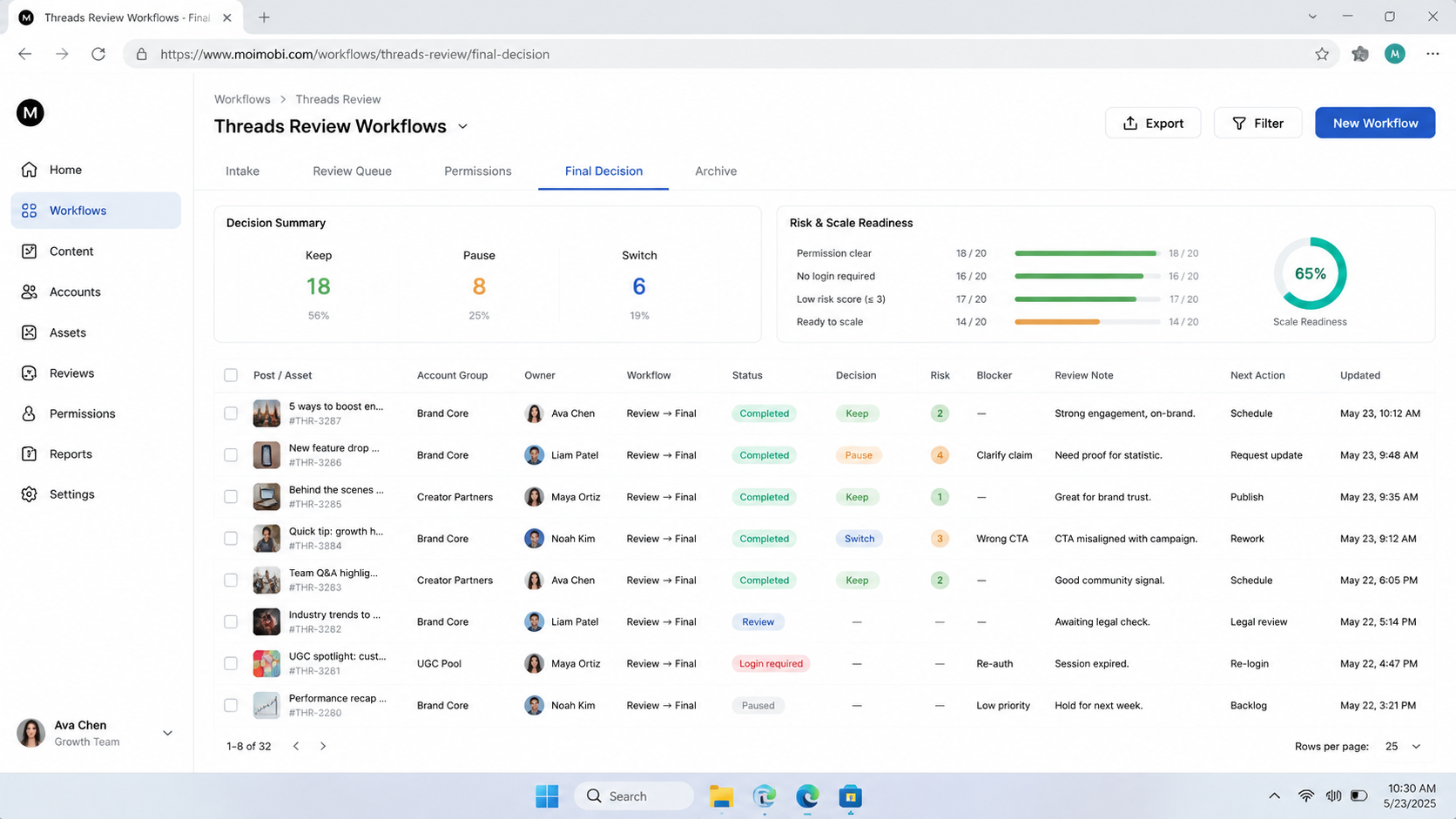
- Completeness: Does each saved item include URL, author, date, source type, and reason?
- Review speed: How long does it take to mark reuse status?
- Storage quality: Can another team member find the item later?
- Recovery quality: Can the team explain why a file was saved and whether it can be deleted?
Run a weekly recovery check during the pilot. Remove duplicates, fix missing source links, and mark items that are internal reference only. If the team cannot clean the library quickly, the workflow is already too loose.
The review process should also feed campaign learning. Track which posts informed new hooks, which customer themes needed support follow-up, and which creator assets required permission checks. That turns saved content into operational insight.
Frequently Asked Questions
What is a threads downloader?
It is a tool or workflow for saving Threads content for review, archive, reporting, or planning. Team use should include source and permission records.
Is it okay to download public Threads posts?
Public visibility is not the same as reuse permission. Teams should use saved public posts carefully, usually as internal reference unless they have rights.
What should a team save with each post?
Save the URL, author, date, source type, screenshot or media, caption, reviewer, purpose, and reuse status.
When should a team use official data export?
Use official export for owned account records or personal account information. It is not a general replacement for campaign review workflows.
Do growth teams need mobile environments for Threads review?
They may need them when review depends on app sessions, mobile notifications, or account-specific app views. Browser-only review may be enough for simple link checks.
How should agencies separate client content?
Use separate folders, environments, permissions, and naming rules for each client. Do not mix client assets in one unmanaged library.
Can MoiMobi replace content permissions?
No. MoiMobi can help structure execution environments and workflow records. Teams still need their own permission, contract, and approval process.
What is the first pilot workflow to test?
Start with owned brand posts from one campaign. It has clearer permissions and helps the team test naming, storage, and review rules.
Conclusion
A threads downloader is useful only when it sits inside a review workflow. The team needs source records, permission status, storage rules, and a clear reason for saving each item. Without those controls, downloaded content becomes clutter and risk.
Start with one account group, one purpose, and one reviewer. If the pilot can show what was saved, why it was saved, who approved it, and how it will be used, the workflow is ready for careful expansion across more Threads and social media operations.



