
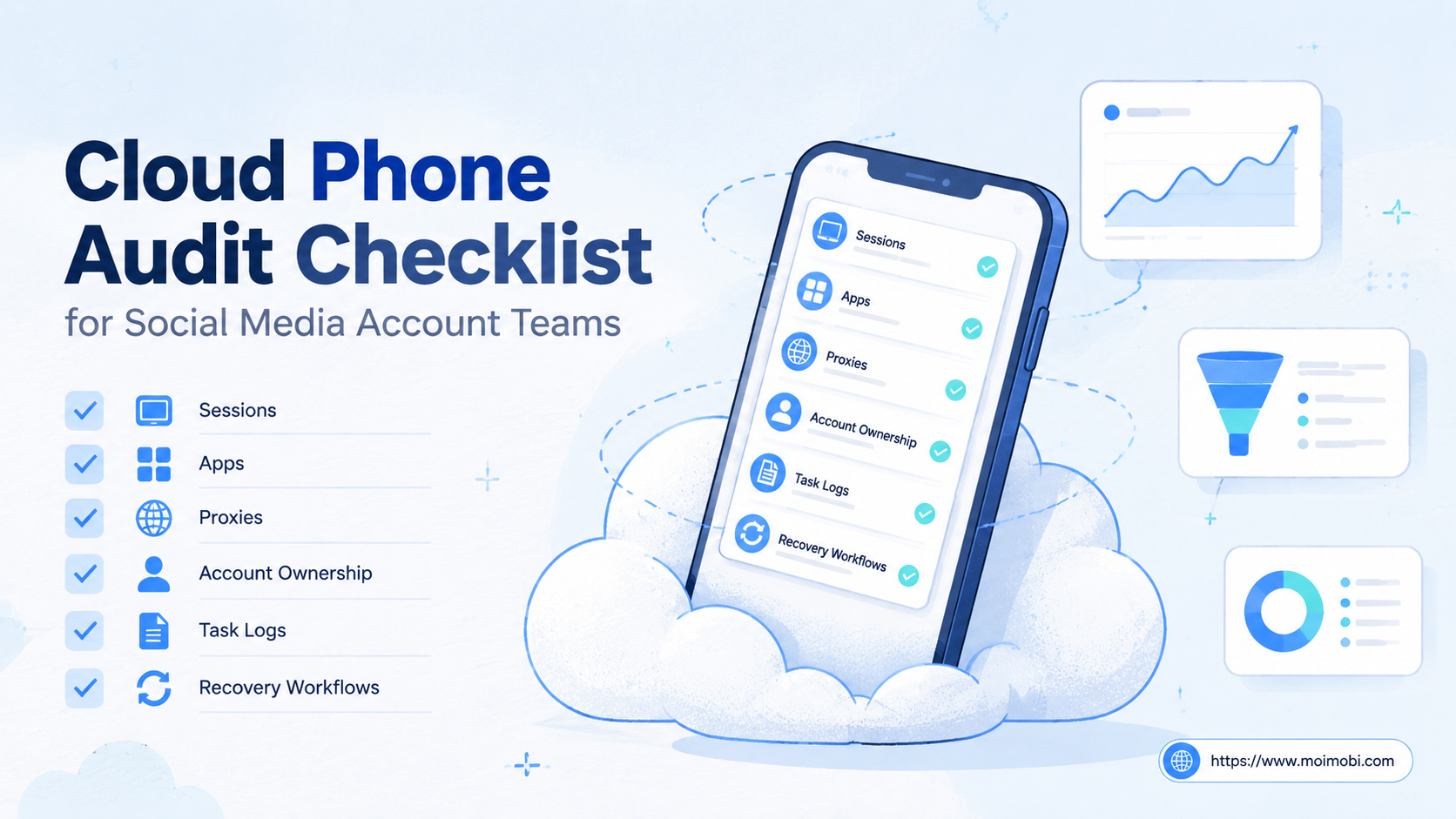
A cloud phone audit checklist is a structured review of mobile environments, account ownership, routing, app readiness, workflow records, and recovery controls. Social media teams use it before they add more accounts, move work from physical phones, or compare cloud phones with browser-first account tools.
The goal is not to prove that every team needs the same device stack. The goal is to find weak points before they become operational problems. A useful audit tells the team which accounts are ready, which environments are unclear, and which workflows still depend on one person's memory.
For TikTok, Instagram, WhatsApp, Telegram, Facebook, and similar workflows, the audit should cover both execution and governance. A device can be online while the workflow is still fragile. The team needs clean account assignment, app access, review rules, task logs, and a way to pause or repair failed work.
Key Takeaways
- Audit cloud phones by account, device, network, app, workflow, owner, and recovery path.
- Do not evaluate a cloud phone setup only by device count or monthly price.
- Social media teams need review controls for public replies, publishing, and account changes.
- Cloud phones, browser profiles, and physical devices solve different parts of account operations.
- A small pilot should pass the checklist before the team scales more accounts.
What Is a Cloud Phone Audit Checklist for Social Media Account Teams?
A cloud phone audit checklist is an operating control list for remote Android environments used in social media work. It asks whether each account has a known environment, a clear owner, a working app session, a documented route, and a visible task history.
Cloud phones are one part of a broader execution stack. A team may also use browser profiles, proxy routing, shared content libraries, task queues, approval flows, and reporting. The checklist connects those pieces into one review.
The simplest audit has seven areas:
- Account inventory: Which accounts exist, and who owns them?
- Environment assignment: Which device or browser profile belongs to each account?
- App readiness: Are required apps installed, updated, and accessible?
- Routing assumptions: Which proxy, region, and network route apply?
- Workflow scope: What tasks run on the cloud phone?
- Review controls: Which actions need human approval?
- Recovery evidence: What happens when a session, app, or task fails?
AWS Device Farm's documentation describes hosted access to real Android and iOS devices for app testing. Android Enterprise also defines dedicated devices as managed devices used for a specific purpose. Those references point to the same operating lesson: remote or dedicated mobile environments need assignment, purpose, and control. They should not be treated as anonymous device slots.
Why the Cloud Phone Audit Checklist Matters
A checklist matters because social media teams rarely fail from one missing feature. They fail when many small ownership gaps stack together. One person knows the login. Another knows the proxy. A third person knows which phone was used last week. Nobody can explain the failure after a task stops.
Cloud phone operations create more moving parts than a single personal phone. The team has devices, accounts, apps, files, routing, operators, reviewers, and task states. The checklist reduces ambiguity before those moving parts scale.
It also improves buying decisions. Teams comparing cloud phone vs physical phone farm, GeeLark vs cloud phone, MoreLogin vs cloud phone, or BitBrowser vs cloud phone should not compare names alone. They should compare what each option gives them for mobile execution, browser access, account separation, team permissions, and audit history.
The checklist turns vague questions into practical checks. Instead of asking whether the setup is "good," the team asks:
- Can we identify every account's assigned environment?
- Can we see which task ran and who approved it?
- Can we pause a workflow without losing context?
- Can we recover when an app session breaks?
- Can managers review results without asking operators in chat?
TikTok's public community rules discuss integrity and spam-like behavior. That makes control important. Teams should use cloud phones to organize execution, not to push uncontrolled volume.
Cloud Phone Audit Checklist: Core Review Table
Use this table during the first audit. It is intentionally practical. Each row should produce a pass, warning, or blocker.
| Audit area | Pass condition | Warning sign | Blocker |
|---|---|---|---|
| Account map | Every account has owner, platform, role, and group | Owner exists but role is unclear | Accounts are shared without ownership |
| Device assignment | Each account has one assigned mobile environment | Some accounts use temporary devices | Operators choose devices ad hoc |
| App readiness | Required apps are installed, updated, and tested | App works but login state is unknown | Tasks start before app access is confirmed |
| Routing | Proxy, region, and network assumptions are documented | Proxy exists but is not tied to account records | Routing differs by operator habit |
| Review flow | Public actions have approval rules | Approval happens informally in chat | Publishing or replies run without review policy |
| Recovery | Failures show reason, owner, and next action | Failures are visible but not categorized | Failed tasks disappear from the workflow |
This table should be used before adding capacity. More devices do not fix unclear ownership. A larger setup only makes unclear ownership harder to repair.
How to Get Started with a Cloud Phone Audit Checklist
Start with a small account group. Choose one platform, one team, and one repeated workflow. For example, audit five TikTok accounts used for monitoring and reply preparation. Keep publishing outside the pilot until the review path is clear.
Follow this sequence:
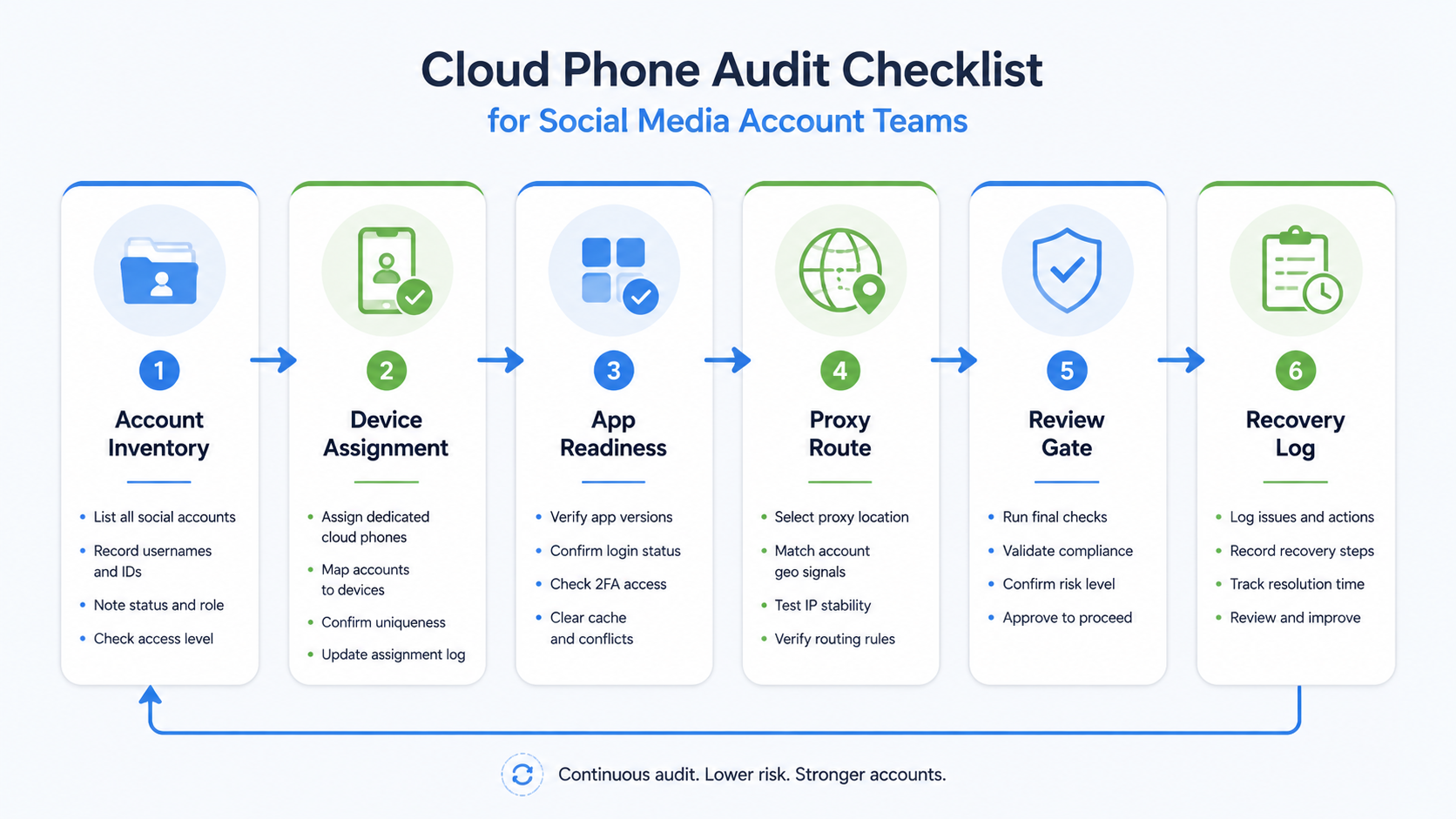
- Create the account inventory. List account name, platform, owner, role, market, and current device.
- Map each execution environment. Record cloud phone ID, browser profile, proxy route, and assigned operator.
- Check mobile app readiness. Confirm app install, login state, permissions, notifications, and update status.
- Define workflow boundaries. Separate monitoring, posting, replying, lead capture, and reporting tasks.
- Add review gates. Require human approval for public replies, publishing, outreach, and account settings.
- Run one controlled task cycle. Track pending, running, reviewed, completed, paused, and failed states.
- Review recovery evidence. Confirm that every failed task has reason, owner, timestamp, and next action.
This sequence works because it checks the system before scale. Teams often jump straight to automation. A better order is account map, environment map, workflow map, then automation.
MoiMobi's cloud phone product layer is designed for this kind of execution review. It sits beside multi-account management, browser environments, and workflow records rather than acting as a standalone phone rental list.
Key Benefits and Use Cases
The main benefit is visibility. A manager can see which account belongs to which environment and which workflow is running. That is difficult when account work lives across personal phones, chat threads, and informal notes.
The second benefit is controlled handoff. Operators can pass tasks to reviewers without sharing a personal device. Reviewers can approve or pause work based on task records instead of screenshots scattered across messages.
The third benefit is environment consistency. Social media account teams often combine app sessions, browser dashboards, proxy routing, and account records. Device isolation helps teams think in terms of assigned workspaces, not loose device pools.
Common use cases include:
- TikTok or Instagram monitoring across account groups.
- Comment and DM preparation with human review.
- Cross-border e-commerce customer follow-up.
- Agency workflows across several clients.
- Creator-team content checks before publishing.
- Recovery after session, app, or routing issues.
The checklist also helps compare tool categories. A physical phone farm may give local devices but weaker remote workflow control. A browser-first tool may help with web sessions but not app-first work. A cloud phone setup is strongest when the team needs remote mobile execution with account-level records.
Common Mistakes to Avoid
The first mistake is auditing only device uptime. A phone can be online while the account workflow is broken. The audit should also test app access, owner clarity, review rules, and task recovery.
The second mistake is treating cloud phones as a replacement for all browser tools. Browser profiles still matter for dashboards, research, content preparation, and web-based account work. The better model is browser plus mobile execution when both surfaces are needed.
The third mistake is skipping routing documentation. A proxy may exist, but that does not mean it is tied to account records. Teams should document route, region, and ownership assumptions before they scale. MoiMobi's proxy network page is the natural next layer when teams need routing to be part of account operations.
The fourth mistake is using automation before review rules are written. AI can draft, classify, and prepare tasks. Public replies, publishing, outreach, and sensitive account changes should keep human review.
The fifth mistake is comparing tools only by price. MoreLogin vs cloud phone or BitBrowser vs cloud phone is not a useful comparison unless the team first defines browser work versus mobile work. Different tools may serve different parts of the workflow.
Who It Fits and When It Is a Strong Match
This checklist fits teams with repeated social media operations. It is especially relevant when several people work across multiple accounts and need shared visibility.
Strong fit
- Agencies managing several client account groups
- Cross-border sellers handling social replies and product questions
- Teams using TikTok, Instagram, WhatsApp, or Telegram app workflows
- Operations needing approval before public actions
- Managers who need task history and recovery records
Weak fit
- One account with one operator
- Manual posting without team handoff
- No mobile app workflow
- No need for review, logs, or recovery records
- Teams not ready to define account ownership
The strong-fit case is operational, not just technical. A cloud phone audit checklist becomes valuable when the team needs accountability around mobile execution. It is less valuable when the team only wants another device slot.
For broader social workflows, connect the checklist to social media marketing. The device layer should support content, replies, monitoring, and reporting. It should not sit outside the team's operating system.
Pilot Rollout, Measurement, and Recovery Checks
Pilot the checklist before a full migration. Pick one platform, one account group, and two workflows. A practical pilot might test comment monitoring and reply preparation across five accounts.
Measure six signals:
- Assignment clarity: Can every operator find the right account and environment?
- Task visibility: Can managers see pending, running, reviewed, and failed work?
- Review delay: How long do approvals wait?
- Failure quality: Do failed tasks include reason and next owner?
- Recovery time: How long does it take to repair app or session issues?
- Scale readiness: Can the same pattern handle another account group?
Stop the rollout if ownership is unclear. Pause if the audit finds account groups sharing environments without a written reason. Repair routing documentation if operators use different assumptions for the same platform.
The recovery check is the most revealing part. A healthy workflow can explain failure without blame. It shows what broke, who owns the next action, and whether the task should retry, pause, or move to manual review.
Frequently Asked Questions
1. What is a cloud phone audit checklist?
It is a review list for cloud phone account operations. It checks account ownership, mobile environments, apps, routing, workflows, review gates, and recovery records.
2. How often should social media teams audit cloud phones?
Audit before adding new account groups, after major workflow changes, and after repeated failures. A light weekly review can catch unclear ownership early.
3. Is this checklist only for TikTok accounts?
No. It also works for Instagram, WhatsApp, Telegram, Facebook, and other mobile-first account workflows. Adjust the app checks by platform.
4. Does a cloud phone replace a physical phone farm?
Not always. Physical phones may still fit local testing or specific device needs. Cloud phones fit remote team access, shared workflows, and account-level task records.
5. How does this relate to browser profiles?
Browser profiles help with web sessions and dashboards. Cloud phones help with app-first execution. Many account teams need both layers.
6. What should be checked first?
Start with account ownership. If the team cannot identify who owns each account and environment, the rest of the audit will be unstable.
7. Should automation be included in the audit?
Yes, but after workflow controls are clear. Review task triggers, approval gates, failure handling, and human takeover points.
8. Can the audit reduce account risk?
It can reduce operational confusion and mixed-session mistakes. It cannot remove platform risk or replace good content, policy awareness, and review.
9. What is a good pass score?
Use a simple score: pass, warning, or blocker for each area. Do not scale until blockers are fixed and warnings have assigned owners.
Conclusion
A cloud phone audit checklist helps social media account teams decide whether their mobile execution setup is ready to scale. The checklist should cover account ownership, assigned environments, app readiness, routing assumptions, review rules, task records, and recovery paths.
Use this priority order: map accounts first, map environments second, test app readiness third, define workflow boundaries fourth, then measure recovery. If the team cannot explain ownership or repair failures, adding more cloud phones will only increase confusion.
Moimobi fits teams that want cloud phones as part of a broader execution layer. The value is not only remote Android access. The value is account isolation, multi-account management, mobile execution, routing clarity, and workflow records in one operating model.



