
A cloud phone guide is a practical operating instruction for teams that use hosted Android devices to run mobile workflows. Cloud phone guides explain how to plan phone work, assign environments, separate account lanes, test handoff, and review failed tasks.
MoiMobi treats cloud phones as execution environments, not casual remote screens. The goal is to help teams connect phone farm capacity, device isolation, proxy network, and mobile automation into repeatable work.
The fastest way to use this guide is to pick one workflow and run a small pilot. Do not begin by moving every account or app. Use 3 to 5 phones, clear labels, a handoff record, and a recovery rule.
Key Takeaways
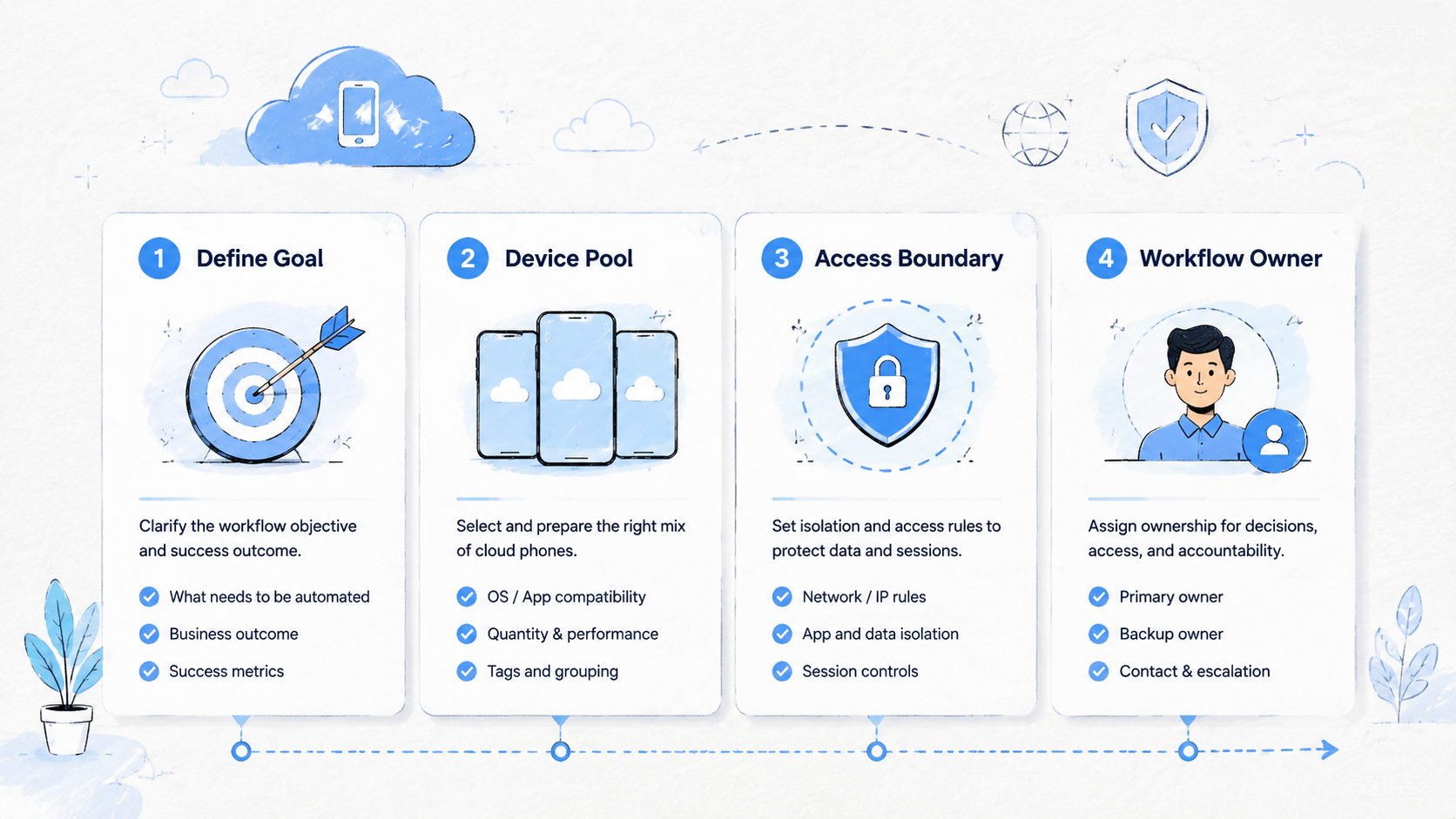
- Cloud phone guides should turn mobile work into assignable workflow lanes
- The first setup should be small enough to inspect
- Each phone needs ownership, state, route notes, and stop rules
- Automation should follow a stable manual workflow
- A good rollout measures handoff, review, recovery, and wrong-context events
Cloud Phone Guides for Workflow Planning
A team should define the workflow before it buys capacity. A phone count does not tell operators what to do. A workflow guide does.
Start with one task that repeats every day or every week. Good first candidates include inbox triage, comment review, marketplace app checks, app QA, content posting review, or regional account monitoring.
Use this planning table:
| Planning field | What to write | Example |
|---|---|---|
| Workflow name | The recurring job | WhatsApp reply review |
| Account lane | The account or account group | Support-Lane-02 |
| Phone count | Small starting pool | 3 cloud phones |
| Owner | Main operator | Operator A |
| Reviewer | Person who approves sensitive actions | Manager B |
| State labels | Allowed status values | clean, active, paused, reset-needed |
| Stop rule | When work must pause | login prompt or unclear customer request |
This planning step prevents a common failure. Teams often add more phones before they know how work should move. The pool looks larger, but the process becomes harder to manage because each new device adds another place for files, account state, and notes to drift.
Google's SEO Starter Guide is about website organization, but the same principle applies to operations. Clear structure helps people know what exists and what should happen next.
Setup Guide for the First Cloud Phone Lane
The first lane should be narrow. Pick one account group, one operator, one reviewer, one measurable task, and one clear recovery owner before adding more phones.
Follow this sequence:
| Step | Setup action | Done means |
|---|---|---|
| 1 | Create the workspace name | The phone can be identified without chat context |
| 2 | Install required apps | Only apps needed for the task are present |
| 3 | Add owner and backup owner | Handoff is possible when shifts change |
| 4 | Record route expectations | The route rule is visible beside the workspace |
| 5 | Add state labels | Operators can mark clean, active, paused, reset-needed |
| 6 | Write stop rules | The team knows when to pause work |
| 7 | Test review | A manager can inspect the task state |
Do not overload the first lane. A small lane reveals whether the process works. A large pool hides problems until people start mixing files, tasks, and account context.
The setup is ready when a second operator can open the workspace and understand the next action without a private explanation. That is the practical handoff test.
Cloud Phone Guides for Account Isolation
Account isolation is a work rule. It means each account lane gets its own environment, labels, owner, backup owner, app list, and review path. For teams doing multi-account management, this rule matters more than raw device count.
Use isolation when workflows differ by account, client, region, language, app, or risk level. A shared phone may be fine for casual testing, but it is weak for repeated account work that crosses people or shifts.
The guide should define these boundaries:
- Which account or client belongs to the workspace
- Which apps are allowed in the workspace
- Which operator owns the next action
- Which reviewer approves sensitive work
- Which files can be stored locally
- Which route note applies to the lane
- Which state label blocks reuse
Isolation does not remove the need for platform judgment. It gives the team cleaner operating boundaries. Operators still need permissions, policy awareness, documented review steps, and a manager who can pause unclear work.
Google's helpful content guidance rewards content made for real user needs. A cloud phone guide should follow the same standard. It should answer the work question, name the decision owner, and show what happens when the task cannot continue.
Cloud Phone Guides for Handoff and Review
Mobile workflows often fail at handoff. One person starts a task, another person finishes it, and the record is too thin. The phone may still contain the app state, but the next operator does not know what happened.
Use a handoff record with 6 fields:
| Field | Example |
|---|---|
| Workspace ID | IG-Brand-A-03 |
| Current state | paused |
| Last action | checked inbox and saved 2 draft replies |
| Next action | manager review before sending |
| Stop reason | one reply includes pricing question |
| Owner | Manager B |
The record should be short. A handoff note that takes too long will not survive a busy shift. The goal is enough context for a second person to continue safely, with no need to reconstruct the work from private messages.
Review should focus on state, not screenshots alone. A screenshot can help, but it is not a process. The reviewer should see the account lane, task state, next action, stop reason, owner, and whether the phone can return to active use.
Automation Guide for Mobile Workflows
Automation should come after the manual path is stable. A team should not automate unclear work, missing assets, or tasks that require judgment.
Use this readiness check:
| Question | Ready answer |
|---|---|
| Is the task repeated often | Yes, at least weekly |
| Is the path known | Yes, the manual SOP is written |
| Can the task stop safely | Yes, stop rules are defined |
| Can a person take over | Yes, manual takeover is assigned |
| Is the result reviewable | Yes, the record shows action and state |
Good automation removes repeat clicking. It should not remove accountability. A script that posts, replies, checks, or collects data must still leave a record.
MoiMobi fits teams that need automation linked to mobile environments. The useful model is not "run everything." The useful model is "run known steps, pause on unclear state, and let a person review."
Pilot Measurement Guide
A pilot should measure whether the workflow gets cleaner. Do not rely only on whether the phone opened or the app launched.
Track 7 signals:
| Signal | Why it matters |
|---|---|
| Setup time | Shows onboarding cost |
| Task completion time | Reveals repeatability |
| Handoff success | Tests whether another person can continue |
| Review time | Shows manager burden |
| Recovery time | Shows support effort |
| Wrong-context event | Flags account or file mixups |
| Manual takeover count | Shows where judgment is still needed |
Run the pilot for 1 or 2 weeks. A short pilot is enough to find naming, review, and recovery issues. A longer pilot may be useful once the team adds more account lanes.
At the end, decide what changes before expansion. Keep what worked, fix unclear labels, remove apps that do not belong in the lane, and add missing stop rules.
Cloud Phone Guides Rollout Checklist
A rollout checklist turns the guide into a working system. It should be short enough for an operator to use, but detailed enough for a manager to audit later.
Use 4 rollout stages:
| Stage | Scope | Exit check |
|---|---|---|
| Stage 1 | One workflow, 3 to 5 phones | Handoff works without private explanation |
| Stage 2 | Two account lanes | Operators do not mix apps, files, or notes |
| Stage 3 | Backup owner added | A second person can recover paused work |
| Stage 4 | Repeat schedule added | The task can run on a daily or weekly cadence |
Each stage should have a stop point. A team should not expand from stage 1 to stage 2 if the first lane still has unclear state labels. Growth should wait until the work can be inspected.
The rollout owner should review 5 records:
- Workspace name
- Account lane
- Current state
- Last action
- Next action
Those fields are enough for most first pilots. Larger teams may add route notes, file notes, reviewer names, or recovery owner fields. Keep the first version compact.
The strongest signal is not speed. The strongest signal is whether another person can continue the work without reconstructing the story from messages. When that handoff works, the guide is doing its job.
Team Roles and Ownership
Roles keep the guide from becoming a shared document no one owns. Each recurring workflow should name an operator, reviewer, backup owner, and recovery owner.
| Role | Responsibility | Common mistake |
|---|---|---|
| Operator | Runs the task and updates state | Leaves the next action unclear |
| Reviewer | Checks sensitive results | Reviews only screenshots |
| Backup owner | Continues work during shift changes | Needs private context to continue |
| Recovery owner | Handles paused or failed phones | Returns unclear phones to active use |
| Admin | Updates workspace rules | Changes labels without telling the team |
Small teams can combine roles. One person may be both reviewer and recovery owner. The important point is that every action has a named person.
Role clarity also helps with automation. A workflow can run repeated steps, but a person still needs to own exceptions such as login prompts, missing files, customer complaints, and unclear app state.
A simple role review should happen before expansion. Ask each person to describe their next action without opening a chat thread. If the operator, reviewer, and recovery owner give different answers, the guide is not ready for more phones.
Cloud Phone Guides for Failed Task Recovery
Recovery is where weak guides break. A phone that is stuck, paused, or unclear should not return to the active pool without a decision.
Use this recovery path:
| Failure state | First action | Owner |
|---|---|---|
| Login prompt | Pause task and record account lane | Operator |
| Missing asset | Stop and request file source | Operator |
| App timeout | Mark paused and retry once later | Backup owner |
| Customer complaint | Send to reviewer before reply | Reviewer |
| Unknown phone state | Remove from active pool | Recovery owner |
The recovery guide should be conservative. It does not need to solve every case automatically. It needs to prevent unclear work from continuing as if nothing happened.
Review recovery weekly during the pilot. Count how many tasks paused, how many required manual takeover, and how many returned to active use. These numbers show whether the guide is ready to scale.
Fit and Not-Fit Boundaries
These guides are a strong fit for teams that repeat mobile work across people, accounts, and shifts. They are useful for social media operations, customer engagement, marketplace checks, Android app QA, and regional monitoring.
They are less useful for one-off personal testing. A single user who needs a temporary Android screen may not need a full operating guide.
Strong fit
- Several operators share mobile tasks
- Accounts need separate environments
- Managers review results later
- Work repeats across days or shifts
Weak fit
- One short app test
- No team handoff
- No account separation
- No repeat workflow
This boundary keeps the guide practical. Use the process where it reduces confusion. Avoid adding process where a small note is enough.
Common Setup Mistakes
Setup mistakes usually appear after the first week. The phone opens, the app works, and the team thinks the workflow is ready. Hidden problems show up later when another person has to continue the task from a thin record.
| Mistake | What happens | Better rule |
|---|---|---|
| No state labels | People reuse phones in unclear condition | Use clean, active, paused, under review, reset-needed |
| General-purpose phones | Client, account, and support work get mixed | Give each lane a named job |
| Automation before review | Sensitive actions become harder to inspect | Add review before repeated steps |
| Expansion before recovery | Failed phones stay inside the active pool | Remove unclear phones until a recovery owner clears them |
| Fleet-size focus | More phones hide weak process design | Track handoff, recovery, and wrong-context events |
A named lane is easier to control than a loose pool. It tells the operator what belongs in the phone, what does not belong there, and who owns the next step.
Fleet size is not the main success signal. Handoff quality, recovery time, and wrong-context events matter more because they show whether work can scale without extra cleanup.
Frequently Asked Questions
What are cloud phone guides
Cloud phone guides are practical instructions for setting up hosted Android devices, account lanes, state labels, handoff records, review steps, and recovery rules.
How many phones should a team start with
Use 3 to 5 phones. That is enough to test setup, handoff, review, and recovery without creating a hard-to-debug fleet.
Are cloud phone guides only for social media
No. They also fit customer support, ecommerce, app QA, regional monitoring, and any team workflow that needs shared mobile app state across people.
Should every cloud phone have one account
Not always. The better rule is one clear lane per account, account group, client, or workflow. The lane must be understandable to another operator who did not create the setup.
When should automation be added
Add automation after the manual workflow is stable. The automation should follow labels, stop rules, manual takeover paths, and a review record that managers can inspect later.
How should teams compare cloud phone vs emulator
Use an emulator for lightweight testing. Use a managed cloud phone workflow when shared access, app state, team handoff, review, and recovery records matter.
What is the best next step
Pick one recurring mobile task and write a 3-phone pilot guide. Then test whether another person can continue the task from the record without private explanation.
Conclusion
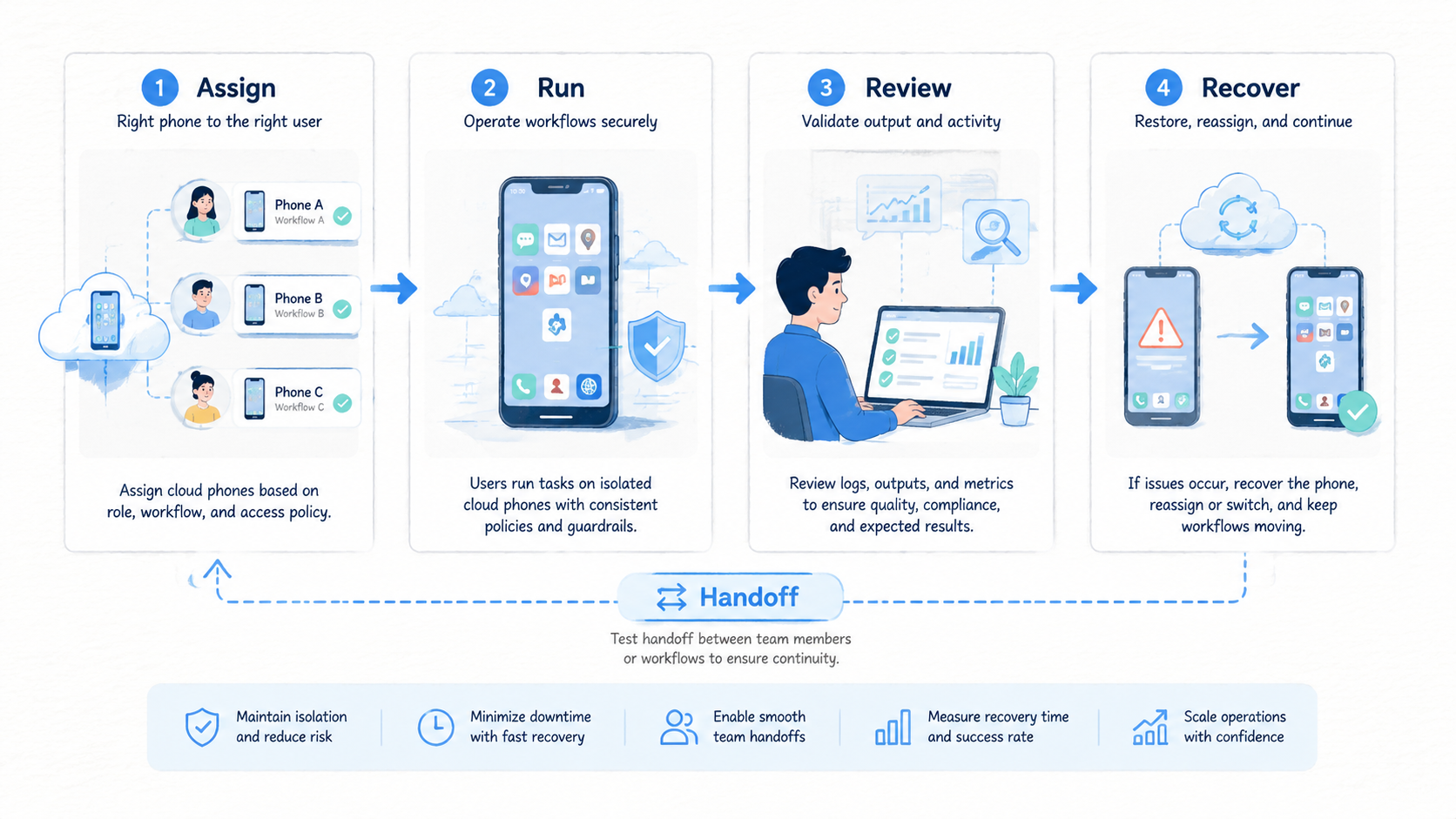
Cloud phone guides are useful when they make mobile work easier to assign, inspect, recover, and repeat. They should not be long manuals that operators ignore.
Start with one workflow. Name the workspace, assign owners, define labels, write stop rules, and test handoff. Then measure whether the process reduces confusion before adding more phones.
MoiMobi fits teams that need cloud phones to operate as controlled mobile execution lanes. Use these guides to connect device access with isolation, routing, review, automation, and recovery.



