
Key Takeaways
- Browser profile management gives each AI worker a clear account workspace.
- Profile ownership matters more than raw profile count.
- The best setup connects profiles, task rules, review, and recovery.
- Teams should pilot one account group before scaling many profiles.
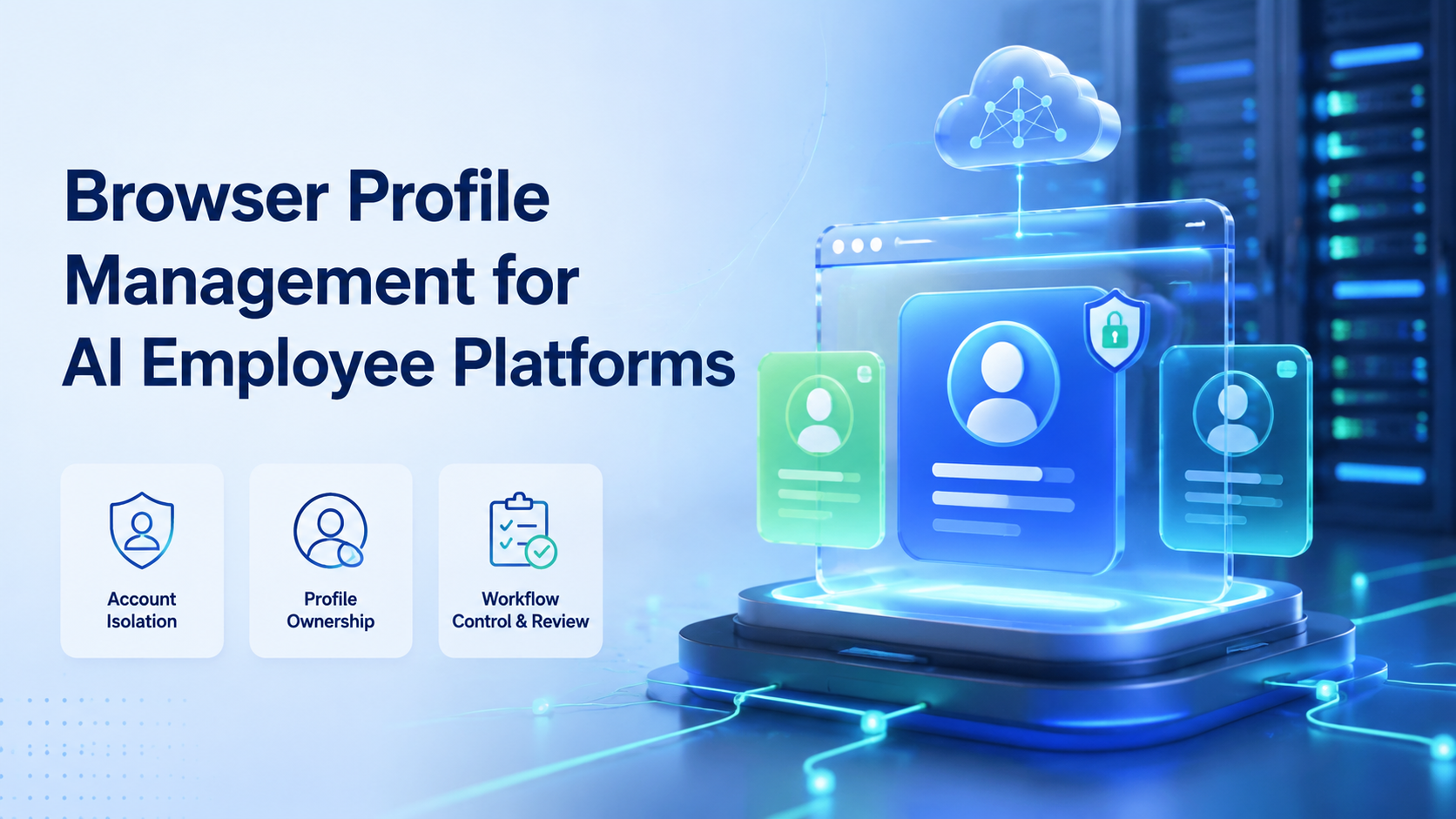
Browser profile management is the practice of creating, assigning, reviewing, and maintaining separate browser environments for logged-in work. In an AI employee platform, it helps each AI worker operate inside a defined workspace instead of sharing one browser state across many accounts and tasks.
This matters because AI employees are not only chat tools. They need places to work. A browser profile can hold the account session, cookies, settings, workflow notes, routing choices, and task history needed for repeated web operations.
MoiMobi connects AI execution with device isolation, browser workspaces, cloud phones, and mobile automation. Browser profile management is one of the control layers that helps teams turn AI agents into useful AI employees.
What Browser Profile Management Means.
Browser profile management is not just a list of saved logins. It is a way to keep account work separated, named, owned, and reviewable.
A practical profile record should answer simple questions:
| Question | Why it matters |
|---|---|
| Which account uses this profile | Prevents casual account mixing |
| Who owns the profile | Makes handoff and review clear |
| Which workflow runs here | Keeps tasks scoped |
| What should never run here | Reduces operational mistakes |
| What evidence is saved | Helps managers review results |
| What happens after failure | Gives the team a recovery path |
Mozilla's MDN glossary describes browser fingerprinting as a way sites can identify a browser or device based on available signals. Treat profile management as a discipline for separated workspaces and predictable operations, not as a promise that risk disappears.
Good profile management keeps work clean. It helps the team know where a task ran, which account state was used, and what changed after the AI worker finished.
Why AI Employee Platforms Need Browser Profile Management.
Execution environments are the working layer for AI employees. Without them, the AI can plan, write, and answer, but it cannot reliably complete logged-in web work.
Browser profiles give AI workers an operating context:
- The right account is already mapped
- The task starts from a known browser state
- The worker has a defined scope
- The reviewer can inspect the result
- The next run can reuse the same workspace
This is especially useful for teams that manage social media, ecommerce, customer support, online research, or web dashboard tasks. Many of these workflows depend on private account state, not public pages.
Playwright is widely used for browser automation, and its official documentation shows how automation interacts with web pages through browsers. AI employee platforms need an additional business layer on top: profile ownership, account rules, human review, and task memory.
That is the difference between a script and an AI employee. A script runs steps. The employee model adds a workspace, a role, a task, a reviewer, and a record of what happened.
Profile Ownership and Account Mapping.
The first rule is simple: one account group should map to one clear profile group. This does not mean every account always needs a unique profile in every situation, but it does mean the team should avoid shared, unclear browser states.
Use a profile map like this:
| Profile group | Account group | AI worker role | Human owner | Review rule |
|---|---|---|---|---|
| Social lane A | Client A social accounts | Content prep worker | Account manager | Review before publish |
| Support lane B | Customer inbox accounts | Reply draft worker | Support lead | Review before send |
| Research lane C | Public research accounts | Monitoring worker | Growth manager | Review weekly |
| Ecommerce lane D | Store dashboards | Listing check worker | Store operator | Review exceptions |
The map should live where operators can see it. If only one person knows which profile belongs to which account, the system is fragile. That matters.
Ownership also protects the team from accidental overlap. A reply-prep worker should not use the same profile as a worker that checks marketplace dashboards. Different work has different risk, speed, and review needs.
MoiMobi's multi-account management use case fits this model. The platform should make account groups visible, so a manager can see which browser or mobile environment supports each workflow.
Browser Profile Automation vs Basic Browser Automation.
Basic browser automation focuses on actions. It can click, fill forms, extract data, and move through pages. Browser profile automation adds the account environment around those actions.
The difference is easy to see:
| Area | Basic browser automation | Browser profile automation |
|---|---|---|
| Starting point | A browser session | A named account workspace |
| Ownership | Often script-based | Assigned to a worker or team |
| Account state | May be temporary | Persistent when needed |
| Review | Often separate from run | Connected to task result |
| Scaling | More scripts or sessions | More controlled profile lanes |
| Best use | Public or repeatable web steps | Logged-in account workflows |
For AI employees, the second model is more useful. The worker needs to know which account lane it belongs to and what the next run should reuse.
A good profile platform should still support automation APIs. That is the floor. It should also support team controls, because agencies and operations teams need review, access limits, and clear records.
The proxy network layer can be part of the setup when account groups need consistent routing. The key point is not to hide the route from the team. The route, owner, and task should be documented enough for review.
Fit and Not-Fit Guide.
Browser profile management is a strong fit when account state matters. It is a weak fit when the workflow is public, one-off, or not ready for repeatable execution.
Good fit:
- AI workers that manage logged-in web dashboards
- Social media account operations
- Ecommerce account checks
- Customer support inbox workflows
- Lead research that uses saved account context
- Agencies that manage multiple client accounts
- Teams that need profile handoff and review
Weak fit:
- Public website scraping with no account state
- One-time research tasks
- Workflows that are still undefined
- Sensitive actions with no human approval
- Teams that cannot name account owners
- Projects that only need a normal browser tab
The fit test is direct. If the task needs a known account, known browser state, and a repeatable review path, browser profile management is worth designing. If the task is open-web research, a lighter browser automation setup may be enough.
Browser Profile Management for Workflow Design.
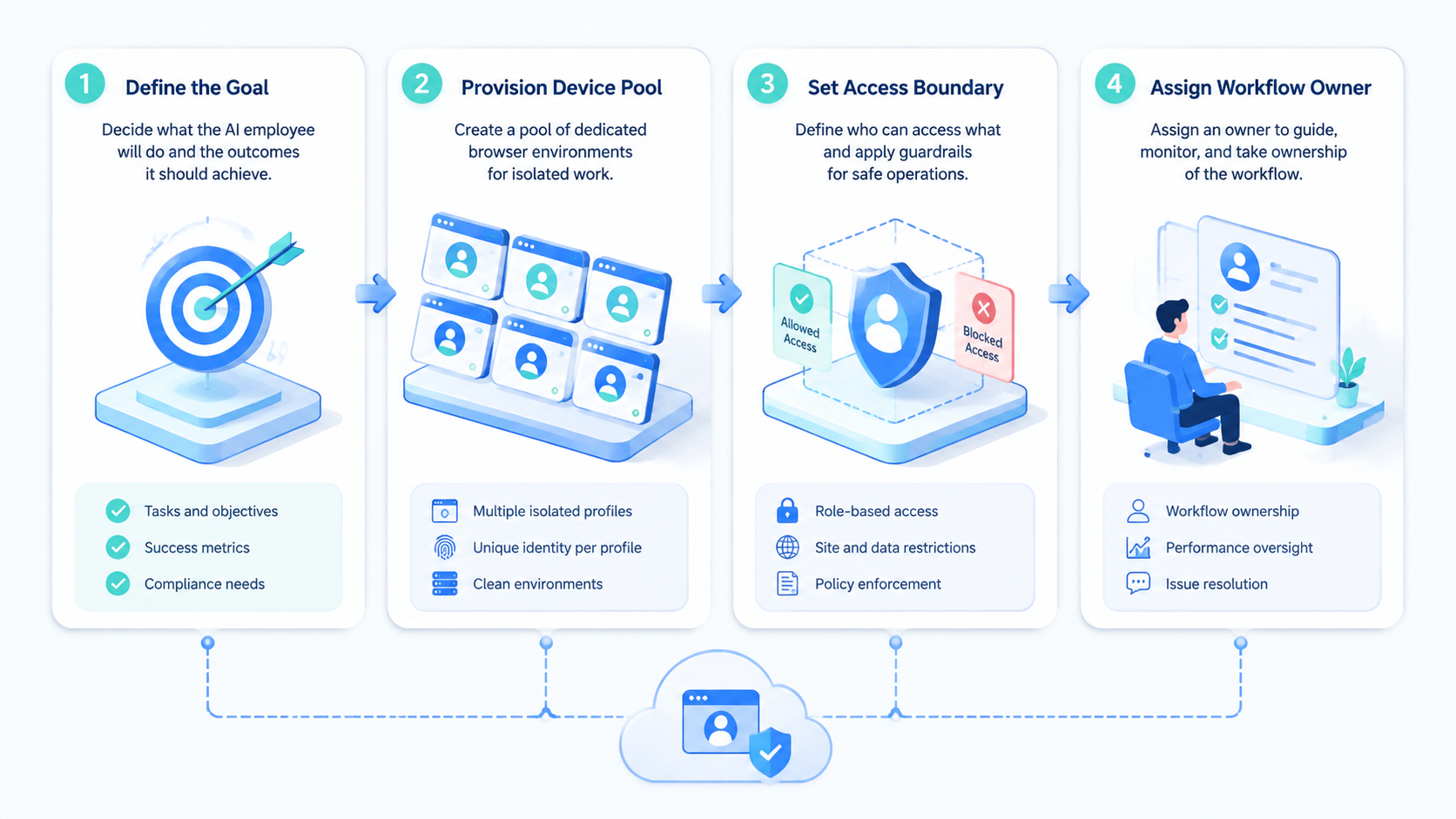
A profile should not be created before the workflow is named. Otherwise the team builds a pile of profiles and then tries to remember why they exist.
Start with this checklist:
- Name the account group
- Name the AI worker role
- Choose the browser profile group
- Define the first task
- Add the review rule
- Write the recovery path
- Run a small pilot
Example:
| Step | Example |
|---|---|
| Account group | Client A Instagram dashboard |
| AI worker role | Comment review assistant |
| Profile group | Client A social browser profile |
| First task | Collect new comments and prepare reply notes |
| Review rule | Account manager approves reply text |
| Recovery path | Stop after login prompt and notify owner |
| Pilot goal | Three clean runs in one week |
This keeps the system readable. A new teammate can understand the profile without asking for a private explanation.
Do not begin with a large automation map. Start with one profile group, one worker, and one visible result that a manager can check without opening five other tools. Then add more account lanes only when the first lane works.
Review, Recovery, and Human Takeover.
Browser profile management should include recovery rules. AI workers will meet login prompts, page changes, missing buttons, expired sessions, and unclear account states. The platform should help the team stop, inspect, and continue safely.
Use three simple outcomes:
| Outcome | Meaning | Next step |
|---|---|---|
| Done | Task finished and evidence is saved | Reviewer checks result |
| Needs review | Task finished but decision is needed | Human approves or edits |
| Blocked | The worker cannot continue | Owner inspects the profile |
Human takeover should be normal, not a failure. Some tasks should always stop before sending a message, publishing content, changing account settings, or touching billing screens.
A good AI employee platform makes this boundary clear. The AI worker can prepare work. The human can approve sensitive steps. The profile keeps the state in one place so the handoff is not lost.
Keep recovery notes short:
- What stopped the run
- Which account profile was used
- What screen or state was found
- Who should review it
- What should happen next
These notes help teams improve the workflow over time. They also prevent repeated guessing when the same issue appears again.
Browser Profile Management Security and Access Control.
Access control is part of browser profile management. Not every team member should operate every profile, and not every AI worker should have access to every account lane.
Use role-based access:
| Role | Access |
|---|---|
| Operator | Run assigned tasks |
| Reviewer | Inspect results and approve next steps |
| Manager | Assign profiles and update workflow rules |
| Admin | Manage platform settings and access |
This structure is simple, but it prevents many mistakes. A junior operator may be able to collect screenshots, while a manager handles profile resets or account changes.
Google Search Central's guidance on creating helpful content focuses on making content useful for people. The same idea applies to operational records. Notes, task logs, and profile names should help real teammates understand what happened.
Use clear profile names:
- Client A - Social - Content Prep
- Client B - Support - Reply Drafts
- Store C - Ecommerce - Order Checks
- Research D - Market Watch
Avoid vague names such as profile 1, test 2, or backup account. Those names do not help during review or handoff.
Browser Profiles and Mobile Environments.
Some workflows stay in the browser. Others begin in a web dashboard and continue in a mobile app, where the same account team still needs a clear owner, a review rule, and a record of the result. A strong AI employee platform should support both patterns.
Browser profiles are strong for:
- Web dashboards
- CRM updates
- Content management tools
- Ecommerce admin pages
- Research and monitoring pages
Cloud phones and Android devices are strong for:
- Mobile-first social apps
- Messaging apps
- Mobile account checks
- App notifications
- Mobile-only workflows
The clean model is to assign the right environment to the right task. A browser profile should not be forced to handle work that belongs in a mobile app. A cloud phone should not be used for work that is easier and safer in a browser dashboard.
MoiMobi is useful here because it connects browser and mobile execution. Teams can use browser profiles for web work and cloud phones for app work, while keeping account groups and review rules in one operating model.
Browser Profile Management Buying Scorecard.
Evaluate browser profile management through workflow control, not only through profile count.
Use this scorecard:
| Buying question | Strong answer | Weak answer |
|---|---|---|
| How are profiles assigned | Profiles map to account groups and roles | Profiles are just a flat list |
| How is access controlled | Roles limit operate, review, and admin actions | Everyone can touch everything |
| How are results reviewed | Each task saves notes or evidence | Review happens in chat only |
| How does recovery work | Stop rules and owner alerts exist | Operators guess what to do |
| How does automation connect | Profiles support AI worker workflows | Profiles are separate from tasks |
| How does scaling work | Add profile lanes after proof | Add many profiles before process |
Ask vendors to show one messy path. The demo should include a login prompt, a changed page, a review step, and a handoff to another operator. A platform that only shows perfect runs will not reveal how it behaves during normal agency work.
Also check export and audit needs. Buyers should know whether they can see task history, profile ownership, profile status, and current blockers without opening every profile manually.
Pilot Plan for One Profile Group.
A small pilot is enough to test whether browser profile management is working.
Use a seven-day pilot:
| Day | Task | Pass signal |
|---|---|---|
| Day 1 | Create profile group and account map | Owner and purpose are clear |
| Day 2 | Run first account check | Result note is useful |
| Day 3 | Add review rule | Reviewer can approve or reject |
| Day 4 | Repeat the same task | State is consistent |
| Day 5 | Test a blocked state | Recovery rule is clear |
| Day 6 | Let a second operator inspect | Handoff works |
| Day 7 | Review metrics and notes | Team can decide to scale |
Track simple measures:
- Completed runs
- Review time
- Blocked runs
- Repeat issues
- Manual takeover count
- Profile confusion count
Profile confusion count is important. If the team keeps asking which profile belongs to which account, the naming and ownership model is not ready.
Keep the pilot plain:
- One account group
- One task
- One reviewer
- One recovery rule
If that works, add another lane.
Frequently Asked Questions
These answers focus on practical team use, not abstract browser technology.
What is browser profile management?
Browser profile management is the process of creating and controlling separate browser workspaces for specific accounts, roles, and workflows. It helps teams avoid unclear shared browser states.
Why do AI employee platforms need browser profiles?
AI employee platforms need browser profiles because many real tasks require logged-in account state. A profile gives the worker a known place to start and gives the reviewer a place to inspect results.
Is browser profile management the same as a fingerprint browser?
Not exactly. A fingerprint browser is a type of tool that can manage separated browser environments. Browser profile management is the operating practice around profile ownership, workflow rules, review, and recovery.
How many profiles should a team start with?
Start with one profile group for one account group and one workflow. Add more only after the team can repeat the task, review the result, and recover from common failures.
What tasks fit browser profile automation?
Good tasks include web dashboard checks, content prep, support inbox review, ecommerce admin checks, lead research, and account-based monitoring.
What should stay manual?
Publishing, sending sensitive replies, changing account settings, and payment-related steps should usually start with human approval. The AI worker can prepare context and drafts first.
Can browser profiles work with cloud phones?
Yes. Browser profiles can support web workflows, while cloud phones support mobile app workflows that depend on app state, notifications, or mobile-only screens. Map each account task to the environment that fits it best.
What is the main mistake to avoid?
The main mistake is creating many profiles before defining ownership and workflow rules. More profiles create more work unless each one has a clear account, role, review path, and reason to exist.
Conclusion.
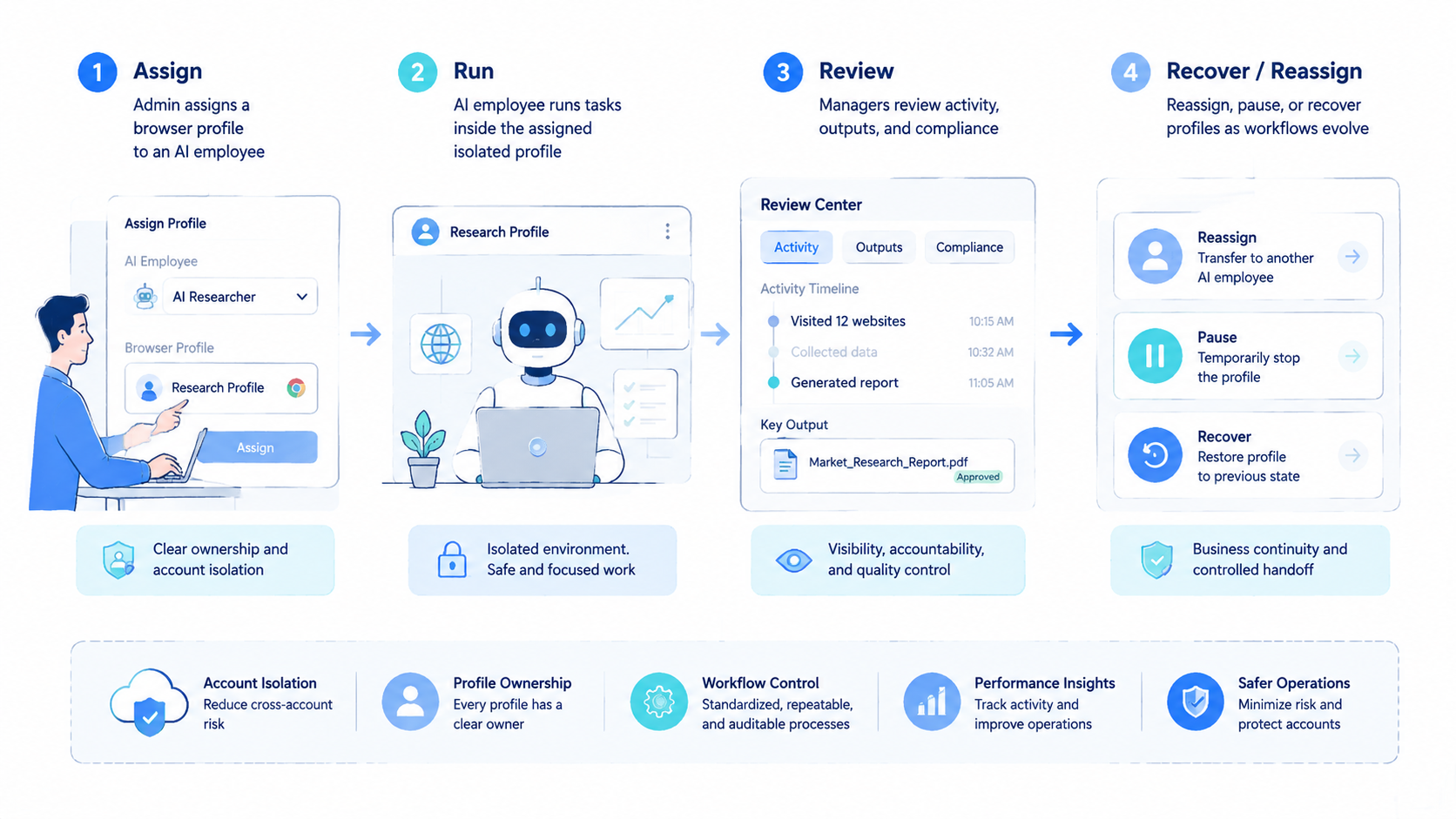
Browser profile management turns browser sessions into usable AI employee workspaces. It gives each account group a place to run, a person to review, and a rule for what happens next.
For teams managing social media, ecommerce, support, and growth workflows, this control layer is essential. It keeps AI execution connected to real account work instead of leaving browser state scattered across operators and scripts.
MoiMobi's model is practical: connect AI workers to isolated browser and mobile environments, map each account lane, run repeatable workflows, and keep human review where judgment matters. That is how browser profile management becomes part of a real AI employee platform.



