
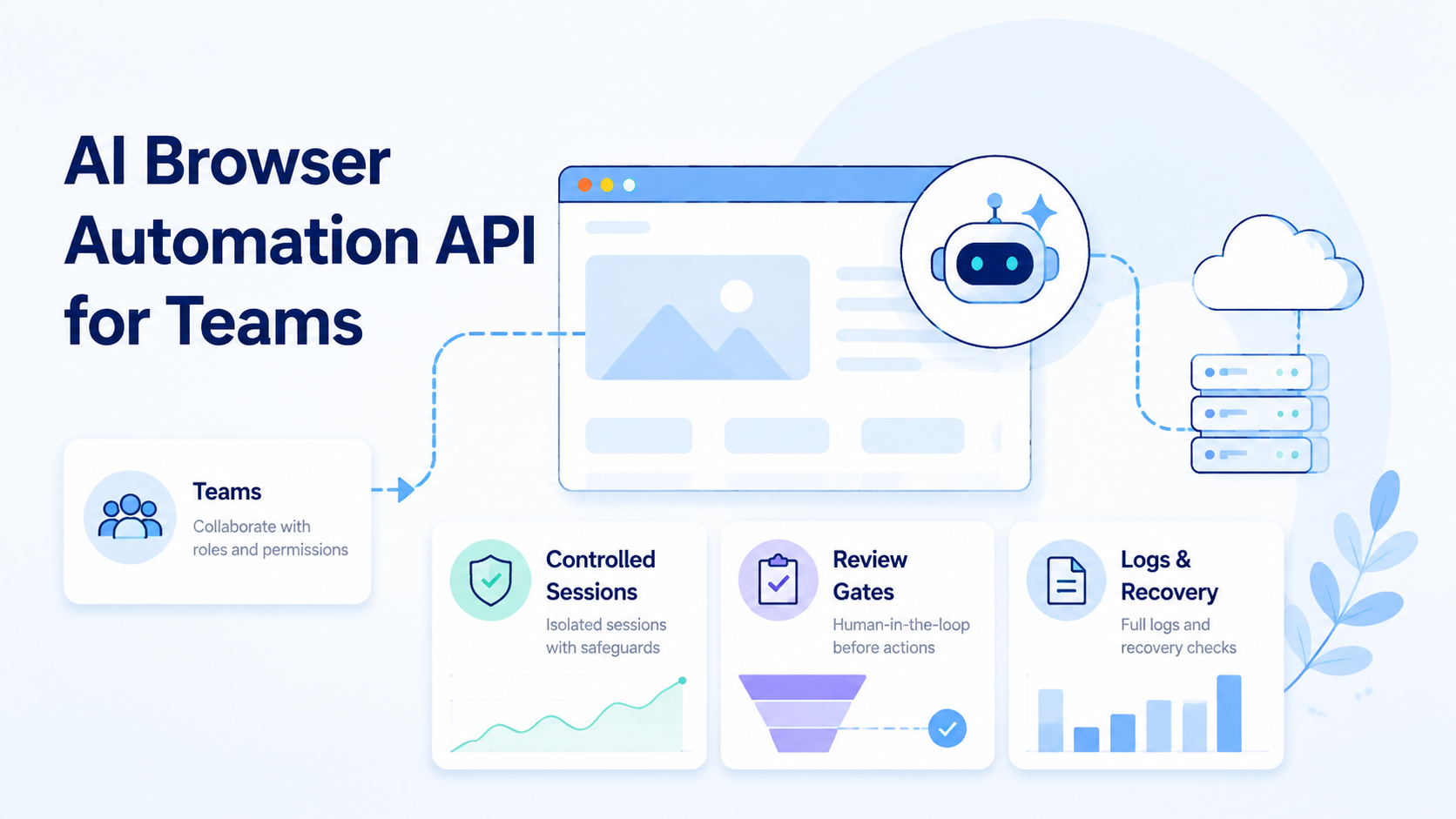
AI browser automation API is an interface that lets teams assign browser tasks to AI workers, run them inside controlled sessions, and collect reviewable outputs. For teams, the API is not only about clicks. It is about state, scope, ownership, evidence, and recovery for online operators who need repeatable handoff.
Browser work becomes hard when it moves beyond a single operator. A worker may open a dashboard, inspect a form, capture evidence, draft a response, or stop before a sensitive action. The system has to make that run understandable to another teammate.
The practical question is simple. Can a team call the API, bind the run to a browser environment, save output, review the result, and recover a failed task without guessing what happened? If yes, the API may be ready for team operations.
Key Takeaways
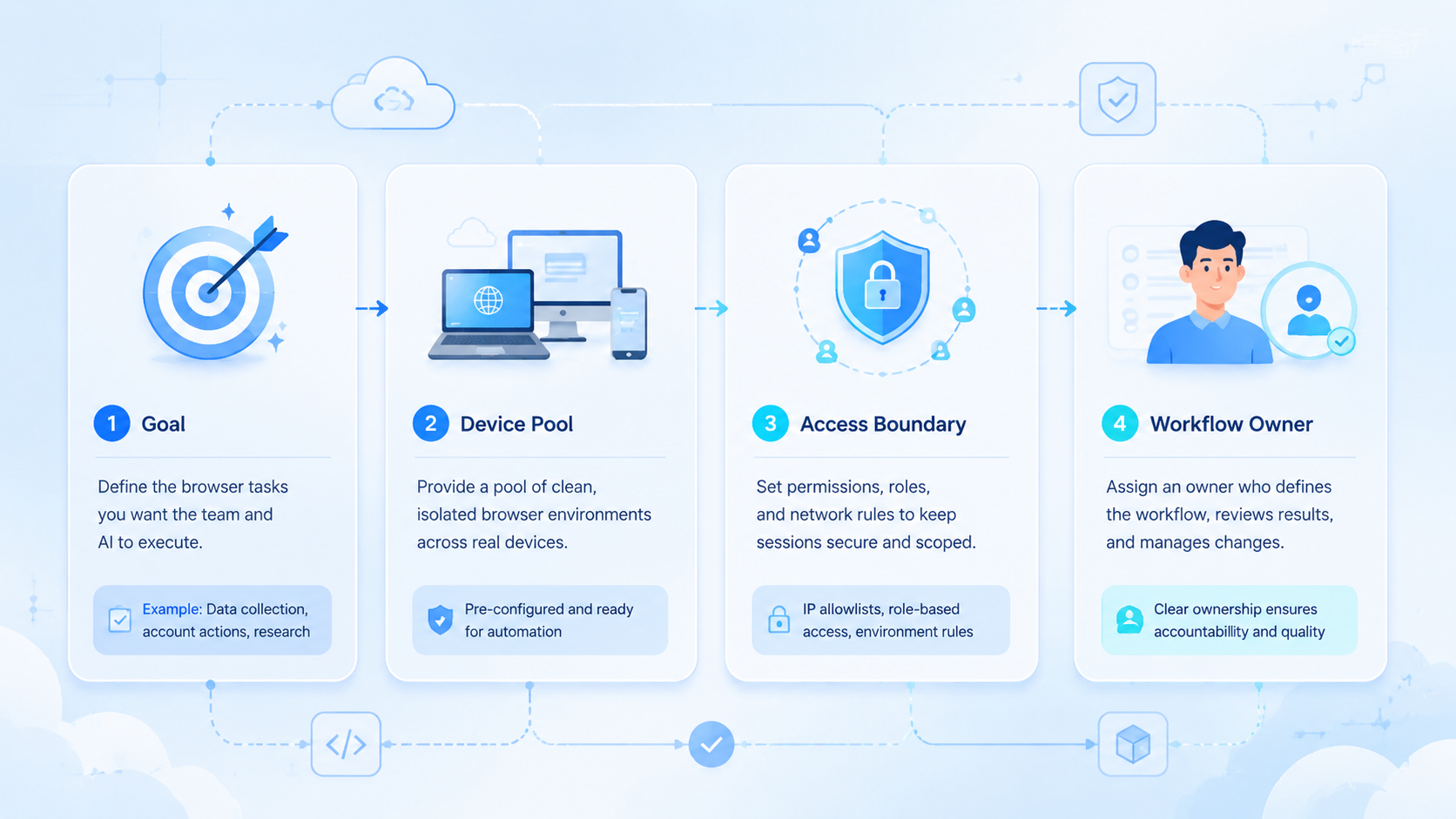
- An AI browser automation API should expose task scope, browser context, output, reviewer, and failure state
- Teams need controlled sessions and recovery logs more than flashy autonomous demos
- Browser automation often connects to mobile execution, account groups, and route context
- Start with a narrow pilot before allowing publish, payment, deletion, or account-setting actions
What Is an API for AI Browser Automation Teams?
A programmable browser-worker API gives software teams a way to start, monitor, and review browser-based AI work. Simple idea, strict contract.
It usually sits between an internal system and a browser execution layer.
The internal system might be a queue, ticket, CRM, operations dashboard, or workflow tool. The browser execution layer opens pages, preserves session context, takes bounded actions, and returns evidence.
This connection gives teams one control point for starting work, checking progress, and reviewing output.
Browser tasks are not all the same. A simple page scrape may only need a URL and output format. Account-based work may need profile ID, login context, task owner, review gate, and stop condition.
For browser control, tools such as Playwright show why pages, sessions, waits, and state need structure. AI adds judgment and flexible interpretation, but it does not remove the need for reliable execution boundaries.
Team-ready API calls should carry 6 fields:
| Field | Why it matters |
|---|---|
| Task ID | Ties output and errors to one request |
| Browser profile | Shows which session or account context ran |
| Worker instruction | Limits what the AI may do |
| Output target | Keeps evidence and files reviewable |
| Reviewer | Names the human approval path |
| Stop rule | Prevents the worker from continuing too far |
Without those fields, an API can still run a demo. It cannot easily support repeatable team operations.
Why AI Browser Automation API for Teams Matters
The API matters because team workflows need handoff. One person creates the task. Another reviews the result.
A third person may recover a failed run. The browser automation layer has to explain itself to all 3, not only to the engineer who wrote the first integration.
Google's helpful content guidance focuses on useful purpose and clear value. The same principle applies to operations software. A browser run should make its purpose, context, and output clear to the people who depend on it.
A good API does 3 jobs: starts work with enough context, returns output with evidence, and reports failure in a way another teammate can repair.
Bad handoff creates hidden cost. A run that says only "failed" forces someone to inspect screenshots, logs, chat messages, and browser history. Too slow.
A better run says which task failed, which profile ran, which page stopped, and who owns retry.
For mobile-connected teams, browser work may not be the full process. A web dashboard can start the workflow, while a mobile app confirms state or captures proof.
MoiMobi's mobile automation layer is relevant when API-driven browser work needs to connect with controlled mobile execution and shared team review.
Judge the API by failed runs, not only successful runs. Ask what happens when the page changes, login expires, a required field is missing, or the worker reaches a review boundary. Failure behavior tells the team whether the platform is operational.
Key Benefits and Use Cases
The main benefit is controlled delegation. Teams can move repeatable browser tasks into a queue while preserving review and recovery.
Common use cases include dashboard checks, evidence capture, form preparation, listing review, support draft preparation, competitor page monitoring, internal QA, and account status reporting. These tasks are useful because they have clear inputs and reviewable outputs.
The strongest task pattern is narrow and reviewable:
| Pattern | Example |
|---|---|
| Inspect | Check a browser dashboard and capture visible status |
| Prepare | Fill a draft form without submitting |
| Compare | Review two pages and summarize differences |
| Collect | Save screenshots, files, or page notes |
| Pause | Stop before customer-facing or account-changing actions |
Not every task should become an AI browser task. If a connector can move structured data from one system to another, use the connector. Keep AI browser automation for work that needs screen context, flexible inspection, or evidence.
MoiMobi teams may pair browser APIs with cloud phone infrastructure when the browser task connects to mobile app state. The cloud phone is one surface. The task record is the control layer.
Use cases should remain bounded. "Handle the account" is too broad. "Open the dashboard, inspect status, save evidence, and stop before changing settings" is testable.
How to Get Started with AI Browser Automation API for Teams
Start with a low-risk queue. Do not begin with payment, publishing, account settings, deletion, refunds, or customer-facing send actions.
Use this setup path:
| Checkpoint | Pass condition |
|---|---|
| Define task | Input, allowed action, output, and stop rule are written |
| Bind environment | Browser profile or session label is included |
| Add ownership | Task owner and reviewer are named |
| Save evidence | Screenshot, output file, or note location is predictable |
| Test recovery | Failed run can be understood by another teammate |
Build one API call around one workflow. The request should carry task ID, instruction, environment, output target, and review requirement. The response should return status, evidence link, final note, and failure reason if it stops.
Use pass/fail checks before scaling:
| Check | Result |
|---|---|
| Reviewer can see what the worker saw | Pass |
| Output is stored with the task | Pass |
| Run stops before sensitive actions | Pass |
| Worker used an unknown browser profile | Fail |
| Task completed but no evidence was saved | Fail |
| Recovery depends on asking the original operator | Fail |
For Android-linked workflows, Android Developers is the official source for platform concepts and implementation references. When mobile behavior is part of the operation, avoid guessing. Tie browser tasks to documented mobile surfaces, device IDs, or app-state checks.
Once the first queue works, add volume slowly. More tasks are not progress if every failure needs manual archaeology, especially when account context and mobile evidence sit in separate places.
AI Browser Automation API Design Requirements
The API contract should make operational control explicit. A browser worker can act only as cleanly as the request describes the task and as clearly as the response reports the result.
Use a request contract with 5 groups:
| Request group | Required fields |
|---|---|
| Identity | task ID, queue name, requester |
| Environment | browser profile, account group, optional route label |
| Instruction | task goal, allowed actions, blocked actions |
| Output | evidence format, storage location, summary requirements |
| Review | reviewer, approval condition, stop rule |
The response should be just as structured. Return state, output, evidence links, reviewer status, failure reason, and next owner. Avoid vague labels such as "done" or "error" without context.
Teams also need idempotency. If a request retries, the platform should not accidentally duplicate a submit action or overwrite the wrong output. For preparation tasks, the safer pattern is to save a draft and stop before final action.
Logging needs a business shape, not only a developer shape. Raw technical logs are useful for engineers, but operators need task notes, evidence, and a readable reason for stopping. Both views matter.
Use this minimum response map:
| Response field | Meaning |
|---|---|
| status | queued, running, completed, stopped, failed |
| evidence | screenshot, file, or page note location |
| environment | browser profile and account context used |
| decision | approved, needs review, or stopped |
| recovery | next action and owner |
This contract keeps the API usable by engineering and operations. It also prevents the browser worker from becoming a black box.
Common Mistakes to Avoid
The first mistake is treating the API as a magic worker. An API is a control surface. It still needs scoped tasks, environments, output contracts, and review rules.
The second mistake is hiding browser state. When the team cannot see which profile, session, or route ran the task, the result is hard to trust. This is especially risky in account-based operations.
The third mistake is skipping failure design. Every pilot should define at least 4 stop cases:
| Stop case | Required response |
|---|---|
| Login missing | Stop and return environment error |
| Page layout changed | Stop and return page-state note |
| Sensitive action reached | Stop and request review |
| Output folder missing | Stop and request owner fix |
Avoid broad instructions. "Check everything and fix it" creates unclear authority. "Inspect these 3 fields, save evidence, and stop before submit" gives the worker a safer boundary.
Device context is another common gap. If browser work connects to mobile accounts, include phone ID, account group, and route label in the record. MoiMobi's device isolation page is relevant when teams need separation between execution environments.
One hard rule: do not scale unclear red runs. Fix the workflow first.
Who It Fits and When It Is a Strong Match
This API model fits teams with repeatable browser workflows and clear review needs. It is not a replacement for process design.
Fits
- Browser dashboards with repeatable checks
- Account operations that need profile tracking
- Evidence capture before human review
- Browser tasks that connect to mobile execution
Does Not Fit
- Vague instructions with no stop rule
- High-impact actions without approval
- Simple structured data movement
- Workflows where failures cannot be inspected
The fit boundary protects the team from over-automation. A browser agent can prepare work. Humans should still control risky final actions unless the team has a mature approval system.
For multi-account teams, the match is stronger when each task maps to a profile, account group, output folder, and reviewer. MoiMobi's multi-account management use case is relevant when browser task records must stay connected to account ownership.
Strong match does not mean unlimited scope. Keep the API boring: clear request, clear output, clear stop, and no hidden authority beyond the task.
Pilot Rollout, Measurement, and Recovery Checks
Run the pilot like an operations test. Use 1 queue, 1 owner, 1 reviewer, and 7 days of records. That is enough to expose missing context.
Track these fields:
| Field | Reason |
|---|---|
| Task ID | Prevents run confusion |
| Browser profile | Shows execution context |
| Account group | Keeps ownership visible |
| Output link | Speeds review |
| Reviewer decision | Separates approved from rejected work |
| Failure reason | Makes the next repair specific |
| Recovery time | Shows cleanup burden |
Sort outcomes into 3 buckets:
| Bucket | Meaning | Action |
|---|---|---|
| Green | Completed and approved | Scale slowly |
| Yellow | Completed but needed extra context | Improve labels or evidence |
| Red | Stopped, failed, or unclear | Repair before scaling |
Recovery deserves its own check. A teammate who did not start the run should be able to read the record and decide the next action. When they cannot, the API response is incomplete.
For route-sensitive work, include route labels. MoiMobi's proxy network page is relevant when route planning is part of the execution record. Do not leave routing context in a separate note.
The pilot ends with a decision. Keep the workflow, narrow it, or reject it. No vague middle state.
Security and Review Boundaries
Security for a browser-worker API starts with task boundaries. The worker should not receive broad permission when the workflow only needs a narrow browser action.
Use an approval ladder:
| Risk level | Example browser action | Default boundary |
|---|---|---|
| Low | Collect page evidence | Worker can run and save output |
| Medium | Prepare a form or response | Reviewer approves before use |
| High | Submit, publish, delete, pay, refund, or change settings | Human owner performs final action |
This ladder keeps the API useful without pretending every browser action carries the same impact. A screenshot task and an account-setting task should not share the same permission model.
For teams with formal control requirements, the NIST security and privacy controls catalog is a useful reference for thinking about access control, audit records, and change boundaries. The pilot does not need to become a compliance program. It does need a visible approval model that operators can follow without interpretation.
Review boundaries should be encoded in the request, not left in a meeting note.
| Boundary field | What it controls |
|---|---|
| Blocked actions | What the worker must not do |
| Reviewer role | Who approves the result |
| Approval condition | Where the worker must stop |
| Near-boundary test | Whether the stop is visible in the response |
Test it with a simple run: ask the worker to prepare a draft, reach the submit step, and stop. When the response makes the stop visible, the boundary works. If not, tighten the contract before the team adds volume.
Frequently Asked Questions
What is an AI browser automation API?
It is an API for assigning browser tasks to AI workers and receiving status, output, evidence, and failure information.
How is it different from normal browser automation?
Normal browser automation follows defined steps. This kind of browser work can inspect page context, but it still needs boundaries and review.
What should the first API request include?
Include task ID, instruction, browser profile, output target, reviewer, and stop rule. Keep the first workflow narrow.
Does a team need a cloud browser for AI agents?
Sometimes. A cloud browser for AI agents helps when the team needs shared sessions and repeatable execution outside one operator's machine.
Can this connect to mobile workflows?
Yes. Browser tasks can connect to mobile checks when the record includes phone ID, account group, and output evidence.
What should stay manual?
Publishing, payments, deletions, account settings, refunds, and customer-facing sends should stay behind stronger review.
How should teams judge success?
Measure approved completions, failure reasons, reviewer effort, and recovery time. Completion count alone is not enough because a high-volume queue can still be expensive when every failed run needs manual reconstruction.
What is the biggest API design mistake?
Returning vague status is the biggest design mistake. The response should explain environment, output, reviewer status, and recovery path.
Conclusion
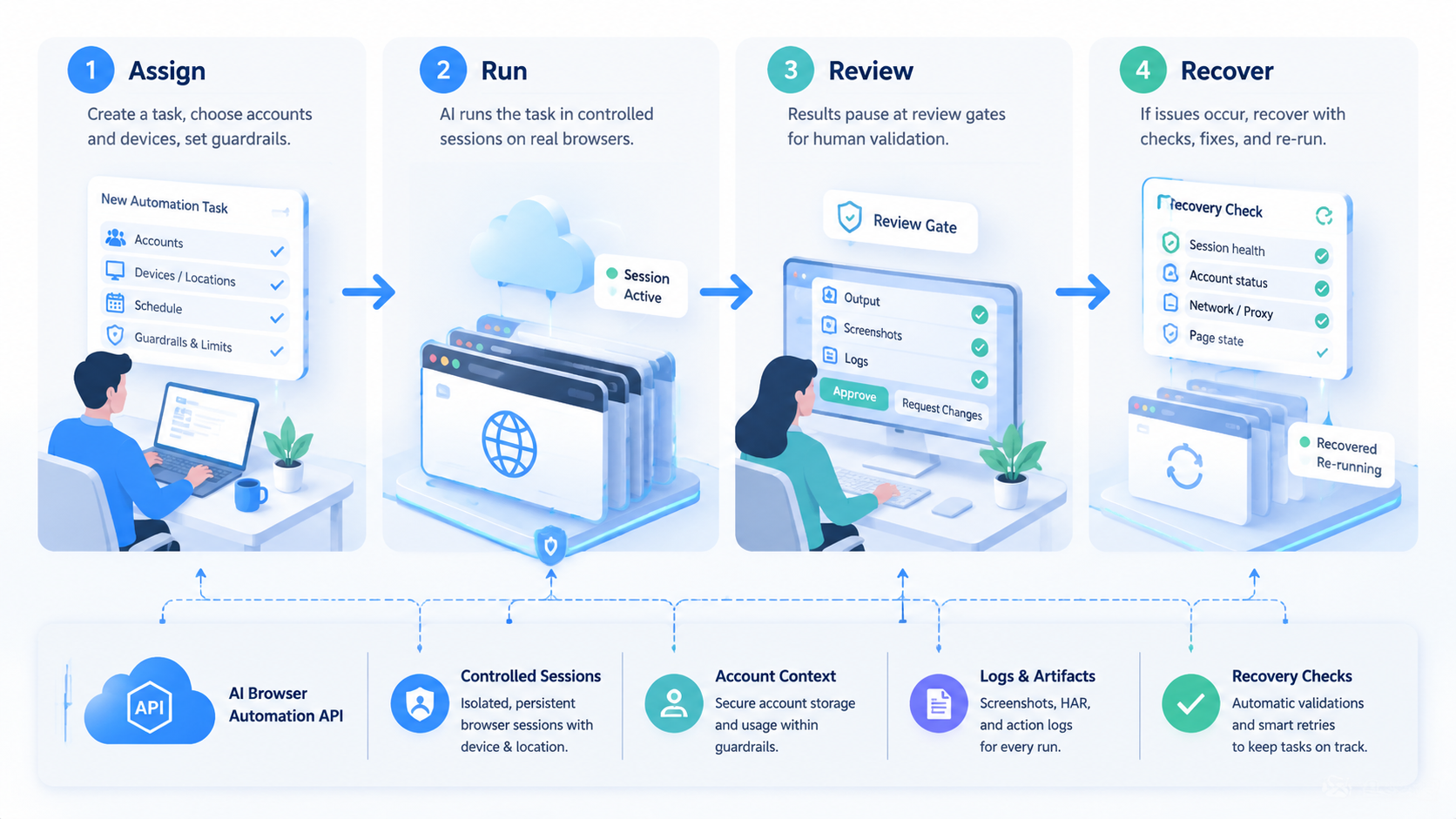
For teams, this API is useful when it turns browser work into controlled, reviewable execution. A team-ready API should not only start a worker. It should carry task scope, browser context, output, review, and recovery through the whole run.
Prioritize in this order: define the task, bind the browser environment, save evidence, add human review, and test recovery. Then run a 7-day pilot before scaling.
Use simple automation for clean data movement. Use AI browser automation when the worker must inspect page context, prepare output, and leave a record another teammate can trust. Browser tasks that connect to mobile or account operations should sit inside a broader execution environment, not a standalone script.



