
Key Takeaways
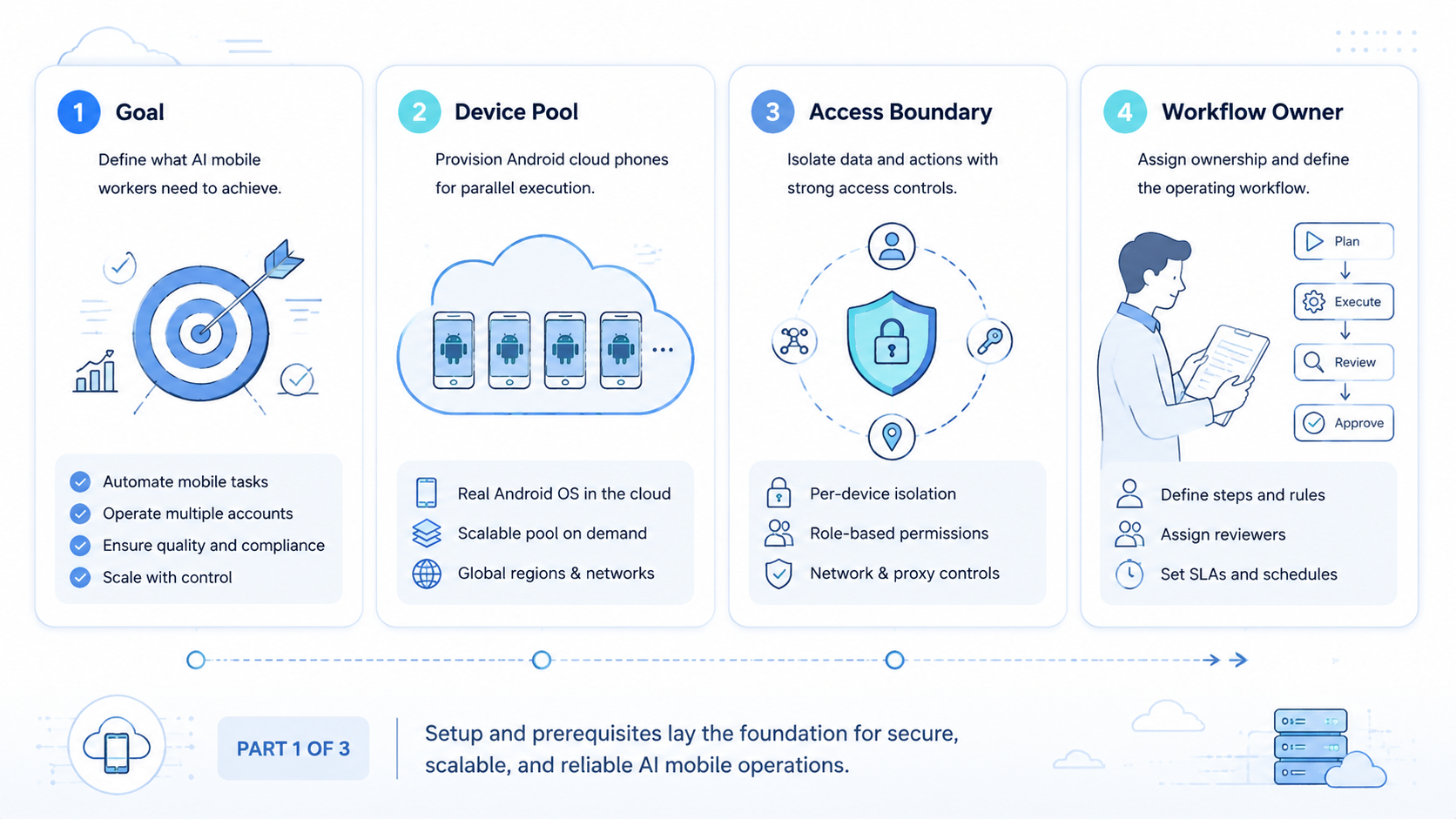
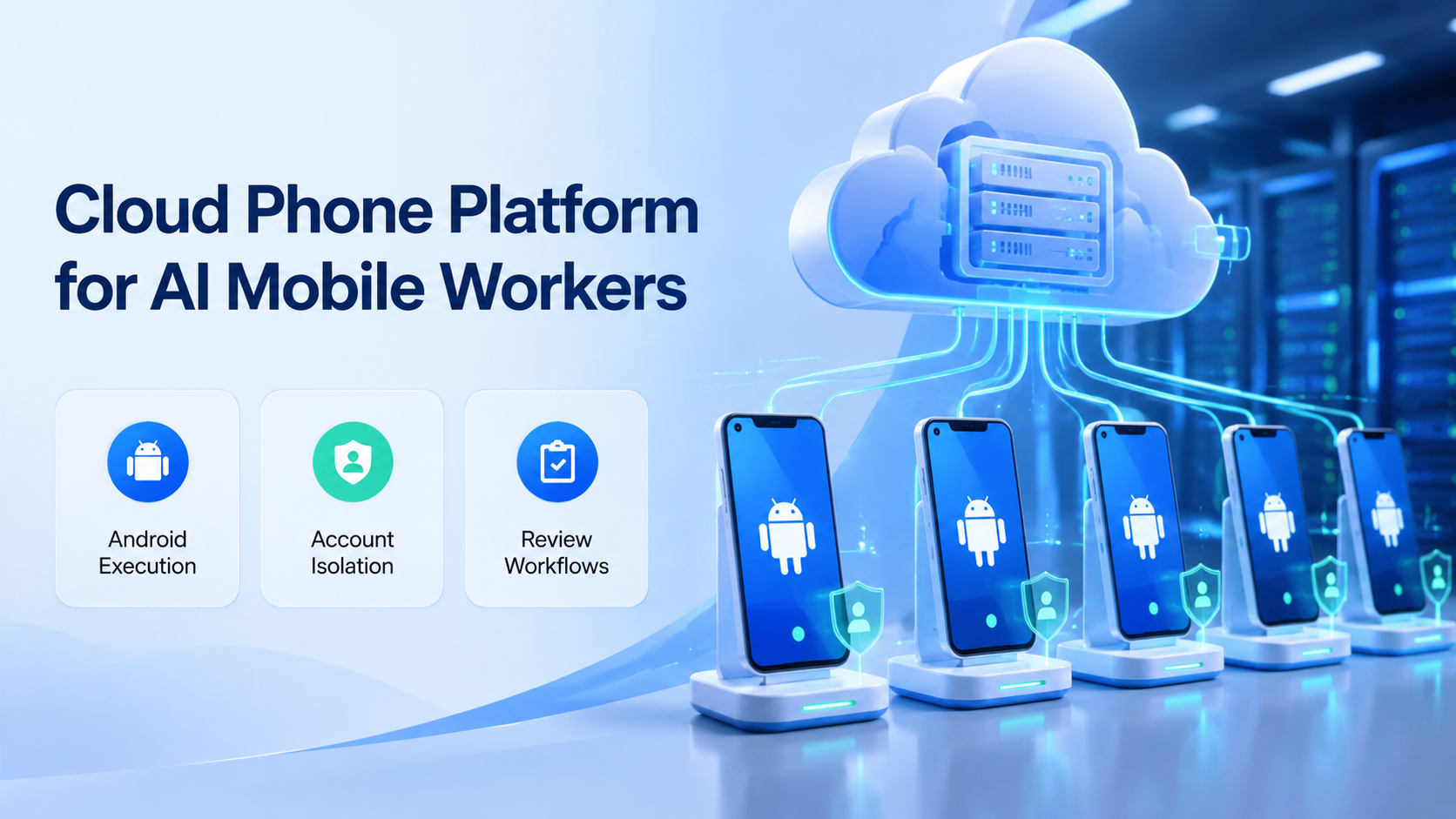
- A cloud phone platform gives AI mobile workers a remote Android environment for app-based tasks.
- The platform should manage account mapping, task review, device state, and recovery.
- Cloud phones are strongest when mobile apps are part of the daily workflow.
- MoiMobi combines cloud phones with browser profiles, automation, and multi-account operations.
A cloud phone platform gives teams remote Android environments that can run app-based workflows without handing every operator a physical device. For AI mobile workers, the cloud phone becomes the execution workspace: a place to check app state, prepare replies, review notifications, collect evidence, and support account operations.
The core idea is simple. AI can generate plans and drafts, but mobile work still needs a real app environment. A cloud phone platform connects the AI worker to that environment and gives the team a way to manage the result.
MoiMobi uses cloud phones, mobile automation, browser profiles, and device isolation to help teams run social media, ecommerce, support, and customer engagement workflows from one controlled system.
What a Cloud Phone Platform Means.
A cloud phone platform is not only remote screen access. It should help teams create, assign, operate, review, and recover mobile environments.
The basic platform record should answer:
| Question | Why it matters |
|---|---|
| Which account group uses this phone | Keeps work separated |
| Which AI worker runs here | Makes task ownership clear |
| Which app workflow is allowed | Prevents scope drift |
| Who reviews the result | Adds control before sensitive actions |
| What evidence is saved | Supports handoff and reporting |
| What happens after failure | Gives operators a recovery path |
Android Enterprise's documentation on device management shows how business mobile use depends on management, deployment, and control. A cloud phone platform for AI work needs the same operating mindset, even when the device is remote.
The goal is not to collect more virtual phones. The goal is to give each mobile task a clear environment, owner, and review path.
Why AI Mobile Workers Need Cloud Phones.
AI mobile workers need cloud phones when the task lives inside an app, depends on app state, or needs a mobile account session.
Common examples include:
- Checking app notifications
- Preparing customer reply drafts
- Reviewing mobile inboxes
- Collecting screenshots for status reports
- Monitoring account state
- Preparing mobile content workflows
- Checking marketplace app updates
- Running app-based customer follow-up
These tasks are hard to run from a normal web dashboard because the mobile app is part of the workflow. Browser automation can help with web pages, but mobile-first work needs a mobile execution layer.
The cloud phone gives the AI worker a place to act. The team still needs rules for what the AI can do, when it should stop, and who reviews the output.
Cloud Phone Platform vs Android Emulator.
Teams often compare cloud phones with local Android emulators. The better choice depends on the task, team size, and operating model.
| Area | Local Android emulator | Cloud phone platform |
|---|---|---|
| Access | Runs on a local machine | Runs remotely |
| Team use | Harder to share | Easier to assign and review |
| Account mapping | Often manual | Should map to account groups |
| Evidence | Depends on operator habits | Can be part of the workflow |
| Scaling | Device setup lives with each user | Central phone pool is easier to manage |
| Best fit | Development and testing | Operations, account work, and mobile workflows |
An emulator can be good for development. A cloud phone platform is better when a team needs repeatable mobile account operations.
For AI mobile workers, the deciding factor is not raw device access. The deciding factor is whether the platform can support roles, tasks, account lanes, and review.
Core Cloud Phone Platform Capabilities.
A strong cloud phone platform for AI mobile workers should include more than remote Android access.
This capability checklist is a useful baseline:
| Capability | What it should do |
|---|---|
| Phone grouping | Map devices to clients, accounts, or workflows |
| Role control | Separate operator, reviewer, manager, and admin actions |
| App workflow support | Let teams run repeated mobile tasks |
| Evidence capture | Save screenshots, notes, or run results |
| Recovery rules | Stop, handoff, reset, or rerun after issues |
| Browser connection | Support workflows that move between web and app |
| Reporting | Show task results without opening every phone |
Google's guidance on creating helpful content is written for search content, but the operating lesson applies here too: records should be useful to real people. A mobile task note should help a teammate understand what happened and what to do next.
If the platform only gives remote screens, the team still has to build the operating layer elsewhere. That may work for one operator, but it becomes difficult with clients, account groups, and daily workflows.
Account Isolation for AI Mobile Workers.
Account isolation is a practical operating rule. Each account group should have a defined mobile environment, owner, task scope, and review rule.
Use a simple account map:
| Account group | Phone lane | AI mobile worker role | Human owner | Review rule |
|---|---|---|---|---|
| Client A TikTok | Lane A phones | Content check worker | Account manager | Review before publishing |
| Client B WhatsApp | Lane B phones | Reply draft worker | Support lead | Review before sending |
| Store C marketplace | Lane C phones | App status worker | Store operator | Review exceptions |
| Brand D Telegram | Lane D phones | Community monitor | Growth manager | Review daily summary |
This map prevents hidden mixing. It also helps a manager answer basic questions: which phone was used, which account group it belongs to, and what the worker was allowed to do.
MoiMobi's multi-account management use case fits this structure. The team can place browser and mobile environments around account groups instead of letting every operator improvise.
Cloud Phone Platform Workflow Design.
Do not begin by adding dozens of phones. Choose one account group, one task, one phone lane, and one reviewer.
A simple design sequence works well:
- Name the account group
- Choose the phone lane
- Define the AI mobile worker role
- Set the first task
- Write the stop rule
- Assign the reviewer
- Save evidence
- Review the result
Example:
| Field | Example |
|---|---|
| Account group | Client A Instagram and TikTok |
| Phone lane | Social lane A |
| Worker role | Mobile inbox review assistant |
| First task | Check new messages and prepare reply notes |
| Stop rule | Stop before sending any message |
| Evidence | Screenshot plus reply summary |
| Reviewer | Account manager |
This workflow is small enough to test. It also creates a pattern the team can copy when the first lane works.
For a 2026 pilot, use a 5-day rollout:
| Day | Task | Pass signal |
|---|---|---|
| Day 1 | Assign phone lane and account group | Owner is clear |
| Day 2 | Run one app check | Result note is useful |
| Day 3 | Add human review | Reviewer can approve or reject |
| Day 4 | Test a blocked state | Handoff note is clear |
| Day 5 | Repeat the task | A second operator can continue |
The pilot should prove repeatability before scale. More phones should come after one lane works, not before.
Cloud Phone Platform Use Cases for Social and Support.
Cloud phones are useful when social and customer workflows happen inside mobile apps.
Good first use cases:
- TikTok account checks
- Instagram inbox review
- WhatsApp reply preparation
- Telegram community monitoring
- Facebook page notification checks
- YouTube mobile comment review
- Marketplace app status checks
Start with prepare-and-review workflows. The AI mobile worker can collect state, draft a note, suggest a reply, or gather evidence. A human reviews before sending, publishing, or changing settings.
This is a safer operating model for teams. It saves time without removing judgment from actions that affect customers or accounts.
MoiMobi also supports social media marketing workflows where account teams need both content operations and mobile execution.
Cloud Phone Platform and Browser Execution Together.
Many real workflows do not stay in one environment. A content team may plan work in a web dashboard, then check the result in a mobile app. A support team may read customer data in a browser, then prepare a mobile message. An ecommerce team may use a web admin page and a marketplace app in the same day.
That means the AI execution system should connect browser profiles and cloud phones.
The environment split can look like this:
| Task type | Better environment |
|---|---|
| CRM update | Browser profile |
| Web dashboard check | Browser profile |
| App notification review | Cloud phone |
| Mobile inbox triage | Cloud phone |
| Content planning | Browser profile |
| Mobile publish prep | Cloud phone |
The team should not force every task into one tool. The right design sends each task to the right environment and keeps the result in one workflow record.
Review and Human Takeover.
A cloud phone platform should make human takeover normal. The AI worker can prepare, inspect, and summarize. The human can approve, edit, or stop.
Use three states:
| State | Meaning | Next action |
|---|---|---|
| Done | Task finished and evidence was saved | Reviewer checks result |
| Needs review | The worker prepared a decision | Human approves or edits |
| Blocked | The app state is unclear | Owner inspects the phone |
Human review is especially important for messages, publishing, account settings, and payment-related screens. The AI worker should stop before these actions unless the team has a written approval process.
Keep takeover notes short:
- App and account
- Phone lane
- Screen state
- What the worker tried
- What needs human review
This keeps the workflow understandable for operators and managers.
Reporting for Cloud Phone Workflows.
The reporting layer should show outcomes, not only device activity. A phone that stayed online all day is not the same thing as a task that produced a useful result.
Useful reporting fields include:
| Field | Example |
|---|---|
| Task | Check WhatsApp inbox |
| Account group | Client B support |
| Phone lane | Lane B |
| Result | 12 messages checked, 4 reply drafts prepared |
| Evidence | Screenshot and note |
| Reviewer | Support lead |
| Exception | One login prompt |
| Next step | Review drafts before sending |
This is the kind of record a manager can use. It shows what happened, where it happened, and what should happen next.
Reporting should also reveal repeat issues. If the same blocked state appears three times in one week, the workflow needs a fix before the team adds more phones.
Cloud Phone Platform Buying Checklist.
A buying checklist keeps the decision focused on operations.
| Question | Strong answer | Weak answer |
|---|---|---|
| How are phones assigned | By account group, role, and workflow | Everyone shares a pool |
| How are tasks reviewed | Results have notes and approval states | Review happens in chat |
| How are failures handled | Stop rules and handoff paths exist | Operators guess |
| How does mobile connect to browser work | One workflow can include both | Teams reconcile manually |
| How does reporting work | Task results are visible | Only device status is visible |
| How does scaling work | Add lanes after proof | Add phones first |
Ask vendors to show one messy workflow. The demo should include a login prompt, an unclear app state, a reviewer, and a handoff note. Clean demos are easy. Real operations need recovery.
Cloud Phone Platform Rollout Checklist.
Before a team expands the phone pool, it should prove the basic operating loop.
The launch checklist should stay plain:
- One account group has a named phone lane
- One AI mobile worker has a written role
- One task has a start point and stop point
- One reviewer owns approval
- One evidence format is used every time
- One recovery rule explains what to do after a blocked run
This checklist sounds small because it should be small. A team that cannot run one lane cleanly will not improve by adding more devices. First prove the task, the note, the review, and the recovery path. Then add a second lane with the same structure.
Frequently Asked Questions
These answers focus on teams using cloud phones for AI-assisted mobile work.
What is a cloud phone platform?
A cloud phone platform provides remote mobile environments that teams can access and manage from the cloud. For AI mobile workers, it becomes the place where app-based tasks run.
Why do AI mobile workers need cloud phones?
They need cloud phones when tasks depend on mobile apps, app notifications, mobile inboxes, or Android account state.
Is a cloud phone the same as an Android emulator?
No. An emulator is often used for development or local testing. A cloud phone platform is better suited for shared operations, account mapping, and remote team workflows.
What should teams automate first?
Begin with low-touch tasks such as status checks, screenshot evidence, notification review, reply draft preparation, or app inbox triage.
What should stay manual?
Sending sensitive replies, publishing content, changing account settings, and touching payment screens should usually stay under human approval.
Can cloud phones work with browser profiles?
Yes. Browser profiles can handle web dashboards, while cloud phones handle mobile app tasks. A strong execution platform connects both.
How many cloud phones should a team start with?
Begin with one phone lane for one account group and one workflow. Add more lanes after the first workflow is repeatable.
How does MoiMobi support AI mobile workers?
MoiMobi connects cloud phones, Android devices, browser profiles, automation, and account isolation so teams can run AI-assisted workflows across web and mobile environments.
Conclusion.
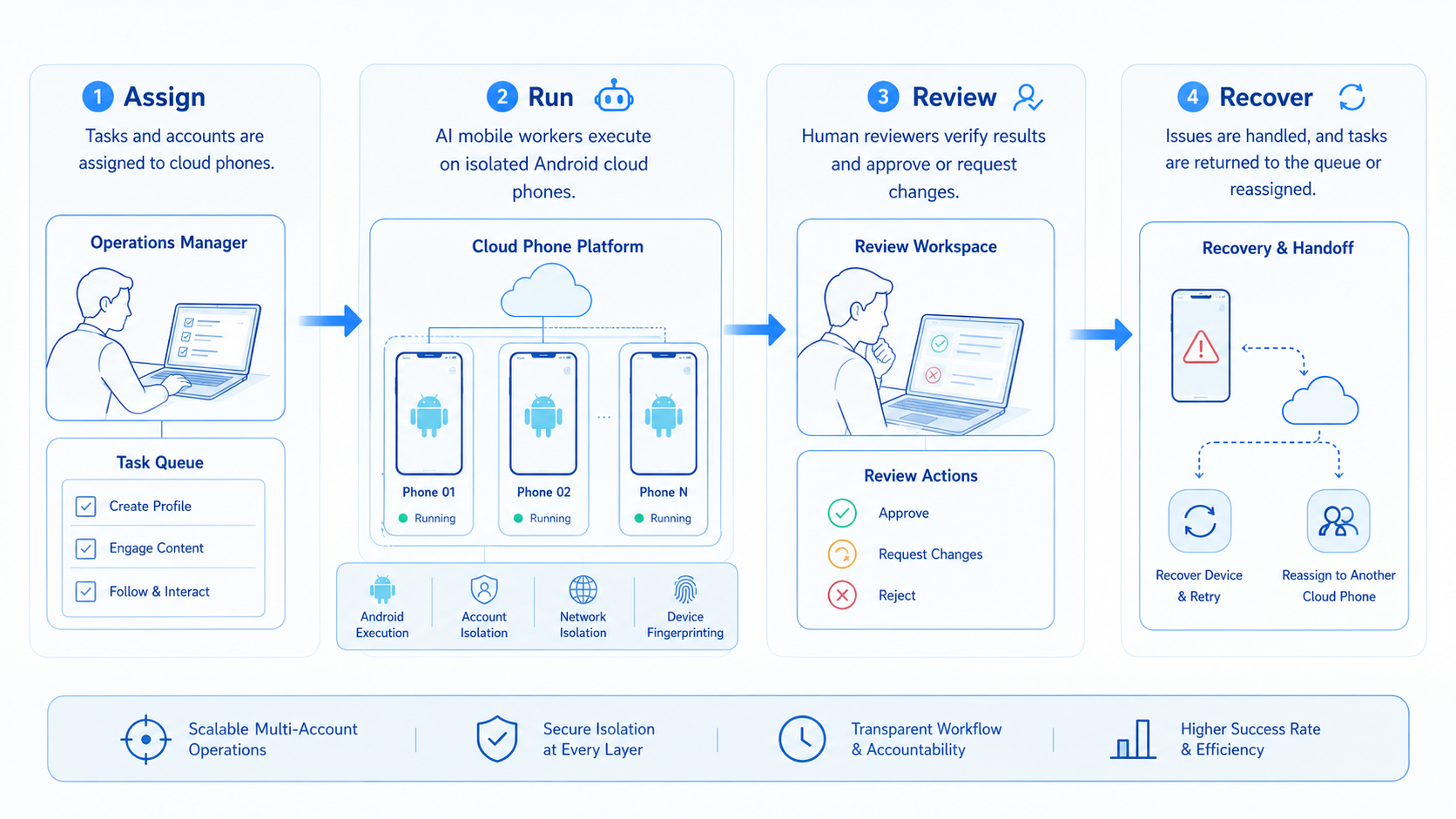
A cloud phone platform gives AI mobile workers the environment they need to run app-based tasks. It turns remote Android devices into controlled workspaces for account checks, reply preparation, monitoring, evidence capture, and review.
The value is not the phone count. The value is the operating model around each phone: account group, worker role, task rule, human review, evidence, and recovery.
MoiMobi is built for teams that need this broader layer. It connects cloud phones with browser profiles, mobile automation, account isolation, and multi-account workflows so AI workers can move from planning to real execution.



