
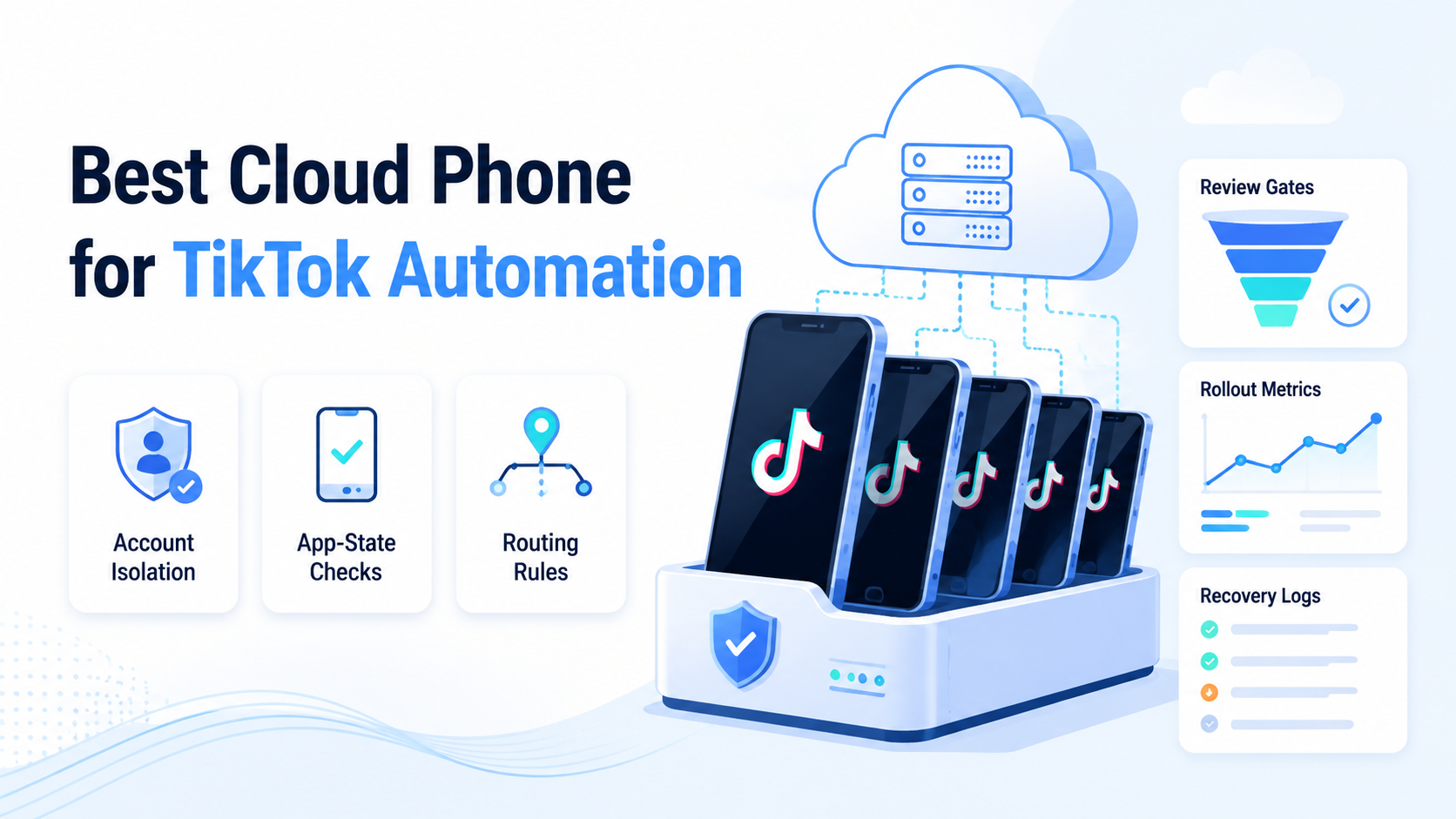
A cloud phone for TikTok automation is a remote mobile environment that lets teams run app-based tasks, checks, and workflows without relying on one local handset. The right choice is not the loudest feature list. It is the option that keeps accounts, devices, proxies, reviewers, and task logs connected.
TikTok work is app-heavy. A browser can support planning, reporting, account admin, or content operations, but the final state often lives in the mobile app. Teams that manage many accounts need a way to keep each account tied to the right device context and review flow.
Selection should start with the workflow. A solo creator may only need a simple remote phone. An agency, ecommerce team, or social operations group needs clean assignment, repeatable actions, and recovery notes. The cloud phone should fit the work system around TikTok automation.
Use this guide as a practical buying frame. It does not promise account safety or platform outcomes. It explains how to compare cloud phones, emulators, and broader mobile execution systems without confusing speed with control.
Key Takeaways
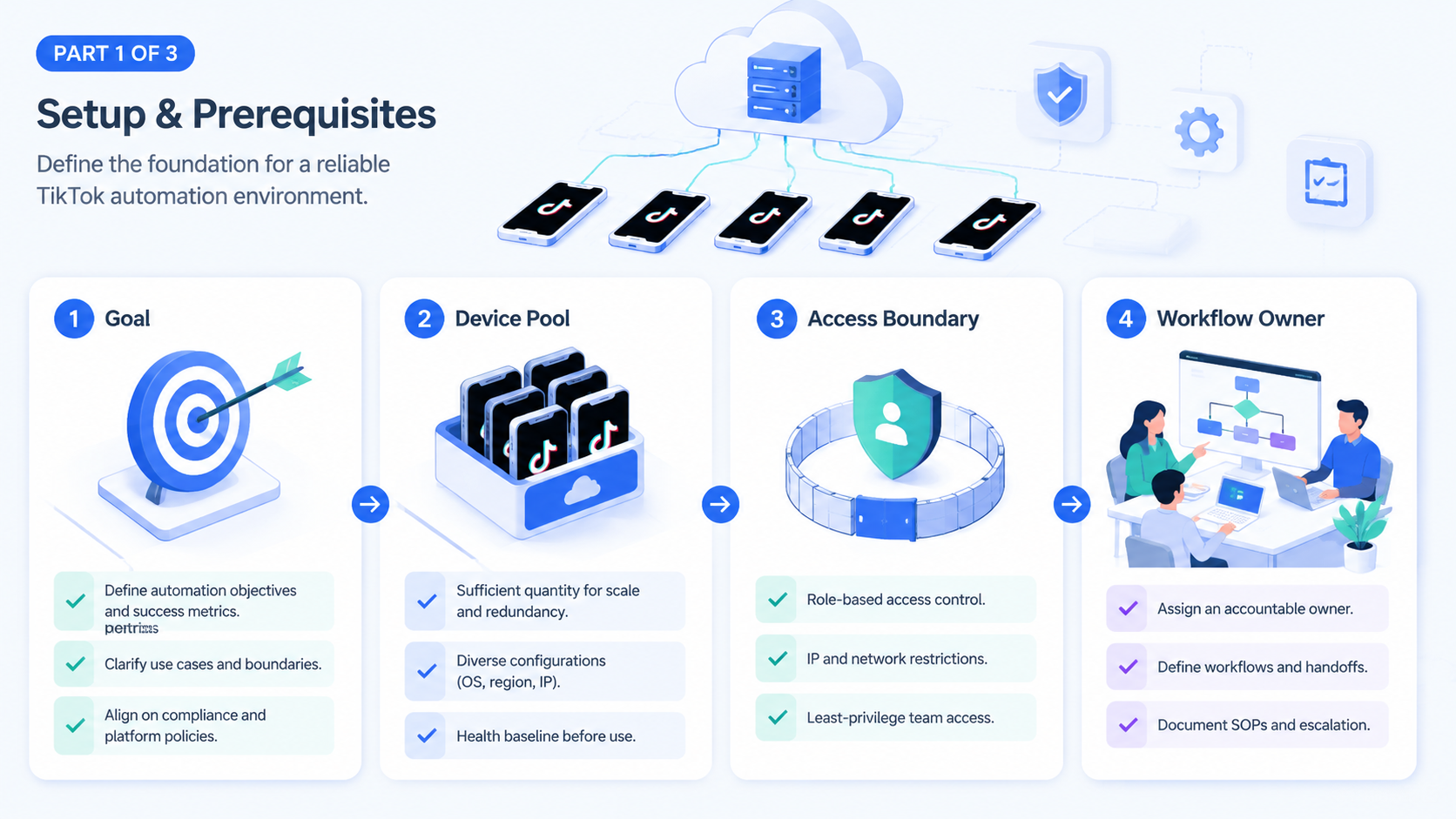
- Strong cloud phone selection depends on team workflow, not only device count
- Account isolation, mobile state, proxy routing, and review logs matter before scale
- Cloud phones and emulators solve different problems; compare them by operating risk
- A small pilot should measure completion, review delay, failed sessions, and recovery time
- For multi-account teams, cloud phones work best inside a broader execution system
How to Evaluate a Cloud Phone for TikTok Automation
Start with the job that needs to run. A cloud phone for TikTok automation should be judged by the task path: login state, app action, evidence, approval, and recovery. Device specs matter, but they are not the first decision.
Use a short evaluation path.
- Define the TikTok workflow
- Assign one account group to the test
- Map the app state that must be checked
- Decide which actions need human review
- Record every failure with a stop label
- Expand only after the run record is clear
This path keeps the test grounded. A cloud phone may feel fast during a demo, but team use exposes questions that a clean sales walkthrough does not show.
Check four items before expansion.
- Account owner
- Device used
- Proxy route
- Reviewer approval
MoiMobi's cloud phone layer is relevant when a team needs remote Android environments connected to operating records. For TikTok automation, that connection is more useful than treating each device as a separate rental screen.
The selection test should also include content and quality control. Google's helpful content guidance is about search content, not TikTok operations, but its core idea still applies to publishing teams: content made only for systems tends to miss user value. A TikTok workflow should keep human judgment close to public-facing actions.
Do not test with a perfect task only. Add one expired session, one unclear app state, and one reviewer timeout. A platform that handles those cases cleanly is easier to trust in daily work.
The Capabilities That Actually Change Outcomes and Cloud Phone for TikTok Automation
The common mistake is treating cloud phones as a device-count purchase. More devices help only when the team can control assignment, app state, and recovery. Without that control, a larger pool can create more loose work.
A useful cloud phone setup changes outcomes in five ways.
| Capability | Why it matters for TikTok work |
|---|---|
| Account-device binding | Keeps one account tied to a known environment |
| App-state visibility | Shows what happened inside the mobile app |
| Routing control | Helps teams keep network context organized |
| Review gate | Stops sensitive actions before they go live |
| Run log | Explains what happened when something fails |
These are operating controls, not decoration. TikTok automation may include profile checks, content prep, comment review, inbox triage, campaign monitoring, or handoff to a human operator. Each task needs a record that a team can understand later.
The mobile automation layer becomes important when the same app checks repeat across many accounts. Keep review close. Repeated steps should become consistent while sensitive actions stay visible.
Compare this with a basic cloud emulator. Test fit. A cloud emulator may provide remote Android access for lightweight tests. A cloud phone for TikTok automation must support a more operational model when the work involves real account groups, staff handoff, and daily queues.
Simple rule: if the tool cannot show account, device, route, reviewer, and failure reason in one place, it is not ready for team scale.
Adoption Cost, Setup Friction, and Cloud Phone for TikTok Automation Fit
Adoption cost is not only the monthly device bill. It includes setup time, staff training, review rules, account grouping, proxy routing, and recovery work. A cheap setup can become expensive when the team has to rebuild context by hand.
For a small team, friction may be acceptable. One operator can remember which phone belongs to which account. Scale changes that. The same operator may also handle review, but that model breaks when five people work across dozens of accounts.
A better fit for a growing team has clear ownership fields.
- Account group
- Assigned cloud phone
- Task type
- Proxy route
- Operator
- Reviewer
- Failure label
- Next action
This field list looks plain. That is the point. A strong cloud phone for TikTok automation should reduce private memory. When a teammate joins the queue, the record should explain what to do next.
Fit also depends on the work type. Brand teams may care most about approval before public actions, while agencies may need account separation by client. Ecommerce teams may need app checks tied to campaign windows. Support teams may need evidence before replying.
Do not buy for a future fantasy workflow. Pick the task that already causes slow work today. Then ask whether the cloud phone setup makes that task easier to run, check, and recover.
Setup friction should be measured in staff time. Count how long it takes to prepare one account group, assign the phone, confirm app state, attach proof, and close the task. A tool that saves device access time but adds manual coordination may not improve the real workflow.
Training also matters. New operators should be able to learn the queue without private notes. The record should show what task is allowed, what action is blocked, and who approves the result. This is where a plain operating model beats a clever but unclear setup.
Budget review should include failure cost. If one broken session takes 20 minutes to explain, the team pays for that delay every time it happens. A cleaner run record can be more valuable than a lower device price when the team works across many accounts.
Reality check: the setup should make the boring task easier. A good pilot lets a new operator open the queue, see the assigned account, use the right phone, understand the next step, and close the run without asking another teammate for hidden context.
Cloud Phone vs Emulator for TikTok Automation
A cloud phone vs emulator comparison should start with the work boundary. The question is not which term sounds more modern. The question is whether the task needs a remote app environment, team access, route control, and a stable record.
An emulator-style setup can fit testing, basic app viewing, or internal checks. Keep it narrow. It may also work when one person controls the whole task and no handoff is needed, so keep that option on the list when the workflow is small.
A cloud phone for TikTok automation fits better when the team needs mobile app state tied to account work. Operators may need to open the app, confirm a profile state, check a message, or collect proof after a browser-side task. That proof should stay with the run record.
Use a pass/fail frame.
| Test | Emulator-style setup may fit | Cloud phone workflow may fit |
|---|---|---|
| One operator | Simple manual check | Still works, but may be more than needed |
| Many accounts | Risk of loose context | Clearer device and account assignment |
| App proof | Basic screenshots | App state tied to a task record |
| Team review | Usually manual | Better when reviewer state is built in |
| Recovery | Depends on notes | Easier when failure labels are stored |
Do not make the choice abstract. Run the same TikTok task through both models. Then compare how long it takes to start, prove, review, and recover the work.
For a fair test, give each option the same task. Use the same account group, the same app-state check, and the same reviewer rule. The better option is the one that leaves the clearest record after the run, not the one that looks faster in the first minute.
Which Option Fits Different Operating Scenarios
Different teams need different levels of control. A single creator, an agency, and a cross-border ecommerce team should not choose the same setup just because they all use TikTok.
Good fit for a simple cloud phone
- One or two accounts
- Manual app checks
- Low handoff between staff
- Few reviewer rules
Better fit for an execution system
- Many account groups
- Parallel task queues
- Reviewer approval before sensitive actions
- Need for device, route, and run history
Use the fit line carefully. A cloud phone vs emulator decision is not about which one sounds more advanced. It is about whether the workflow needs real mobile app state, repeatable device context, and team review.
An emulator-style setup may work for basic app checks or internal testing. A cloud phone can be a better fit when the team needs remote mobile environments that operators can access from different locations. A broader execution platform fits when the phone must be part of account management and work tracking.
MoiMobi's multi-account management context matters here. Multi-account TikTok work creates overlap risk when accounts, devices, operators, and routes are not clearly mapped.
The not-fit case matters too. Do not use automation to bypass platform rules, spam users, or publish without review. Review first. Public-facing actions need human checks, and the tool should support that boundary rather than hide it.
Pilot Rollout, Measurement, and Recovery Checks
Run a pilot before committing. Choose one TikTok workflow that repeats often and has a clear success state. Keep the first pilot narrow enough to inspect by hand.
Use a simple scorecard.
| Metric | What to watch |
|---|---|
| Completion rate | How many runs finish with usable evidence |
| Review wait time | How long sensitive actions wait for approval |
| Session failure rate | How often login or app state breaks the task |
| Recovery time | How long it takes to understand and retry |
| Account mix-ups | Whether any task touches the wrong account group |
Set stop rules before expansion. Pause if unclear failures exceed 10% of the pilot runs. Watch delay. Pause if reviewer wait time blocks the team for more than 30 minutes during active work, or if the same failure appears three times in one shift.
Those numbers are internal gates, not public benchmarks. They help a team find weak workflow design before more accounts join the queue.
Recovery is the real test. A failed run should show the account, cloud phone, route, app state, reviewer, and next owner. If the team needs chat history to explain the failure, the system is not ready for scale.
For social teams, social media marketing work is only stable when execution and review stay connected. The cloud phone is one layer. The workflow around it decides whether the team can operate calmly.
Final Selection Checklist
Use this checklist before choosing a cloud phone for TikTok automation.
- The platform keeps account and device assignment clear
- Operators can see app state without asking another teammate
- Review gates exist before public or sensitive actions
- The team can track proxy route and device context
- Failed runs produce a clear next action
- The setup supports the number of staff who will use it
- The vendor does not rely on unsafe or absolute claims
Also check content workflow quality. Google's SEO Starter Guide focuses on websites, but it reinforces a useful operating lesson: clear structure helps people understand and maintain work. TikTok operations need the same clarity in task records.
A strong choice makes daily work easier to inspect. No guessing. It should not force the team to infer which account, phone, or reviewer was involved.
Frequently Asked Questions
What is the best cloud phone for TikTok automation?
Choose the option that fits your account count, staff model, review needs, and recovery process. Start there. For teams, account-device mapping and logs usually matter more than raw device count.
Is a cloud phone better than an emulator?
A cloud phone is often better when the workflow needs remote mobile app state and team access. Test both. A cloud emulator may fit lightweight tests, but it may not provide enough operational control for account-heavy work.
How many cloud phones does a TikTok team need?
Start with the number needed for one real workflow, not the final account count. Grow later. Add capacity only after the pilot shows clear assignment, review, and recovery.
Can cloud phones prevent TikTok account issues?
No tool should be treated as a safety promise. Stay cautious. Cloud phones can help teams organize mobile environments, but account outcomes also depend on platform rules, content quality, user behavior, and workflow discipline.
What should agencies check first?
Agencies should check client separation first. Separate clients. Each client account group should have a clear device, route, operator, reviewer, and task record.
Does TikTok automation still need human review?
Yes. Review first. Public actions, content changes, replies, and sensitive account work should have human review. Automation is better used for repeatable steps and evidence collection.
What is the main setup mistake?
The main mistake is scaling device count before defining ownership. Define owners. More phones do not fix unclear account mapping, weak review rules, or missing recovery labels.
Where does MoiMobi fit?
MoiMobi fits teams that need cloud phones inside a broader mobile execution workflow. Use it for queues. It is more relevant when work spans multiple accounts, operators, reviewers, and app-state checks.
Conclusion
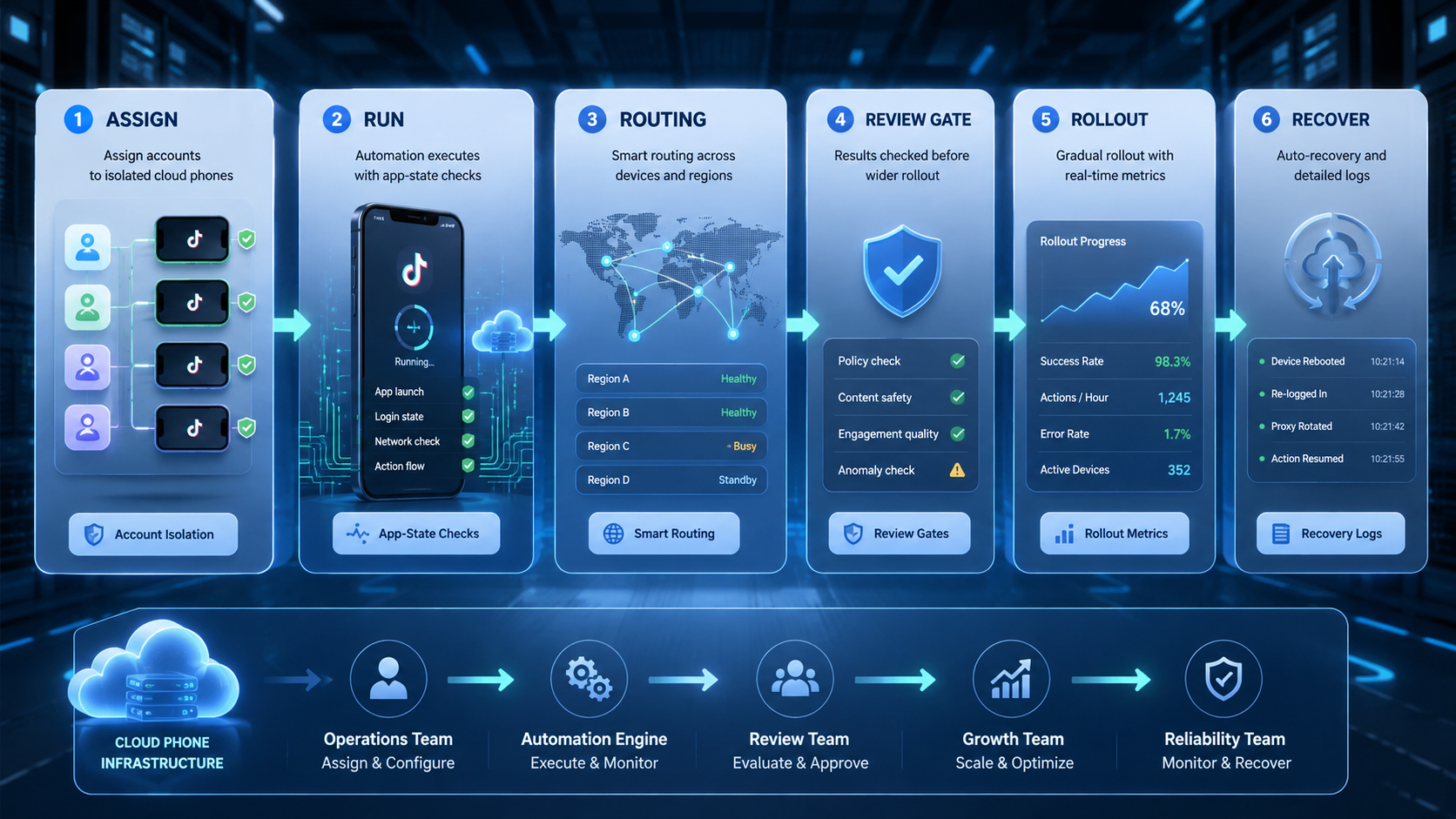
The right cloud phone for TikTok automation is the one that fits the operating system around the account. Device access is necessary, but it is not enough for serious team work. The team also needs account assignment, app-state checks, routing control, review gates, and recovery logs.
Start with one TikTok workflow. Define the account group, assigned phone, task type, reviewer, pass label, and failure labels. Then test whether the platform makes the work easier to run and explain.
Choose only after the pilot record is clear. If a teammate can understand the task without private chat history, the setup is ready for more volume. If not, fix the workflow before adding more cloud phones.



