

Key Takeaways
- Residential proxies for cloud phones are network routes that teams pair with remote Android devices to make traffic paths more consistent and easier to review.
- The value is not a blanket safety claim. The value is clearer routing, device-lane separation, and better operational control.
- A proxy should be tied to a device pool, workflow, region need, and recovery rule.
- Teams should avoid random proxy rotation, mixed pools, unclear ownership, and unlogged route changes.
- Start with one workflow, one device pool, and one routing policy before expanding.
Residential proxies for cloud phones are network routes that connect remote Android devices to residential-style IP paths. In a team workflow, they help operators keep routing policy tied to device pools, account lanes, and review steps.
The short answer is practical. Residential proxies can support cloud phone operations when the team needs explainable network behavior across remote devices. They do not remove platform rules, policy duties, or account risk. They only give the team a more controlled way to route traffic.
This matters because cloud phones are often used by teams, not only solo users. Teams need device state, routing, account ownership, and recovery rules to stay aligned. A proxy setup that is not documented can make the workflow harder to trust.
MoiMobi treats proxy routing as one layer in a broader mobile execution system. The proxy network layer should work with device isolation, cloud phone pools, and mobile automation. Each part should support stable execution.
Google Search Central’s helpful content guidance says useful content should help people complete real tasks instead of repeating surface claims (Google Search Central). That standard fits proxy planning. A useful setup should help a team route, review, and recover real mobile workflows.
What Are Residential Proxies for Cloud Phones?
These proxies are routing resources used with remote Android devices. A cloud phone provides the Android environment. A selected route provides the network path. The team then decides which route belongs to which device lane.
This is different from adding proxies randomly. A random route may hide short-term setup problems, but it also makes review harder. Operators may not know which route was used, why it changed, or whether the next run can be compared with the last run.
The workable model is pool-based. A team assigns a cloud phone group to a workflow and gives that group a known routing policy. The policy may be tied to region, account lane, app test, or review need. The important point is that the route is intentional.
For example, an ecommerce operations team may run one device pool for account review and another for support checks. Those pools should not share unclear route behavior. Each lane should have its own owner, device status rules, and recovery path.
Think of the setup in four layers:
| Layer | What it controls | Review question |
|---|---|---|
| Cloud phone pool | Which Android devices run the workflow | Which task owns this device group? |
| Proxy route | Which network path a device lane uses | Can the team explain the route? |
| Device isolation | How account and app state stay separated | Is this lane clean before reuse? |
| Recovery rule | How failed or changed lanes return to service | Who resets or reviews the device? |
This structure keeps proxy use operational. It prevents proxy settings from becoming a private operator habit. The goal is not to add complexity. The goal is to make each route easier to understand.
Why Residential Proxies for Cloud Phones Matter
Routing matters because mobile workflows need context. A cloud phone may have a clean app state and a known account lane, but the network path still affects how the workflow is reviewed. If route behavior changes without notes, failures become harder to explain.
The first value is consistency. A team can tie a route to a device pool instead of letting every operator choose settings alone. Consistent routing makes repeated runs easier to compare.
The second value is separation. Teams that manage multiple accounts or workflows should avoid mixing routes, devices, and app state. Clear routing helps each lane stay easier to review.
The third value is recovery. When a run fails, the team needs to ask whether the issue came from app state, route, account status, operator action, or device state. A documented proxy policy makes that investigation faster.
Teams should still handle proxy routes carefully. A route is not a policy shield. Platform rules and operator behavior still matter. A proxy path can support workflow control, but it cannot make irresponsible activity acceptable.
Use this simple framework:
- Route stability supports repeated work.
- Device isolation protects lane clarity.
- Account ownership reduces confusion.
- Logs help explain route changes.
- Recovery rules prevent unclear reuse.
Google’s SEO Starter Guide emphasizes clear organization so people can understand information and take action (Google Search Central SEO Starter Guide). Operations need the same discipline. Clear route names, pool labels, and status rules help people act with less guesswork.
Key Benefits and Use Cases
This setup fits workflows where route clarity and remote device control matter together. The strongest use cases are not vague growth claims. They are operational jobs that need clean handoff and consistent review.
One use case is multi-account management. Teams may need separate cloud phone pools for different account lanes. A proxy route can be paired with each lane so operators know which network path belongs to which job.
Another use case is social operations. A social media marketing team may need remote devices, route notes, device state checks, and review handoff. Proxy routing should support that process, not replace platform-aware behavior.
QA and support teams may also benefit. A support issue may need review from a device with a known app state and known route. A QA run may need the same route pattern across repeated checks. In both cases, routing policy helps the team compare results.
Automation workflows need extra care. Scripts can repeat actions quickly, so routing should be set before the run begins. The team should know whether a failed run is related to code, device state, route, or account context.
Common fit cases include:
- Remote Android app checks with route consistency.
- Account-lane review across cloud phone pools.
- Support reproduction on known device routes.
- QA smoke checks using stable routing.
- Mobile automation preflight with device and route checks.
- Team handoff where route notes must be visible.
The benefit is not only technical. The real benefit is decision quality. Leads can see which pool ran the job, what route it used, and what status followed. That makes review faster.
How to Get Started with Residential Proxies for Cloud Phones
The biggest mistake is connecting proxy routes before the workflow is defined. A route without a device owner, lane name, or reset rule becomes another loose setting. Start with guardrails first.
- Choose one workflow. Pick one repeated task such as account review, app check, support reproduction, or automation preflight.
- Assign one cloud phone pool. Keep the first test tied to a named group of remote Android devices.
- Define routing policy. Decide which proxy route belongs to the pool and when it can change.
- Set access roles. Decide who can view, change, pause, or reset route settings.
- Record route notes. Keep a simple log of route, device pool, workflow, operator, and result.
- Review failed runs. Check device state, app state, account lane, and route before blaming the tool.
- Expand after repeat success. Add pools only after the pilot is stable across users and days.
The route-change rule is especially important. Operators may want to change proxies when a run looks slow or unclear. That may solve one moment and damage review quality later. A better rule is to pause, record the issue, and let the owner decide.
Pair the routing policy with phone farm management. Larger device pools need more naming discipline. Each pool should show its workflow, status, route class, and owner.
Use a short setup checklist:
- Pool name is clear.
- Workflow owner is named.
- Route policy is written.
- Access roles are limited.
- Device state is checked.
- Route changes are logged.
- Recovery action is defined.
This checklist is simple by design. Early proxy setups fail when they are too informal, not when they are too plain. A plain process that people follow is better than a complex process nobody trusts.
Fit Boundaries for Residential Proxies for Cloud Phones
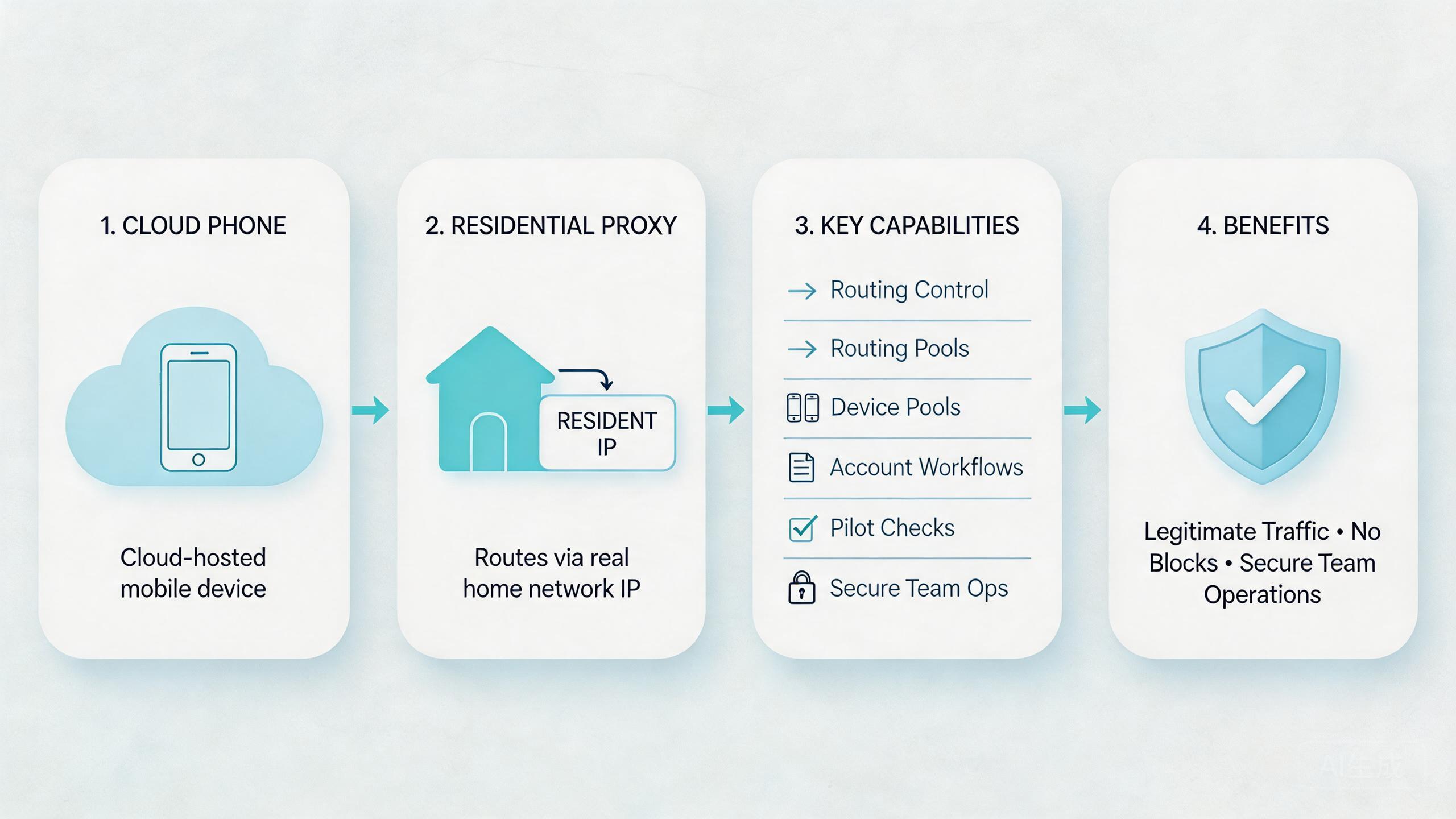
Proxy routing is useful when it improves a repeated workflow. It is less useful when the workflow itself is vague. The route should support an existing operating model, not cover for a missing one.
Strong fit appears when teams already use cloud phone pools for repeated work. The team knows the device lane, the account owner, the expected route, and the recovery step. A residential proxy can then support consistency.
Medium fit appears when teams are still building the workflow. A route may help, but the team should keep the pilot narrow. One pool and one route class are enough at the start.
Weak fit appears when operators cannot explain the task, route, account lane, or reset rule. In that case, adding proxies may make the system harder to review. Fix the workflow first.
Known device pools, repeated account workflows, route review, QA checks, and support reproduction.
Social operations, ecommerce workflows, and automation runs where policy and account rules matter.
Undefined workflows, random route changes, unclear ownership, or tasks that do not need remote device routing.
Control should also match user roles. Operators may need to run tasks. Reviewers may need route visibility. Admins may need route-change authority. Flat access can create quiet damage because small route changes become hard to trace.
This is where MoiMobi’s infrastructure view matters. The route is one layer. It should work with device state, account boundaries, automation checks, and recovery. Treating it as a standalone fix creates weak operations.
Common Mistakes to Avoid
The first mistake is using residential proxies as a shortcut. A proxy route can support better workflow control, but it cannot replace account hygiene, policy awareness, or clear device ownership.
The second mistake is changing routes without logging. A route change may seem small. Later, the team may not know why a result changed. Logs do not need to be complex, but they should show pool, route, operator, time, and reason.
The third mistake is sharing one route policy across unrelated workflows. A support lane, QA lane, and account lane may have different needs. Mixing them makes troubleshooting slower.
Another mistake is ignoring device state. A clean route does not mean a clean device. App data, session history, account status, and prior actions can still affect the next run. Pair route review with device state review.
Some teams also over-rotate routes. Frequent changes can make results harder to compare. Use route changes for defined reasons, not as a reflex.
Access control is another common gap. Not every operator should be able to change proxy settings. Limit change authority to users who understand the workflow impact.
The last mistake is scaling before the pilot is stable. More cloud phones and more routes multiply confusion when the base process is weak. Prove one lane first, then expand.
Pilot, Measurement, and Recovery Checks
A pilot should prove that residential proxies make cloud phone workflows easier to run and review. It should not only prove that a route connects. The goal is cleaner handoff and clearer recovery.
Track five signals:
| Signal | What to measure | Useful result |
|---|---|---|
| Setup time | Time to prepare the pool and route | Less waiting and fewer setup questions |
| Route clarity | Whether operators can explain the route | Fewer unclear runs |
| Handoff quality | Whether reviewers understand pool status | Faster review with fewer messages |
| Recovery time | Time to reset or review a failed lane | Faster return to service |
| Drift rate | How often route or device state becomes unclear | Fewer surprise failures |
Keep the test narrow. One workflow, one pool, one route policy, and one owner are enough. A narrow pilot shows whether the operating model works before scale adds noise.
Recovery rules should be written before the first run. Decide when to pause the pool, when to change the route, when to reset the device, and who can return the lane to service. This avoids panic changes after failures.
Review should happen at the lane level. Ask what changed in the device pool, route, app state, account lane, and operator action. This is faster than treating each failure as an isolated mystery.
The pilot is ready to expand when another operator can run the same process without private notes. If the process still depends on one person’s memory, the setup is not ready for more devices.
Governance Rules for Residential Proxy Operations
Governance sounds heavy, but the first version can stay simple. A team only needs enough rules to know who owns a route, who can change it, and how a changed route gets reviewed. Without those basics, every proxy setting becomes personal knowledge.
Start with ownership. Each route class should have one owner who understands the workflow. That owner does not need to run every task, but they should approve changes that affect the lane. This prevents casual edits from spreading across many cloud phones.
Next, define change reasons. Common reasons may include a region change, a failed route check, a support reproduction need, or a planned workflow test. Vague reasons such as “try another one” should not be enough for production lanes.
Access levels should be separate:
- Operators can run assigned workflows.
- Reviewers can inspect route notes and device status.
- Admins can approve route changes.
- Technical owners can investigate repeated failures.
This role split keeps the setup easier to audit. It also helps new staff learn the system without being given too much control on day one.
Documentation should stay short. A useful route record includes the pool name, route class, workflow, owner, last change date, and current status. Add a short reason when the route changes. That is enough for most day-to-day review.
Governance also supports automation. If a script runs against a cloud phone pool, the script should read the assigned lane and route status before execution. A run should stop when the lane is marked under review or reset needed.
The final rule is review cadence. Check route and device state weekly for active pools. Remove unused routes, stale lanes, and unclear notes. Small cleanup prevents a proxy setup from becoming a hidden map that only one person understands.
One extra check helps before launch. Ask a second operator to read the route note and repeat the workflow. If they cannot explain the pool, route, owner, and recovery step, the lane is not ready for broader use. Pause expansion.
Frequently Asked Questions
What are residential proxies for cloud phones?
They are residential-style network routes used with remote Android devices. Teams use these routes to keep cloud phone traffic paths more consistent and easier to review.
Do residential proxies make cloud phones safe?
No. They support routing control, but they do not remove platform rules, account responsibility, or workflow risk. Teams still need careful operations.
When should teams use residential proxies with cloud phones?
Use them when route clarity matters for repeated workflows, account lanes, support checks, QA runs, or mobile automation preflight.
Should every cloud phone use the same proxy route?
Not usually. Routes should match the workflow, device pool, region need, and review policy. Mixed routes can make troubleshooting harder.
What should be logged?
Log the device pool, route class, operator, time, workflow, result, and reason for route changes. Keep the note simple enough for daily use.
Can residential proxies work with mobile automation?
Yes, when the automation lane has a clear device pool, route policy, state check, and recovery rule. Scripts should not run on unclear routes.
What is the biggest mistake?
The biggest mistake is treating proxies as a shortcut. They should support a controlled workflow, not hide unclear device ownership.
How should a team start?
Start with one workflow, one cloud phone pool, one route policy, and one owner. Expand only after the pilot works across users and days.
Conclusion
Proxy routes are useful when teams need routing control inside remote Android workflows. They help connect device pools, route policy, account lanes, and review steps into one clearer operating model.
The strongest setups are calm and specific. One workflow owns one pool. One route policy supports that lane. Operators know what they can change. Reviewers can see what happened. Failed runs have a recovery path.
The weak setups are loose. Random route changes, mixed pools, unclear ownership, and missing logs make cloud phone operations harder to trust. Adding more proxies will not fix that.
The next step is to pilot one lane. Choose a repeated workflow, assign a cloud phone pool, define the route policy, and track setup time, handoff quality, route clarity, and recovery time. If the pilot reduces confusion, expand carefully. If it does not, fix the workflow before adding more routes or devices.



