
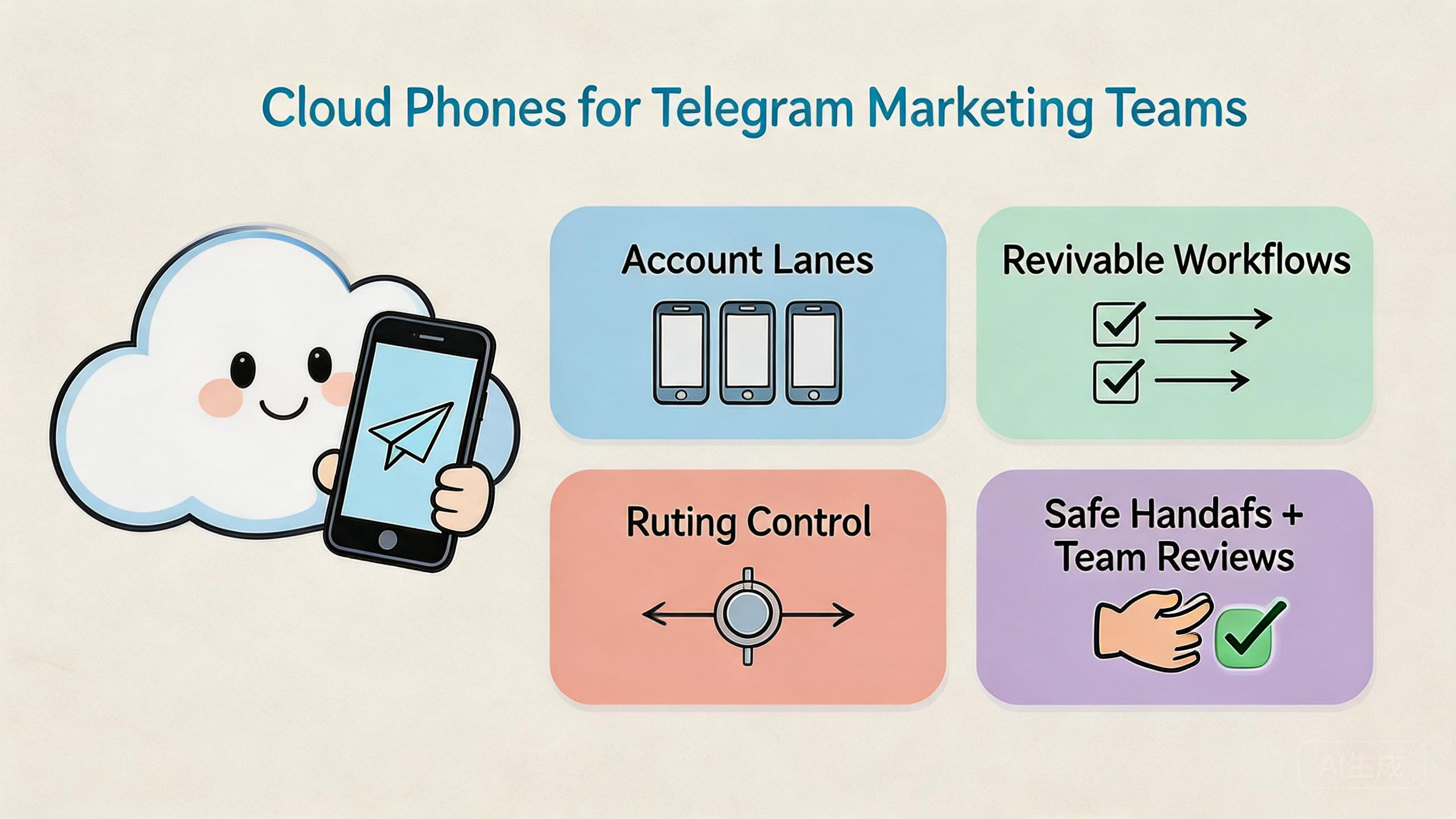
The phrase cloud phones for Telegram marketing means remote Android environments that help teams run Telegram-related mobile workflows through assigned device lanes, access rules, and reviewable handoff. They are not a shortcut around platform rules. They are a work layer for keeping repeated mobile tasks easier to separate, inspect, and recover.
The direct value is operational control. A marketing team may need different people to prepare accounts, check messages, review campaign assets, test links, or record workflow results. When that work happens on scattered local phones, ownership becomes unclear. A cloud phone setup can give each workflow a named device lane, a known route policy, and a clearer reset path.
This matters because Telegram marketing work often involves repeat tasks. Teams may review channel posts, coordinate community replies, test signup flows, or check campaign pages from mobile sessions. The hard part is not only doing more work. The hard part is keeping the work organized enough that a manager can see what happened and an operator can continue without guessing.
Key Takeaways
- Remote phone pools help Telegram marketing teams separate mobile workflows into clearer device lanes.
- The best use case is coordinated team execution, not uncontrolled account scaling.
- Device isolation, role boundaries, routing notes, and recovery rules matter more than raw device count.
- A small pilot should prove cleaner handoff and review before the team expands.
What Is Cloud Phones for Telegram Marketing Teams?
The common misunderstanding is that cloud phones are only about adding more mobile screens. That view is too narrow. For Telegram marketing teams, the stronger model is a controlled mobile workspace where accounts, devices, operators, routes, and review steps can be separated.
A remote Android phone gives the team a device that can be accessed through a browser, app, API, or control panel, depending on the provider. The useful layer is not only the screen. The useful layer is the operating structure around that screen.
For Telegram work, that structure usually starts with lanes. One lane may support channel content checks. Another may support community response review. A third may support campaign link testing. The team can then decide which device pool owns each lane, who can access it, and how the state should be recorded after work is complete.
This is different from casual account sharing. Casual sharing often depends on private notes and memory. A controlled remote-device setup depends on repeatable rules. The operator knows which device to use. The reviewer knows where to inspect. The admin knows when to reset or quarantine a device.
Google Search Central's guidance on helpful content emphasizes content made for people rather than search engines alone (Google Search Central). That principle also applies to the workflow behind marketing execution. The goal is not to create noise. The goal is to run useful, reviewable work that supports a real audience and a real business process.
In practical terms, cloud phones for telegram marketing make sense when the team needs shared mobile access, parallel work, clean handoff, and better visibility. They make less sense when the work is vague, one-off, or not yet governed by clear rules.
Another useful distinction is task ownership. Telegram marketing can include planning, posting, community response, link testing, asset review, and reporting. Those jobs may sit in different teams. A cloud phone setup helps when each job has a named lane and a visible state.
The device lane should not become a hidden workspace. The operator should record what was done, what account context was used, and whether the device needs reset. That small habit turns a remote Android device into team infrastructure instead of another private tool.
Why Cloud Phones for Telegram Marketing Matters
Telegram marketing becomes harder when several people touch the same workflow. A local phone on one desk may be fine for one operator. It becomes a bottleneck when content, support, media buying, and operations all need to check mobile behavior.
Shared access is the first reason. A campaign manager may need to verify a mobile landing page. A community operator may need to check a message flow. A reviewer may need to inspect screenshots or state before the next step. Remote Android access can reduce dependence on one person's physical device.
Separation is the second reason. Telegram-related marketing work can mix many contexts: channels, groups, creative tests, customer replies, signup links, and regional campaigns. Mixing those contexts inside one unmanaged device pool creates confusion. Separate lanes make later review easier.
Review speed is the third reason. A team lead should be able to answer simple questions quickly. Which device lane ran this task? Which operator touched it? Which route policy applied? Was the device clean before reuse? Without those answers, every small issue becomes a long investigation.
Consider a team that checks campaign links from mobile before launch. One operator tests the link. Another reviews the screen. A manager approves the result. If the process relies on private screenshots and a personal phone, the trail is weak. With a named device lane, the team can capture the run result, note the route, and reset the environment after review.
The benefit is not that every risk disappears. It does not. Telegram, advertising platforms, and external services still have rules that teams must respect. The benefit is that the mobile execution layer becomes easier to control. Official platform documentation should remain part of the team's policy review process, especially when campaigns involve messaging, groups, or user interaction.
Key Benefits and Use Cases
The best way to evaluate cloud phones for telegram marketing is to judge whether the setup improves control. Raw device count is a weak metric by itself. A smaller pool with clear ownership may outperform a larger pool that nobody can audit.
Three benefits matter most.
- Cleaner account and workflow separation. Teams can assign device lanes by campaign, region, client, or task type. This reduces cross-workflow confusion.
- Better team handoff. Operators, reviewers, and admins can work from the same controlled environment without passing a physical device around.
- More reviewable execution. Device state, route notes, run outputs, and recovery actions can become part of the workflow record.
Common use cases include mobile campaign QA, social media marketing checks, community workflow review, account-state inspection, and repeat mobile operations. These are not the same as reckless mass messaging. The safer framing is controlled execution for known team workflows.
Repeated Telegram marketing checks, shared operators, campaign QA, mobile landing-page review, and handoff-heavy workflows.
Mixed social workflows where Telegram is one channel and some steps still need manual judgment or policy review.
Undefined campaigns, unclear ownership, one-off experiments, or work that depends mainly on physical device testing.
This fit boundary is important. A remote device pool cannot fix a weak marketing process by itself. It can support a process that already has clear roles, account boundaries, approval steps, and recovery rules.
MoiMobi users should also connect this decision to the broader stack. Device isolation helps keep workspaces separated. A proxy network can make routing policy easier to manage when the team has a legitimate regional workflow. Mobile automation can then handle selected repeat steps after the lane is stable.
The use-case decision should also include content quality. Telegram marketing still depends on useful messages, clear offers, and respectful audience handling. Remote phone pools improve the mobile execution layer. They do not replace campaign strategy, consent practices, or editorial review.
For that reason, the best teams connect device work to a simple approval path. One person prepares the mobile check. A second person reviews the result. A manager or owner decides whether the campaign is ready. This path keeps execution speed from outrunning judgment.
How to Get Started with Cloud Phones for Telegram Marketing
Start with the workflow, not the device count. A team that cannot describe the workflow clearly is not ready to scale the device pool. A simple setup should answer who owns the task, which account lane is involved, which device is used, and how the result is reviewed.
- Pick one Telegram marketing workflow. Choose a repeated task such as campaign link QA, channel post review, community response review, or mobile signup testing.
- Assign one device lane. Keep the first lane narrow. Do not mix unrelated campaigns, teams, or account groups during the pilot.
- Define user roles. Operators run the task. Reviewers inspect output. Admins control resets, routing rules, and lane changes.
- Document routing policy. Record which route class belongs to the lane. Avoid ad hoc changes that make results harder to compare.
- Set state rules. Label devices as ready, in use, under review, reset needed, or quarantined. Vague states create mistakes.
- Track pilot results. Measure setup time, handoff time, recovery time, and review clarity before adding more lanes.
The highest-risk step is usually role design. When every user can operate, review, reset, and change routing, the team loses accountability. Keep permissions narrow enough that mistakes can be traced.
Google's SEO Starter Guide recommends making pages useful, clear, and easy for users to navigate (SEO Starter Guide). A Telegram marketing workflow should follow a similar operating habit. Make the process clear enough that the next person can understand the state without private context.
After the first pilot, review the gaps. Did operators know which device to use? Could reviewers inspect the result without asking for extra screenshots? Did route changes have a recorded reason? Did recovery take minutes or become a meeting? These answers decide whether expansion is sensible.
Operating Model for Telegram Marketing Teams
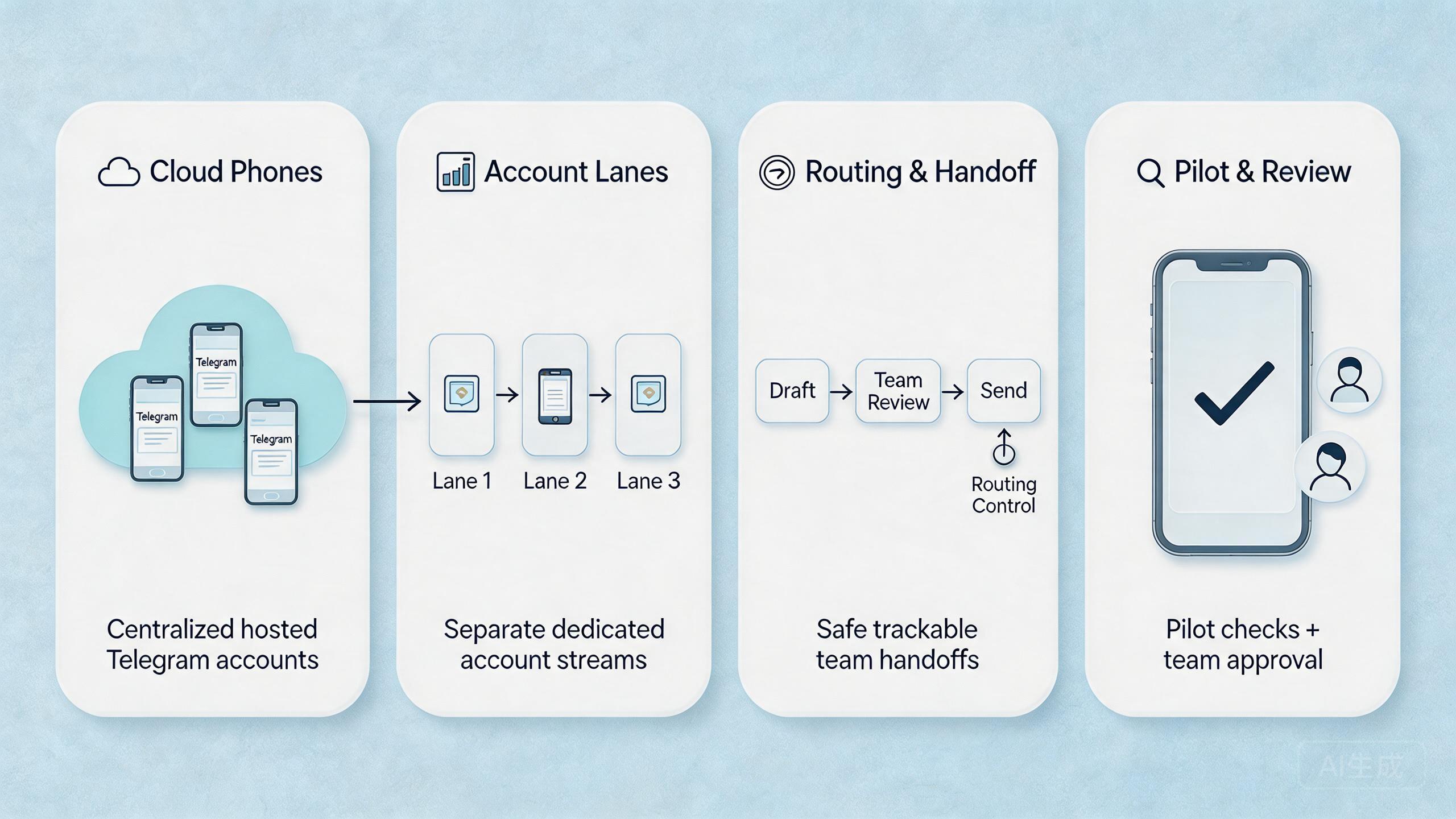
An operating model turns the device pool into a repeatable process. It defines the lane, user role, allowed action, review point, and recovery path before the work starts. Without that model, the team may have remote access but still lack control.
Start with lane naming. A lane name should explain the job. Examples might include campaign QA, community review, signup testing, regional landing-page check, or support reproduction. Clear names help new operators understand the purpose without asking for private context.
Define action limits next. An operator may be allowed to open Telegram, check message rendering, test a landing-page link, capture screenshots, and record the outcome. The same operator may not be allowed to change account settings, alter routing, or reuse the device for unrelated work without approval.
Review points should be short and consistent. A reviewer needs to know what was tested, which device was used, which account lane applied, and what result appeared. Screenshots help, but they should not be the only record. The run note should carry the basic facts.
Recovery rules complete the model. A failed run should not leave the next operator guessing. Mark the device for reset, review, or quarantine. Record the reason. Return it to service only when the owner can explain the state.
| Layer | Question to answer | Minimum record |
|---|---|---|
| Lane | Which Telegram workflow owns this device? | Campaign, task type, owner |
| Role | Who can run, review, or reset? | Operator, reviewer, admin |
| Action | What is allowed in this run? | Checklist and limits |
| Recovery | What happens after failure? | Reset, review, or quarantine |
This model does not need to be heavy. A short run sheet can work if people actually use it. The goal is a workflow that another teammate can understand quickly.
Common Mistakes to Avoid
The first mistake is treating cloud phones as a volume tool before treating them as control infrastructure. More devices can multiply unclear work. A Telegram marketing team should first prove that one lane is stable.
The second mistake is mixing account contexts. Channel checks, campaign QA, community replies, and test flows should not all share the same unmanaged device state. Mixed state makes it harder to know what caused a failure.
The third mistake is skipping platform and policy review. Remote devices do not remove the need to follow Telegram rules, advertising rules, or local compliance requirements. Teams should keep official platform documentation and internal policy guidance close to the workflow.
The fourth mistake is over-automating too early. A script that touches too many account lanes is difficult to review. Early automation should focus on narrow tasks such as state capture, readiness checks, link checks, or report formatting. Broader actions should wait until the review loop is stable.
| Decision area | Bad signal | Better rule |
|---|---|---|
| Device pool | One mixed pool for every campaign | One lane per workflow during the pilot |
| Access | Everyone can change everything | Separate operator, reviewer, and admin roles |
| Routing | Routes change without notes | Record route class, reason, and approver |
| Recovery | Failed devices are reused by habit | Use ready, review, reset, and quarantine states |
Another common issue is weak ownership. If nobody owns the lane, nobody protects the lane. Assign one owner for each pilot workflow. That person does not need to do all the work, but they should approve changes to access, routing, and reset rules.
Pilot and Measurement for Cloud Phones for Telegram Marketing
A useful pilot should answer one question: does the remote device setup make Telegram marketing work easier to run, review, and recover? Keep the first test small enough that the team can inspect it carefully.
Choose one workflow with visible output. Campaign link QA is often easier to measure than broad community operations. The task has a start, a result, and a review point. That makes handoff easier to judge.
Track five signals during the pilot:
- Setup time: how long it takes to prepare the device lane.
- Handoff time: how long another operator needs to continue the task.
- Review clarity: whether a reviewer can understand the state without private notes.
- Recovery time: how long it takes to reset or quarantine a failed device.
- Repeat quality: whether the same workflow can run again without rebuilding the setup.
Do not overbuild reporting at the start. A simple run sheet can be enough for the first round. The important part is that device ID, account lane, route policy, operator, result, and recovery action are captured consistently.
This pilot also protects the team from false confidence. A one-time successful run does not prove the system is ready. A better signal is repeatability. Run the same workflow several times, hand it to another operator, and check whether the state remains understandable.
Expansion should depend on evidence. Add more device lanes only when the team can explain what happened, why it happened, and how to recover when something breaks. That is the difference between controlled mobile execution and a larger pile of remote screens.
Keep the review cadence simple. Daily teams may review lane health at the end of each work block. Smaller teams may review after each campaign test. The cadence matters less than consistency. A review that happens every time is more useful than a complex dashboard nobody opens.
Useful review notes are plain. Which lane ran? Which result changed? Which route was used? Which device needs reset? These answers help managers decide whether the next step is expansion, cleanup, or process repair.
Keep the notes easy to write. Use short fields. Name the lane. Name the owner. Add the result. Mark the next state. A simple note that people complete every time is better than a long form they skip.
Small teams can start with a shared sheet. Larger teams may use a ticket, task board, or internal tool. The tool matters less than the habit. The record should tell the next person what to do without a long chat.
Fit Boundaries for Telegram Marketing Teams
Remote phone pools are a strong fit when Telegram work is repeated, team-based, and review-heavy. They can help when operators need shared access, managers need visibility, and workflows need a clean mobile environment.
The fit is weaker when the team has not defined its marketing process. Unclear audience, unclear approval rules, or unclear account ownership will still cause problems. A remote device layer may expose those gaps faster, but it will not solve them alone.
Physical-device testing can also remain necessary. Some checks depend on local hardware, sensors, carrier behavior, or hands-on inspection. In those cases, a remote phone pool can support adjacent review, while local devices stay part of the validation process.
A practical selection rule is simple. Use remote phones when shared access, separation, and handoff improve the work. Do not use them to avoid decisions about policy, message quality, consent, or campaign strategy.
Teams that already use multi-account management workflows should be especially careful about lane design. Every account group should have a reason, an owner, and a review path. That discipline matters more than the number of accounts attached to the project.
For social teams, the next logical review is the broader social media marketing workflow. Telegram may be one channel. The operating model should still support campaign planning, review, execution, and reporting across the whole stack.
Frequently Asked Questions
What does this setup mean for Telegram marketing?
They are remote Android devices used to run and review Telegram-related marketing workflows. The useful part is the controlled device lane, not only the remote screen.
Does this make Telegram accounts safe?
No. They can improve separation, access control, and review. They do not remove platform rules, policy duties, or operator risk.
When should a Telegram team use this model?
Use them when several people need shared mobile access, repeat checks, reviewable handoff, or separated account lanes.
What should a pilot measure first?
Measure setup time, handoff time, review clarity, recovery time, and repeat quality. These signals show whether the system is operationally useful.
Can automation be added later?
Yes, but start narrow. Automate readiness checks, state capture, simple link checks, or report steps before broader actions.
How many remote phones should a team start with?
Start with the smallest pool that can support one repeated workflow. Add more only after the pilot is easy to review.
What is the biggest mistake?
The biggest mistake is scaling device count before defining ownership, route policy, account lanes, and recovery rules.
Do teams still need manual review?
Yes. Marketing judgment, platform policy review, message quality, and campaign approval still need human responsibility.
Conclusion
For Telegram marketing teams, remote phone work is most useful when it creates a better operating layer. It helps teams assign mobile work, separate account lanes, review results, and recover from failed runs with less guessing. It should not be treated as a magic growth tool.
The right starting point is small. Pick one Telegram marketing workflow, assign one device lane, define the user roles, document route policy, and measure the pilot. That sequence gives the team evidence before expansion.
Before scaling, ask five checks. Can another operator continue the workflow? Can a reviewer understand the state? Are routing changes recorded? Is recovery clear? Does the workflow respect platform and business rules?
When those answers are clear, remote Android pools can become part of a stable Telegram marketing system. When those answers are vague, fix the operating model first. Stable execution comes from clean lanes, narrow permissions, visible review, and disciplined recovery.



