
Key Takeaways
- Phone farm software is the control layer that helps teams assign, monitor, review, and recover many mobile devices.
- The main value is not raw device count. The value is clean ownership, state visibility, routing control, and repeatable handoff.
- Teams should evaluate phone farm tools by workflow fit, not by a generic feature list.
- A small pilot with clear metrics is safer than a large unmanaged rollout.
Introduction
Phone farm software is a system for managing many mobile devices as shared execution infrastructure. It helps teams assign phones, control access, track device state, review work, and recover failed runs without relying on one person's memory.
The decision matters when a few devices become a daily operations problem. One person can manage a small device set with notes and habit. A team needs clearer rules. Operators need to know which phone to use. Reviewers need to inspect work. Admins need to reset or reassign devices when something breaks.
The practical question is not "How many phones can we run?" The better question is "Can the team repeat the same mobile workflow with clear ownership and recovery?" Device count is useful only when the operating model is stable.
MoiMobi fits this topic as mobile execution infrastructure. Its phone farm layer works with cloud phone, device isolation, proxy network, and mobile automation. The combined model matters when teams need parallel capacity and clean handoff.
Google Search Central's helpful content guidance focuses on clear value for users (Google Search Central). Operations software should meet a similar standard. It should make work easier to understand, not only easier to start.
The Core Idea Behind Phone Farm Software for Multi-Device Operations
The most common misunderstanding is that a phone farm is only a large set of phones. The useful model is different. Phone farm software turns many mobile environments into a managed workflow system.
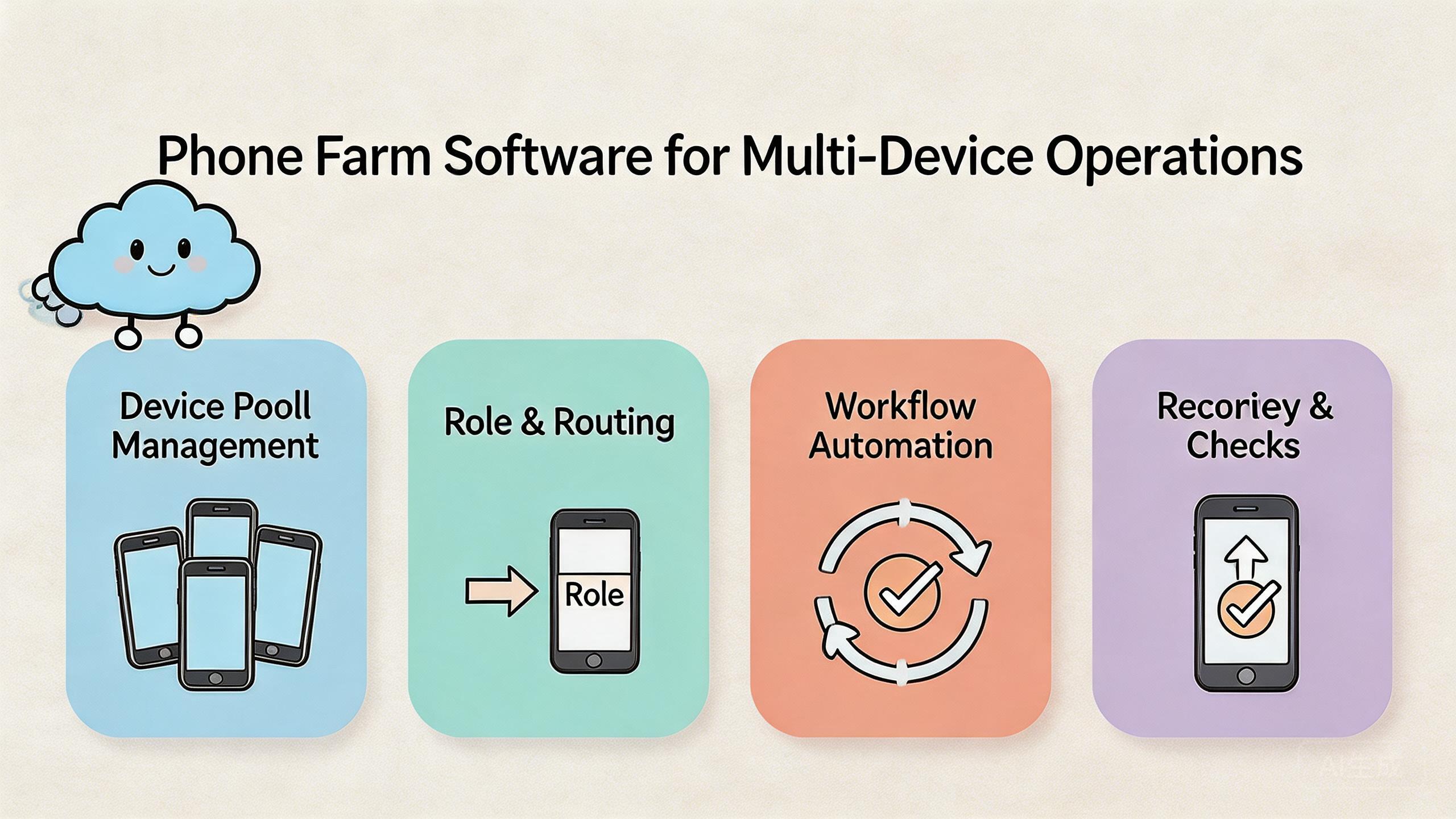
That system has four basic layers. The first layer is device access. Operators need to open the right phone from the right place. The second layer is state control. A team needs to know whether a device is clean, active, under review, or waiting for reset.
The third layer is routing and environment policy. Multi-device work often depends on a known network path, app state, account role, or region context. These rules should be visible instead of left to operator habit.
The fourth layer is review and recovery. A reviewer should see enough context to understand what happened. An admin should know when to quarantine, reset, or return a phone to the pool.
Simple operating model:
| Layer | What it controls | Why it matters |
|---|---|---|
| Access | Who can use which phones | Prevents random use and confusion |
| State | Clean, active, review, reset-needed | Makes reuse safer and easier to explain |
| Routing | Expected route or network policy | Keeps troubleshooting possible |
| Review | Notes, screenshots, task outcome | Helps leads verify work |
| Recovery | Stop, reset, quarantine, return | Limits failure spread |
This is why phone farm software should not be evaluated like a simple remote screen tool. Remote control is only the entry point. The real value comes from managing repeated work across many devices and many people.
Why Teams Search for This Topic
Teams search for phone farm software when device work becomes hard to coordinate. The problem often starts small. A few phones sit on a desk. One operator knows which device belongs to which task. Then more accounts, apps, regions, or reviewers join the workflow.
At that point, informal tracking breaks down. A lead may not know which devices are idle. An operator may reuse a phone that should have been reset. A reviewer may inspect a task without knowing the route, app state, or account role.
Multi-device operations also create capacity questions. More devices can increase throughput, but only when each device is usable. A phone that needs constant cleanup is not real capacity. Useful capacity means a device is ready, owned, reviewable, and recoverable.
Distributed teams add another reason. Operators may not sit in the same room. Physical phone sharing becomes slow. A cloud phone layer can make access easier, while a phone farm layer keeps many devices organized.
Automation is another driver. Teams may want to repeat known tasks across devices. That can be useful only after the manual path is clear. A messy workflow usually becomes a messy automated workflow. Mobile automation should follow process clarity, not replace it.
Google's SEO Starter Guide explains that clear structure helps users understand pages (Google Search Central SEO Starter Guide). Operations teams need the same clarity. A device pool should be organized enough that the next action is obvious.
Who Benefits Most and In What Situations
Phone farm software fits teams with repeated mobile work. It is usually strongest when several people need to use, check, or recover mobile environments. It is weaker when one person runs occasional tasks on one or two phones.
Multi-account teams are a strong fit. They need separation between accounts, roles, and tasks. MoiMobi's multi-account management use case is relevant when phone ownership and account state need clearer rules.
Social media and content operations teams may also benefit. These teams often need mobile app access, review, and handoff. MoiMobi's social media marketing context is a logical next step when the workflow includes content checks or mobile campaign work.
QA and support teams can use phone farm software when they need repeatable mobile checks. A support lead may need to reproduce a mobile issue. A QA team may need to run the same app path on several environments. A reviewer may need to inspect the final state.
Agencies and distributed operations teams often care about access and review. They may need different people to continue work without shipping hardware. A remote device pool can reduce waiting when roles and reset rules are clear.
Fit boundary:
- Strong fit: repeated mobile workflows, shared operators, many devices, review needs, and clear recovery rules.
- Medium fit: mixed work where some tasks need remote phones and others need physical devices.
- Weak fit: one-off tasks, undefined workflows, hardware-specific testing, or no process owner.
The starting test is simple. If the team can explain device ownership, route policy, review flow, and reset rules, a phone farm can help. If those basics are unclear, fix the workflow first.
How to Evaluate or Start Using Phone Farm Software for Multi-Device Operations
Start with guardrails, not scale. A big phone pool without rules can create more work than it saves. The first step is to choose one workflow and define how it should run.
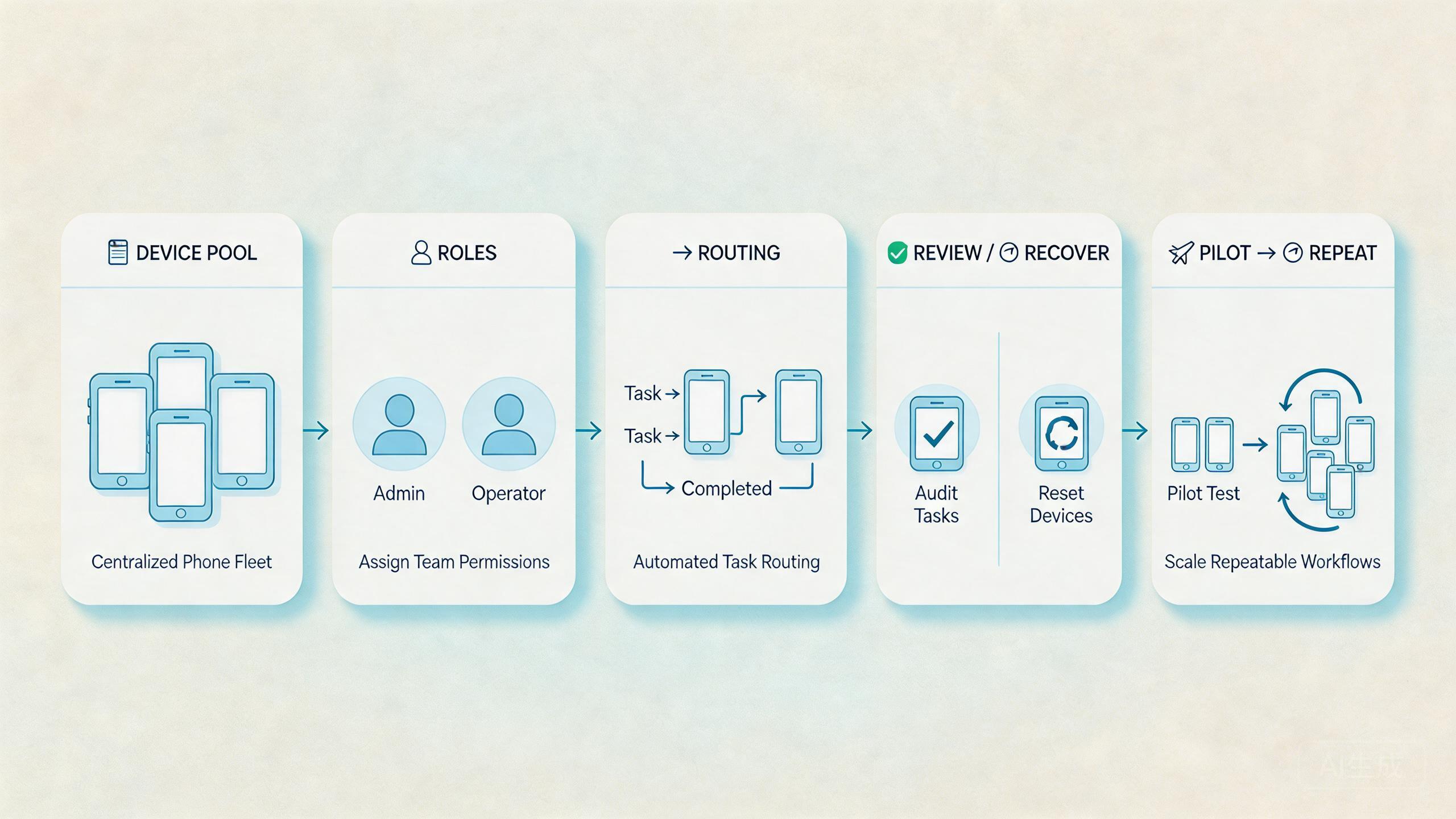
Use this checkpoint sequence:
- Name the workflow. Define the task, app path, account role, and expected output.
- Create one device pool. Keep the pilot pool narrow. Avoid mixing unrelated workflows.
- Assign owners. Each active phone should have a current owner or team.
- Set state labels. Use simple labels such as clean, active, under review, and reset-needed.
- Document routing. Record the expected route or network rule for the workflow.
- Separate roles. Operators, reviewers, and admins should not need the same access.
- Test recovery. Break one run on purpose and confirm that the reset path works.
Pass or fail should be based on real work. The pilot passes when another operator can continue a task without private explanation. It passes when a reviewer can inspect the result without chasing missing context. It passes when a failed phone has a clear stop and reset path.
The setup fails when everything depends on chat history. It also fails when devices return to the pool without state checks. These problems are usually process problems before they are software problems.
MoiMobi can be evaluated through its layers. Use phone farm for device pool control, device isolation for separation, and proxy network for routing discipline. Add automation only after the manual flow is stable.
Mistakes That Reduce Results
The first mistake is buying devices before defining workflow rules. More phones increase capacity only when each phone has a clear purpose. Without that purpose, a larger pool only creates a larger tracking problem.
The second mistake is weak ownership. A device should not be active without a task owner. The owner can be a person or a team, but the current responsibility must be clear.
The third mistake is vague state language. "Probably clean" is not a status. Use plain labels. Clean means ready. Active means in use. Under review means waiting for approval. Reset-needed means it should not be reused yet.
The fourth mistake is flat access. Operators, reviewers, and admins have different jobs. If everyone can change every setting, drift becomes normal. Role boundaries help reduce accidental changes.
The fifth mistake is hidden routing. A phone farm with unknown routes is hard to troubleshoot. Routing notes should be tied to the workflow, not only to the operator's memory.
The sixth mistake is rushing into automation. Automation can repeat known steps. It cannot decide whether a device is clean, a route is right, or a workflow is ready. Build the manual operating model first.
The final mistake is weak recovery ownership. Failed devices need a stop condition. Someone should know when to pause reuse, inspect the issue, reset the device, and return it to service.
These mistakes are common because teams feel pressure to move faster. The practical fix is slower at first. Define rules, test them, then scale.
Pilot Rollout, Measurement, and Recovery Checks
A pilot should test one real multi-device workflow. Choose a task that happens often enough to expose handoff problems. Keep the pool small, then measure whether work becomes easier to run and review.
Measure setup time first. Track how long it takes to prepare a phone for the task. If setup takes too long, identify the missing step. It may be account state, app state, route notes, or access permissions.
Measure handoff time next. Ask a second operator to continue the task. If they need a long explanation, the system needs better labels, notes, or review fields.
Measure recovery time after that. A failed run should not create a long argument. The team should know who can stop reuse, who checks the failure, and who returns the phone to service.
Review quality matters too. A lead should be able to inspect the task result without private context. Screenshots alone may not be enough. Good review usually needs device state, task owner, route note, and outcome.
Pilot scorecard:
| Signal | Pass condition | Warning sign |
|---|---|---|
| Setup | Phone can start the task without rebuild | Operator asks for missing state |
| Handoff | Second operator can continue quickly | Work depends on private explanation |
| Review | Lead can inspect result and context | Approval depends on chat history |
| Recovery | Failed phone has one reset owner | Device returns before inspection |
| Capacity | Active phones are truly usable | Many phones sit unclear or dirty |
The pilot should end with a written rule set. Include pool name, owner role, state labels, route policy, reviewer role, and recovery owner. A new operator should be able to follow it without asking the original builder.
Daily Control Model for phone farm software
Daily control is where phone farm software either proves itself or becomes noise. The team should not need a long meeting to know which phones are ready. A simple morning check should show device state, owner, task, route note, and review status.
Start the day by reviewing the active pool. Mark phones as clean, active, under review, or reset-needed. Keep this language plain. The goal is not a complex dashboard. The goal is shared meaning across operators, reviewers, and admins.
Next, check ownership. Every active phone should have a current person or team attached to it. A device without an owner should not be used for important work. Unowned phones create hidden risk because nobody knows what changed.
Route notes should be reviewed before task work begins. The expected route or network policy should match the workflow. Operators should not change this casually. A route change may be valid, but it should be visible to the next person.
Review status should stay separate from task status. A task can be done but not reviewed. A device can be active but not reusable. These small distinctions help teams avoid rushing phones back into the pool too early.
End the day with cleanup. Move finished devices to clean, reset-needed, or under review. Leave a short note for anything that failed. This habit makes the next morning easier.
Daily control checklist:
| Check | Question | Action |
|---|---|---|
| State | Is the phone clean, active, under review, or reset-needed? | Update the label before reuse. |
| Owner | Who is responsible for this phone now? | Assign an owner or pause use. |
| Route | Does the route match the workflow? | Record exceptions before work starts. |
| Review | Has a reviewer checked the result? | Keep the phone under review if not. |
| Recovery | What happens after a failed run? | Quarantine or reset before return. |
This simple model helps managers see real capacity. A team may own many phones, but only clean and assigned phones count as useful capacity. Phones with unknown state are work in progress, not available supply.
How Managers Should Compare Phone Farm Software Options
Managers should compare options by work outcome. A tool that looks rich in a demo may still fail daily use if it cannot show device state, owner, route, and review status clearly. The best comparison starts with the team's actual workflow.
First, compare visibility. Can a lead see which devices are ready, active, or blocked? Can they understand who owns each phone? Can they see whether the result has been reviewed? Visibility decides how much work can move without constant messages.
Second, compare control. The system should support role separation, reset rules, and routing discipline. Control does not need to be heavy. It needs to keep accidental changes from becoming normal.
Third, compare recovery. Every phone farm will have failed runs. The important question is whether the tool helps the team stop reuse, inspect the issue, reset the phone, and return it safely to the pool.
Fourth, compare fit with adjacent layers. A team may need cloud access, isolation, routing, and automation. MoiMobi is useful when those layers need to work together instead of living in separate tools.
Comparison checklist:
- Can the tool show device state without asking an operator?
- Can reviewers inspect work without changing the phone?
- Can admins reset or quarantine devices quickly?
- Can route notes stay tied to the workflow?
- Can the team start small and expand only after the pilot works?
The right choice should make the team calmer. Operators know where to work. Reviewers know what to check. Admins know when to reset. Managers know whether capacity is real.
Good tools also make bad days easier. When work breaks, the team can pause one phone without stopping the whole pool.
Frequently Asked Questions
What is phone farm software?
Phone farm software is a control system for managing many mobile devices. It helps teams assign devices, track state, set access, review work, and recover failed runs.
Is phone farm software the same as a cloud phone?
No. A cloud phone is a remote mobile environment. Phone farm software manages many devices and the workflows around them. The two layers often work together.
Who needs phone farm software?
Teams with repeated mobile workflows, multiple operators, review needs, or many devices are the strongest fit. One-person teams with occasional tasks may not need a full phone farm.
What should teams measure first?
Measure setup time, handoff time, review clarity, recovery time, and usable capacity. These signals show whether the pool is actually helping.
Can phone farm software replace physical phones?
Not for every task. Physical devices may still be needed for hardware-specific checks, sensors, camera behavior, and cable-level debugging. Phone farms fit shared and repeatable workflows.
When should automation be added?
Add automation after the manual workflow is stable. The team should know the task, state rules, route rules, and recovery path first.
What is the biggest operational risk?
The biggest risk is unclear process. If nobody knows device state, ownership, routing, or recovery rules, the software becomes harder to manage.
How many devices should a pilot use?
Use the smallest pool that can test the workflow. A small pilot exposes process problems before the team spends on more capacity.
Conclusion
Phone farm software is most useful when it turns many devices into a controlled mobile workflow. The right order is simple: define the task, assign device ownership, label state, document routing, separate roles, and test recovery.
MoiMobi fits teams that need mobile execution infrastructure instead of a loose collection of remote screens. Its phone farm layer works with cloud phones, isolation, proxy routing, and automation to support repeated team workflows.
The next step is a small pilot. Pick one multi-device workflow, run it across a narrow pool, and measure setup, handoff, review, recovery, and usable capacity. Expand only when the operating model is clear enough for another person to run without private explanation.



