
Key Takeaways
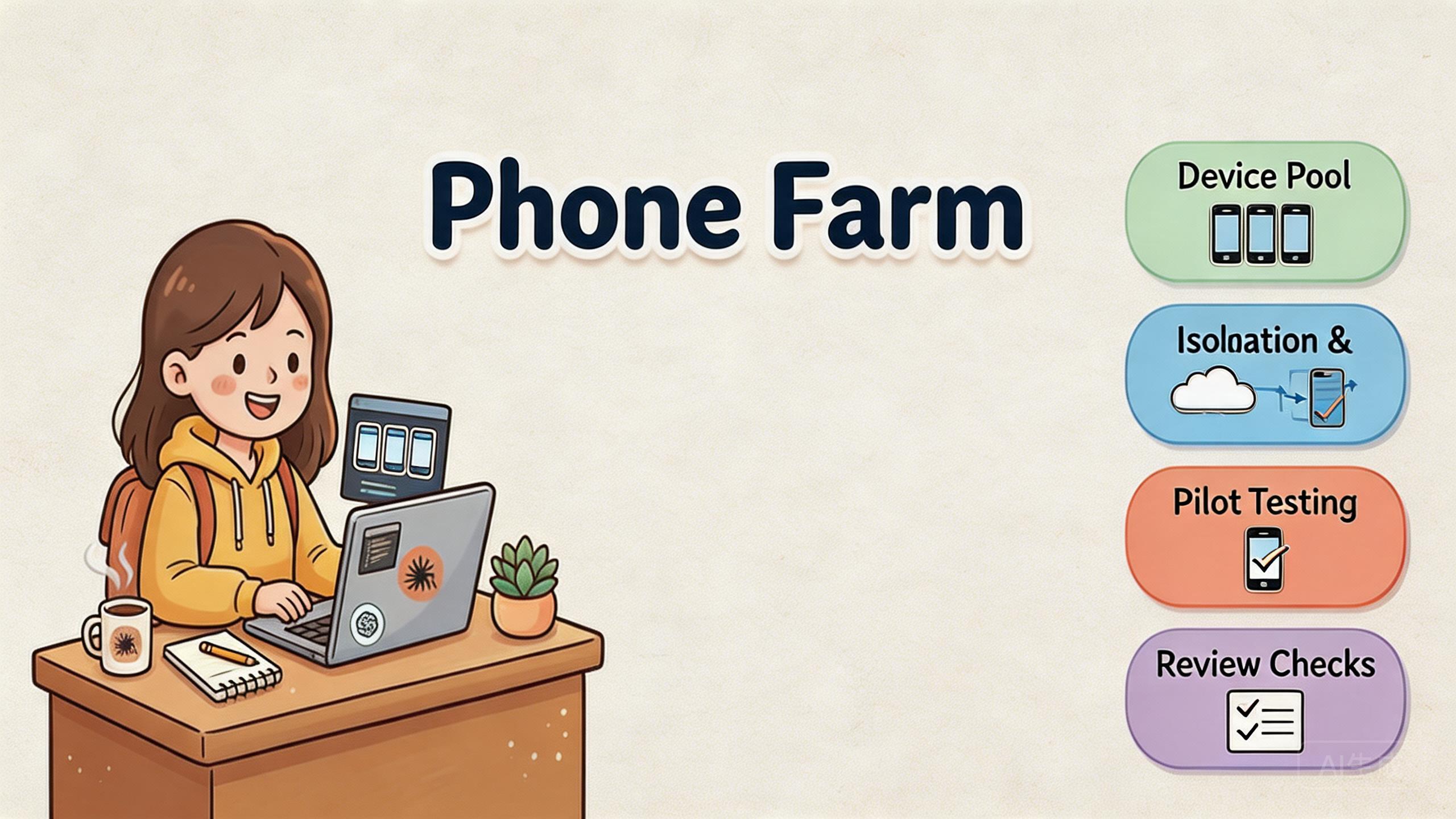
- A phone farm is a managed set of mobile environments used to run repeatable workflows across many accounts, apps, or team operators.
- The practical value is not device count alone. The value comes from isolation, routing rules, access control, recovery, and review.
- MoiMobi treats cloud phones as execution infrastructure for team workflows, not as a loose collection of remote screens.
- Teams should pilot one workflow first, measure stability, and expand only after ownership and recovery are clear.
Introduction
A phone farm is a managed group of mobile devices or cloud phone environments used to run repeated mobile workflows at scale. For a business team, the phrase should not only mean phones lined up on a desk. It should mean a controlled work layer with device state, account boundaries, access rules, network policy, and recovery checks.
That distinction matters because many teams start with a simple need. They want more mobile capacity. They need more Android environments for testing, marketing operations, account review, QA, or app workflows. The first answer often looks like more devices. The better answer is usually more control.
MoiMobi frames the problem as team work infrastructure. A cloud phone is one part of that stack. A phone farm becomes useful when the team can assign devices, isolate sessions, route traffic predictably, review work, and restore broken states without guessing.
This guide explains how a phone farm works in a business context. It covers the operating model, the infrastructure layers, common use cases, setup checkpoints, mistakes to avoid, and questions to ask before scaling. The goal is practical. A team should be able to decide whether a phone farm helps its workflow, what must be measured first, and where MoiMobi fits into the stack.
What Is Phone Farm | MoiMobi - Cloud Phone Execution Infrastructure?
For repeated Android tasks, a phone farm acts as the mobile work layer. The team gets multiple mobile environments that can be accessed remotely, assigned to workflows, and managed with consistent rules. In a cloud phone model, those devices are not sitting on one physical desk. Access usually happens through a browser, app, API, or control panel.
The important word is managed. A collection of devices is not automatically infrastructure. Infrastructure begins when the team can answer basic operating questions. Which device belongs to which workflow? Which account state lives there? Which operator can access it? Which network route applies? What happens when the environment needs reset?
MoiMobi is built around that operating view. The product is not only a cloud screen. Its strongest fit is teams that need repeatable mobile work. That can include cloud phone access, device isolation, routing discipline through a proxy network, and workflow structure for multi-account management.
The difference becomes clear in daily operations. One remote device may help one person finish one job. A phone farm helps a team distribute mobile work across people and sessions. The system has to support handoff, review, pause, recovery, and repeat use. Without those controls, more devices often create more confusion.
Google's guidance on helpful content also points toward practical usefulness rather than surface volume. Content and systems should serve a clear user need, not exist only to fill space or appear larger than they are (Google Search Central). The same principle applies to mobile infrastructure. Device count is only useful when it answers a real workflow need.
In business terms, a phone farm should reduce uncertainty. The work becomes easier to assign, easier to observe, and easier to recover. When it only adds more screens, it is not solving the main problem.
Why Phone Farm Infrastructure Matters
Phone farm systems matter because repeated mobile work breaks when ownership is vague. A single operator can remember which account belongs on which phone. A team cannot rely on memory at scale. The work needs a visible system.
The first layer is device state. Every mobile environment carries history. Apps may have cached data. Sessions may stay active. Files may remain in storage. Settings may drift after repeated runs. A strong execution layer keeps that state tied to a known workflow.
The second layer is access. Operators, reviewers, and admins should not all have the same control. A reviewer may need visibility. An operator may need daily access. An admin may need reset and routing authority. Flat permissions feel fast at first, but they make incidents harder to explain.
The third layer is routing. Mobile workflows often depend on region, network consistency, or predictable access behavior. A phone farm should make routing rules explicit. Random changes make troubleshooting harder. They also make review less reliable.
Four infrastructure layers to check
Device state
Apps, storage, session history, reset rules, and reusable environment status.
Access layer
Operator roles, reviewer access, admin controls, and handoff boundaries.
Network policy
Routing rules, proxy assignment, region behavior, and route review.
Recovery process
Pause conditions, quarantine rules, reset ownership, and return-to-service checks.
The fourth layer is recovery. Failures are normal in operational systems. The question is whether the team can isolate them. A usable phone farm should let the team pause a device, inspect the affected workflow, reset the environment, and continue with a known process.
This is also why a phone farm should be judged by workflow outcomes, not raw capacity. Ten poorly managed devices can be worse than three controlled environments. The smaller system may produce cleaner work because operators know what to use, when to stop, and how to recover.
Ops teams should also separate visibility from control. A lead may need to see pool status without changing device rules. A support operator may need access to one device without touching another team's workflow. This split prevents small changes from spreading across the whole farm.
Key Benefits and Use Cases
The main benefit of a phone farm is repeatable mobile execution. Teams use it when mobile work needs to happen more than once, across more than one person, or with clearer separation than a shared physical device can provide.
One common use case is mobile QA. Product teams may need to review Android behavior across app states, regions, or test accounts. A phone farm gives them reusable environments without asking every reviewer to maintain a local device bench. This does not replace structured testing practice, but it can make repeated review easier.
Another use case is social media operations. Teams that manage workflows across apps often need clean separation between accounts, operators, and device states. MoiMobi connects this to social media marketing and multi-account workflows. The operational need is usually stability, not reckless scale.
Marketing and growth teams may use phone farms for mobile campaign checks, account review, app store flow review, or regional experience validation. The goal is to see mobile behavior from controlled environments. The same logic can support content teams, support teams, and app operations teams.
Developer and automation teams may use a phone farm when repeated Android work needs API access or batch control. Android's own developer ecosystem emphasizes testing, debugging, and workflow discipline around Android apps (Android Developers). A phone farm can become one layer in that runbook when the work is remote and repeated.
Business fit summary
| Use case | What the phone farm helps with | What still needs process |
|---|---|---|
| Mobile QA | Reusable Android environments and remote review | Test scope, bug triage, and release criteria |
| Multi-account operations | Separated devices, assigned workflows, and access control | Account policy, operator training, and reset rules |
| Mobile automation | Parallel execution environments and repeatable access | Workflow design, limits, monitoring, and recovery |
| Regional review | Controlled routing and environment consistency | Route governance and evidence collection |
The benefit is strongest when the team already knows the workflow it wants to run. A phone farm should not hide unclear work. Clear work should become easier to repeat.
How to Get Started with Phone Farm Infrastructure
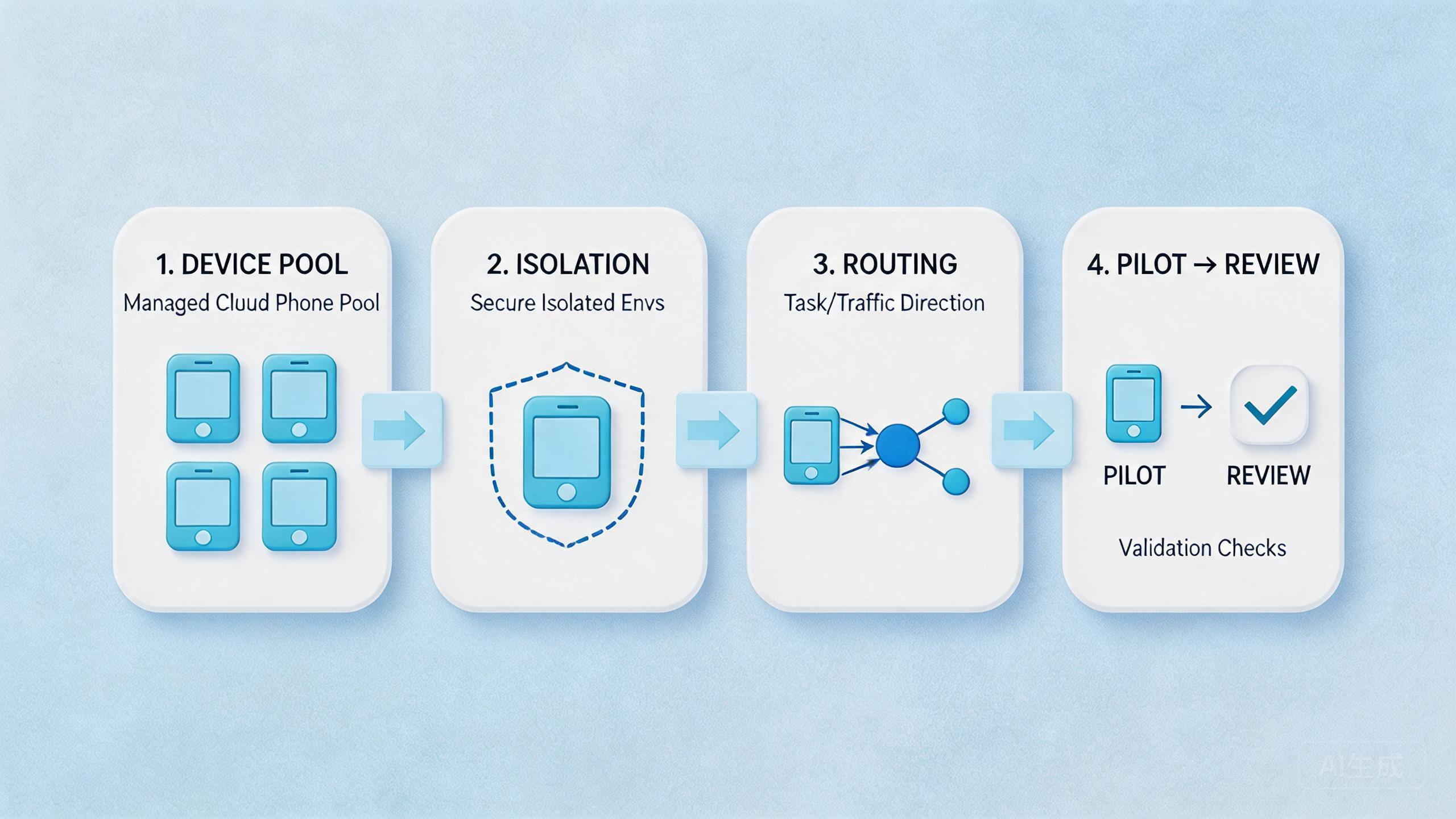
Start with one workflow. Do not begin by asking how many devices the team can run. Ask which repeated mobile workflow creates the most operational friction. A good first candidate is frequent, narrow, and measurable.
Define the workflow in plain language. Name the app path, account state, expected output, owner, and review step. When the team cannot describe the workflow on one page, the phone farm pilot is too early. The stack will only amplify confusion.
Next, assign a device pool. A pool should have one primary job during the pilot. Mixing support review, marketing operations, and automation tests inside one pool may look efficient, but it makes state issues hard to trace.
Set access boundaries before daily use begins. Decide who can operate, who can review, and who can reset or change routing. This step prevents silent drift. It also makes recovery faster when something breaks.
Pilot checklist
Pick one repeated workflow with a clear owner and expected output.
Assign one device pool to that workflow and avoid mixed use during the pilot.
Document access roles, reset authority, and routing rules before launch.
Measure setup time, handoff time, recovery time, and repeat failure patterns.
Routing should be stable during the pilot. Casual route changes make incident review unclear. Reviewers cannot tell whether an issue comes from the app, account state, device state, or network path. A proxy network should be treated as policy, not as a personal choice.
The last setup step is the review loop. Decide which metrics matter before scaling. Useful pilot metrics include setup time, handoff time, recovery time, reset frequency, and the number of unclear incidents. These signals show whether the phone farm is making work easier to run or only increasing capacity.
When the pilot works, expand one boundary at a time. Add more devices, more workflows, or more operators gradually. Do not add all three at once. Controlled expansion keeps cause and effect visible.
One practical review habit is to keep a short change log for the pool. Record route changes, reset events, role changes, and unusual failures. The log does not need to be complex. It only needs to help the next reviewer understand what changed since the last stable run.
Common Mistakes to Avoid
The first mistake is buying capacity before defining the workflow. More devices do not fix unclear ownership. They usually make the problem harder to see. Teams should know the repeated job before they expand the pool.
The second mistake is treating every cloud phone as interchangeable. A device used for one account set may not be suitable for another workflow without review. Reuse should follow rules. It should not depend on memory or convenience.
The third mistake is weak isolation. Device isolation is not only a technical checkbox. It is an operating rule. Teams need to decide how sessions, app state, storage, and network context remain separate. MoiMobi's device isolation layer is most useful when it is paired with clear process.
The fourth mistake is letting routing drift. A route that changes without record creates investigation noise. Operators may blame the app, the account, the phone, or the platform. Stable routing makes failures easier to classify.
The fifth mistake is skipping recovery design. A phone farm needs pause conditions. Operators should know when a device becomes reusable, when it must be reset, and who can return it to service. Without that rule, teams keep working through uncertainty.
Policy risk also needs a calm view. A phone farm does not remove platform responsibility. Teams still need to understand the rules of the apps and platforms they use. Google Play policy documentation is an example of how platform rules remain separate from infrastructure choices (Google Play Policy Center).
Avoid absolute claims. No system can make every workflow acceptable, stable, or safe in every context. A better standard is work clarity. The team should know what it is doing, why the setup works that way, and how it will respond when the workflow changes.
Fit Boundaries: When a Phone Farm Is the Right Tool
A phone farm fits best when the work is repeated, shared, and hard to manage through local devices. The model is especially useful when several team members need access to controlled Android devices without passing physical phones around.
Strong-fit workflows usually have three traits. They happen often. They need clean separation. They require review or recovery by more than one person. Multi-account operations, mobile QA, app workflow review, remote support validation, and controlled mobile automation often fit this pattern.
Medium-fit workflows need a hybrid approach. Some tasks may run well through cloud phones, while hardware-specific checks still need physical devices. Sensor testing, cable debugging, camera hardware review, and device-specific performance work may require local equipment.
Weak-fit workflows are one-off, unclear, or policy-sensitive without a defined operating model. When the team cannot name the workflow owner, access rules, routing policy, or reset process, the phone farm will not fix that gap.
The most useful decision question is simple: will a shared mobile execution layer make this work easier to assign, review, and recover? A yes answer points toward a stronger fit. A team that only says "we need more devices" should slow down and define the workflow first.
Measurement and Review Loop
Measurement turns a phone farm from a set of tools into a work system. The pilot should create evidence. Results should show whether the workflow became faster, clearer, and easier to recover.
Track setup time first. This measures how long it takes to prepare a device pool for normal work. A good phone farm should reduce repeated setup effort over time.
Track handoff time next. This shows whether another operator can continue the work without asking for missing context. Slow handoff often points to documentation gaps, access confusion, naming problems, or unclear state.
Recovery time is the third signal. A team should know how long it takes to isolate a broken environment and return it to service. Recovery time often reveals whether reset rules and ownership are mature.
Review incident quality as well. Do not only count failures. Classify them. Was the issue caused by app state, user behavior, routing, account state, automation logic, or unclear ownership? Classification helps the team improve the system instead of arguing from memory.
Finally, measure confidence. Leads should be able to look at the pool and understand which devices are active, reusable, paused, or under review. If the status view is unclear, the infrastructure is not ready for broad expansion.
Frequently Asked Questions
What is a phone farm in business operations?
In business operations, a phone farm is a managed group of mobile environments used for repeated mobile work. It should include access rules, device assignment, session separation, routing policy, and recovery process.
Is a cloud phone farm different from physical devices?
Yes. Physical devices require local handling. A cloud phone farm gives remote access to Android environments. The best choice depends on the workflow. Hardware-specific work may still need physical devices.
How many devices should a team start with?
Start with the smallest pool that can test one repeated workflow. Many teams learn more from five controlled environments than from a large pool with unclear rules.
What should a pilot measure?
Measure setup time, handoff time, recovery time, reset frequency, and unclear incidents. These metrics show whether the phone farm improves operations.
Does a phone farm remove account or platform risk?
No. It can improve control, separation, and review. It does not remove the need to follow platform rules, app policies, or internal operating standards.
Where does MoiMobi fit?
MoiMobi provides cloud phone execution infrastructure for teams. The best fit appears when the team needs remote Android environments, device isolation, routing structure, and repeatable workflow control.
When should a team avoid scaling?
Avoid scaling when ownership is unclear, routes change without review, devices are reused casually, or recovery still depends on one person's memory.
What is the next practical step?
Define one workflow and run a narrow pilot. A pilot that improves assignment, review, and recovery can expand with controlled rules instead of adding devices blindly.
Conclusion
A phone farm creates value when it becomes real execution infrastructure. The value is not the number of mobile devices. What matters is whether the team can assign work, isolate state, control routing, review outcomes, and recover from failure with less confusion.
MoiMobi is strongest for teams that treat cloud phones as part of a broader operating system. That system may include mobile automation, device isolation, proxy routing, and multi-account workflow rules. Each layer should make the work easier to understand.
The safest next step is a narrow pilot. Pick one repeated workflow. Assign one pool. Define access, routing, and reset rules. Measure setup time, handoff time, and recovery time. Expand gradually after the pilot improves clarity. Fix the workflow first when the pilot exposes confusion.
That is the practical standard for phone farm infrastructure. The system should help a team do mobile work with more control, not just more screens.



