
Key Takeaways
- A cloud phone provider comparison should start with workflow control, not only device count or price.
- Business teams need to compare isolation, routing, access roles, API support, logs, recovery, and handoff.
- The right provider depends on the team's mobile workflow, review needs, and operational risk tolerance.
- MoiMobi fits teams that treat cloud phones as execution infrastructure for repeatable mobile work.
Introduction
A cloud phone provider comparison is a decision process for choosing the remote Android platform that best supports a team's daily mobile workflows. The best choice is usually the provider that makes work easier to assign, separate, review, and recover. Treat the comparison as an operations decision, not as a simple feature list.
The main question is practical. Can this provider help daily mobile work run with less confusion? A single remote screen may solve a small task. A business team usually needs a controlled system that supports several people, many devices, and repeated workflows.
Business teams should compare how each provider handles device state, account separation, routing, access, review, recovery, and scale. Those areas decide whether the setup works after the demo. They also decide whether the team can keep the workflow clear when more users join.
This is where many comparisons go wrong. They focus on visible features before checking operating fit. Device count, screen quality, and headline automation features matter, but they are not enough. A provider also needs to support stable execution.
MoiMobi frames cloud phones as execution infrastructure. The cloud phone is one layer. The stronger value appears when cloud phones connect to device isolation, routing discipline, mobile automation, and team review.
This guide gives business teams a practical comparison framework. It covers the core idea, buyer mistakes, team fit, evaluation steps, pilot checks, common risks, and FAQs. The goal is to help teams choose with clear criteria instead of vague preference.
The Core Idea Behind Cloud Phone Provider Comparison
The core idea is simple: compare providers by how well they support your operating model. A provider that works for one solo operator may not work for a team. A provider that looks strong in a demo may still fail when handoff, routing, and recovery become daily work.
Start by defining the job. A support team may need remote Android access for account review. A QA team may need repeatable app test environments. A marketing team may need controlled mobile workflows for app checks or social media operations. Each use case changes the provider requirements.
The second layer is state control. Remote Android devices hold app data, login sessions, cache, files, and settings. Strong tools make it clear how device state is created, reused, reset, paused, and reviewed. Weak state control creates hidden work later.
The third layer is access control. Business teams rarely want every user to have the same power. Operators, reviewers, admins, and automation tools may need different access levels. A provider should support that separation or at least make workarounds clear.
Provider comparison dimensions
| Dimension | What to compare | Why it matters |
|---|---|---|
| Device control | Pool assignment, reset rules, status, and reuse policy | Prevents device drift and unclear handoff |
| Isolation | Session separation, storage boundaries, and app-state handling | Reduces cross-workflow contamination |
| Routing | Proxy support, region rules, and route consistency | Makes review and troubleshooting easier |
| API and automation | Workflow triggers, logs, device status, and integrations | Turns remote devices into a team system |
The fourth layer is recovery. Every provider looks stable in a clean demo. The better test is what happens when something fails. Can the team pause a device, inspect history, reset state, and return to service without guessing?
The final layer is fit. A good comparison should not ask, "Which provider has the most features?" The better question is, "Which provider helps this team run this workflow with the least confusion and the clearest control?"
The answer should be visible in daily use. Watch how the provider handles a normal job, a handoff, a route change, and a broken device. Those moments show more than a feature page. They also reveal whether the provider saves time or creates extra work for the team.
Cloud Phone Provider Comparison Scorecard
A scorecard makes the comparison less emotional. It gives the team a shared language for trade-offs. It also prevents one loud feature from hiding weak daily controls.
Use simple scores. Rate each provider from 1 to 5 for the areas that matter to your workflow. A provider does not need a perfect score everywhere. It needs strong scores in the areas that protect the job you run every day.
Start with workflow fit. Ask whether the provider supports the actual mobile job. A team running QA checks may care more about device state and logs. A team running account operations may care more about isolation, route policy, and handoff.
Then score day-two work. Day one is setup. Day two is where the real comparison starts. Can another operator continue the job? Can a lead review status? Can the team reset a broken device without guessing? Can the provider explain enough history to classify failures?
Simple provider scorecard
| Area | Score question | What a strong provider shows |
|---|---|---|
| Workflow fit | Does it support the team's repeated job? | The workflow can run without hidden manual steps. |
| State control | Can users see and manage device state? | Devices have clear status, reset paths, and reuse rules. |
| Team access | Can roles stay separate? | Operators, reviewers, and admins do not share one level of control. |
| Recovery | Can the team recover when the run fails? | Pause, inspect, reset, and return steps are clear. |
Keep the scorecard short during the first pass. Long matrices often create false precision. A simple scorecard, paired with a real pilot, usually gives better evidence than a large spreadsheet with no working test.
The final choice should include notes, not just numbers. Write down where each provider is strong, where it needs process support, and where it creates extra work. Those notes help the team explain the decision later.
Why Teams Search for This Topic
Most teams search for provider comparisons after their first setup becomes messy. They may already use local devices, emulators, rented devices, or basic cloud phones. The pain usually appears when more people join the workflow.
The first pain is ownership. One person may know which phone belongs to which account. A team cannot rely on memory. The provider needs labels, pools, roles, and reviewable status.
The second pain is repeatability. A workflow that runs once is not the same as a workflow that runs every day. Teams need the device to start from a known state. They need the route to stay explainable. They need reset and recovery steps.
The third pain is review. Leads need to know whether work is healthy without watching every screen. That may require logs, activity status, pool summaries, or API access. A provider without review support can become a black box.
Google's guidance on helpful content emphasizes clear, useful information for real users rather than surface-level content made only to rank (Google Search Central). The same idea applies to vendor evaluation. A useful comparison should help a real team make a better decision, not repeat marketing claims.
Teams also search because provider categories are confusing. A cloud phone is not always the same as an emulator. A phone farm is not always the same as a managed execution system. A provider may offer remote access but weak team controls. Another may offer fewer visible features but better workflow management.
The workable view is operational. Compare how the provider supports the job after the first week, not only how it looks during setup. Daily work reveals the true fit.
Who Benefits Most and In What Situations
The strongest fit is a team with repeated mobile workflows. The work may involve QA, app review, account operations, social media workflows, or mobile automation. The shared factor is repetition. The team needs stable Android environments that can be assigned, reviewed, and recovered.
Operations teams benefit when they need many remote Android environments with clear ownership. Good tooling helps them separate tasks, manage pools, control access, and reduce handoff confusion. MoiMobi connects this directly to multi-account management.
Marketing teams benefit when mobile workflows need consistency. A team may review app experiences, run controlled checks, or manage mobile-first work across regions. The provider should support route clarity and device separation. The proxy network layer becomes important when routing policy matters.
QA and product teams benefit when they need repeatable Android review. They may compare app behavior across device states or test paths. Android developer resources show how important tooling and repeatable checks are in Android work (Android Developers). Cloud phones can support those workflows when the team needs remote access.
Developer and automation teams benefit when provider APIs connect device pools to internal tools. API support helps with status checks, workflow triggers, and reporting. The goal is not to replace review. The goal is to make review easier.
Fit map for business teams
Strong fit
Repeated Android workflows, several users, review needs, and clear recovery rules.
Medium fit
Some work benefits from cloud phones, but hardware-specific tasks remain local.
Weak fit
One-off tasks, unclear ownership, no routing policy, or no repeat workflow.
Review first
Workflows that touch sensitive accounts, platform rules, or compliance questions.
The comparison becomes easier once the team names the real workflow. Without that, every provider seems both good and incomplete.
How to Evaluate or Start Using Cloud Phone Provider Comparison for Business Teams
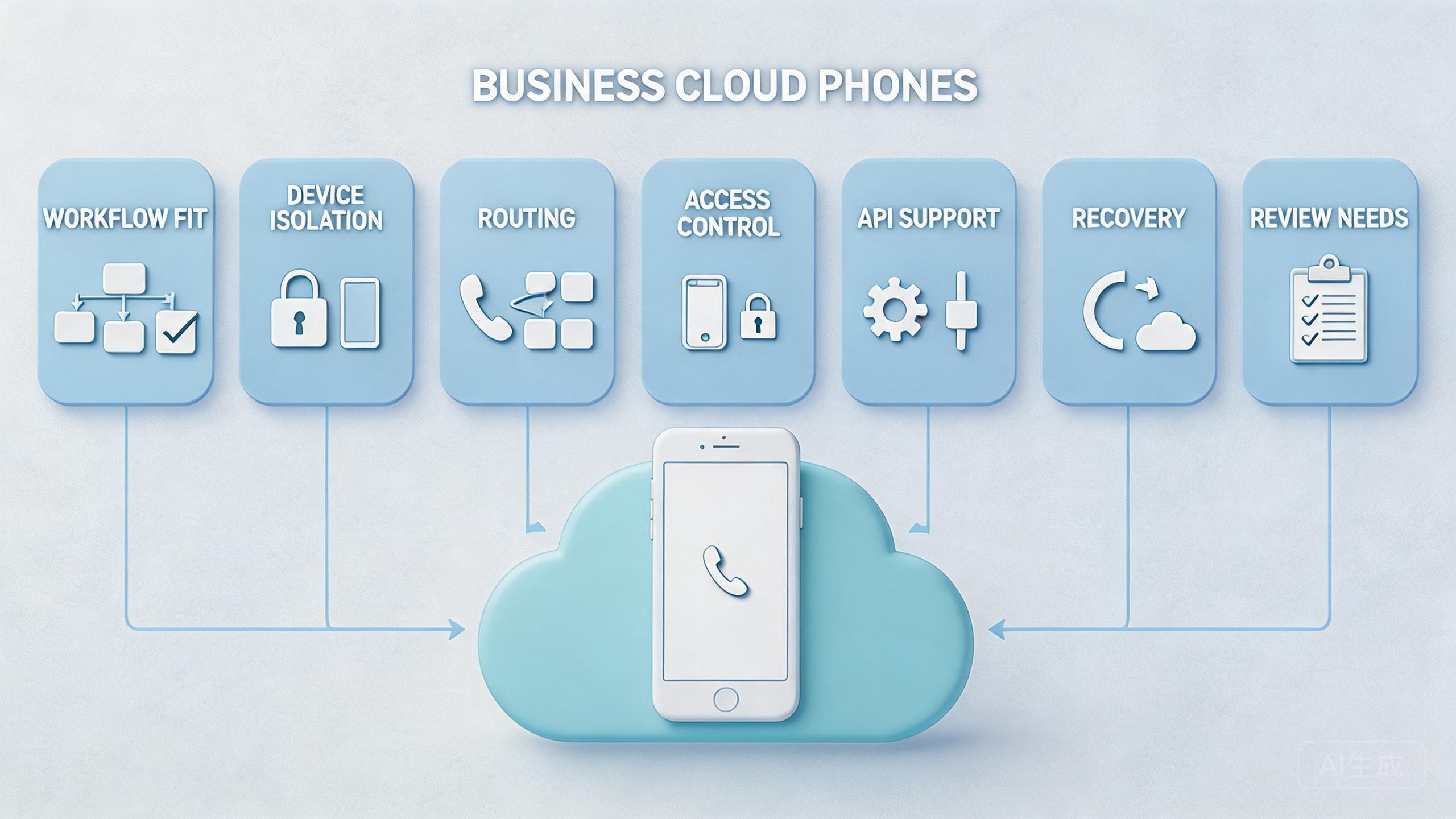
The safest evaluation starts with a narrow pilot. Do not compare providers through a giant spreadsheet first. Start by defining one real workflow and then test how each provider supports it.
Begin with the workflow. Name the app path, device state, account state, route policy, operator role, expected output, and recovery rule. A provider cannot be judged fairly if the team has not defined the work.
Next, compare device lifecycle. Ask how a device enters service, becomes assigned, pauses, resets, and returns to use. A provider with clear lifecycle controls will usually be easier to run at team scale.
Then compare isolation. Account and session separation matter for many mobile operations. MoiMobi's device isolation layer is relevant when teams need clean boundaries between workflows.
Compare routing after isolation. Routing should not be an operator habit. Make it a policy. Everyone should know which route class applies, who can change it, and how route changes are recorded.
Compare access roles. Operators should not always have admin power. Reviewers may need visibility without edit access. Automation tools may need limited API actions. A provider that supports role separation helps reduce accidental damage.
Finally, compare recovery. Ask what happens when a workflow breaks. Strong tooling should help the team inspect, pause, reset, and continue. Recovery is often where weak platforms show their true cost.
Use a scorecard instead of a vague opinion. A simple scorecard can rate each provider from 1 to 5 across device control, isolation, routing, access, API support, logs, support, and recovery. The exact score matters less than the discussion it creates.
Ask one person outside the setup team to review the scorecard. This catches blind spots. A new reviewer may notice unclear names, missing reset steps, or a route rule that only the builder understands. That simple review can prevent many scale problems.
Mistakes That Reduce Results
The first mistake is comparing providers by device count alone. More devices do not always mean more usable capacity. A smaller provider setup with clear control may outperform a larger pool that nobody can review.
The second mistake is ignoring handoff. Business teams need work to move between people. When another operator cannot continue the workflow, the provider is not supporting team scale.
The third mistake is treating automation as a substitute for process. API support and automation are useful when the workflow is known. They become risky when nobody owns the inputs, route policy, or recovery rule.
The fourth mistake is testing only the happy path. Teams often try one clean login, one clean app flow, or one clean session. A better test includes reset, failure, route review, and reassignment.
The fifth mistake is not checking content and documentation quality. A provider's docs, examples, and onboarding process affect daily work. Google's SEO Starter Guide highlights the value of clear structure and helpful guidance for users (Google Search Central SEO Starter Guide). Vendor documentation should meet a similar practical bar.
The sixth mistake is treating all users the same. Admins, operators, reviewers, and automation tools should not always share the same access. Role design matters once the workflow becomes a team asset.
The last mistake is skipping policy review. A cloud phone provider can improve control. It does not remove platform rules, app rules, or internal governance. Teams should keep policy questions separate from provider feature claims.
Pilot Rollout and Measurement
A provider comparison is strongest when it produces evidence. The pilot should show which platform makes the workflow easier to run, review, and recover. Opinion alone is not enough.
Measure setup time first. Track how long each provider takes to prepare the device pool for a normal run. Slow setup may be acceptable once, but it becomes costly when the work repeats.
Measure handoff time next. A second operator should be able to continue the workflow with limited explanation. If handoff depends on hidden knowledge, the provider or process is not ready.
Measure failure clarity. When something breaks, the team should know whether the problem came from device state, route policy, user action, platform issue, or workflow design. A good provider gives enough visibility to classify the issue.
Measure recovery time. Operators should be able to pause, reset, and return a device to service through a known path. Recovery time often matters more than initial setup speed.
Pilot scorecard
| Signal | Question | Good result |
|---|---|---|
| Setup | Can the team start without guesswork? | Steps are short, repeatable, and documented. |
| Handoff | Can another user continue the work? | Status, owner, and next action are clear. |
| Review | Can leads inspect work without watching every screen? | Logs, pool status, and results are visible. |
| Recovery | Can broken states be isolated and restored? | Pause, reset, and return steps are defined. |
Run the pilot long enough to see real friction. One clean demo is not enough. A few repeated cycles usually reveal whether the provider supports the workflow or only looks good during setup.
End the pilot with a pass or fix decision. Pass means the workflow is clear enough to repeat with more users or devices. Fix means the team found gaps in access, route policy, handoff, or recovery. Pause means the provider may not fit the current work.
Cloud Phone Provider Comparison Final Decision Checklist
Use a final checklist before buying or expanding. Keep it plain. The group needs to know what the provider will help with on a normal workday.
First, confirm the main workflow. Write the task name, owner, device pool, route rule, and review step. A provider should make this work easier to run, not harder to explain.
Second, check the weak points. Look at the slowest setup step, the least clear handoff step, and the hardest recovery step. A good provider should reduce at least one of those pains during the pilot.
Third, decide what must stay manual. Not every step needs automation. Some steps need a person to review, pause, approve, or document the result. A strong team setup leaves space for judgment.
Fourth, choose the next small step. Add one user, one device pool, or one workflow. Do not add all three at once. Small growth makes cause and effect easier to see.
Frequently Asked Questions
What is the best way to compare cloud phone providers?
Start with your workflow. Compare device control, isolation, routing, access roles, API support, logs, support, and recovery.
Should price be the first comparison point?
No. Price matters, but it should come after workflow fit. A cheap setup can become expensive if it creates support load and unclear recovery.
Is a cloud phone provider the same as an emulator provider?
Not always. Cloud phones are remote Android environments. Emulators may serve different testing or development needs. Teams should compare the actual workflow, not only the category name.
Where does MoiMobi fit?
MoiMobi fits teams that need cloud phone execution infrastructure. It is strongest when teams need device isolation, routing discipline, mobile workflows, and review.
Do business teams need API support?
Some do. API support matters when the team needs dashboards, automation, batch actions, or integrations. Manual teams may start without it.
What should a pilot include?
A pilot should include one workflow, one device pool, access rules, route policy, reset rules, and success metrics.
How do teams avoid vendor lock-in?
Document workflows clearly. Keep account rules, route policy, and operating logic separate from provider-specific habits when possible.
When should a team avoid scaling?
Avoid scaling when handoff is unclear, recovery depends on one person, or route changes are not recorded.
Conclusion
A cloud phone provider comparison should rank operating fit first. The best provider is not simply the one with the most devices or the longest feature list. The best provider is the one that helps the team run its mobile workflow with clear ownership, clean isolation, stable routing, reviewable status, and reliable recovery.
The priority order is straightforward. First, define the workflow. Second, compare isolation and routing. Third, test access roles and review. Fourth, measure recovery. Fifth, look at price after the operating model is clear.
MoiMobi is built for teams that need cloud phones as execution infrastructure. That includes cloud phone access, device isolation, routing support, phone farm operations, and mobile automation workflows.
The next step is not a broad rollout. Choose one repeated workflow and run a controlled pilot. When the provider improves setup, handoff, review, and recovery, it is a serious candidate. A pilot that only adds more screens means the team should keep comparing.



