
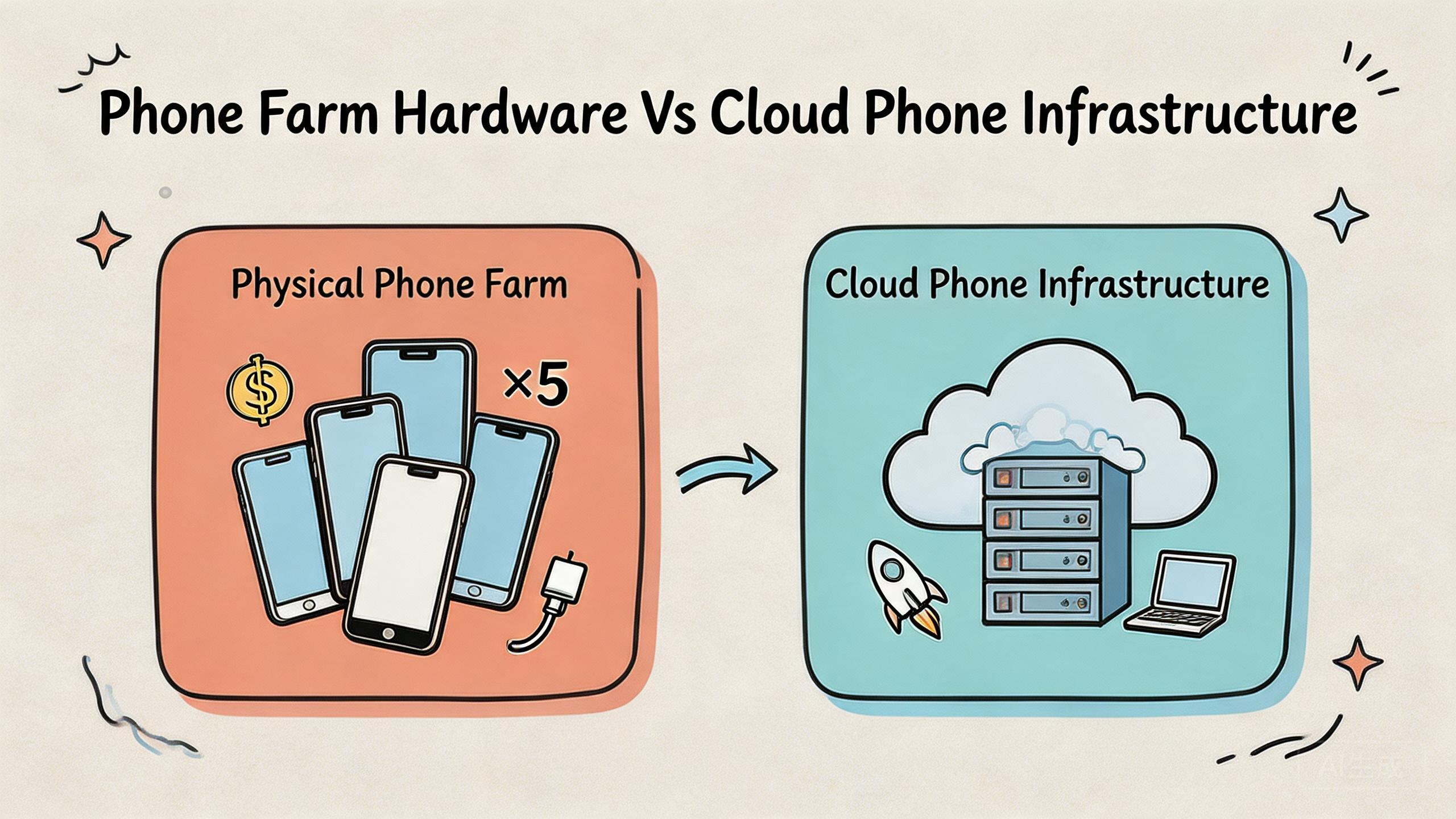
Key Takeaways
- Phone farm hardware means physical devices your team owns, wires, powers, stores, and maintains.
- Cloud phone infrastructure means remote Android capacity with shared access, device state control, routing policy, and recovery workflows.
- The practical choice depends on workflow repeatability, team size, physical testing needs, and how much control you need across many devices.
- Hardware can fit hardware-led testing. Cloud phones usually fit shared business operations, multi-account execution, remote review, and mobile automation workflows.
- A good decision starts with one pilot workflow, not with a large device count target.
Cloud phone vs physical phone farm means choosing between remote Android infrastructure and a set of real devices your team owns. Phone farm hardware gives direct hands-on control. Cloud phone infrastructure gives remote access, shared device pools, and workflow rules through a browser, app, API, or operations console.
The short verdict is practical. Choose hardware when the work depends on hands-on device behavior, physical sensors, cable debugging, or lab-style inspection. Choose cloud phone infrastructure when the work depends on shared access, repeatable execution, clean handoff, routing control, and team-scale review.
This choice is not only about device location. It is about daily work. A hardware rack can be useful, but it brings charging, storage, breakage, labels, network setup, and local access limits. A cloud phone setup can reduce those local tasks, but it still needs rules for users, device state, routing, access, and recovery.
For MoiMobi users, the strongest question is usually not “Which one is more advanced?” The better question is “Which model keeps our mobile workflow stable when more people and more accounts are involved?” That question makes the cloud phone vs physical phone farm decision clearer.
Teams that run repeated Android work need more than screen access. They need device isolation, steady network paths, review visibility, and quick recovery after failed runs. MoiMobi positions the cloud phone layer as one part of a broader mobile work system, alongside device isolation, proxy network, and mobile automation.
What to Compare Before Choosing cloud phone vs physical phone farm
Begin with the workflow, not the device count. A small physical phone farm can work well when one local team needs direct access to a few phones. A cloud model becomes more useful when several operators need the same mobile environment without moving devices, sharing cables, or waiting for one workstation.
The first comparison point is access. Hardware lives somewhere. Someone must touch it, charge it, label it, and keep it online. Remote teams may need screen-sharing, VPN access, or local staff help. A cloud phone model changes this pattern. Operators can open devices from different locations and continue the same work with less physical dependency.
The second point is environment control. A physical phone farm gives teams direct ownership of hardware. That can be valuable for sensor checks, device-specific debugging, or local QA. It also means the team owns device drift. Apps, accounts, power status, cables, Wi-Fi behavior, and device labels all become operational chores.
Remote infrastructure shifts the work toward rules. Instead of asking who last touched a phone, the team asks which pool owns a device, which role can access it, which route it uses, and whether the state is reusable. That model fits repeated business work because the control layer is easier to inspect.
The third point is scale behavior. Ten local phones are still manageable for a small group. Fifty devices across several workflows can turn into a storage and tracking problem. More hardware does not automatically create more usable capacity. It can create more places for state to drift.
Remote capacity has its own limits. Teams still need access rules, clear roles, and recovery checks. Remote devices are not magic. They are work tools that must be planned. Google Search Central’s helpful content guidance is a useful reminder for any decision content: information should help people complete a real task, not just repeat surface-level claims (Google Search Central).
Use this first decision rule:
| Decision area | Physical phone farm tends to fit | Cloud phone infrastructure tends to fit |
|---|---|---|
| Access model | Local team, direct hands-on control, lab bench use | Remote operators, shared review, distributed team workflows |
| Workflow type | Hardware inspection, sensor testing, cable debugging | Repeated Android execution, account workflows, app operations |
| Management burden | Inventory, charging, Wi-Fi, device health, physical storage | Pool policy, routing rules, permissions, state recovery |
| Scale question | Can the local team maintain more physical devices? | Can the system keep handoff and recovery stable? |
This matrix should not be treated as a universal answer. It is a starting point. A team may keep hardware for exception testing while moving repeated operations to cloud phones. Hybrid setups are common when physical inspection and remote execution both matter.
Key Differences Between Phone Farm Hardware vs Cloud Phone Infrastructure
A hardware farm starts with ownership. The team buys or controls real phones, sets them up, and assigns them to tasks. That gives direct control over the device body, system behavior, charging state, cables, and local network. It also creates a care list.
The cloud model starts with managed access. The device is remote, but the work layer can be shared across roles, pools, and tasks. Instead of passing a phone between people, the team passes access, state, and task notes. This is why remote phone pools often fit multi-person execution better than a loose rack of devices.
One difference is recovery. With hardware, a failed phone may need hands-on inspection. Someone checks the screen, cable, battery, app state, Wi-Fi, and account status. That can be acceptable in a lab, but it slows down distributed teams. A remote infrastructure model should make recovery more process-led. Mark the device for review, reset the state, rotate the task, or move the workflow to a clean lane.
Another difference is routing control. Physical phones often depend on local Wi-Fi, SIM cards, or local network gear. Remote phone pools can connect device groups to defined routing policy. That matters when a team needs explainable network behavior. It does not remove platform duty, but it helps teams avoid random operator-level changes.
Device state is also different. A phone on a desk can look available while carrying old app data, old account sessions, or unclear setup history. A cloud phone pool should use explicit states such as reusable, in use, under review, reset needed, or quarantined. These labels make handoff cleaner.
Team visibility changes as well. Hardware can be visible in a room but invisible in a workflow report. The cloud layer can be invisible in the room but visible in reports. Leads can see which device pool supports which workflow, where failures cluster, and which lanes need recovery.
Here is a simple operating comparison:
- Hardware gives direct physical certainty, but it requires local maintenance discipline.
- Remote phone pools give operating flexibility, but they require clear policy and pool design.
- Hardware is often stronger for device-specific investigation.
- Remote infrastructure is often stronger for repeatable work across people.
- Hardware scale creates storage and handling pressure.
- Cloud scale creates governance and workflow pressure.
Neither option should be judged by marketing claims alone. Google’s SEO Starter Guide explains that clear structure and useful organization help people understand content and take action (Google Search Central SEO Starter Guide). The same idea applies to infrastructure comparison. The best answer is the one your team can operate clearly.
Features, Workflow, and Trade-Offs in cloud phone vs physical phone farm
The main trade-off is control type. Hardware gives physical control. Cloud phone infrastructure gives workflow control. Those are not the same thing.
Hands-on control helps when a task needs real device handling. Teams can swap cables, test add-ons, inspect battery behavior, or check device-specific reactions. This matters in hardware QA and device lab work.
Workflow control helps when the goal is repeated execution. A team may need 10 operators to run similar Android tasks, review account state, or continue work across time zones. In that case, access rules and state rules matter more than touching the phone.
For business operations, the workflow often looks like this:
- Define the lane. Decide whether the work is QA, account operation, content review, lead generation, ecommerce support, or social media execution.
- Assign device groups. Keep each lane separate enough to avoid mixed state and unclear ownership.
- Set access boundaries. Give operators, reviewers, and admins different permissions.
- Lock routing rules. Keep the network path explainable during the pilot.
- Track recovery. Measure how often devices need reset, review, or replacement.
This is where cloud phone infrastructure often becomes useful. It gives teams a clearer way to connect devices to process. A physical phone farm can also use the same rules, but control is harder when the devices move between desks and people.
The trade-off is discipline. A cloud setup with poor labels, unclear ownership, and loose routing can become just as messy as a hardware farm. The infrastructure only helps when the team designs lanes, controls access, and measures handoff quality.
MoiMobi’s phone farm and cloud phone products are most useful when teams treat them as work infrastructure. They are not only remote screens. They are part of a system for parallel mobile work.
Pricing and Operational Considerations
A common mistake is simple: teams compare device purchase cost with cloud service cost and stop there. That view is too narrow. The real cost includes setup time, care time, downtime, handoff delay, review work, replacement planning, and recovery after failed runs.
Hardware cost starts visible. You can count phones, cables, shelves, hubs, SIM cards, routers, and spare parts. Hidden cost appears later. Someone must keep devices charged, labeled, clean, connected, and usable. When a phone fails, the work pauses until the local issue is found.
Cloud phone cost may look less direct because the team pays for remote capacity and service. The hidden value is also practical. Remote access can reduce local handling. Pool design can reduce handoff confusion. API and automation options can reduce repeated manual steps, especially when paired with mobile automation.
There is no honest universal price winner. The better calculation is workload-based:
- How many people need access?
- How often does the workflow repeat?
- How much downtime can the team accept?
- How often do devices need reset?
- How many workflows must stay separate?
- How much local staff time goes into device handling?
Cost also depends on control. Some teams think cloud infrastructure will remove every policy or platform issue. That is not realistic. Platform rules and operator behavior still matter. Google Play’s policy resources show that app and account setups still operate within platform expectations (Google Play Policy Center).
A balanced view is better. Hardware can be cost-effective when one local team performs bounded device work. Cloud-based devices can be cost-effective when shared work, parallel access, handoff, routing consistency, and recovery speed are worth more than physical ownership.
Which Option Fits Different Teams
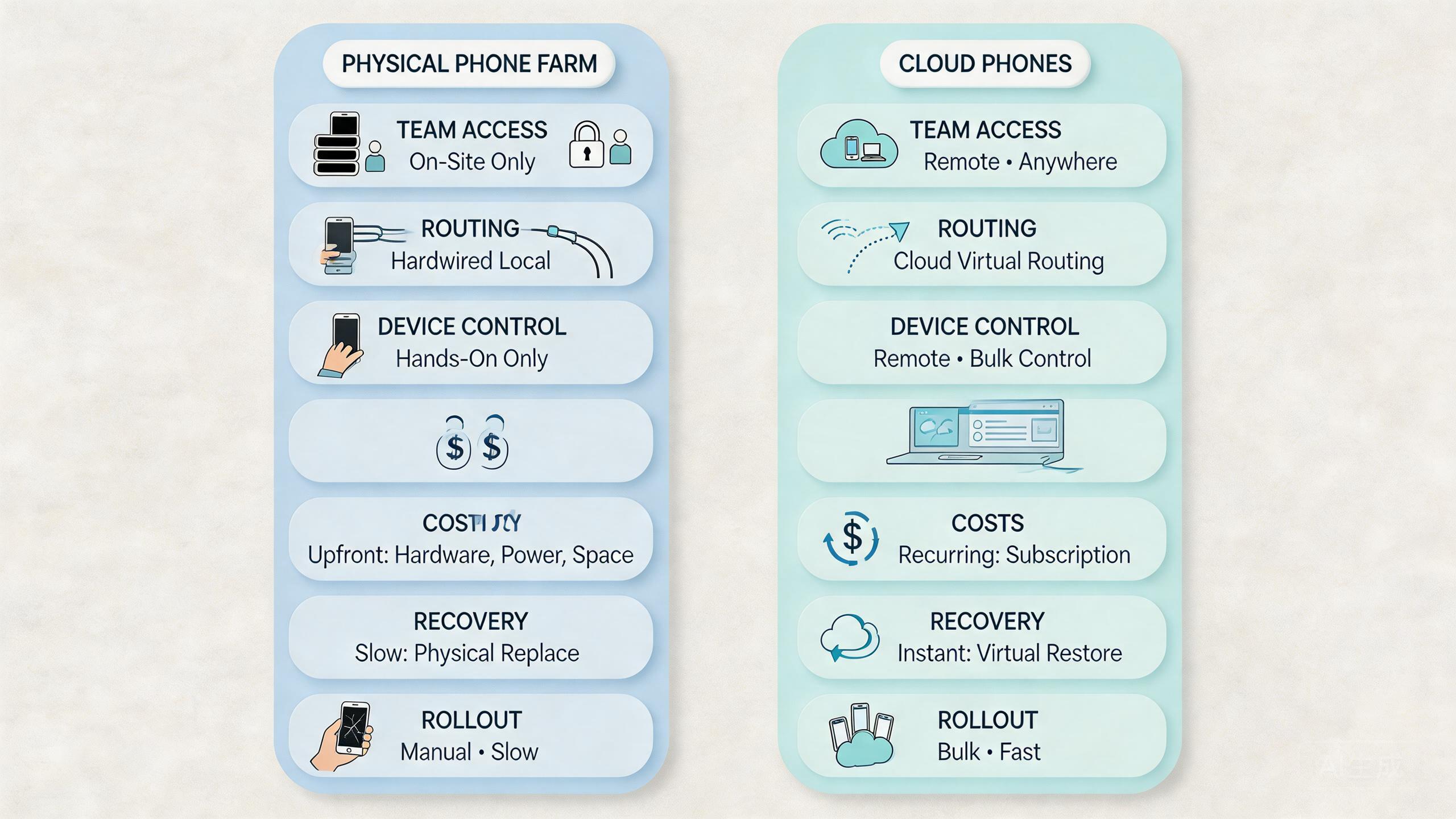
Different teams need different device models. A QA lab, a growth team, and a support team should not use the same selection logic.
Choose hardware when work depends on touch, sensors, add-ons, cables, local network gear, or physical device checks.
Choose remote phones when teams need shared access, parallel workflows, account separation, remote review, and repeatable Android execution.
Keep hardware for exception testing, then move repeated operating lanes into cloud phone pools.
Agencies often lean toward cloud infrastructure because they manage many accounts, handoffs, and review cycles. A local rack may become a bottleneck when operators work from different places. Remote phone pools can support social teams, ecommerce teams, and account managers with clearer ownership.
Technical QA teams may keep more hardware. They need to see physical behavior, test add-ons, inspect device-specific issues, or repeat local conditions. Remote devices can support early checks or broad runs, but physical phones may still be required for final validation.
Operations teams usually sit in the middle. They need stable device access, clear task ownership, and recovery paths. Hardware may work at small scale. Cloud phone infrastructure becomes attractive once the team needs cleaner repeat work and fewer local blockers.
Use this fit check:
- Pick hardware if the task fails without physical inspection.
- Pick cloud phones if the task fails because access, handoff, and state are hard to manage.
- Pick hybrid if the team needs both lab certainty and remote throughput.
- Delay expansion if ownership, routing, and reset rules are still unclear.
For teams working on multi-account management, the cloud model often gives the cleaner operating path. Separate pools, device isolation, and managed routing can make repeated work easier to review.
Pilot and Measurement Checks Before You Commit
A pilot should answer one question: can this setup make repeated mobile work easier to run, review, and recover? The answer should come from evidence, not preference.
Start with one workflow. Do not test every use case at once. Pick a lane such as account setup review, social media work, ecommerce account checks, mobile QA smoke testing, or lead generation checks. The lane should be frequent enough to measure but narrow enough to control.
Set simple pass criteria before the pilot starts:
- Operators can start work without asking where the device is.
- Reviewers can see which device pool owns the task.
- Routing policy stays stable during the run.
- Device state is clear before and after use.
- Failed runs have a known recovery path.
- Handoff time drops or becomes more predictable.
Then measure five signals:
| Metric | What it shows | Good sign |
|---|---|---|
| Setup time | How long it takes to prepare the lane | Operators can start with fewer local checks |
| Handoff time | How easily another person continues the work | State and ownership are visible |
| Recovery time | How fast failed devices return to service | Reset and review rules are clear |
| Failure pattern | Where the same issue appears again | The team can isolate route, state, or workflow causes |
| Review clarity | How fast a lead understands status | Reports replace message-thread guessing |
Do not expand if the pilot still depends on one person’s memory. A real infrastructure choice should survive handoff. Another operator should know which device lane to use, what status means, and what to do when a run fails.
This is also where social media marketing, ecommerce operations, and account workflow teams can separate real value from surface convenience. The winning setup should reduce confusion, not only add more screens.
Common Mistakes in cloud phone vs physical phone farm Decisions
The first mistake is buying capacity before defining the workflow. More devices create more work when pool ownership is unclear. A team should know what each device group does before adding more devices.
Another mistake is treating remote phones as a shortcut around process. Remote access helps, but it does not replace account rules, platform rules, routing discipline, or recovery ownership. Teams still need clear operating boundaries.
A third mistake is comparing only headline cost. Hardware has visible purchase cost, but local care can be expensive in staff time. A cloud device pool has service cost, but it may reduce handling and improve handoff. The useful comparison includes both money and work.
Some teams also ignore reset policy. A device that “looks fine” is not necessarily ready. Reusable status should mean the same thing to every operator. Without that shared meaning, both hardware and cloud setups drift.
Route improvisation is another common failure. Operators may change network paths to solve a short-term issue. Later, nobody can explain why results changed. Stable routing rules matter when mobile workflows must be repeatable.
The last mistake is forcing one model across every use case. A hardware bench can coexist with cloud phone infrastructure. The right mix depends on the job. Keep physical devices where hands-on proof matters. Use remote phones where repeatable execution and team access matter more.
Frequently Asked Questions
What is the main difference between phone farm hardware and cloud phone infrastructure?
Phone farm hardware is physical device ownership. Cloud phone infrastructure is remote Android capacity with a work layer for access, state, routing, and recovery.
Is cloud phone vs physical phone farm only a cost comparison?
No. Cost matters, but the bigger decision is operating fit. Compare access, handoff, recovery, workflow repeatability, maintenance, and review clarity.
When should a team keep physical phones?
Keep physical phones when the job depends on sensors, add-ons, cables, local network gear, or device-specific inspection. Those tasks often need hands-on control.
When does cloud phone infrastructure fit better?
Cloud-based devices fit better when several people need shared mobile access, repeated Android workflows, separate device pools, stable routing, and remote review.
Can a team use both models?
Yes. Many teams can use a hybrid setup. Hardware can support exception testing, while cloud phone pools handle repeated operating lanes.
Does cloud phone infrastructure remove account or platform risk?
No. It can improve workflow control, but teams still need compliant behavior, clear policies, and responsible operations.
What should a pilot measure first?
Measure setup time, handoff time, recovery time, failure patterns, and review clarity. Those signals show whether the model improves real work.
How many devices should a first pilot use?
Start with the smallest pool that can test one repeated workflow. The goal is proof of operating stability, not a large device count.
What is the best next step after reading a comparison?
Map one workflow, decide which tasks require physical access, and test whether a cloud phone pool improves handoff and recovery.
Conclusion
Phone farm hardware and cloud phone infrastructure solve different problems. Hardware gives direct physical control. Cloud-based devices give operating control across people and places. The better choice depends on the job your team repeats most often.
For physical device QA, cable checks, sensor behavior, and lab inspection, hardware may remain the right base. For shared Android operations, multi-account workflows, remote review, and repeatable execution, cloud phone infrastructure often gives teams a cleaner path.
The cloud phone vs physical phone farm decision should not start with a device count. Start with one workflow. Name the operators, reviewers, routing rules, state labels, and recovery path. Then test whether the model reduces confusion.
Use a simple next-step check. If the workflow breaks because nobody can touch the phone, keep hardware in the plan. If the workflow breaks because access, handoff, device state, and routing are hard to manage, test a cloud phone pool. If both problems exist, use a hybrid setup and keep each lane clear.
The best infrastructure is the one your team can operate without guessing. That means clear ownership, stable routes, visible state, and a recovery process that works before scale makes the problem larger.



