
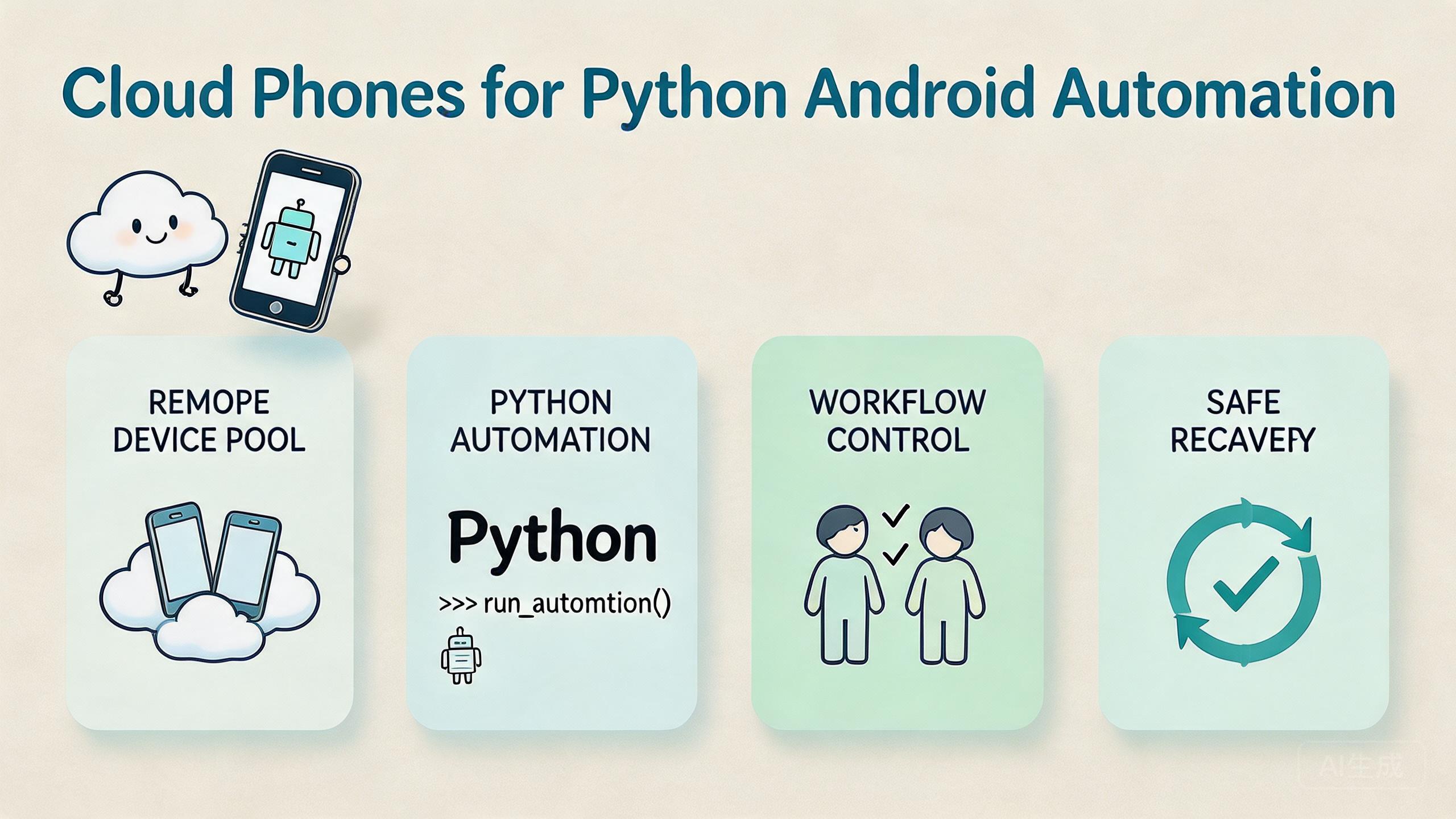
Key Takeaways
- Python automation on cloud Android means using Python scripts to control remote Android devices in a managed cloud phone environment.
- The value is not only script execution. The value is repeatable device state, cleaner handoff, role control, and measurable recovery.
- Cloud phones fit Python automation when teams need remote device pools, app checks, QA flows, account workflow support, or pre-run validation.
- The setup should connect scripts to device isolation, routing policy, logs, and reset rules.
- Start with one workflow and one pool before expanding to larger mobile automation runs.
Python automation on cloud Android is the use of Python scripts to run controlled actions on remote Android devices. In practice, a team uses cloud phones as the device layer and Python as the automation layer for checks, setup tasks, app flows, logs, and repeatable mobile work.
The short answer is direct. Cloud phones help when the team needs remote Android capacity that scripts can reach without local hardware. Python helps when the task has a clear repeat pattern. The combination is strongest when the workflow is shared, measured, and easy to recover.
This topic matters because mobile automation often fails for operational reasons, not only code reasons. Scripts may be fine, but devices drift. Routes change. Account state gets mixed. Operators cannot explain which phone ran which task. A cloud phone setup can reduce those problems when it is designed as infrastructure.
MoiMobi treats cloud phones as one layer inside a broader mobile execution system. Python scripts should connect to clear device pools, device isolation, stable proxy network rules, and recovery checks. Without those parts, automation can become fast but hard to trust.
Google Search Central’s helpful content guidance says useful content should help people complete real tasks, not repeat shallow claims (Google Search Central). The same rule fits this decision. A useful automation setup should help a team run, review, and recover real Android workflows.
The Core Idea Behind Python Automation on Cloud Android
The core model starts with a simple split. Python handles repeat logic. Cloud Android devices handle the mobile environment. The team then adds rules for access, state, routing, logs, and recovery.
This is different from running a script against a random phone. A cloud phone pool gives the script a known device lane. Each lane can have a purpose, such as QA checks, app install review, account workflow support, or mobile automation preflight. That purpose keeps work easier to inspect.
The basic model has four parts:
| Layer | Role in the workflow | What can go wrong |
|---|---|---|
| Python script | Runs repeat steps, checks state, or records results | Logic may act on the wrong target or stale data |
| Cloud phone pool | Provides remote Android devices for execution | Device state may drift without ownership rules |
| Routing policy | Keeps network behavior explainable for each lane | Route changes can make results hard to review |
| Recovery path | Returns failed or changed devices to a known state | Bad runs can block the next operator |
A Python script is useful only when the surrounding environment is clear. The script may click, call an API, launch an app, check a file, or collect output. Yet the team still needs to know which device it used, which workflow owns that device, and what happens after a failure.
Cloud phone infrastructure makes this easier to manage across people. A developer can build the script. An operations lead can assign the device pool. A reviewer can inspect the output. An admin can decide when a device returns to service.
Why Teams Search for Python Automation on Cloud Android
Teams usually search this topic after local devices become too slow or too hard to manage. One phone on a desk is easy. Ten phones across operators, accounts, apps, and regions are harder. More devices can create more confusion if the team lacks a clean operating model.
The common myth is that automation solves the whole problem. It does not. Python can repeat actions, but it cannot make an unclear device pool safe to use. The team still needs ownership, access rules, clean state, and a review loop.
Another reason is remote work. A local rack may serve a single office, but distributed teams need shared device access. Cloud phones let operators and engineers work against remote Android devices without passing physical phones between people.
Script speed is also part of the search intent. Teams want to reduce manual setup, app install checks, login state checks, or repeated QA steps. Scripts help when the workflow has a stable pattern. When the process changes every run, automation adds less value.
The decision should focus on operational fit:
- Is the task repeated often enough to script?
- Can the device state be reset or checked?
- Can the team separate accounts or app lanes?
- Is the route stable enough to review?
- Can the team see which run failed and why?
- Does the workflow need local hardware inspection?
A positive answer to the first five points suggests a cloud phone automation lane may fit. A strong need for physical inspection suggests local hardware should stay in the plan. Many teams use both: hardware for exception checks and cloud phones for repeated remote execution.
Who Benefits Most and In What Situations
This model fits teams that already know the workflow they want to repeat. The script should reduce known work, not hide an undefined process. Clear tasks become good candidates. Vague tasks usually stay messy after automation.
QA teams can benefit when they need repeat app checks across remote devices. For example, a team may install a build, open a path, collect a result, and mark the device state. A small script can standardize that sequence, while cloud phones provide the remote Android lane.
Operations teams can use the model for pre-run checks. Before a mobile workflow starts, a script can confirm that the right app is present, the device belongs to the correct pool, and the state label is ready. This helps the next operator avoid avoidable failures.
Support teams may use scripts to collect evidence. A failed app flow may need logs, screenshots, package checks, or status notes. Scripted checks can reduce repeated manual steps, but access should be role-based and logged.
Growth or social teams need more care. A social media marketing workflow may involve accounts, content, review, and platform rules. Automation should support clear checks and handoff, not replace responsible operation.
Fit is strongest here:
Repeated app checks, QA smoke runs, install validation, pre-run checks, log collection, and device recovery tasks.
Account workflows, social operations, ecommerce checks, and support tasks where state and permissions matter.
Sensor checks, accessory tests, cable debugging, and workflows that change too much to script clearly.
Teams working on multi-account management should be especially strict about separation. Device pools, account lanes, and routing policy should be clear before Python scripts run.
How to Evaluate or Start Using Cloud Phones for Python Android Automation
Start with one scriptable workflow. Do not begin with a broad automation platform goal. Pick a task that happens often, has a clear pass or fail result, and can be repeated on a known cloud phone pool.
- Choose one task. Use a repeat task such as app install checks, login state review, basic QA paths, or automation preflight.
- Assign one device pool. Keep the first run tied to a named set of cloud phones with a clear owner.
- Define allowed actions. List what the Python script may do, what it must not do, and when a human should review results.
- Check route and state first. Confirm the device route, app state, and account lane before the script starts.
- Write readable outputs. Store run status, device ID, time, lane, and failure reason in a format the team can review.
- Create a recovery rule. Decide when to reset, quarantine, or reassign a device after a failed run.
- Expand only after repeat success. Add more devices after the same process works across users and days.
The highest-risk step is allowed actions. Python can make repeated work easier, but it can also repeat mistakes quickly. Limit early scripts to visible, reviewable actions. Avoid broad control until the team proves the lane is stable.
Connect the script to mobile automation only after the base workflow is clear. A good automation run should have a known start state, expected output, and recovery path. If those pieces are missing, the script may create more work than it saves.
Google’s SEO Starter Guide emphasizes clear organization so users can understand information and take action (Google Search Central SEO Starter Guide). Operations need the same habit. Clear names, outputs, and status labels make the workflow easier to trust.
Operating Architecture for Python Automation on Cloud Android
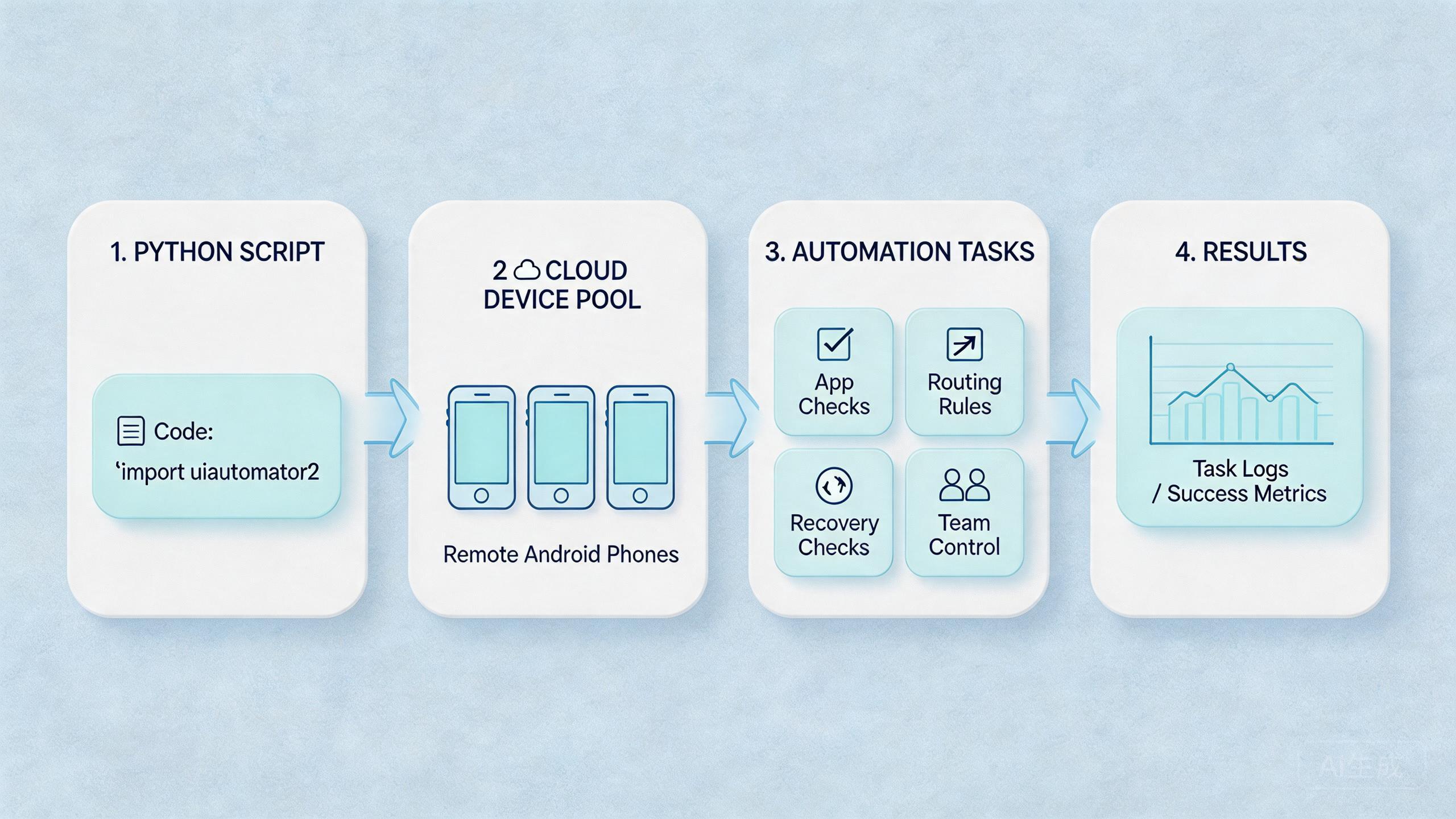
A reliable setup needs more than a script runner. It needs a small architecture that tells people where each job starts, where it runs, what it can touch, and how the team reviews the result. This keeps automation from becoming a black box.
The first part is the device lane. A lane is a group of cloud phones assigned to one workflow. One lane might handle QA smoke checks. Another might handle app install review. A third might support a controlled account workflow. The lane name should make the job clear.
The second part is the command boundary. A script should have a known action set. For example, it may open an app, check package state, save a screenshot, collect logs, or mark a run status. It should not perform unrelated actions just because the device is reachable.
The third part is output design. The result should be easy for a non-developer to read. A useful result includes the device ID, lane name, run time, script version, pass or fail status, and a short failure note. This makes review faster for operators and leads.
The fourth part is recovery ownership. Failed runs should not sit in a gray area. Assign a clear owner for reset, review, and return-to-service decisions. A device can be ready, in use, under review, reset needed, or blocked. These labels help the next person avoid guessing.
Use this architecture checklist before scaling:
- One lane has one primary workflow.
- Each script has a named owner.
- Allowed actions are written down.
- Device state is checked before each run.
- Route policy is known before each run.
- Output is readable by operations, not only engineering.
- Failed runs create a recovery task.
This architecture is intentionally plain. Complex systems can come later. Early clarity matters more because it prevents scripts from spreading hidden state across many cloud phones.
For MoiMobi, this is also where Android antidetect and routing controls should be treated carefully. These layers support environment control, but they still need clear team rules. Stable execution matters more than reckless volume.
A practical review habit is to keep a run note for every script lane. The note does not need to be long. It should show what script ran, which pool it used, what output it produced, and whether the device stayed usable after the run.
This small record helps when a run fails two days later. The team can see whether the problem came from code, route, device state, or unclear handoff. Without that note, every failure becomes a fresh investigation.
Teams should also decide what a normal run looks like. For example, a normal app check may install one build, open one path, save one result, and mark one status. A script that changes more than expected should pause for review before the pool expands.
Mistakes That Reduce Results
The first mistake is scripting before the workflow is stable. A messy manual process usually becomes a messy automated process. The script may move faster, but the team still cannot explain what happened.
The second mistake is using one mixed device pool. QA checks, account work, support review, and test runs should not all share the same unclear pool. Separate lanes make failures easier to isolate.
The third mistake is ignoring routing. Automation on remote Android devices often depends on a stable environment. Route changes without notes make later results hard to compare. Use a routing rule before the first run.
Another mistake is skipping device state checks. A device may look available while carrying old app data or old session state. Scripts should check or receive a clear status before they start.
Some teams also overuse automation. Not every task needs Python. Use scripts when the task is repeated, measurable, and safe to review. Keep manual steps when judgment matters more than repetition.
Access design matters as well. A developer, reviewer, and operator should not all have the same control level. Role-based access reduces accidental changes. It also makes review easier after failed runs.
The last mistake is treating success as one good run. A real pilot needs repeated runs. The process should work across time, users, and device states. One clean run is useful, but it is not enough evidence for scale.
Pilot Rollout, Measurement, and Recovery Checks
A pilot should prove that cloud phones and Python scripts improve real work. Running the script is only the first signal. Better setup, cleaner handoff, and faster recovery matter more.
Measure five signals during the first pilot:
| Signal | What to measure | Useful result |
|---|---|---|
| Setup time | Time from assigned task to ready device | Less waiting for device prep |
| Run clarity | Whether output explains success or failure | Fewer message-thread questions |
| Handoff quality | Whether another operator can continue | Clear device and task status |
| Recovery time | Time to reset or review a failed device | Faster return to service |
| Drift rate | How often devices enter unclear state | Fewer surprise failures |
Keep the pilot small. One script, one pool, and one owner are enough. A narrow pilot teaches more than a broad run that nobody can review.
Recovery rules should be written before scale. Decide which failures require a reset, which require human review, and which only need a rerun. Also decide who can return a device to service.
Use a simple review loop:
- Review the run output.
- Check whether the device state matches the result.
- Confirm the route was correct.
- Mark the device ready, under review, or reset needed.
- Note the cause if the run failed.
This loop makes automation easier to trust. Without it, failed runs can leave hidden state behind. The next operator then starts from a device that is not really ready.
Frequently Asked Questions
What is Python automation on cloud Android?
It means using Python scripts to control or check remote Android devices in a cloud phone environment. The aim is repeatable mobile work, not only running code.
Do cloud phones replace local Android devices for Python automation?
Not always. Cloud phones fit repeated remote workflows. Local devices still fit sensor checks, cable tests, accessory work, and physical inspection.
What can Python scripts do with cloud phones?
They can support app checks, setup tasks, log collection, pre-run validation, status review, and recovery steps. Exact actions depend on the platform and access rules.
Is this only useful for developers?
No. Developers may write scripts, but QA, support, and operations teams can use the outputs. The workflow should match each role.
What is the main risk?
The main risk is repeating the wrong action across many devices. Limit allowed actions, log results, and test on a small pool first.
How many cloud phones should a pilot use?
Use the smallest pool that can test one repeated workflow. The first goal is stable process, not device count.
Does this work with mobile automation?
Yes, when the script supports a known workflow. It should connect to device state, routing policy, and recovery rules before scale.
How do teams know if the pilot worked?
Look for shorter setup time, clearer handoff, better failure notes, and faster recovery. Those signs matter more than one successful run.
Conclusion
Cloud phones for Python Android automation make sense when teams need repeatable mobile work on remote Android devices. Python handles the repeat logic. Cloud phones provide the remote device layer. The operating model decides whether the setup stays useful.
The best fit is a clear, repeated workflow with named device pools, role-based access, stable routing, readable outputs, and recovery rules. The weakest fit is a vague process that changes every run or depends on physical device handling.
The next step is practical. Pick one task that your team repeats often. Assign one cloud phone pool. Write a small script with limited actions and clear output. Then measure setup time, handoff quality, failure causes, and recovery time.
If the pilot reduces confusion, expand carefully. If it does not, fix the workflow before adding more devices or more automation. Stable mobile execution starts with clear process, then scripts, then scale.
Keep one final rule in place before expansion. Every new script lane should have an owner, a device pool, a route note, and a recovery action. That small checklist keeps scale tied to control. Review it weekly.



