Key Takeaways
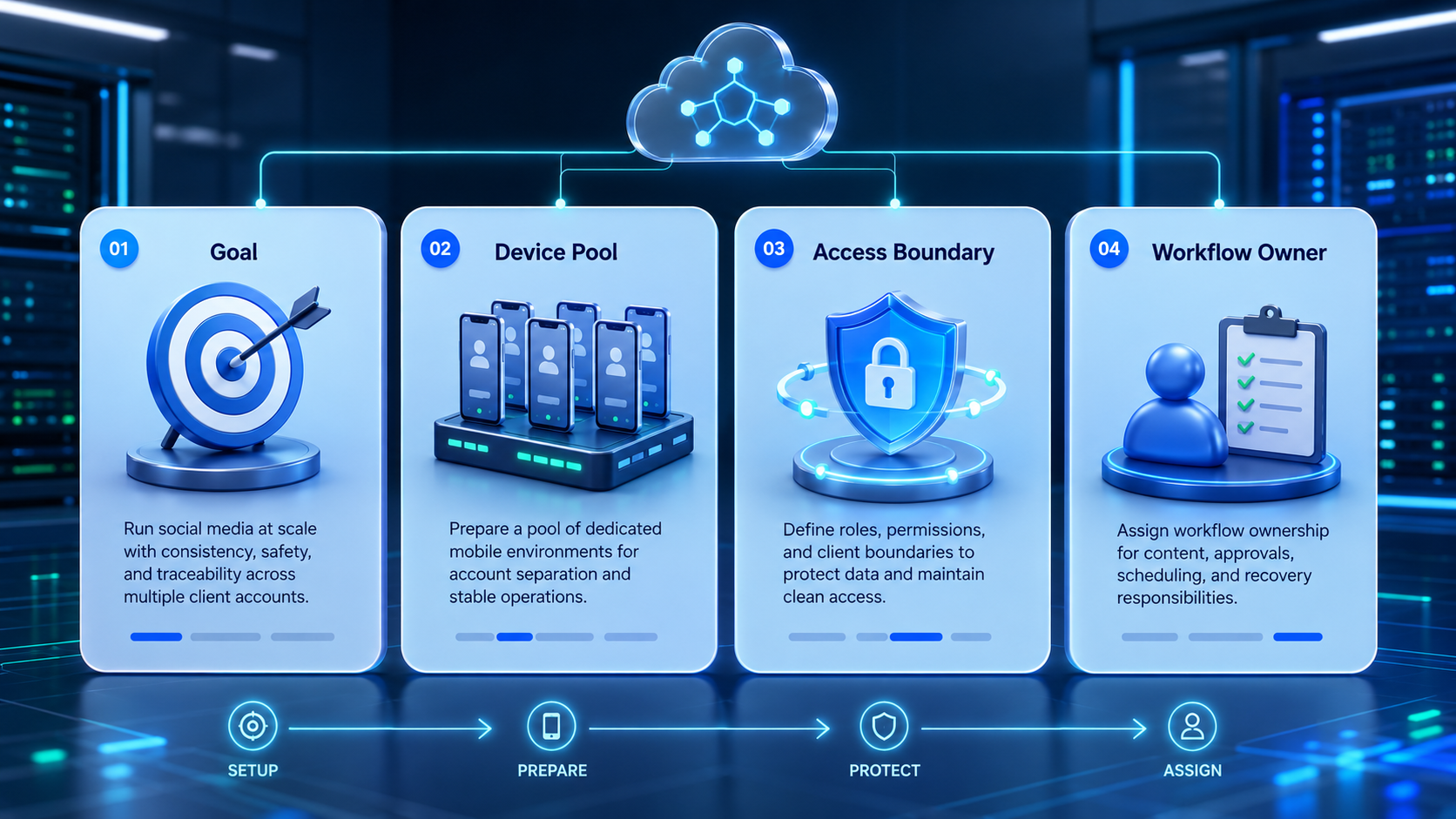
- Multi-account social media automation is an agency operating model, not only a posting shortcut.
- Agencies need account lanes, execution boundaries, and reviewer ownership before they scale volume.
- The strongest setups separate preparation, live execution, and exception handling.
- A small pilot exposes workflow gaps faster than a large account rollout.
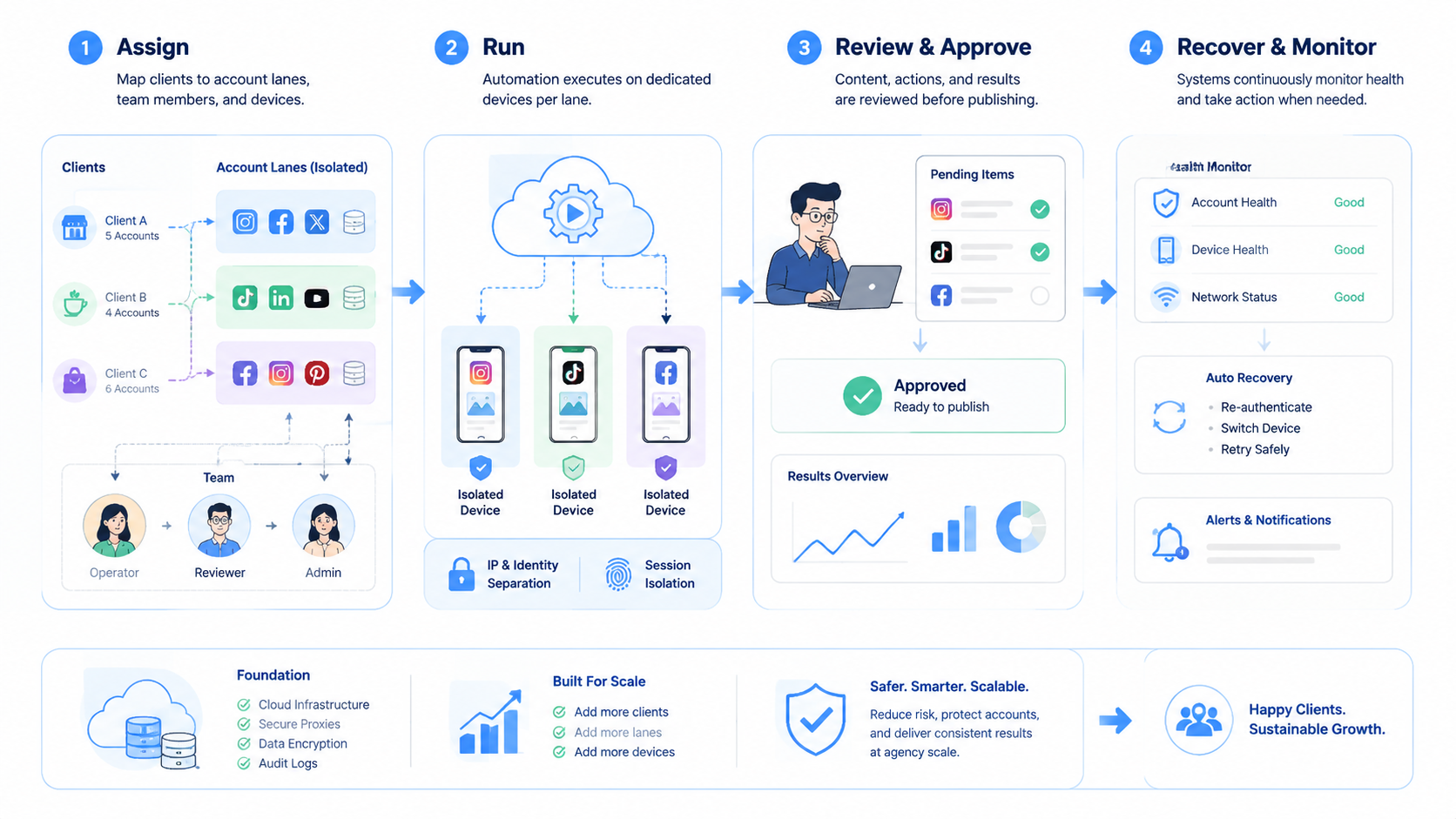
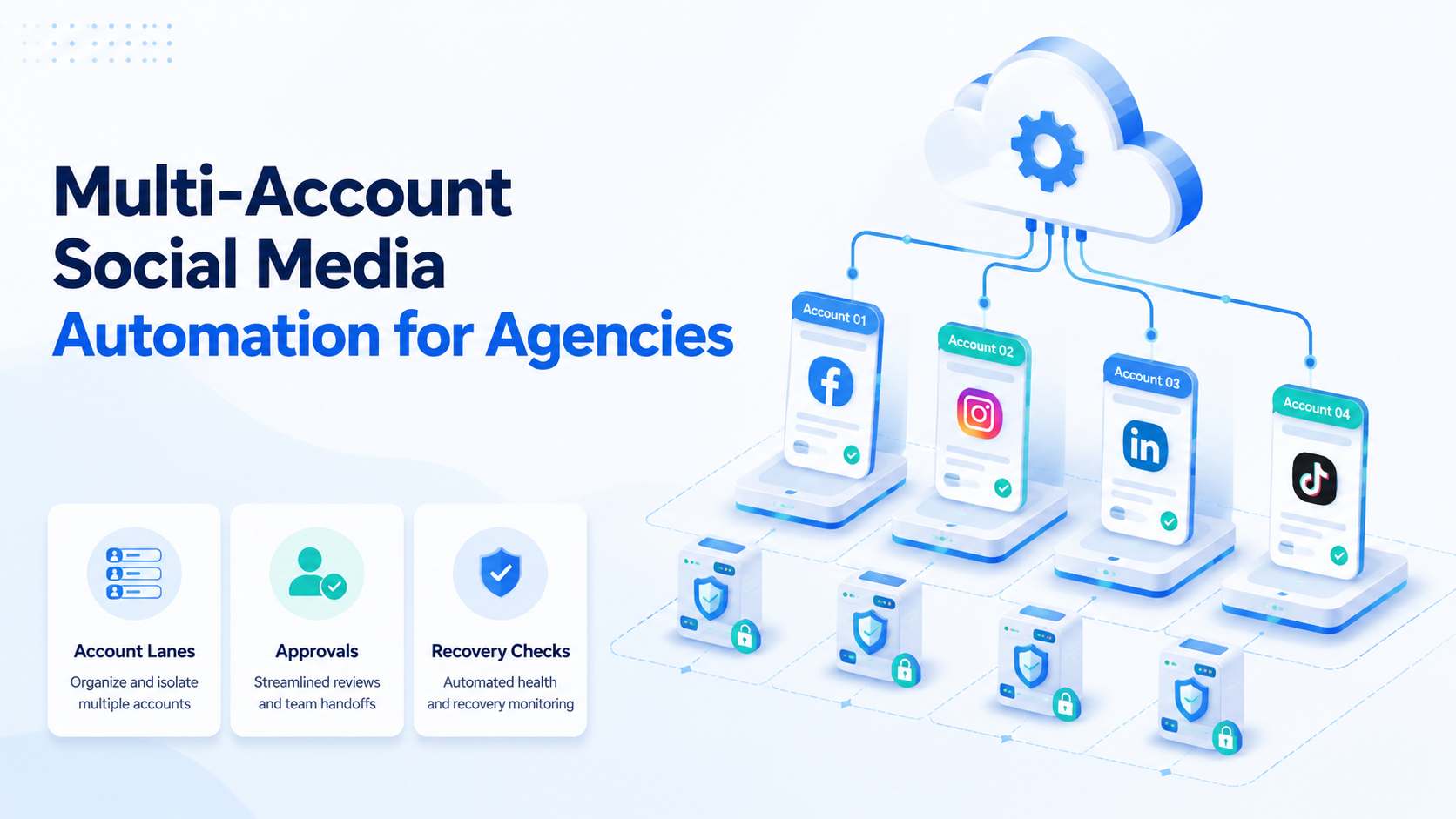
Multi-account social media automation is a structured way for agencies to run repeated work across many client or campaign accounts with clear ownership, execution rules, and review loops. It is not only about scheduled posts. In practice, it also covers account assignment, device or browser separation, task routing, and recovery when one lane stops working.
That operational frame matters because agencies do not just manage content. They manage account context. One client may need publishing support, another may need inbox coverage, and another may need routine monitoring. If those lanes blend together, the agency loses control before it gains scale.
Official sources help define the underlying execution logic. Playwright shows how separate browser sessions can stay isolated inside separate contexts.1 Android Enterprise shows why managed device environments matter for repeat mobile workflows.2 WebDriver shows why browser automation is session-based rather than one generic click stream.3
The Core Idea Behind Multi-Account Social Media Automation for Agencies
The common myth is that agencies solve multi-account work by adding more accounts into one dashboard. The workable model is different. Agencies need one operating layer that explains who owns the lane, where the task runs, and how the result gets reviewed.
That operating layer usually has four parts:
| Part | What it controls | Why it matters |
|---|---|---|
| Account lane | Which client or campaign group owns the workflow | Prevents mixed account context |
| Execution lane | Browser, mobile, or cloud device path | Makes tasks repeatable |
| Approval lane | Who reviews public actions or sensitive edits | Reduces rework and confusion |
| Recovery lane | Who handles pauses, prompts, or failed tasks | Keeps work from stalling |
This is why multi-account management and device isolation sit close together. Multi-account social media automation works when the workflow and the environment structure match.
Why Teams Search for This Topic
Agencies usually search this topic after they hit one of three ceilings. The posting queue grows faster than the team can review it. Shared account environments create confusion. Or the same account needs work from several operators with no clean handoff model.
The visible problem often looks like "too many accounts." The deeper issue is that the agency lacks a repeatable unit of work. Without that unit, every new client adds exceptions instead of adding capacity.
That is why cloud phone, phone farm, and social media marketing can all become relevant next pages. The agency is deciding how to build a stable execution system, not just how to publish faster.
Who Benefits Most and In What Situations
Multi-account social media automation is a strong match for agencies with repeated account work and shared team coverage.
Strong match
- Agencies with many client accounts or several active campaign streams.
- Teams that split work between creators, reviewers, and operators.
- Workflows that cross browser and mobile execution.
- Account groups that need clear logs and recovery rules.
Weak match
- Solo contractors with a very small account pool.
- Teams with no approval or escalation process.
- Setups that still rely on one shared login path.
- Campaigns with one-off manual tasks and no repetition.
The fit question is not "do we have many accounts?" It is "do we have repeated work that needs cleaner execution and cleaner handoff?" If the answer is yes, automation usually becomes easier to justify.
How to Evaluate or Start Using Multi-Account Social Media Automation for Agencies
Start with one clear client lane and one small workflow.
- Choose one client group or campaign group for the pilot.
- Define which tasks belong to that lane: publishing, reply work, monitoring, or review.
- Assign one execution path per task type, such as browser, cloud phone, or mobile device.
- Define who approves public actions and who handles exceptions.
- Log every failed run, login prompt, and manual correction in the same record.
- Review the lane before you add another client group.
This is where mobile automation and proxy network can become relevant. Agencies should not add these layers because they sound advanced. They should add them only when a defined account lane needs stable execution support.
Mistakes That Reduce Results
The first mistake is treating all accounts as one flat queue. Agencies often start there because it looks efficient. In practice, it hides who owns which task and which client context applies.
The second mistake is adding automation before the approval lane is clear. A faster task flow is not useful if the team cannot tell who approved the next public action.
The third mistake is relying on memory for recovery. If a lane pauses and no one can explain the pause reason, the automation layer is adding cleanup work instead of saving time.
What not to do
- Do not let several clients share one vague execution lane.
- Do not let browser and mobile tasks change owners with no run log.
- Do not scale a pilot if the team still rescues the same task manually every day.
Agency Lane Design and Workflow Boundaries
A clean lane design is usually more valuable than one more tool.
Use a lane record like this:
| Field | Example | Why it matters |
|---|---|---|
| Lane name | Client A - TikTok publishing | Separates client context |
| Task type | Publishing and review only | Prevents scope drift |
| Execution path | Browser lane or cloud phone lane | Keeps the environment predictable |
| Approval owner | Campaign lead | Defines who signs off |
| Recovery owner | Operations manager | Defines who handles pauses |
That field list gives the agency a reusable unit. New accounts can be added by following the same structure instead of inventing a new workflow every time.
Multi-Account Social Media Automation Decision Matrix
Agencies usually improve faster when they stop debating tools in the abstract and score the workflow directly.
| Decision area | Question to ask | Healthy answer |
|---|---|---|
| Account structure | Is each client or campaign group in a separate lane? | Yes, and the owner is visible |
| Execution model | Does each task have a known browser or mobile path? | Yes, and the path is repeatable |
| Approval model | Can the team name who approves public actions? | Yes, and the rule is written down |
| Recovery model | Can the team explain who handles a blocked run? | Yes, with a named next owner |
| Scale model | Can the same lane support the next client batch? | Yes, without hidden rescue work |
This matrix is simple, but it exposes whether the agency is building a reusable system or only adding more manual work under an automation label.
- Strong signal: a new client fits the existing lane model with only small setup work.
- Weak signal: each new client requires a new exception process.
- Strong signal: reviewers can understand the lane without asking for extra context.
- Weak signal: the team needs chat history to explain what happened.
Pilot Rollout, Measurement, and Recovery Checks
The pilot should answer one question: can the same lane run several cycles without hidden rescue work?
Use this scorecard:
- Lane clarity: each task stays inside the expected client lane.
- Approval quality: reviewers can see the final version before public action.
- Execution stability: the same environment can be reopened without rebuilding context.
- Recovery speed: paused tasks move to the right owner quickly.
- Scale readiness: the same model could support the next account group.
When agencies compare infrastructure choices, cloud phone farm infrastructure and cloud phone vs emulator comparison are useful next reads because they help decide whether the current lane needs mobile-backed execution or not.
A Small Pilot That Reveals Real Workflow Gaps
A strong first pilot does not need many clients. It needs enough variation to show where account context gets mixed or where approvals slow down the lane.
- Pilot size: one client group or one campaign group.
- Task mix: one content task and one review task.
- Owner model: one named lane owner and one named reviewer.
- Recovery test: one planned way to handle a blocked run or login prompt.
- Decision point: add more accounts only if the lane stays readable for a full week.
That smaller pilot is usually more useful than a wide rollout because the agency can see whether the lane itself is sound before client count hides the real failure mode.
Multi-Account Social Media Automation Pass or Fail Rules
| Decision | Pass condition | Fail condition |
|---|---|---|
| Expand to next client group | Lane stays readable for a full week | Repeated manual rescue hides in the lane |
| Add another operator | Ownership transfer is visible in the log | Work depends on one person's memory |
| Add another task type | Approval and recovery rules are already clear | More tasks arrive before boundaries are defined |
One more practical signal matters here. If the agency cannot explain why a task paused, it should not add more automation to that lane yet.
Multi-Account Social Media Automation Expansion Signals
Expansion works better when the agency uses the same lane model for the next account group instead of creating a new exception path. That is the practical test for multi-account social media automation: can the next client or campaign fit the same ownership, approval, and recovery structure with only small setup work?
Lane fields that agencies should keep visible
| Field | Why it matters |
|---|---|
| Client or campaign lane | Keeps account context separate |
| Task type | Stops scope drift |
| Execution path | Shows whether the task is browser or mobile based |
| Approval owner | Defines who signs off |
| Recovery owner | Defines who handles blocked work |
Frequently Asked Questions
Is multi-account social media automation only for large agencies?
No. Smaller agencies use it when several client accounts share one team workflow.
What should an agency automate first?
Start with one repeated lane, such as publishing or routine monitoring.
Does every account need its own device?
Not always, but each account group needs a clear execution boundary.
What breaks the model most often?
Shared account context, weak approvals, and missing recovery logs.
When should an agency pause expansion?
Pause when the same lane still needs frequent manual rescue.
Is this only about posting content?
No. It can also cover review, inbox handling, and monitoring tasks.
What should the team do next?
Pilot one client lane and inspect approval quality, recovery speed, and lane clarity.
Conclusion
Multi-account social media automation for agencies works when the agency treats each account group like an operating lane with defined ownership, execution, and recovery rules. The useful goal is not "more automation." The useful goal is a workflow that still makes sense when more clients and more operators join the system.
Before you scale, check three things: the lane is clear, the approval owner is visible, and paused work always has a next owner. If those checks are strong, the agency has a better base for expansion.
Sources