
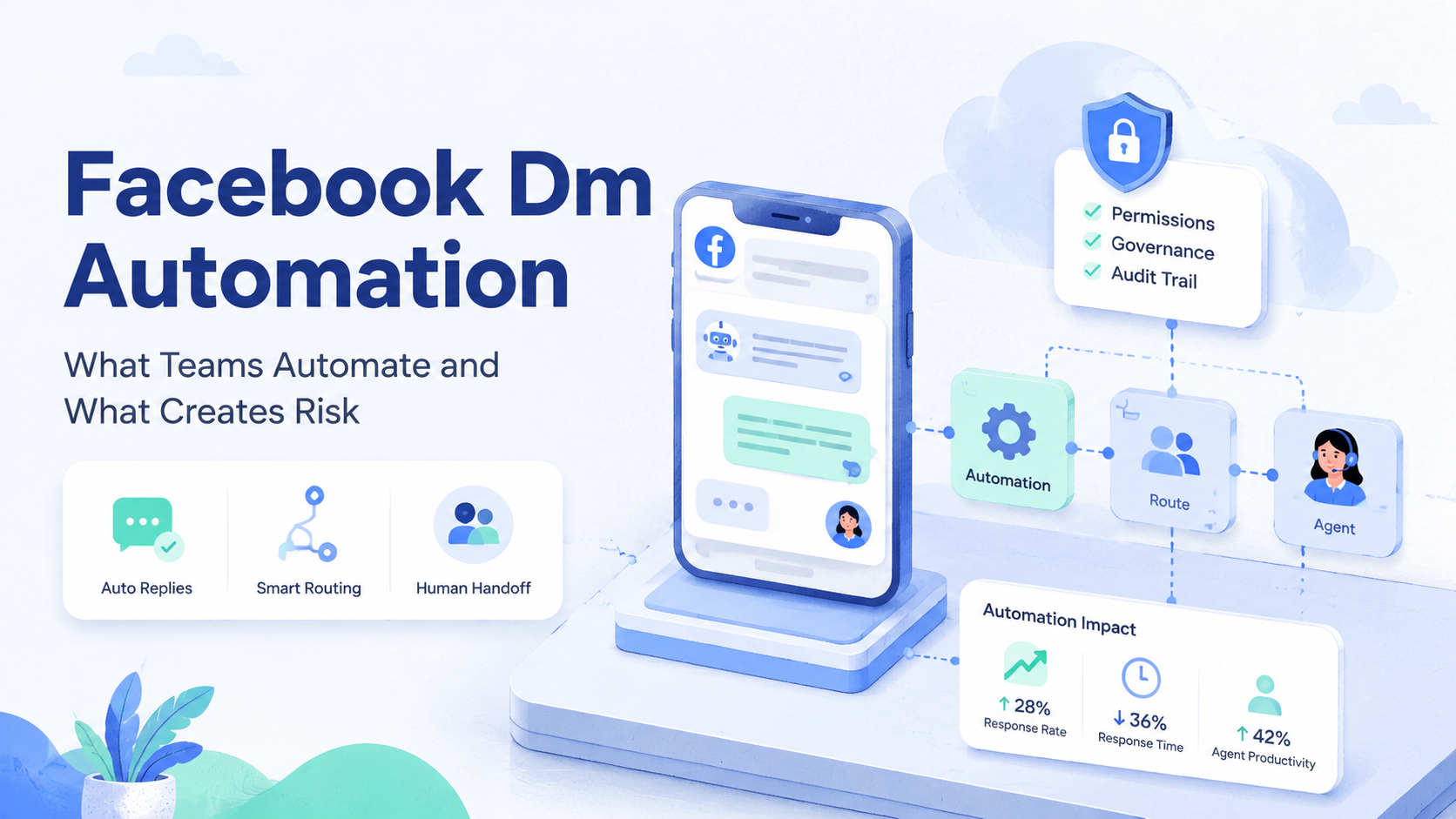
Facebook DM automation is the use of software to support message intake, triage, reply drafting, routing, and follow-up workflows in Facebook Messenger or connected business inboxes. It is not a license to send bulk unsolicited messages, scrape people, or replace human judgment in sensitive conversations.
For teams, the safest model is narrow and controlled. Automate preparation, classification, reminders, internal assignment, and approved response templates. Keep review, escalation, and customer-sensitive replies under clear ownership. Meta's Messenger Platform policies and Community Standards make this distinction important because business messaging must protect user experience, consent, and spam boundaries.
Key Takeaways
- Facebook DM automation works best for support routing, FAQs, order updates, lead qualification, and team handoff.
- Risk rises when teams automate cold outreach, repeated generic replies, scraping, or account-like behavior across many profiles.
- A useful workflow needs permissions, owner assignment, message labels, review gates, and recovery logs.
- Meta supports automated replies in business messaging, but the rules around user initiation, response windows, and policy compliance matter.
- Moimobi is useful when teams need controlled browser and mobile environments for multi-account operations, not when they want reckless bulk messaging.
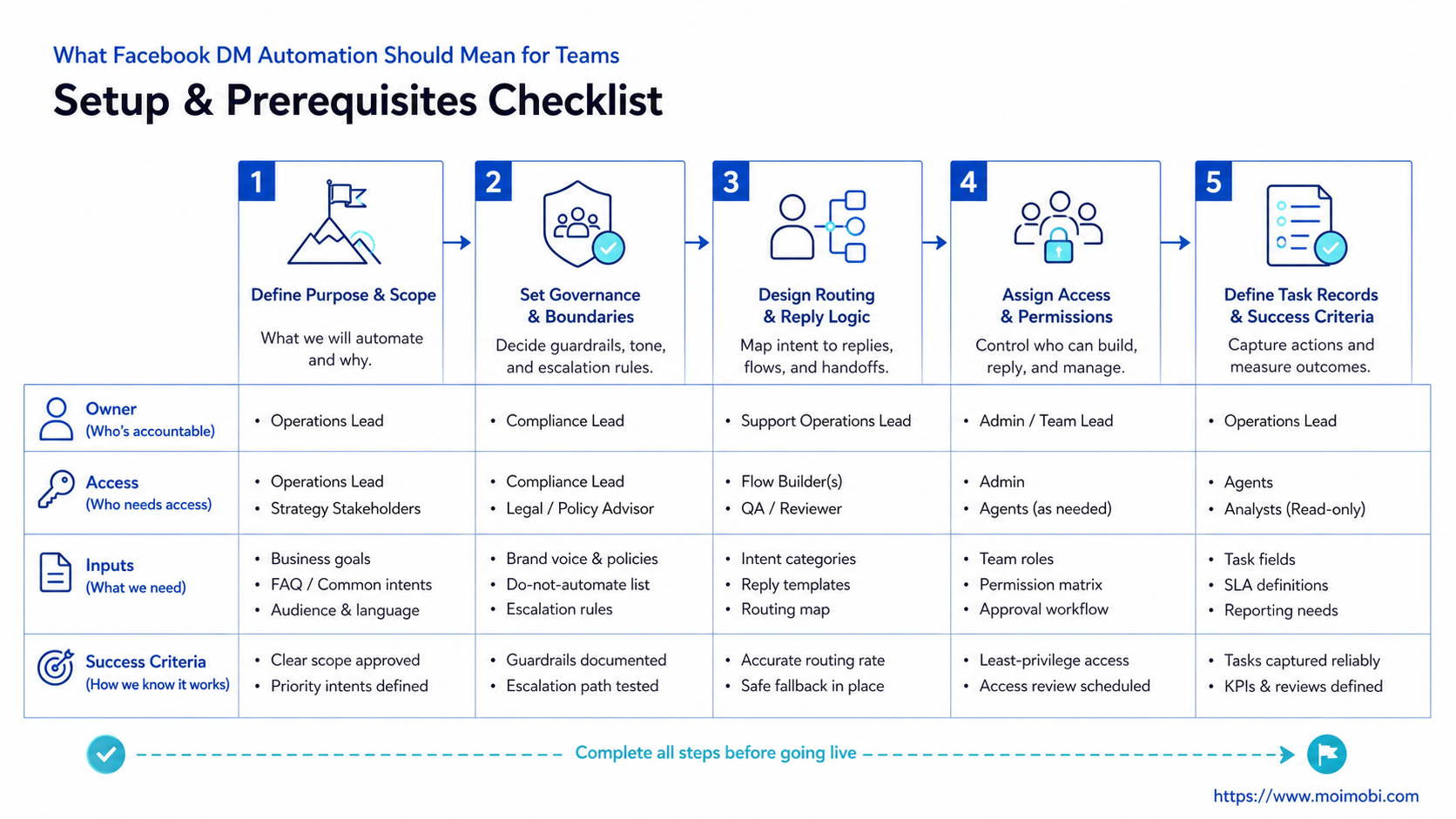
What Facebook DM Automation Should Mean for Teams
The wrong mental model is "send more messages with less effort." That model quickly creates risk. A better model is "respond to the right conversation with the right owner, context, and record."
Facebook DM automation should start with inbound conversations. A customer asks a question. A prospect responds to a campaign. A follower requests store information. The automation can classify the message, suggest a response, assign a teammate, and record the status.
Meta's Messenger Platform documentation says conversations must be initiated by the person before a business can send messages through the platform. Meta also describes automatic replies, live agent responses, and a combination of both as supported approaches for business messaging. This supports service workflows, not uncontrolled blasting.
For a team running several pages, brands, or regional accounts, the operational challenge is visibility. Who replied? Which page handled the thread? Was the answer approved? Did the customer need a follow-up? Without those records, automation creates speed without accountability.
What Teams Can Automate Safely
Useful automation removes repetitive coordination. It does not remove responsibility. The best workflows keep the customer context visible and keep the team accountable.
| Workflow | Good Use of Automation | Human Control Point |
|---|---|---|
| Message intake | Tag topic, language, urgency, and source | Review edge cases and sensitive messages |
| FAQ replies | Suggest approved answers for common questions | Approve changes to pricing, policy, or claims |
| Lead routing | Send qualified leads to sales or support queues | Decide priority and next action |
| Follow-up reminders | Alert the owner when a reply is due | Choose whether the follow-up is still appropriate |
| Reporting | Summarize volume, response status, and unresolved threads | Review quality, complaints, and policy issues |
These workflows fit a service-oriented inbox. They help a team respond faster and reduce missed conversations. They also give managers a clearer view of workload.
Moimobi's social media marketing workflow is relevant when DM work sits beside publishing, comment review, and multi-platform operations. The same team may need task routing, account assignment, and review records across several channels.
What Creates Risk in Facebook DM Automation
Risk appears when automation stops supporting conversations and starts manufacturing them. Cold bulk messaging is one example. Repeated generic replies are another. Scraping people from groups, pages, or comments and sending scripted messages is also a poor fit.
Meta's Community Standards include spam policies that target deceptive or repetitive behavior. Meta's developer policies also define rules for business messaging and platform use. Teams should treat those rules as design constraints, not as details to handle after launch.
Risk also rises when account ownership is unclear. If five operators use the same page or browser profile without records, a manager cannot audit who sent a message. The problem gets worse when teams manage multiple pages, markets, or brands.
Do not automate these without strong review:
- First-contact cold outreach.
- Sensitive support replies.
- Legal, medical, financial, or refund decisions.
- Repeated message templates with no user context.
- Scraped audience lists.
- Cross-account message sending from unclear environments.
The safe path is slower but clearer. Start with inbound service workflows, then expand only after the team can measure quality, complaints, and unresolved cases.
Preflight Checklist Before Using Facebook DM Automation
Begin with governance. A tool cannot fix unclear ownership, weak content rules, or shared account access.
- Map the inboxes. List every Facebook Page, Messenger inbox, connected business asset, and responsible team.
- Assign owners. Name the person responsible for each inbox, backup owner, and reviewer.
- Define message categories. Separate FAQ, sales, support, complaint, spam, partnership, and escalation messages.
- Write approved responses. Keep standard answers short and factual. Mark sensitive topics for human review.
- Create stop rules. Pause automation if complaints rise, message quality drops, or account access becomes unclear.
- Record each task. Log account, thread category, owner, response type, and follow-up status.
- Review weekly. Check unresolved conversations, incorrect replies, and policy-sensitive cases.
Moimobi's multi-account management use case is useful when teams manage several accounts or pages. The core idea is simple: one controlled workspace should show account ownership, task status, and execution records.
Team Roles and Permission Boundaries
Messenger work often crosses support, sales, marketing, and operations. Each role needs different access. A support agent may need to reply. A marketer may need campaign source data. A manager may need reporting without daily reply access.
Meta Business tools are built around people, assets, and permissions. Teams should mirror that idea inside their automation workflow. Do not give every operator full control if they only need a queue and a response template.
Good Fit
- Support teams handling inbound questions.
- Sales teams routing qualified inquiries.
- Agencies managing multiple client pages.
- E-commerce teams tracking order and product questions.
Poor Fit
- Cold bulk outreach to unknown users.
- Generic replies with no customer context.
- Shared logins without task records.
- Scraped audiences or repeated spam patterns.
For larger teams, account environment control becomes part of the permission model. A browser workspace may hold page management tasks. A mobile workspace may handle app-native checks. Moimobi's device isolation helps explain why separated environments matter when several people touch related workflows.
Browser, Mobile, and Account Workspace Design
Facebook DM work may begin in Business Suite, Messenger, a browser inbox, or a mobile app. Teams need a workspace model that matches that reality.
A single shared browser is usually too loose. It hides who performed an action and makes session problems harder to diagnose. A better setup maps each page, account group, or client workspace to a known environment.
Moimobi's AI browser and cloud phone platform is relevant because DM operations often sit between web dashboards and mobile execution. A team might use browser profiles for page management and cloud phones when mobile app checks are part of the workflow.
The goal is not to mask behavior. The goal is traceability. If a reply was sent from the wrong page, or a customer complaint was mishandled, the team should know which account, environment, operator, and workflow were involved.
Use this workspace rule:
- One account group has one primary workspace.
- One workspace has a named owner.
- Each automated task records the workspace used.
- Any workspace change requires review.
- Failed login or permission issues are logged.
This structure keeps automation tied to accountability.
Pilot Rollout and Measurement
Run a pilot before scaling. Choose one Facebook Page or one account group. Pick one workflow, such as FAQ triage or support assignment. Avoid starting with outreach.
Measure operational quality first:
- How many inbound threads were classified correctly?
- How many replies required human edits?
- How many threads were assigned to the wrong owner?
- How many users complained, blocked, or ignored the flow?
- How many conversations needed escalation?
- Which reply templates caused confusion?
The pilot should produce a decision. Expand, revise, or stop. Do not treat "more messages processed" as success by itself. A workflow that processes more messages but increases wrong replies is not ready.
Recovery checks matter after every failure. Record the page, customer topic, reply type, owner, and reason for review. If the same error repeats, change the routing rule or remove that message type from automation.
A good pilot also produces a handoff record. The record should show which message type entered the workflow, which owner received it, which response was suggested, whether a human changed it, and what happened next. This is not paperwork for its own sake. It is how a team learns whether automation is reducing missed work or only hiding mistakes inside a faster queue.
When the pilot ends, compare three outcomes: customer response quality, operator workload, and policy-sensitive incidents. A workflow that improves speed but increases confused replies should be revised. A workflow that improves routing and keeps escalation clear is a better candidate for expansion.
Common Mistakes to Avoid
The first mistake is automating outbound messages before fixing inbound handling. If the team cannot handle replies from real customers, it should not add more conversations.
The second mistake is using one template for every user. A pricing question, delivery issue, partnership request, and complaint need different handling. Automation should sort these cases, not flatten them.
Another mistake is ignoring Meta's response and messaging rules. Messenger Platform policy is not just a technical reference. It affects what businesses can send, when they can send it, and what user experience Meta expects.
Teams also overlook audit trails. A DM workflow should leave enough evidence to answer basic questions: what happened, who handled it, what was sent, and what follow-up remains.
Finally, avoid treating "AI reply" as a finished answer. AI can draft a response, but the team should approve the rules, review sensitive categories, and monitor quality. Customer trust is damaged quickly when replies feel irrelevant or careless.
Frequently Asked Questions
What is facebook dm automation?
Facebook DM automation is software-supported message handling for Facebook Messenger or business inboxes. It can classify messages, suggest replies, route threads, and track follow-up.
Can Facebook DMs be fully automated?
Some replies and routing steps can be automated. Full automation is risky for sensitive cases, complaints, refunds, and first-contact outreach.
What is the safest first workflow?
Start with inbound triage. Classify messages, assign an owner, and suggest approved FAQ replies. Keep final review for anything sensitive.
Is cold outreach a good use case?
Usually no. Cold bulk outreach creates higher spam and consent risk. Focus on user-initiated conversations and clear business messaging rules.
Do teams need separate browser profiles?
Separate profiles help when several pages, clients, or operators are involved. They make ownership and troubleshooting clearer.
Can AI write Messenger replies?
AI can draft replies or classify intent. Humans should approve policies, sensitive answers, and any message that affects trust or money.
What should teams measure?
Measure correct routing, reply quality, escalation rate, unresolved threads, complaints, and failed workflow steps.
How does Moimobi fit Facebook DM workflows?
Moimobi provides execution environments and account workspace controls for teams managing browser and mobile account operations across multiple platforms.
Conclusion
Facebook DM automation is useful when it improves service quality, routing, and accountability. It becomes risky when it turns into bulk outreach, generic replies, unclear ownership, or account behavior without records.
Before scaling, audit one inbox. Confirm owners, permissions, workspace mapping, approved replies, stop rules, and recovery notes. If those basics are clear, automation can support the team. If they are missing, automation will only make the mess move faster.



