
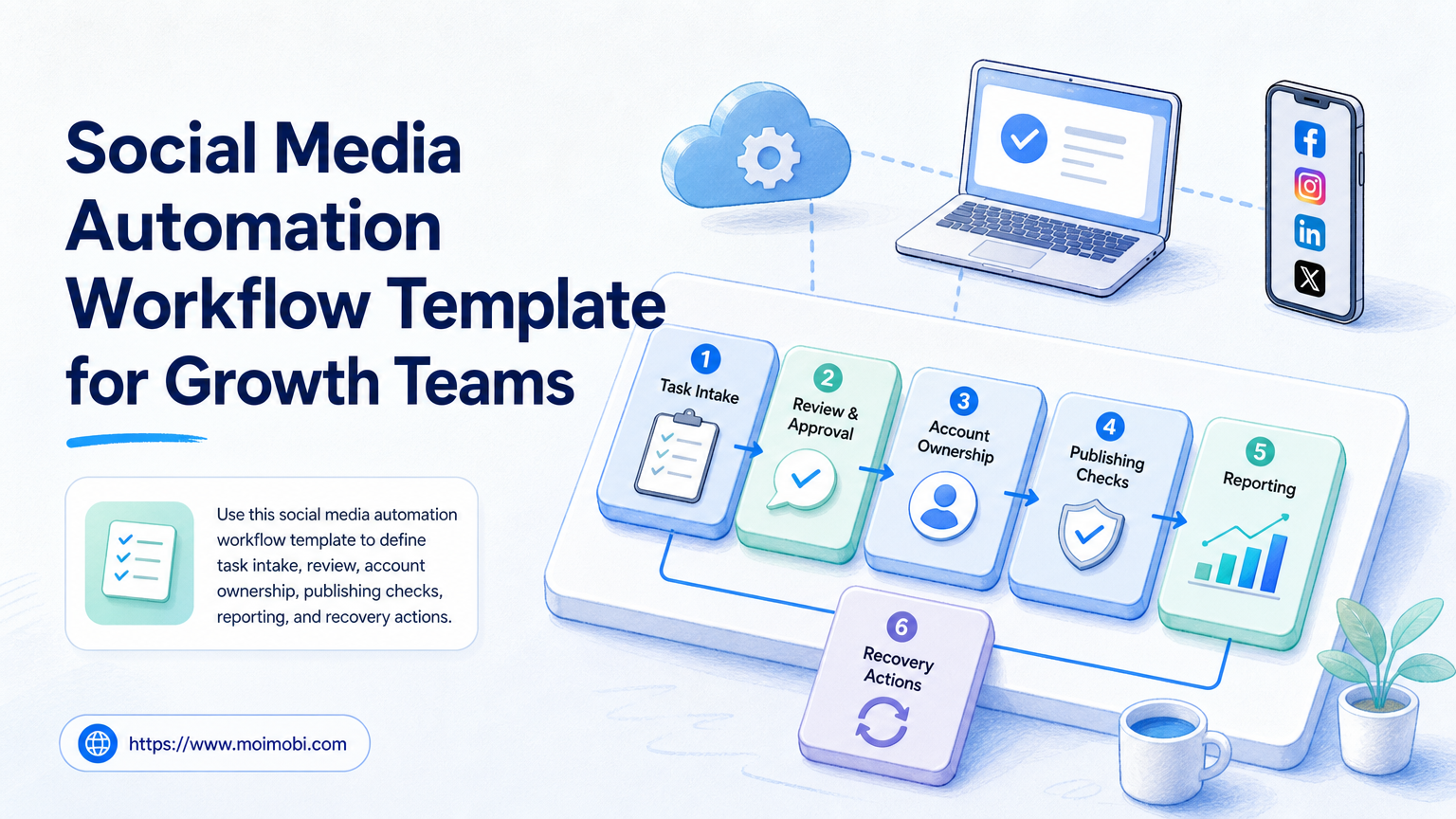
Key Takeaways
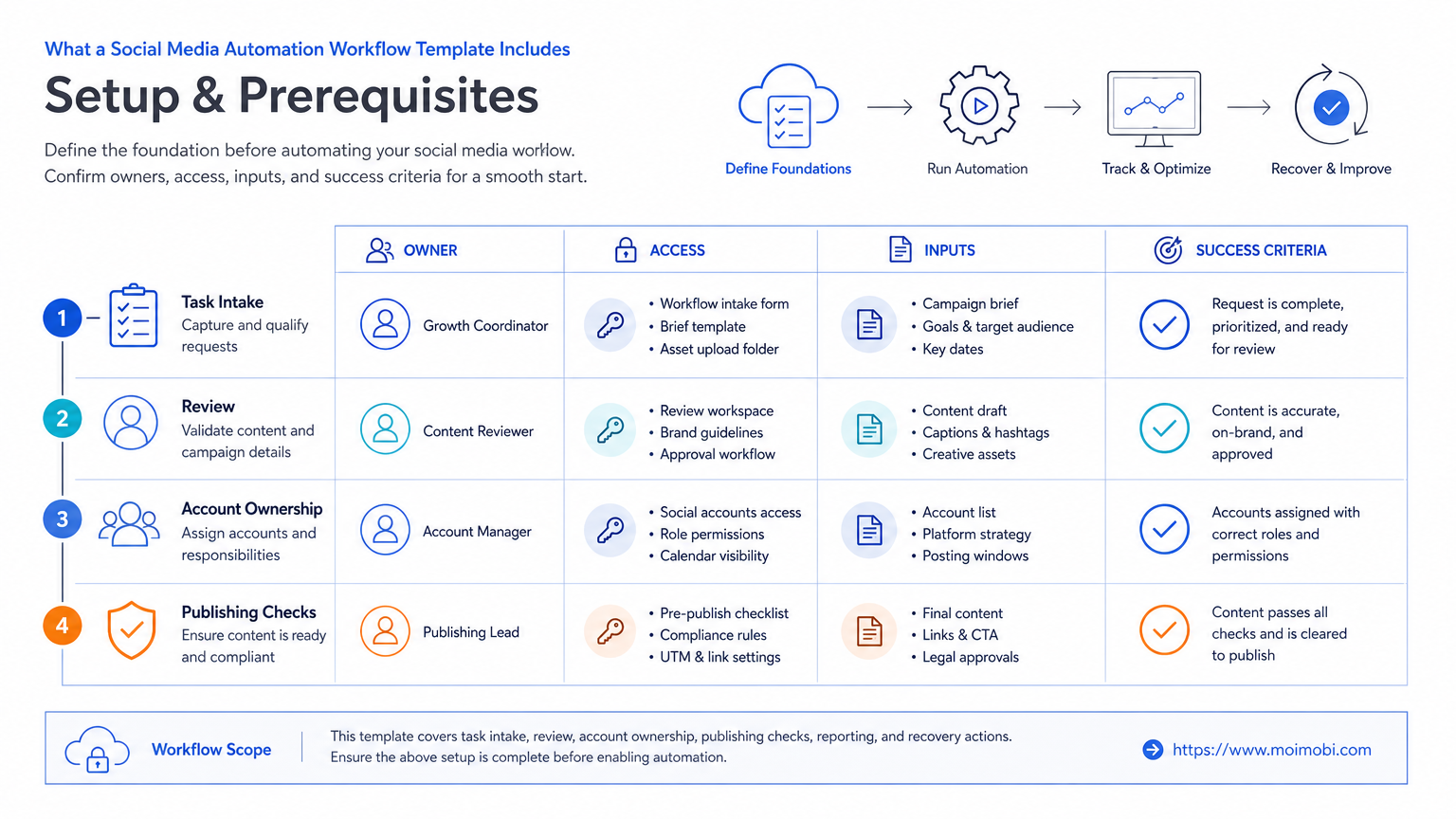
- A workflow template should define the task, owner, account, environment, approval state, and review date.
- Automate repeatable preparation and tracking before attempting sensitive account actions.
- Keep publishing, customer replies, and access changes behind clear human ownership.
- Run a narrow pilot, record exceptions, and improve the template before increasing volume.
A social media automation workflow template is a reusable operating record for planning, approving, assigning, performing, and reviewing repeated social tasks. It gives a growth team a common way to handle content publishing, community follow-up, research, and reporting without making every task a new conversation.
The template is not a request to automate every platform action. It is a decision framework. Teams first decide what outcome they need, who owns the account, what information is required, and where the action is performed. Automation then supports the parts that are repeatable and observable, such as preparing task packages, assigning work, checking completeness, recording results, and routing exceptions.
Platform settings still matter. Facebook documents separate choices for a Reel's audience and remixing, and it provides management actions for shared Reels after publishing. Facebook's Reels management guidance is a useful reminder that a workflow must preserve the choices an account owner needs to make rather than hide them behind a generic post action.
What a Social Media Automation Workflow Template Includes
Every useful template starts with a task object. The object needs a goal, target platform, account, owner, due window, source material, approval state, execution environment, and expected result. A task without those fields is usually just an instruction with a date attached.
The goal is the first field because it changes the rest of the workflow. A product education post, a customer reply, a creator collaboration, and a competitor-monitoring task all need different inputs and different review rules. One template can share a common shell, but it should not force every task through an identical approval path.
The account field should identify the actual operating context. When a team has several profiles, it also needs the correct browser or mobile workspace. An AI execution platform can help hold the task, environment, and result together. The team still needs to specify who owns the final account action.
| Template field | Example value | Decision it supports |
|---|---|---|
| Task purpose | Publish product tutorial Reel | Sets the review and measurement rule. |
| Account and workspace | Brand education account / assigned mobile workspace | Prevents an operator from guessing where to work. |
| Source package | Approved asset, caption, links, and audience choice | Keeps publishing aligned with the approved message. |
| Approval state | Ready, returned, approved, or paused | Separates planning from execution. |
| Result record | Live URL, time, operator, and exception note | Makes later review possible. |
Why Growth Teams Need a Shared Workflow Instead of More Tools
Adding more tools does not solve an unclear handoff. A scheduler, spreadsheet, inbox, analytics dashboard, and chat channel can all be useful. Problems appear when none of them is the source of truth for what was approved, who is acting, and what should happen after the action.
A shared workflow gives each tool a narrower job. The content library stores approved assets. The task system stores the owner and state. The assigned account environment is used for the platform task. The reporting record stores the outcome. That separation makes it easier to locate a problem without asking every person involved.
It also makes team capacity more visible. A manager can see whether the delay is caused by missing assets, slow approval, an unavailable workspace, or an overloaded operator. The right response may be to improve a brief or change a role, not to add more automation.
For account-heavy teams, multi-account management works best when it is paired with task ownership. Multiple accounts alone do not create an operating model. Each account needs a named purpose, workspace, and escalation route.
A Reusable Social Media Automation Workflow Template
Use the following sequence for a normal content or community task. The steps are deliberately plain so a team can adapt them to a platform without losing the operating record.
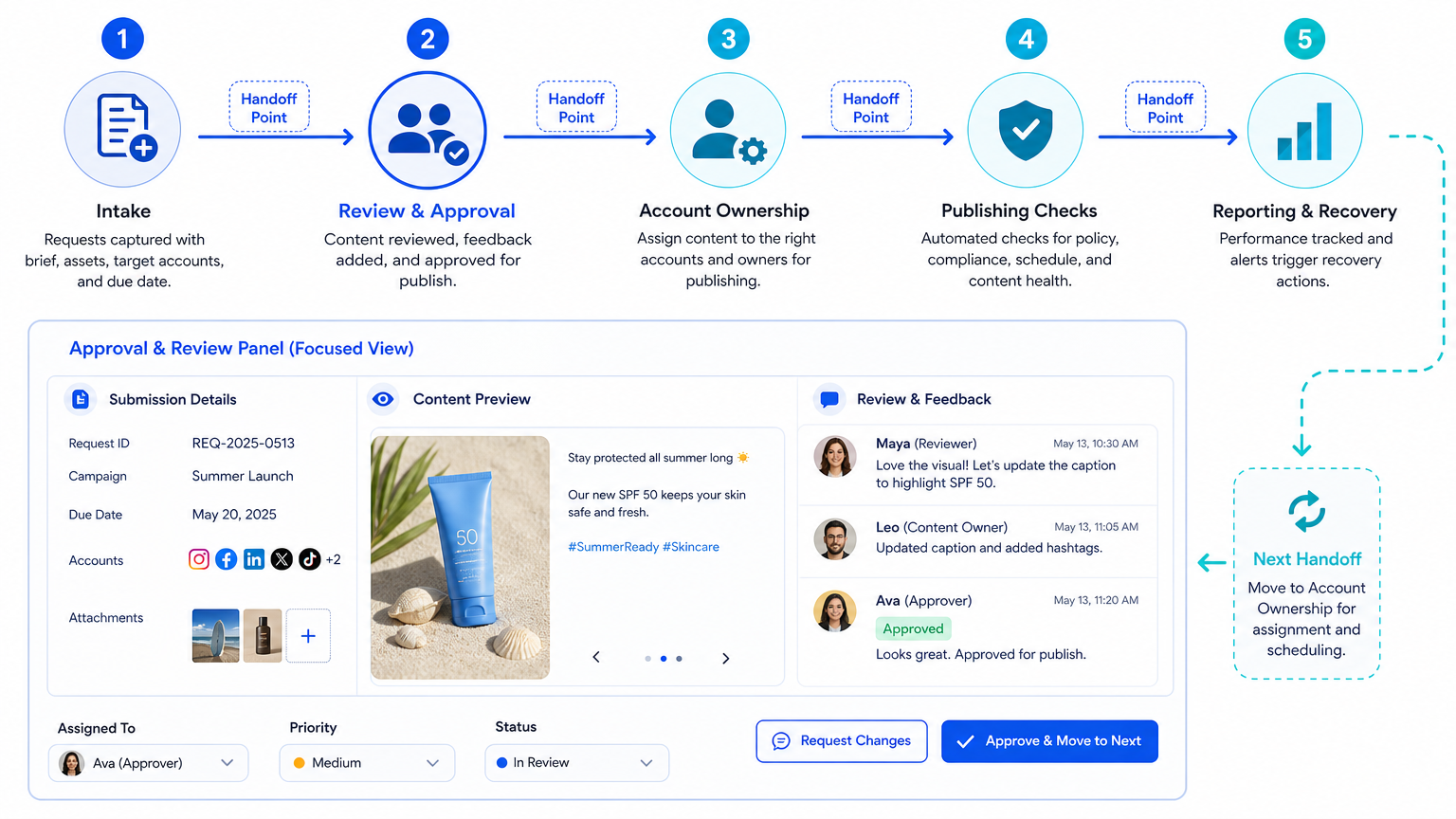
- Intake: Capture the campaign purpose, account, task type, source materials, deadline, and person requesting the work.
- Preflight: Check that the account owner, workspace, source asset, permission boundary, and required settings are known.
- Review: Approve, return, or pause the package. Do not send an incomplete package to execution.
- Assign: Give one operator the task and the correct execution environment. State the stop rule for unexpected changes.
- Execute: Perform the approved platform action and avoid changing the message or settings without recording why.
- Record: Save the live URL or completed result, timestamp, operator, and any exceptions.
- Review results: Compare the outcome with the original task purpose and decide whether to repeat, revise, or retire the pattern.
The preflight step is where most avoidable delays are found. A package should not be marked ready if it lacks a target account, approved source, or assigned owner. For mobile-app work, the task may point to a cloud phone as the persistent execution environment. The environment supports the task; it does not authorize an unclear or unapproved action.
Template Variations by Task Type
Publishing workflows need an asset, caption, account, audience or visibility choice, review state, and post-publish check. Community workflows need an inbox or comment source, response rules, escalation labels, owner, and reply record. Research workflows need a query, source-quality rule, capture format, reviewer, and delivery target.
Do not combine all three into one large form. A large universal form creates missing fields and encourages people to skip the useful parts. Keep a shared core and add only the fields that affect the decision. For example, a customer-reply template may need sentiment and escalation options, while a publishing template needs asset version and distribution settings.
Facebook notes that people can see information about their shared Reels and videos, including plays, comments, likes, and shares. Facebook's Reel information guidance supports a simple review rule: record the metric context and date instead of comparing isolated numbers with no campaign reference.
Fit Boundaries: When to Use This Template
Growth, agency, creator, or support teams with recurring tasks across accounts and clear account ownership.
Small teams that publish regularly but still manage handoffs through chat can begin with one task type.
Teams without approved account ownership, content rules, or recovery contacts should establish those basics first.
The template is a strong match when a team repeats a task often enough to benefit from consistent fields. It is less useful when every request is a one-off creative decision with no repeatable handoff. In that case, document the decision first and create a workflow only after patterns appear.
Another boundary is platform policy and user trust. A workflow should never be used to turn vague lead lists into mass unsolicited messages or repeated unwanted replies. Keep the template focused on approved content, customer-initiated conversations, support handoffs, and documented business tasks.
Common Mistakes That Make Automation Harder to Manage
The first mistake is starting from a tool feature instead of a team decision. "Can this post automatically?" is usually the wrong opening question. Begin with "What must be true before this account action happens?" The answer produces a usable preflight checklist.
The second mistake is allowing an operator to edit the task meaning without recording it. A different caption, audience setting, or account can change the result. Record the exception and return the task to review when the change is material.
The third mistake is using success status as the only measurement. A task can be technically completed while the wrong asset was used, the target account was incorrect, or no one owns the follow-up. Completion should mean that the requested action and result record both exist.
Avoid a second hidden workflow in direct messages and chat. If an approval happens in chat, link it to the task. If an account owner gives a new instruction, update the task package. The goal is not bureaucracy. It is to prevent knowledge from disappearing when a team member changes shifts.
Pilot Rollout, Measurement, and Recovery Checks
Pilot one task type with one account group for two weeks. Content publishing is often a suitable starting point because the assets, approval, execution, and live result are visible. The pilot should use a small number of tasks, not every campaign at once.
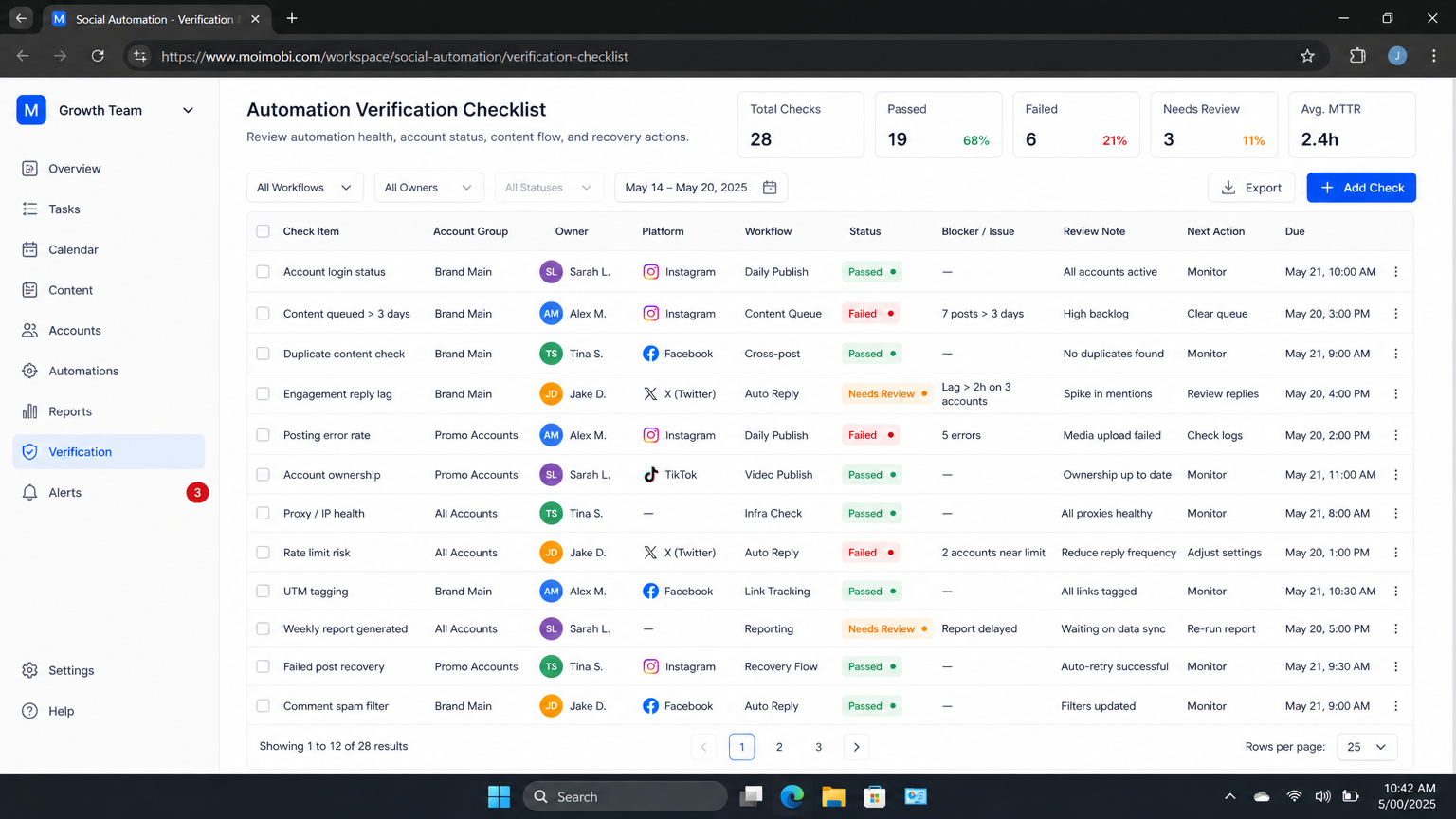
Measure completion quality, not just throughput. Track how many tasks arrived with all preflight fields, how many were returned for missing information, how many required an unplanned environment change, and how many had a complete result record. Those measures show whether the template makes the work clearer.
Set a recovery rule before the pilot begins. If an operator encounters an account issue, an unavailable option, or a missing approval, they should pause the task and record the condition. The account owner then decides whether to correct the package, change the assignment, or cancel the task. Quiet retries make later learning impossible.
At the pilot review, remove fields that no one uses and add fields that repeatedly caused delays. A template earns its place when it reduces repeated clarification, supports reliable handoffs, and makes the next campaign decision easier.
How to Review a Social Media Automation Workflow Template
Review the template after a real sequence of tasks, not only during a planning meeting. Select five recently completed tasks and ask whether a new operator could understand each one without opening a chat thread. The account, owner, asset, approval state, workspace, and result should be visible in the record.
Check whether platform choices were preserved. Facebook's Reel creation steps include a description, audience selection, and remix option before publication. Facebook's creation guidance shows why those fields belong in a publish package instead of an unrecorded final decision. Where the account uses a mobile app, assign the task to one named workspace and keep the operator responsible for confirming the actual options shown.
Next, review outcome quality. Facebook says Reel and video information can include plays, comments, likes, and shares. Its information guidance supports a practical review: record the date, campaign purpose, and available result signals together. A count without the task context cannot tell a team whether the workflow or the creative needs adjustment.
Use a simple pass or revise decision. Pass means the package was complete, the right owner acted in the right environment, the result was recorded, and no material exception was hidden. Revise means at least one of those facts was missing. The revision should change the template field, approval rule, or workspace assignment that caused the gap.
This review is also a good place to remove automation that does not earn its complexity. If a reminder, template field, or task rule produces no useful decision, delete it. A smaller workflow with clear ownership is easier to follow than a detailed workflow that everyone bypasses.
Document the change and the reason. The next reviewer should be able to see which field changed, which recurring exception prompted it, and when the new version starts.
That small record protects future operators from avoidable ambiguity.
Frequently Asked Questions
Is a workflow template the same as a social media scheduler?
No. A scheduler may be one execution tool. The template covers the information, approvals, owners, environments, and review actions around a task.
Which task should a team automate first?
Choose a high-frequency task with clear inputs and a visible result, such as preparing approved content packages or recording post-publish details.
Can the same template cover every platform?
Use a shared core, then add platform-specific fields only when they affect publishing, permissions, or measurement.
Who should approve a task?
The person accountable for the campaign message or account action should approve the part that changes their responsibility.
Do templates remove the need for human review?
No. They make review easier to apply consistently. Sensitive account, customer, and campaign decisions still need a named owner.
What if a task fails during execution?
Pause it, record the condition, and send it to the account owner or reviewer. Do not silently treat an exception as a completed task.
How often should the template change?
Review it after a pilot, a major campaign change, or a recurring exception. Keep only fields that improve a real decision or handoff.
Conclusion
A Social Media Automation Workflow Template for Growth Teams should make work easier to inspect, not merely faster to start. Begin with a clear task purpose, named account owner, correct workspace, approval state, result record, and recovery rule. Once one task type produces clean handoffs and useful reviews, apply the same core model to the next account group or workflow.



