
Key Takeaways
- A multi-account execution platform is an operating layer, not just a browser tool.
- Account routing, runtime choice, and recovery rules matter more than raw task speed.
- Teams should separate browser and mobile lanes when the workflow crosses both surfaces.
- A pilot should prove repeatability before it proves scale.
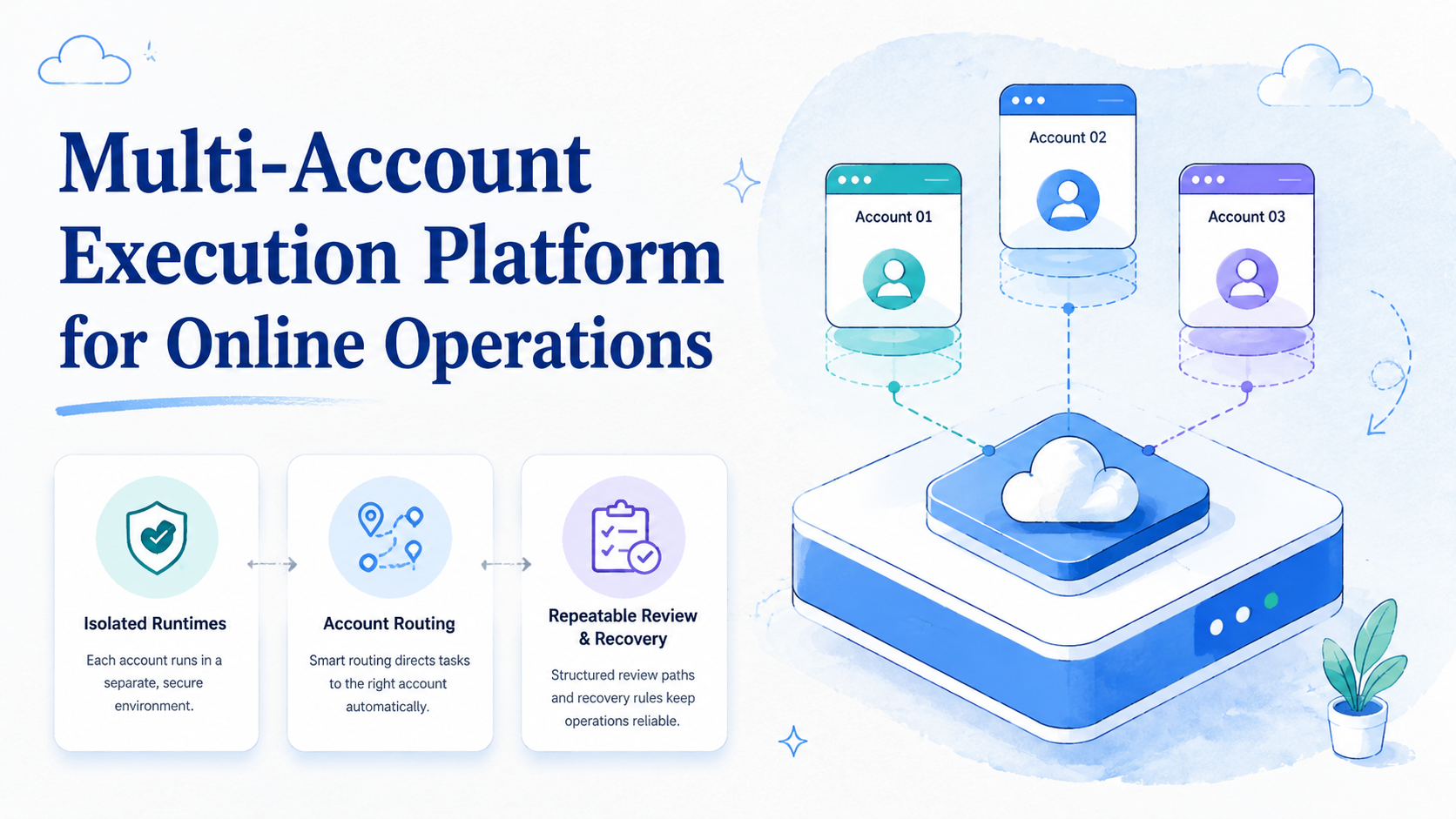
Multi-Account Execution Platform for Online Operations is a system that runs repeated account-based tasks through isolated environments and defined review paths. This is not only an automation script set. The platform gives teams a controlled way to publish, reply, monitor, and follow up across many accounts without losing track of state.
The reason teams search for this is simple. Online operations often spread across dashboards, web inboxes, mobile apps, and shared review queues. Once account count rises, informal handoff stops working.
The technical sources behind this are straightforward. W3C WebDriver treats browser automation as explicit session control.1 Playwright uses isolated browser contexts.2 Android Enterprise frames managed device environments as separate workspaces.3 Those sources describe different systems, but the operating lesson is the same: separation improves control.
What a Multi-Account Execution Platform Actually Does
The wrong mental model is "one tool that logs into many accounts." That idea sounds efficient, but it hides the real problem. The hard part is not logging in. The hard part is keeping actions, review, and recovery attached to the right account state.
A platform handles that by assigning execution lanes. One lane may cover browser-based platform checks. Another may cover mobile follow-up. A third may own exception review. The system becomes useful when those lanes can restart cleanly and report outcomes clearly.
That is why many teams evaluating an AI browser quickly move into multi-account management, device isolation, and cloud phone decisions. The platform is only as clear as the runtime design behind it.
Why Multi-Account Execution Platform for Online Operations Matters
Multi-account work creates friction in three places: state, ownership, and recovery.
State friction appears when the wrong session or device is reused. Ownership friction appears when nobody can tell who should fix a failed run. Recovery friction appears when a person must reconstruct the context after an interruption. Those problems look operational, but they are rooted in platform design.
Browser automation sources help clarify the browser side of the issue. Browser contexts exist because isolated state is necessary for repeatable work.2 On the mobile side, managed Android environments support cleaner routing for app-based tasks.3 A multi-account platform should respect those boundaries instead of hiding them.
Key Benefits of Multi-Account Execution Platform for Online Operations
The strongest benefit is not more volume alone. The bigger gain is more understandable execution.
Common use cases include:
- social media account operations
- customer reply and message follow-up
- marketplace or dashboard monitoring
- browser and mobile workflow coordination
| Operational need | Platform response | What to confirm |
|---|---|---|
| Many accounts | Assigns account-specific lanes | Clear routing ownership |
| Mixed surfaces | Separates browser and mobile runtimes | Low manual switching |
| Frequent exceptions | Adds takeover and retry rules | Fast recovery |
| Team review | Logs outcomes and checkpoints | Short audit time |
Teams with strong overlap between browser and app work may also need mobile automation. Teams with higher device volume may need phone farm infrastructure. The right next step depends on the workload pattern, not the label alone.
How to Get Started with Multi-Account Execution Platform for Online Operations
Use checkpoints instead of a large rollout.
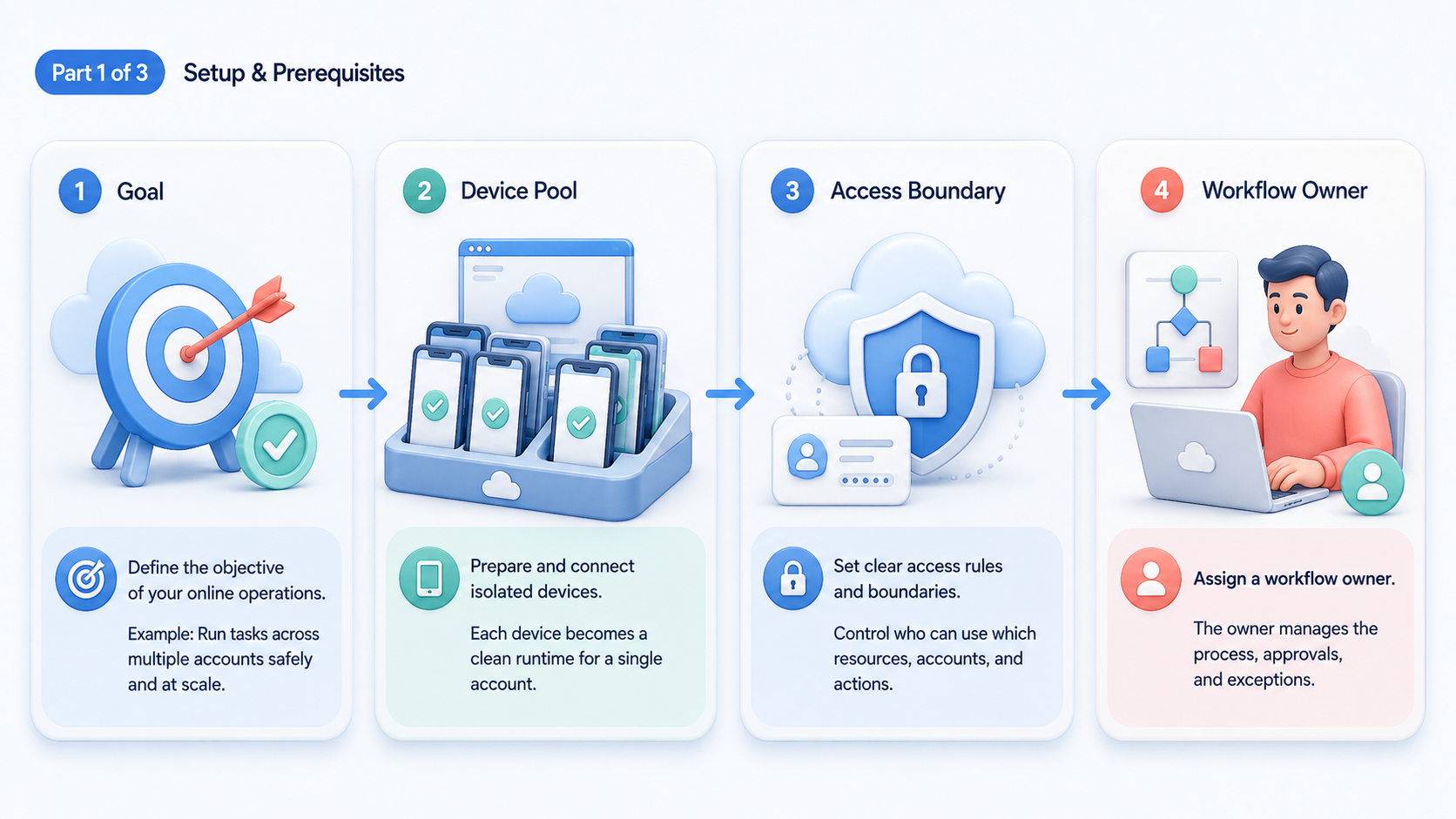
- Checkpoint 1: Define account groups. Keep each group narrow enough to own one repeatable workflow.
- Checkpoint 2: Define runtime choice. Mark which steps belong in browser sessions and which belong in mobile environments.
- Checkpoint 3: Define the stop rule. Note the moment where human review must interrupt automation.
- Checkpoint 4: Define the recovery rule. Decide what happens after session expiry, app failure, or incomplete data.
- Checkpoint 5: Define evidence logging. Track whether the platform can show what happened without guesswork.
If the workflow leans heavily on mobile devices, compare your design against cloud phone farm infrastructure and the cloud phone vs emulator comparison. Those pages are useful because they force runtime choices to match the work itself.
Common Mistakes to Avoid
The first mistake is scaling account count before recovery is tested. A platform can look fine in a clean demo and still fail under routine interruption.
Another mistake is treating all accounts as one queue. That may reduce setup time, but it usually raises correction cost. Once one lane touches too many unrelated contexts, the platform becomes harder to reason about.
A third mistake is using vague ownership labels. "Ops team" is not a recovery plan. Every failure state needs a clear owner.
Failure patterns usually look like this:
- several accounts share one loose environment
- retry steps differ by operator
- browser and mobile lanes hand off without logs
- reviewers cannot verify what changed after a rerun
These are platform design issues, not just training issues.
Who It Fits and When It Is a Strong Match
This model is strongest for teams that repeat account-based actions daily or weekly. It becomes less useful for low-volume teams with no stable workflow and no need for lane separation.
Teams managing repeated tasks across social, support, marketplace, or app-based accounts.
Teams moving from shared logins to controlled execution and review.
Teams doing one-off work with little account reuse.
The clearest fit signal is rising cleanup time. If the team spends too much effort rechecking which account ran what, the platform need is already visible.
Pilot Rollout, Measurement, and Recovery Checks
The pilot should prove that the platform can keep account work legible under normal failure conditions. Run one account cluster first. Do not start with every platform.
Use this review frame:
| Review area | What to measure | Pass sign |
|---|---|---|
| Routing accuracy | Did work stay in the assigned account lane? | Few corrections |
| Resume quality | Could the run restart in the same state? | Low rework |
| Human takeover | Could a reviewer resume quickly? | Short handoff |
| Logging clarity | Could a manager audit the run fast? | Clear status trail |
AWS Device Farm and BrowserStack App Automate both show the value of reproducible environments for repeated runs.4 5 In online operations, the equivalent test is simpler: can the team rerun the workflow and understand the result without memory-based reconstruction?
Frequently Asked Questions
Is this the same as browser automation?
No. Browser automation is one component. A platform also manages account routing, mobile lanes, and recovery.
Does every platform need mobile execution?
No. Mobile execution matters when the workflow depends on app-native actions or device state.
How many accounts should a pilot include?
Start with one small account cluster and one repeated workflow.
What is the first thing to measure?
Measure correction cost before throughput.
Can one worker handle several platforms?
Yes, if the routing and review rules stay clear.
What is a sign the design is too broad?
Frequent manual re-routing is a strong warning sign.
When should a team expand?
Expand after routing and recovery stay consistent through a full pilot cycle.
Conclusion
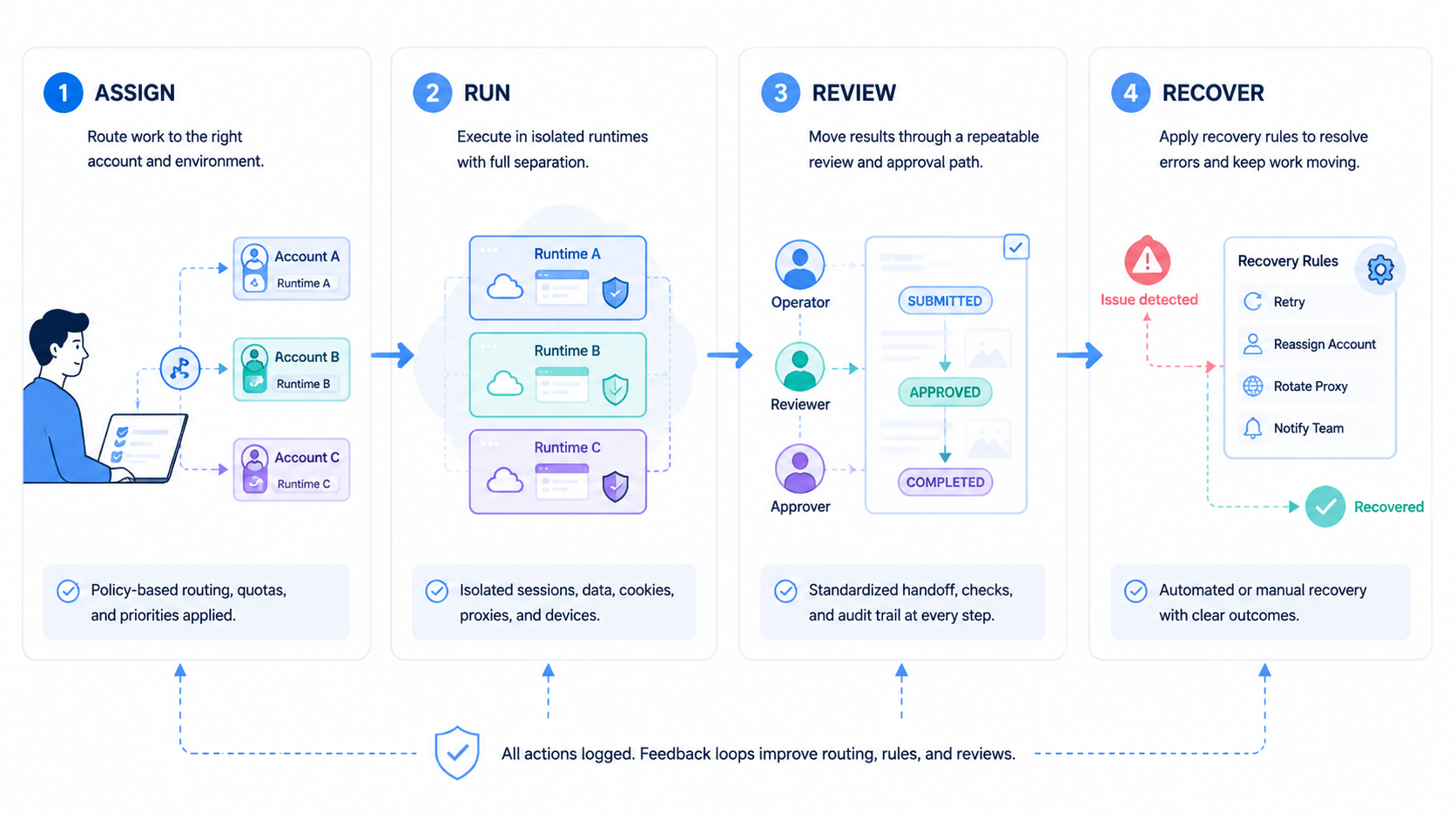
A Multi-Account Execution Platform for Online Operations helps teams turn scattered account work into a controlled execution system. The practical value comes from isolation, routing, and recovery discipline.
Before rollout, verify three things: account grouping, runtime choice, and recovery clarity. If those are weak, scale will amplify confusion instead of efficiency.



