
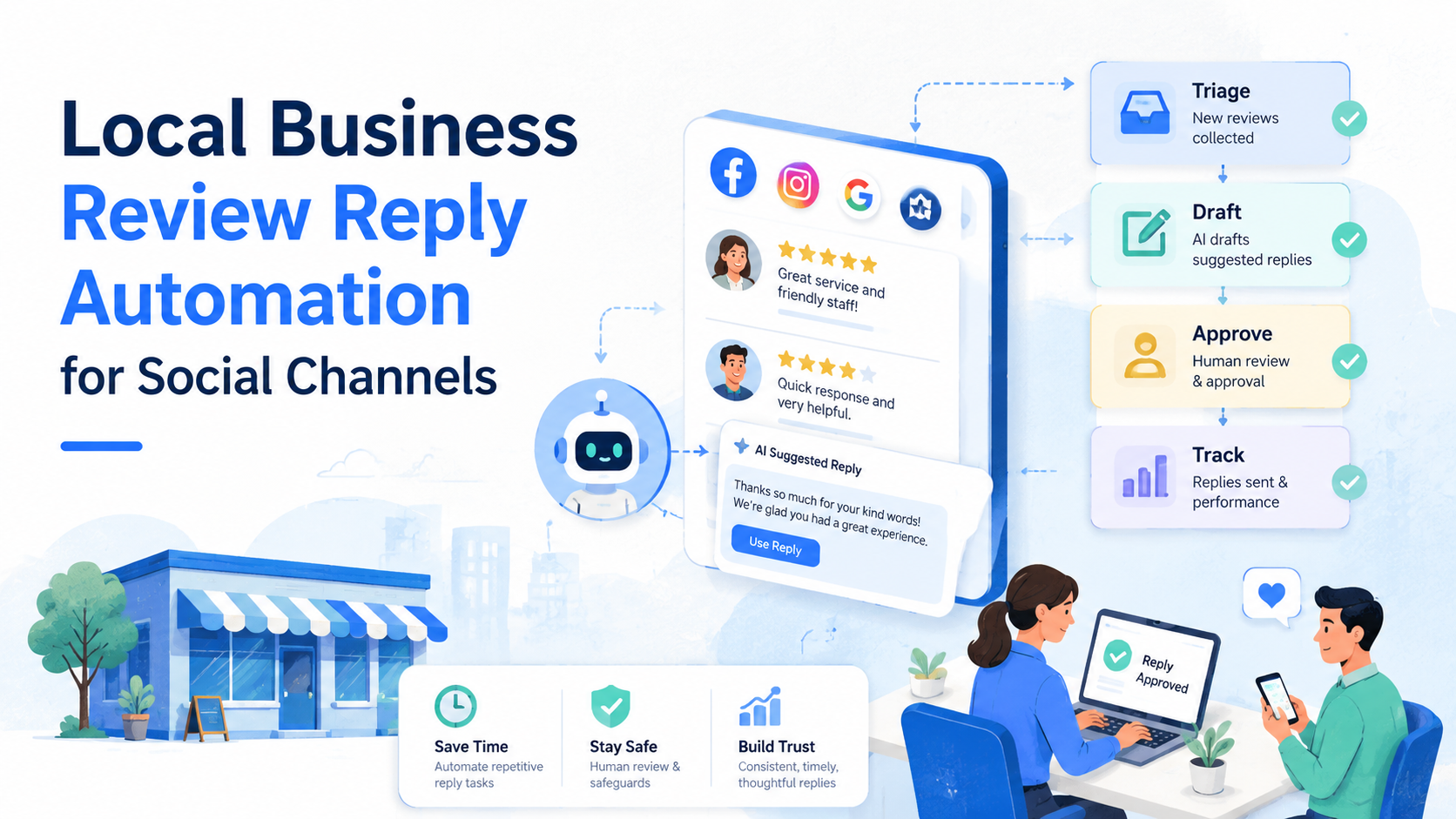
Local business review reply automation is a workflow for routing social reviews, drafting replies, approving sensitive responses, and tracking follow-up across channels. It should not mean letting a bot answer every customer with the same message.
For local teams, the real decision is operational. Can the team answer faster while preserving context, ownership, and platform rules? Meta documents automated responses in Business Suite for Messenger, Instagram, and WhatsApp, and it also provides review response tools for business pages. Those tools make automation normal, but they do not remove the need for judgment.
Key Takeaways
- Use automation for triage, draft generation, assignment, reminders, and records.
- Keep human approval for complaints, refunds, safety issues, and public disputes.
- Do not buy, fake, suppress, or manipulate reviews; the FTC's Consumer Reviews Rule targets deceptive review conduct.
- Connect social replies to account environments, owners, and audit logs.
- Measure response quality, not only reply speed.
What Is Local Business Review Reply Automation for Social Channels?
The wrong model is "auto-reply to every review." That creates bland answers, weak escalation, and possible policy risk when the reply asks for ratings, hides criticism, or misleads readers.
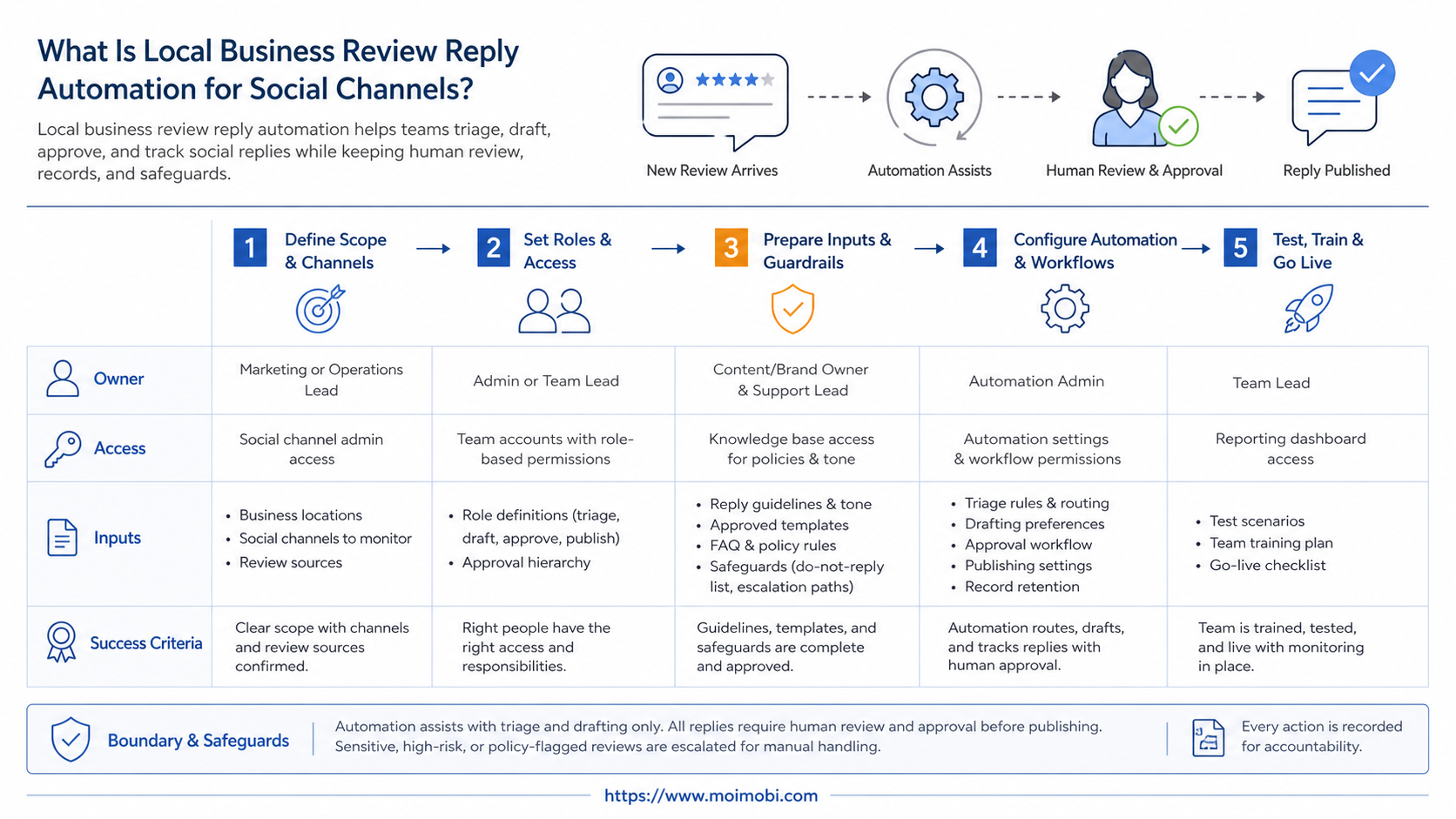
The workable model is a controlled reply system. A customer comment, recommendation, review, or message enters one queue. The system classifies the case, suggests a response, assigns an owner, and records the result.
Meta's own Business Suite help explains that automated responses can help businesses answer people faster across Messenger, Instagram, and WhatsApp. Meta also documents a review management path where page teams can respond to ratings and reviews from Business Suite. Those are useful foundations, but a local business still needs clear rules for who can approve replies.
For teams running multiple locations or social accounts, the reply process also needs account separation. MoiMobi positions multi-account management as an operating layer across accounts, not just a dashboard for opening many tabs.
Why Local Business Review Reply Automation Matters
Reviews and social comments are not just support tickets. They influence trust, local discovery, repeat purchases, and brand tone. A late answer can make a small issue look ignored. A careless automatic reply can make a sensitive complaint worse.
Local business social media automation is useful when it shortens the repetitive part of the workflow. For example, a salon may need one process for praise, one for booking questions, one for late-service complaints, and one for refund disputes. Only the first two may be safe for template-led replies.
FTC guidance is also relevant. The agency's Consumer Reviews and Testimonials Rule addresses deceptive or unfair review practices, including fake or misleading reviews. A reply automation system should support authentic response work. It should not create fake endorsements, pressure customers, or make review quality look different from reality.
A local business social media scheduler may handle planned content, but review reply work is different. It starts from customer input, not from a calendar. That means the system needs routing, approval, and evidence of what was said.
The same review may need different treatment by channel. A public Facebook recommendation can require a short public answer and a private follow-up. An Instagram comment may need a public acknowledgement, but not a detailed support discussion. A direct message can include more context, yet it still needs a record if several staff members share the workload.
Reply Categories That Should Drive the Workflow
Good automation begins with categories, not with a blank prompt. A local business should define the situations it sees every week, then decide which parts can be automated.
| Reply category | Automation can help with | Human review needed when |
|---|---|---|
| Positive review | Draft a short thank-you and suggest a location-specific detail. | The reply mentions staff names, offers, or incentives. |
| Booking question | Route the user to hours, availability, or the right contact path. | The customer asks for a special case or complaint resolution. |
| Service complaint | Classify urgency, assign an owner, and draft an acknowledgement. | The issue involves refund, safety, staff conduct, or legal language. |
| Spam or abuse | Flag the item and record why it was not handled as a normal review. | The team is unsure whether to hide, report, or respond. |
This category map also keeps local business Instagram automation from becoming generic. Instagram comments, messages, and mentions may look similar in a dashboard, but they do not carry the same context. A reply system should preserve the channel, account, and customer history before suggesting a response.
Preflight Checklist for Local Business Review Reply Automation
Before turning on local business review reply automation, confirm the basics.
| Area | Check before rollout | Why it matters |
|---|---|---|
| Account access | Who can reply from each location account? | Prevents shared-password confusion |
| Review sources | Facebook, Instagram, messaging, listings, or support inbox | Keeps routing clear |
| Reply types | Praise, complaint, question, refund, safety issue | Defines approval rules |
| Environment | Browser, mobile app, or cloud phone workflow | Matches how staff actually works |
| Records | Owner, status, draft, final reply, timestamp | Makes review handling auditable |
Teams that run social replies inside mobile-first apps may also need isolated execution environments. A cloud phone can keep mobile accounts, app sessions, and operational handoff separate from personal staff devices.
Add one more check before launch: decide what information cannot appear in a public reply. Customer names, health details, order identifiers, and payment details should usually stay out of public comments. The automation prompt and approval rule should remind staff to move those cases into a private support path.
The preflight stage is also where a team should decide who can pause the workflow. A store manager may pause local replies for one location. A regional manager may pause a template across several locations. A compliance owner may pause all replies for a category that creates legal or brand risk.
How to Get Started with Local Business Review Reply Automation
Start with guardrails, not templates. The most common failure is automating public replies before defining who owns unhappy customers.
- Map incoming channels. Include Facebook recommendations, Instagram comments, direct messages, and any review source the team checks daily.
- Create reply categories. Use practical buckets such as praise, booking question, product issue, staff issue, refund request, and abusive content.
- Decide approval rules. Let low-risk replies move faster, but route complaints and private details to a person.
- Write short templates. Use templates as starting points, not final answers. Add the customer's actual context before sending.
- Assign account environments. Keep location accounts, staff roles, and device sessions separated where possible.
- Record every outcome. Track draft, approval, final reply, owner, and next action.
- Review weekly. Look for repeated complaints, delayed replies, and template overuse.
MoiMobi's mobile automation layer is most relevant after the team has this workflow. Automation should execute a defined process, not invent customer policy on the fly.
Use a small response library at first. A simple library might include one thank-you reply, one booking reply, one apology acknowledgement, one escalation note, and one "we need more details" reply. Each template should include a field for the location, the issue, the next action, and the owner.
Do not let the tool publish a reply when required fields are empty. Missing fields are a useful stop signal. They show that the system does not have enough context to answer responsibly.
Team Roles for Local Business Social Media Automation
Review reply automation works better when each role has a narrow responsibility. The person who writes the template does not need to be the same person who approves a refund-related reply.
One practical setup uses four roles:
- Intake owner: checks new reviews and makes sure they enter the right queue.
- Reply editor: reviews AI drafts, fixes tone, and adds local context.
- Escalation owner: handles complaints, refunds, safety issues, and staff concerns.
- Workflow reviewer: checks metrics, repeated problems, and template drift.
Small teams can combine roles, but the responsibility should still be visible. If one person covers intake and approval, the record should say so. Shared inboxes fail when everyone can reply but nobody owns the outcome.
This is where a broader AI browser and cloud phone platform can support operations. Browser dashboards, mobile apps, and account sessions can be part of one controlled workflow instead of scattered across personal devices.
Fit and Not-Fit Boundaries
- Multi-location brands with repeated review categories.
- Teams that need assignment, approval, and reply records.
- Businesses using both browser dashboards and mobile social apps.
- Teams trying to hide negative reviews or pressure customers.
- Accounts with no owner for complaints or refunds.
- Businesses that want one generic reply for every situation.
Instagram's help center explains that users can report spam, abusive content, or messages. That matters for reply automation because recipients and platform systems still judge behavior by relevance, repetition, and user experience.
For social teams with several client or location accounts, a social media marketing workflow should connect content, inbox work, review replies, and reporting. Review response should not live in a separate spreadsheet forever.
Local business Facebook automation needs the same boundary. A Facebook Page may receive recommendations, comments, messages, and public complaints in the same week. The workflow should separate those cases instead of pushing them through one "reply faster" button.
The strongest fit is a business with repeated questions and a real support owner. The weakest fit is a business trying to make every review look positive. Automation can organize work, but it should not rewrite the reality of customer feedback.
Pilot Rollout, Measurement, and Recovery Checks
Pilot with one location, one channel, and three reply categories. A narrow pilot makes review quality easier to audit. It also prevents one bad template from spreading across every account.
Track five signals during the first two weeks:
- median time to first draft;
- share of replies that needed edits;
- number of escalations;
- repeated complaint themes;
- cases where automation should have stopped.
Add a recovery rule before scaling. If a reply category receives complaints, repeated edits, or unclear ownership, pause automation for that category. Fix the template, approval rule, or escalation path first.
When account separation is part of the problem, device isolation helps teams avoid mixing sessions, staff access, and location workflows. The goal is cleaner operations, not louder automation.
Review the pilot as a case log, not just a metric sheet. Pick ten replies and ask four questions: Was the category correct? Did the draft include the customer's actual issue? Was the approval rule followed? Did the final reply create a clear next step?
Escalation quality matters more than automation volume. If the tool drafted 100 replies but missed five serious complaints, the rollout is not ready. A smaller workflow with better stop rules is usually easier to scale.
Quality Scorecard for Local Business Review Reply Automation
Use a scorecard before expanding to more locations. A simple pass/fail check is easier for managers to use than a complex analytics view.
| Check | Pass signal | Stop signal |
|---|---|---|
| Context | Reply mentions the actual issue or visit type. | Reply is generic or mismatched. |
| Ownership | A named person owns follow-up. | The case has no owner after reply. |
| Compliance | Reply avoids incentives, fake claims, and private details. | Reply asks for review changes or includes sensitive data. |
| Tone | The answer is short, specific, and calm. | The answer sounds defensive or scripted. |
| Records | Draft, approval, final reply, and status are stored. | Staff cannot trace what happened. |
This scorecard is also useful for agencies managing many local clients. It gives account managers a shared review language, especially when different people handle copy, approval, and platform execution.
Common Mistakes to Avoid
The first mistake is treating speed as the only metric. A fast bad reply still damages trust.
Another mistake is using automation to ask for better reviews or suppress criticism. FTC review rules make deceptive review practices a serious compliance issue, so review reply automation should be built around transparency.
A third mistake is skipping the human handoff. Refunds, safety issues, accusations, legal threats, and staff complaints should move to a named owner. The system can draft and route, but the business still owns the response.
Template sprawl is another problem. Teams often create too many answer variants after the first week. That makes the workflow harder to maintain. Start with fewer templates and improve them from real cases.
Account mixing can also create operational noise. If several staff members use one login across devices, it becomes harder to know who replied, which session was used, and whether the right location account was active. For browser-based work, a browser profile and cloud phone workflow can help teams think through profile separation and mobile execution together.
Finally, do not let automation hide product or service problems. Repeated complaints are business feedback. The workflow should surface patterns, not only answer them.
Frequently Asked Questions
Is local business review reply automation allowed?
Automation tools are common, but the workflow must follow platform rules and consumer protection standards. Use automation for organization and drafting, not deception.
Can AI write every review reply?
It can draft many replies, but it should not approve sensitive ones alone. Keep human review for complaints, refunds, and personal details.
What channels should a local business start with?
Start with the channel where reviews or comments already create delays. For many teams, that is Facebook, Instagram, or a shared inbox.
How many templates do we need?
Start with five to eight categories. More templates usually create maintenance problems before the team has enough data.
Should negative reviews get automatic replies?
They can get automatic routing and draft assistance. The final public response should usually be reviewed by a person.
What should be measured first?
Measure draft speed, edit rate, escalation rate, and repeat complaint themes. These show whether the workflow is improving quality.
Where does MoiMobi fit?
MoiMobi fits when the team needs account separation, browser and mobile execution, repeatable workflows, and records across social accounts.
Can this replace a local business social media scheduler?
No. A scheduler handles planned posts. Review reply automation handles customer-triggered work after comments, reviews, or messages arrive.
Should agencies use one workflow for every client?
Use one framework, but not one template set. Each client needs its own brand voice, escalation owner, and review categories.
Conclusion
Local business review reply automation works best as an operating system for social response work. It should classify, draft, assign, approve, and record replies across real account environments.
The strongest teams start small and keep the audit trail visible. They know which account replied, who approved the message, what the customer asked, and whether the issue needs follow-up.
The next step is simple: choose one location, one channel, and three reply categories. Pilot the workflow, review the records, and only then expand automation across more accounts.



