
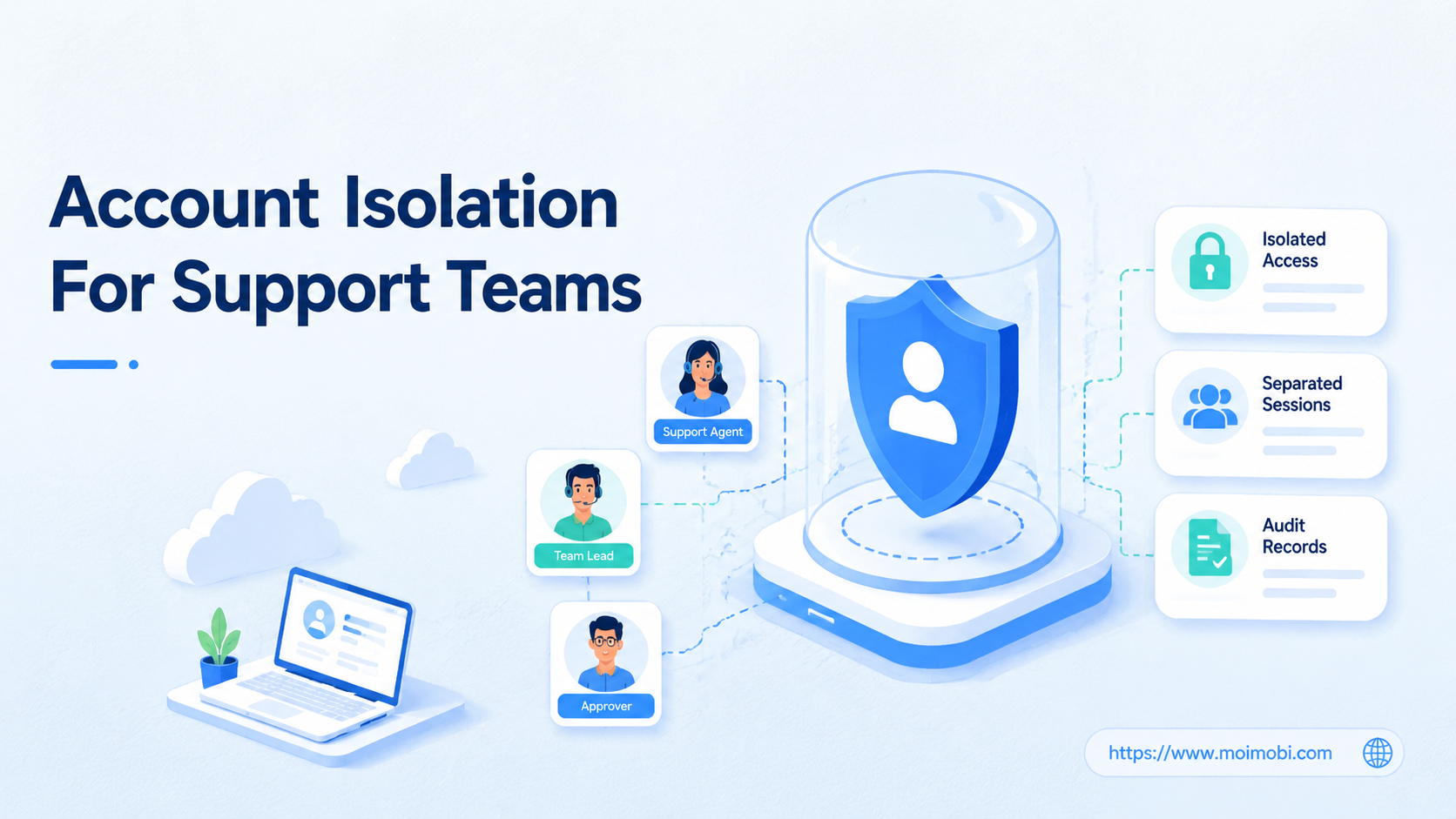
Account isolation for support teams is the practice of separating shared account access, browser or mobile sessions, team roles, and activity records so support work stays traceable. It does not mean giving every agent the same password and hoping the handoff stays clean.
Shared social, marketplace, CRM, and inbox accounts are common in support operations. The hard part is not opening the account. The hard part is knowing who used it, which environment they used, what they changed, and how the team can revoke access when someone changes role.
Key Takeaways
- Account isolation for support teams starts with ownership, permissions, session boundaries, and records.
- Shared passwords are a weak operating model because they hide who took each action.
- Support teams need separated browser or mobile workspaces when agents touch the same external accounts.
- Human approval is still needed for refunds, escalations, sensitive replies, and risky account changes.
- A pilot should measure traceability, handoff quality, and access cleanup before scaling.
What Account Isolation for Support Teams Means
Account isolation for support teams means each operator works through a controlled path, even when the external platform only exposes one shared login. The team separates people, roles, devices, sessions, and logs as much as the platform allows.
The goal is not secrecy. The goal is operational clarity. A manager should be able to answer five questions after any support action:
- Which person handled the case?
- Which shared account or client account was used?
- Which browser profile, mobile device, or cloud environment carried the session?
- What permission level did the person have?
- What record proves the action and next step?
NIST digital identity guidance treats authenticators, credentials, and lifecycle controls as part of an identity system. CISA also encourages moving beyond passwords with multifactor authentication. Those principles apply directly to support teams that still rely on shared social or marketplace accounts.
In practice, isolation combines access control with execution control. A multi-account management system can organize account ownership, while browser and mobile environments keep working sessions separated.
Why Shared Accounts Break Support Workflows
Shared accounts create two kinds of confusion. The first is access confusion: too many people know the same password, and nobody knows who still needs it. The second is session confusion: several agents may use the same login across browsers, laptops, phones, or remote devices.
Microsoft Entra documentation on sharing accounts describes a safer approach where users can access shared credentials without directly seeing the password. It also highlights group assignment, access logs, and revocation. The key lesson is broader than Microsoft: shared access needs a broker, a group, and an audit trail.
Support teams feel the pain fastest during escalations. A customer asks why an order status changed. A social media complaint gets a public reply. A refund is approved from a shared dashboard. Without isolation, the team may only know that "the support account" acted.
Account isolation turns that vague record into a workflow record. It maps the person, workspace, account, ticket, approval state, and final action.
The Account Isolation Model for Support Teams
Use a simple model before choosing tools.
| Layer | What to separate | Support team example |
|---|---|---|
| People | Agents, supervisors, contractors, client owners | A contractor can draft replies but cannot approve refunds |
| Accounts | Brand accounts, client accounts, regional accounts | Each client account has a named owner |
| Environment | Browser profile, cloud phone, mobile device, proxy route | One workspace per shared account or account group |
| Permission | View, draft, reply, publish, refund, admin | Escalation actions need supervisor approval |
| Record | Ticket, timestamp, action, owner, result | Every shared-account action links back to a case |
This model is useful even when a platform's native permission system is limited. Meta Business Help, for example, separates full control and partial access for business portfolios and assets. That shows why support teams should avoid making every operator a full-control user when narrower access is enough.
For platforms that require mobile app work, a cloud phone can provide a dedicated mobile environment. For web dashboards, an account isolation browser pattern can keep cookies, sessions, and account history separated.
Preflight Checklist Before You Add Automation
Do not automate a messy shared login. First, define the control points.
- List every shared account used by support.
- Identify who owns each account.
- Record which work requires browser access and which requires mobile app access.
- Define which actions need approval.
- Decide how access is revoked when someone leaves a team.
- Create a naming rule for browser profiles, devices, and client workspaces.
- Confirm where activity records will be stored.
This preflight step also helps with browser automation pricing decisions. A cheap automation setup can become expensive if it cannot track owners, sessions, and exceptions. The budget should include workspaces, approvals, logs, and cleanup, not only task runs.
For mobile-first workflows, mobile automation should follow the same rule. Automate repeatable actions only after the team can trace who owns the workflow and when to stop it.
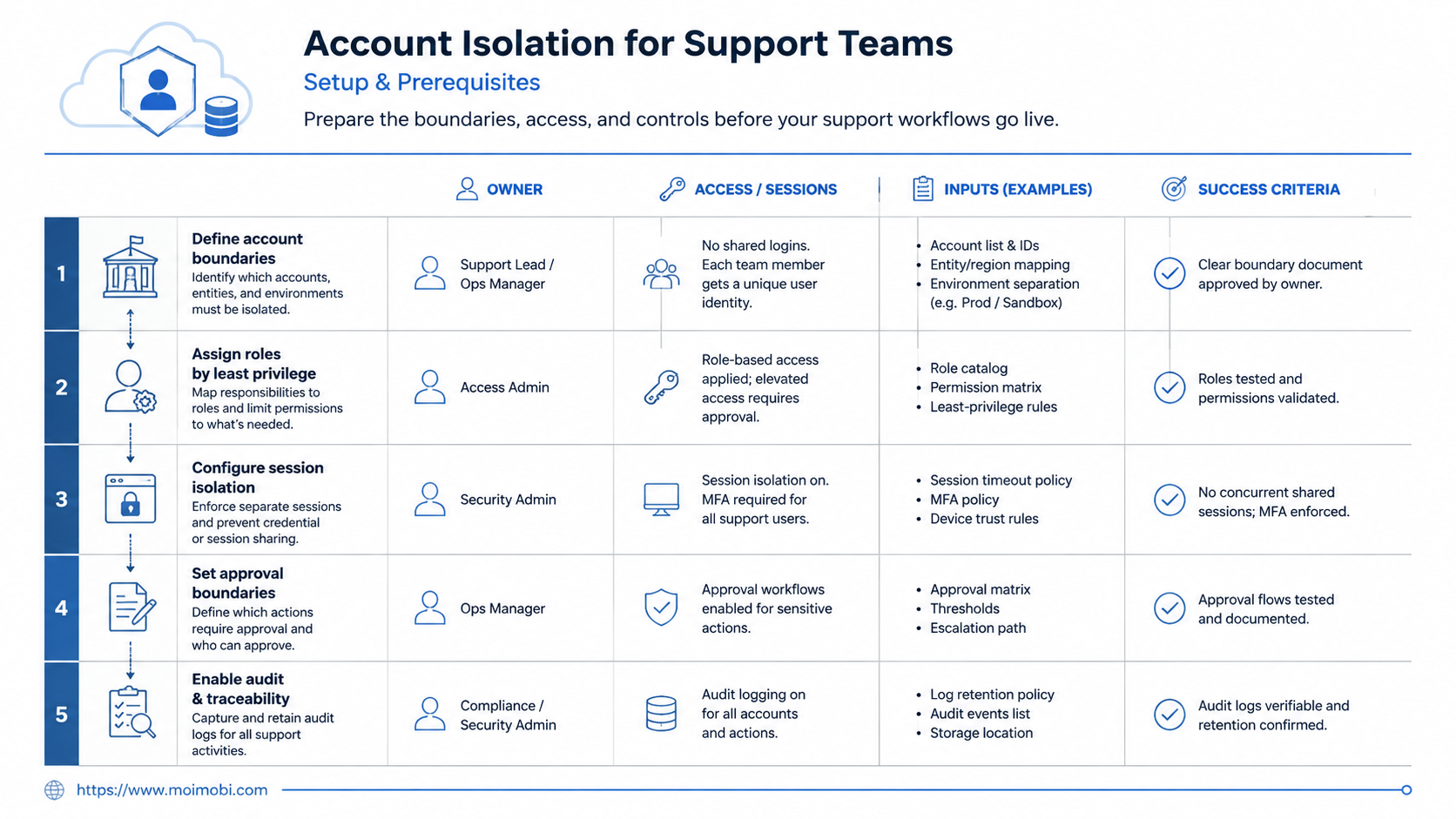
How to Get Started with Account Isolation for Support Teams
Start with one shared account group, not the whole company. A focused pilot gives the team enough examples to fix access and logging rules.
- Choose one workflow. Pick an inbox, social account, marketplace account, or CRM queue that multiple agents use.
- Assign a workspace owner. Make one person responsible for access, naming, and recovery.
- Create separated environments. Use one browser profile, cloud phone, or mobile workspace per account group.
- Set role boundaries. Define who can view, draft, reply, publish, refund, edit settings, or invite users.
- Connect actions to cases. Every action should map back to a ticket, customer thread, or internal task.
- Add approval stops. Sensitive replies, refunds, account changes, and customer disputes should pause for review.
- Review records weekly. Look for unassigned actions, shared credential exposure, and sessions that stayed open too long.
This is where device isolation matters. The device or browser environment should match the account being operated, rather than becoming a generic shared workspace for everyone.
Account Isolation for Support Teams During Handoffs
Handoffs expose weak isolation faster than normal work. The first agent may answer a customer in a social inbox. A second agent may check a marketplace order. A supervisor may approve a refund. If all three actions happen through the same shared login with no separate record, the team loses the thread.
A stronger handoff uses a case record as the source of truth. The case should include the customer issue, the account used, the workspace used, the last action, the next owner, and the approval state. The browser profile or mobile workspace should match the case, not the person who happened to be on shift.
This is especially important for agencies and distributed support teams. A night-shift agent may only need to draft replies. A client manager may need to approve public responses. A supervisor may need to review account settings, but not touch every customer message. Isolation lets those roles work in sequence without turning the shared account into a black box.
Treat the handoff as a test. If a new agent cannot understand the case in two minutes, the workflow is not isolated enough. The team may need clearer profile names, tighter permissions, better ticket notes, or fewer shared credentials.
Where an Account Isolation Browser Fits
An account isolation browser is useful when a support team works across web dashboards that store sessions, cookies, and account-specific settings. The browser profile becomes the workspace boundary.
The phrase "anti-detect browser" or "antidetect browser" can be risky when it is framed as evasion. For support operations, the better frame is separated workspaces, profile control, and session traceability. The team is not trying to bypass rules. It is trying to prevent one client account, support role, or staff session from bleeding into another.
Teams comparing tools should look past the label. Ask whether the browser can support named profiles, permission controls, proxy or network routing when needed, team assignment, logs, and repeatable startup rules. If the answer is unclear, the tool may not fit support operations.
For background on profile and mobile workflow combinations, Moimobi's browser profile and cloud phone workflow guide is a useful internal next step.
An account isolation browser should also make routine cleanup easier. Managers should know which profiles are active, which ones are paused, which users can access them, and which workflows depend on them. Without that view, browser profiles can become another layer of unmanaged shared access.
The same logic applies to mobile execution. A support team may need a mobile app session for Instagram, TikTok, WhatsApp, or a marketplace app. In that case, a cloud phone workspace can separate the app session from personal devices and make the support workflow easier to hand off.
Fit and Not-Fit Boundaries
- Support teams working across client, brand, regional, or marketplace accounts.
- Teams that need browser and mobile app sessions separated by account.
- Agencies that need proof of who handled each customer action.
- Operations teams with contractors, shifts, or rotating support owners.
- One-person teams with no shared accounts.
- Teams that refuse to define owners, roles, or recovery steps.
- Workflows that require native platform permissions the tool cannot provide.
- Use cases framed around hiding activity or bypassing platform enforcement.
The fit boundary is important. Account isolation improves control when the team already has a support process. It does not fix weak customer policy, unclear refund rules, or unsupported platform behavior.
Pilot Rollout, Measurement, and Recovery Checks
Pilot with one team, one workflow, and one shared account group. Keep the test narrow enough that a supervisor can read every record.
Track these signals for two weeks:
- percentage of actions linked to a named case;
- number of shared-account actions with a clear owner;
- number of open sessions after a shift ends;
- number of sensitive actions that followed approval rules;
- time needed to revoke or rotate access;
- number of cases where the wrong account or environment was used.
The recovery check matters as much as the success metric. If an agent leaves, can the team revoke access without changing every shared password manually? If a browser profile is misused, can the team freeze it and review the logs? If a mobile device session fails, can the next agent continue from a clean workspace?
A social media marketing operation should connect account isolation with content, inbox, and reply workflows. The same customer conversation often moves across public comments, DMs, internal notes, and follow-up tasks.
Common Mistakes to Avoid
The biggest mistake is treating account isolation as a tool purchase. The tool is only useful after the team defines who can do what.
Another mistake is giving every support operator full control. Meta's business asset permission model shows why partial access exists. Full control should be limited because it can affect assets, permissions, and settings beyond a single ticket.
Session reuse is another common failure. A shared browser window or phone can carry stale cookies, wrong account context, and accidental cross-client work. Use named environments and close or reset sessions according to the workflow.
Finally, do not ignore offboarding. A support workflow is not isolated if former contractors, old devices, or unused profiles still retain access.
Verification Checklist for Managers
Use this checklist before expanding beyond the pilot.
| Question | Pass signal | Stop signal |
|---|---|---|
| Can we identify the operator? | Every action has a named person or group owner. | Records only show a shared account. |
| Can we identify the environment? | Browser profile, device, or workspace is named. | Agents work from personal or mixed sessions. |
| Can we revoke access quickly? | Access can be removed by role, group, or workspace. | Passwords must be redistributed manually. |
| Can we audit sensitive actions? | Refunds, replies, and account edits link to approval records. | Sensitive changes have no case trail. |
| Can we recover from mistakes? | There is a freeze, review, and restart process. | The only response is changing a password. |
This checklist is also a practical buying guide. Browser automation pricing, cloud phone costs, or account isolation browser fees should be evaluated against these controls. A lower monthly price is not helpful if the team cannot prove who performed the work.
Frequently Asked Questions
What is account isolation for support teams?
It is a way to separate people, sessions, permissions, and records when several agents work through shared accounts.
Is account isolation the same as password management?
No. Password management is one layer. Account isolation also covers browser profiles, mobile environments, approval rules, and audit records.
Do support teams need an anti-detect browser?
They may need separated browser profiles. The safer evaluation term is account isolation browser, not evasion-focused wording.
Where do cloud phones fit?
Cloud phones fit when support work happens inside mobile apps or mobile-first social accounts. They provide a controlled mobile workspace.
How many profiles should a team create?
Start with one workspace per account group or client account. Add more only when ownership, permissions, or workflows differ.
What should managers measure first?
Measure traceability first. Check whether every action maps to a person, account, workspace, and case.
Can account isolation prevent every account problem?
No. It improves control and visibility, but it cannot replace platform rules, customer policy, or sound support judgment.
Does this help agencies?
Yes, when agencies manage many client accounts and need clean handoff between account managers, support agents, and supervisors.
Conclusion
Account isolation for support teams is a practical operating model for shared accounts. It separates access, sessions, roles, records, and recovery steps so support work stays understandable.
Begin with one shared-account workflow. Map the people, accounts, environment, permissions, and logs. Then run a pilot and prove that the team can trace, revoke, and recover before scaling.



