
Key Takeaways
- Lead generation automation is a workflow system for repeated prospecting, outreach preparation, follow-up tasks, and review steps.
- Cloud phones can help when teams need remote Android environments, shared handoff, mobile app access, and controlled execution lanes.
- The strongest setup separates accounts, routing, roles, logs, and recovery rules before expanding volume.
- A small pilot should measure setup time, handoff quality, lead data accuracy, review effort, and recovery speed before broader rollout.
Introduction
Lead generation automation is controlled lead work that turns repeat tasks into a clear workflow. On cloud phones, teams run that work inside remote Android environments instead of relying on one local device, one browser session, or one operator's private setup.
The direct answer is practical. Cloud phones do not make weak lead generation strategy better by themselves. They help when the team already has a clear target list, clear qualification rules, and repeated mobile tasks that need stable environments. Examples include mobile-first prospect research, account-based social workflows, messaging preparation, app-based checks, and operator review.
MoiMobi frames this as a team workflow problem. A single operator can often manage a small process manually. The problem changes when several people need to run the same tasks, use separate account contexts, review the output, and recover failed runs without guessing what changed.
Remote Android infrastructure becomes useful at that point. A cloud phone platform gives teams persistent environments that can be assigned and reviewed. Device isolation, routing control, and mobile automation help turn those environments into reusable execution lanes. The value is not only speed. The value is cleaner handoff and fewer hidden process gaps.
This guide explains how lead generation automation works on cloud phones, when it fits, what teams should avoid, and how to pilot the workflow before scaling. The goal is not to promise effortless growth. The goal is to build a repeatable system that operators can inspect, measure, and improve.
What Is Lead Generation Automation on Cloud Phones | MoiMobi - Team Workflows?
In practice, the model means running repeated lead generation tasks inside remote mobile environments with defined roles, account context, routing, and review steps. The workflow may include prospect research, profile checks, lead list enrichment, message preparation, follow-up reminders, or app-based task execution.
The cloud phone is the runtime layer. It gives the team a remote Android environment that can be assigned, reused, reviewed, and reset. The automation layer handles repeated actions or guided task sequences. Workflow ownership decides who owns each step, which environment belongs to which task, and when a result is ready for review.
A simple example helps. A growth team may have one operator checking prospect profiles, another preparing outreach notes, and a manager reviewing lead quality. Without a shared system, the team may pass screenshots, spreadsheets, and vague notes across chat. With cloud phones, each operator can work in a defined environment and keep the task history easier to inspect.
This does not remove the need for lead strategy. Targeting still matters. Offer quality still matters. Outreach rules still matter. Remote mobile workflows mainly support the execution side: environment separation, mobile access, controlled handoff, and repeatable task structure.
For teams that already use multi-account management, the same operating logic applies. Each account, device state, and route should have a clear purpose. Lead work becomes more reliable when those parts stay aligned instead of drifting across operators.
The key distinction is between a script and a system. A script may complete a task once. A system helps the team repeat the task, inspect the result, assign responsibility, and recover when something breaks. Cloud phones make more sense when the team needs that second layer.
Why Lead Generation Automation Matters for Team Workflows
Lead workflows break when they depend on private memory. One person remembers which account to use. Another person knows which prospect segment is ready. A third person keeps the follow-up status in a sheet that nobody else updates consistently. Automation without workflow control can make that confusion faster.
Team-scale lead work needs four controls:
| Control layer | What it answers | Why it matters |
|---|---|---|
| Environment | Which cloud phone runs this workflow? | Keeps account context and device state easier to trace. |
| Routing | Which network path belongs to the task? | Reduces random changes that make review harder. |
| Role | Who prepares, runs, checks, and approves? | Stops one person from owning every hidden decision. |
| Recovery | What happens when a run fails? | Prevents broken states from becoming normal workflow. |
These controls matter because lead generation is usually a chain, not one action. A prospect may move from research to qualification, then to message preparation, then to follow-up. Every handoff introduces a chance for state drift. Operators need a way to see where the lead came from, what was checked, and what should happen next.
Google's guidance on creating helpful, reliable content stresses that useful systems should serve people with clear value rather than thin automation (Google Search Central). The same principle applies operationally. Automating low-quality lead steps only produces more low-quality output. A better workflow makes each repeated action easier to review.
Mobile channels are not always browser-first. Some prospect checks, platform interactions, or account workflows happen inside mobile apps. Shared cloud environments give the team a mobile surface without shipping physical phones between operators.
Lead Generation Automation Benefits and Use Cases
The main benefit is controlled parallel work. One operator does not have to queue every mobile task through one device. Several execution lanes can support different accounts, campaigns, markets, or roles. That creates capacity without forcing every task into the same environment.
Another benefit is cleaner handoff. One cloud phone lane can be assigned to a person or workflow, then reviewed later by another teammate. This helps when lead generation involves research, qualification, and approval steps. The handoff is stronger when the team records device state, account context, and next action.
Lead teams usually care about these use cases:
- Prospect research that requires mobile app access.
- Account-based outreach preparation across separate environments.
- Follow-up task management for mobile-first channels.
- Lead list validation where operators need shared review.
- Campaign workflows that require parallel mobile sessions.
- Agency delivery where client accounts must stay separated.
MoiMobi's mobile automation layer is relevant when repeated mobile steps need structure. Automation can support data entry, task sequencing, status checks, or guided repeat actions. It should not replace judgment about who qualifies as a good lead.
Device separation is also important. Lead work can involve different markets, accounts, or client contexts. Device isolation helps teams avoid mixing unrelated work inside one environment. That reduces confusion during review and makes recovery easier when a task fails.
The strongest use case is not "do more actions." The stronger use case is "keep repeated lead work readable." A manager should be able to see which workflow ran, which environment was used, which lead status changed, and which task needs attention.
Good lead work is simple to check. The team should know the source, the person who ran the step, the next action, and the reason a lead moved forward. Clear notes beat raw speed when the list needs review.
A plain daily routine helps. Pick the lane, open the task, check the lead, mark the result, and hand it off. Those small steps are easy to teach and easy to audit. They also give new staff a safe way to learn the process before they touch larger batches.
Limit the first run. Use one list, one app, one owner, and one review time. Ask each person to write what they did in plain words. Mark each lead as keep, skip, check again, or blocked. This simple flow helps the team see where work slows down.
Use a short daily board for the first week. The board can have five fields: lane, lead list, owner, status, and next step. Plain words work best. Use open, done, hold, check, and stop. A lead should not move forward unless the next step is clear.
Small notes also help new staff. They can see what good work looks like before they run a full batch. A lead note can say where the name came from, what app was checked, what looked useful, and why the lead should wait. This is basic, but it saves time when a manager reviews the list.
Do not hide misses. Mark bad rows, wrong names, broken app states, and unclear routes. A clean miss is better than a quiet miss. The team can fix a clear miss in the next run. Hidden work usually comes back later as rework.
For agency teams, the value is often client separation. One client workflow should not leak into another client's process. For internal growth teams, the value is usually throughput and review. Several operators can work in parallel while the team still follows one operating model.
How to Get Started with Lead Generation Automation on Cloud Phones
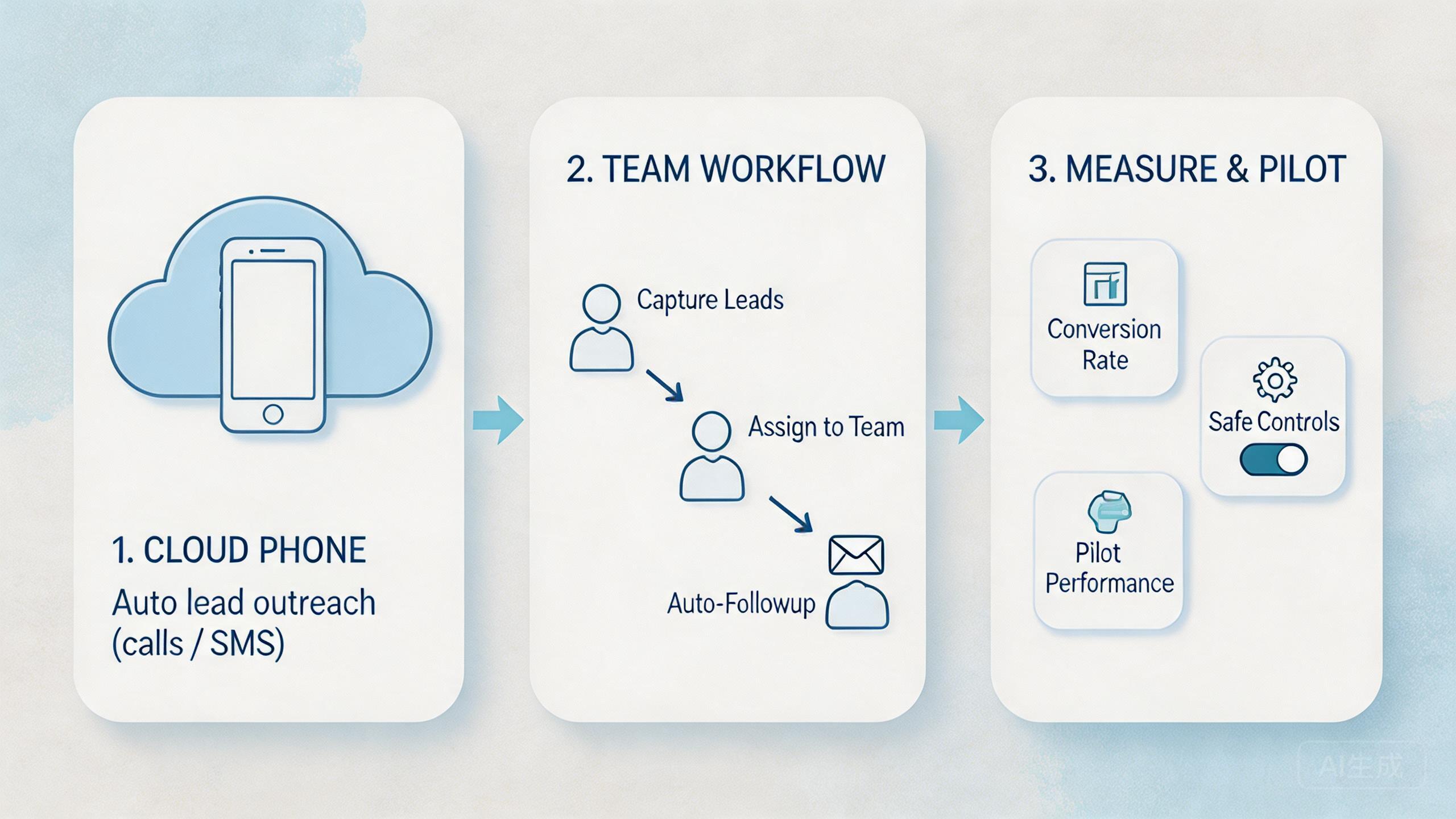
The best starting point is a narrow workflow, not a full automation stack. Choose one repeated lead task that already happens every week. Make the pilot small enough to inspect manually.
-
1. Define the lead workflow.
Write the task in plain language. Include the source, qualification rule, required mobile app, account context, and expected output.
-
2. Assign one cloud phone lane.
Use one environment for the pilot. Avoid mixing several campaigns before the team understands the failure points.
-
3. Set account and route rules.
Decide which account, region, and route belong to the workflow. Link routing decisions to the task, not to operator preference.
-
4. Create a review state.
Use simple labels such as ready, running, needs review, blocked, and reset required. Every operator should understand them.
-
5. Measure before scaling.
Track setup time, output quality, handoff time, and recovery effort before adding more environments or operators.
A checklist-led build helps prevent early overreach. Teams often want to automate the full lead cycle immediately. Early full-cycle automation is risky because targeting rules, message quality, and review standards may not be stable yet. One cloud phone workflow should first prove it can repeat one useful task cleanly.
Use proxy routing deliberately when location or account context matters. A routing plan should be documented before operators begin. Random route changes make troubleshooting difficult and can hide the real cause of workflow failure.
Automation should enter after the workflow is visible. Start by running the steps manually inside the cloud phone. Then automate the stable parts. This sequence helps the team notice which decisions still need human review.
Google's SEO Starter Guide recommends organizing information so users and search engines can understand structure (Google Search Central SEO Starter Guide). The operating lesson is similar. A workflow that cannot be explained clearly is usually not ready for automation.
Common Lead Generation Automation Mistakes to Avoid
The first mistake is automating before defining a qualified lead. Tools cannot fix a vague target. When the team disagrees on fit, source quality, or next action, automation only spreads that disagreement faster.
Another mistake is mixing unrelated accounts in one environment. A single cloud phone lane should have a clear purpose. It may represent one campaign, one client, one market, or one role. When several workflows share one lane, review becomes harder.
Overusing volume metrics is also common. More completed actions do not mean better lead generation. Better metrics include qualified leads reviewed, duplicate rate, handoff time, blocked tasks, and follow-up accuracy. Those numbers tell the team whether the process is improving.
Weak recovery rules create quiet damage. A failed run should not simply continue because the operator is busy. Every pilot needs a stop rule. For example, pause the workflow if a required app state changes, if route assignment is unclear, or if lead records no longer match the source.
Avoid these patterns during the pilot:
- One environment handles several campaigns without labels.
- Operators change routes without recording why.
- Automation runs before manual task quality is understood.
- Lead records move forward without review status.
- Failed workflows are retried without a reset rule.
- Managers measure volume but not qualification quality.
The fix is not more tooling. The fix is a narrower workflow with visible states. Once the small process is reliable, adding another lane is easier. Without that discipline, every new environment adds another place for confusion.
Teams should also avoid absolute safety claims in internal documentation. No platform can make every lead source, account state, or outreach action safe. Better wording is more useful: lower interference, cleaner separation, clearer recovery, and more stable repeated execution.
Who It Fits and When It Is a Strong Match
This workflow is strongest when the work is repeated, mobile-first, and team-based. It fits teams that already know the target audience and need a better way to execute the same tasks across several environments.
Growth teams running repeated mobile prospect checks, account-based research, app workflows, and handoff-heavy review.
Teams with some mobile tasks and some browser tasks. Cloud phones can cover the mobile side while other tools handle web work.
Teams without a clear lead definition, stable source list, review owner, or reason to use mobile environments.
Agency teams are a common fit. They may need separate workflows for different clients, regions, or social platforms. Dedicated mobile lanes can keep each execution context easier to identify. This is especially relevant for lead generation execution where handoff and review matter.
Internal sales operations teams can also benefit. Some teams need mobile app checks before a lead enters a CRM. Others need operators to review social profiles or app-based signals before outreach. Cloud phones help when those checks require Android environments and shared visibility.
The model is weaker when the team only needs a simple web form, a CRM sequence, or one browser-based enrichment step. In that case, a cloud phone may add unnecessary operational overhead. A better fit exists when mobile context matters.
Fit also depends on management maturity. Teams need owners, labels, and review habits. Without those basics, cloud phone capacity can become another messy queue. The platform supports workflow control, but the team still has to define the workflow.
Pilot Rollout, Measurement, and Recovery Checks
The common misunderstanding is that a cloud phone pilot should prove maximum volume. A better pilot proves repeatability. The question is not how many actions the team can run. The question is whether the same workflow can be assigned, completed, reviewed, and recovered cleanly.
Start with one campaign or one lead source. Give it one environment group, one route rule, and one review owner. Size the first run so a manager can inspect the output line by line.
Track five signals:
- Setup time: how long it takes to prepare the environment.
- Handoff time: how long it takes another operator to continue the task.
- Lead quality: how many records meet the qualification rule.
- Review effort: how much manager time is needed to approve output.
- Recovery speed: how quickly the team handles a blocked or failed run.
Google Analytics documentation around event measurement emphasizes naming and tracking meaningful user interactions rather than collecting vague activity data (Google Analytics Help). Lead workflow measurement should follow the same discipline. Track events that help decisions, not vanity numbers.
Recovery rules should exist before the pilot starts. Decide when an environment is reusable. Decide when it needs reset. Decide who can approve a blocked workflow. These rules protect the team from normalizing broken states.
Use a simple review loop after each pilot run. Ask what slowed the team, what caused confusion, and which step produced the most rework. Then improve the workflow before adding more lanes. Scaling should follow proof, not enthusiasm.
One more review habit helps: separate process failure from lead quality failure. A process failure means the environment, route, account state, or handoff broke. A lead quality failure means the source, targeting rule, or qualification standard was weak. Mixing those two problems makes the next fix unclear.
Plain team notes make this easier. Write what ran, who checked it, what changed, and what needs a second look. Use short status words that everyone knows. A simple log can stop a small miss from becoming a long cleanup job.
The same log should stay light. Do not ask staff to write a long report after each lead. Ask for the lead source, the phone lane, the app used, the result, and the next step. Short notes get used. Long notes get skipped when the day gets busy.
Review one small sample each day. Pick a few leads from each lane and check the source, status, and next action. Look for simple signs: wrong owner, old data, unclear note, or bad handoff. Fix the pattern before more work is added.
This habit keeps the pilot calm. People know what to do, what to stop, and what to ask. The team also learns which steps need a tool, which steps need a rule, and which steps still need human care.
The pilot is ready to expand when the team can explain the workflow in one page. That page should include environment assignment, account context, route rule, lead status, review owner, and stop conditions. If any of those fields are unclear, keep the pilot small.
Frequently Asked Questions
What is lead generation automation on cloud phones?
It is a workflow for running repeated lead generation tasks inside remote Android environments. The cloud phone gives the team a controlled mobile runtime, while the workflow defines roles, accounts, routing, and review.
Does it replace a CRM or sales engagement tool?
No. It usually supports the mobile execution side before or around CRM work. A CRM still manages records, pipeline stages, reporting, and sales follow-up.
When should a team use cloud phones for lead generation?
Use cloud phones when lead work depends on mobile apps, account separation, remote access, and operator handoff. Browser-only workflows may not need this layer.
What should be automated first?
Automate stable, repetitive steps first. Examples include guided checks, status updates, task routing, or repeated app navigation. Keep judgment-heavy qualification under review.
How many cloud phone environments should a pilot use?
Start with the smallest number that can run one real workflow. One to three lanes is often enough for learning. Expand only after review and recovery are clear.
What is the biggest risk?
The biggest operational risk is unclear workflow ownership. If nobody owns account context, routing, output review, and recovery, automation becomes hard to trust.
Can agencies use this for client workflows?
Yes, when each client has a separate workflow, account context, and review rule. Mixing client work in one environment creates avoidable confusion.
What metrics matter most?
Measure qualified lead output, duplicate rate, handoff time, blocked runs, review effort, and recovery speed. Action count alone is not enough.
Conclusion
For team workflows, lead generation automation on cloud phones is useful when the team needs mobile execution capacity, shared handoff, and controlled account environments. It is not a shortcut around targeting, messaging, or lead quality. Those decisions still need human ownership.
The practical value comes from structure. Remote Android environments give teams a shared place to run mobile work. Device isolation keeps contexts easier to separate. Routing rules make review cleaner. Automation turns stable repeat steps into reusable workflows. Together, those layers can support a more reliable lead generation operation.
Before scaling, run one small pilot. Define the lead source, target account context, route rule, review owner, and stop condition. Measure setup time, lead quality, handoff time, and recovery speed. Add another lane only when the workflow becomes easier to explain and review.
The next step is simple: choose one repeated mobile lead task and map it into a controlled workflow. Careful expansion makes sense when the team can assign it, run it, review it, and recover it without private knowledge. Start narrow.



