
Key Takeaways
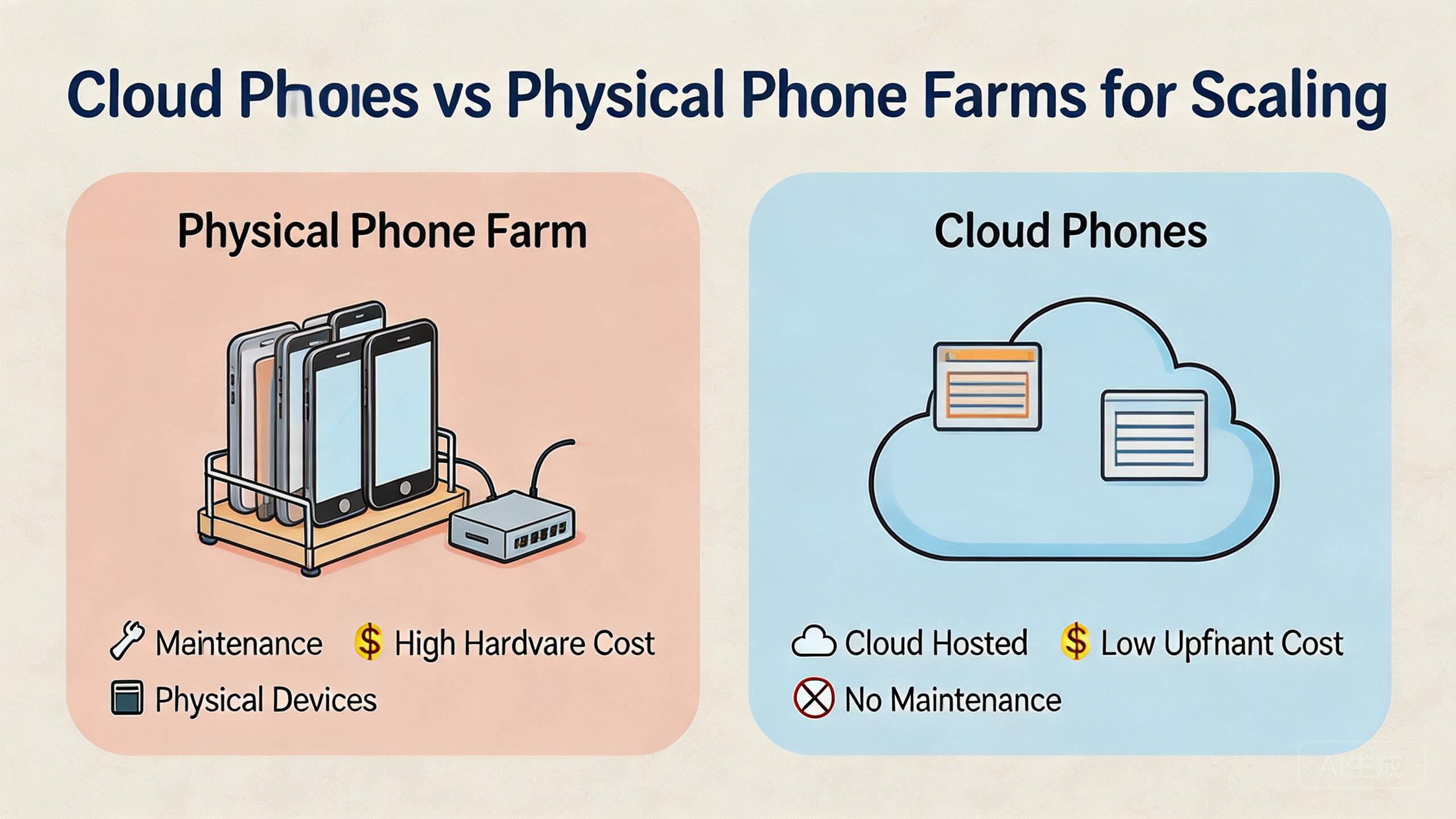
- Cloud phones usually fit teams that need remote access, fast device assignment, clean handoff, and flexible scaling.
- Physical phone farms can fit hardware-heavy testing, direct sensor checks, and teams that need full control of local devices.
- The real comparison is not cloud versus hardware. It is operating control, maintenance burden, routing clarity, and team workflow fit.
- Start with a small pilot before choosing either model for serious mobile execution at scale.
Introduction
Cloud phone vs physical phone farm is a scaling choice between remote mobile work systems and locally owned device hardware. The short answer is direct: cloud phones usually fit remote teams that need flexible access and clean handoff, while physical phone farms fit teams that need direct hardware control.
Your better choice depends on the work. A QA lab that needs cables, sensors, hardware add-ons, or device-specific checks may still need a local farm. A growth, support, research, or ops team that needs many controlled Android environments may prefer cloud phones.
The decision should not start with device count. It should start with workflow control. Ask who will use the devices, how often work repeats, what must be isolated, how routing will be managed, and how failed work gets recovered.
Buyers often compare only the visible layer. Physical hardware looks tangible. Remote device pools look flexible. Neither model works well without access rules, state control, routing policy, docs, and review habits.
MoiMobi frames this as a work system choice. The goal is not to win an abstract debate. The goal is to choose the model that keeps repeated mobile workflows stable as the team grows.
What to Compare Before Choosing Cloud Phone vs Physical Phone Farm
The comparison should begin with the constraints that affect daily work. Device count matters, but it is only one part of the decision.
Location is the first limit. Local devices live somewhere. Someone must power them, connect them, label them, replace them, and keep them reachable. Remote teams can access cloud phones without waiting for a device on one desk.
Upkeep is the second limit. A physical phone farm needs hardware care. Batteries age. Cables fail. Devices need storage, racks, charging, and sometimes manual resets. Platform-managed cloud pools shift much of that work into the service layer, though teams still need workflow rules.
Device fit is the third limit. Local phones may be stronger when the workflow depends on real hardware behavior. Sensor checks, accessory tests, camera tests, and cable-level debugging often need local devices. Remote Android environments are stronger when the workflow depends on repeatable app work, account separation, and team access.
Handoff is the fourth constraint. One local device can be awkward to share across shifts or regions. Remote assignment and review are easier with a cloud phone. Operations teams, agencies, and distributed support groups usually feel that difference quickly.
Routing is the fifth limit. Both models need network clarity. Managed cloud setups often pair with routing layers such as proxy network controls. Local setups need their own network plan, including Wi-Fi, SIM, proxy, or router behavior.
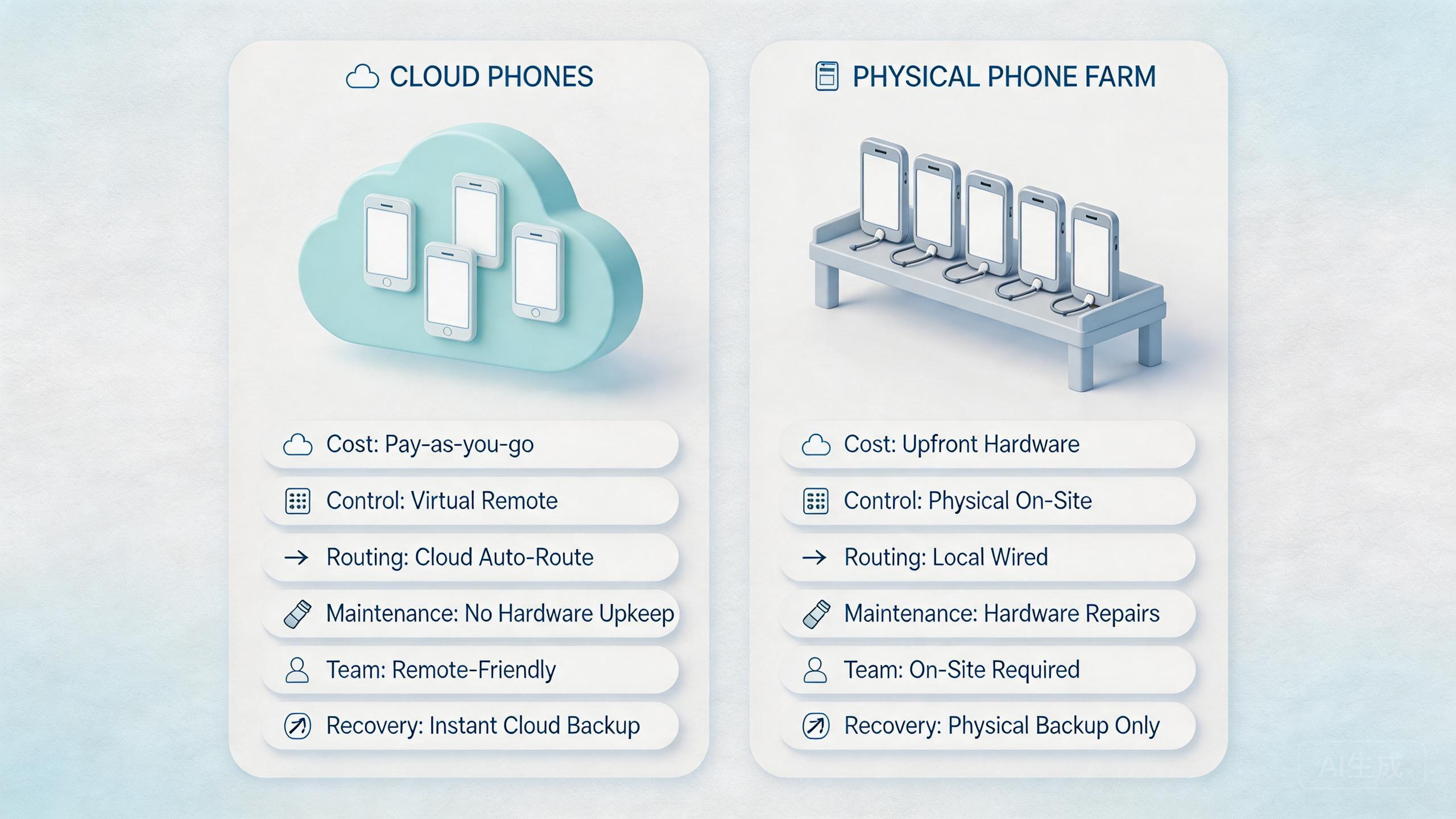
| Decision area | Cloud phones | Physical phone farms |
|---|---|---|
| Access | Remote access for distributed teams | Local access unless extra remote tooling is added |
| Maintenance | Less hardware handling for the customer team | Direct hardware upkeep, cables, racks, and replacement |
| Hardware fidelity | Good for many app workflows, weaker for hardware-specific checks | Strong when physical behavior matters |
| Scaling | Often easier to add execution lanes | Requires physical procurement and setup |
The safest decision is usually based on the workflow, not the label. Remote, repeated, team-based, and app-centered work often points toward cloud phones. Hardware-led work still keeps local devices important.
Mistakes also spread in different ways. One poorly labeled local device can confuse the next operator. One weak cloud rule can affect many remote environments. Stricter state control is the practical fix before scale.
Reporting is another useful comparison point. Local operations may rely on sheets, shelf labels, or lab notes. Platform dashboards may show device status, assignment, and session details through the control layer. Either model can work, but operators need a clear way to answer one question: which device is ready for which workflow right now?
A workflow map makes the choice clearer. Include the user role, account type, app path, route need, review owner, reset rule, and support path. When that map is hard to write, the buying decision is early.
Key Differences Between Cloud Phone vs Physical Phone Farm for Scaling
Scaling exposes different weak points in each model. Remote phone pools can scale access quickly, but the team still needs process discipline. Local device ownership is useful, but work load rises as the device count grows.
Consider a support team that needs several operators to review customer mobile flows. With a physical farm, devices may sit in one office. Remote staff need streaming tools, shared credentials, or manual help. With cloud phones, the environment is already remote, so assignment and handoff are usually easier.
A hardware QA team faces a different problem when it tests camera behavior, accessories, or sensors. Remote Android may not match the real-world hardware condition. A local phone farm gives direct access to the exact devices and add-ons.
For social, marketplace, and multi-account work, separation becomes central. Teams need account context, device state, routing, and review boundaries. This model can help because environments can be grouped as execution lanes. MoiMobi's device isolation layer is relevant when separate mobile contexts matter.
Local phone farms can also separate work, but the team must manage the labels and state carefully. A device may be on the wrong shelf, connected to the wrong network, or changed by the wrong operator. Strong labs solve this with process, but that process costs time.
Scenario comparison helps:
- Remote operations team: cloud phones usually reduce handoff friction.
- Hardware test lab: physical phones usually give stronger device fidelity.
- Agency delivery team: cloud phones often make client separation easier.
- Compliance-heavy lab: physical control may be useful when audit rules require local custody.
- Fast pilot team: cloud phones can reduce setup time when app-level execution is enough.
The Google Search Central SEO Starter Guide is not about device operations, but it reinforces a useful idea: structure helps users understand work. The same idea applies here. The model with clearer structure for your team is often the better model.
Training changes as device count grows. Local hardware teams may need plain notes: where devices live, how they are charged, which cable to use, and how to mark the next state. Remote workflows may need platform notes: how to assign a device, how to inspect state, and how to release a lane after work.
Neither training path is free. The better option is the one your team can repeat with fewer exceptions. If new operators need private knowledge to use the system, the model is not ready for scale.
Review depth is another difference. Local labs can be excellent when a lead can walk to the devices and inspect them. Cloud environments can be stronger when leads need to review work remotely. The choice depends on where the team actually works.
Features, Workflow, and Trade-Offs in Cloud Phone vs Physical Phone Farm
The common myth is that one model is simply better. The workable view is more exact. Each model solves a different kind of work problem.
Remote device pools are workflow-first. They are useful when people need access from different places, when device assignment changes often, and when teams need reusable work lanes. They also pair naturally with mobile automation when repeated app workflows need controlled environments.
Hardware-first work still favors local farms. Exact devices matter, accessories matter, and some teams must inspect physical behavior directly. This model may also fit companies that already have a lab process, device inventory, and local support staff.
Trade-offs appear in daily work:
- Cloud phones can simplify remote access, but the team must trust the provider and define governance.
- Local device farms give direct ownership, but the team owns maintenance and logistics.
- Cloud phones can expand execution lanes faster, but workflow rules still matter.
- Local farms can test real hardware, but distributed handoff can become harder.
The right question is not "Which is stronger?" A better question is "Which model reduces friction for this workflow while keeping control visible?"
For MoiMobi users, cloud phones are usually part of a broader execution layer. The phone is one component. Routing, device isolation, access control, and review habits complete the system.
The workflow trade-off is also about failure handling. Local devices can fail through power, cable, device wear, or local network changes. Cloud environments can fail through platform access, app state, routing policy, or account workflow issues. Both need a clear recovery label.
Useful labels are simple: ready, busy, review, hold, and reset-required. They help operators avoid guessing. They also help managers see whether capacity is real or only visible on paper.
Teams should avoid comparing only feature lists. A feature matters only if it reduces daily friction. Remote access, routing controls, device notes, screenshots, session review, and reset logic all matter because they help the team keep work easy to read.
Pricing and Operational Considerations
Pricing should not be reduced to device cost alone. The physical phone farm has visible purchase costs and less visible labor costs. Cloud platforms have subscription or usage costs and less direct hardware labor.
Local phones require buying devices, replacing damaged units, managing batteries, labeling stock, creating racks, and handling network setup. A team may also need staff time for resets, updates, and hardware fixes.
Remote platforms shift many hardware tasks away from the customer team. Platform use still has a cost, but buyers may avoid purchasing cycles and local lab overhead. The trade-off is trust in the platform's features, uptime, and fit.
Work cost includes downtime. An offline local device may need hands-on help. Platform incidents may need provider support and workflow-level recovery. Both models need response plans.
Capacity planning differs as well. Hardware farms often grow in chunks. Staff buy devices, prepare space, set up network access, and assign them. Platform capacity may be more flexible, depending on the cloud phone contract.
Cost review should include:
- Setup time before the first usable workflow.
- Maintenance time per week.
- Handoff time between operators.
- Recovery time after failure.
- Tooling needed for routing, logging, and review.
- Staff time spent on device preparation.
Google’s guidance on creating helpful, reliable, people-first content stresses usefulness and reliability in a different domain. The operating lesson is still relevant. A cheaper-looking option is not useful if it creates unclear work and poor recovery.
Budget owners should also account for opportunity cost. Owned devices may appear cheaper when the lab already exists. That can be true for small labs. It becomes less clear when operators spend hours on access, charging, resets, and coordination.
Remote environments can also look simple until the team adds rules. Access rules, routing plans, logging habits, and review steps still take work. The benefit is that much of the hardware burden can move away from the internal team.
The most practical cost model is a pilot budget. Run one workflow on each option, then compare labor time, recovery effort, and operator trust. That proof is stronger than a sheet built from guesses.
Which Option Fits Different Teams
Remote, repeatable, and shared mobile work is the strongest cloud phone fit. This includes remote support teams, agency delivery teams, growth teams, research teams, and ops teams that need several Android environments without running a local device room.
Hardware-led teams may still prefer physical phone farms. Device custody, hardware testing, cable-level debugging, accessory validation, and physical lab processes all point in that direction. The model also fits organizations that already own the staff and space required to manage hardware well.
The team needs remote access, flexible assignment, clean handoff, and app-centered workflows.
The work depends on real hardware, sensors, accessories, local custody, or lab procedures.
Cloud phones handle repeatable execution while physical devices handle exception testing.
Hybrid setups are common in mature teams. A company may use cloud phones for daily operations and a small physical bench for edge cases. That can be more practical than forcing one model to handle every need.
Workflow maturity also shapes the best choice. Without device state rules, routing policy, and review habits, either model can become messy. Remote platforms may reduce hardware friction, but they cannot replace operating discipline.
For teams focused on multi-account management, the cloud model often starts stronger because separation and handoff are central. For teams focused on device hardware behavior, physical farms remain important.
Agencies should pay special attention to client separation. A cloud pool can make it easier to assign client-specific execution lanes. A physical farm can also do that, but labeling and access control must be strict.
Internal operations teams should focus on shift handoff. If work moves between time zones or departments, remote access may reduce friction. If work happens in one lab with trained staff, local devices may be acceptable.
Technical teams should separate API-led work from hardware-led work. For remote Android execution, cloud phones may fit. For physical validation, keep local devices in the stack.
Pilot Rollout and Recovery Checks
A pilot should test the real operating workflow, not a polished demo. Choose one repeated task and run it through the model under consideration.
For a cloud phone pilot, assign a small device group, define access roles, set route rules, and track handoff quality. Every operator should know who owns each environment and when a device is ready, busy, under review, or reset-required.
For a physical farm pilot, track setup time, physical access, reset work, cable or power issues, and handoff steps. Remote teammate participation also needs measurement if the lab is in one location.
Measure the same signals for both models:
- Time to prepare the device.
- Time to hand off work to another operator.
- Failure recovery time.
- Clarity of device state.
- Routing or network stability.
- Review quality after the task finishes.
The pilot should end with a decision gate. When one model clearly reduces confusion and recovery time, it is a strong candidate. When both models fail because the workflow is unclear, fix the process before buying more capacity.
Recovery is a serious part of scale. Every model needs a way to pause work, inspect state, reset the device, and prevent the same failure from spreading. Without recovery rules, more devices simply create more places for work to break.
Use one stop condition during the pilot. For example, pause the run if two devices fail for the same reason, if routing becomes unclear, or if a handoff requires undocumented help. The exact rule depends on the workflow. The important point is to stop before confusion spreads.
A pilot should also produce a reuse rule. Decide when a device can return to service. Decide when it needs review. Decide when it needs reset. Those small labels make scaling less dependent on memory.
The final pilot review should be short. Ask whether the model reduced setup work, made handoff easier, and made failures easier to understand. If the answer is not clear, extend the pilot instead of scaling.
Frequently Asked Questions
What is the main difference between cloud phones and physical phone farms?
Remote mobile environments accessed through a platform are cloud phones. Physical phone farms are locally managed device collections. The main difference is remote workflow control versus direct hardware ownership.
Which option is better for distributed teams?
Distributed teams usually get more value from cloud phones because access and handoff are remote by design. Local farms can work, but they often need extra streaming and access tools.
When is a physical phone farm still better?
A physical farm is better when the task depends on real hardware behavior, accessories, sensors, cables, or local custody requirements.
Are cloud phones cheaper than physical phones?
Not always. The cost depends on usage, platform pricing, labor, maintenance, and recovery time. Compare total operating cost, not only device price.
Can a team use both models?
Yes. Many teams can use cloud phones for daily execution and physical devices for hardware-specific checks or exception testing.
Do cloud phones replace phone farms?
Some app-centered phone farm workflows can move to cloud phones. They do not replace every hardware-led workflow. The decision depends on the work.
What should a pilot measure first?
Measure setup time, handoff time, failure recovery, device state clarity, and review quality. Those signals show which model fits the team.
How does MoiMobi fit this comparison?
MoiMobi focuses on cloud phone execution infrastructure. It is most relevant when teams need remote Android environments, isolation, routing control, and reusable workflows.
Conclusion
This is not a simple winner-takes-all comparison. Remote, repeated, team-based mobile workflows often point to cloud phones. Hardware-specific testing and local device control still point to physical phone farms.
The best decision starts with the workflow. Define the task, the people involved, the routing needs, the handoff process, and the recovery path. After that, compare which model keeps those parts easier to manage.
Use a small pilot before scaling. Test one workflow with real operators, real handoff, and real failure review. Measure setup time, maintenance burden, recovery speed, and state clarity.
For app-centered and team-distributed work, start with cloud phone infrastructure. Hardware-dependent work still needs a physical bench or farm. Mixed workloads often need both models instead of forcing one model to do everything.



