
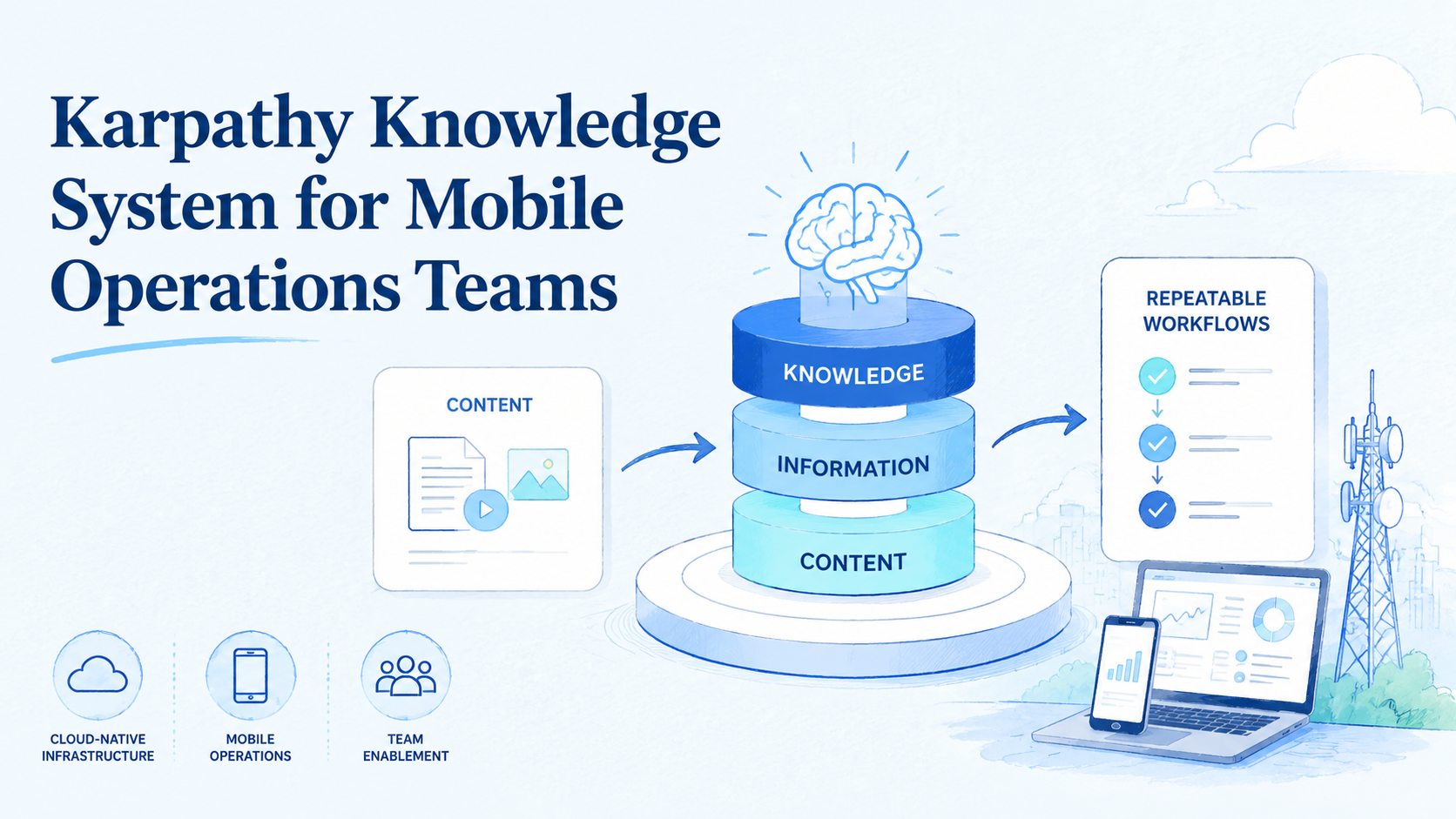
Key Takeaways
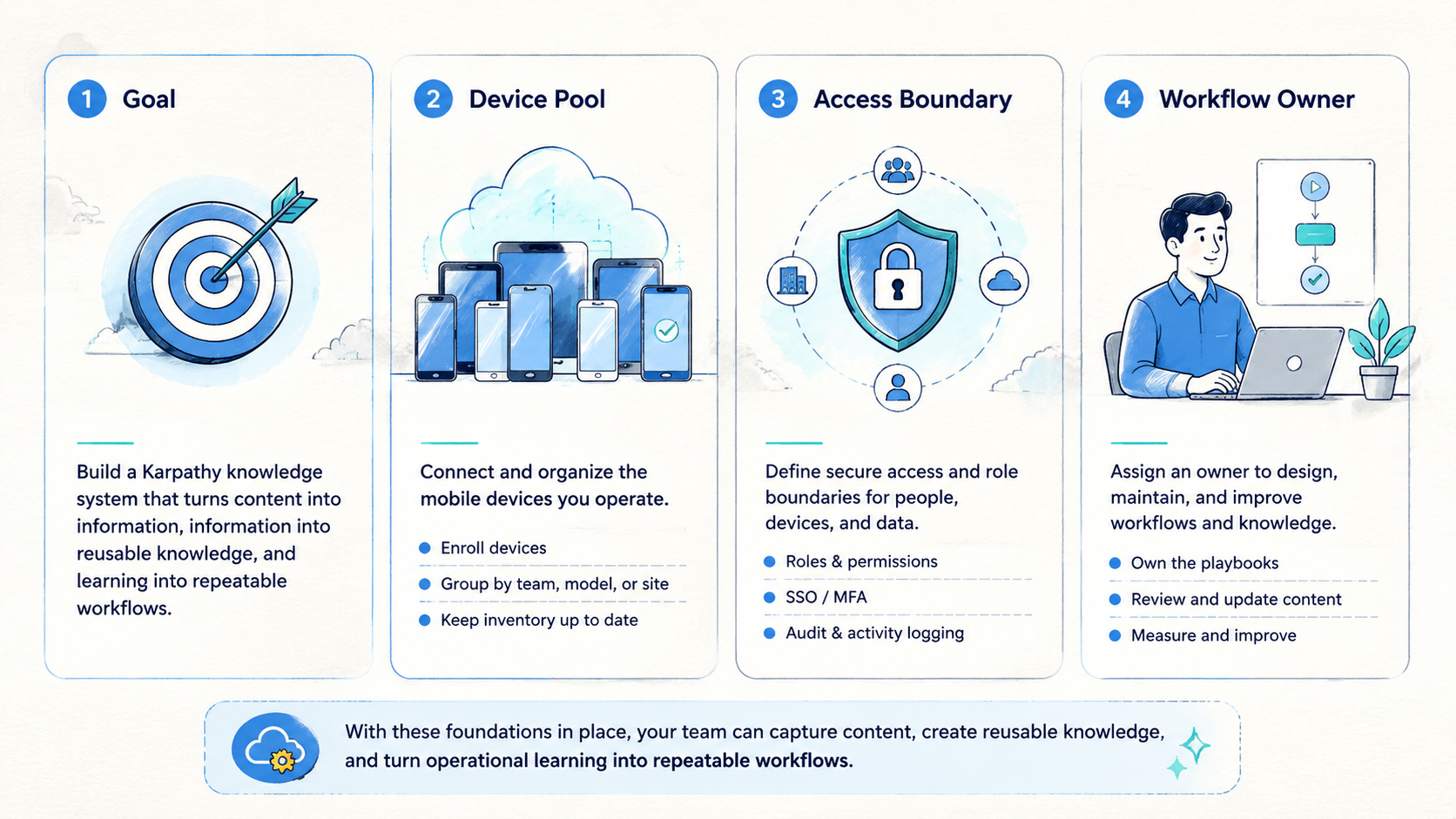
- A Karpathy knowledge system is not a bookmark folder; it is a process for turning content into information and information into reusable knowledge
- Content is the raw material, information is the useful fact, and knowledge is the reusable pattern
- Obsidian, local Markdown, and LLM-assisted extraction can form a practical second brain for operations teams
- Mobile teams can use this model to convert comments, account notes, campaign data, and recovery records into workflow memory
- MoiMobi fits the execution layer by giving teams cloud phones, phone farms, device isolation, proxy routing, and automation context
Introduction
A Karpathy knowledge system is a repeatable way to turn scattered material into reusable operating knowledge. The idea is simple: do not stop at collecting articles, screenshots, comments, and research notes. Push each item through a workflow that extracts information, connects it to other notes, and turns the pattern into a reusable decision rule.
That distinction matters for mobile operations teams. Social media managers, ecommerce operators, support reviewers, QA teams, and multi-account teams see useful signals every day.
A buyer comment, a failed login, a campaign note, and a phone reset record can all reveal different operating problems.
Useful signals should become shared memory.
Without a system, those signals disappear into chat history.
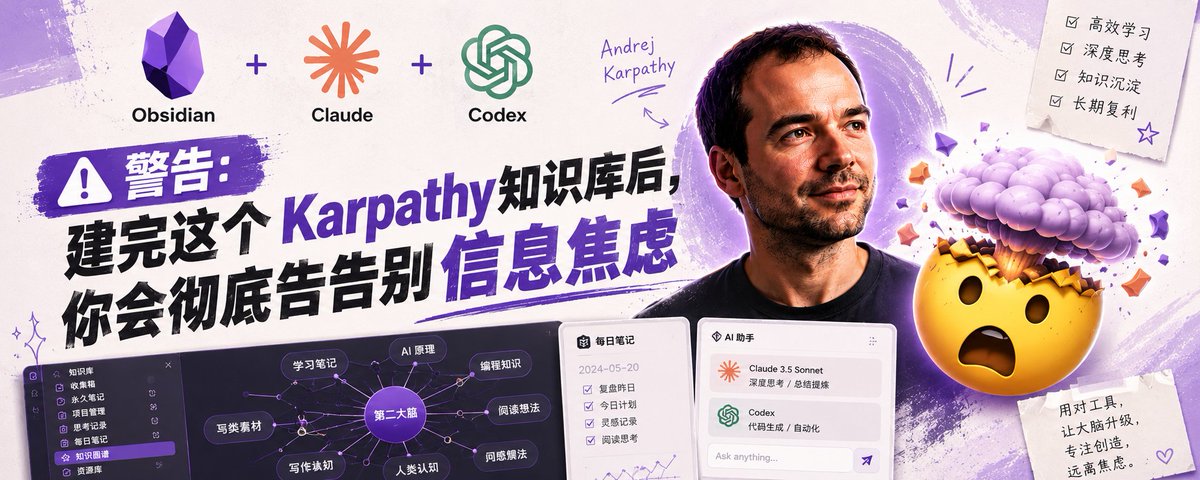
With a Karpathy knowledge system, each signal becomes part of a shared second brain. Operators can search it, summarize it, turn it into scripts, and use it to improve workflows. The system compounds because each new note improves the next decision.
MoiMobi supports the execution side of this idea through cloud phone, phone farm, device isolation, proxy network, and mobile automation. The knowledge system explains what should happen. The mobile execution layer helps the team do it with visible state.
Karpathy Knowledge System: Content, Information, and Knowledge
The first step is to separate three layers.
Content is the raw material. It can be a Reddit thread, a TikTok comment, a support ticket, a screenshot, a product review, a meeting note, a mobile account record, or a campaign report.
Information is the useful fact extracted from that content. A comment might reveal a user objection, while a support ticket can expose a repeated setup problem or weak handoff rule.
Knowledge is the reusable pattern built from many information points. A team can teach it, apply it, and check it. Good knowledge becomes a workflow rule, a checklist, a script template, a recovery policy, or a decision guide.
| Layer | Meaning | Mobile operations example |
|---|---|---|
| Content | Raw material | Comment, screenshot, ticket, account note |
| Information | Useful extracted fact | User objection, device state, route problem |
| Knowledge | Reusable pattern | SOP, checklist, stop rule, content angle |
Most teams collect content. Fewer teams extract information. Very few turn information into knowledge that improves the next workflow.
Why the Karpathy Knowledge System Matters More in the AI Era
AI models can summarize, draft, classify, and rewrite. They do not automatically know a team's real operating memory.
An LLM can explain generic social media strategy, but it cannot know a team's real workflow memory. It needs recorded phone state, campaign results, and comment history before it can reason about that specific operation.
Official platform sources should sit beside team notes. For example, a social team can compare internal posting observations against TikTok's Community Guidelines, Reddit's Developer Platform Terms, and Google Search Central's guidance on helpful content. These references do not replace team learning, but they keep the knowledge base grounded when a note touches compliance, platform risk, or public content quality.
The advantage comes from combining LLM capability with a private knowledge base. The model handles extraction and synthesis, while internal material provides context.
That is why a Karpathy knowledge system is more than note-taking. It is the private context layer that makes AI useful for daily operations.
A Practical Karpathy Knowledge System Architecture
A working knowledge system needs four stages: capture, extract, synthesize, and output.
Capture brings raw material into one place. The location can be Obsidian, local Markdown, a document database, or another structured workspace. Obsidian is popular because it uses local Markdown files, which are easy to read, back up, and move. The official Obsidian Help explains the file-based model.
Extract turns each source into a structured note. The note should include source, date, topic, user language, operational signal, risk, and next action.
Synthesize combines notes into patterns. The system should identify repeated objections, repeated account failures, repeated content wins, and repeated handoff gaps.
Output turns the pattern into something useful. The output can be an SEO article, a TikTok script, a phone pool checklist, a reset rule, a QA guide, or a weekly review.
This architecture is simple, but it works because each stage has a clear job.
What a Good Knowledge Note Includes
A good note is short enough to create often and structured enough to reuse later.
Use fields like these:
| Field | Purpose |
|---|---|
| Source | Keeps the original context traceable |
| Topic | Connects related notes |
| Raw language | Preserves how users or operators described the issue |
| Extracted information | Turns raw content into useful facts |
| Reusable knowledge | Converts facts into a pattern or rule |
| Workflow impact | Shows what should change |
| Risk note | Flags platform, privacy, or compliance concerns |
| Output idea | Points to a script, SOP, article, or checklist |
The raw language field is especially important. Teams often lose customer vocabulary by summarizing too aggressively, even though that raw language can later become better hooks, better FAQ answers, and better support templates.
Applying the Karpathy Knowledge System to Mobile Operations
Mobile operations create knowledge every day. Much of it stays hidden until the team writes it down.
An operator learns that a certain task needs a clean phone, while a reviewer learns that screenshots are not enough to approve reuse. An admin may discover that a reset reason must be written before a phone returns to the clean pool, and a campaign owner may learn that one hook produces better comments than another.
If these lessons stay in private chat, the team will repeat mistakes.
A Karpathy knowledge system turns those lessons into shared memory. For example:
| Raw event | Extracted information | Reusable knowledge |
|---|---|---|
| Operator asks which phone to use | Assignment state is unclear | Phone owner must be visible before work starts |
| Reviewer rejects a task | Screenshot did not show account state | Review must include phone state and route note |
| Campaign post gets qualified comments | Hook matched a known objection | Create five variants around the same objection |
| Phone waits in reset queue | Admin owner is missing | Reset-needed state requires a named owner |
This is the practical bridge between knowledge management and mobile execution.
Where MoiMobi Fits
The knowledge system does not replace the execution platform. It tells the team what has been learned. The execution platform helps the team act on that knowledge.
MoiMobi can support the workflow in several ways:
- Cloud phones provide accessible mobile environments for operators
- Phone farms organize capacity across pools
- Device isolation helps separate account environments
- Proxy routing keeps network context visible
- Mobile automation handles repeatable steps after rules are known
- Multi-account workflows become easier to review when phone state is visible
For example, a knowledge note might say: "Accounts in this pool need manual review before reuse." The execution workflow should then show that phone state clearly. Another note might say: "This content angle works for buyer objection A." The content team can turn it into scripts, while the operations team assigns the right account pool.
The system works best when knowledge and execution reinforce each other.
Avoid Building a Fancy Bookmark Folder
Many knowledge systems fail because teams spend too much time choosing tools and too little time running the process.
The tool matters, but it is not the core. A simple local Markdown folder with a stable template can beat a complex app that nobody uses. The important question is not which app looks better. The important question is whether every useful source moves through capture, extract, synthesize, and output.
Use a small test:
- Did the team add new notes this week
- Did each note extract a useful fact
- Did the team combine several notes into one pattern
- Did the pattern create an article, script, checklist, or workflow change
- Did the result feed back into the system
If the answer is no, the problem is the process.
A 30-Day Implementation Plan
Start with one workflow. Do not build the full company knowledge base on day one.
Week 1: choose one source. It can be Reddit comments, TikTok comments, app review notes, support tickets, or phone reset records. Capture 20 to 50 examples with enough context to review later.
Week 2: extract information from each source using one stable template. Save raw user or operator language.
Week 3: synthesize the notes. Look for repeated objections, repeated failures, repeated account states, repeated content hooks, and repeated review gaps.
Week 4: produce outputs. Create one SOP, one script set, one FAQ section, one recovery checklist, or one content plan. Then track whether it improves the workflow.
The first 30 days should prove the loop, not the tool stack.
After the first month, move from isolated notes to connected operating memory. A note about a failed account handoff should link to the phone pool, route note, reset owner, and review rule.
A note about a winning content hook should link to the account pool, campaign result, customer objection, and next script batch. Operations teams rarely fail from one missing fact. They fail when related facts are scattered across chat, spreadsheets, and private memory.
The second month should focus on retrieval. Ask practical questions: which reset reasons appeared most often, which account pool created the most review delays, which comments turned into better scripts, and which route notes helped recovery. If the knowledge system cannot answer these questions, it still behaves like storage. If it can answer them, it starts acting like operational infrastructure.
The third month should focus on automation. Only automate the parts that are already clear. Use AI to draft weekly summaries, group related notes, create first-pass checklists, and convert repeated lessons into templates. Keep human review for policy-sensitive decisions, account actions, customer-facing claims, and workflow changes that affect many operators.
This staged approach keeps the Karpathy knowledge system practical. A perfect database on day one is unnecessary; a reliable loop matters more because it turns real work into better next steps.
Quality Gates for the Knowledge System
Use quality gates so the knowledge base does not become a dumping ground.
| Gate | Check |
|---|---|
| Source clarity | Every note has a source and date |
| Extraction quality | Every note includes at least one useful fact |
| Reusable pattern | Important notes link to a rule, checklist, or decision |
| Output | The system produces something useful every week |
| Review | Stale notes are merged, tagged, archived, or rewritten |
These lightweight gates prevent the system from turning into another storage pile.
Review Cadence for a Karpathy Knowledge System
A knowledge system needs a review rhythm. Daily capture is useful, but weekly and monthly reviews create the compounding effect.
Daily review should stay short. Operators add notes, tag the workflow, and record the next action so capture does not become a deep analysis task.
Weekly review turns notes into patterns. A manager or analyst should look for repeated signals: the same account state, the same user objection, the same phone reset reason, the same content hook, or the same review delay.
Monthly review turns patterns into workflow changes. The team should update one checklist, one script template, one phone label rule, or one recovery policy. Small changes are easier to test than broad reorganizations.
| Review rhythm | Main job | Output |
|---|---|---|
| Daily | Capture and tag notes | Structured records |
| Weekly | Find repeated patterns | Summary and candidate rules |
| Monthly | Change the workflow | Updated SOP or template |
The review cadence prevents knowledge from becoming passive. A good Karpathy knowledge system should change how work is done.
Example: From Comment to Workflow Rule
Imagine a team collects comments from a product account. The raw content says that users keep asking whether setup requires a personal device. That is content.
The extracted information is sharper: buyers worry about device availability, setup time, and whether a shared operator can continue the task. That is information.
The reusable knowledge is a rule: every product post about the workflow should explain device ownership, handoff, and review state before asking the user to act. That rule can become a caption template, a FAQ answer, and a sales reply.
Now connect it to mobile execution. If the post generates leads, the operations team needs a phone pool that supports the promised workflow. The phone record should show owner, state, route note, and next action. A knowledge note becomes a real execution requirement.
This example shows why knowledge management and cloud phones belong in the same operating model. One side creates the rule, and the other side proves the rule can run in a real queue.
Common Mistakes
The first mistake is saving everything. Capture selectively because a knowledge system is not a warehouse for every link.
The second mistake is summarizing too early. Keep raw language before creating the summary, especially for comments and customer objections.
The third mistake is using AI without structure. A model can summarize a file, but a stable template makes the output reusable.
The fourth mistake is ignoring operations. Knowledge should change scripts, checklists, phone labels, and review rules; otherwise, it is not operational knowledge.
The fifth mistake is depending on one tool. Local files, clear exports, and simple naming rules reduce lock-in.
Frequently Asked Questions
What is a Karpathy knowledge system?
It is a workflow for turning raw content into extracted information and then into reusable knowledge that can guide future work.
Is this only for personal note-taking?
No. Teams can use the same model for operations, social media research, support, QA, account management, and campaign learning.
Does the system require Obsidian?
No. Obsidian is useful because it stores local Markdown files, but the method can work in any tool that supports structured notes and retrieval.
What should mobile teams capture first?
Start with comments, account state notes, phone reset records, support questions, campaign results, and repeated handoff problems.
Where does AI help most?
AI helps extract fields, summarize patterns, group related notes, draft checklists, and turn knowledge into scripts or articles.
What should remain human-reviewed?
Policy decisions, platform-risk decisions, account actions, compliance claims, and final workflow changes should remain human-reviewed.
How does this connect to cloud phones?
Cloud phones create execution state. The knowledge system records what the team learns from that state and turns it into better rules.
What is the best first step?
Pick one repeated workflow and capture 20 examples. Extract the same fields from each one. Then create one checklist from the pattern.
Conclusion
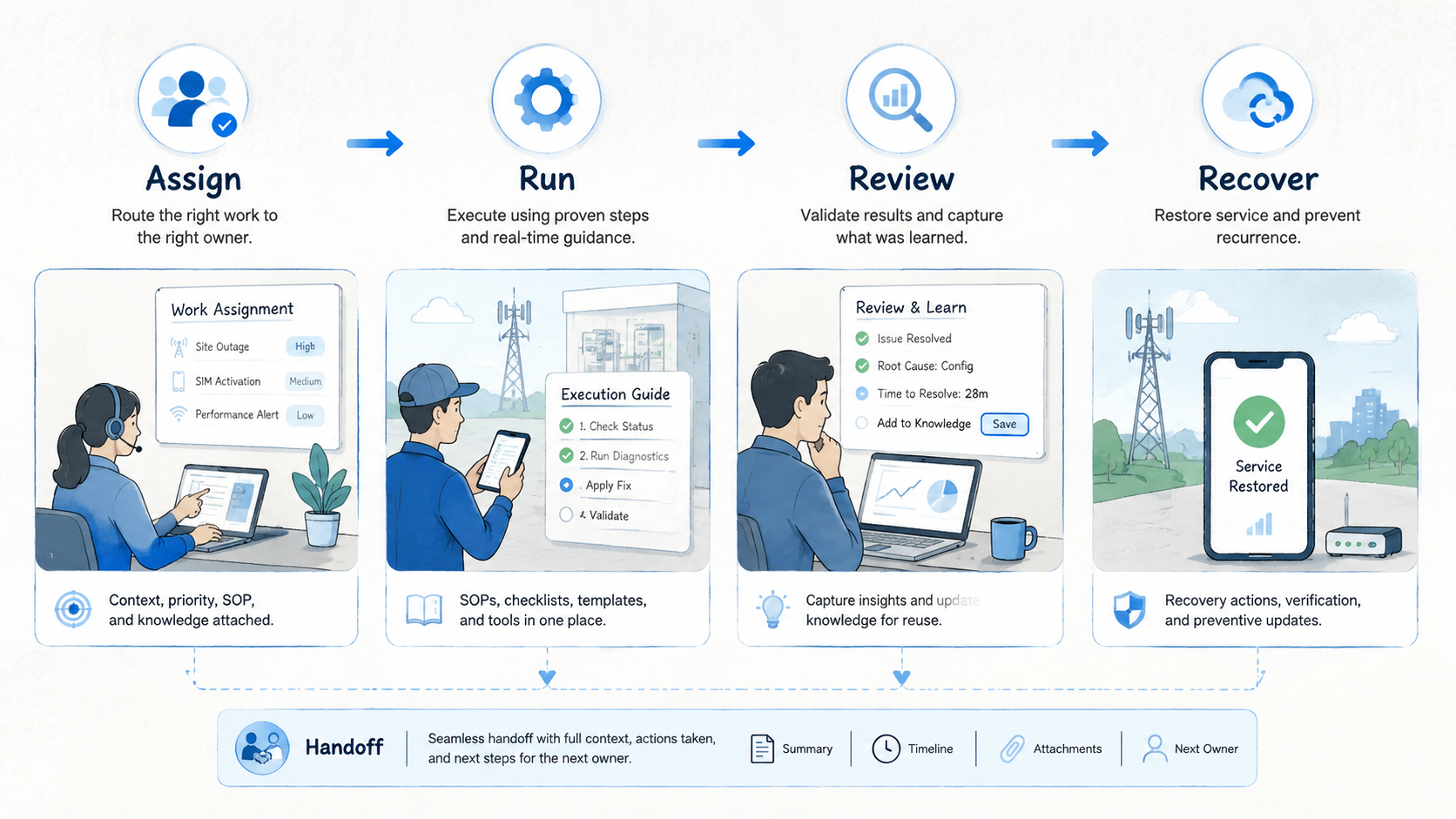
A Karpathy knowledge system is useful because it converts scattered material into reusable operating memory. It makes AI more practical by giving the model structured context from the team's real work.
For mobile operations teams, the value is direct. Comments become scripts, account notes become stop rules, reset records become recovery checklists, and campaign results become content systems.
The team stops relying on private memory and starts building shared operating knowledge.
Start small. Capture one source, extract one template, synthesize one pattern, and output one workflow improvement. Once that loop works, repeat it. Systems compound when each cycle leaves better knowledge behind.



