
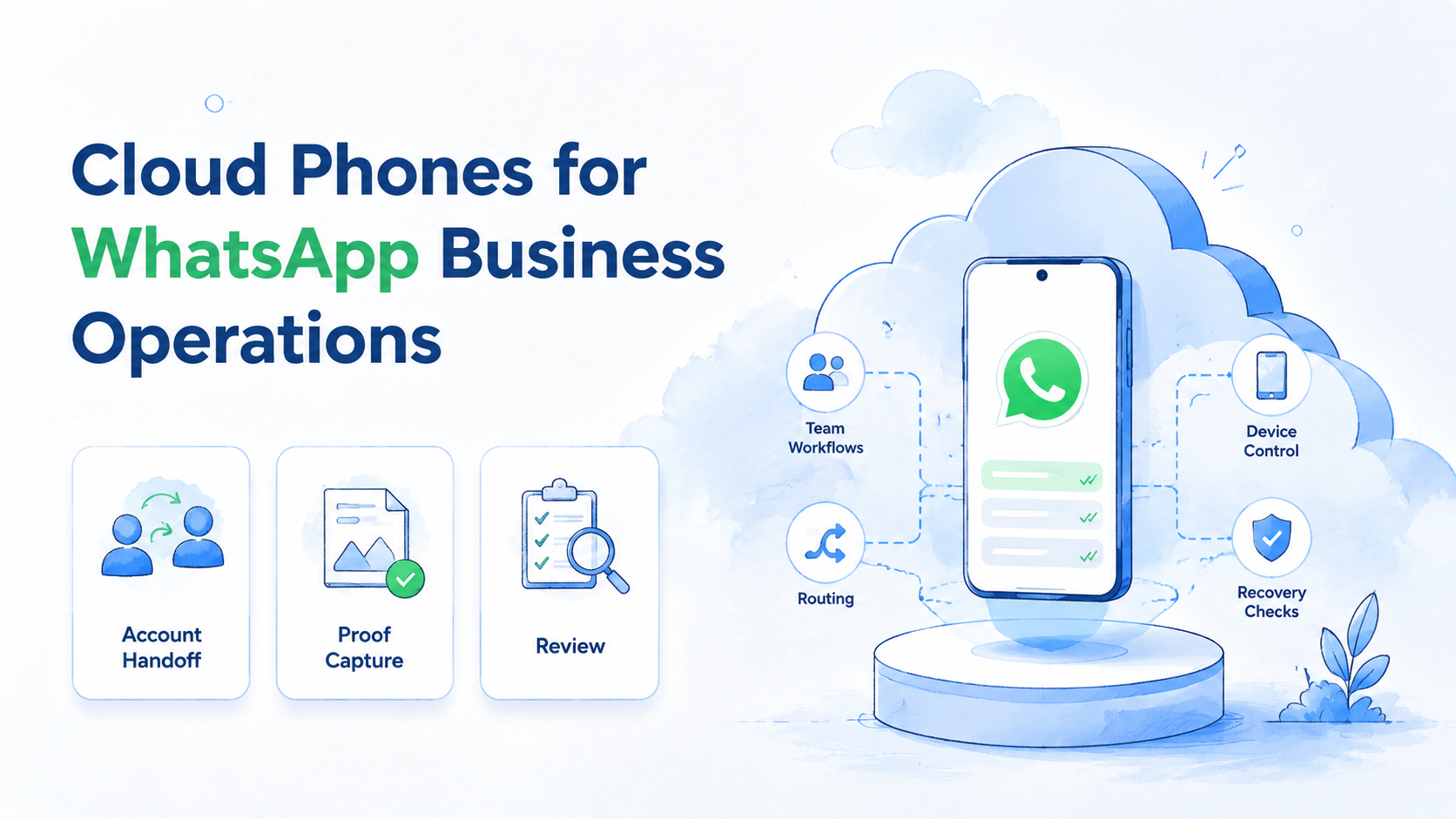
Key Takeaways
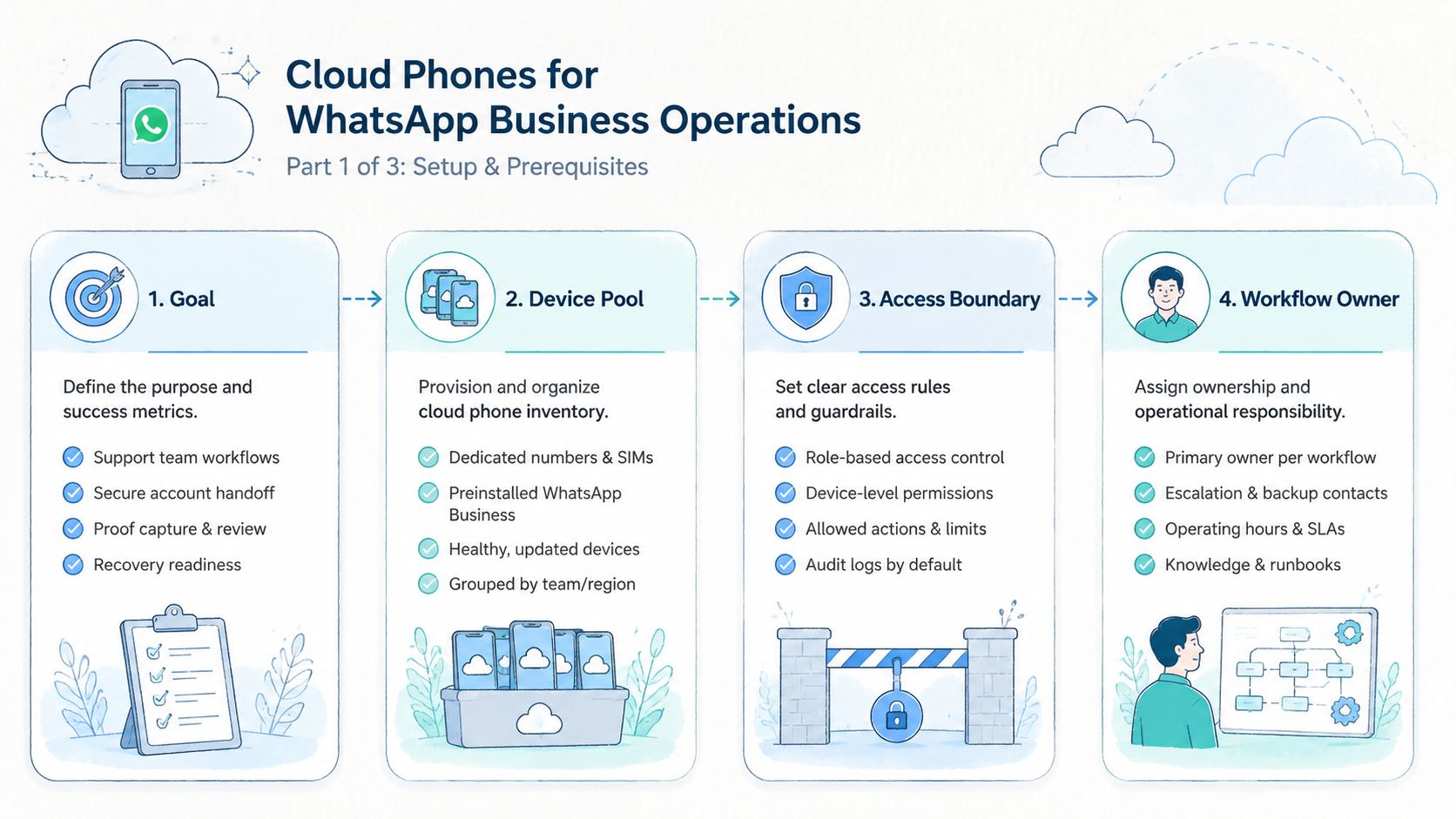
- Cloud phones for WhatsApp Business give teams remote mobile environments for account operations, review, and handoff
- The real value is not device count; it is clear ownership, route control, evidence capture, and recovery
- Agencies and support teams should separate account roles, device groups, operator access, and approval rules before scaling
- Cloud phones do not replace customer consent, message quality, or business judgment; they only support the execution layer
- A good pilot starts with one account group, one device group, one review owner, and one stop rule
Cloud phones for WhatsApp Business are remote mobile environments that teams can use to run WhatsApp account workflows with clearer device access, account ownership, and review. They are not a shortcut for careless messaging. They are infrastructure for teams that need a more controlled way to operate mobile accounts. The best results come when the device record, message context, operator role, and review owner are visible before work starts.
The operating problem is familiar. A team grows from one phone and one owner to several accounts, agents, campaigns, regions, and support shifts. At that point, local handset memory breaks down.
People ask which phone holds which account, screenshots go missing, routes change without records, and work gets repeated because nobody knows the last state.
That may sound like a small coordination issue, but it becomes expensive when a client asks for proof or a support shift changes hands.
A cloud phone can help when the business needs remote Android access, reusable device groups, and clean handoff. The team still needs message rules, customer consent, human review, and account ownership rules. Meta's WhatsApp Business Platform documentation is the right place to check current product behavior and integration requirements before a team designs messaging workflows around any tool.
Google Search Central's helpful content guidance is written for search, not messaging. Still, the operating principle is relevant: systems should create useful, reviewable output for people. A WhatsApp workflow that only increases activity without improving relevance, context, or review quality is not a strong operating model.
What Are Cloud Phones for WhatsApp Business Operations?
These remote Android devices help teams organize WhatsApp account work across shared roles while preserving app state, account context, task notes, and workflow proof. Remote access keeps the work from being tied to one local handset.
Think of the cloud phone as the execution environment, the account as the business asset, and the workflow as the team's process. Mixing those layers is where mistakes start.
An agency may manage WhatsApp conversations for several brands. One operator checks inbound messages, another reviews sales leads, and a manager audits screenshots and notes.
Without a shared device layer, every handoff depends on private messages. A device group makes the handoff visible by tying the account, task, region, and review record to one workspace.
This does not make the process automatic by default. It makes the mobile workspace easier to control.
Control is the point: the team should know the device, the account, the current status, and the next allowed action without asking around.
Agencies should also separate "where the work happens" from "what the team is allowed to do." The device layer can hold the app and account state. The work policy should define message types, review steps, escalation rules, and client-specific limits. Those two layers should meet in a checklist, not in a last-minute chat thread.
Why Cloud Phones for WhatsApp Business Matter
WhatsApp Business operations depend on trust and continuity. Customers expect relevant replies. Teams need context. Managers need proof that work happened correctly.
The device setup should serve those goals, not distract from them with extra switching, unclear ownership, or undocumented account movement.
When the device layer is messy, the whole operation slows down. A support agent may not know which phone to use, a lead may be answered twice, and a campaign task may run from the wrong environment.
The manager then has to ask for screenshots after the fact. That is a workflow failure, not only a reporting gap.
Use a simple framework:
| Decision area | Weak setup | Stronger setup |
|---|---|---|
| Ownership | Account lives on someone's phone | Account is mapped to a device group |
| Access | Password shared in chat | Role-based operator handoff |
| Route | Route changes by memory | Route rule is logged |
| Proof | Screenshots are requested later | Proof is saved during the task |
| Recovery | Every issue is handled differently | Stop rule and owner are clear |
A phone farm may provide more capacity. Capacity alone is not operations. The team also needs state, naming, assignment, and review.
Key Benefits and Use Cases
The main benefit is controlled parallel work. More people can help without turning account access into a private phone problem. This is useful for agencies, outbound teams, customer support, ecommerce sellers, and regional marketing teams.
Good use cases include:
- Managing several WhatsApp Business accounts for different brands
- Reviewing customer conversations across time zones
- Preparing campaign replies and routing them for approval
- Separating account environments by client, region, or operator group
- Recording proof for quality review and client reporting
- Supporting cloud phones for WhatsApp marketing where consent and message quality are managed elsewhere
The last point matters. Messaging operations should respect customer expectations and brand standards. The execution layer can organize work. It cannot make weak messaging strategy acceptable.
Strong teams treat the cloud phone as the workspace and the messaging policy as a separate operating rulebook that every operator can inspect.
For a sales team, the practical value is continuity. A lead may start in one time zone and need a follow-up in another. The cloud phone record should tell the next operator what happened, what was promised, and what action is still pending.
That single record can reduce repeated questions, missed follow-ups, and unclear ownership during handoff between regions or client teams.
For an agency, the value is separation. Each client may need its own device group, content rules, escalation owner, and proof archive. A shared local phone setup makes that hard to audit.
For a support team, the value is speed with context. Operators can step into a known environment, check the last status, respond with the right template, and save proof. That is different from opening a random handset and hoping the account state is current.
For teams comparing cloud phone vs emulator, ask what must be preserved. Work that needs persistent mobile app state, operator handoff, screenshots, and account separation usually points toward a cloud phone workflow. A lightweight test may only need a cloud emulator.
How to Get Started with Cloud Phones for WhatsApp Business
Do not start by moving every account. Start by proving one workflow. The first pilot should show whether the team can assign, run, review, and recover work without confusion.
- Choose one account group: pick a small group of WhatsApp Business accounts with similar use cases
- Define account roles: label accounts as support, sales, campaign, lead follow-up, or review
- Create device groups: name cloud phones by client, region, or workflow
- Set route and access rules: decide who can open each device and what route policy applies
- Write the task checklist: include login state, app state, allowed actions, proof, and stop rules
- Run a short daily review: check screenshots, notes, exceptions, and response quality
- Expand only after recovery works: pause scaling if every exception needs a new discussion
Before the pilot starts, write one owner name beside every account group. This small step prevents the most common handoff failure. When everyone owns a task, nobody owns the recovery path.
Ownership should be boring and explicit: one person approves changes, one person reviews proof, and one person decides when to pause.
Keep the first workflow slow enough to inspect. Speed comes later. The first target is a clean record.
Use this start sheet:
| Field | Example |
|---|---|
| Device group | WhatsApp-EU-support-01 |
| Account role | Customer support |
| Owner | Support lead |
| Allowed tasks | Reply review, lead tag, screenshot proof |
| Stop rule | Unknown login prompt, missing proof, route mismatch |
| Review owner | Operations manager |
A proxy network may be relevant when teams care about route consistency. Keep the rule visible. Do not leave routing to operator memory.
The setup should also include content review. Meta's WhatsApp Business Help Center explains that WhatsApp Business is built around business-customer communication. Teams should design their workflow around useful conversations, not raw message volume.
Common Mistakes to Avoid
The first mistake is treating cloud phones as a replacement for process. A remote device solves access. It does not solve customer consent, message quality, approval, or account ownership.
The safer habit is simple: write the process first, then assign devices to it. A device without a process becomes another place to lose context.
Process first also helps teams choose fewer devices, because each phone gets a defined reason to exist inside the workflow.
The second mistake is using one shared environment for unrelated clients. That may feel convenient at first. It can make audit, handoff, and accountability harder later.
The third mistake is missing proof. A completed message task without a screenshot, note, or status field may need to be checked again. That wastes time and creates review friction.
Watch for these warning signs:
- Operators ask where an account lives
- Account notes sit only in private chat
- A manager cannot see who touched the account last
- Route changes are not recorded
- Screenshots are missing after important replies
- Failed tasks have no owner
The fix is not always more tooling. A better status model may do more than another dashboard, especially when labels stay simple: available, assigned, running, needs review, paused, and retired.
Do not ignore boring fields. Owner, last action, next action, and proof link are not glamorous, but they let the next person continue work without guessing.
When these fields are missing, the next operator may act on stale context, which is exactly what shared infrastructure should prevent.
Who It Fits and When It Is a Strong Match
This setup is a strong match when the team has repeated account work and shared ownership. It is less useful when one person manually runs one account with low volume.
The decision should follow the work pattern. Shared work needs shared records; isolated work may only need a simple phone.
Strong fit
- Several operators work across WhatsApp accounts.
- Clients or regions need separate environments.
- Managers need review proof.
- Account handoff happens across shifts.
- The team already has message rules and approval paths.
Weak fit
- One person owns one account.
- No review or handoff is needed.
- The team has no message policy.
- The goal is only higher message volume.
- Operators cannot follow a shared checklist.
Agencies usually care about proof and separation, support teams care about continuity, and growth teams care about lead handoff. Each group should configure cloud phones differently.
The best fit appears when work is shared and recurring. A controlled device environment becomes more valuable when several people touch the same account, while a single owner with one account may not need the extra overhead.
Multi-account management becomes important when these workflows overlap because accounts, devices, operators, and review records need one shared map that the whole team trusts.
Pilot Rollout, Measurement, and Recovery Checks
A good pilot tests control, not ambition. Pick one device group and one account role, run it for a short period, and review what breaks.
Track four measures:
| Metric | What to look for |
|---|---|
| Readiness | The cloud phone opens with expected app and account state |
| Handoff | The next operator understands the last action |
| Review | Proof is enough for a manager to judge the task |
| Recovery | A bad device or unclear account is paused quickly |
Recovery deserves special attention. Any team can run a good day. The real test is what happens when the app asks for verification, a message needs approval, or a route looks wrong.
These are the moments that reveal whether the workflow is real or whether the team only has a collection of remote screens.
Document the response, pause the device, assign an owner, and record the next action. The failure becomes a managed exception.
Device isolation can support cleaner boundaries between account environments. It is not a substitute for policy, but it can make policy easier to enforce.
Add one weekly review after the pilot starts:
| Review question | Why it matters |
|---|---|
| Which device caused the most exceptions | The issue may be setup, not the account |
| Which handoff needed extra chat | The task note is probably incomplete |
| Which replies needed manager edits | The template library may need work |
| Which proof was missing | The checklist is not being followed |
This weekly view creates a feedback loop. The team improves the device group, not only the operator.
Frequently Asked Questions
Are cloud phones for WhatsApp Business the same as local phones in team operations?
No. A local phone is tied to one physical device. Different layer. A cloud phone is a remote mobile environment that can support team access, grouping, and review.
Can cloud phones support WhatsApp marketing workflow handoff while managers still approve sensitive replies and campaign actions?
They can support the execution layer for cloud phones for WhatsApp marketing. The message strategy, consent model, and platform compliance still need separate review.
Is a cloud emulator enough?
Sometimes. A cloud emulator may work for simple testing. Keep scope narrow. For account operations that need persistent state, handoff, and proof, cloud phones are often a better fit.
Agency setup
Organize by client, region, workflow, or support shift. Name with purpose. Avoid generic naming because a clear device name should tell operators what the phone is for.
Can cloud phones reduce handoff mistakes between operators who work across clients, regions, and support queues?
They can reduce confusion when paired with device groups, owners, status labels, and proof capture. They do not help much if the process stays informal.
Pause rules
Pause when login state is unclear, route rules are wrong, proof is missing, or an operator sees an unexpected prompt. A pause protects the record before more work happens.
How does this relate to mobile automation, approval steps, and human review inside shared account workflows?
Cloud phones can provide the mobile environment for mobile automation. Automation should still follow task limits and review rules.
MoiMobi fit
MoiMobi fits when teams need remote mobile execution, account separation, operator access, and operational review. Evaluate it as infrastructure, not as a messaging strategy.
Can this connect with other mobile workflows?
Yes. The same structure can support other mobile operations, including cloud phone for TikTok automation or app review work. Keep each channel in its own device group and workflow record.
Conclusion
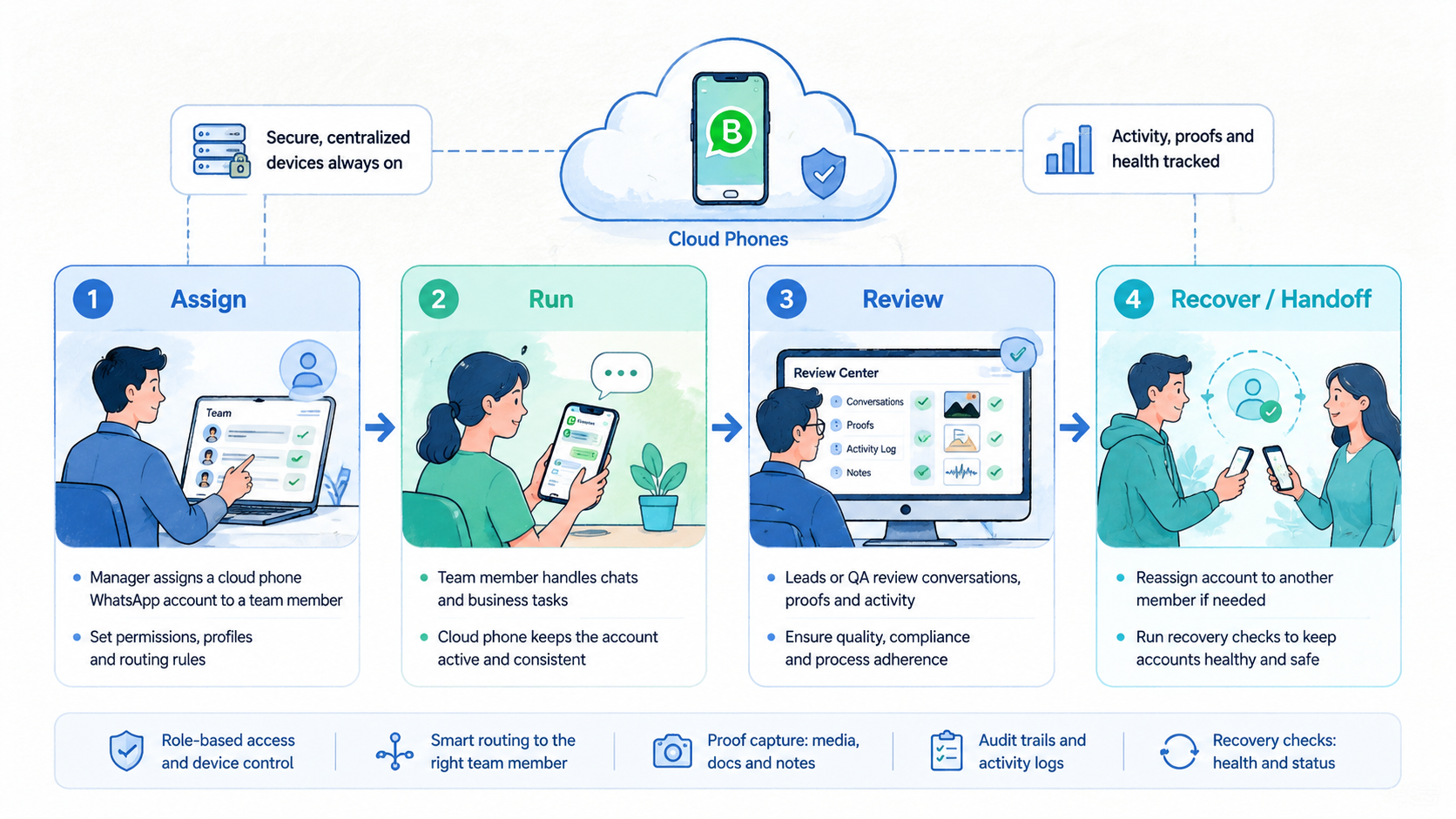
Cloud Phones for WhatsApp Business Operations is not only a device access topic. It is an operating model for teams that need shared account work without losing control.
Start with the basics: map the account role, assign the device group, set route and access rules, define proof, write the stop rule, and pilot one workflow before expanding.
For agencies and customer-facing teams, the win is cleaner handoff. Managers get better review, operators do less guessing, and the business gets a more repeatable way to run mobile account work.
The next step is practical. Choose one WhatsApp Business account group. Put it on a small cloud phone group.
Run a one-week pilot. If the team can review every action and recover every exception, the workflow is ready to scale carefully.
If the review still depends on private chat, do not scale yet. Fix the fields. Then test again.



