
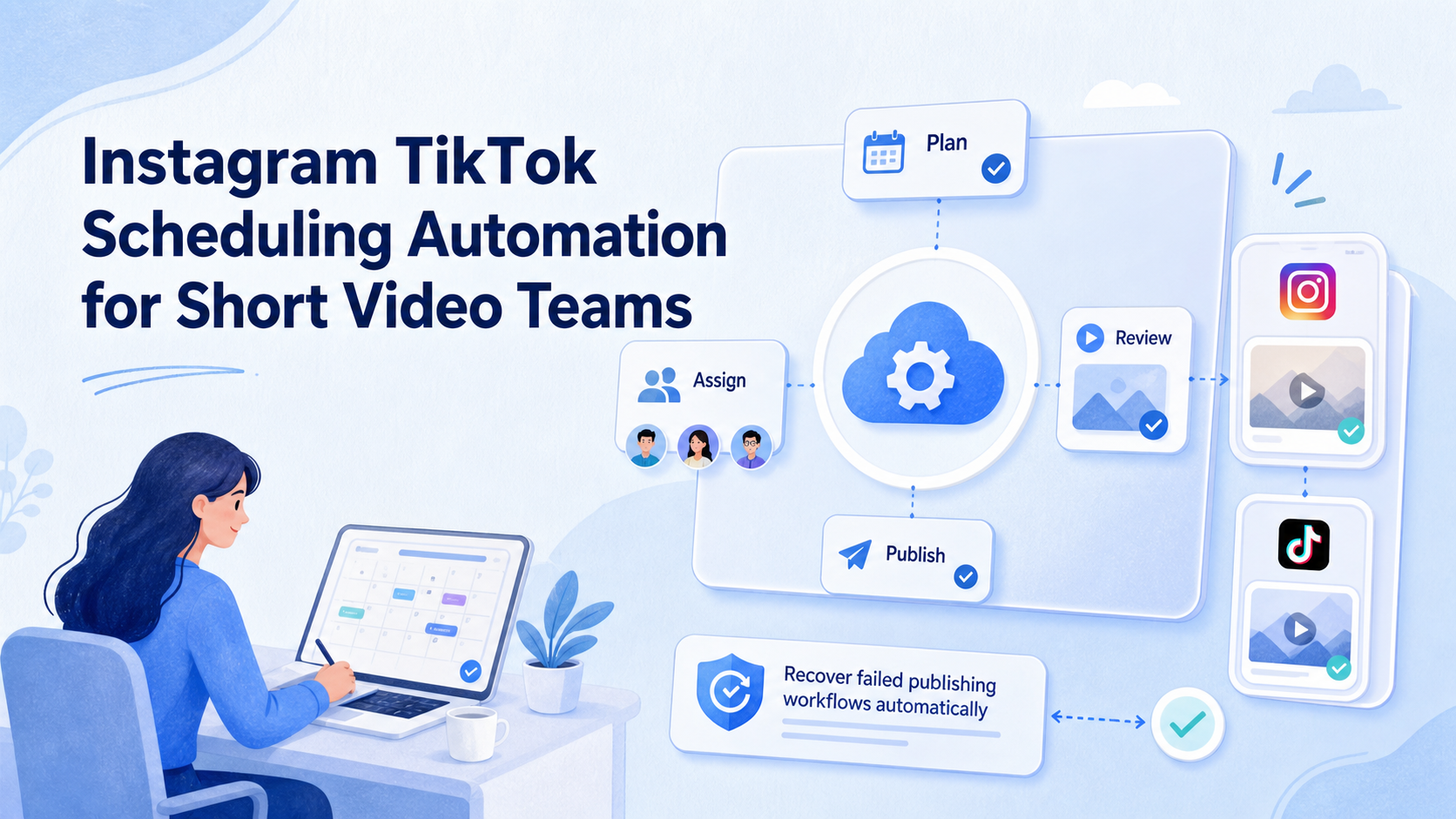
Instagram TikTok scheduling automation is a workflow for planning short video posts, assigning them to the right accounts, preparing publishing environments, and tracking whether each post was completed. It should not mean handing every publishing decision to a timer. For short video teams, the real value is controlled coordination across content, accounts, reviewers, and execution environments.
The hard part is rarely one scheduled post. The hard part appears when a brand, creator team, or agency manages many accounts across Instagram and TikTok. The team needs a calendar, approved assets, captions, owners, publishing windows, account environments, and recovery steps when a post fails.
Moimobi should be evaluated as an execution layer for this kind of work. A scheduling tool can organize time. An execution platform connects that schedule to account-specific browser and mobile workspaces, including social media marketing workflows that involve publishing, replies, monitoring, and review.
Key takeaways
- Scheduling automation works best when it connects calendar, assets, approvals, account ownership, and execution status.
- Instagram and TikTok publishing have platform-specific requirements, so teams should treat official APIs and app workflows differently.
- Short video teams need account mapping before they scale posting volume.
- A pilot should measure publish success, review delay, account mismatch, and recovery time.
- Moimobi fits when scheduling needs isolated browser and mobile environments, not only a calendar queue.
What Is Instagram TikTok Scheduling Automation?
For short video operations, Instagram TikTok scheduling automation turns repeated publishing work into a managed workflow. The workflow may include content planning, asset preparation, caption review, account assignment, posting windows, execution, and result logging.
The common misunderstanding is that scheduling automation is only a post timer. A timer can help with simple campaigns. It does not solve account ownership, approval status, app-specific publishing steps, or failed post recovery.
Official platform capabilities also matter. Meta documents content publishing through the Instagram Platform for supported professional account use cases. TikTok provides Content Posting API documentation for approved developer workflows. Those paths are different from manually operating a mobile app session, and they are different again from browser-based account workflows.
This distinction changes the operating model. API-based publishing can be useful when the platform supports the exact format, permission, and account type. App-based execution may still matter when teams need to inspect drafts, handle account-specific prompts, or work through a mobile-only flow.
A good workflow keeps those paths visible. It should show whether a post is waiting for approval, ready for API publishing, queued for mobile execution, blocked by missing assets, or failed because the account environment needs attention.
Why Instagram TikTok Scheduling Automation Matters for Short Video Teams
Short video operations move faster than long-form content calendars. Teams may produce daily Reels, TikToks, Shorts-style clips, story assets, comment follow-ups, creator variations, and localized captions. Without a shared workflow, the calendar becomes a spreadsheet that does not reflect execution reality.
The main risk is not only missed timing. A team can publish the wrong caption, select the wrong account, reuse an unapproved asset, or lose track of a failed upload. Those mistakes usually come from weak handoff, not from a lack of creativity.
Scheduling automation matters because it gives each post a path:
- which video asset is approved;
- which caption and hashtags are attached;
- which Instagram or TikTok account owns the post;
- which teammate reviews the item;
- which browser or mobile environment should execute it;
- which status proves the post finished;
- which failure reason needs review.
For multi-account teams, this connects directly to multi-account management. A calendar entry is not enough when the same operator manages several accounts. The workflow needs account-specific ownership and environment matching.
Preflight Checklist for Scheduling Workflows
Preparation should happen before the first post enters the queue. If a team skips this step, automation usually magnifies the same confusion that already exists.
| Preflight item | What to confirm | Stop condition |
|---|---|---|
| Account map | Each Instagram and TikTok account has an owner and execution environment | The team cannot tell which account should publish |
| Asset status | Video, thumbnail, caption, tags, and link notes are approved | Draft assets are mixed with approved assets |
| Platform path | API, browser, or mobile execution path is selected per account | All posts are forced through one path |
| Reviewer rule | Brand, legal, pricing, and campaign-sensitive posts have review owners | No one can approve or reject before posting |
| Recovery field | Failed posts save account, reason, owner, and next action | Failure only shows as generic error |
This checklist keeps scheduling from becoming a blind queue. It also helps teams decide when a cloud phone workspace is needed for app-side execution and when a browser or API path is enough.
How to Build an Instagram TikTok Scheduling Automation Workflow
Start with the operating sequence, not the tool. A clean sequence makes the software easier to evaluate and the team easier to train.
- Create a content intake state. Capture video file, platform target, account, caption, hashtags, link notes, and campaign name.
- Separate draft from approved. A post should not enter the execution queue until required review is complete.
- Assign the account environment. Connect each scheduled item to a browser profile, mobile workspace, or approved API publishing path.
- Check timing rules. Store timezone, posting window, campaign deadline, and owner availability.
- Execute through the selected path. Use the platform-supported API path where appropriate, or use an account workspace for app and browser steps.
- Record the outcome. Save published, skipped, failed, needs review, or manually completed.
- Review exceptions. Group failures by asset issue, permission issue, account issue, environment issue, or platform flow change.
This order prevents a common failure. Teams often automate the final posting action before they control the preparation stages. That creates fast errors. A slower workflow with clear states usually scales better.
For teams with app-specific publishing steps, mobile automation can connect scheduled tasks to mobile execution. For browser-side dashboards, browser profiles can keep login state and account context separated.
Instagram TikTok Scheduling Automation vs Simple Social Schedulers
Simple schedulers are useful when a team mainly needs a calendar, caption storage, and time-based posting. They are less complete when the work depends on account isolation, app sessions, multiple operators, and repeated recovery.
A stronger scheduling workflow for operations teams should answer more questions:
| Decision area | Simple scheduler view | Execution workflow view |
|---|---|---|
| Account ownership | Which account is selected? | Who owns the account and environment? |
| Publishing path | Post at this time | API, browser, or mobile path selected |
| Approval | Approved or not approved | Reviewer, rule, notes, and hold reason |
| Failure handling | Retry or failed | Failure type, owner, recovery step |
| Multi-account work | Many accounts in one calendar | Separate workspaces and audit history |
This does not make every scheduler weak. It means the buying decision changes when short video publishing becomes account-heavy. A solo creator may only need a lightweight calendar. An agency or growth team may need execution traceability.
Moimobi fits the second case. It is not positioned as a basic caption calendar. It is more relevant when teams need isolated browser and mobile environments around scheduled tasks.
Fit and Not-Fit Guidance
The workflow is a strong match when a team publishes across several accounts, brands, clients, or regions. The team should already have enough repeated publishing work to justify process design.
Good fit signals include:
- multiple Instagram and TikTok accounts;
- different reviewers for different brands;
- mobile app steps that cannot be handled only through a calendar;
- failed posts that need a visible recovery path;
- account-specific routing, login, or device state concerns;
- team members who hand work to each other.
Weak fit signals are just as important. A single creator with one account may not need a full execution workflow. A team with no approved asset process should fix review first. A business that only needs API-native publishing should evaluate official API tools before adding device workflows.
Short video teams with many accounts, recurring posts, approval steps, and account-specific browser or mobile execution needs.
One account, low posting frequency, no team handoff, or no need to manage separate execution environments.
Account Environment Mapping for Scheduled Posts
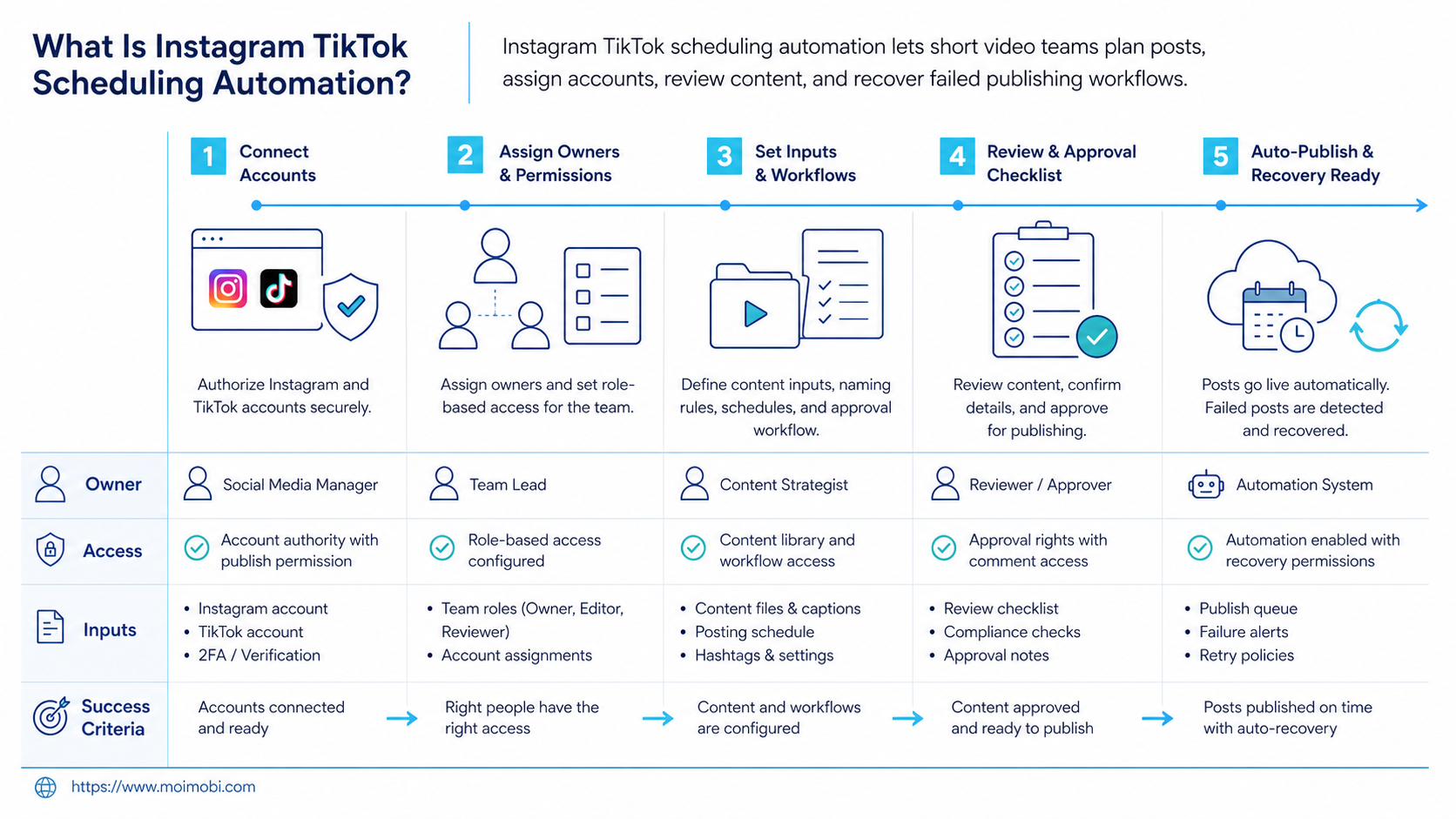
A scheduled post should not float without an account environment. It should point to the exact workspace that can complete the action.
The map should include account, platform, owner, reviewer, publishing path, workspace, proxy or routing note if used, and recovery owner. This may sound detailed, but it prevents the most common multi-account mistake: the right content being published from the wrong account.
Device isolation matters when mobile execution is part of the process. A team may assign one account to one mobile workspace, or one client group to a controlled device group. The goal is not to make unsafe claims about account outcomes. The goal is to reduce operational mixing and make failures easier to inspect.
Browser work also needs mapping. When a post moves through a web dashboard, the browser profile should match the account. When it moves through a mobile app, the mobile environment should match the account. When it moves through an API, the permission and account type should match the platform requirement.
This map should be visible to operators. Hidden routing rules create fragile automation. Visible assignment gives the team a way to pause, reassign, or recover without guessing.
Common Mistakes to Avoid
The first mistake is treating every scheduled item as ready to publish. A calendar date does not prove that the asset, caption, account, reviewer, and environment are ready.
The second mistake is mixing approval and execution. A teammate may approve a video concept but not the final caption. Another teammate may approve the caption but not the account assignment. Keep those states separate.
The third mistake is overusing one account workspace. A browser or mobile environment that handles too many unrelated accounts becomes hard to audit. Proxy network planning may also matter when routing is part of the operating model, but it should be documented rather than improvised.
The fourth mistake is measuring only published count. Published count hides whether the right post went live, whether review took too long, and whether failure recovery improved. Short video teams need quality and recovery metrics, not only volume.
Pilot Rollout, Measurement, and Recovery Checks
The first pilot should be small. Use one account group, one campaign type, and one week of scheduled posts. This creates enough activity to test the workflow without creating a backlog of failures.
Track these metrics:
| Metric | What it proves | Review question |
|---|---|---|
| Publish success rate | Scheduled items completed | Did the right account publish the right asset? |
| Review delay | Approval flow is clear | Which reviewer caused the most waiting? |
| Account mismatch | Environment mapping works | Did any task open the wrong workspace? |
| Failure reason quality | Recovery is useful | Can the next operator continue the task? |
| Manual override rate | Automation boundaries are realistic | Which steps still need human action? |
Recovery checks should be written before scale. A failed post should show whether the problem was a missing asset, expired login, platform permission, app prompt, reviewer hold, or unsupported format.
Scale only the categories that pass the pilot. If Instagram Reels work but TikTok posts fail because of account prompts, keep TikTok in review. If caption approval creates delays, fix approval before adding more accounts. This prevents the automation from expanding faster than the team can control it.
Frequently Asked Questions
What is Instagram TikTok scheduling automation?
It is a workflow for planning, assigning, publishing, and tracking short video posts across Instagram and TikTok accounts.
Is it the same as a social media scheduler?
Not exactly. A scheduler focuses on time and calendar control. An execution workflow also handles accounts, environments, approvals, and recovery.
Can teams use official APIs for this?
Some publishing workflows can use official platform APIs when the account type, permissions, and format are supported. Teams should check Meta and TikTok developer documentation before assuming coverage.
When do cloud phones matter?
Cloud phones matter when scheduled work needs mobile app execution, account-specific app state, or operator handoff inside a mobile environment.
What should be automated first?
Automate intake, approval state, account assignment, and result logging first. Add publishing execution after the workflow is measurable.
How many accounts should a pilot include?
Start with one small account group. Three to five related accounts are often enough to test ownership, review, timing, and recovery.
What causes scheduling workflows to fail?
Common causes include missing assets, unclear reviewers, wrong account mapping, expired sessions, unsupported platform paths, and weak failure records.
Where does Moimobi fit?
Moimobi fits when scheduling needs isolated browser and mobile execution environments, multi-account assignment, and operational visibility beyond a calendar.
Conclusion
For short video teams, Instagram TikTok scheduling automation is strongest when it connects content planning with real execution control. A team should know which asset is approved, which account owns the post, which environment will execute it, and how failures will be reviewed.
Before scaling, run a small pilot. Map the accounts, define approval states, choose the publishing path, and track failure reasons. If the pilot shows clean ownership, low account mismatch, useful recovery notes, and predictable review timing, the workflow is ready to expand. If not, improve the workflow before adding more accounts or posting volume.



