
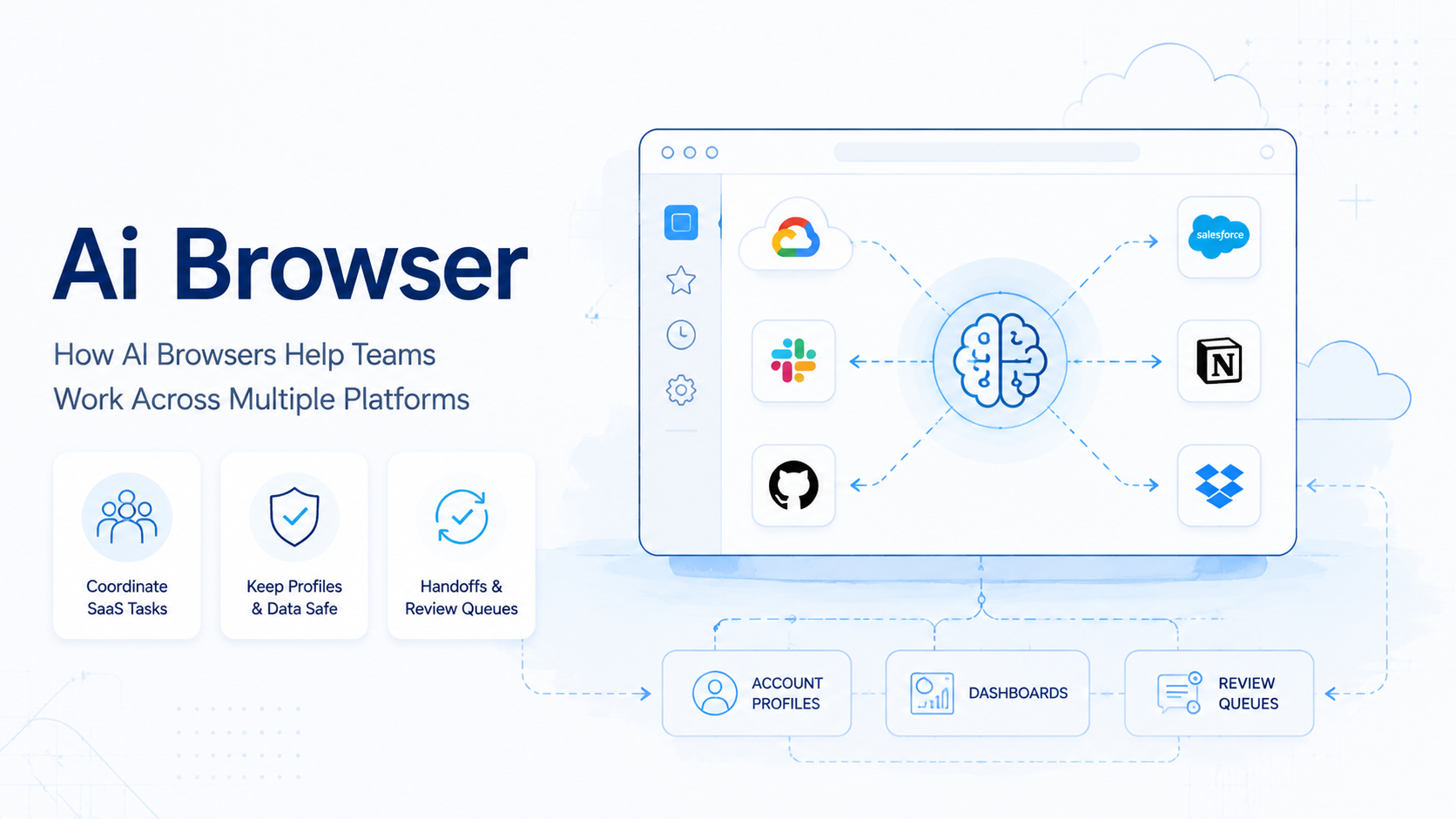
An AI browser is a browser workspace where an AI agent can read pages, follow instructions, and complete defined web tasks under team control. It helps when work spans several logged-in platforms, not one clean API.
Most online teams do not operate inside a single system. A support task may start in a social inbox, move to a CRM, require a spreadsheet check, and end with a saved reply. A growth task may require lookup work, content preparation, account login, publishing, and monitoring. Browser-side AI execution is useful when these steps need context and action in the same workspace.
Key Takeaways
- Agent-ready workspaces give workers a controlled place to operate inside real web apps.
- Multi-platform work needs session memory, account mapping, and review controls.
- Browser automation standards help with control, but business execution requires workflow structure.
- The strongest use cases are repetitive web tasks with visible outputs.
- Teams should pilot one account workflow before scaling many agents.
What an AI Browser Changes for Multi-Platform Work
A browser workspace changes the operating surface. Instead of asking an AI tool for instructions, a team can assign a task in an environment where the agent can inspect the page, fill fields, compare information, and hand results back for review.
Automation already has mature technical roots. The W3C WebDriver standard describes a protocol for remote control. Playwright provides a developer framework for automating major engines. Chrome’s official DevTools documentation explains the inspection model that many teams use when debugging page behavior.
Those tools explain the technical path. Teams still need an execution model around them:
- Which account is active?
- Which profile is assigned?
- What task state is expected?
- What output proves completion?
- When should a human take over?
Without those answers, automation becomes fragile.
Why Teams Need More Than a Single Web Automation Script
A script works well when the page is predictable and the steps rarely change. Multi-platform operations are messier. A button moves, a dashboard loads slowly, a field is missing, or a teammate needs to approve a reply.
This workspace helps by combining observation and action. The worker can inspect the current state, compare it with the task goal, and continue or escalate. This does not remove the need for rules. It makes the rules easier to apply across changing pages.
For Moimobi, web execution is part of a wider system that includes multi-account management, mobile execution, and isolated workspaces. That matters when one team manages many platforms and accounts at once.
Common Multi-Platform Scenarios
The strongest use cases have repeated work and clear review points. These scenarios usually fit better than one-off lookup tasks:
| Scenario | Platforms Involved | AI Browser Role |
|---|---|---|
| Support reply prep | Inbox, CRM, knowledge base | Collect context and draft a response |
| Lead lookup | Website, LinkedIn, spreadsheet | Extract fields and flag next actions |
| Content operations | CMS, social platform, analytics tool | Publish approved assets and log status |
| Account monitoring | Dashboards, notifications, reports | Check state and escalate anomalies |
The pattern is the same in each case. The agent needs an execution environment, not only a prompt window. It must see what the human operator would see.
How Browser Agents Work With Account Profiles
Account-based work needs clean boundaries. A shared session can mix cookies, permissions, and team activity. That creates operational confusion even before any AI is involved.
Teams should map each recurring account workflow to a specific profile or workspace. That profile should hold the expected login state, routing setup when used, and task history. Moimobi’s Android antidetect direction is built around separated workspaces rather than open-ended automation.
A simple rule helps: one account, one controlled environment, one task log. That rule makes later review easier. It also helps teams understand which failures come from content, credentials, page state, or platform changes.
Fit Boundaries: Where an AI Browser Is a Strong Match
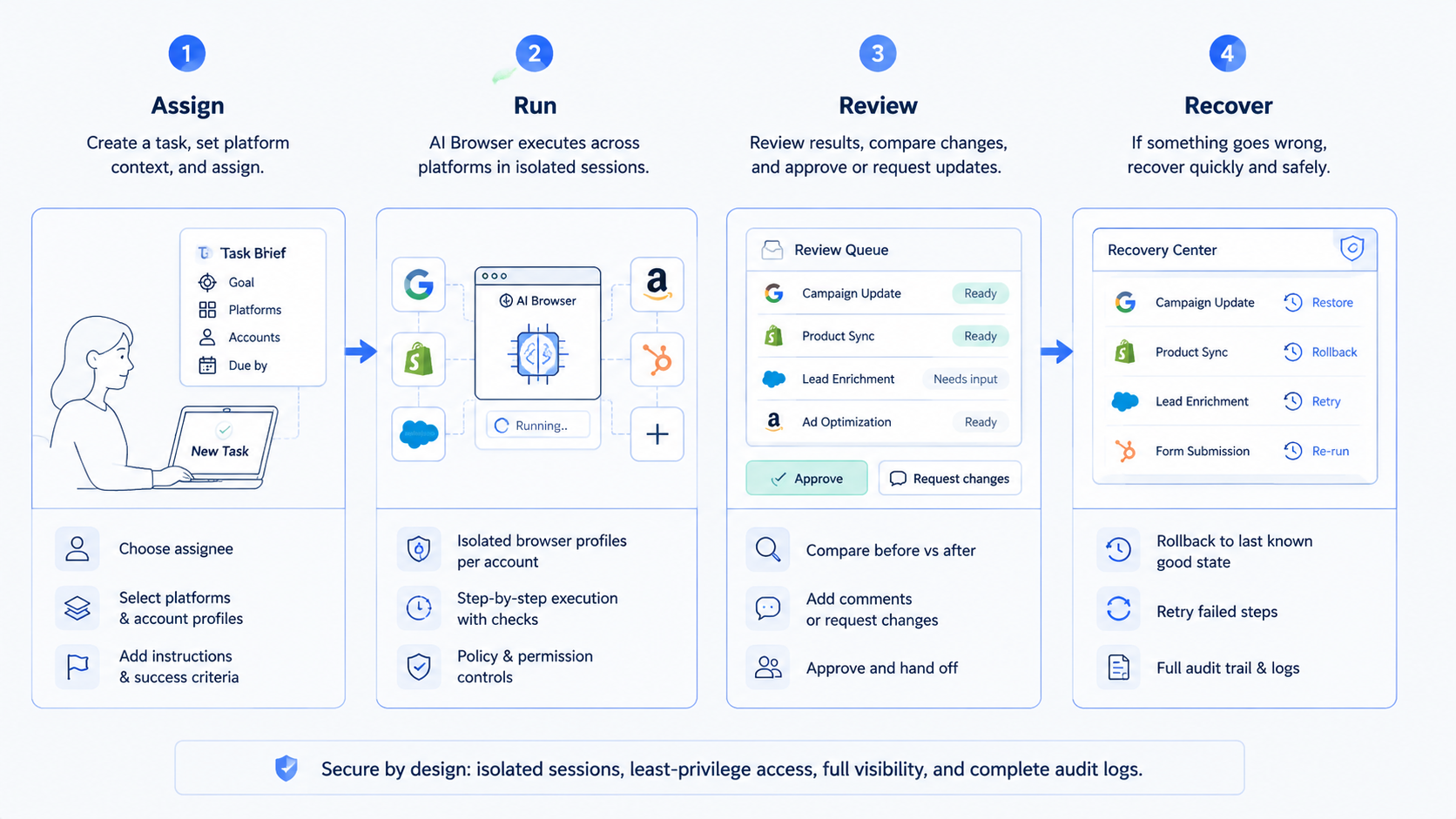
This model is a strong match when the workflow is web-based, repetitive, and visible. The page should show enough state for the agent to understand what happened. The output should also be easy to check.
It is a weaker fit when the task depends on private judgment, complex negotiation, or irreversible account changes. In those cases, the worker can prepare context and draft options, but a person should approve the final step.
Mobile-first workflows may also need more than a web workspace. If a task depends on Android app behavior, push notifications, or mobile-only UI, the team should connect web execution with mobile automation or cloud phone environments.
Pilot Rollout and Measurement
Start with one workflow that crosses two platforms. For example, collect information from a web dashboard and update a CRM note. Keep the first pilot narrow enough that a human can review every run.
Track these fields during the pilot:
- Start state: Was the correct profile and account loaded?
- Task path: Which pages or tools were touched?
- Completion signal: What visible state confirms the task finished?
- Human edits: What did reviewers change?
- Failure class: Was the issue login, UI change, missing data, or bad instruction?
This measurement loop matters more than high task volume at the start. The team is learning how the AI agent execution environment behaves under normal work conditions.
Add one shared review sheet or task table during the pilot. Each run should record owner, account, target platform, start state, result state, reviewer, and next action. This gives operations leads a simple way to compare completed work with paused work.
A clean review table also prevents vague feedback. Instead of writing “the agent failed,” the reviewer can mark “missing credential,” “unexpected page state,” “unclear instruction,” or “needs approval.” Those categories make the next workflow change easier to prioritize.
Mistakes That Make AI Browser Automation Fragile
The first mistake is treating the workspace as disposable. Persistent sessions are valuable because they preserve context, login state, and workflow continuity.
The second mistake is skipping account ownership. If several workers touch the same account without a log, the team cannot explain what changed. A controlled device isolation model helps keep responsibility clear across web and mobile environments.
The third mistake is automating vague goals. “Handle leads” is too broad. “Open the lead dashboard, identify new records, enrich three fields, and queue uncertain cases” is much easier to verify.
Frequently Asked Questions
What is an AI browser?
It is a controlled workspace where an AI agent can inspect pages and complete defined web tasks.
Is this the same as browser automation?
No. Automation controls the page session. An agent-ready workspace adds task context, memory, review, and workflow boundaries.
Can browser agents work across multiple platforms?
Yes, when those platforms are accessible through the assigned environment and the workflow has clear rules.
Do teams still need APIs?
Often yes. APIs are better for structured system-to-system work. Browser agents are useful when the work lives in web interfaces.
What should be automated first?
Start with a small task that has visible inputs, visible outputs, and a reviewer who can approve or reject the result.
How does this relate to cloud phones?
Cloud phones are useful when the task must happen in a mobile app or mobile account environment. Web tasks can stay in assigned profiles.
What is the main operational limit?
The main limit is scaling before the team has logs, account ownership, and recovery rules.
How should success be measured?
Measure completion rate, takeover rate, review edits, failure type, and time saved per workflow.
Conclusion
Agent-ready workspaces help teams work across multiple platforms by giving workers a controlled place to see, act, and report. The value is not just page control. It is the combination of session state, account boundaries, task instructions, and review.
Before scaling, choose one workflow that crosses platforms and define its completion signal. If the task needs mobile app state, add cloud phone execution. If it stays in web apps, start with assigned profiles and a review loop.



