
Key Takeaways
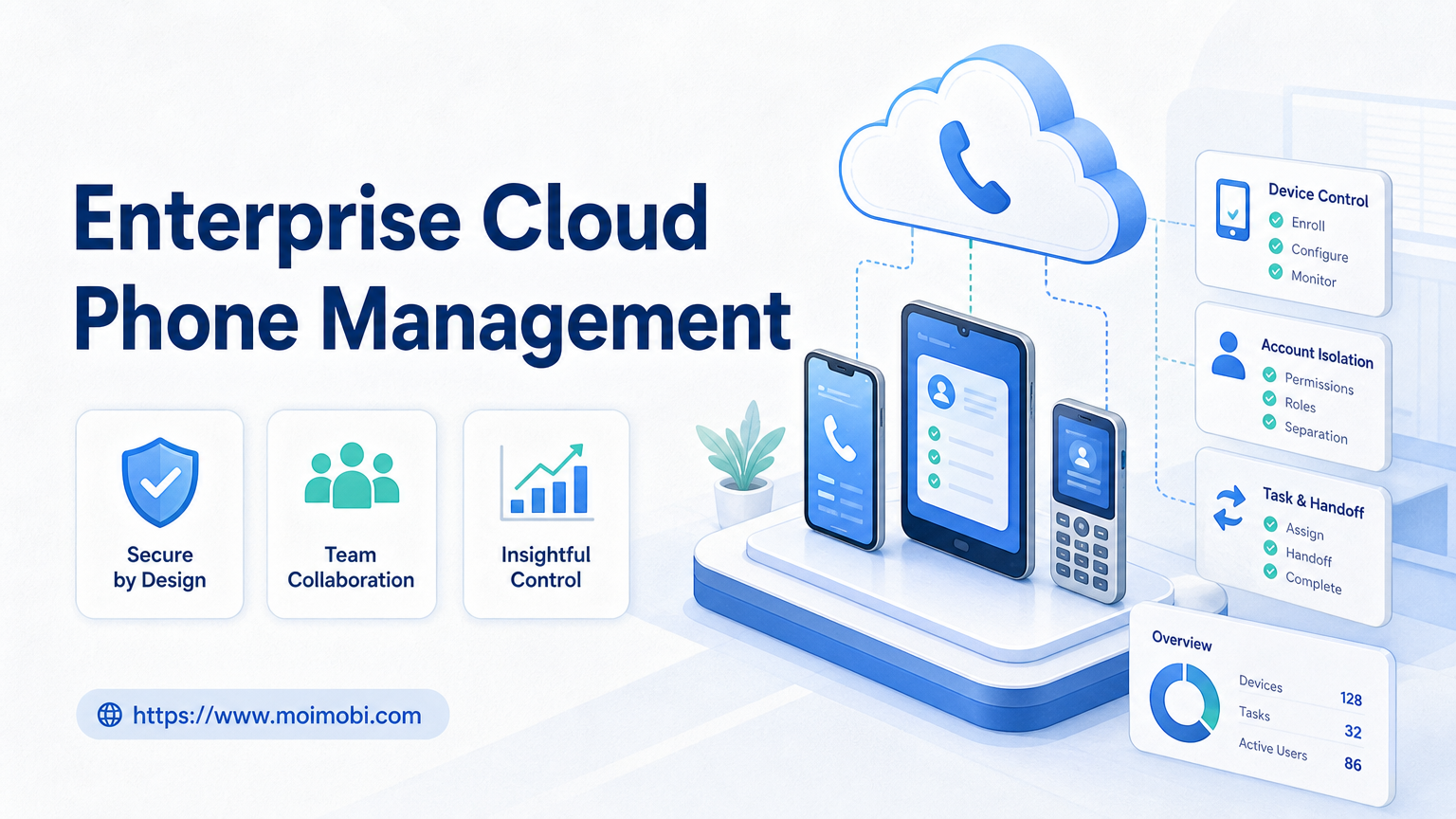
- Enterprise cloud phone management is a selection process for device capacity, account isolation, workflow control, and audit records.
- Buyers should compare operating model before comparing only device price.
- The right platform should support account assignment, permissions, task history, pause rules, and recovery checks.
- A pilot should test one account group and one workflow before a larger rollout.
- Moimobi fits teams that need cloud phones as execution infrastructure for social media, e-commerce, and customer engagement.
Enterprise cloud phone management is the process of choosing, assigning, controlling, and auditing cloud phones for team workflows. For enterprise teams, the decision should focus on execution control, not only on how many devices the vendor can provide.
A cloud phone platform becomes useful when teams need mobile app environments, account separation, task records, and remote execution capacity. It becomes risky when devices are treated as anonymous capacity with no owner, approval rule, or recovery history.
The selection rule is practical: choose a platform that lets your team explain every account, device, task, operator, and failure. If the platform only sells device count, it may not be enough for enterprise operations.
Pre-Setup Requirements and Checks for Enterprise Cloud Phone Management
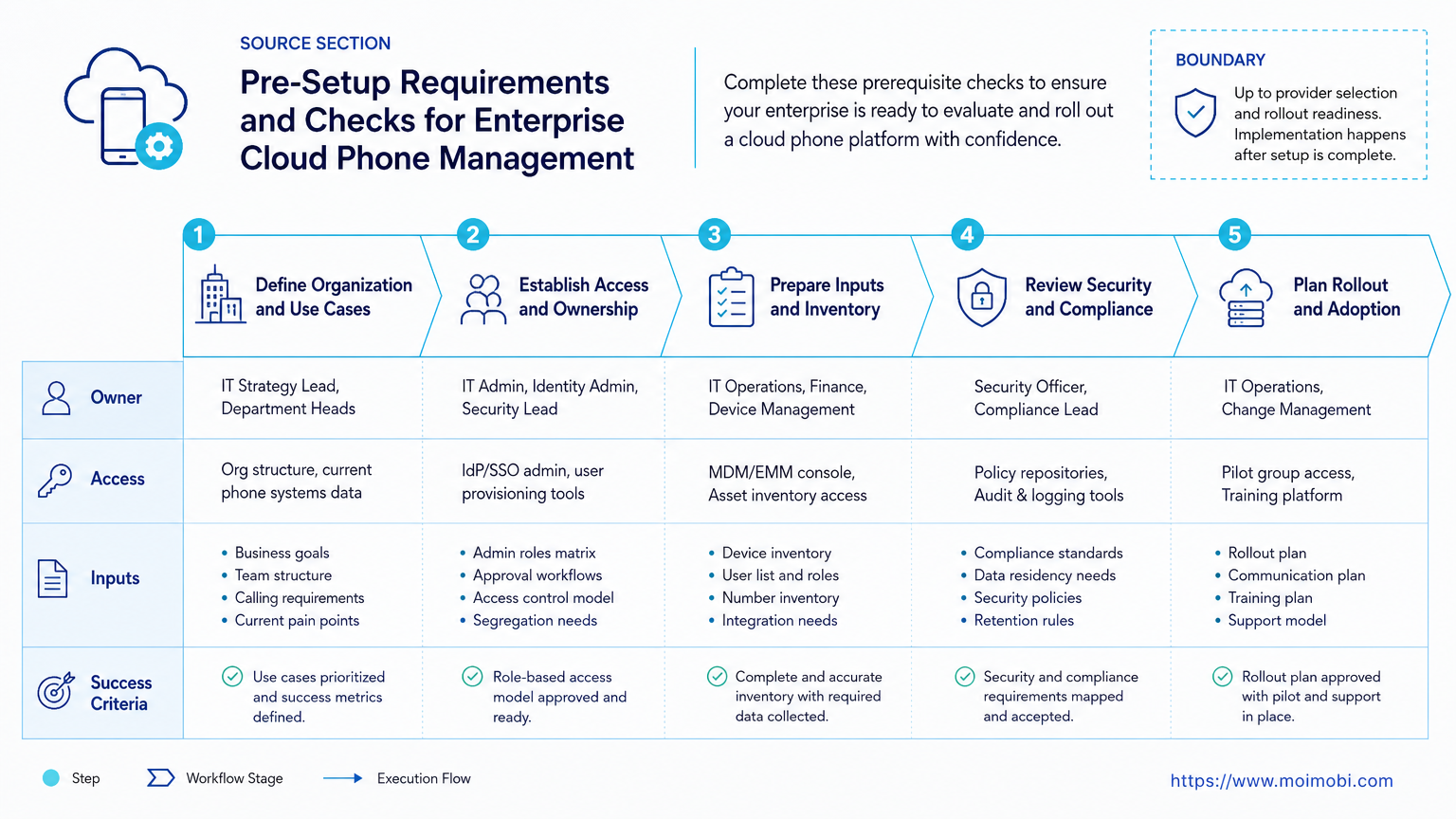
Start with your internal operating model. A vendor cannot fix unclear ownership.
Before comparing providers, document:
- account groups and business owners;
- required platforms and mobile apps;
- regions, network labels, and account workspace rules;
- task types such as publishing, replying, monitoring, and lead follow-up;
- approval needs for sensitive replies or account changes;
- logging fields for task ID, account, device, operator, and result;
- expected support response for device, app, or login issues.
| Requirement | Why It Matters | Question to Ask |
|---|---|---|
| Device assignment | Prevents unclear account-device mapping | Can one account stay tied to one environment? |
| Permission control | Limits who can launch, reset, or reassign devices | Can roles separate operators from admins? |
| Task records | Supports review and recovery | Can we see who started each workflow? |
| Pause controls | Stops repeated failures from spreading | Can one account group pause without stopping all teams? |
AWS Device Farm and Firebase Test Lab both show how cloud-hosted mobile environments are organized around devices, tests, and execution results. Enterprise operations need a similar discipline, even when the use case is not software testing.
The Core Workflow for How to Choose a Cloud Phone Platform for Enterprise Teams
Use a staged selection workflow. Do not jump from vendor demo to contract.
- Define the work. List the social, messaging, or e-commerce tasks that need mobile execution.
- Map account groups. Separate production accounts, test accounts, client accounts, and inactive accounts.
- Score environment control. Check device assignment, app install control, session handling, and reset rules.
- Review team permissions. Confirm admin, operator, reviewer, and finance roles can be separated.
- Test logs and recovery. Run one failed task and see whether the platform explains what happened.
- Run a limited pilot. Use one workflow and one account group before expanding.
This workflow keeps the evaluation tied to operating reality. A platform may look strong in a demo but fail when several operators need handoff, review, and incident records.
What to Compare in a Cloud Phone Provider Comparison
A serious cloud phone provider comparison should include more than uptime and price. Enterprise teams need management controls.
Compare these areas:
- Device pool quality: app compatibility, OS versions, device availability, and remote access behavior.
- Account isolation: whether account workspaces can stay separated by device, group, and owner.
- Workflow controls: task queues, approvals, pause states, retries, and human takeover.
- Admin controls: role-based permissions, user management, billing visibility, and access logs.
- Integration path: API, dashboard, import/export, or automation hooks.
- Support model: incident response, replacement devices, and troubleshooting evidence.
Android Enterprise documentation emphasizes management through policy, enrollment, and control. Enterprise cloud phone management needs a similar mindset. A device fleet without policy boundaries becomes hard to operate at scale.
Moimobi is positioned as an execution layer. Teams can combine device isolation, mobile automation, and account workspaces instead of treating cloud phones as rented screens.
How to Verify the Setup Is Working
Verification should be operational, not cosmetic. A successful login does not prove the platform is ready.
Use these pass/fail checks:
- Can every account be matched to one approved device or environment?
- Can a manager see who launched a task?
- Can an operator pause one device or account group?
- Can failed tasks be grouped by account, device, workflow, and error type?
- Can the team export or review task history?
- Can access permissions stop an operator from resetting the wrong device?
- Can a second operator continue a paused task from records alone?
NIST log management guidance explains that logs support detection, investigation, and accountability. A cloud phone platform should provide enough event history for the same basic job. Teams need to know what happened before a failure, not only that a device is online.
Where Teams Usually Get Stuck in Enterprise Cloud Phone Management
The common mistake is buying capacity before defining control. More cloud phones do not create better operations if account ownership is unclear.
Teams also get stuck when they compare cloud phone alternatives only by device price. A VMOS alternative, UGPhone alternative, or browser-profile alternative may solve a different part of the workflow. The right question is: does the team need Android app execution, browser session isolation, account records, or all three?
Another trap is ignoring review work. Publishing, replying, and customer engagement often need human approval. A platform that runs tasks quickly but cannot show approval history may create more management work later.
Support is also part of the purchase. Enterprise teams should ask how incidents are handled. A device replacement is not enough if the team loses account assignment, task state, or failure history.
Who It Fits and When It Is a Strong Match
Enterprise cloud phone management fits teams with repeatable mobile operations. It is strongest when several people share account work.
- Teams managing many social or messaging accounts.
- Agencies running client account workflows.
- E-commerce teams using mobile-first apps.
- Support teams needing mobile inbox coverage.
- One person uses one account manually.
- The team only needs occasional app testing.
- There is no account ownership model.
- The platform is evaluated only by device count.
If the team mostly works in web dashboards, a browser profile system may be enough. If the workflow depends on real mobile apps, a cloud phone layer is more relevant. If both are needed, compare how the platform connects browser and mobile work.
Pilot Rollout, Measurement, and Recovery Checks
Run the pilot like a real operation. Choose one account group, one task type, and one owner.
Track:
- device assignment accuracy;
- task completion;
- failed retries;
- manual approvals;
- operator handoff time;
- incident recovery time;
- unexplained account-device changes.
The recovery check matters most. Ask the team to reconstruct one failed task from the records. They should find account, device, operator, task ID, start time, error, and recovery action.
If that reconstruction fails, do not scale. Fix the management model before adding more devices.
Next Steps After the First Pass
After the first pilot, review both platform fit and team behavior. A good platform can still fail if operators skip naming rules or approval fields.
Use the first pass to decide:
- Which account groups should move next.
- Which tasks should stay manual.
- Which logs must become mandatory.
- Which permissions need tighter roles.
- Which integrations matter for daily work.
Build the rollout in waves. Add one platform, account group, or workflow at a time. Keep each wave small enough that managers can still review failures.
Security, Permissions, and Governance Checks
Enterprise buyers should treat access control as a core feature. A cloud phone platform may have enough devices, but still fail governance if every user can reset devices, change assignments, or export account data.
Check whether the platform supports separate roles for admins, operators, reviewers, and billing users. Admins should manage environments. Operators should run approved tasks. Reviewers should approve sensitive actions. Finance users should see plan and usage data without touching accounts.
Governance also includes change history. The platform should record who changed a device assignment, who installed or removed an app, who started a workflow, and who paused a task. These records help teams separate normal operations from incidents.
For enterprise cloud phone management, the permission model should be tested during the pilot. Give a junior operator limited access and confirm they cannot change restricted settings. Give a manager review access and confirm they can inspect task history without taking over devices.
Cost Model Beyond Device Price
Device price is only one part of the cost model. Enterprise teams should calculate the cost of setup, training, review, support, incident handling, and workflow maintenance.
Use a simple cost worksheet:
- monthly device or seat cost;
- operator time per workflow;
- review time per sensitive task;
- support time for failed devices or app issues;
- integration work for task records or reporting;
- recovery time after account or device incidents;
- unused device capacity.
This worksheet prevents a common buying mistake. A cheaper platform may become expensive if managers need manual spreadsheets, private chat history, or repeated support tickets to understand daily work.
The better cost question is not “which vendor is cheapest?” It is “which platform reduces unmanaged work?” A platform that saves device cost but increases review friction may not be the best enterprise choice.
Before signing, run one contract-readiness check. Ask the vendor to show a real task record, a device reassignment record, a permission change record, and a failed-task recovery record. If those examples are unclear, the team should treat reporting and support as open risks during negotiation.
Record those examples in the evaluation notes so procurement, operations, and security review the same evidence before final approval together internally.
Frequently Asked Questions
What is enterprise cloud phone management?
It is the process of controlling cloud phones, accounts, tasks, permissions, logs, and recovery for team operations.
How is this different from renting cloud phones?
Renting devices gives capacity. Management adds account assignment, roles, task records, review, and recovery.
What should an enterprise compare first?
Start with account isolation, device assignment, permissions, workflow records, support, and recovery controls.
Is a cloud phone better than a physical phone farm?
It depends on the job. Cloud phones can simplify remote access and centralized control, while physical farms may fit other constraints.
When is a browser profile tool enough?
It may be enough when the workflow is mostly browser-based and does not require mobile app execution.
What should a pilot include?
Use one account group, one workflow, clear owners, mandatory logs, and a recovery drill.
How should teams judge cost?
Look beyond device price. Include setup time, operator time, review work, support, and recovery cost.
Where does Moimobi fit?
Moimobi fits teams that need cloud phones, mobile automation, device isolation, and account workflow control in one execution layer.
Conclusion
Choose a cloud phone platform in this order: workflow fit, account isolation, permissions, logs, recovery, support, then price.
Do not scale after a clean demo. Run a small pilot and inspect one failed task. If your team can explain the full path from account to device to task result, the platform is ready for the next rollout wave.



