
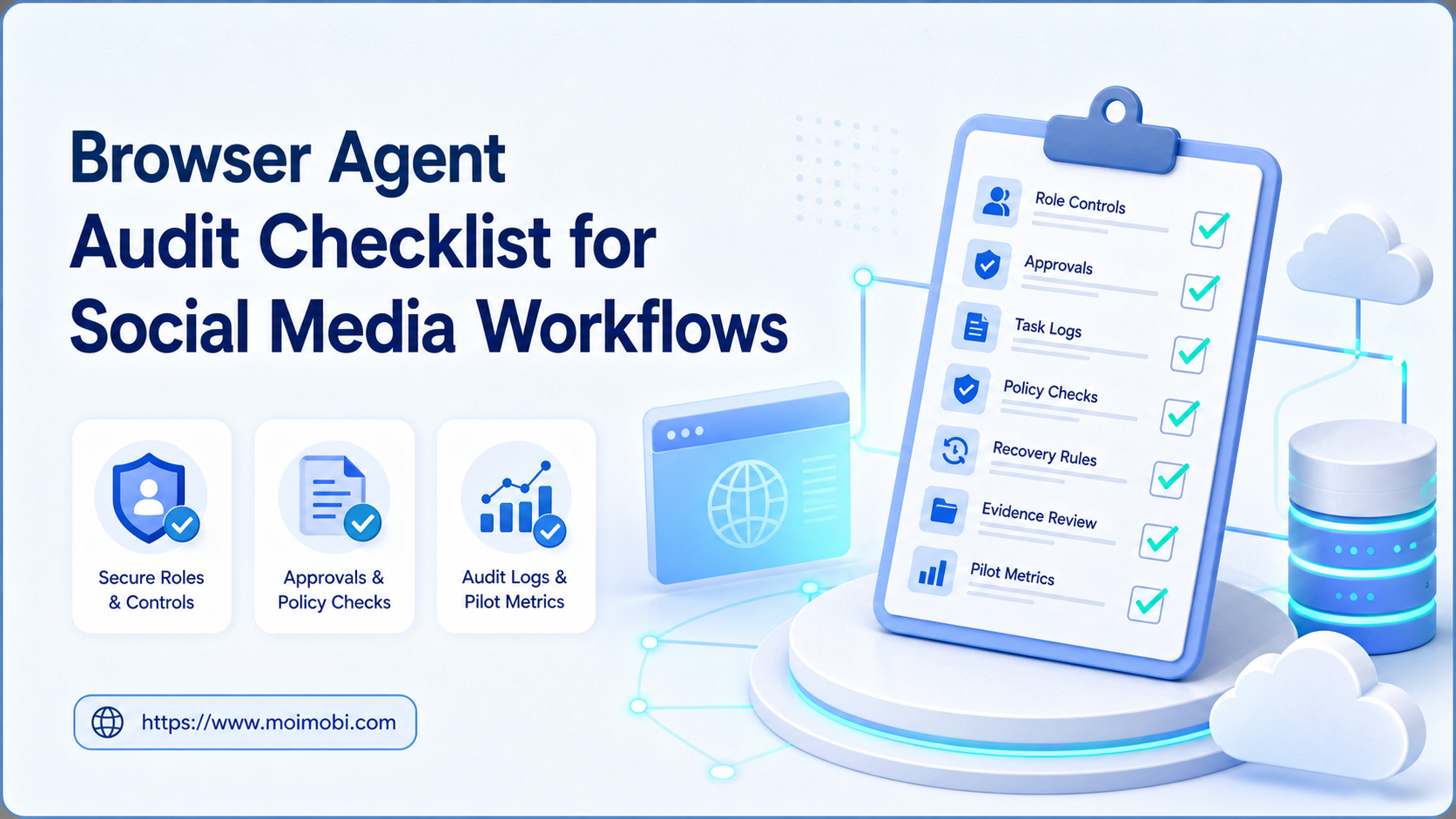
A browser agent audit checklist is a structured review of who can run a social media workflow, what the workflow may do, what evidence it records, and when it must stop for human review. The checklist is not a way to make account activity invisible or avoid a platform’s controls. It is a way to keep legitimate work attributable, reviewable, and within policy.
Social teams often automate repetitive preparation: collecting approved content, opening assigned workspaces, preparing a reply draft, scheduling a review, or recording a completed task. Those steps still need boundaries. A browser agent should never decide its own permissions, create an unreviewed customer commitment, or continue after a policy-sensitive exception.
An audit should answer one practical question: can a manager reconstruct the intent, owner, action, result, and exception path for every material task? If not, the workflow needs work before it expands.
Key Takeaways
- Audit the workflow purpose before auditing the tool.
- Keep operator, account role, task input, approval, and result in one record.
- Require human review for customer-facing, paid, regulated, or policy-sensitive actions.
- Stop on unclear ownership, unexpected account state, or ambiguous platform feedback.
- Measure recovery clarity and review quality alongside completion volume.
The Core Browser Agent Audit Checklist
Use this checklist before a workflow is released to a team:
| Audit area | Pass condition | Stop condition |
|---|---|---|
| Business purpose | One approved outcome and owner are named | The task exists only to create activity or bypass a rule |
| Account scope | Assigned workspace and role are documented | Credentials or sessions are shared without ownership |
| Inputs | Approved data source and field rules exist | The agent can collect or insert unapproved data |
| Actions | Allowed steps and approval gates are explicit | It can send, publish, or delete without review where needed |
| Evidence | Task ID, time, owner, result, and exception are recorded | Another operator cannot reconstruct the run |
| Recovery | Pause, escalation, and retry rules are defined | Every error is treated as an automatic retry |
The NIST guide to log management describes enterprise logging as an operational and security practice. Apply the same principle here: collect enough context to investigate a task, but avoid copying credentials, private messages, or unnecessary customer data into general workflow records.
Why Social Media Teams Need a Browser Agent Audit Checklist
The concern is not that every automation is risky. The concern is that a workflow can quietly grow beyond its original purpose. A team may start with content preparation, then add publishing, replies, exports, or account changes without updating ownership and approval rules. The result is a process that appears efficient but is difficult to govern.
Platform policy is an external boundary. Meta’s Platform Terms require developers and users of its platform services to follow applicable terms and policies. That does not translate into a universal technical rule, but it does mean teams should validate each intended action against the destination’s permissions, API requirements, and user-consent expectations.
Audit records also prevent avoidable internal mistakes. When an agent opens the wrong workspace, uses a stale content version, or creates a duplicate task, the team needs a task history that supports a narrow fix. A vague “automation failed” label produces broad, risky changes. A record with a task ID, input reference, account role, and actual outcome supports a more proportionate response.
Preflight Controls for Social Media Workflows
Review five controls before the agent receives access:
- Role ownership: Name the account role, business purpose, primary owner, and escalation owner.
- Permission boundary: Separate workflow author, operator, reviewer, and administrator permissions.
- Content boundary: Define which source library, approved templates, and disclosures the workflow may use.
- Action boundary: List the actions that require confirmation, including publishing, customer replies, paid activity, exports, and deletions.
- Evidence boundary: Define which events are logged and which sensitive fields must remain outside the task log.
An AI browser can support browser-based execution when these controls are attached to the workspace. The tool should make the approved job easier to run and inspect. It should not be framed as a mechanism for deceptive engagement, mass unsolicited contact, or avoidance of platform restrictions.
How to Audit a Browser Agent Before Rollout
Run the review on one workflow, not an entire operations stack at once. The goal is to expose ambiguity early.
- Map the workflow. Identify trigger, allowed inputs, workspace, actions, approval points, result, and failure path.
- Inspect permissions. Confirm that each person and service has only the access needed for the assigned task.
- Test an ordinary run. Verify that the task record captures the correct owner, source asset, action, and outcome.
- Test a pause case. Use a missing approval, changed page, or unclear account state to confirm that the workflow stops safely.
- Review the evidence. Ask a second operator to reconstruct the run without relying on the original operator’s memory.
- Approve narrowly. Release the workflow only for its documented use case, then review results before adding actions.
The OWASP Logging Cheat Sheet recommends logging event context and outcomes while minimizing sensitive data. That is directly useful for a browser agent audit. A good record explains the action without becoming a data dump.
Which Teams Are a Strong Fit?
- Teams with documented content and reply SOPs
- Approved account roles and named operators
- Repeatable preparation or review tasks
- Managers who can review task evidence
- Undefined content ownership
- Shared credentials with no accountable role
- Cold outreach or customer actions without consent controls
- Workflows that depend on avoiding platform enforcement
An agency can use the checklist for client content review, campaign reporting, or support handoffs. A commerce team can use it for approved content preparation and dashboard monitoring. Both need a separate owner for exceptions. Multi-account management is valuable when it clarifies those roles, not when it blurs them.
Mistakes That Weaken an Audit
Auditing only the software. The real control surface includes the people, account roles, source content, and approval path. A good tool cannot fix an undefined SOP.
Allowing broad “publish” permissions. Publication, customer replies, exports, and deletions may have different impact. Put high-impact actions behind explicit confirmation or review.
Keeping only success logs. An audit trail must also capture pauses, errors, rejected approvals, and recovery decisions. Otherwise teams cannot learn from exceptions.
Changing several variables after a failure. Preserve evidence first. Then change one controlled variable. A broad reset makes it harder to know what caused the issue.
Pilot, Measurement, and Recovery Checks
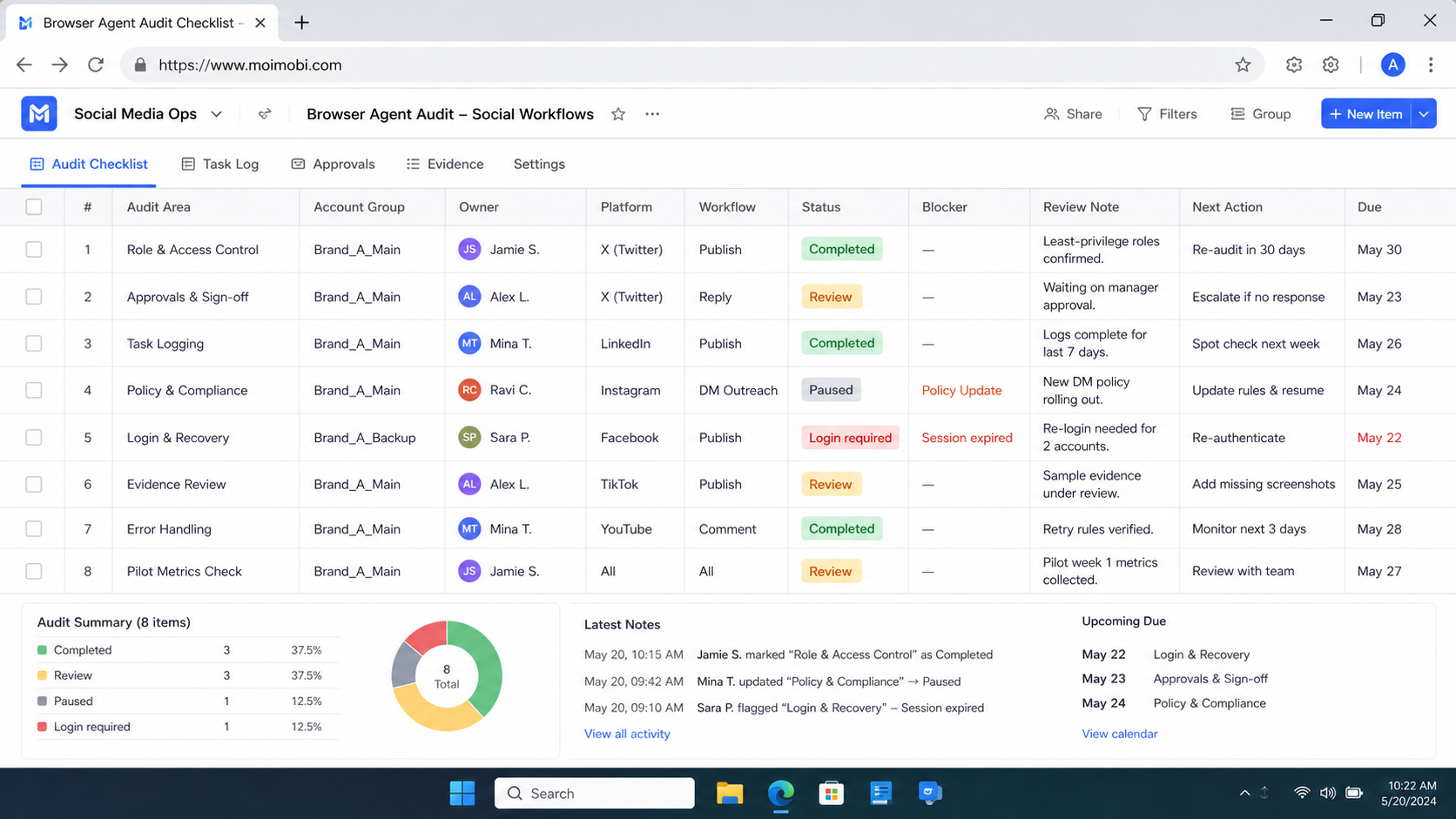
Pilot the workflow with a small group and a small set of permitted tasks. Record how long a manual run takes, how many handoffs it requires, and which exceptions are common. After the pilot, compare completion quality, review time, exception clarity, and recovery time.
The recovery test matters most. The team should simulate an unapproved asset, missing permission, stale workspace, and unexpected platform response. A browser agent passes the audit only when it pauses, records the context, and routes the case to the right owner. Continuing through ambiguity is not a successful automation outcome.
For a workflow that includes mobile review, mobile automation should use the same task ID, owner, and exception path. Browser and mobile steps should not create separate untraceable histories.
Browser Agent Audit Checklist: Evidence Review
An audit is credible only when another person can review the evidence without reconstructing the story from chat messages. That does not mean recording everything. It means retaining the smallest useful set of facts for a decision, a task, and an exception.
Use a short evidence packet for each material task:
- Task identity: A unique task ID, workflow version, execution time, and the approved business purpose.
- Authorized context: The assigned account role and workspace reference, without placing passwords, access tokens, or private messages in a general report.
- Input provenance: A link or internal ID for the approved source asset, brief, or support case that started the task.
- Decision points: The identity of the reviewer where approval was required, the decision made, and the reason for a rejection or pause.
- Outcome: A factual completion, pause, failure, or handoff state. Avoid unhelpful labels such as “done” when the task instead created a draft for review.
- Recovery record: The owner who accepted the exception, the corrective action, and whether a retry was approved.
This evidence design keeps privacy and accountability in balance. For example, an approval record can state that a reply draft was reviewed for an assigned account role without copying the customer’s entire conversation into a shared operations dashboard. Where teams process personal data, they should apply their own retention, access, and legal requirements rather than assuming a task log is a general-purpose archive.
Evidence review also improves handoffs. A teammate taking over a queue should be able to see the permitted next action and the reason a task paused. They should not need to guess whether a missing result was caused by a failed page load, an expired approval, a content change, or an intentional stop. This distinction prevents duplicate actions and avoids pressure to “just retry” a task that needs review.
Browser Agent Audit Checklist: Change Control
Social media workflows change frequently. A new campaign, staff member, account role, content format, or platform feature can alter risk even when the task name stays the same. Treat these changes as an audit trigger rather than a minor configuration update.
Use a lightweight change record whenever the workflow gains a new action, new data source, new account role, or new approval path. The record should name the change, owner, affected workflow version, expected benefit, and rollback point. Before release, run one controlled test with a known input and confirm that the activity record still captures the right evidence.
The most useful review questions are practical:
- Does this change expand what the agent can do, or only improve a step it already performs?
- Does it create a new customer-facing, publishing, payment, export, or deletion action?
- Does the current approver have enough context to decide safely?
- Can the team turn the change off without losing an active task record?
- Does the update affect a platform policy, user-consent expectation, or internal retention rule?
Small changes can be approved by the workflow owner. Higher-impact changes should require a second reviewer, documented test evidence, and a pilot limit. This approach is more reliable than a long quarterly review that discovers several untracked changes at once.
A Practical Weekly Audit Cadence
Teams do not need a heavy governance meeting for every task. A short weekly review is enough when the workflow is stable. Review the previous week’s completed tasks, paused tasks, rejected approvals, and repeated exception types. Then select one trend to address in the next iteration.
For example, a queue with many paused tasks caused by stale content versions may need a stronger source-asset check. A queue with repeated ownership questions may need clearer role assignment. A queue with slow approvals may need a narrower approval scope, not a broader permission. These are operating improvements, not reasons to remove the audit trail.
Keep the review focused on evidence and outcomes. Completion volume can be useful, but it should never be the only measure. A workflow that completes fewer tasks while avoiding duplicate posts, unclear customer replies, or unauthorized changes may be healthier than one that simply runs more often.
Frequently Asked Questions
Does every social media workflow need a formal audit?
Not every low-impact checklist needs a large review. Every workflow should still have a purpose, owner, access boundary, and stop rule.
What should a task log record?
Record the task ID, workflow version, account role, owner, source input, action, result, timestamp, and exception reference. Keep secrets outside the general log.
Can an agent reply to comments automatically?
Only where the workflow, platform permissions, consent, and internal review rules allow it. Customer-sensitive or ambiguous replies should route to a person.
What is the best pause condition?
Pause when ownership is unclear, approval is missing, the source asset changed, account state is unexpected, or the intended action may conflict with policy.
How often should the checklist be reviewed?
Review it when the workflow changes, a new platform action is added, an incident occurs, or a regular operating review identifies repeated exceptions.
Can a browser agent use several account workspaces?
It can support approved workspaces when each has a defined role, owner, permission scope, and task history. Do not use it to obscure who performed an action.
What proves that a pilot worked?
The team can reconstruct normal and failed runs, identify the owner, see the approval decision, and recover without duplicate or unauthorized activity.
Conclusion
A browser agent audit checklist keeps social media automation tied to accountable operations. Begin with purpose, ownership, permissions, approval points, evidence, and a clear stop rule. Then test both normal completion and an exception before expanding the workflow.
The priority is not maximum automation. It is a process that a team can explain, review, and recover. That standard makes browser agents more useful for legitimate social media work while respecting platform and customer boundaries.



