
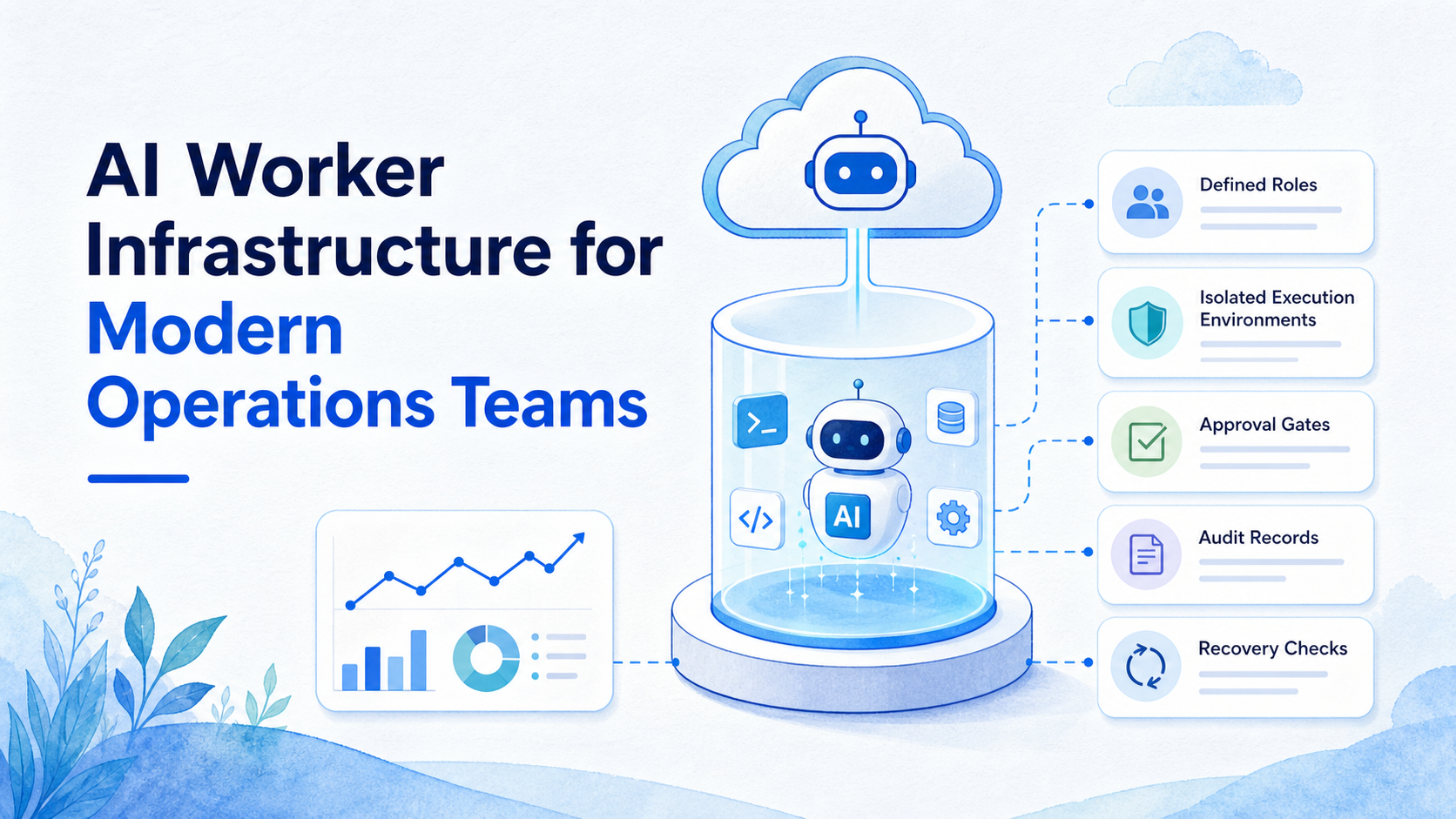
AI worker infrastructure is the operational layer that gives an AI worker a defined task, an approved execution environment, a responsible owner, and a record of the result. An AI worker platform is not just a chat interface that produces suggestions. It is the system that turns a bounded instruction into observable work across browser and mobile operations.
That distinction becomes important when a team has several accounts, channels, or handoffs. A content team may need drafts routed to an editor. A support team may need messages classified before a person responds. An e-commerce team may need a recurring dashboard check with a clear recovery path when a task fails. Those jobs need more than a prompt and a browser tab.
Modern operations teams should define what the worker may prepare, what it may execute, what must wait for approval, and what evidence remains after the run. The goal is not to make every process autonomous. The goal is to make repeatable work easier to assign, review, and improve.
Key Takeaways
- An AI worker platform needs task scope, ownership, execution environments, and outcome records.
- Separate browser and mobile workspaces reduce accidental session and account mix-ups.
- Approval gates should follow action impact, not a one-size-fits-all rule.
- A pilot should measure exceptions and recovery, not only completed tasks.
- Teams should keep people responsible for sensitive customer, financial, legal, and account-access decisions.
What Is AI Worker Infrastructure for Modern Operations Teams?
The infrastructure has five connected layers. The planning layer converts a business request into a bounded task. The identity layer assigns an owner and account context. The execution layer supplies a browser, device, or application workspace. The control layer applies approvals and stop rules. The evidence layer stores the result, error, and next action.
An AI worker platform is useful when these layers are connected. A task that only says “post campaign content” is ambiguous. A usable task includes the account, approved asset, channel, publish window, owner, and expected result. A support task may instead include the conversation source, escalation condition, and the person who owns the final response.
The execution layer should not be confused with unrestricted access. Browser automation standards such as the W3C WebDriver specification define a controlled interface for browser control. In team operations, the equivalent design decision is to constrain each workflow to the environment and permissions it needs, rather than giving every task an open-ended session.
| Infrastructure layer | Operational question | Useful record |
|---|---|---|
| Task definition | What outcome is requested? | Objective, inputs, completion rule |
| Account and role | Who owns the action? | Account, operator role, approver |
| Execution environment | Where may work run? | Browser profile, mobile workspace, access scope |
| Control boundary | What requires review or a stop? | Approval state, exception reason, pause rule |
| Evidence and recovery | What happened and who acts next? | Result, error, timestamp, recovery owner |
This model gives the team a practical answer when something changes. Instead of asking which operator ran a task or whether a script retried it, the team can inspect the task record and assigned environment.
Why an AI Worker Platform Needs Execution Boundaries
The common mistake is to treat an AI worker as a universal operator. Real work has boundaries. A worker that prepares a content brief may not need publishing permission. A worker that checks an order dashboard may not need access to customer payment data. A worker that categorizes support requests should not decide a refund or legal response.
Boundaries also matter for account operations. Teams running browser-based work should allocate a distinct browser and mobile execution environment to the task type and account role. When a mobile application is required, a cloud phone can provide the assigned mobile workspace. The environment does not grant broad authority by itself; it supplies the place where an approved task can run.
NIST's AI Risk Management Framework frames AI risk management around governance, mapping, measurement, and management. For operations teams, that becomes a simple working discipline: name the owner, describe the task context, observe the output, and change the workflow when the evidence shows a failure pattern.
Browser execution also needs clear stop states. A task should pause when an input is missing, an approval has expired, the target account does not match the request, or an unexpected page state appears. A visible pause is more useful than a silent retry because it gives a person enough context to decide the next step.
A Team Scenario: From Campaign Brief to Confirmed Result
Consider a marketing operations team preparing a product update for three regional social accounts. The campaign lead creates one brief. The worker can extract the required fields, create draft variants, and route them to the correct editors. It should not publish a new claim or move work to an unassigned account without an explicit decision.
After approval, the task enters the assigned environment. The operator or permitted workflow checks the final asset, destination account, and time window. The result record captures the completion state and any failure. If one regional account is missing a required asset, only that task pauses; the rest of the campaign remains visible and independently accountable.
Owns the brief, asset set, deadlines, and approved audience boundaries.
Prepares task packets, drafts, routing, checks, and structured handoffs within its permitted scope.
Approves consequential publishing actions and resolves account-specific exceptions.
Reviews failure patterns, recovery time, workload balance, and changes to the SOP.
This is different from asking a tool to “run social media.” It is a team system with discrete responsibilities. The worker reduces repeated preparation and tracking work. The team retains responsibility for decisions that need business context.
How to Start with AI Worker Infrastructure
Start with one task that already has a stable manual SOP. Avoid beginning with the most sensitive or most complex workflow. The first pilot should show whether the team can define inputs, assign owners, and recover from exceptions without guesswork.
- Choose a narrow task. Good starting examples include assembling a reporting packet, preparing approved content drafts, collecting public competitor observations, or routing inbound requests by category.
- Write a task contract. Define the input source, expected output, account or workspace, owner, approval point, stop conditions, and completion signal.
- Assign the execution environment. Use a dedicated browser profile or mobile workspace for the relevant account role. Keep personal browsing and unrelated client work outside that environment.
- Add the human handoff. Identify which person reviews drafts, receives exceptions, and confirms actions that have external impact.
- Run a small batch. Test a small number of representative tasks. Include one normal case, one missing-input case, and one exception case.
- Review the evidence. Compare planned outcome, actual result, reviewer changes, errors, and recovery time. Update the task contract before expanding scope.
Logging is part of this setup, not an afterthought. The OWASP Logging Cheat Sheet recommends recording relevant security and operational events while protecting sensitive information. A team task record should be useful for recovery without collecting unnecessary personal data or exposing secrets in a broad activity feed.
Success Metrics and the Review Loop
Completed-task count is only one signal. It can hide a workflow that creates a large review burden or sends work into a queue with no owner. Better metrics connect throughput to control and recovery.
Track these during the pilot:
- Completion quality: how many tasks reach the intended output without material rework.
- Approval latency: how long a valid task waits for the required decision.
- Exception rate: how often a task stops because of missing input, missing access, or an unclear rule.
- Recovery time: how long it takes to move a failed task to a named next action.
- Owner clarity: whether a reviewer can identify the account owner and task owner from the record alone.
A weekly review should examine samples, not just totals. Read one successful task, one paused task, and one recovered task. If the same failure repeats, fix the task contract, permission boundary, or input quality before adding more volume. This feedback loop is what turns an AI worker from a one-off experiment into maintainable operations infrastructure.
The review loop should also check handoff quality. A task that completes technically may still leave the next person without the result link, output summary, or remaining decision. Add a final field for “next action” and make it required for paused, failed, and escalated tasks. That small field prevents a completed queue from becoming an abandoned queue.
For work that spans time zones, assign a recovery service level rather than assuming the original operator is online. The record can state when a task moved to a new owner, what evidence they need, and whether the action is still safe to resume. Teams should avoid restarting a stale task without checking whether its account, content, or schedule has changed.
Common Mistakes to Avoid
Starting with a vague instruction. “Monitor the channel” gives no completion condition. State what to look for, where the result goes, and when the task should stop.
Mixing account contexts. An operator should not have to infer whether a task belongs to a client, brand, region, or test account. Make the account and environment part of the task record.
Using an AI worker as the final decision-maker. Customer complaints, policy questions, financial commitments, and access changes require a responsible person. The worker can gather context and prepare a handoff.
Retrying failures without a record. A failed task may point to a changed page, expired authorization, or incomplete input. Send it to a visible queue with the error and a recovery owner.
Measuring speed alone. A faster workflow is not better if approvals, reversals, or manual corrections rise. Review the full task lifecycle.
Who This Infrastructure Fits and When It Does Not
This operating model is a strong match for teams with recurring online tasks, several account roles, shared tools, and clear SOPs. Agencies, e-commerce operations, social media teams, and customer engagement teams often have repeated work that is structured enough to define but still needs accountable human decisions.
It is a weaker fit when the work is mostly novel judgment, when no owner can define a successful outcome, or when the team has not documented its manual process. In those cases, start with documentation and workflow mapping before assigning an AI worker. Automating an unclear process only makes the uncertainty move faster.
Small teams do not need a large architecture on day one. One account role, one task packet, and one review queue can establish the same discipline. The architecture expands when the workload and number of environments grow.
Frequently Asked Questions
What is the difference between an AI worker and an AI agent?
The terms overlap. In operations, an AI worker usually emphasizes a defined role, task boundary, execution environment, and result record rather than open-ended conversation.
Does an AI worker platform replace existing SaaS tools?
Usually not. It can coordinate work across existing dashboards, browser sessions, and mobile applications. The first decision is which existing workflow has a clear handoff and measurable result.
Do teams need a separate environment for every account?
Teams should separate workspaces where account context, permissions, or operational responsibility differ. The exact setup depends on the platform and the team's approved workflow.
Can an AI worker publish content without approval?
Only for narrowly pre-approved actions with a clear account owner and schedule. New claims, new destinations, and sensitive content should wait for review.
What should happen when a task fails?
The task should preserve its state, error context, and next owner. A visible recovery queue is safer than silent repeated attempts.
What is the best first workflow to pilot?
Choose a frequent, low-risk workflow with a documented manual process, such as report preparation or content draft routing. Avoid account changes or sensitive customer actions first.
How do we know the pilot is ready to expand?
Expand when ownership is clear, exceptions are understandable, recovery is timely, and reviewers no longer need to reconstruct basic context from other tools.
Conclusion
At its best, this infrastructure turns a prompt into accountable operational work. The essential pieces are a defined task, an assigned environment, a responsible owner, an approval boundary, and an observable result.
Before expanding a pilot, check three things: the team can explain the task contract, the task can pause safely when context is missing, and a named person can recover it. When those conditions are true, an AI worker platform can support repeatable work without making accountability disappear.
Document one final boundary before expansion: which decisions remain outside the worker's scope. That line protects both the team and the workflow when operating conditions change.



