
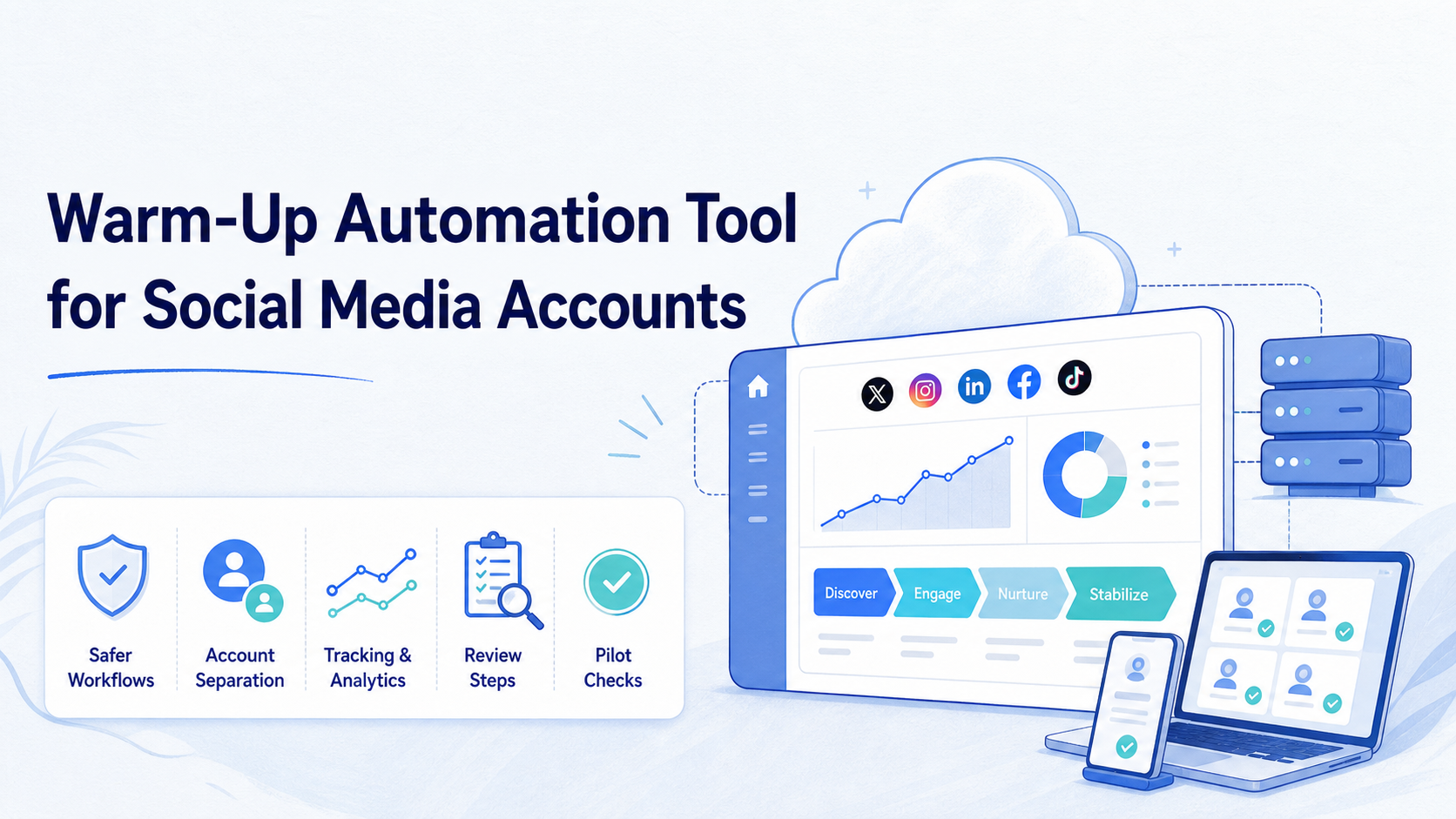
A warm-up automation tool is software that helps teams prepare, schedule, and monitor early account activity without turning social media operations into spam. For business teams, the useful version is not a bot that inflates activity. It is a controlled workflow system for content checks, profile readiness, login environment separation, reviewer handoff, and light operational routines.
Teams search for this topic because manual account preparation becomes messy at scale. One operator may update profiles, another may test content, and a third may handle replies. Without a shared process, the account can look active in one place while tasks, ownership, and risk signals remain unclear.
The safer question is not “how fast can a tool warm up accounts?” The better question is “can the tool keep preparation work traceable, compliant, and separated across accounts?” Platform rules matter here. Instagram says its terms prohibit accessing or collecting information in automated ways without permission, X warns against spam and non-API website scripting in its automation rules, and TikTok’s Community Guidelines set platform-level boundaries for acceptable behavior. A serious workflow should respect those limits instead of trying to hide from them.
Key Takeaways
- Use warm-up workflows for readiness, consistency, and review, not fake engagement.
- Keep each account in a separate browser or mobile environment when account operations are sensitive.
- Track what was done, who approved it, and when the workflow should stop.
- Avoid duplicate posting, unsolicited messaging, or automated actions that platform rules restrict.
- Start with a small pilot before expanding to more accounts or platforms.
The Core Idea Behind Warm-Up Automation Tool for Social Media Accounts
A warm-up automation tool should turn account preparation into a checklist-driven process. It should not promise that automation can make every account safe or invisible. That framing creates the wrong operating model.
The practical model has three layers. First, the team prepares the account profile, content calendar, login environment, and routing. Second, the system schedules low-risk operational tasks such as reminders, review checks, content readiness, and manual approval queues. Third, the team reviews results before increasing workload.
For Moimobi-style operations, the execution environment is part of the decision. Teams may run web tasks through isolated browser profiles and mobile tasks through a cloud phone when the workflow depends on mobile apps. Broader multi-account management matters because account preparation is rarely a one-account problem.
| Evaluation Area | What Good Looks Like | What To Avoid |
|---|---|---|
| Account readiness | Profile, content, owner, and review status are visible | Starting activity before ownership is clear |
| Execution environment | Accounts use separated browser or mobile workspaces | Many accounts sharing one uncontrolled session |
| Automation scope | Reminders, checks, queues, and approved routines | Unsolicited messages, duplicate posts, or fake engagement |
| Review loop | Operators can pause, inspect, and recover tasks | Fully hidden execution with no audit trail |
Why Teams Search for This Topic
Teams usually look for a warm-up automation tool after the manual process breaks. New accounts may need profile setup, content approval, first posts, reply handling, and basic monitoring. When one person handles everything, a spreadsheet may be enough. When a team manages many accounts, the same spreadsheet becomes a source of mistakes.
The search intent is also shaped by platform risk. A team may want to avoid sudden bursts of activity, duplicated actions, or unclear login ownership. That does not mean the team should automate around platform rules. It means the team needs better pacing, separation, documentation, and approval.
Official guidance supports this cautious approach. X’s automation rules warn against spam, duplicative activity across accounts, and non-API-based website scripting. Instagram’s Terms of Use restrict unauthorized automated access or collection. TikTok’s Community Guidelines define the broader behavior boundaries for content and account activity. These sources do not give a universal “safe warm-up recipe.” They point teams toward controlled and compliant operations.
Who Benefits Most and In What Situations
The biggest benefit goes to teams with repeatable preparation work. Agencies, cross-border sellers, creator teams, and support teams often need to prepare multiple accounts before they can publish, reply, or monitor at a steady pace.
This does not fit every case. A solo creator with one account may not need a formal tool. A team that only wants to send mass messages or inflate metrics should not use this category as cover. Those behaviors are more likely to create complaints, policy issues, and poor long-term account quality.
Use the fit boundary below before choosing a tool.
- Multiple accounts need profile and content readiness checks.
- Teams need clear task ownership and review status.
- Browser and mobile account environments must stay separated.
- Operators need pause, retry, and audit records.
- The goal is duplicate posting across many accounts.
- The workflow depends on unsolicited mass messaging.
- No human owner reviews account activity.
- The tool hides logs instead of exposing them.
For social teams, a warm-up workflow often connects to social media marketing operations. For mobile-first platforms, it may also require mobile automation rather than only browser-side scheduling.
How to Evaluate or Start Using Warm-Up Automation Tool for Social Media Accounts
Start with guardrails before tasks. A tool that only asks how many actions to run per day is too shallow for team operations. The first screen should help you define accounts, owners, environments, limits, approvals, and stop rules.
Use this workflow for a first pilot:
- Define account groups. Separate test accounts, content accounts, support accounts, and brand accounts.
- Assign an owner. Every account needs a person responsible for approval and recovery.
- Prepare the environment. Decide whether the account needs a browser profile, mobile workspace, proxy routing, or device isolation.
- Set allowed tasks. Begin with profile checks, content readiness, scheduling reminders, and monitoring queues.
- Add stop rules. Pause if tasks fail, replies look abnormal, complaints appear, or login prompts repeat.
- Review results weekly. Compare planned tasks, completed tasks, failed tasks, and manual interventions.
This is where device isolation becomes useful. The tool should make it easier to see which account ran in which environment, not blur all sessions into one shared workspace.
Preflight Checklist Before You Run a Warm-Up Workflow
Preflight checks prevent the most expensive mistakes. Run them before you add more accounts or increase task frequency.
- Account profile is complete and approved.
- Login method and recovery owner are documented.
- Content calendar has enough approved posts.
- Comment and message handling rules are written.
- Environment assignment is clear: browser profile, mobile device, or both.
- Proxy or routing setup is owned by a specific operator.
- Stop rules are visible to the team.
- Logs are stored for later review.
A warm-up automation tool should make these checks visible. If the tool jumps straight to execution, it is skipping the part that protects the workflow from confusion.
What the Warm-Up Automation Tool Should Track
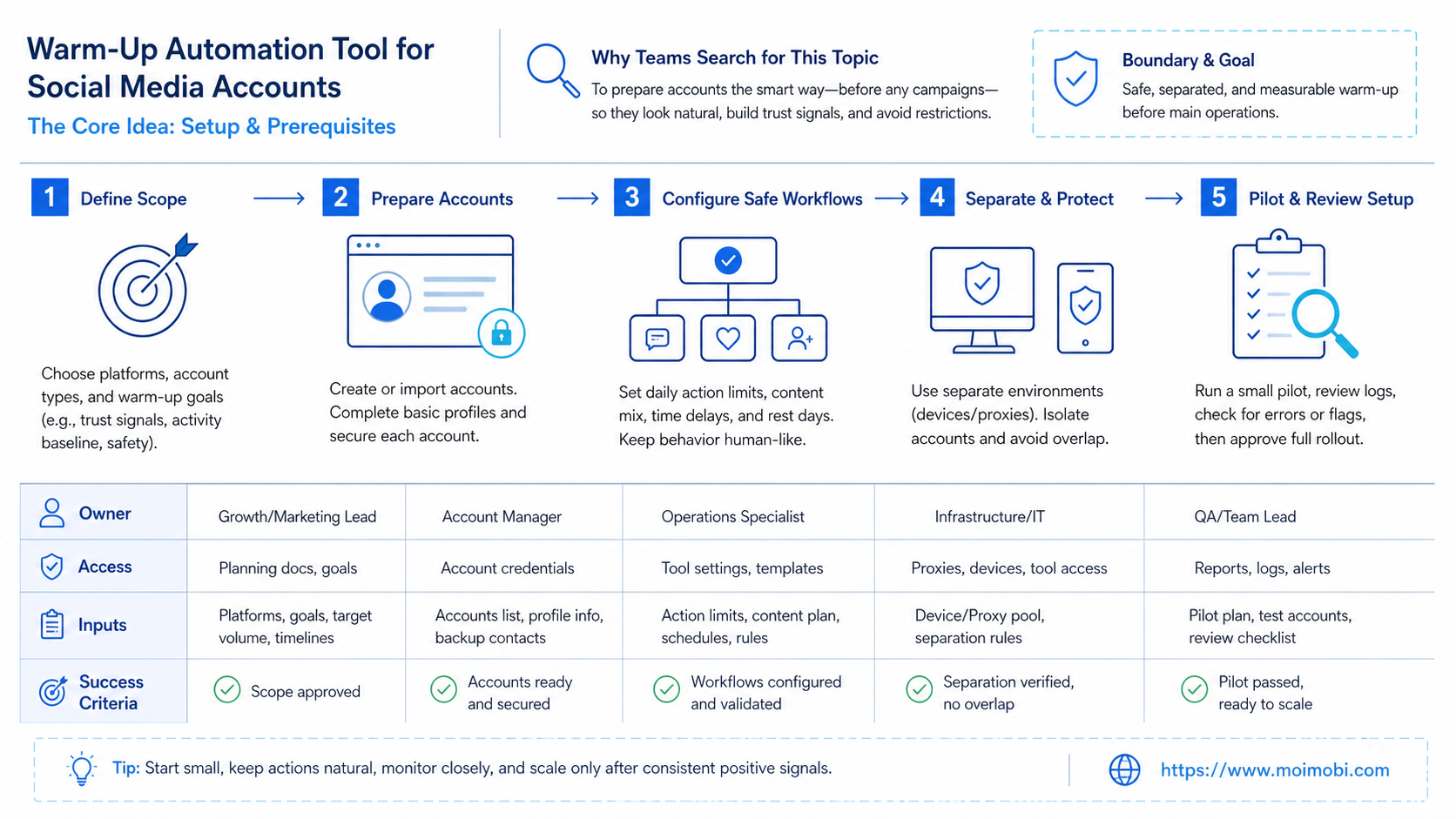
Tracking is the difference between a controlled warm-up process and a set of disconnected actions. The tool should show enough detail for a manager to reconstruct what happened without asking every operator for screenshots.
At minimum, each account record should include the account role, platform, owner, environment, content status, approval status, last task, next task, and latest exception. That record does not need to be complex. It does need to be consistent across every account in the group.
For execution records, capture four fields every time: task type, account environment, result, and reviewer. A failed login check should not look the same as a rejected content item. A paused task should show whether the pause came from an operator, a stop rule, or a system error.
This kind of record also helps teams separate process issues from platform issues. If content approval is late, the answer may be a better content queue. If one environment fails repeatedly, the answer may be routing or device review. If one account owner misses every handoff, the answer is role clarity.
| Record Field | Why It Matters | Review Question |
|---|---|---|
| Account role | Prevents support, content, and test accounts from being mixed | Is this account doing the right type of work? |
| Environment | Shows whether the task used browser, mobile, or both | Was the execution path appropriate for the platform? |
| Task result | Separates completed, failed, paused, and reviewed work | What changed after the task ran? |
| Reviewer | Creates ownership for approvals and recovery | Who is responsible for the next decision? |
How to Score a Warm-Up Automation Tool Before Buying
A buying decision should not depend on a feature list alone. Score the tool against the operational problems that usually break social account preparation.
Give each item a simple 0-2 score. Zero means the tool does not support the requirement. One means the tool supports it with manual workarounds. Two means the tool makes the requirement visible and repeatable.
- Account separation: Can the team assign separate browser or mobile environments per account?
- Task review: Can operators approve, pause, or reject workflow steps?
- Stop rules: Can the team define when a workflow should stop?
- Audit records: Can managers review task history by account?
- Content readiness: Can the workflow check whether content is approved before publishing?
- Team handoff: Can account owners see what they need to do next?
- Platform fit: Can the tool support both web dashboard and mobile app workflows when needed?
A score below eight usually means the tool is only a lightweight scheduler or action runner. A score above ten suggests it may support real team operations, but the pilot still matters. The highest score is not the final answer if the tool cannot match your account roles, review process, or platform mix.
Mistakes That Reduce Results
The first mistake is treating warm-up as volume. More actions do not automatically create a healthier account workflow. They can also create duplicate activity, weak content, and more operator cleanup.
The second mistake is mixing environments. If several accounts share uncontrolled sessions, the team may lose track of cookies, devices, routing, and ownership. For browser-heavy workflows, a structured AI browser and cloud phone platform can help teams keep execution work organized instead of scattered across personal machines.
The third mistake is ignoring platform boundaries. X’s automation rules explicitly discuss spam, duplicate activity, and non-API-based scripting. Instagram’s terms also restrict unauthorized automated access. A serious social workflow should treat those rules as design constraints, not obstacles to bypass.
The fourth mistake is leaving no recovery path. If an account gets a login challenge, a task fails, or a reply needs human review, the team should know who takes over. Automation without handoff turns a small issue into an operational blind spot.
Pilot Rollout, Measurement, and Recovery Checks
Run the first pilot with a small account group. Five accounts are easier to review than fifty. Choose one platform, one account role, and one narrow workflow such as profile readiness plus content review.
Measure the workflow with operational metrics, not vanity metrics. Useful fields include task completion rate, failed task count, manual intervention count, content approval delay, account owner response time, and repeated login prompts. These numbers show whether the system is becoming easier to control.
Use a recovery review after each pilot week:
- Which tasks completed without manual help?
- Which tasks required human review?
- Which account environments caused repeated errors?
- Which content items were not ready on time?
- Which stop rule prevented a bad workflow from continuing?
Only expand after the review looks boring. A good warm-up workflow should feel predictable. If the team is still guessing what happened, adding more accounts will usually add more confusion.
Frequently Asked Questions
What is a warm-up automation tool?
A warm-up automation tool helps teams prepare and monitor early account operations. The useful version focuses on readiness, pacing, review, and logs rather than artificial engagement.
Is social media account warm-up the same as fake engagement?
No. Account warm-up should not mean fake likes, duplicate posts, or unsolicited messages. Treat it as operational preparation and controlled workflow setup.
Can a tool promise account safety?
No. Avoid any vendor that promises absolute account safety. Platform rules, user behavior, content quality, and operational patterns all affect outcomes.
What tasks should a pilot include first?
Start with profile checks, content readiness, owner assignment, review queues, and monitoring. Keep direct engagement actions limited and reviewed.
Do teams need browser profiles or mobile environments?
It depends on the workflow. Browser-based dashboards may need isolated profiles. Mobile-first apps may need mobile environments or cloud phones.
How should a team measure a warm-up workflow?
Track completion rate, failures, manual interventions, login prompts, content readiness, and account owner response time. Do not rely only on follower or engagement numbers.
What is the biggest warning sign?
The biggest warning sign is hidden automation with no approval, no logs, and no stop rule. That setup is hard to audit and harder to recover.
Where does Moimobi fit?
Moimobi fits teams that need separated browser and mobile execution environments, account-level task assignment, and operational records for multi-account workflows.
Conclusion
A warm-up automation tool is worth evaluating when it improves control, not when it promises speed alone. The right priority order is simple: define account ownership, separate environments, limit automation scope, record every task, and review results before expansion.
Start with one small pilot. If the workflow produces clear logs, fewer handoff errors, and cleaner account preparation, expand carefully. If it produces hidden activity, duplicate actions, or unclear ownership, fix the process before adding more accounts.



