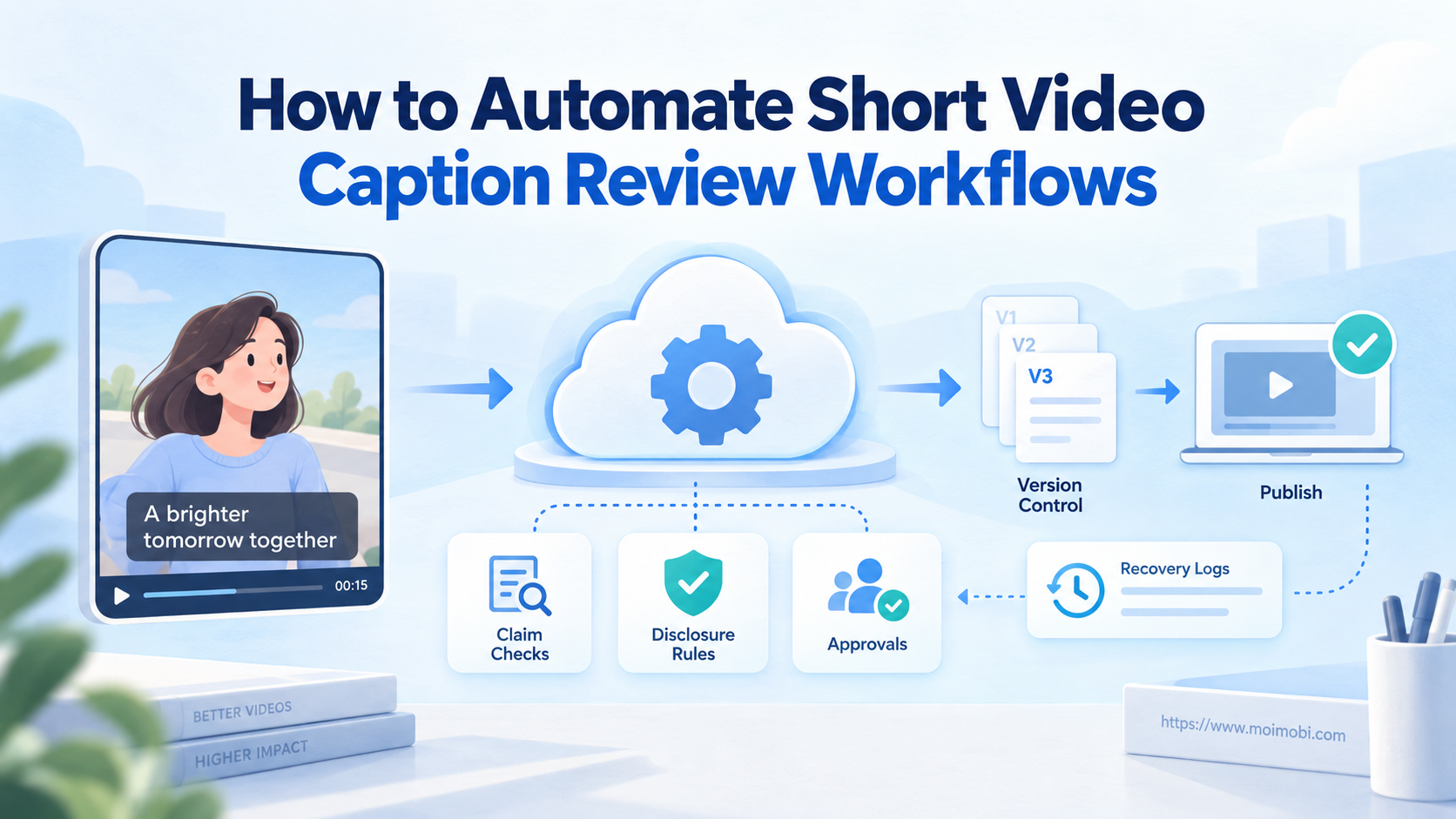
To automate caption review workflows means routing each short-video caption through defined field checks, named reviewers, version control, and a verified publishing handoff. Automation should prepare and track decisions. It should not approve unsupported claims or publish an unfinished version by itself.
The workflow starts before anyone writes a caption. Teams need an approved brief, source material, target account, language, campaign ID, disclosure status, and final decision owner. Once those inputs are structured, automation can detect missing fields, assign reviews, freeze approved text, and record what was sent.
Key Takeaways
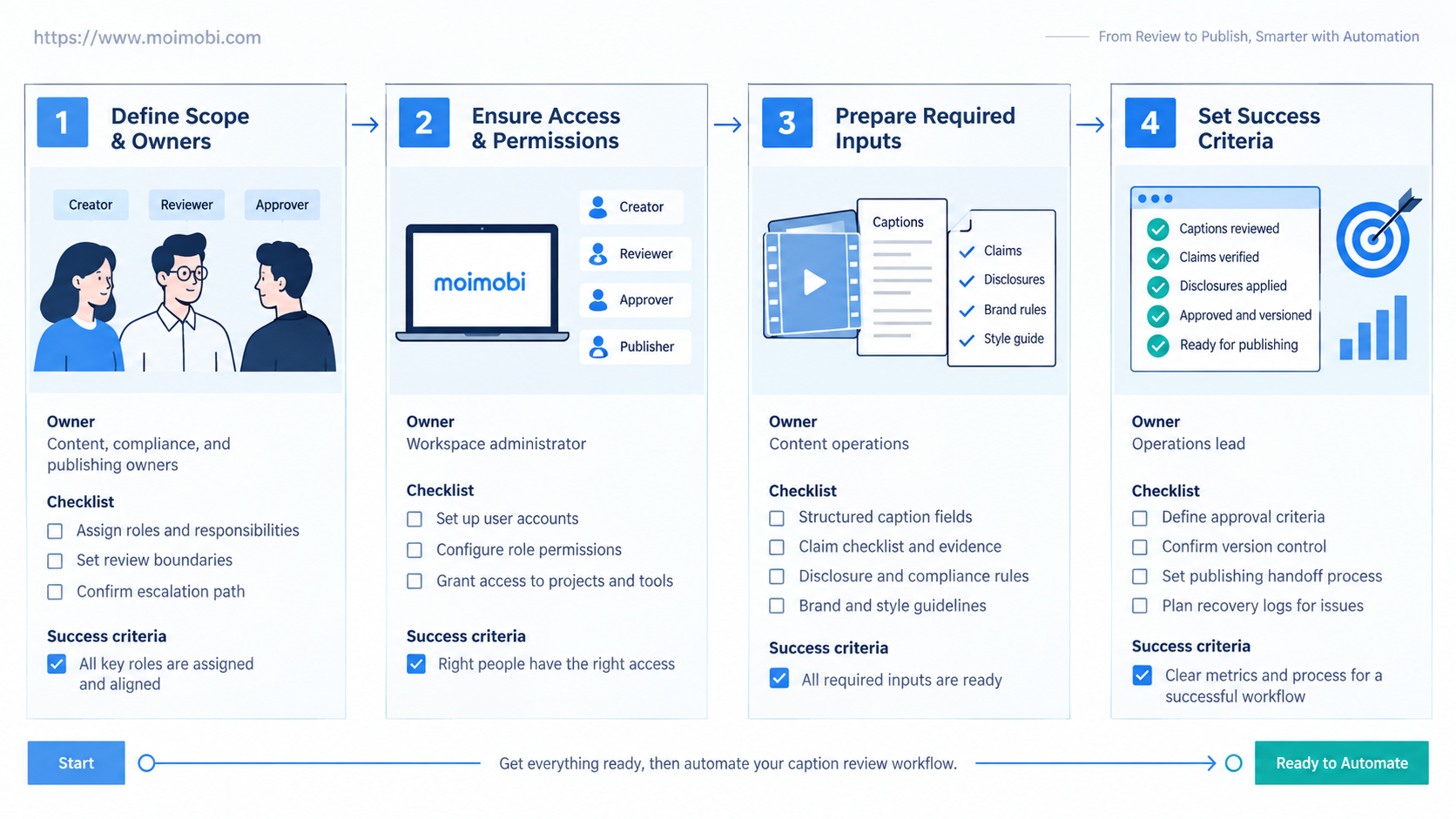
- Review structured fields, not one untraceable text box.
- Separate fact, brand, legal, and platform checks.
- Freeze one approved caption version before execution.
- Bind the approved package to the intended account and video.
- Treat missing evidence, unclear disclosure, or version conflict as stop conditions.
What You Need Before You Automate Caption Review Workflows
A caption cannot be reviewed in isolation. The reviewer needs the video, spoken claims, on-screen text, destination link, offer details, source references, target platform, and intended account. A polished caption can still be wrong when it describes a different edit or uses expired campaign terms.
Create one caption record with stable fields:
| Field | Required value | Stop condition |
|---|---|---|
| Asset ID and version | Exact video being reviewed | Video changed after review began |
| Account and platform | Fixed destination profile | Account is missing or ambiguous |
| Campaign and owner | Business context and responsible person | No owner accepts the result |
| Caption text | Current working version | Multiple “final” copies exist |
| Claims and sources | Claim list with supporting reference | Evidence is absent or outdated |
| Offer and link | Approved terms and tested destination | Price, date, or URL conflicts |
| Disclosure status | Required wording and placement | Commercial relationship is unclear |
| AI/edit status | Applicable platform label decision | Label requirement was not reviewed |
| Language and locale | Intended audience variant | Unreviewed machine translation |
Permissions belong in the preflight too. The copy reviewer does not need account administration. The publisher does not need permission to rewrite approved commercial terms. When multiple brands share a team, use an asset-to-account routing structure so a valid caption cannot drift into the wrong profile.
Define four review roles even when one person holds several of them. The factual reviewer checks statements and sources. The brand reviewer checks tone and campaign fit. The policy reviewer checks disclosures and platform-specific fields. The execution owner confirms that the approved version reaches the correct account.
How to Automate Caption Review Workflows Step by Step
The sequence should move one caption record through explicit states. Avoid sending editable documents through chat and treating the latest message as approval.
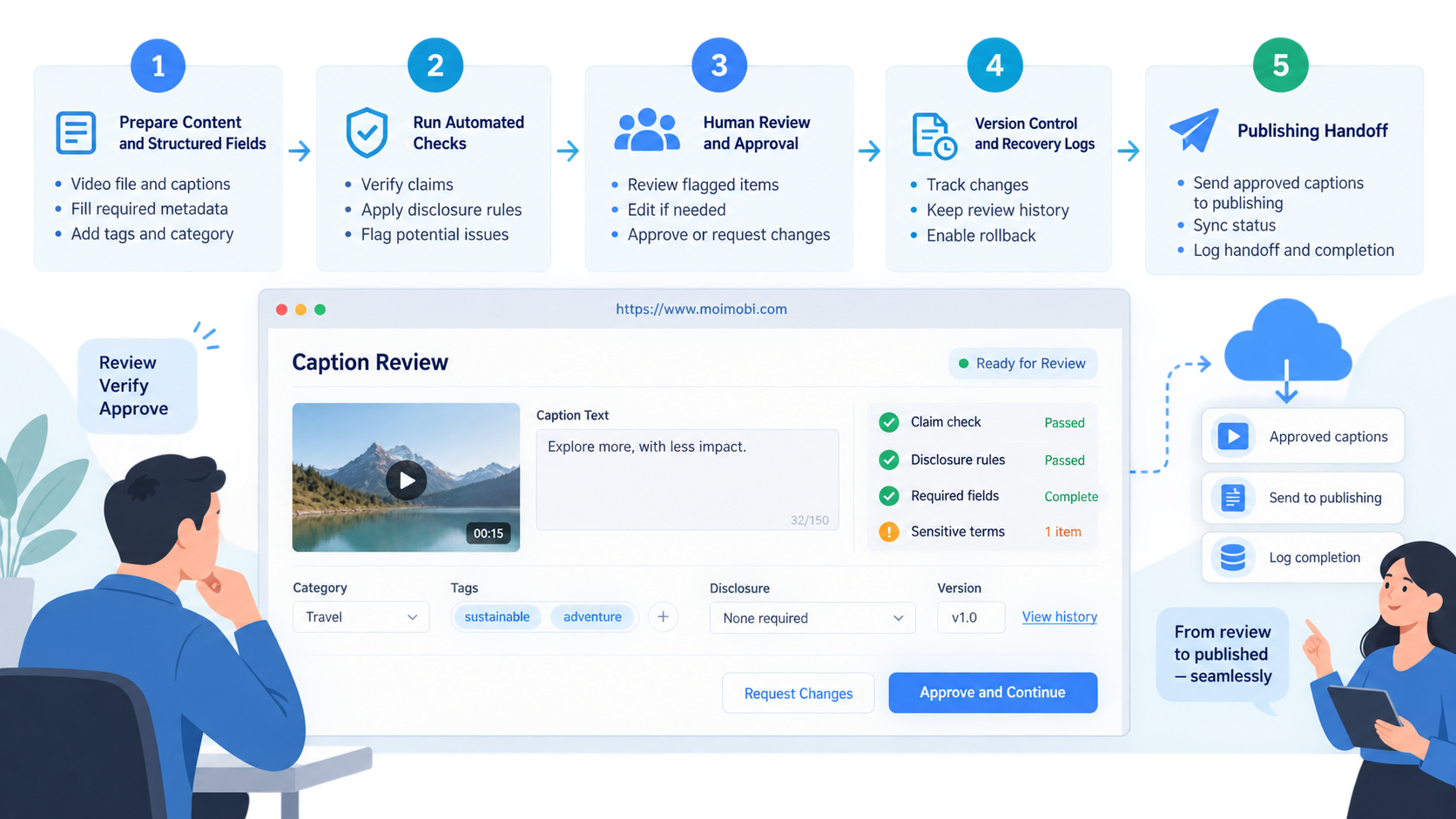
- Create the record. Generate a unique caption ID and attach the exact asset version, account, platform, campaign, language, and due time.
- Validate required inputs. Reject the task when the video, owner, destination, sources, offer, or disclosure decision is missing.
- Generate or import a draft. Store draft text as a version. Preserve the brief and sources used to produce it.
- Run mechanical checks. Detect broken links, forbidden placeholders, missing campaign fields, duplicate hashtags, and unresolved tokens.
- Route specialist reviews. Send claim, brand, disclosure, and localization checks to the appropriate owners.
- Resolve comments. Require each requested change to identify the field, reason, and responsible editor.
- Freeze the approved version. Mark one immutable caption version with reviewer, time, and approved asset ID.
- Create the execution task. Bind the frozen package to the assigned account environment and publishing window.
- Verify the result. Compare the posted caption, link, disclosure, account, and video with the approved package.
- Close or recover. Save evidence on success; otherwise pause the task and assign a recovery owner.
Use idempotency at the execution boundary. A task with the same caption ID, version, platform, and account should not publish twice. A retry must first check whether the action already completed.
Moimobi can support the execution side through an approval-to-account publishing lane. The caption system should pass a frozen package, not an editable idea. Moimobi should then preserve account assignment, task state, evidence, and takeover context.
Review Rules for Claims, Disclosures, and Platform Fields
Mechanical checks can approve formatting, but they cannot decide whether a claim is substantiated. Extract each factual or commercial statement into a review list. Link it to an approved source, current product record, or legal sign-off. If no evidence exists, remove or qualify the claim.
Commercial relationships need a distinct field. FTC social media disclosure guidance says material connections should be made obvious and disclosures should be easy to notice and understand. A workflow should therefore store whether a relationship exists, the approved disclosure wording, its language, and where it appears. Do not bury this decision inside a general copy approval.
AI and edited-media labels also need a checkpoint. TikTok's AI-generated content guidance explains labeling for generated or significantly edited media, including creator-applied labels and description context. The reviewer should compare the actual asset production method with the current platform guidance before freezing the package.
Platform checks should remain separate from caption quality. YouTube's upload workflow documentation describes video details, captions, visibility, copyright checks, and ad-suitability steps for eligible creators. This shows why an automation cannot treat “caption approved” as “video ready to publish.” The execution task must carry all required upload decisions.
Use a compact decision table:
| Check | Automation may do | Human must decide when |
|---|---|---|
| Spelling and placeholders | Flag deterministic issues | Brand terms have intentional spelling |
| Link validation | Test response and destination | Redirect or tracking policy is uncertain |
| Claim extraction | Highlight claim-like sentences | Evidence quality or interpretation matters |
| Disclosure presence | Detect required field and wording | Relationship or placement is unclear |
| AI label field | Route based on asset metadata | Production method is disputed |
| Platform formatting | Validate known limits and fields | Platform behavior changed |
Version Control and Publishing Handoffs
Version confusion is the most preventable failure. Every change should create a new caption version with editor, timestamp, reason, and parent version. Review comments should point to the version they describe.
Approval must freeze both text and context. Store the caption, hashtags, mentions, links, disclosure, language, asset ID, account, platform, and scheduled window together. Changing any protected field after approval should reopen review or create a new version.
The publishing handoff needs a checksum or stable package identifier. The executor receives that identifier and reports it with the final result. This makes it possible to compare the posted content with what reviewers approved.
For native-app work, an assigned mobile publishing verification path can carry the frozen package into an Android task and return execution evidence. The operator should see the approved fields and the actions still requiring confirmation. They should not reconstruct the caption from chat history.
Use four execution states:
- Ready: all required reviews passed and the package is frozen.
- Running: the assigned environment is processing the exact package.
- Verified: account, asset, caption, link, and disclosure match the package.
- Exception: any mismatch, interface change, account issue, or uncertain result needs recovery.
Common Mistakes When You Automate Caption Review Workflows
Approving text without the video: Spoken or visual claims can contradict the caption. Review the complete asset package.
Using “final-final” filenames: A filename is not version control. Use stable IDs and immutable approved versions.
Letting one approval cover every platform: Platform fields, disclosures, links, and audience expectations differ. Create channel variants from one approved brief.
Rewriting during publishing: Execution staff should not make silent copy edits. Return the task for a new version when a protected field changes.
Checking only character count: A short caption can still have unsupported claims, wrong links, missing disclosures, or an account mismatch.
Publishing after the asset changes: A new edit invalidates visual timing, claims, captions, and labels. Reopen the relevant checks.
Retrying without status verification: A timeout does not prove failure. Check the target account before repeating an action.
Treating automation warnings as approvals: A green mechanical check only proves the configured rule passed. It does not replace business judgment.
Who This Workflow Fits
Caption review automation fits teams with recurring short-video volume, several reviewers, multiple accounts, localization, regulated claims, paid partnerships, or separate publishing operators. It also helps agencies that must prove which client approved which version.
- Captions pass through two or more roles.
- Several account or language variants share one campaign.
- Approvals and published evidence must be retained.
- Execution happens in browser or mobile environments.
- One creator writes and publishes occasional personal videos.
- No stable brief, source, or owner exists.
- The team expects automation to invent approval decisions.
- Volume is too low to justify workflow maintenance.
Small teams can still use the method without complex software. A database record, clear states, and one publishing checklist may be enough. Add automation only where repeated handoffs create delay or mistakes.
If TikTok is the main channel, align the review package with the account's execution environment and regional operating plan. The USA TikTok account environment guide provides additional context for teams that need to connect content approval with assigned mobile operations.
Pilot, Measurement, and Recovery Checks
Pilot one content series on one platform for ten publishing tasks. Keep the existing manual process available. Choose captions that include at least one link, one claim, one variant, and one disclosure decision so the test covers meaningful review work.
Measure the workflow with operational metrics:
| Metric | What it reveals | Review action |
|---|---|---|
| First-pass approval rate | Brief and draft quality | Improve inputs or templates |
| Review turnaround | Queue ownership and capacity | Adjust routing or due times |
| Reopened approval rate | Version or requirement gaps | Tighten protected fields |
| Pre-publish defect rate | Value of automated checks | Keep useful rules; remove noise |
| Published mismatch rate | Handoff reliability | Stop execution and inspect mapping |
| Recovery time | Exception readiness | Name owners and standard fixes |
| Duplicate action count | Idempotency quality | Repair status checks before retries |
Verification should compare values, not rely on a generic success message. Confirm the account identity, asset, visible caption, link, disclosure, publication time, and resulting URL. Capture only the evidence needed for operations and avoid retaining unrelated personal data.
Define stop rules before the pilot. Pause when the approved version cannot be identified, the target account differs, a required label is uncertain, the link changed, or the interface prevents verification. Route the task to a named operator with the last confirmed state.
A dedicated cloud phone can support app-side publishing and verification, but it does not replace review governance. The value comes from joining the approved package, assigned account, execution state, and recovery record.
Frequently Asked Questions
What does caption review automation include?
It includes input validation, version tracking, specialist routing, approval records, package freezing, execution handoff, result verification, and recovery assignment.
Can AI approve a short-video caption?
AI can flag missing fields, risky wording, or claim-like text. A responsible person should decide claims, disclosures, sensitive topics, and uncertain platform requirements.
Should every platform use the same caption?
No. Start from one approved brief, then create channel variants with separate links, disclosures, mentions, formatting, and platform fields.
How many approval stages are necessary?
Use only stages tied to real risk. A simple organic post may need brand and execution approval. A sponsored or claim-heavy post may also need policy or legal review.
What happens when the video changes after caption approval?
Create a new asset version and reopen affected checks. Do not assume the old caption, disclosure, or label decision remains valid.
Can n8n automate the review workflow?
A workflow tool can route records, call approved services, notify reviewers, and update states. It still needs a valid platform connector or execution path for publishing.
How do teams prevent duplicate uploads?
Use a stable task key based on caption version, asset, account, and platform. Before retrying, verify whether that exact package already published.
What should be stored as evidence?
Store the approved version, reviewers, account, asset, disclosure status, execution time, final URL, visible result, and exception history.
Conclusion
To automate caption review workflows, build the control record first. Define the asset, account, claims, sources, disclosure, label status, version, reviewers, and completion evidence. Then automate validation, routing, state changes, and reporting around those fields.
Begin with one series and ten real tasks. Freeze one approved package for each video, verify every published result against it, and inspect every exception. Expand only when the team can recover safely from version conflicts, account mismatches, and uncertain platform states.