

For dual WhatsApp accounts one device may be enough when the same owner uses both. Start with native account switching in the official app. Consider a managed work profile for employer control, or a separate phone for independent device access. Choose by the boundary needed, not a promise of protection from platform restrictions.
The key question is what must stay separate: account choice, managed work apps or the phone itself. Buying another phone will not resolve unclear ownership. An account switcher does not create staff roles. Compare the boundary you need before changing a working setup.
Key Takeaways
- WhatsApp has an official dual-account route; unofficial copies are not the starting point.
- Meta's March 2026 announcement added native two-account support on iOS, alongside Android.
- Android work profiles concern managed work apps and data, not extra WhatsApp account capacity.
- A separate phone changes the device boundary, not account ownership or permission.
- Evaluate notification behavior, recovery responsibility and handoff needs before choosing.
Dual WhatsApp accounts one device can host: what changes?
Meta's March 2026 WhatsApp announcement describes two accounts logged in at the same time on iOS, as on Android. It identifies the profile picture in the bottom tab as an account cue. The announcement describes a rollout, so inspect the official app on the intended phone rather than assuming identical availability everywhere.
The feature helps one person choose an account. It is not a shared queue for several staff members. Before comparing phones, note who owns each number and who may read or answer its messages. Give both accounts a named owner, even when they share a phone.
Keep app use separate from the WhatsApp Business Platform. A switcher is not proof that a tool may send messages for you. Review any reply tool on its own terms before adding it. This comparison selects a phone setup; it does not approve a customer-message workflow.
Compare dual WhatsApp accounts one device hosts with separate phones
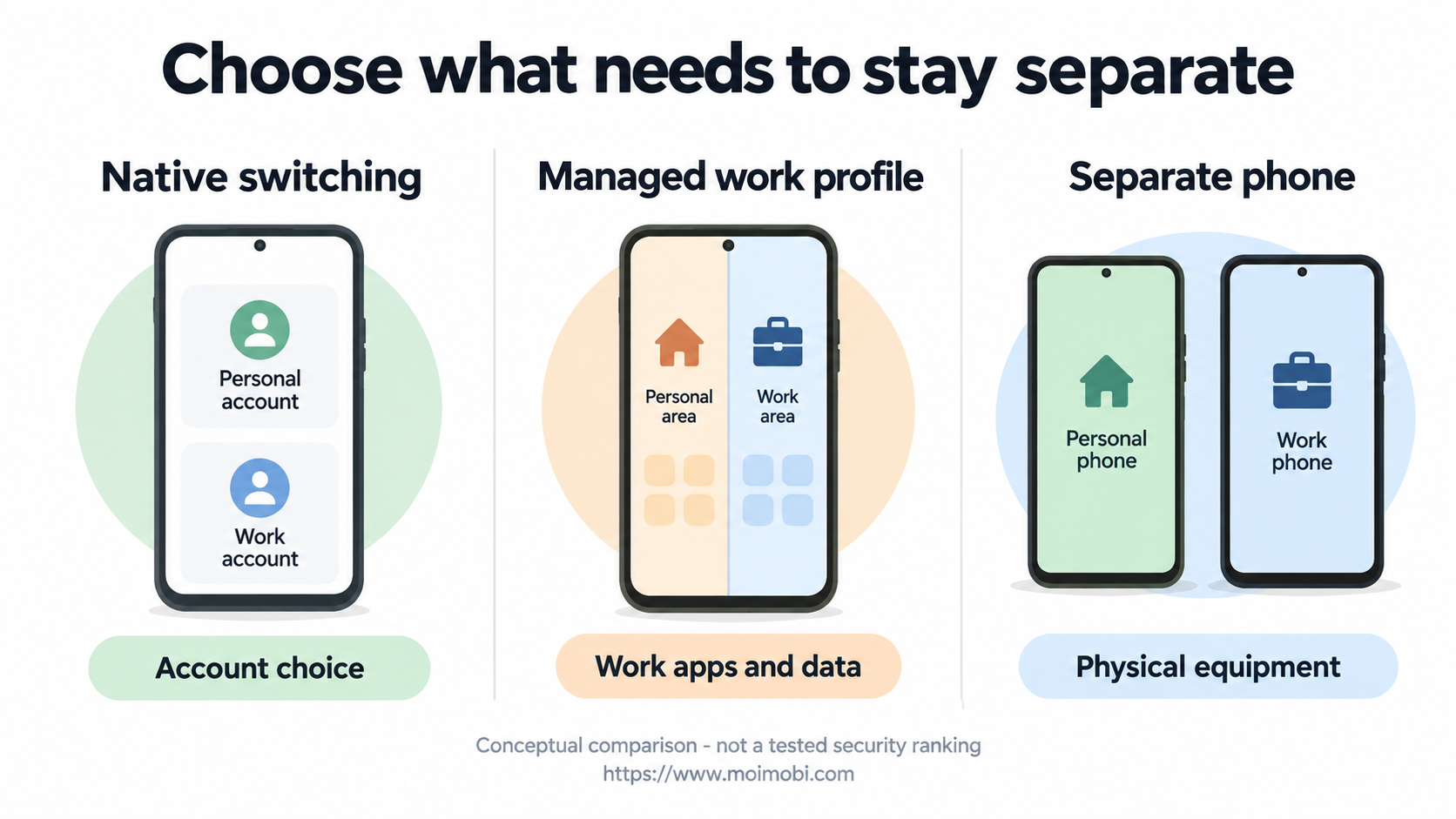
The table compares what each choice separates, not measured security scores. A work profile is an Android option to review with IT. Another phone gives you separate hardware. First check that the intended account and app use are supported.
| Decision criterion | Native dual-account switching | Managed Android work profile | Separate phone |
|---|---|---|---|
| Main purpose | Select between two accounts in the official app | Separate organization-managed work apps and data | Put the work activity on another physical device |
| Best initial fit | One person handling their own approved accounts | An employer has a defined device-management requirement | Work requires independent device possession or access |
| Setup evidence needed | Current official app exposes the supported account option | IT approves enrollment and the required app | Owner approves the device, number and account arrangement |
| Account identification | Check the current account cue before use | Identify the work app and then its actual account | Check the account even on a dedicated phone |
| Team handoff question | Switching does not establish colleague permissions | Management does not establish messaging delegation | Passing a phone does not establish a person's authority |
| Practical burden to assess | Switching mistakes and notification handling | Enrollment, app availability and work-profile behavior | Charging, connectivity, custody and recovery arrangements |
Choose native switching if you only need to pick an account. Name the unmet need before adding a work profile or phone. For example, does IT need to manage the work app? Does the team need its own hardware? Without that reason, the extra setup may not solve a problem.
A separate phone is worth reviewing when work needs its own equipment. A sole owner may not need one just to choose between work and personal chats. Compare the actual task, not the number of phones on a desk. These are proposed choices, not results from a device trial.
Native dual WhatsApp accounts: prerequisites and limits
Meta's original multiple-account announcement documents a second phone number and SIM, or multi-SIM/eSIM support, for its second-account setup. It also describes separate privacy and notification settings. That is the documented Android-era setup; do not treat its old menu sequence as a universal instruction for every current iPhone or Android build.
Before setup, name the account owner and check their access to each number. Use the official app and agree who handles recovery. Read the steps shown by the current app. Do not buy a number or replace a SIM just to see whether a menu option appears.
For one owner, try the native option first. Can they identify the account while doing the actual task? Checking just after a switch is not enough. Even on the right account, they may open the wrong chat. Check the recipient and the message before a real send.
Do not install an unofficial copy to add more accounts. Meta's original announcement advises the official app, not imitation or fake versions. This does not make every phone-maker feature a fake app. Check what the tool is, where it comes from and who supports it before judging the setup.
When an Android work profile fits, and when it does not
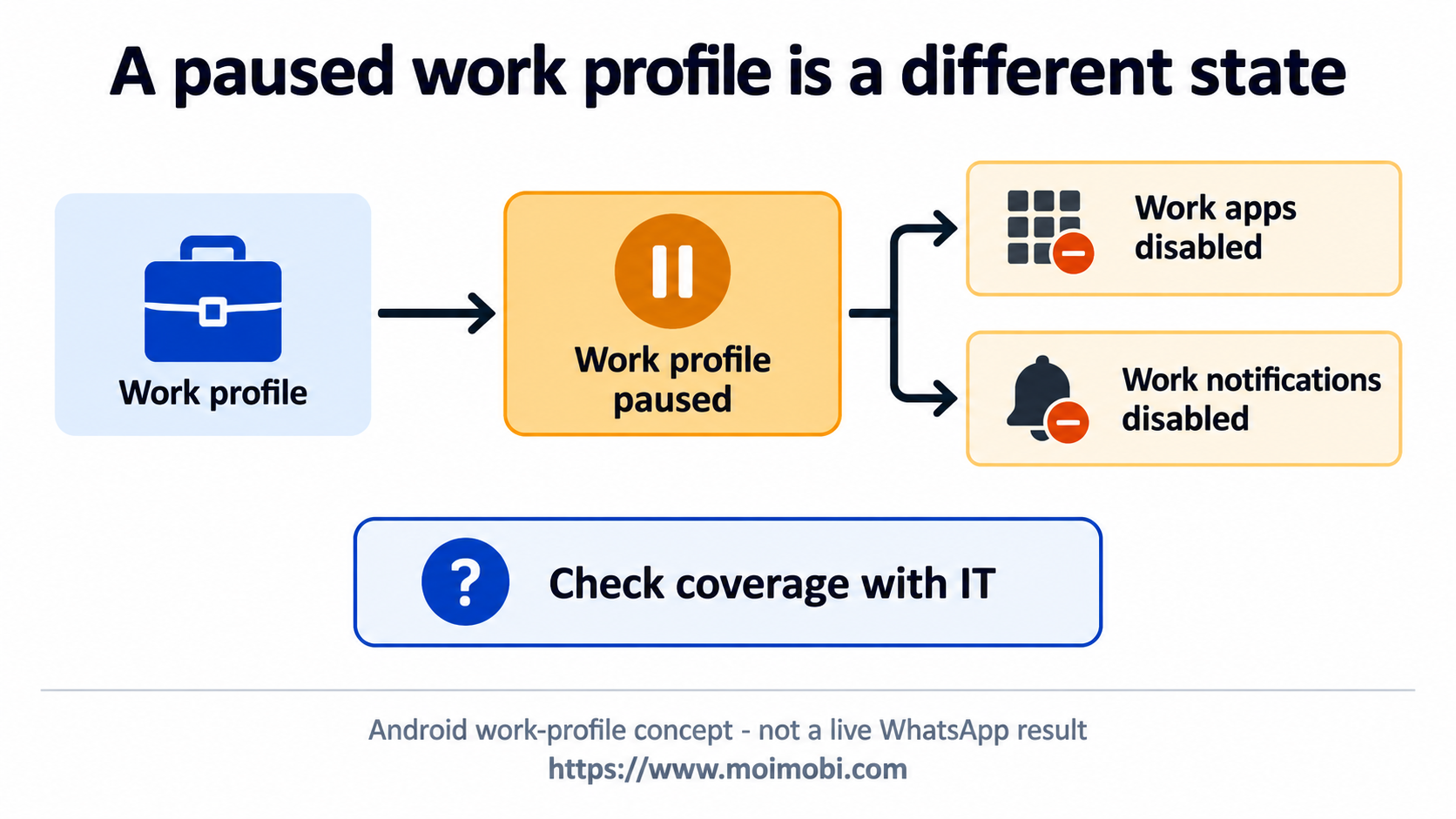
An employer may need a managed work area rather than another account selector. Microsoft's Android work-profile introduction describes separating work-related data from personal data on the enrolled device. Work apps have a briefcase badge, and app location varies by device and Android version. Those facts describe the management boundary, not WhatsApp-specific capabilities.
Consider this option when IT approves the setup and makes the needed app available. Ask which app the employee should open and who handles support. Adding an account inside that app is a separate check. Two similar app icons do not prove that two business accounts are ready to use.
Do not choose it just for extra accounts. Ask IT whether WhatsApp is available and allowed in that work area. The general Microsoft guide does not confirm every WhatsApp setup. Nor does it show a working link between Moimobi and Intune. Leave those claims open until they are checked.
Microsoft explains that pausing the work profile disables work apps and work notifications. Include that behavior in an availability review. An employee taking a break should not become an unexplained messaging outage in the team's plan. Name who is responsible for coverage without assuming a work profile supplies a shared inbox.
What a separate device changes
Consider a separate phone when the team needs to own and hold the equipment. For example, it may need a work phone returned when a contract ends. The account owner must still approve access and recovery. Holding a phone does not by itself give someone the right to use its account.
In a fictional case, a consultant uses personal and approved work accounts alone. Native switching may be enough. Another team needs its equipment back when the consultant is away. That team should decide who holds the phone and owns the work, not who can switch accounts fastest.
For several approved accounts, use an account and device responsibility inventory. List who owns the number, does the work, holds the phone and handles recovery. These may be different people. Keep passwords, codes and personal chat exports out of the list; it should show roles, not grant access.
A cloud phone is another environment category to evaluate, not an automatic solution to this selection problem. Inspect the actual provider's supported apps, access model and recovery process. Do not infer a functioning WhatsApp connector or current mobile-workflow automation from a product category. For a dedicated account workspace boundary, ask what is separated and how the intended owner checks it.
Evaluate the arrangement without changing live customer work
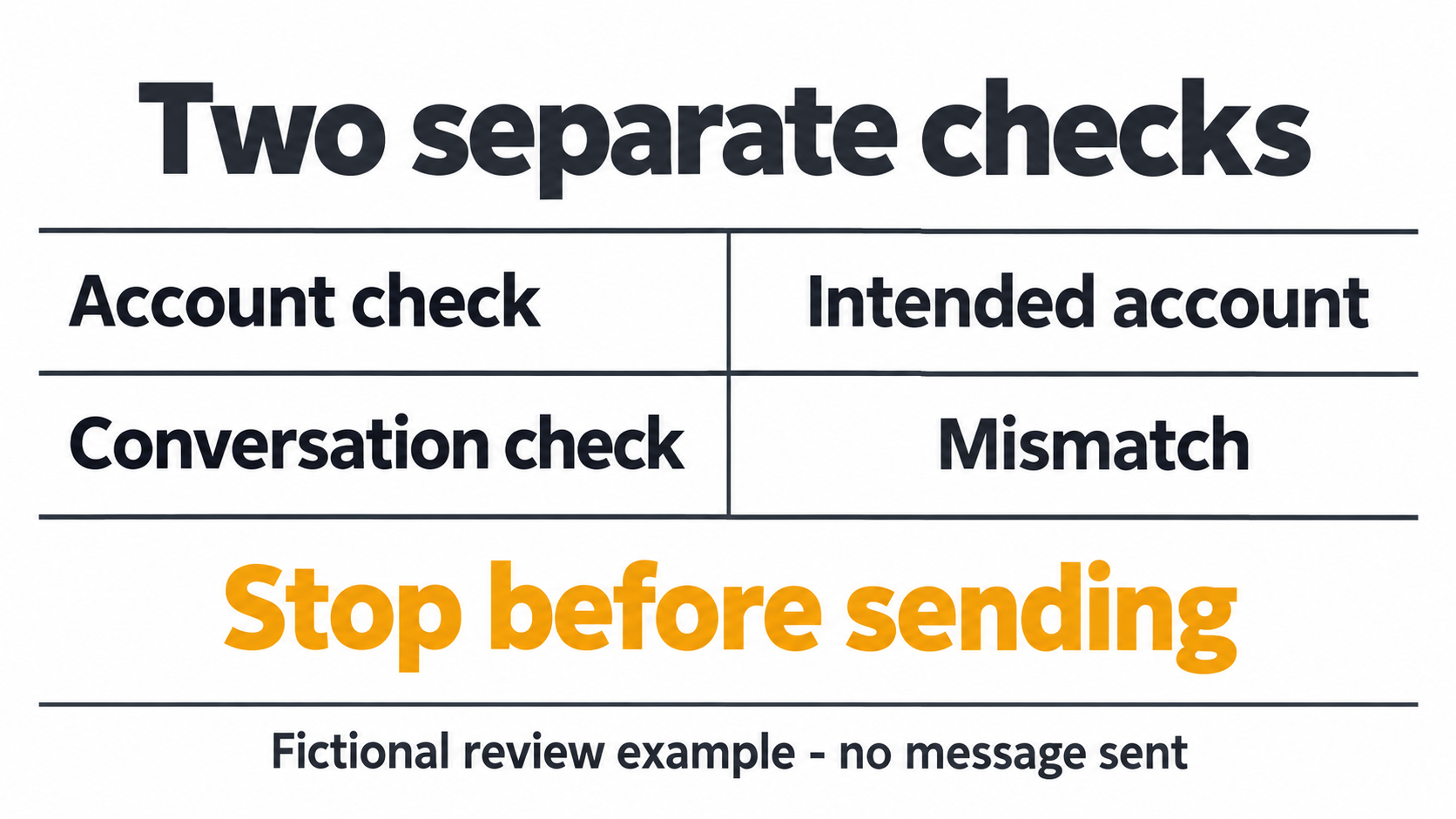
Review the choice before moving accounts. Use sample tasks and agree what each option must show. The output is a choice with any open checks listed beside it, not a passed security test. No messages were sent, devices enrolled or accounts moved for this comparison.
Compare each candidate against the same proposed cases:
- Account cue: can the owner identify the intended account before opening a conversation?
- Wrong-context case: if the other account is selected, does the operator notice before composing a real reply?
- Notification case: which account or work area needs attention, and can the owner explain the observed state?
- Absence case: who handles work when the usual phone holder is unavailable?
- Recovery case: is there an accountable person who can use the legitimate recovery process?
- Exit case: what happens to equipment and approved access when the work relationship ends?
Use a written decision record, not a total score. Record the candidate setup, required boundary, observed result and unresolved issue. For example, a missing work app means "not ready for this task," even if switching personal accounts works. The owner can then see which requirement failed instead of receiving a vague pass label.
Try a wrong-context case with sample material before involving customer chats. Ask the owner to identify the account, then the intended conversation, without sending a message. If they identify the account but choose the wrong conversation, the problem is task review. Another device alone is not evidence that this problem has been solved.
For a proposed work-profile setup, have IT explain the pause state and who covers work while it is paused. Do not pause a live support phone as an unannounced test. Review the documented behavior first, then agree a controlled check. Keep an unanswered coverage question open rather than treating a visible work-app icon as acceptance.
Compare your own costs. Collect the phone or service quote, number costs and the time needed for setup and support. This article reports no price, saving or change in restriction rates. Do not call two options equal on cost if only one has a named support owner.
Common mistakes that reverse the recommendation
Do not confuse account switching with staff access. If several people need a shared support process, this phone-level comparison alone is insufficient. Evaluate the appropriate authorized business solution separately rather than circulating an owner's personal phone or inventing shared login practices.
Match the fix to the fault. A missing account menu needs an app-support review. An unknown number owner needs an ownership decision. A paused work profile needs its managed state checked with IT. Do not buy another phone and mark all three issues closed; each needs its own answer before work moves.
Keep recovery and transfer outside casual experimentation. Before removing an account or resetting equipment, have the owner check dependencies and the relevant official process. “Safer alternatives” here means matching the arrangement to narrower operating requirements. It does not mean a verified reduction in bans, data loss or account compromise.
Frequently Asked Questions
Can dual WhatsApp accounts use one device officially?
Yes. Meta documents native dual-account use and announced iOS support in March 2026 alongside Android. Check the intended official app.
Is another number required?
Meta's original setup describes a second number and SIM or multi-SIM/eSIM support. Confirm the current requirements for your phone before changing service.
Does a work profile increase WhatsApp's account limit?
No extra capacity is established by the work-profile documentation. Check the app's own support and your organization's approval.
Is a separate phone better for one person?
Not necessarily. Choose it when independent equipment access matters, not just because two accounts exist.
Can colleagues share access through the account switcher?
A switcher selects an account. It does not establish staff roles or a shared support process.
What should happen if work notifications stop?
Check the observed account and work-profile state with the owner. A paused profile is one documented reason work notifications are disabled.
Does this comparison recommend automated outreach?
No. Account arrangement does not establish permission for automated messaging or a specific sending workflow.
Choose the boundary, then the equipment
Start with native switching for an authorized owner who only needs two account contexts. Investigate a managed Android work profile when employer app control is the requirement. Consider another phone when physical access must be independent. Keep ownership, recovery and the actual messaging task explicit before accepting any option.


