

For multiple discord accounts, separate human identity switching from automated community work. Prepare the account owner, intended server and channel, plus any unsent text before changing sessions. The output should show which identity is active and where its draft belongs, without turning a personal account into a self-bot.
A growth researcher and a community operator may have different work to do. Adding another session does not decide who may act or which message is appropriate. This guide proposes a manual switching and draft-preservation procedure. No Discord account was added, message sent or bot integration tested.
Key Takeaways
- Use the documented desktop switcher for its actual purpose.
- Preserve unsent work outside the live message box before switching.
- Check account, server and channel together after the switch.
- Keep user-account sessions distinct from authorized bot development.
- Never treat copied session state as a colleague's access invitation.
Prepare multiple discord accounts for the right task
List the identities the authorized owner needs to use and the purpose of each. A personal discussion identity and a work identity need different task notes. A colleague who only reviews wording may not need the live account at all.
Gather these inputs before opening a work session:
- Expected account reference and responsible owner.
- Intended server and channel for the assignment.
- Current draft and its approved storage location.
- Whether the task is reading, preparing text or a separately approved public action.
- Person to contact when the active identity differs.
Use identity-to-community work assignments to keep those purposes visible. Don't store passwords, backup codes or session tokens in the task sheet. A label such as "community work" is not enough to identify the account or destination.
Understand the desktop switcher's limits
Discord's Account Switcher FAQ, updated June 29, 2024 and reviewed here on October 26, 2026, documents switching on desktop and a five-account sign-in capacity. It says drafted messages are not retained when switching and some appearance preferences may reset.
The FAQ also distinguishes what other users see from Discord's enforcement ability. The switcher doesn't display your other identities to users; Discord may still act across accounts it determines belong to the same person. Don't interpret a private switching list as proof of unlinked identities.
Use this as a documented desktop boundary, not a confirmed mobile workflow or a test of your installed release. Check the actual client before planning around a feature. If it does not match the documentation, keep the task pending rather than installing a modified client.
Preserve drafts before changing identity
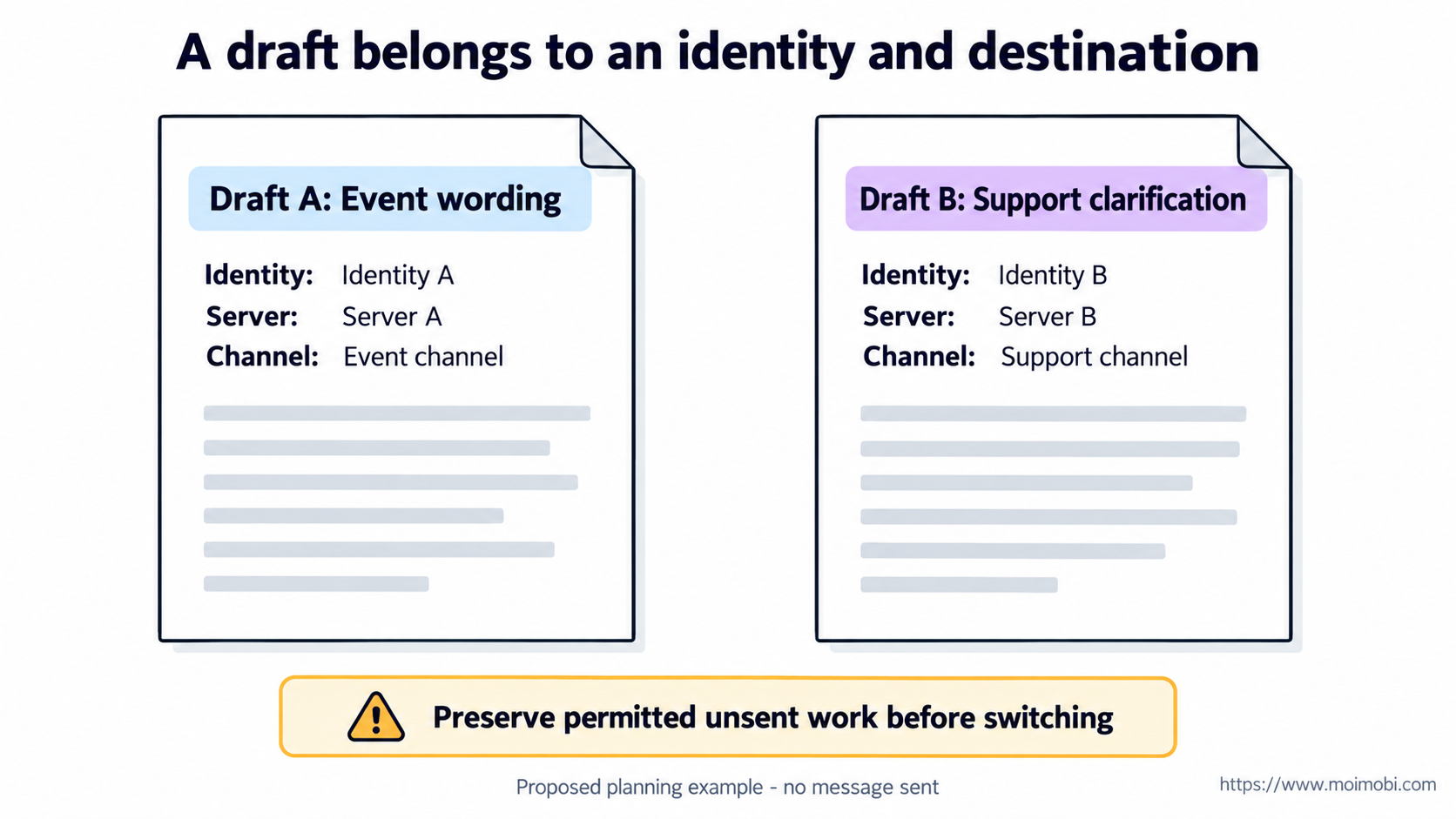
Treat a draft as a separate work item. Save the approved text in the team's permitted workspace with its intended author, server and channel. Don't copy private conversations into a general campaign document to make switching easier.
Consider this fictional two-draft example:
| Work item | Intended identity | Intended destination | Switching decision |
|---|---|---|---|
| Draft A: event wording | Work identity A | Server A, event channel | Preserve and review before switching |
| Draft B: support clarification | Work identity B | Server B, support channel | Open only after identity check |
| A shared phrase | No destination assigned | Unknown | Not ready for live use |
The example supplies no account credentials or observed results. Its purpose is to prevent Draft A from following the operator into Server B just because both messages concern the same product.
Keep revisions with the draft. If wording changes after review, don't reuse the old approval as if it covered the revised message. Session separation cannot resolve editorial ambiguity.
Steps for a manual identity switch
- Close the current writing task. Save permitted unsent work and record whether it is awaiting review. Don't leave the only copy in a message box.
- Choose the intended identity. Use the supported client controls and confirm the account reference. Don't select an identity merely because its avatar looks familiar.
- Check the destination. Compare the visible server and channel with the task record. A correct account in the wrong channel is still a mismatch.
- Open only the matching draft. Compare author, destination and revision before using its text. Leave unrelated campaign material outside the session.
- Record the result or blocker. Note which identity and destination were checked. Stop if either remains uncertain; don't send a test message to discover where you are.
These proposed checks are manual, not a Discord automation script. They grant no server role.
Verify identity and draft agreement
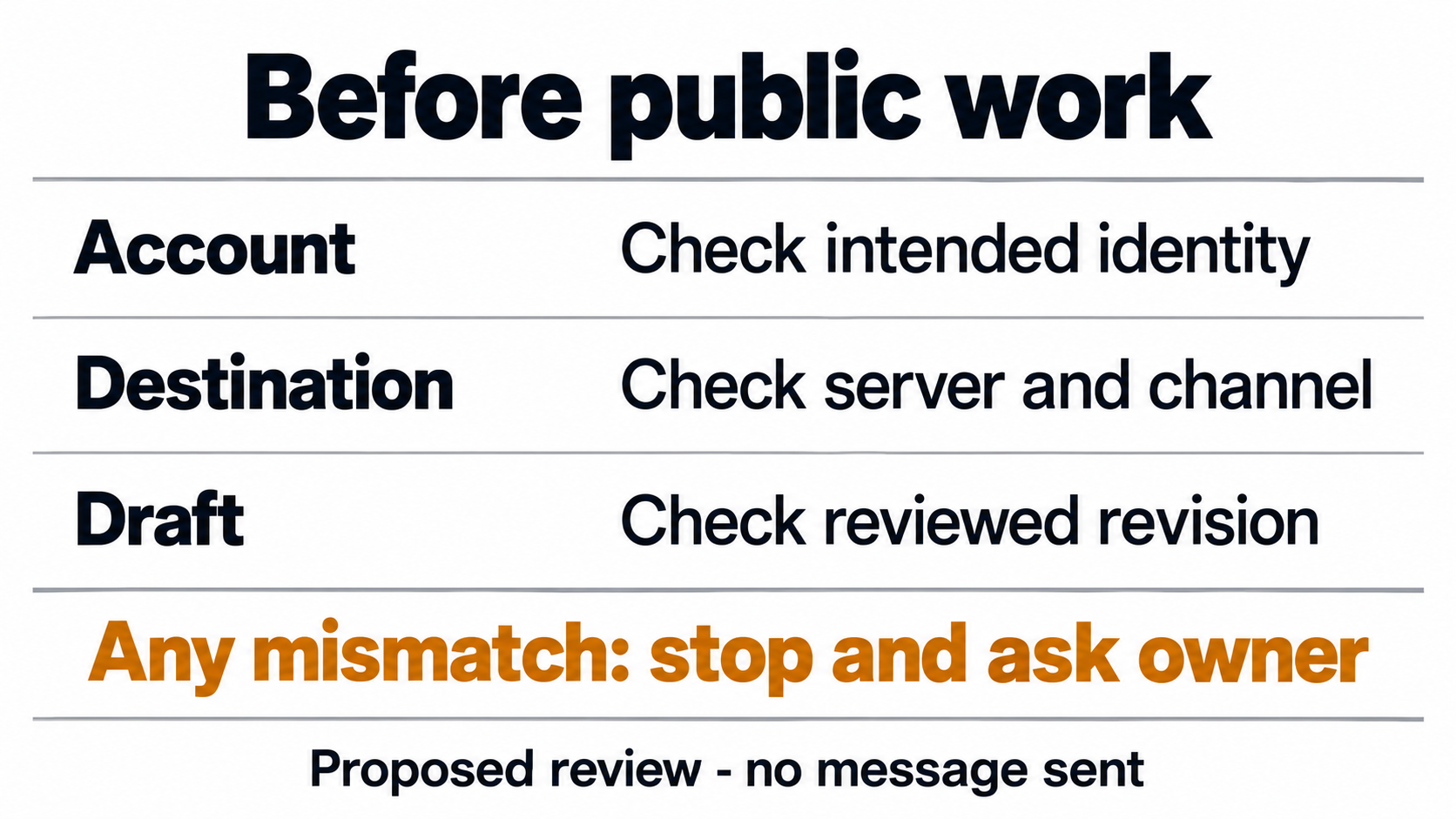
Compare the visible account, server and channel with the saved draft's references. The expected output is a matching identity-destination-revision record, not a sent message. If any reference differs, mark the handoff unresolved and return it to the owner before public work.
Separate user sessions from bot automation
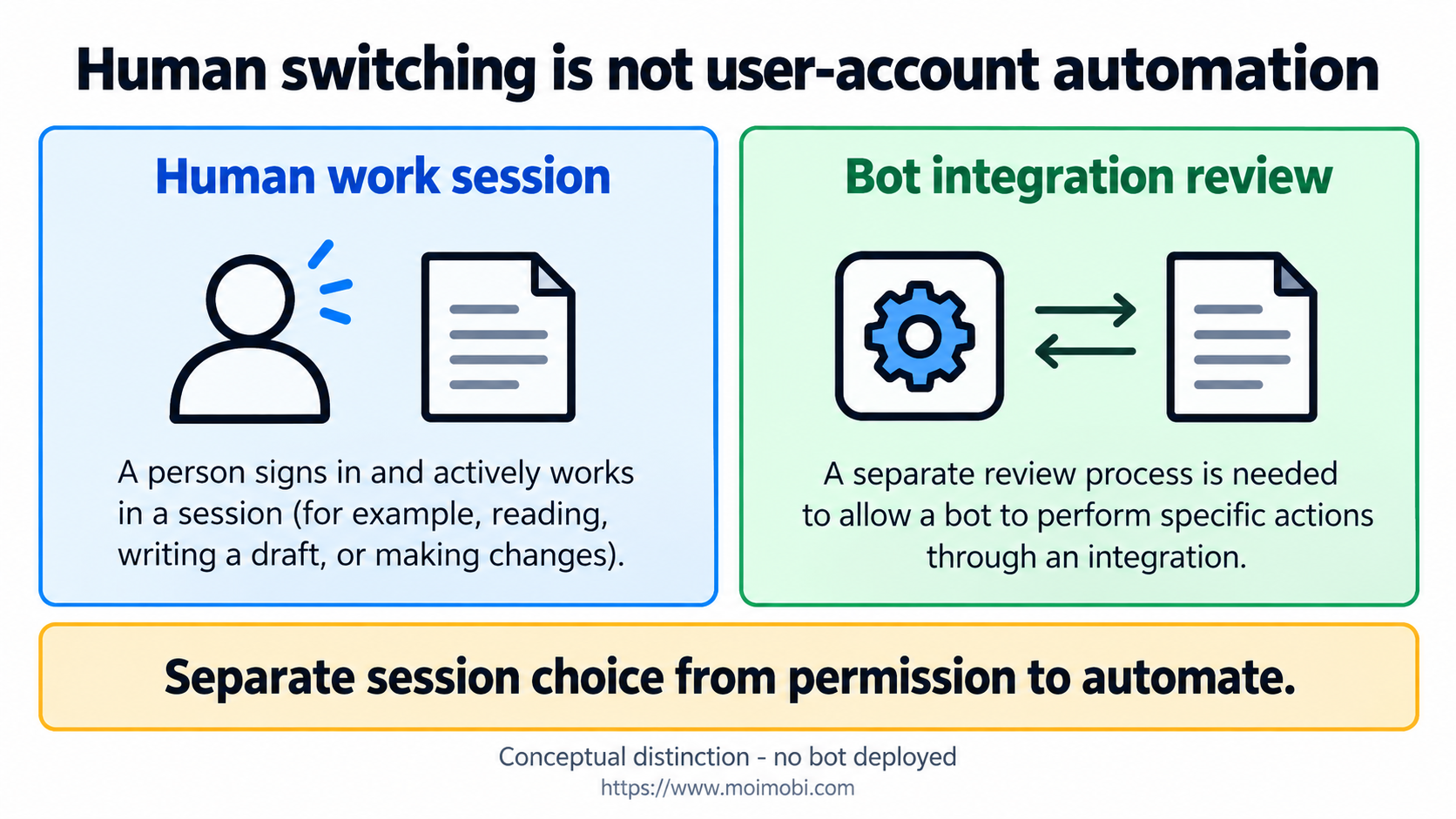
Discord's self-bot guidance, updated April 5, 2024, says normal user-account automation outside the OAuth2/bot API is forbidden and can result in termination. It describes a separate bot-account model. Multiple human sessions are not an exemption from that boundary.
For a recurring automation request, define the event and desired action before evaluating a permitted bot integration. Review its current documentation and access needs separately. This article neither creates a bot nor establishes approval for every bot action.
Saved browser state is another concern. Playwright's authentication documentation warns that state files can contain cookies and headers usable for impersonation and discourages committing them even to private repositories. Don't distribute a session file as a shortcut to giving a teammate access.
Evaluate workspace state boundaries independently of platform permissions. Moimobi's browser-workflow direction is not proof of a supported Discord connector or permission to automate personal accounts.
Troubleshooting missing drafts and identity mismatches
If a draft is missing after switching, look for the separately saved work item. Don't rebuild it from memory and mark it as the reviewed revision. If no approved copy exists, return the writing task for review before any public use.
If the account is correct but the channel differs, stop and resolve the destination. Avoid changing roles or permissions just to make a channel appear. Ask the owner whether the task record is wrong or access needs separate review.
If somebody proposes importing another person's session, stop that access path. Keep the task blocked until legitimate access is resolved. A convenient browser state file is not evidence of consent.
Frequently Asked Questions
Can I use multiple discord accounts on desktop?
Discord documents an Account Switcher for that purpose. Confirm the current client and intended account before use.
Does switching preserve an unfinished message?
The FAQ says drafts are not retained. Save permitted work separately before changing accounts.
Is the switcher a ban-prevention tool?
No such protection is established. The FAQ explicitly describes possible action across associated accounts.
Can I automate my normal account instead of making a bot?
Don't use personal-account automation to bypass Discord's documented self-bot boundary.
Should every reviewer receive a session copy?
No. Wording review can happen outside the live account; authenticated state should not be the handoff artifact.
What if server and account labels disagree?
Hold the task and resolve the exact identity and destination. Don't send a diagnostic public message.
Does this verify Moimobi's Discord support?
No. It is a documented-platform review and proposed manual procedure, not an integration test.
Keep the draft attached to its intended identity
Start with one legitimate account-switching need. Preserve unsent work, confirm the new identity and destination, then review the matching draft. Use community workflow reference material for adjacent planning without treating more sessions as permission for automated user behavior.


