

Build browser farm management around session capacity and planned maintenance, not a count of open windows. Prepare the browser requirements, node inventory and approved test workload first. The output should show where each session runs, why another request waits and when a maintained node can accept work again.
For a social operations team, start with a permitted internal preview check rather than live posting. Browser capacity is not platform permission. This guide uses Selenium Grid as a documented example; it reports no live social run or working Moimobi Grid integration.
Key Takeaways
- Separate waiting requests from sessions already running.
- Match the requested browser to available capacity.
- Don't add advertised slots as if they were independent machines.
- Distinguish draining a node from removing its registration.
- Verify replacement capacity before reopening the workload.
Prepare the browser farm management inventory
List the browser and version requirements for one approved task. Name its test page, expected output and forbidden actions. A caption-preview check doesn't need permission to publish. Use a task-to-browser assignment review to keep the account owner separate from the person maintaining the machines.
Prepare these proposed records:
- Node reference, browser build and operating-system baseline.
- Requested browser capabilities and task reference.
- Current session reference and its assigned node.
- Waiting request reference and observed reason for waiting.
- Maintenance owner, selected action and acceptance check.
These are review fields, not a Moimobi API. Keep credentials and raw session access material out of them. If the inventory cannot identify a running session's owner, resolve that gap before restarting its host.
Selenium's Grid architecture describes a queue, a Distributor, browser slots and a session-to-node map. A slot's capabilities must match the request. It also distinguishes advertised slots from the node's maximum simultaneous session count. Count the usable capacity for this task, not every listed browser option.
Plan browser farm management around the right maintenance action
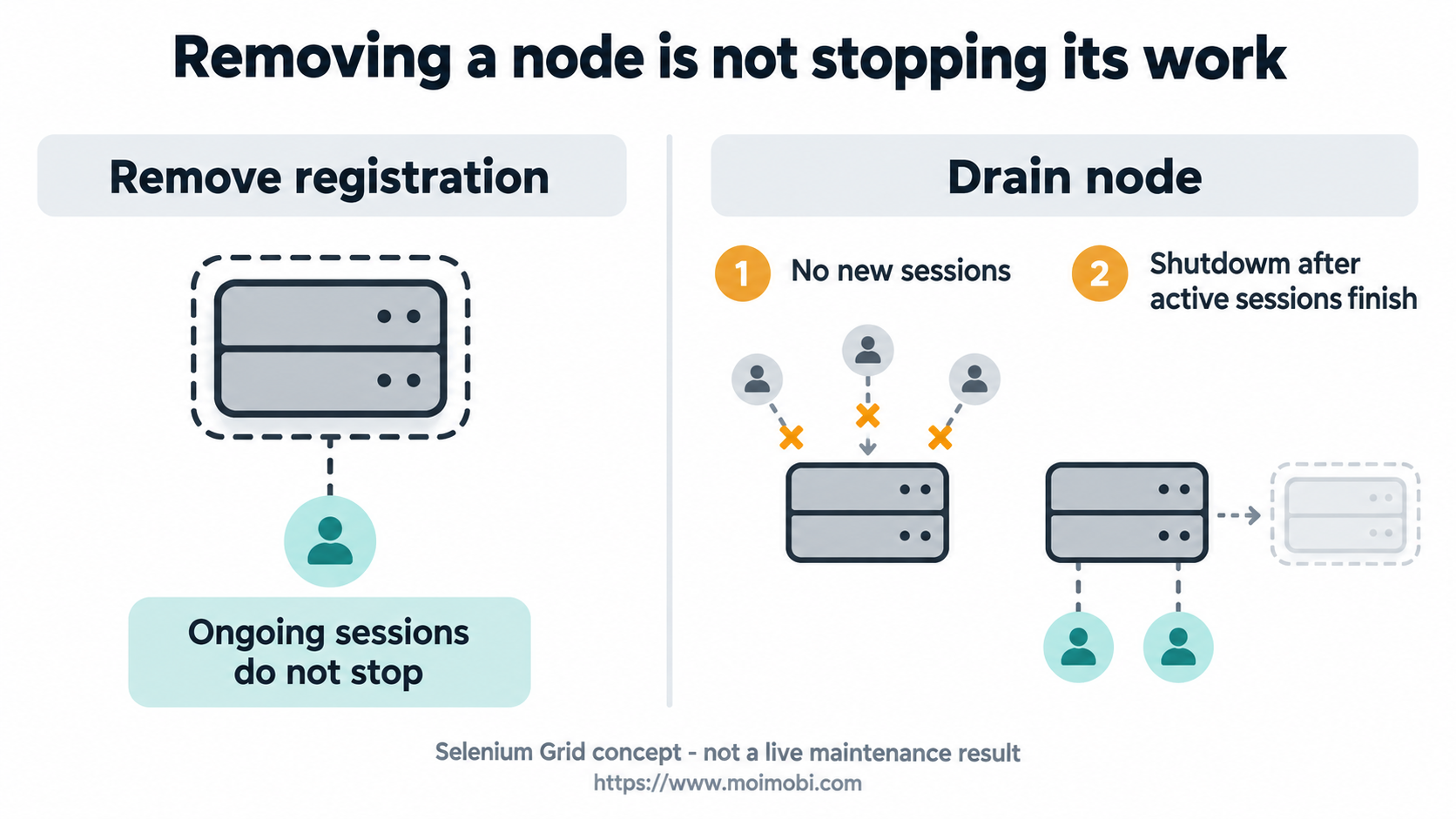
Don't remove a node merely because you intend to stop it gracefully. Selenium's Grid endpoint reference distinguishes the actions below. Review their meaning against your installed tool before changing a real farm.
| Action | Documented Grid effect | What it does not establish |
|---|---|---|
| Drain node | Stops new sessions; shuts down after ongoing sessions finish | That existing business work has already completed |
| Remove node | Removes it from the Distributor's awareness | That its process or ongoing sessions stopped |
| Delete session | Terminates that WebDriver session and removes its active mapping | That a third-party website logged the account out |
| Clear new-session queue | Rejects queued requests and returns errors to their clients | That those requests ran successfully |
Use the distinction in a proposed maintenance path:
- Record the baseline. Capture the intended node, active session references and waiting requests through an approved status view.
- Choose the change. Decide whether the task needs graceful maintenance, a specific session termination or another supported action. Name who approves it.
- Stop new admission where appropriate. Use the reviewed drain path for graceful maintenance; inspect its actual state rather than assuming the request finished the process.
- Account for ongoing work. Keep each running session linked to its task. Preserve known results and leave uncertain work open for its owner.
- Validate the replacement. Check its browser requirements and a harmless task before admitting the normal workload again.
No maintenance command was executed for this guide. The sequence is an acceptance procedure to adapt, not a claim of an installed shutdown controller.
Verify queue behavior and replacement capacity
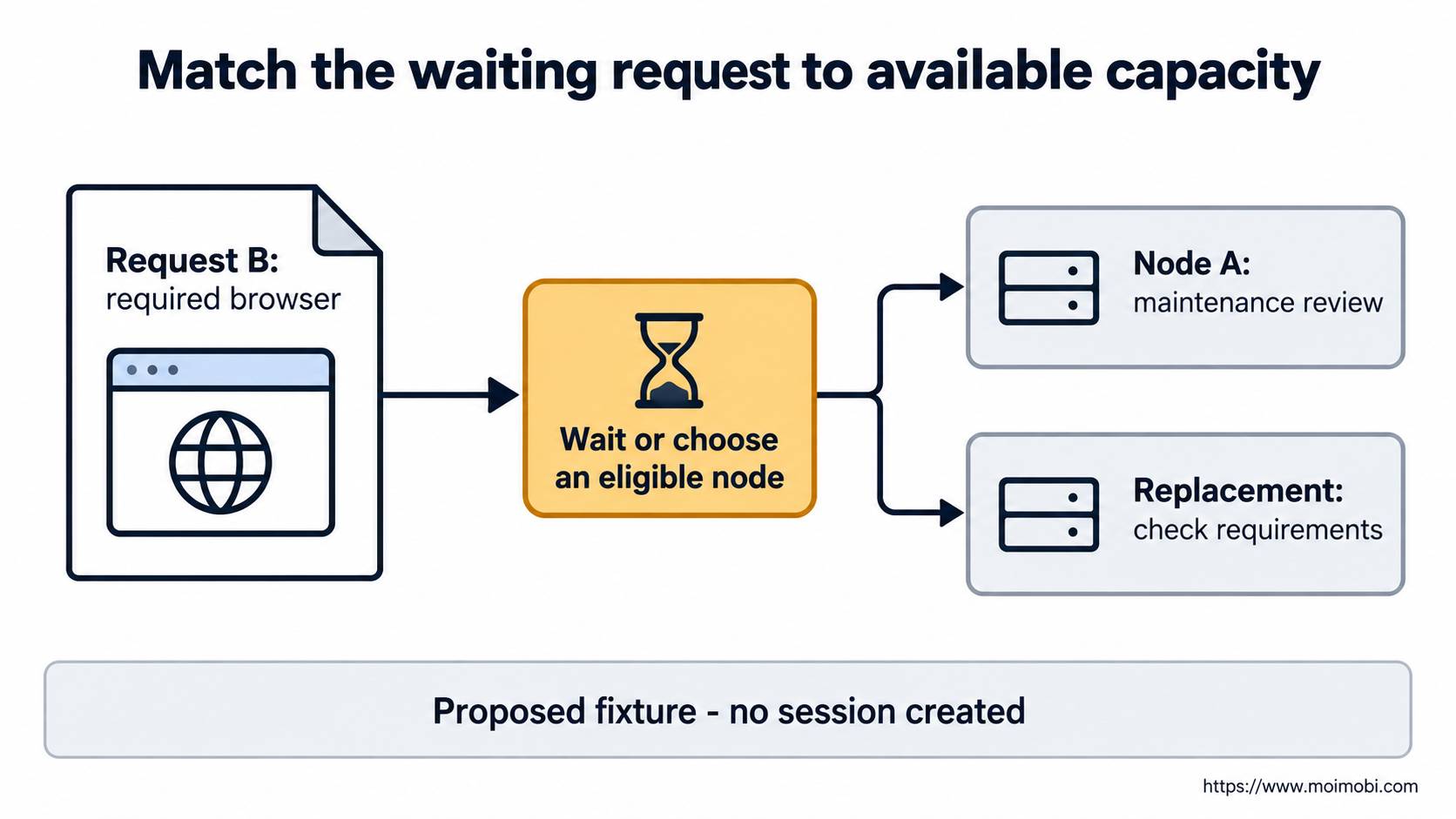
Use an owned test page and fictional fixtures. Let Node A host a sample preview check, then request its maintenance. Request B needs the same browser capabilities. Write down whether B should wait or use another eligible node before testing. Don't let the worker silently choose a different browser to make the queue appear healthy.
Compare the actual findings with those expectations:
- Did the selected node stop accepting new sessions during drain?
- What happened to the session already running there?
- Was the waiting request assigned only to an eligible slot?
- Did the replacement complete the intended preview check?
Keep an unresolved result as unresolved. A dashboard with fewer queued items isn't enough; some requests may have failed instead of starting. Save the request reference and outcome so the reviewer can tell the difference.
Check account-state separation criteria separately. A successful replacement-capacity check doesn't prove account-state separation. Likewise, an isolated profile doesn't prove that the farm has spare capacity.
Handle limits without clearing useful evidence
A long queue does not identify its cause. Inspect capability fit, eligible capacity and node maintenance state before changing limits. More machines with the wrong browser baseline won't satisfy the intended request. Keep the old and replacement build references available while the owner checks the mismatch.
Do not clear a queue as a success shortcut. The documented action rejects waiting requests; it doesn't run them. Record the affected request references and return them to their owners. Decide which work is still needed before a new request enters the farm.
Keep management controls out of ordinary content tasks. OWASP's REST security guidance recommends restricting management endpoints rather than exposing them broadly. A worker that reads a preview needn't receive the ability to drain nodes or clear queues. Ask the implementer to demonstrate that separation.
For evaluation, use the browser execution reference library to frame questions about the actual deployment. Require evidence for its lifecycle controls rather than assuming every browser product follows Grid's model. No speed, cost saving or account-restriction outcome is established here.
Frequently Asked Questions
Is browser farm management just opening many browsers?
No. It includes matching requests, tracking sessions, managing capacity and returning maintained nodes to service.
Does every listed slot add independent capacity?
No. Selenium distinguishes listed slots from the node's maximum simultaneous session count.
Should I remove a node before maintenance?
Choose the action by its documented effect. Removing registration and graceful draining are different operations.
Does a cleared queue mean the work finished?
No. Grid's queue-clearing action rejects those requests.
Can an available browser replace a requested browser?
Only if it meets the approved requirements. Don't silently substitute another baseline.
Does session termination prove website logout?
No. Don't infer a third-party site's access state from a local driver action.
What should the team budget for?
Include host capacity, maintenance, task review and recovery work. Use actual quotes and observed workload records.
Return capacity only after checking it
Choose the maintenance action before changing the node. Track waiting requests and active sessions separately, then check the replacement against the same browser requirements. Reopen ordinary work only after the owner can explain what completed, what failed and what still needs attention.


