
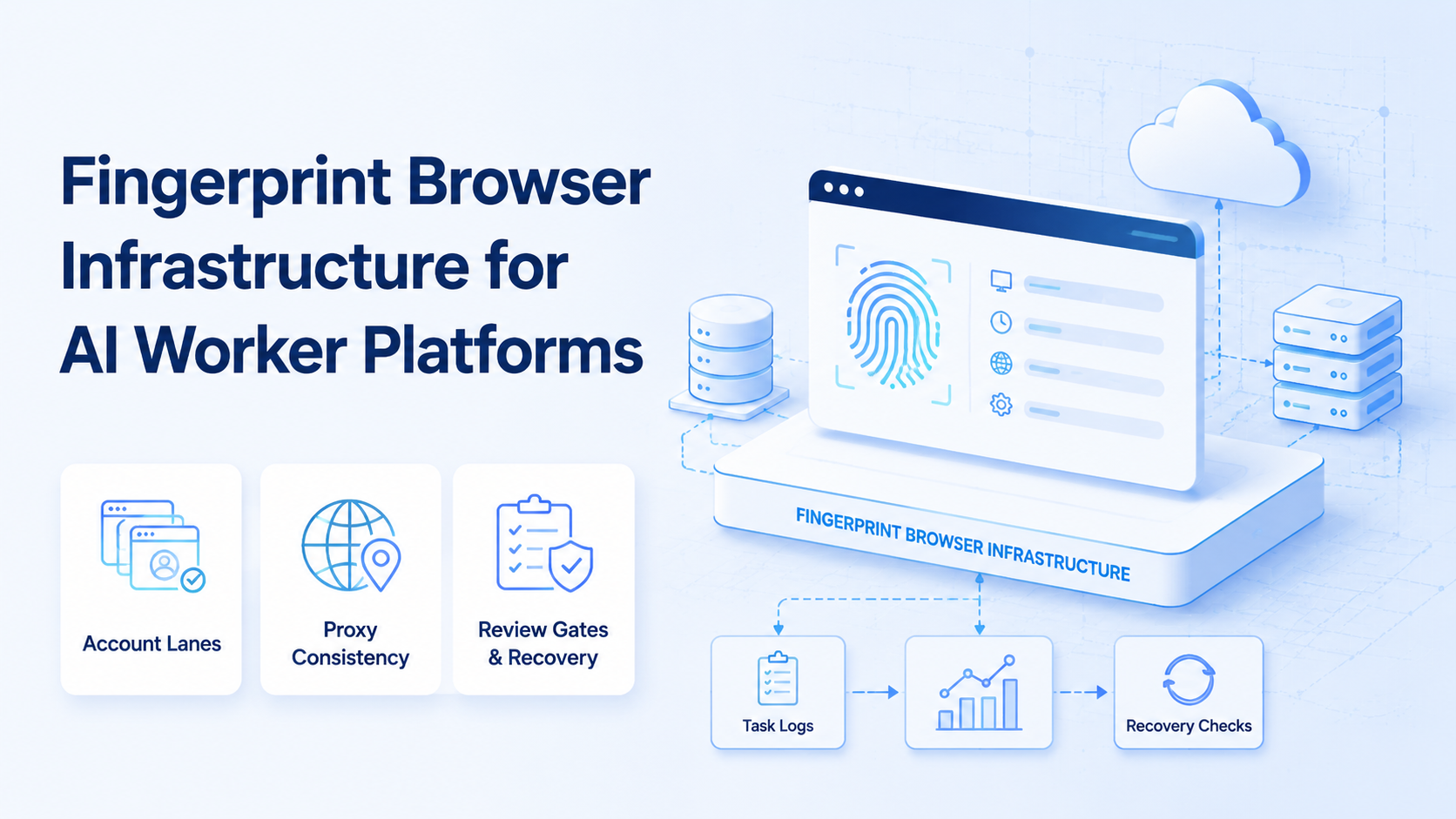
A fingerprint browser is a controlled browser environment that helps teams separate profiles, device signals, account context, and workflow state across repeated web tasks. For AI worker platforms, it should not be treated as a shortcut around review or policy. This browser execution layer makes account-based work traceable.
The practical decision is infrastructure. AI workers can research pages, prepare drafts, inspect dashboards, and route tasks.
Control comes first.
They still need a reliable browser surface for account sessions, identity boundaries, logs, and recovery. Without that surface, automation turns into a set of private scripts that are hard to inspect.
MoiMobi connects this idea to broader execution infrastructure. The first surface is an AI browser for web workflows.
Mobile is separate.
The second surface can be cloud Android for mobile workflows. The control layer keeps the task, account, device, proxy route, and approval status aligned.
Key Takeaways
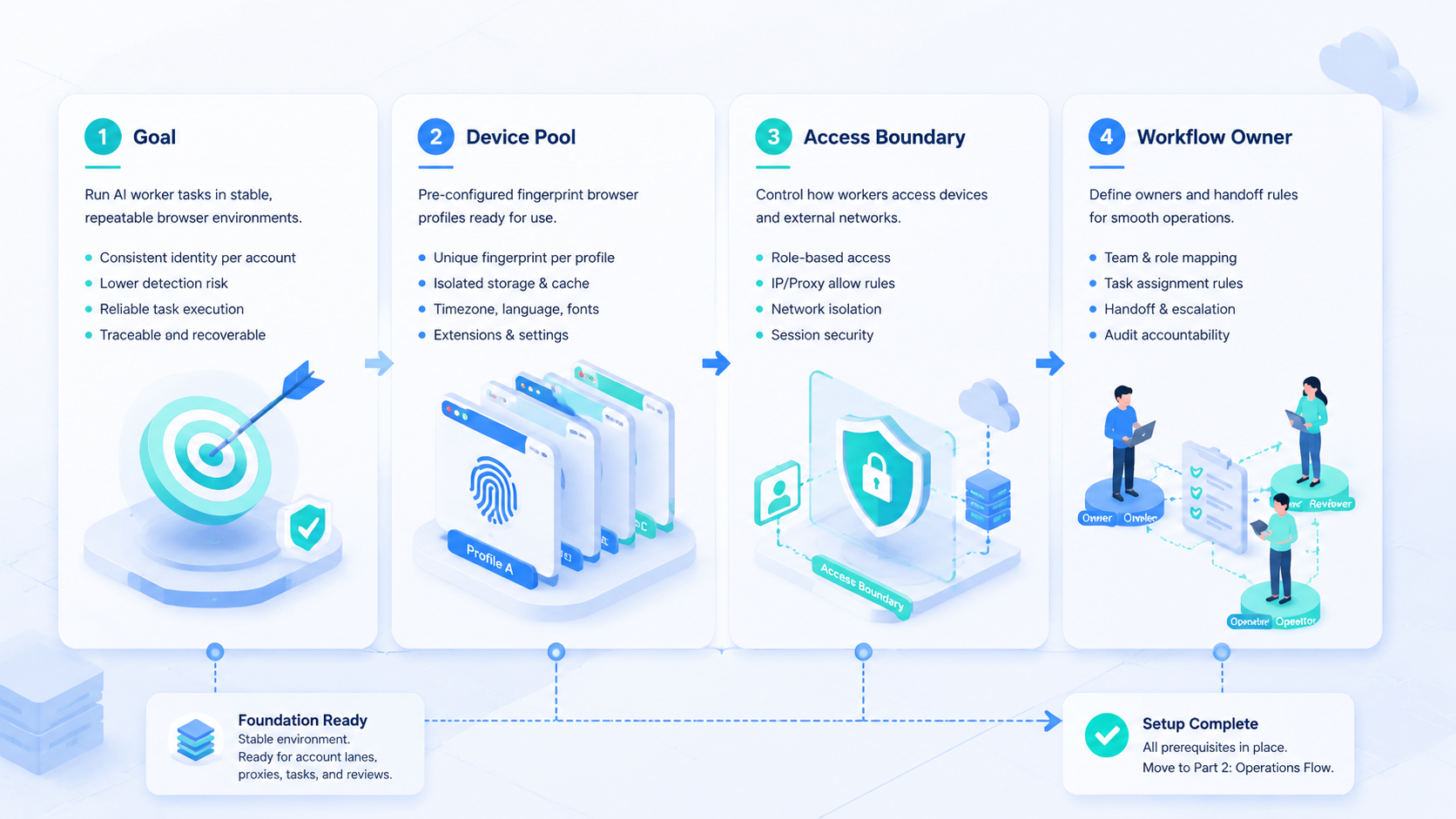
- A fingerprint browser should organize account lanes, not hide operational mistakes.
- AI worker platforms need browser profiles that connect to task records and review state.
- Proxy, region, timezone, language, storage, and profile ownership should be planned together.
- Browser fingerprinting is a real privacy and identity topic, so teams need cautious claims.
- The best pilot measures traceability, failed-task repair, and wrong-account prevention.
The Core Idea Behind a Fingerprint Browser System
The system is not only a browser with profile settings. The operating model also covers browser profiles, account ownership, network routing, storage, and task logs.
The reason is simple: browser identity is made from many small signals. MDN describes browser fingerprinting as combining information from JavaScript, CSS, device behavior, and browser properties to identify a browser across the web. See MDN's fingerprinting glossary for the privacy baseline.
For operations teams, the lesson is not to make reckless promises. A fingerprint browser should help keep account environments organized and consistent. It should not be described as a magic shield.
Use this framework:
| Layer | Operational Role | Bad Outcome If Missing |
|---|---|---|
| Browser profile | Holds account session and local browser state | Operators reuse the wrong session |
| Network route | Connects proxy, region, and route plan | Region context drifts without notice |
| Workspace | Stores account notes, drafts, and task history | Shared assets mix with private account data |
| Task record | Links workflow, profile, owner, and result | Failure repair depends on memory |
| Review gate | Pauses sensitive output before public action | AI output moves too fast |
This model fits AI worker platforms because the AI layer needs a safe place to act. A browser profile becomes an execution surface. The task record becomes the control surface.
Why Teams Search for This Topic
Teams search for this infrastructure when multi-account work becomes too complex for ordinary browser windows. One person can remember a few profiles.
Memory breaks.
A team cannot safely scale on memory.
The common mistake is treating every account as a tab instead of a managed lane with its own owner, route, profile, asset trail, and review state. Tabs do not define ownership, device signals, proxy routing, or review status.
Tabs are not lanes.
They also do not explain what happened when a task fails.
Consider a content operations workflow. An AI worker researches a topic, prepares a draft, opens a dashboard, checks an account queue, and asks for review.
Now check the handoff.
That lane needs the right account session, the workspace needs the right source content, and the reviewer needs enough context to approve or reject the action.
MoiMobi's multi-account management direction is relevant here. Account lanes should define where browser profiles, content assignments, runtime logs, and review decisions belong. The lane is not a label; it is the boundary that prevents confusion.
External standards also support cautious design. W3C's fingerprinting guidance explains that browser and device signals can create privacy risks when combined.
Avoid loud claims.
Teams should use this knowledge to design consistent, auditable environments rather than publish exaggerated safety claims.
Who Benefits Most and In What Situations
This infrastructure fits teams that operate repeated web workflows across multiple accounts. The strongest use cases involve account ownership, task assignment, and recovery review.
Good examples include social account operations, marketplace dashboards, customer support queues, creator account work, browser-based publishing preparation, and account health checks. These tasks involve browser sessions, content assets, and operator decisions.
Poor-fit cases are different. A solo user with one account may not need infrastructure. A one-time login task may not justify profile orchestration. A workflow with no review owner will still be weak, even with better browser tooling.
- Several accounts need separate browser profiles
- Teams assign tasks to account workspaces
- Proxy, region, and timezone consistency matter
- Operators need logs for failed-task recovery
- Only one account is used manually
- Tasks have no repeatable workflow path
- No reviewer owns public actions
- The team expects identity tooling to replace policy judgment
The deciding factor is not company size. Account context must survive handoffs.
Handoff is the test.
When a second operator can understand the session, task, and review state, the system is working.
Here is a concrete account-lane example. A team creates one workspace for brand-us-east-support, assigns browser profile bp-support-03, uses proxy route us-east-residential-a, sets language to English, stores source asset faq-draft-v4, and requires reviewer ops-lead before a reply is posted. If the task fails, the recovery owner is not "the team." It is the operator named in the task record.
How to Evaluate a Fingerprint Browser for AI Worker Platforms
Start with guardrails. A fingerprint browser cannot fix bad account policy, unclear ownership, or reckless automation. It can make the browser lane cleaner and easier to audit.
Use this evaluation path as a working checklist, not a vendor feature list.
| Step | Check | Pass Signal |
|---|---|---|
| Account lane | Workspace, profile, owner, and review rule are named | Nobody chooses accounts from memory |
| Network context | Proxy, region, timezone, and language fit the lane | Route choices are deliberate |
| Asset handling | Shared content stays in a library | Profiles do not become file dumps |
| Task state | Profile ID, task ID, operator, reviewer, and result are stored | A failed task has a trail |
| Recovery test | A second operator can inspect the failed run | Repair does not depend on chat history |
| AI execution | AI acts only after boundaries are visible | The workflow pauses at review gates |
MoiMobi's proxy network and device isolation concepts fit this evaluation. Network consistency and identity boundaries need to be planned together.
Route context matters.
A profile without route context is incomplete.
Do one small pilot before scaling. Choose two accounts, one repeatable browser task, one source asset, and one reviewer.
Keep it inspectable.
Track whether the task record shows who acted, which profile ran, which asset was used, and what happened after review.
The profile is only one part of the system. The surrounding workflow decides whether the team can operate safely.
Use a stop rule when the record is incomplete. If the task does not name the account lane, browser profile, proxy route, source asset, reviewer, and recovery owner, it should stay in preparation state. The operator can still inspect the page, but the AI worker should not move to public action.
For a May 2026 pilot, keep the rule visible in the task card: "do not publish without reviewer approval." Add 3 status values: "profile ready", "review missing", and "repair assigned." These labels give the operator a clear next step without reading a long note.
Fingerprint Browser Profile Fields Teams Should Track
A useful profile record should be short enough for operators to maintain and complete enough for recovery. The goal is not to create paperwork. The goal is to make the next operator understand what the environment is supposed to represent.
Start with ownership. Each profile should name the account lane, workspace, operator, reviewer, and recovery owner. This prevents a common failure where the profile exists, but nobody knows who can approve a change or repair a failed task.
Add environment fields next. Record proxy route, region plan, timezone, language, profile group, and last verified date. These fields do not need to expose secrets in the article or UI, but the operations system needs a traceable reference.
Then connect the profile to workflow state. The task record should show which AI worker used the profile, which source asset was assigned, what output was prepared, and whether review is still pending.
Use a compact record model:
| Field Group | Example Fields | Reason |
|---|---|---|
| Ownership | account lane, operator, reviewer | Shows who controls the profile |
| Environment | proxy route, region, timezone, language | Keeps context consistent |
| Workflow | task ID, asset ID, review status | Connects execution to work |
| Recovery | error class, owner, last note | Makes failed tasks repairable |
This model also helps teams separate browser and mobile work. A browser profile should not become a dumping ground for every file, screenshot, and app-side note. When Android execution is needed, the mobile lane should carry its own device context and task state.
Name error classes in plain words. Use labels such as wrong-profile, proxy-mismatch, asset-mismatch, review-missing, and page-state-lost. These labels are simple, but they make weekly review faster because the team can see whether failures come from routing, content, approval, or browser state.
The clean boundary is simple: browser profiles hold browser sessions and web state, account workspaces hold account-specific history, content libraries hold reusable assets, and runtime caches hold temporary execution files.
Fingerprint Browser and Mobile Boundary for AI Workers
AI worker platforms often need both browser and mobile surfaces. Web dashboards, queue checks, form review, research, and account-page inspection belong in the browser lane. Android app previews, media picker checks, app-side account state, and phone-only workflows belong in the mobile lane.
Blurring the boundary creates brittle automation. A browser workflow that pretends to be a mobile app misses app state. A mobile workflow used for ordinary web dashboards wastes device capacity and makes task review slower.
MoiMobi treats these surfaces as connected but separate, because a task may pass through web review and Android preview without losing state. Browser execution can prepare and inspect web work. Mobile automation can handle app-side steps when a workflow needs Android context. The task record should connect both surfaces without merging their responsibilities.
One example makes the boundary visible. A team can use the browser lane to review product text, open a publishing queue, and assign an asset. The mobile lane can then inspect the app preview and return a review status. One task owns both steps.
Use a small handoff note when a task crosses surfaces. It can include the account lane, source asset, browser profile, mobile device, reviewer, and next allowed step. This note is not meant to slow the team. It gives the next person enough facts to continue the work without guessing.
Simple records also help when work pauses overnight. The next operator should see the completed step, the pending review, the blocked action, and the exact item that must not be repeated. A clear pause state beats "almost done."
Mistakes That Reduce Results
The first mistake is chasing a perfect fingerprint. Modern browsers expose many signals, and the web platform changes over time. Mozilla's fingerprinting protection documentation shows that browser vendors treat fingerprinting as a serious privacy issue, not a simple setting.
The second mistake is separating proxy choice from browser profile design. A profile, proxy, timezone, language, and region plan should be consistent for the account lane, or the reviewer cannot tell whether the route matches the profile. Random combinations create review problems, even before technical risk is considered.
The third mistake is storing work inside the profile. Browser profiles should hold browser state. Account notes, source assets, task history, and review decisions belong in a workspace or task system. This separation keeps recovery possible.
The fourth mistake is letting AI workers run without a stop rule. AI can prepare or inspect work, but sensitive public actions should pause for approval. Google Search Central's guidance on helpful content is a useful reminder that quality and usefulness still matter when automation speeds up production.
Here is the failure-mode map:
| Failure | Likely Cause | Repair Owner |
|---|---|---|
| Wrong account opened | Profile ownership is unclear | Account operator |
| Region context drifted | Proxy and profile settings were not planned together | Infrastructure owner |
| Wrong asset used | Content library and workspace were mixed | Content owner |
| AI action moved too fast | Review gate was missing | Workflow owner |
| Task cannot be repaired | Logs do not connect profile, task, and owner | Operations lead |
These problems are operational. More browser profiles alone will not solve them.
Pilot Rollout and Recovery Review
A good pilot should test traceability before speed. Use a workflow that is small enough to inspect manually and real enough to expose account-lane problems.
One practical pilot starts with a browser-based research summary prepared by an AI worker. An operator assigns that work to one account workspace, opens the matching profile, and sends the result to a reviewer before any public action.
Track five signals in a small scorecard:
| Signal | Pass Condition |
|---|---|
| Account lane | Clear before the browser opens |
| Profile route | Browser profile, proxy route, and owner are recorded |
| Content link | Source content and runtime output are connected |
| Review state | Approval status is visible before publication |
| Recovery owner | A failed task names who repairs it |
Pass only when the same process works twice with a different operator. That test matters because real operations depend on handoff, not only individual memory.
When the pilot passes, add more accounts gradually, using the same fields for account lane, route, profile owner, reviewer, and recovery owner. Keep the same record fields. Do not add ten new profiles before the first two profiles produce clear logs.
This approach matches MoiMobi's infrastructure direction. AI workers need execution surfaces, but teams need operating trails.
Keep the first review meeting short. Look at one success, one failure, and one slow handoff. Ask what the record showed, what the operator still had to ask in chat, and which field would have made the repair easier.
The best early signal is not speed. The team should be able to pause, resume, and repair work without losing account context.
Use 3 repair questions in every weekly review: "which profile ran the task?", "which asset did it use?", and "who owns the next step?" If the team cannot answer all 3 in under 2 minutes, the profile record is still too weak for scale.
Frequently Asked Questions
What is a fingerprint browser?
A fingerprint browser is a controlled browser environment for separating profile state, account context, and browser signals. For teams, its value comes from workflow control and traceability.
Is browser fingerprinting only about privacy?
No. Privacy is the public web concern, but operations teams also care about account separation, environment consistency, and recovery. The same technical topic affects both areas.
How does this support AI worker platforms?
AI workers need browser surfaces where tasks can run under the right account context, not a shared session that every operator edits by habit. The controlled profile provides the execution surface, while the task system stores intent and review state.
Does a fingerprint browser remove account risk?
No. It does not replace platform policies, review, or responsible workflows. Use it to organize environments, then keep team rules for approvals, handoffs, and account changes.
What should be recorded for each profile?
Record account owner, profile ID, proxy route, region plan, task IDs, review owner, and recovery notes. The exact fields may vary, but ownership must be clear.
Should assets live inside browser profiles?
Usually no. Reusable assets should live in a content library, where the team can update the source once and assign runtime copies through task records. Account-specific drafts and history belong in the account workspace.
When should cloud phones be added?
Add cloud phones when the workflow needs mobile app state. Keep web tasks in browser profiles, and keep app-side steps in cloud Android lanes with their own device record.
What is the first rollout step?
Start with two account lanes and one repeatable browser task. Prove that a second operator can read the task record and repair a failure.
Conclusion
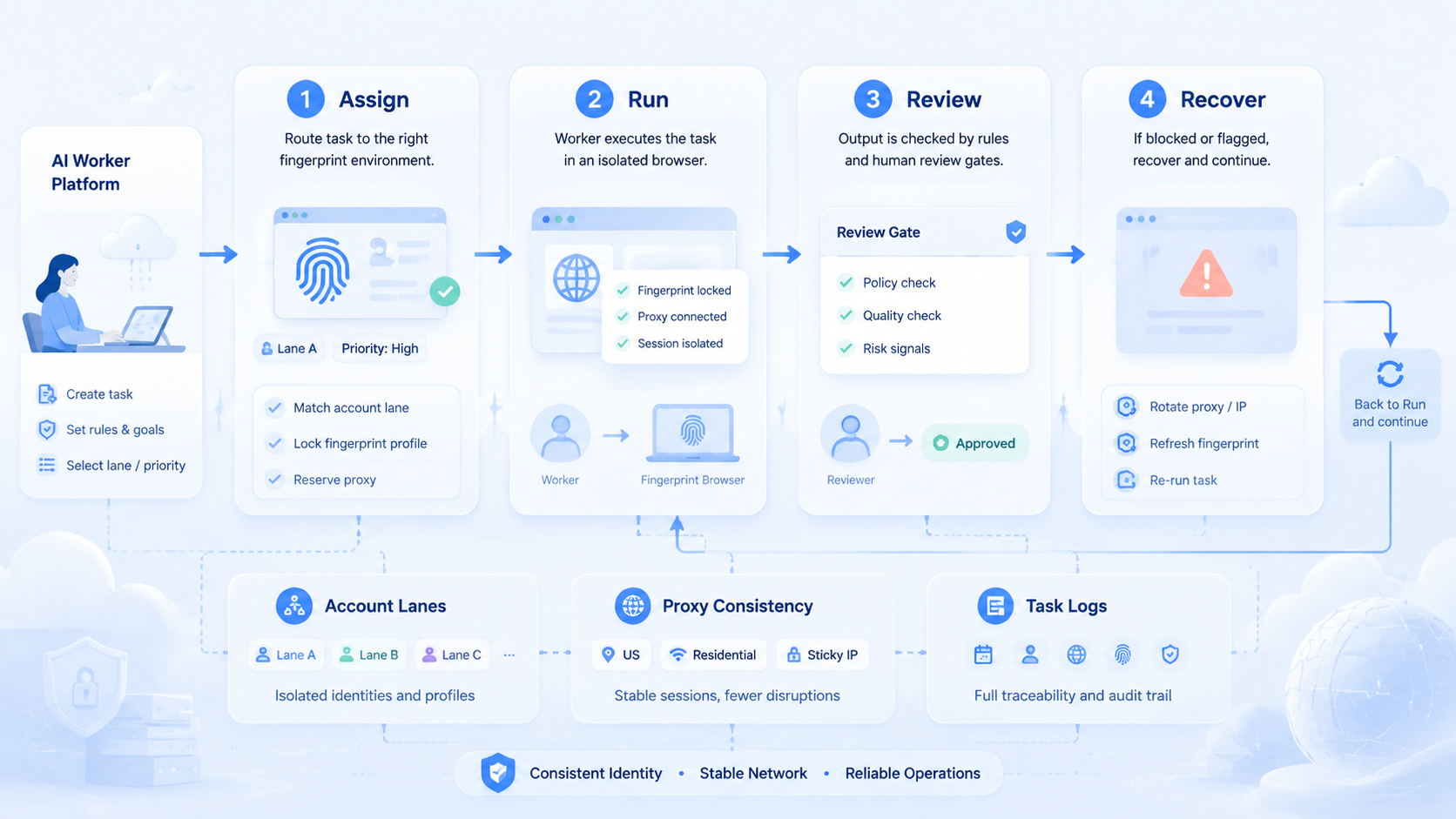
Infrastructure for AI worker platforms should be evaluated by control, not by hype. The useful system connects profile ownership, proxy consistency, account workspaces, task records, review gates, and recovery owners.
The safest next step is a small pilot. Pick one browser workflow, two account lanes, one reviewer, and a simple failure log. Confirm that every task can be traced from AI intent to browser profile to review result.
Once that trail is clear, teams can add more profiles, more AI-assisted tasks, and mobile execution layers where needed. Without that trail, scale only makes confusion faster.



