
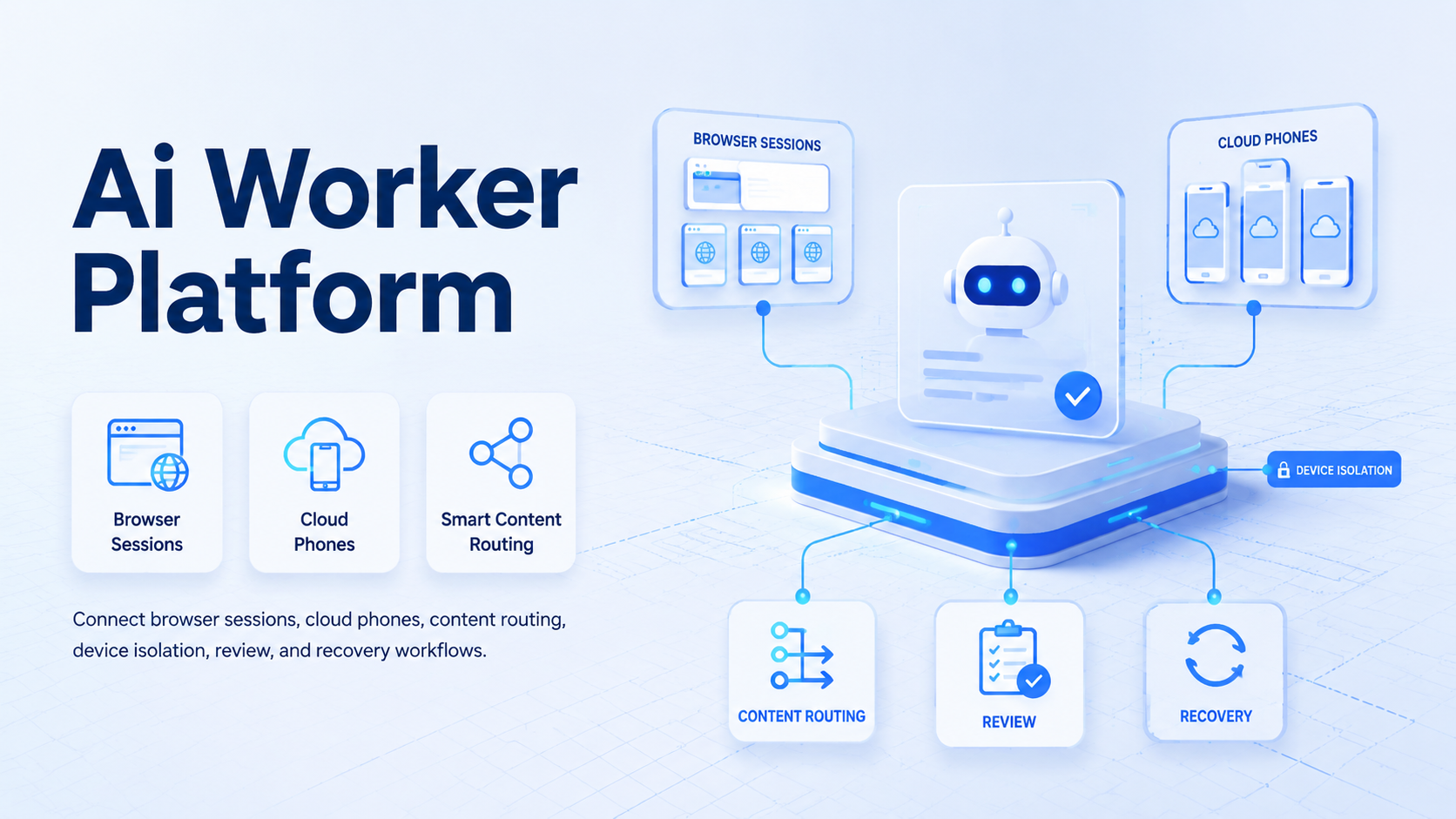
An AI worker platform is execution infrastructure that helps teams plan, run, review, and recover browser and mobile workflows across multiple accounts. It connects AI planning, browser sessions, cloud phones, content assets, account workspaces, device context, and task logs.
The practical point is control. Multi-account work fails when a team cannot tell which account owns a task, which browser or phone ran it, which file was used, and who approved the result. A platform should make that path visible.
Control first.
MoiMobi should be understood as execution infrastructure for web and mobile operations where AI planning needs a reliable place to act. The first natural layer is an AI browser for web tasks. The second layer is cloud Android execution for app-side work.
Task state connects content, accounts, devices, and review. That connection is the control plane.
In a real team, that means the system must connect planning decisions to account workspaces, prepared files, device choice, approval state, and repair notes instead of leaving every handoff inside chat.
Without that control plane, an automation run becomes a black box that operators can only trust when nothing goes wrong.
Key Takeaways
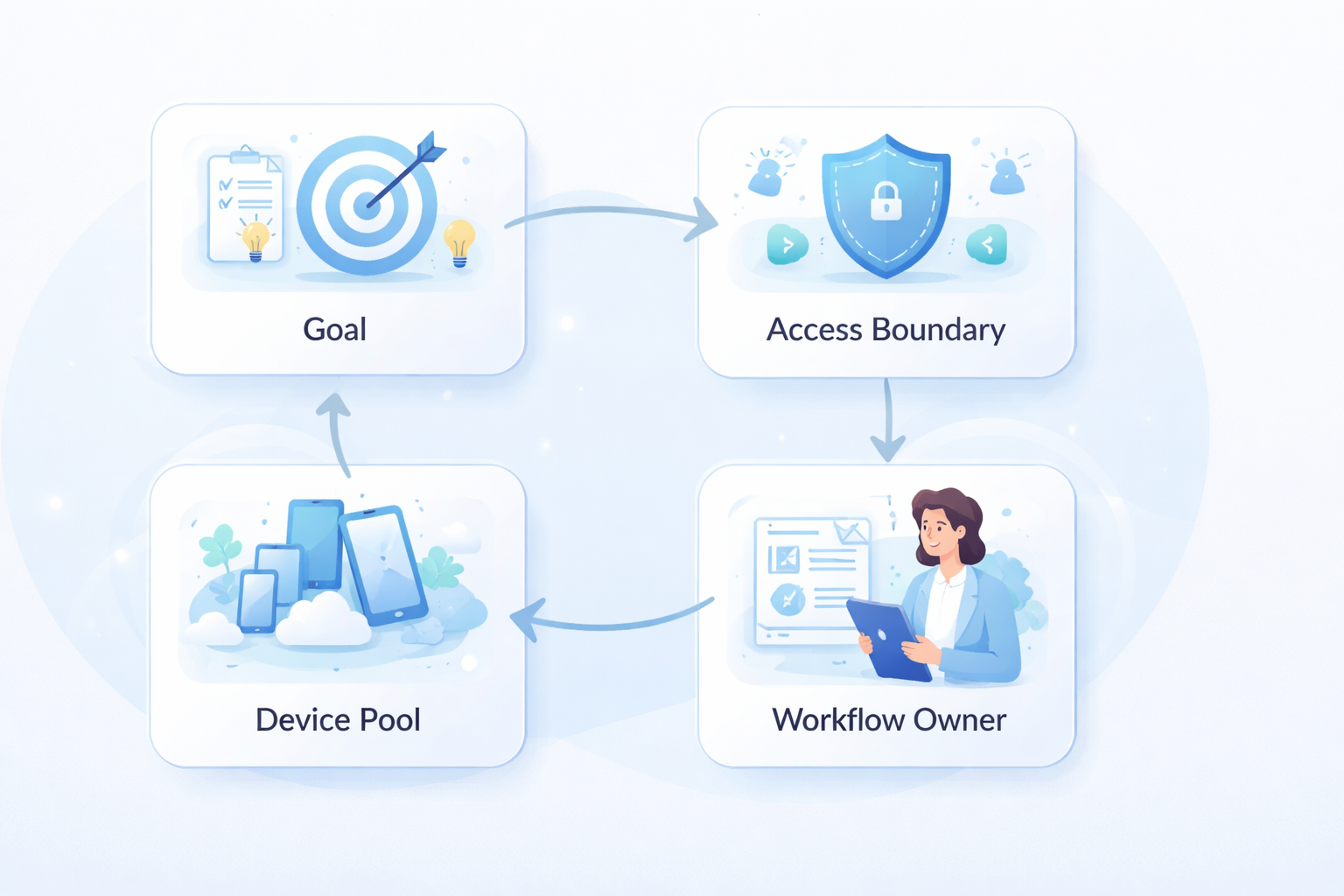
- An AI worker platform should coordinate browser and mobile execution across account lanes.
- Cloud phones are execution surfaces, not the whole operating model.
- Content libraries, account workspaces, publish tasks, and runtime files need separate roles.
- Device isolation and proxy consistency matter when several accounts run in parallel.
- The best pilot measures traceability, not only task volume.
What an AI Worker Platform Actually Does
The phrase "AI worker" can sound like a single autonomous agent. That framing is too vague for operations. A usable platform breaks work into decisions, tools, execution surfaces, logs, and review.
For browser work, the platform needs controlled sessions, page state, account context, and task instructions. For mobile work, it needs cloud phones, app state, file preparation, and operator review.
Teams need ownership and recovery.
This is the operating map:
| Layer | Main Role | Failure to Avoid |
|---|---|---|
| AI planner | Interprets the request and chooses the workflow path | Treating a vague prompt as a safe action |
| Browser executor | Handles web tasks and browser account context | Losing page state or profile ownership |
| Cloud phone executor | Handles Android app workflows and media use | Pushing files to the wrong device |
| Content library | Stores reusable source assets | Duplicating assets across every account |
| Account workspace | Holds private drafts, logs, and account history | Mixing public assets with account-specific context |
| Review gate | Lets operators approve sensitive outputs | Publishing before a human checks the result |
Short version: coordination is the product.
The cloud phone layer gives teams Android execution capacity. The AI browser layer gives teams web execution capacity. The AI worker platform sits above them and keeps the work organized.
One execution layer is never enough for teams that cross web dashboards, Android apps, files, and reviews.
This also protects content quality. Google's public guidance on helpful content stresses people-first content rather than production for search alone. That point is especially relevant when a team can produce drafts, images, and account actions faster than people can review them.
Teams that use AI workers for publishing should keep review and usefulness checks in the workflow. See Google Search Central for that baseline.
For Android-side work, teams should also understand that mobile execution has its own platform surface. Android app behavior, file permissions, media pickers, notifications, and device state do not always behave like desktop web pages. Google's Android Developers documentation is a useful public reference for the mobile platform context.
Mobile is different.
AI Worker Platform Architecture for Account-Based Work
An AI worker platform needs a clear architecture before it needs more automation. Without architecture, every task becomes a private script with unclear responsibility.
The core pattern is a controlled loop:
- Ask: the user or operator describes the job.
- Route: the planner chooses the workflow lane.
- Prepare: the platform connects content and account context.
- Execute: the browser or cloud phone performs the step.
- Record: the system stores output, review state, and recovery data.
Do not skip the middle. Preparation is where most multi-account mistakes are prevented. The platform should know which source asset belongs to the task, which account workspace can use it, and whether a runtime copy must be created for a browser or a cloud phone.
For account work, the architecture should also separate global and private data. A global content library can hold reusable videos, product data, images, and text drafts. An account workspace should hold account-specific notes, history, failed attempts, and review decisions. A publish task connects the two.
Keep the boundary visible.
That design supports repeat work across a team that may have different operators, reviewers, account owners, and device owners. One approved asset can be assigned to several accounts without copying the original file several times. Each account still keeps its own status and review path.
Security and identity also need a role before a team adds more account lanes or background execution. The platform should not rely on a random local browser profile as the only boundary. Device identity, account ownership, runtime logs, and access control should be explicit. For general digital identity principles, NIST Digital Identity Guidelines provide a useful reference point, even though each product must apply those principles to its own environment.
This is where product architecture matters more than a clever prompt, because the same instruction can be safe in one account lane and risky in another if the device, proxy, and reviewer are different.
Small records matter. A task with account ID, asset ID, workspace ID, device ID, proxy route, reviewer, and failure class is much easier to recover than a task that only says "automation failed."
Why Multi-Account Teams Need More Than Scripts
Scripts can run a step. Teams need a system that remembers context. The difference becomes clear as soon as one task touches several accounts or devices.
A typical multi-account workflow may start with web research. The team then selects a reusable asset, assigns it to account workspaces, prepares runtime files, checks mobile app state, and waits for approval. No single script owns that whole chain.
Three breakdowns usually appear:
- Asset confusion: operators cannot tell which approved source file belongs to which account, which runtime copy was prepared, or whether the asset was changed after review.
- Device confusion: a browser profile, cloud phone, proxy, or app session is unclear.
- Review confusion: a draft or action moves forward before the right person approves it.
That is why multi-account management should be part of the platform decision. Account lanes are not just labels for a dashboard view or a reporting export. They define where content, logs, and runtime actions belong.
This prevents drift.
Use a simple rule. Global assets belong in the shared content library, and account-specific drafts and history belong in the account workspace. Execution files belong in runtime cache or device storage. Publish tasks connect those pieces.
This separation comes directly from operational reality. A video can be reused by several accounts, but each account still needs its own status, timing, review, and execution trail.
One asset, many lanes.
Here is the minimum record a team should expect:
| Record | Example Field | Why It Matters |
|---|---|---|
| Account lane | account workspace ID | Prevents cross-account confusion |
| Source content | asset ID | Shows which approved file was assigned |
| Runtime file | prepared path or device path | Shows what execution actually used |
| Execution surface | browser profile or cloud phone ID | Identifies where the task ran |
| Review status | pending, approved, rejected | Keeps public action under control |
| Recovery owner | operator, device owner, content owner | Makes failure repair faster |
This table is not bureaucracy. It is the difference between a repeatable workflow and a shared memory problem.
Browser and Mobile Workflow Boundaries
A multi-account AI worker platform should not force every task into one surface. Browser work and mobile work have different inputs.
Browser workflows fit tasks such as research, dashboard checks, web forms, content review, account setting inspection, and page-based publishing preparation. Cloud phone workflows fit app-side tasks such as mobile upload checks, app session review, media selection, and mobile-only account state.
Use this boundary:
- Web dashboards
- Research pages
- Browser profiles
- Web forms and queues
- Review pages
- Android app sessions
- Mobile media uploads
- App-side account checks
- Cloud phone runtime files
- Operator inspection
Bad routing creates fragile automation. Surface fit matters.
A web task forced into a mobile app becomes slow. A mobile-only workflow faked in a browser loses app context. The platform should route work based on surface, account, file, and review requirements.
If the routing decision is visible before execution, the operator can catch a bad lane choice before a task wastes device time or touches the wrong account.
Do not blur surfaces.
The mobile automation layer is useful when teams need the mobile lane to run repeatable app-side work. It should still report back to the same task record, because a mobile result that cannot be traced is only another isolated action.
How to Evaluate an AI Worker Platform
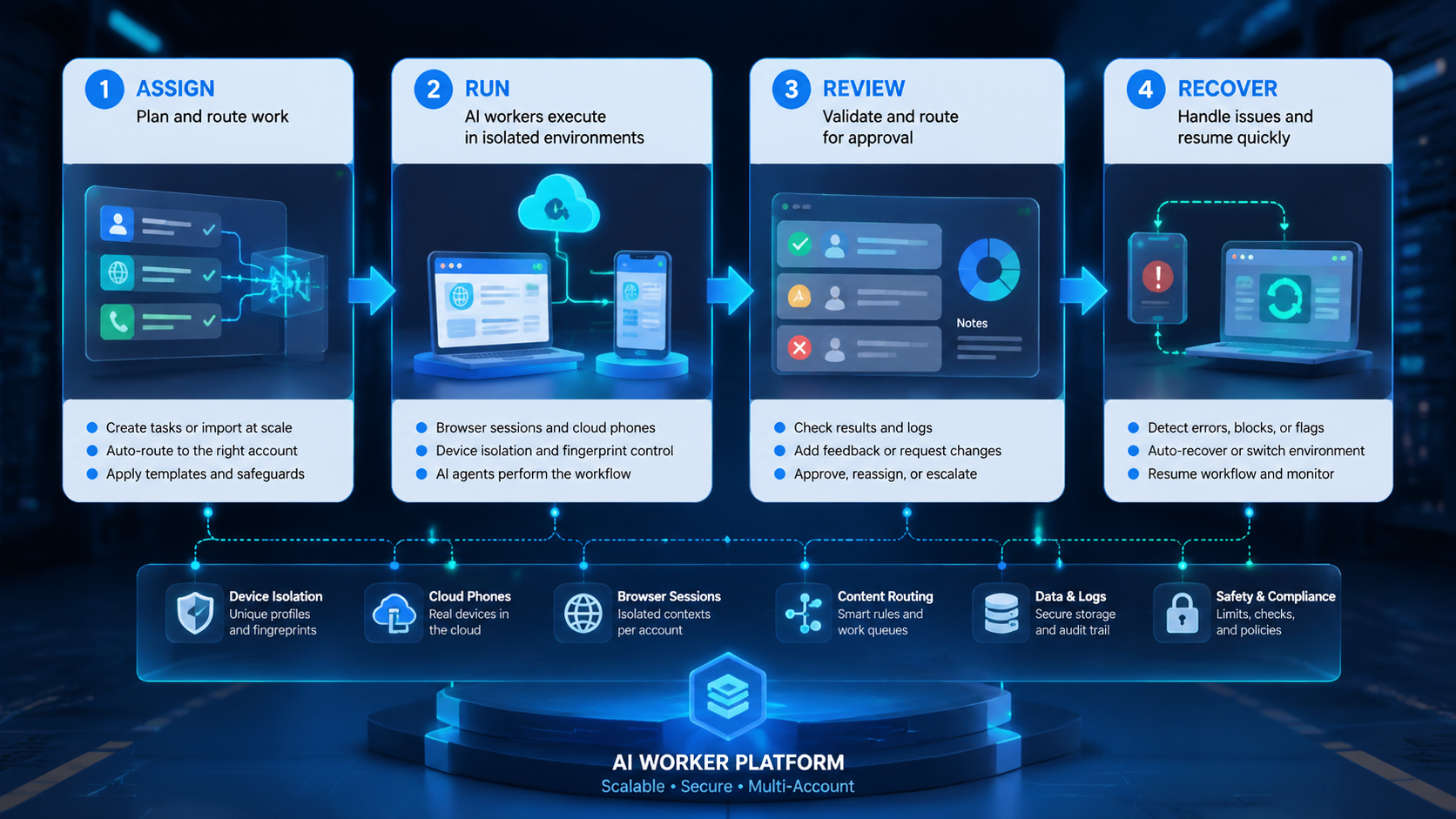
Start with traceability. Ask whether the platform can show the full path from request to account to device to output.
Do not scale yet if the answer is unclear.
Trace before scale.
Use these evaluation checkpoints, and treat a missing answer as a pilot blocker rather than a minor documentation problem:
Account lane check. Every task should name the account, workspace, operator, and review owner. If ownership is missing, the workflow is not ready.
Content assignment check. Source assets should be stored once and assigned through records, while runtime copies should be created only when a browser session or cloud phone actually needs them. Copying the same file into every workspace creates avoidable errors.
Device context check. The task should name the browser profile or cloud phone that ran the step. A team should not guess after the task finishes, especially when recovery depends on knowing which surface held the final state.
Network context check. Browser and mobile workflows may require proxy and region consistency. A proxy network only helps when routing is deliberate.
Review state check. Public actions, replies, profile changes, and brand content should have approval status. No status, no scale.
Add one more test. Can a new operator understand yesterday's failed task without asking the person who ran it? If not, the platform is missing recovery context.
A retry is not a recovery plan.
AI Worker Platform Evaluation Checklist
Use this checklist before expanding beyond a pilot.
| Question | Pass Signal | Red Flag |
|---|---|---|
| Can the system identify the account lane? | Every task maps to one workspace and owner | Operators choose accounts from memory |
| Can the system prepare files only when needed? | Source assets stay reusable and runtime files are tracked | Teams copy media into many folders |
| Can the system separate browser and phone work? | Each step has a chosen execution surface | Mobile app tasks are forced into web logic |
| Can the system recover failures? | Error class and owner are visible | Every failure becomes a generic retry |
| Can the system pause before public action? | Review status is required for sensitive steps | Generated output moves directly to accounts |
Five passes do not mean the platform is perfect. They mean the operating model is visible enough to improve. That is the right starting point.
Mistakes That Break Multi-Account Execution
The first mistake is using AI as the only control layer. AI can choose a workflow, generate a draft, or summarize a page. It should not replace task ownership, tool boundaries, and review.
The second mistake is treating cloud phones as isolated rentals. A phone pool is useful, but a team still needs device assignment, account mapping, file push records, and review state. Devices without context create more coordination work because every exception becomes a manual investigation across screenshots, folders, chat messages, and browser history.
The third mistake is ignoring isolation. Browser profiles, cloud phones, proxies, and account sessions should stay separated. Device isolation supports that boundary when the workflow also records who used what.
The fourth mistake is measuring only completed count. Count is easy; quality is harder, and the operational metrics that reveal quality are wrong-account assignments, duplicate uploads, review delays, device readiness failures, and recovery time. These metrics reveal whether the platform is becoming infrastructure or just faster clicking.
Review one failed task every week during the pilot. The goal is not blame. The goal is to see whether the record contains enough detail for a different operator to repair the issue without rebuilding the context from chat messages.
Pilot Rollout and Recovery Model
A good pilot starts with one repeatable workflow. Choose a task that crosses browser and mobile execution but does not begin with high-risk public action.
Example: the team researches content ideas in a browser, selects one approved asset, assigns it to two account workspaces, prepares a cloud phone file path, checks the app-side preview, and waits for review.
Track the pilot with this scorecard:
| Metric | Healthy Signal | Stop Rule |
|---|---|---|
| Account mapping | Each task has one clear account lane | Stop when the account is ambiguous |
| Asset assignment | Source asset and runtime copy are linked | Stop when the wrong file appears |
| Device readiness | Browser or cloud phone is known before execution | Stop when device ownership is missing |
| Review state | Each sensitive output has approval status | Stop when approval is blank |
| Recovery owner | Each failure class has an owner | Stop when errors become generic |
Recovery ownership is not a technical detail. It keeps operations from depending on memory, especially when the person who notices the failure is not the person who created the asset or prepared the device.
Device failures go to the infrastructure owner, while content mismatches go to the content owner and should include the asset ID that caused the issue. Missing approvals go to the operator. Browser page-state failures go to the workflow owner.
Name the owner.
This model gives the team a clean expansion path. Add more accounts only after the pilot shows a reliable trail from request to execution to review.
Frequently Asked Questions
What is an AI worker platform?
It is execution infrastructure for planning, running, and reviewing AI-assisted tasks. For multi-account teams, it should connect browser sessions, cloud phones, content routing, logs, and recovery so the work can be inspected later.
The practical value is that a second operator can inspect the task trail without reconstructing it from memory.
How is it different from an AI browser?
An AI browser is the web execution surface. The broader worker platform includes the browser, but also coordinates mobile devices, account workspaces, content assignments, and review.
That broader coordination is what makes the platform useful for teams instead of only solo browser use.
Why do cloud phones matter?
Cloud phones give teams Android execution surfaces for mobile app workflows. They matter when browser automation alone cannot inspect or run the mobile side of a task.
What should the first workflow be?
Choose one repeatable task with clear account ownership, one asset type, one browser step, one mobile step, and a review gate.
Does this remove human review?
No. Review is part of the control model, not a manual workaround added after automation starts to feel risky. AI can prepare and route work, while operators approve sensitive account actions.
Keep review explicit.
What is the biggest rollout risk?
The biggest risk is unclear ownership. When account, asset, device, and review owners are missing, automation makes confusion faster and hides the decision that actually needs repair.
Ownership is the first control.
How should teams measure success?
Measure traceability, completion quality, recovery time, duplicate uploads, wrong-account events, and review delays. Volume comes after control.
Where does social media work fit?
Social media teams can use an AI worker platform to prepare content, route assets, inspect account state, and manage review. The social media marketing use case works best when account lanes stay explicit.
Conclusion
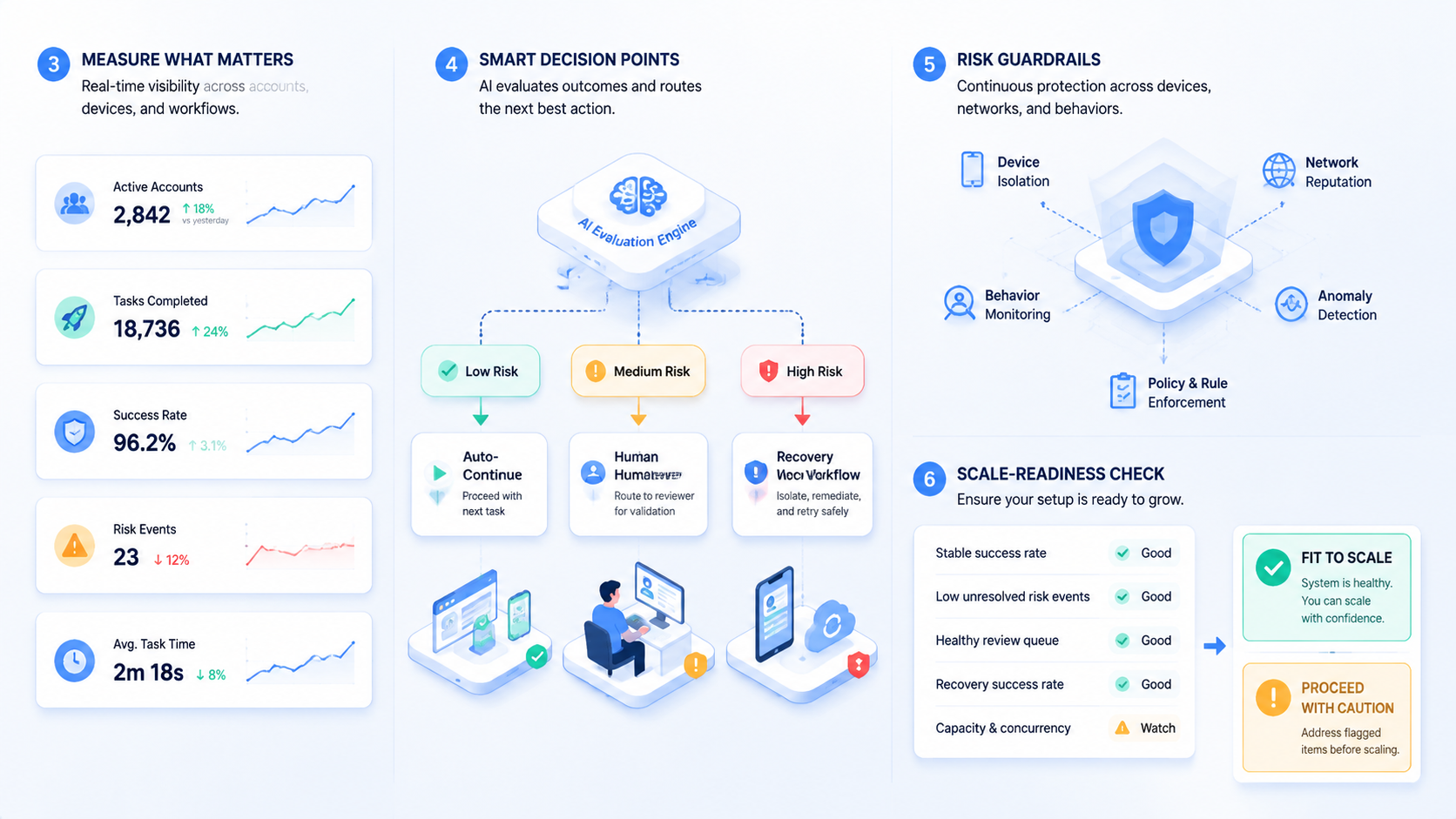
A multi-account AI worker platform for browser and mobile workflows should be evaluated by traceability. The team needs to see the account lane, content assignment, browser or cloud phone surface, review state, and recovery owner.
Start with one workflow that crosses web and mobile work. Define the account workspace, source asset, execution surface, proxy or device context, review owner, and stop rules. If the platform can keep that trail clear, it is ready for a broader multi-account pilot.



