
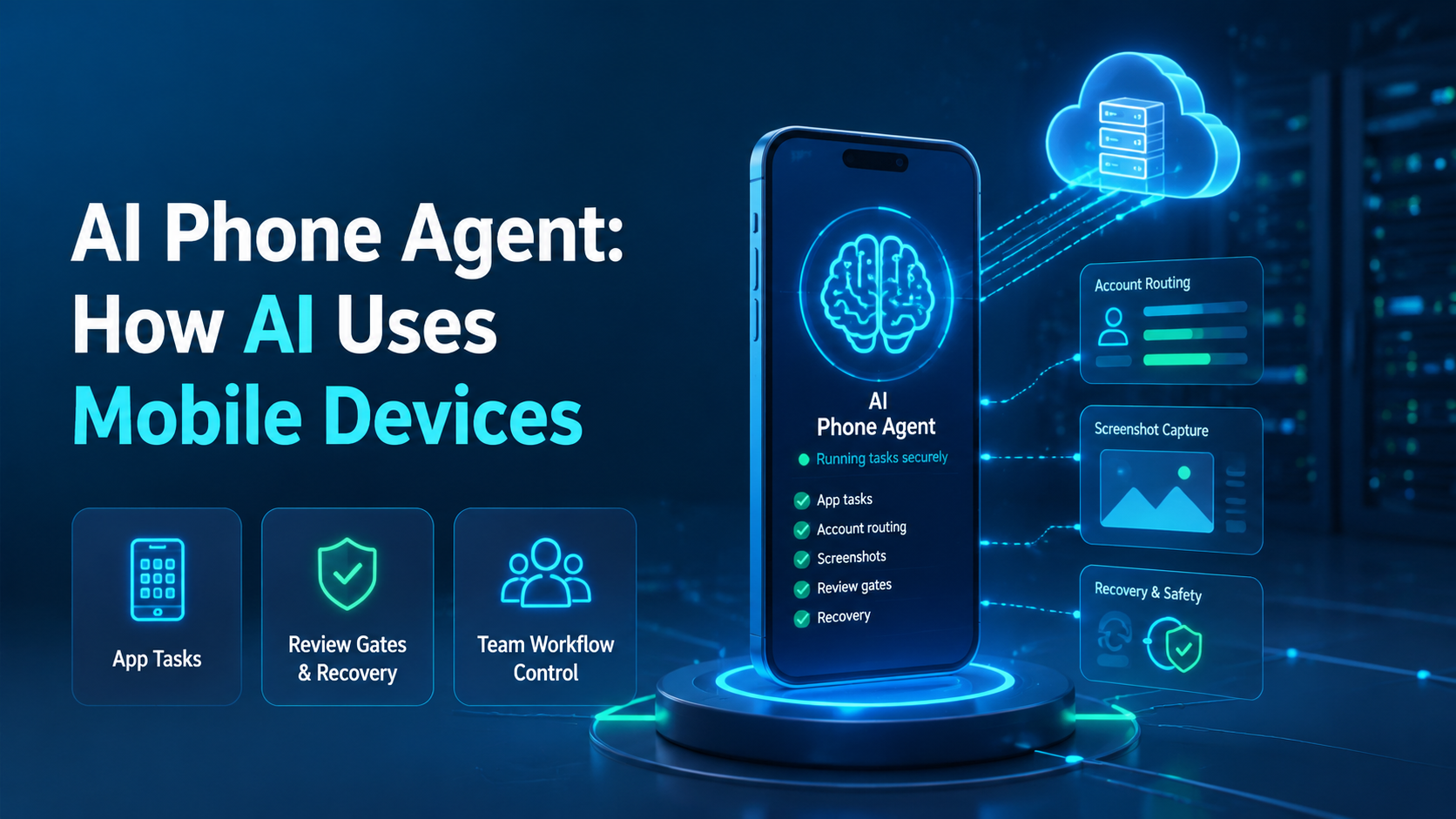
An AI phone agent is an automation system that uses a mobile device or cloud phone to perform app-based tasks with instructions, context, evidence, and review rules. Treat it as a controlled worker, not a magic phone user.
A phone agent may open an app, inspect a screen, collect fields, prepare a draft, capture proof, or pause for a human decision. The useful version does not act blindly. It follows a workflow that names the device, account, task, owner, recovery path, and proof needed before anyone approves the result.
Mobile devices add state that browser tasks do not always expose. App version, login state, notifications, camera roll, device region, and screen layout can all change the result. The task record needs those details before the agent starts.
Key Takeaways
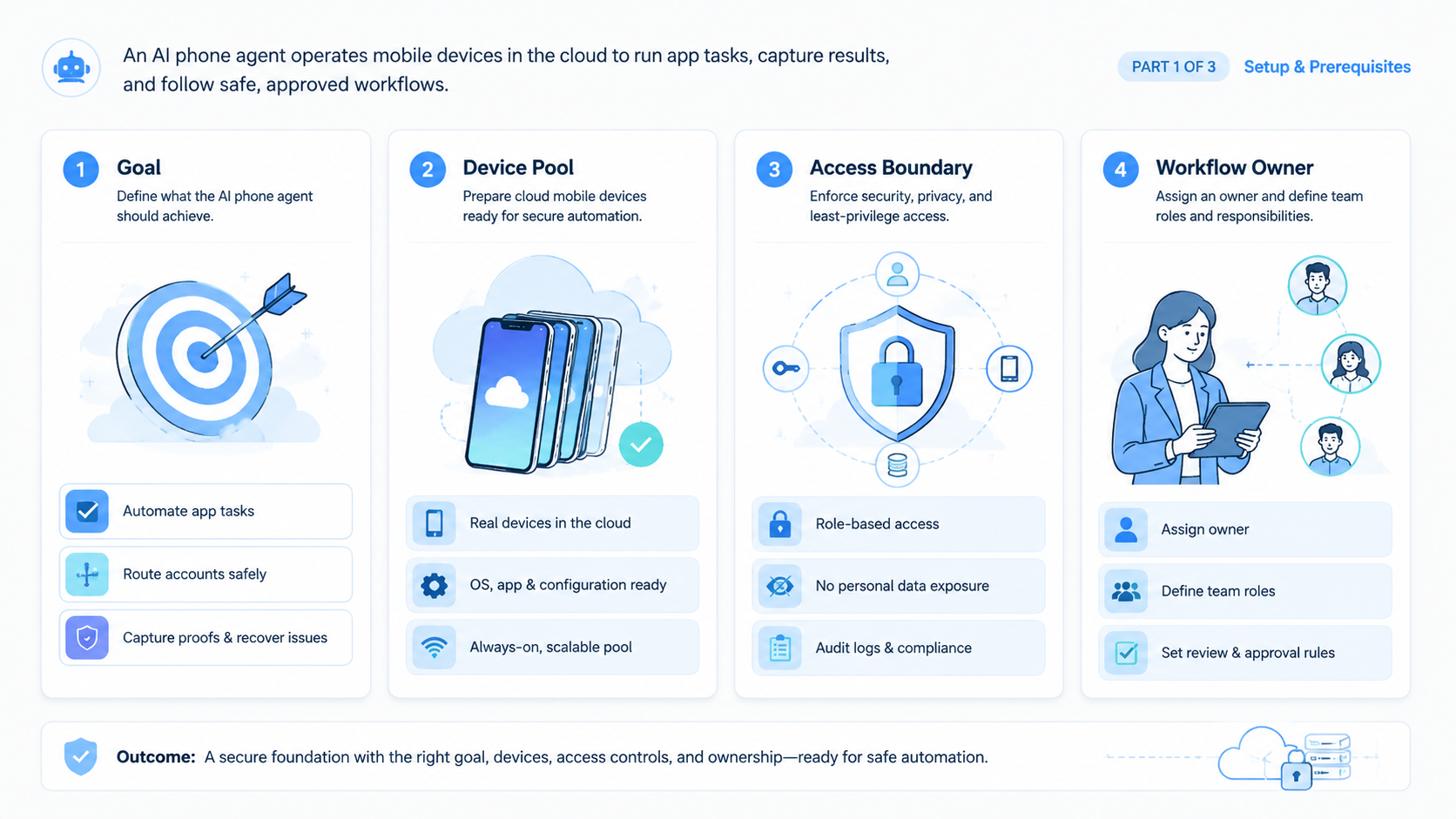
- An AI phone agent needs device state, account routing, and review gates
- Cloud phones make remote mobile execution easier to organize
- The best first task is narrow, repeated, and easy to inspect
- Recovery rules matter when app screens or login states change
- Teams should measure proof quality, not only task completion
What Is an AI Phone Agent?
This type of phone agent operates through a mobile environment. It may use a real device, a remote Android device, or a cloud phone lane. The key requirement is that the task happens in a mobile app context.
The term can sound broad, so the practical definition should stay specific. A useful agent receives a task, opens the right mobile environment, follows allowed steps, captures evidence, and stops when review is required.
That makes it different from a basic script. A script may repeat taps. A strong mobile agent should understand task context, account route, visible screen state, and failure rules. It still needs boundaries because mobile apps can show unexpected states.
For teams, the agent is one piece of a larger execution system. Mobile automation provides the workflow layer. Device assignment, isolation, proxy route, media folder, and reviewer decision complete the operating model.
| Layer | Role in AI Phone Agent Work |
|---|---|
| Mobile device | Gives the app environment |
| Account route | Names which account should run |
| Task plan | Defines allowed steps |
| Evidence | Shows what happened |
| Review gate | Stops sensitive actions |
| Recovery rule | Routes failed states |
The device matters, but the record around the device matters just as much.
How AI Uses Mobile Devices
AI uses mobile devices by turning a task into screen-level actions and checks. It reads visible app state, follows a plan, and returns proof for review.
In a simple workflow, the agent opens an app, confirms the account, checks a page, captures a screenshot, and closes the task. In a more advanced workflow, it may compare data, prepare a draft, or move the task to a reviewer.
No mobile worker should treat every screen as safe. A login challenge, permission prompt, unknown layout, missing media file, or public action should trigger a pause. The task owner decides whether to continue.
Android's quality guidance is useful because mobile work should be checked against real app behavior. App screens, device state, and interaction patterns matter.
Google Play's policy center is also relevant when teams automate around apps, distribution, content, or account behavior. Automation should respect platform rules and human review.
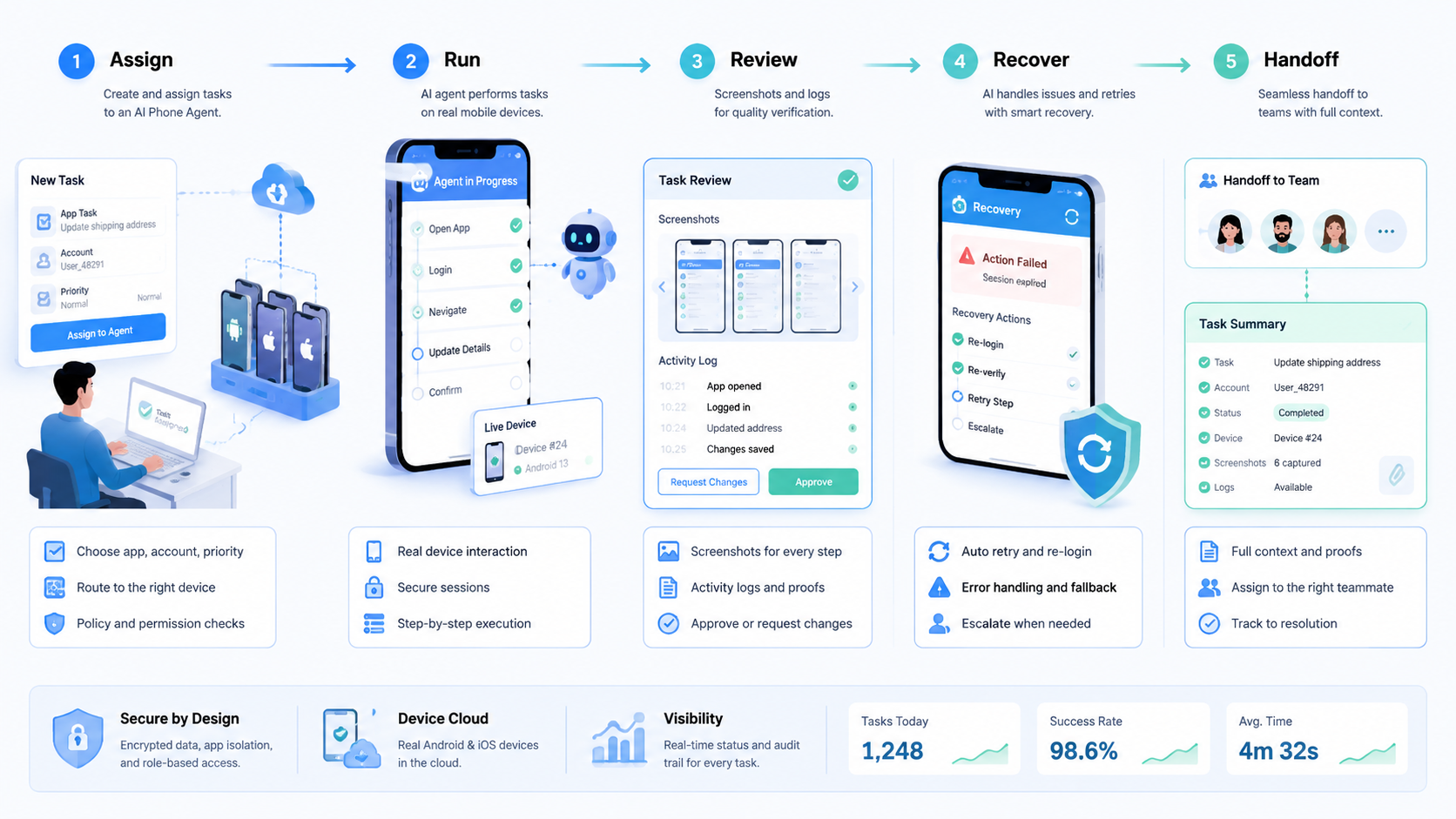
The core flow is simple:
- Assign device and account
- Open app and confirm state
- Run allowed steps
- Capture before-and-after proof
- Pause on unknown or sensitive states
- Send result to reviewer
- Record final decision
This flow keeps the AI phone agent from becoming an invisible actor.
Why AI Phone Agents Matter for Team Operations
AI phone agents matter when mobile tasks repeat across accounts, operators, and review queues. A single person can handle app work manually for a while. A team needs handoff, proof, and consistency.
The biggest change is accountability. If an agent performs a step, the team still needs to know which account was used, which phone lane was active, and which person approved the next action.
Teams often start with simple app checks. Later they add content preparation, message drafting, mobile QA, account health checks, or listing review. Value increases as task patterns become clearer.
Risk grows at the same time because more accounts create more routing choices, more devices create more cleanup work, and more automation creates more recovery decisions.
This is why device isolation and task ownership should be discussed early. Separation helps, but it only works when the team records who used which environment and why.
Strong Fit and Weak Fit
This model fits best when the task is mobile-only, repeatable, and easy to verify. It is weaker when the task depends on judgment that cannot be checked from a screen or record.
- Repeated app checks
- Mobile QA steps
- Screenshot evidence workflows
- Draft preparation before review
- Account tasks with clear stop points
- One-off exploration with unclear output
- Tasks requiring sensitive judgment
- Public actions without approval
- Apps with unstable or unknown screens
- Workflows with no recovery owner
The first pilot should sit in the strong-fit column. Avoid starting with the hardest mobile workflow. Start with the task that exposes routing, evidence, and review needs without high consequence.
How to Start an AI Phone Agent Pilot
Start with one mobile workflow and a small group of accounts. The pilot should prove that the team can route, review, and recover a task before adding more devices.
Pilot scope
Use 5 to 10 accounts, 1 app, 1 task type, 1 reviewer, and 1 recovery owner. Keep the workflow narrow for the first week.
Allowed actions
Define exactly what the agent may do. It may open the app, capture a screen, read fields, save a draft, or prepare a note. It should pause before public actions, account changes, or repeated retries.
Evidence rule
Every run should include a starting screenshot, final screenshot, task note, device lane, account ID, and result state. This makes review faster.
Recovery rule
Unknown screens, login challenges, missing media, route mismatch, or failed proof should stop the task. Repeated attempts should not continue without a named owner.
Weekly review
Review completed runs and failed runs together. A pilot with failures is not a problem. A pilot with unexplained failures is a problem.
Common Mistakes to Avoid
The first mistake is giving the AI phone agent broad freedom too early. A broad prompt such as "manage this app account" is not a workflow. It is an open-ended risk.
The second mistake is ignoring device state. A task can fail because the app version changed, the account is logged out, the region is wrong, or an old media file remains on the device.
The third mistake is skipping human review. Agents can prepare work, but teams should approve sensitive actions through a visible control layer.
The fourth mistake is measuring only completion rate. A task can complete and still have weak proof, so measure evidence quality, failed proof, and manual rescues together.
The fifth mistake is running mobile and browser tasks as separate worlds. If a campaign uses both browser and app steps, the task record should connect both sides. Multi-account management becomes stronger when the account route stays consistent across environments.
Another mistake is letting the agent own recovery decisions. A retry may look harmless, but repeated taps can duplicate work, change the wrong screen, or hide the real failure. Recovery should belong to a named person.
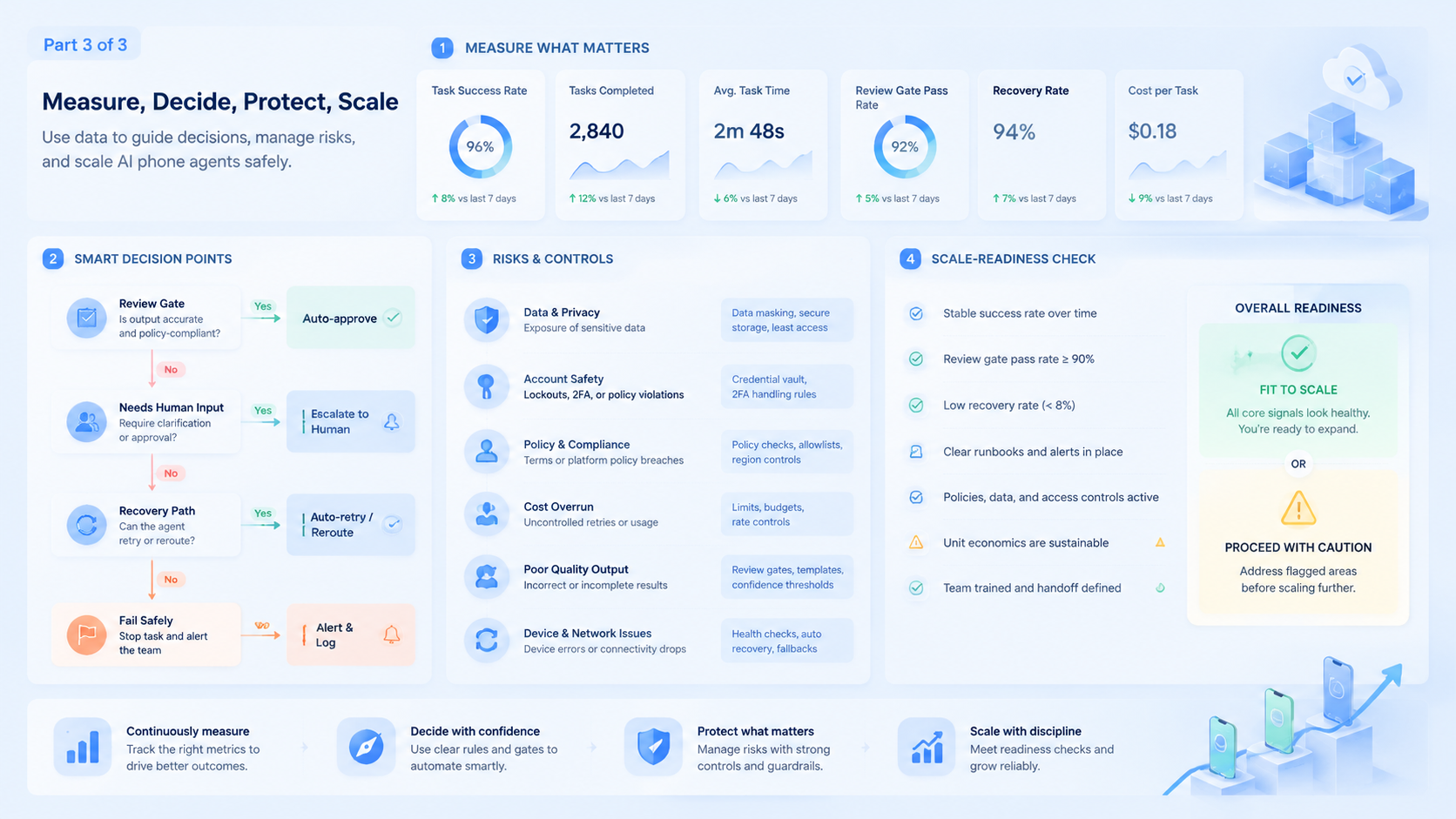
AI Phone Agent Measurement Checklist
Use a small checklist before expanding an AI phone agent workflow:
| Metric | Good Signal | Warning Signal |
|---|---|---|
| Account match | Correct account appears before action | Operator fixes it later |
| Device state | App and lane are named | State is guessed |
| Proof | Screenshots show result | Reviewer asks for context |
| Recovery | Pauses reach owner | Agent retries blindly |
| Review | Sensitive actions wait | Public action happens early |
| Cleanup | Device returns to known state | Old media remains |
These metrics make the pilot easier to discuss. They also stop the team from confusing activity with reliable execution.
Recovery Rules for an AI Phone Agent
Recovery rules decide what happens when the mobile task does not match the expected path. They should be written before the pilot starts, not after the first confusing failure.
A practical recovery model has 4 levels that separate harmless mismatches from account, infrastructure, and public-action problems. A harmless mismatch can ask the agent to capture proof and pause. A login challenge should route to the account owner.
A route or device-state mismatch should route to the workspace admin. A public action conflict should route to the reviewer before anything continues.
The recovery note should include the device lane, account ID, visible screen, last safe step, and recommended next action. This gives the owner enough context to decide quickly.
Avoid automatic retries for unknown screens. One retry may be acceptable for a known loading issue, but repeated retries can hide the real problem. A mobile workflow is healthier when it pauses early and leaves a clear record.
For larger teams, recovery ownership should rotate by workflow, not by whoever is online. App prompts belong to the person who understands app state. Account access issues belong to the account owner. Device or route mismatches belong to infrastructure.
This recovery model should be tested before production volume increases. Run one planned failure for login state, one for missing proof, and one for route mismatch. The test should show whether owners respond from the task record rather than from private memory, and whether each owner can close the loop without asking for missing screenshots.
Device State Fields an AI Phone Agent Should Record
A mobile task becomes easier to review when device state is visible before the agent starts. Without a state record, the team may not know whether the agent saw a normal app screen, an old login, a permission prompt, or stale media.
Record the basic fields first:
| Field | Example | Why It Matters |
|---|---|---|
| Device lane | cloud-phone-014 | Shows where work ran |
| Account ID | account-27 | Connects task to owner |
| App version | 8.4.1 | Explains layout changes |
| Login state | active session | Shows whether access was ready |
| Media folder | campaign-approved | Blocks random file use |
| Last safe screen | profile page | Gives recovery point |
| Reviewer | ops-review-2 | Names approval owner |
| Retry count | 0 or 1 | Detects loops |
These fields are not paperwork for its own sake. They help the next operator understand why the agent paused, why a screenshot matters, and whether a retry is safe.
A field should stay only if the team uses it. If nobody reads a field during review or recovery, remove it. If a failure keeps happening and the record cannot explain it, add the missing field.
Scenario: App Listing Review Across 8 Accounts
Consider a team that checks app-based listings across 8 accounts. The workflow opens the app, confirms the account, searches for the listing, captures the screen, and sends the result to review.
The first week should stay narrow: one reviewer approves all outputs, one recovery owner handles login prompts or missing media, and the task stops before any public edit.
Good runs become boring when the record shows device lane, account ID, app version, screenshot, and reviewer decision. A second operator can understand the result without asking the person who ran the task.
Weak runs expose gaps. A wrong listing means the route needs improvement. Missing proof means the evidence rule is too weak. A repeated login prompt means the account owner should fix the account state before the next run.
Use a second scenario for support replies. A mobile agent can open the app, draft a reply, save the draft, and capture the screen. A reviewer should approve the wording before anything is sent. This gives the team speed without hiding the final decision.
Use a third scenario for mobile QA. The workflow checks 6 screens after an app update, records the app version, and flags mismatched layouts. It stays safe because it reports findings instead of changing live account settings.
This scenario gives a useful scale rule. Do not expand from 8 accounts to 30 accounts until the team can explain every failed run from the task record.
Frequently Asked Questions
What is an AI phone agent?
It is an AI-driven workflow that uses a mobile device or cloud phone to perform app tasks with task context, evidence, review, and recovery rules.
Is it the same as mobile RPA?
Not exactly. Mobile RPA often follows fixed steps. An AI phone agent may use more context, but it still needs strict boundaries, named owners, and a pause rule.
What should it do first?
Begin with repeated app checks, screenshots, draft preparation, or mobile QA steps. Avoid sensitive public actions until the team has proof and review records.
Does it need cloud phones?
It can use different mobile environments. Cloud phones make remote team access, assignment, and review easier to organize when several operators share the same workflow and need one shared task record.
What should trigger a pause?
Unknown screens, login prompts, missing media, route mismatch, and public actions should usually trigger a pause.
How should teams measure success?
Measure proof coverage, correct account routing, review time, retry count, and manual rescue rate.
Can it work with browser automation?
Yes. Browser and mobile steps should share account ownership, task records, and review rules when they belong to the same workflow.
What is the biggest risk?
The biggest risk is invisible action. The team must know what the agent did, on which device, for which account, and under whose approval.
Conclusion
AI Phone Agent: How AI Uses Mobile Devices is best understood as an execution design problem. The system can operate inside mobile apps, but the team still owns device state, account routing, evidence, review, and recovery.
Start with a narrow pilot that names one app task, one account group, one reviewer, and one recovery owner. Define allowed actions before the agent runs. Capture proof every time.
The next step is to list the mobile tasks your team repeats weekly. Choose the one with the clearest output and lowest review risk. If the task can be routed, reviewed, and recovered cleanly, it is ready for an AI phone agent pilot.
Keep the first rollout small enough to inspect by hand.



