
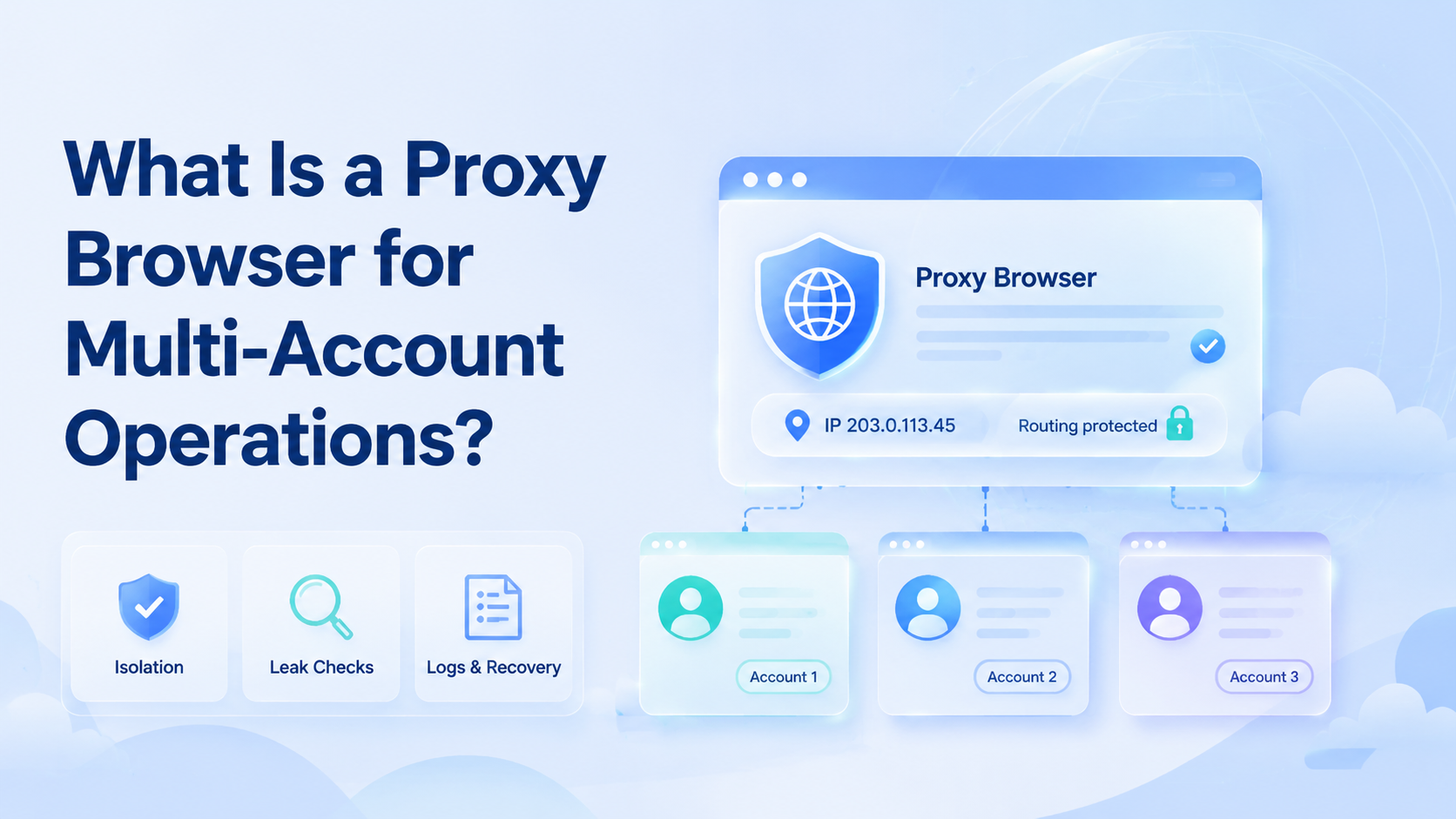
A proxy browser is a controlled browser environment that routes web traffic through a chosen network path while keeping account work separated by profile, device signals, and operating rules. For multi-account operations, it is not only a browser with a routing switch. It is a workspace for identity, review, and recovery.
The practical question is simple: can each account open from the right environment, use the right network path, and leave a clear trail when something changes? Teams that cannot answer that should fix the operating model before adding more accounts.
Key Takeaways
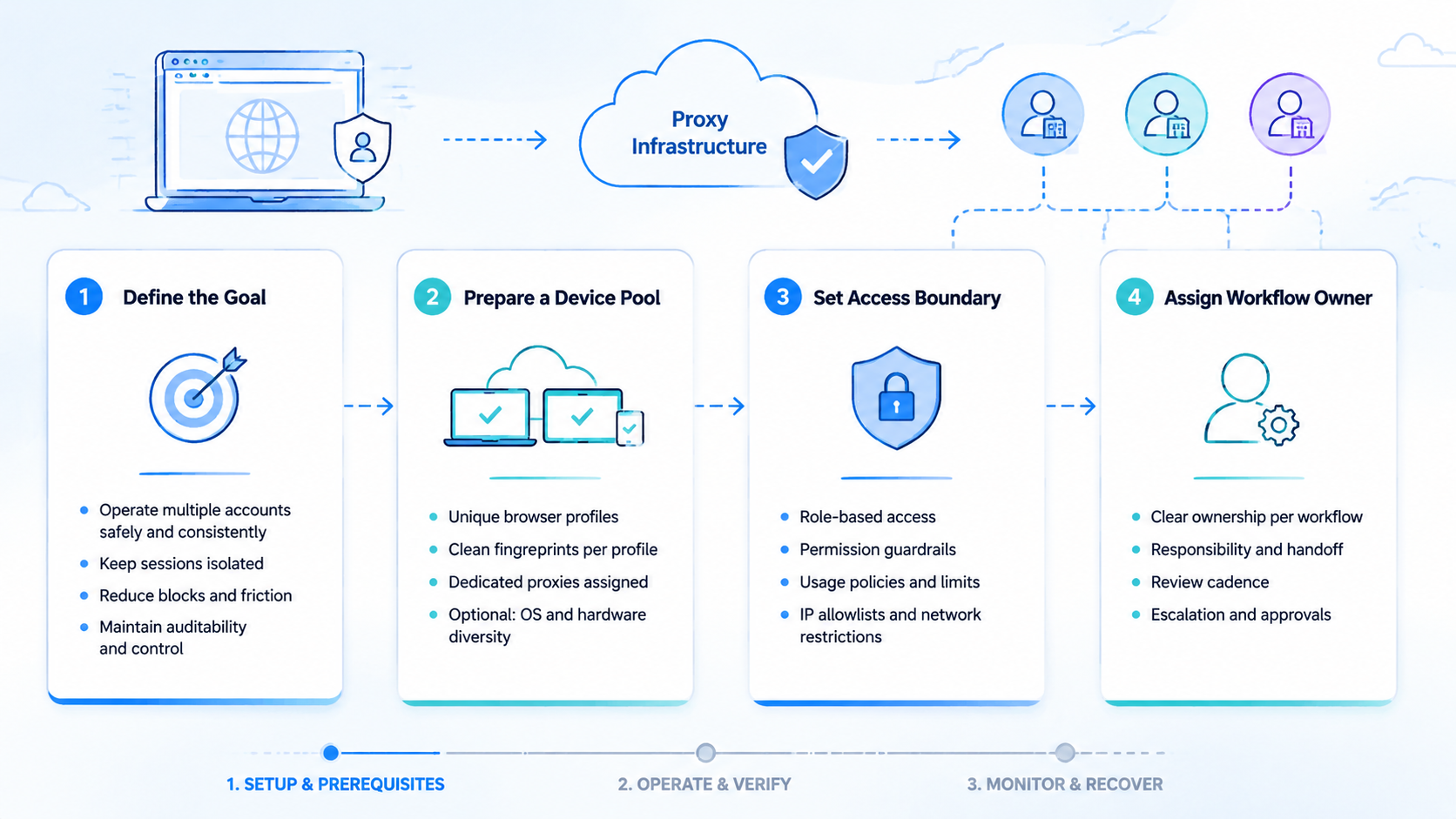
- The setup should connect profile identity, network routing, and access control.
- It fits account teams that need repeatable browser sessions, not casual one-off browsing.
- The main risks are route leaks, shared credentials, messy ownership, and weak recovery logs.
- A pilot should test 10 accounts, 2 regions, 2 route types, and 3 repeated login runs before rollout.
What Is a Proxy Browser in Multi-Account Work?
The phrase answers a routing problem first. Teams ask it when they need separate accounts without mixing sessions, locations, or browser state.
A workable setup has three layers:
- Browser profile for cookies, storage, extensions, and session state
- Proxy network path for traffic routing
- Team process for assignment, access, checks, and incident notes
Search engines and platforms publish broad quality and policy guidance, not a universal operating manual. Google Search Central, for example, focuses on helpful content and user value rather than artificial manipulation. Keep that boundary in view when planning any automation-assisted workflow.
Why Routed Browser Profiles Matter
The mistake is treating routing as the whole control layer. A network route changes the traffic path, but it does not automatically fix account ownership, device consistency, or human handoff.
Real operations fail in smaller ways. A teammate opens the wrong profile. A recovery email is missing. A route rotates during a login check.
Then review gets harder. A manager cannot prove which account was touched by which operator. These failures are less dramatic than a system outage, but they create daily friction.
For teams that also run mobile workflows, routed browser profiles may sit beside cloud phone execution rather than replace it. Web sessions cover dashboard tasks. Mobile environments cover app tasks, device state, and Android-specific flows.
What Is a Proxy Browser Good For?
This setup is strongest when the work is web-native and repeated across accounts. It gives the team a named place to open each account, inspect state, and keep routing rules visible.
Common use cases include:
- Agency teams separating client social accounts by profile and route.
- Marketplace operators checking dashboards from assigned regions.
- QA teams testing account flows without mixing cookies.
- Support teams opening customer-facing admin consoles with controlled access.
The benefit is not more accounts. The benefit is cleaner execution. Team leads can review account mapping, route assignment, login history, and recovery steps without guessing from a shared spreadsheet.
How to Get Started with a Routed Browser Setup
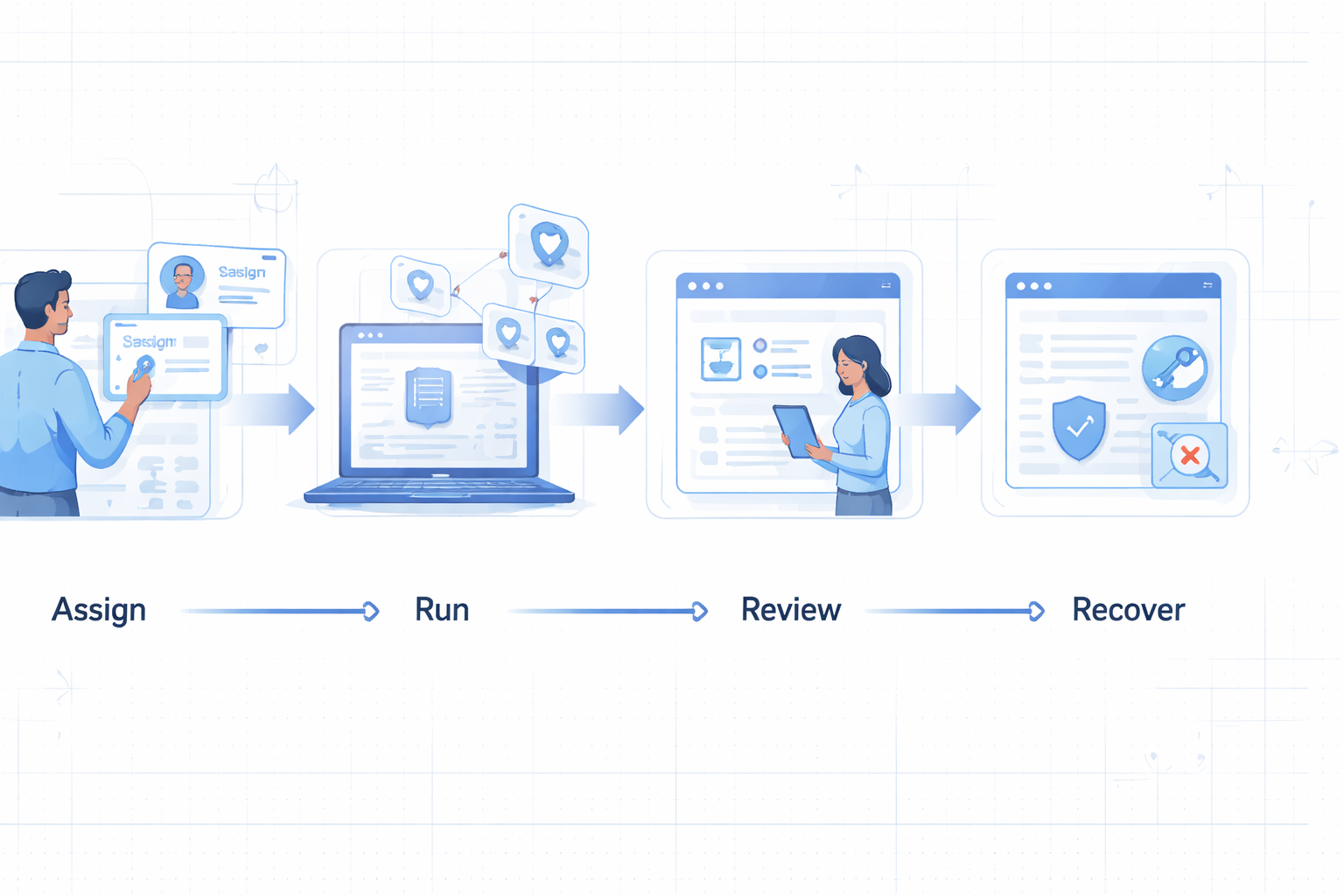
Start with a small setup. Map the account before buying more infrastructure.
- List account groups by client, region, platform, and owner
- Assign one browser profile to one account or account group
- Attach one routing rule to each profile
- Record recovery email, phone, backup codes, and escalation owner
- Test login, logout, two-factor prompts, and route stability
- Review logs after three normal work sessions
Keep the pilot boring. A boring pilot reveals whether the team can repeat the basics.
What Is a Proxy Browser Mistake to Avoid?
Do not share one profile across unrelated accounts. That shortcut mixes cookies, history, extensions, and local storage. It also makes audits harder.
Do not change routes without recording the reason. A new path may be needed, but undocumented changes hide the root cause when a login challenge appears.
Do not give everyone full access. Use owner, operator, and reviewer roles. The multi-account management layer should define who can open, edit, export, or reassign each account.
Security references such as the OWASP Logging Cheat Sheet are useful because they stress event records, actors, timestamps, and outcomes. The same idea applies to account operations. Log the action, not just the result.
What Is a Proxy Browser: Fit Boundaries
Map the work first. Routed profile systems fit teams that already have account rules and need cleaner execution. They are a strong match when operators repeat defined web tasks, managers need review trails, and account access changes hands between shifts.
However, they are not a strong match when the real work happens inside mobile apps. In that case, a team may need mobile automation, Android environments, or device isolation.
One simple test helps. If the task starts in a website dashboard, this model may fit. If the task starts in an Android app, web routing alone is incomplete.
Pilot Rollout, Measurement, and Recovery Checks
Use a measured pilot before expanding. Pick 10 accounts, 2 regions, 2 route pools, and 3 normal operating days. Run the same workflow each day.
Track these fields:
| Check | Pass Signal | Stop Signal |
|---|---|---|
| Login path | Same assigned profile opens the account | Operator uses an unassigned profile |
| Route path | Region and routing rule match the plan | Route changes without a note |
| Recovery | Backup contact works during test | Owner cannot verify recovery path |
| Review | Manager can read the action trail | Logs miss actor or timestamp |
The NIST Cybersecurity Framework is a useful external model for thinking in terms of identify, protect, detect, respond, and recover. A routed-profile rollout should have the same shape.
Frequently Asked Questions
Is this the same as a normal browser with a proxy extension?
No. A normal browser with an extension may change routing. A managed setup should also handle profiles, account mapping, and operating records.
What is the best route type for multi-account work?
There is no universal best option. Choose based on region needs, stability, provider transparency, and whether the route type matches the platform workflow.
How do teams prevent route leaks on cloud phones?
Use one routing plan per environment, test the visible IP path, and avoid mixing web, app, and network rules without documentation.
Should one profile hold several accounts?
Only when the accounts belong to the same approved group and the team accepts shared state. Separate profiles are cleaner for most client or region splits.
Can this replace device isolation?
Not for mobile app workflows. Web isolation and device isolation solve related but different problems.
What should a manager review weekly?
Review account assignments, route changes, failed login events, recovery contact status, and operator access.
When should a team stop a rollout?
Stop when operators cannot explain account ownership, route changes, or recovery steps. Scaling confusion creates more cleanup work.
Conclusion
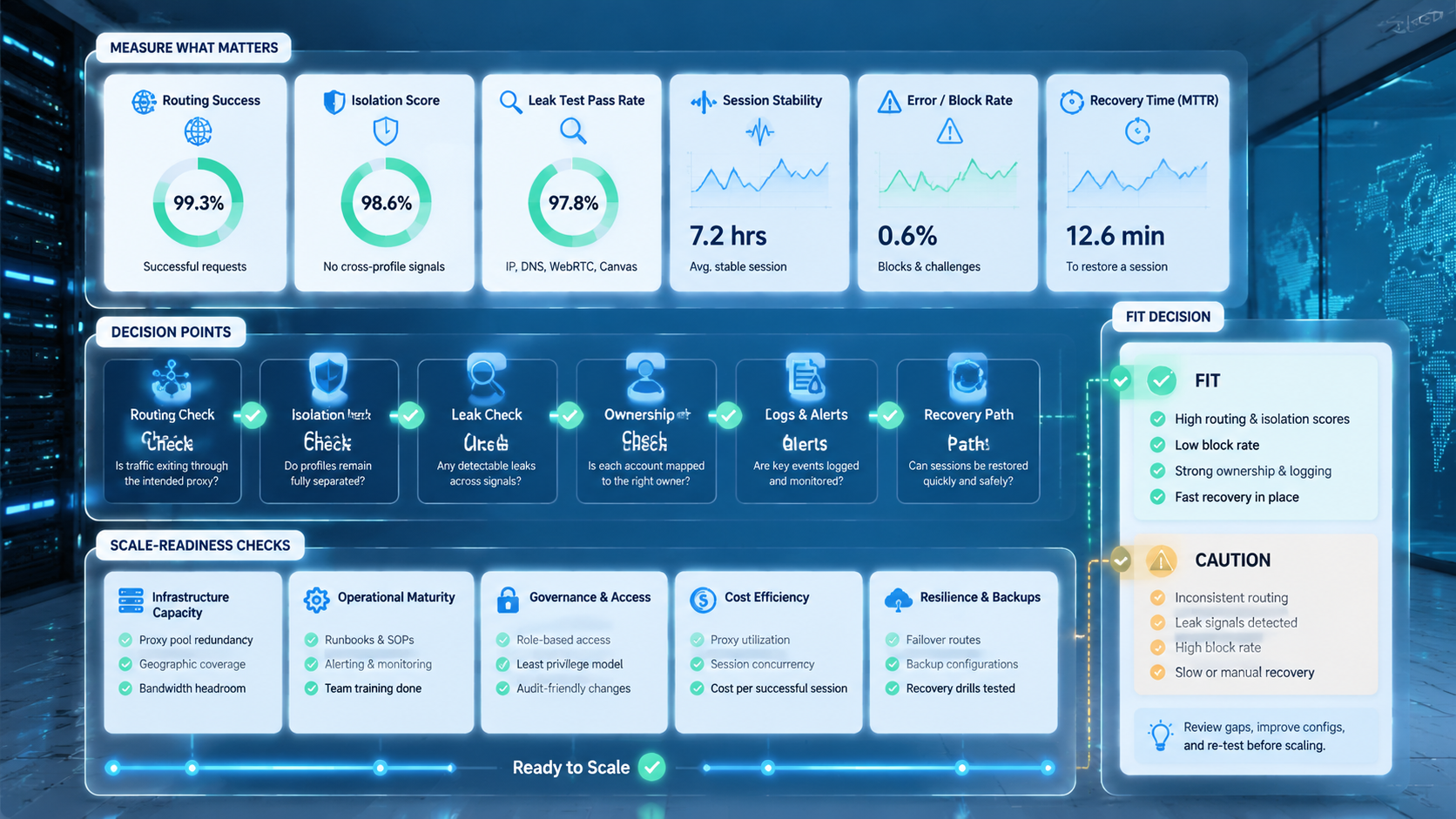
A routed browser environment is useful when it is treated as an operating system for account work, not a shortcut. The strongest setups connect profile identity, routing, access control, and review logs.
Before adding more accounts, test one small group. Confirm the right profile opens the right account through the right route, and make sure recovery data is ready before normal work begins.



