
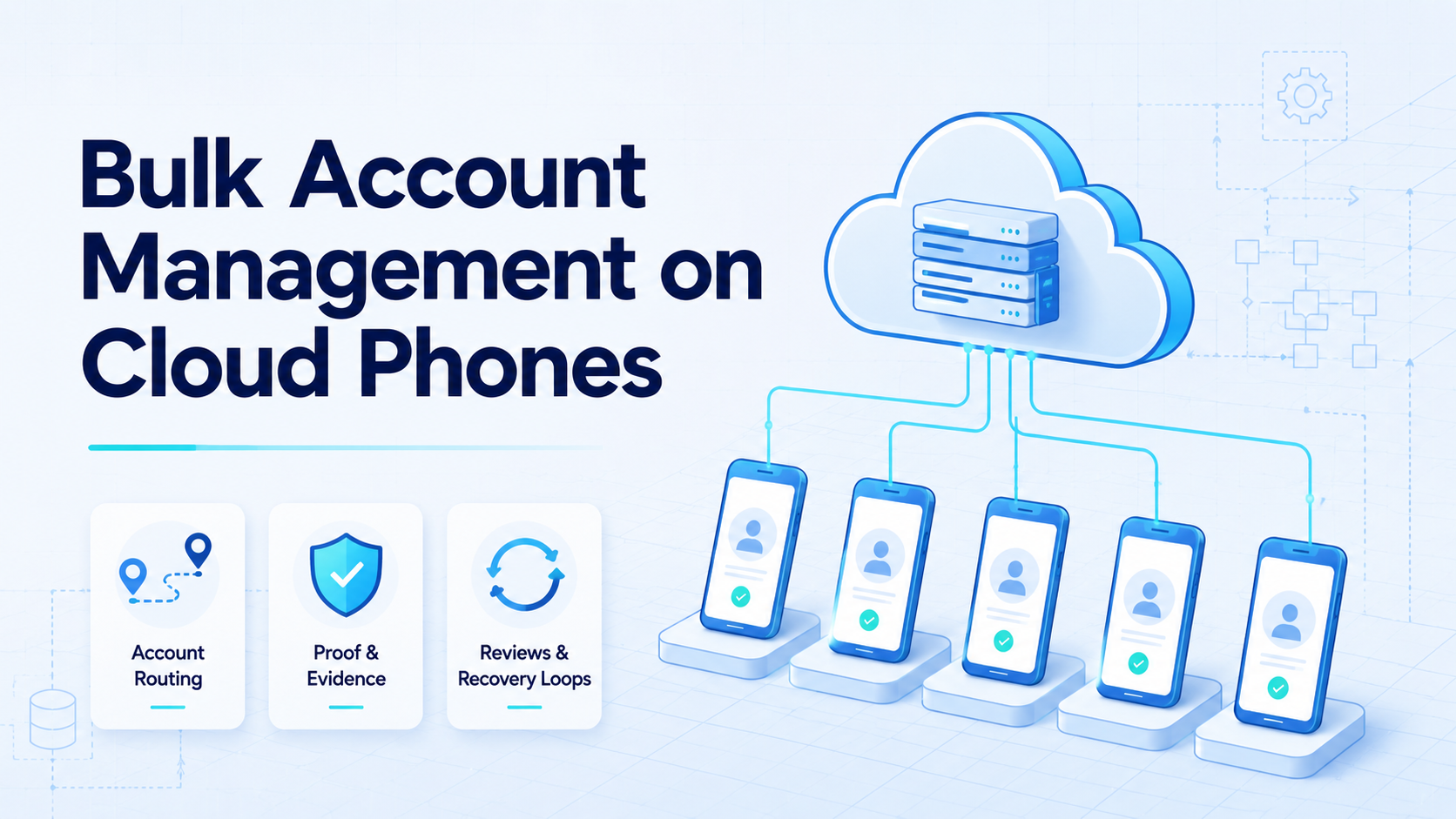
Bulk account management on cloud phones means operating many mobile app accounts through separated remote phone environments, shared team rules, and visible review records. A cloud phone environment provides the mobile execution surface. The real work is assigning accounts, controlling device context, routing tasks, collecting proof, and recovering when something changes.
That control layer matters in practice.
Teams look for this model when manual phone handling becomes hard to audit. One operator may know which account is warm, which app has a draft, and which device needs attention. A team of operators needs those facts outside one person's memory.
The safest useful frame is operational, not promotional. A cloud phone can provide mobile execution capacity, but account handling still needs policy awareness, content review, and clear ownership. If the team cannot explain who owns an account and what was done on the device, scale will only make the confusion harder to fix.
Key Takeaways
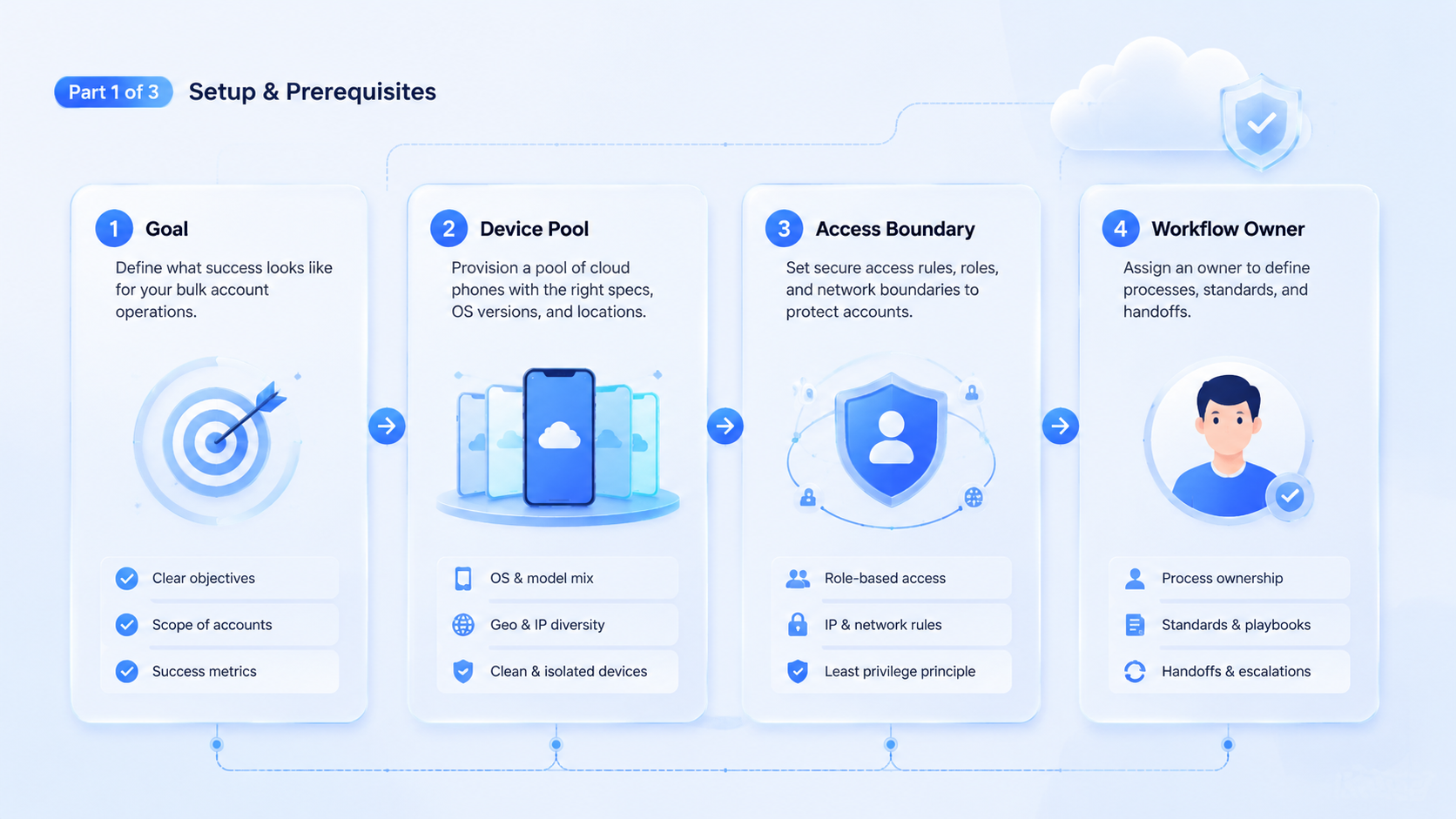
- Bulk account work needs account labels, phone labels, task labels, and review states.
- Device volume is not the same as operational control.
- A measured pilot should test routing, proof, and recovery before adding more accounts.
- Human review remains important for sensitive account and publishing actions.
The practical value comes from making account work explainable to a manager who did not watch the session happen, not from simply adding more remote screens.
The Core Idea Behind Bulk Account Management on Cloud Phones
The core idea starts with separation. Each account needs a defined mobile environment, a named owner, and a task history that explains what happened. Without those fields, the team may have many remote phones but no reliable operating system.
The account is the business object. The phone is the execution surface. The task record is the audit trail. Treating those three parts as one loose object creates problems when the same operator manages several clients, brands, regions, or channels.
When those objects are separated, the team can change one part of the workflow without losing the history that explains the other two.
For example, a social media team may need to check drafts across several accounts. The work sounds simple until one draft belongs to the wrong client workspace. A useful system should show account owner, device group, content source, and review state before anyone approves the next action.
The Google Search Central SEO Starter Guide stresses clear, helpful structure for pages. The same idea applies to internal operations. Clear fields make work easier to inspect. Vague records make every failure harder to explain.
Why Teams Search for This Topic
The search usually begins after a team outgrows manual coordination. A few accounts can be handled through chat notes and operator memory. If every operator explains the queue differently, the team already has an operating problem even before it adds another account.
Dozens of accounts need a repeatable system. Hundreds need ownership, routing, and exception rules before volume increases.
Scale changes the risk profile quickly.
Bulk work also exposes hidden dependencies. Content may come from one system, while app access happens on a remote phone. Review may sit with a manager.
Recovery may require another operator. If those handoffs are not visible, the team cannot tell whether a failed run came from content, device state, account state, or app changes.
That is where bulk systems fail.
Use a short decision gate before buying more capacity: named account owners, separated device groups, task records tied to content input, pause rules for public actions, and failure categories that can be reviewed later.
This gate is intentionally narrow because a team should discover weak assignment rules before those rules are copied across every account group.
If the answer is no, more phones will not fix the workflow. They may only create a larger pool of unclear state.
Who Benefits Most and In What Situations
The best fit is a team that already manages repeated mobile app tasks across many accounts. Agencies, social media teams, marketplace operators, creator operations teams, and app QA groups often fit this pattern. Their problem is not that one account is hard to use. Their problem is that many accounts must be handled consistently.
An agency example is useful. A client asks for content staging across five channels. The operator needs to know which account belongs to the client, which phone profile is assigned, which content package is approved, and where proof should be stored. A shared phone list is not enough.
Fit is weaker when the work depends on private judgment, complex negotiation, or a one-time issue. A cloud phone system cannot make unclear strategy clear. It also cannot remove the need to follow platform rules, customer instructions, or content rights.
Good fit:
- Repeated mobile tasks with named account owners
- Separate client, brand, or region workspaces
- Review checkpoints before public actions
- Screenshots, task fields, or approval records matter
Poor fit:
- One-off work with no repeatable route
- Web-only workflows
- Account actions with no reviewer
- Ownership is undefined
How to Evaluate Bulk Account Management on Cloud Phones
Begin with the failure modes. Avoid moving every account into a large pool on day one. Keep the pilot narrow. The team should prove that the workflow is inspectable before it proves that it can run at volume.
Use a controlled rollout:
-
Select one account group: choose a client, region, or product line with clear ownership.
-
Assign devices deliberately: name the device group and connect it to the account group, not just to an operator.
-
Define the task menu: start with review, staging, checking, or proof collection. Leave public publishing behind a human checkpoint.
-
Create a proof format: use screenshots, structured fields, and a short result note. A screenshot alone rarely explains the business context.
-
Log stop reasons: track why a task ended: completed, paused for review, app state changed, content missing, account issue, or device issue.
-
Review weekly: compare successful runs with failed runs. Use the review to find the smallest rule change that would have prevented the failure. Adjust one field or rule at a time.
Slow review prevents fast confusion, and it gives the team a controlled moment to decide whether the workflow needs a rule change or only a clearer note.
This approach ties bulk work to multi-account management instead of simple device rental. The goal is not to make every operator faster in isolation. The goal is to make account work easier to assign, inspect, and recover.
Account Assignment Model for Cloud Phone Teams
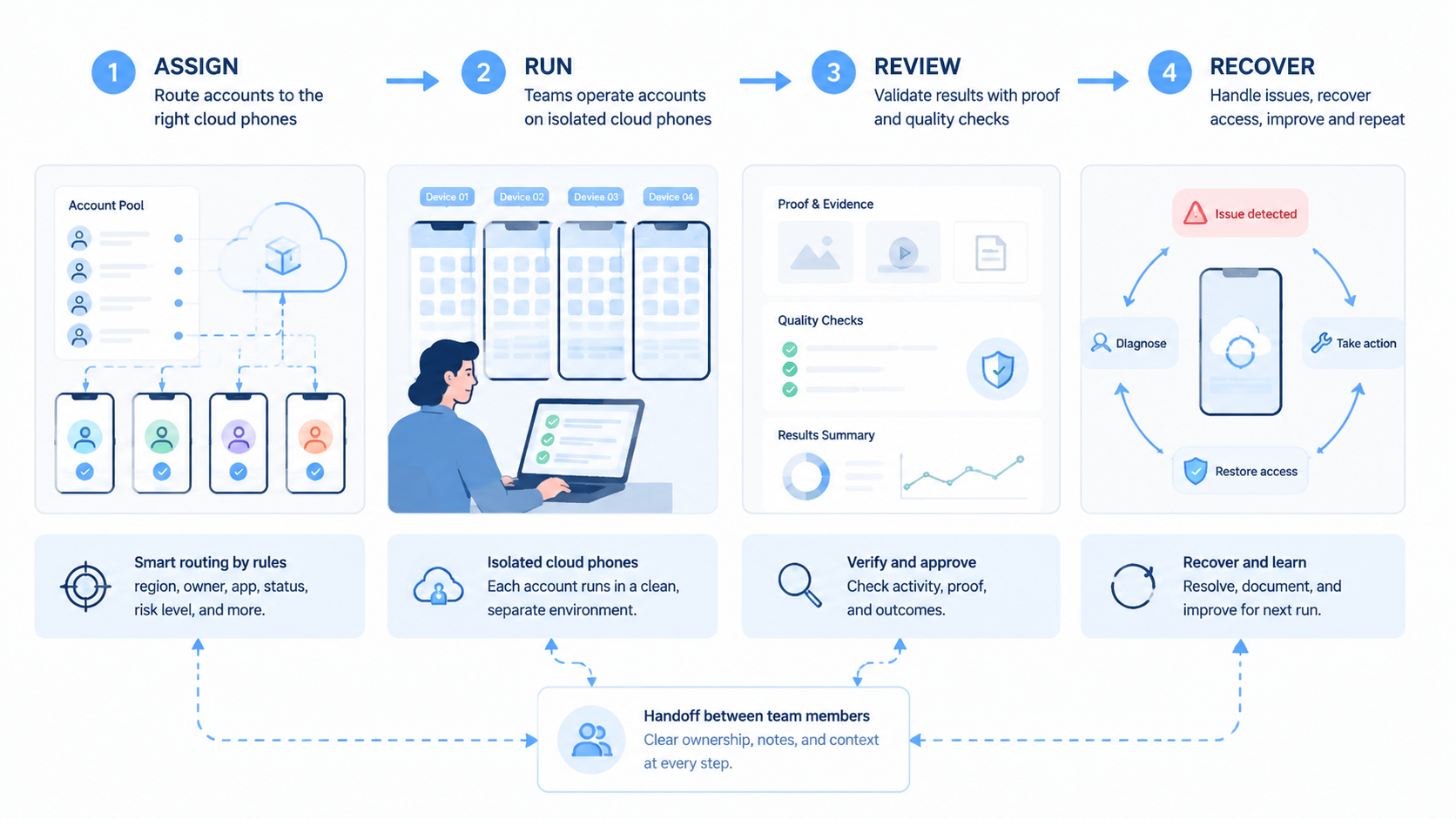
Account assignment should be visible before any task starts. Do not let operators choose phones by memory. The moment a person must remember yesterday's device choice, the system has stopped being shared infrastructure. Use a simple assignment model that connects account group, device group, operator, and review owner.
A visible queue beats private memory.
A good assignment record answers four questions:
- Who owns the account group?
- Which phone environment handles the work?
- What task type is allowed?
- Who approves exceptions?
If one of these answers changes during the week, the record should show the change rather than leaving the team to reconstruct it from chat messages.
Keep the model boring. Boring assignment rules reduce cleanups. They also make handoff easier when an operator is absent, a phone session fails, or a client changes the brief.
The model can stay lightweight for a small pilot. A spreadsheet may be enough if every row has the same fields and every change is logged. As volume grows, the assignment record should move into a system that can connect account state, device state, and task history.
One useful rule is to separate daily operation from reassignment authority. Operators can run assigned tasks. A lead or reviewer should approve moving an account to a new device group. That prevents silent reshuffling when a run fails.
Keep authority separate from execution.
Another useful rule is to name the account state in plain language. "Ready for staging," "needs content," "paused for review," and "restricted pending review" are more useful than vague colors or private notes. Plain labels help new team members understand the queue faster.
They also reduce avoidable questions during handoff, which matters when account work moves across time zones, operators, reviewers, and client workspaces.
Connect assignment to phone farm planning when the team manages many device sessions. Capacity planning only works when the team knows which accounts each device group is expected to handle.
Otherwise, the phone fleet becomes a larger version of the same unclear queue.
Fit and Not-Fit Boundaries for Team Use
A good bulk account system separates capacity from control. Capacity answers how many mobile environments the team can run. Control answers whether the team knows what each environment is doing.
Use this fit table:
| Situation | Fit level | Why |
|---|---|---|
| Many repeated app checks | Strong | Tasks can be standardized and reviewed |
| Client account staging | Strong | Ownership and proof are easy to define |
| App QA across device states | Medium | The team must separate QA data from live account data |
| Private customer messaging | Weak | Tone and context may require human judgment |
| Unclear growth experiments | Weak | The account risk is hard to review |
The boundary matters because bulk does not mean uncontrolled. A team can run many accounts and still keep a conservative operating model. It can also run only ten accounts and create chaos if labels, reviews, and recovery paths are missing.
The Google Play Policy Center is a useful reminder that mobile ecosystems operate under rules. Teams should treat app workflows as governed spaces. That means review, permission, and content responsibility remain part of the process.
Bulk Account Management on Cloud Phones Recovery Checks
A pilot should measure repeatability, not just completion. Pick one account group and one task type. Run enough attempts to see common failure categories. Then change the workflow based on evidence, not on operator impressions.
Track these fields:
| Field | Why it matters |
|---|---|
| Account owner | Keeps responsibility clear |
| Device label | Separates device problems from account problems |
| Content source | Shows what input created the action |
| Task type | Groups similar failures |
| Stop reason | Shows whether the run paused correctly |
| Review outcome | Creates the basis for improvement |
Recovery should be simple. A device issue may need a retry. A content issue may need a source file correction. The important point is that the next step should match the cause, not the loudest symptom.
Account restrictions and app screen changes need different paths because they point to different owners. One may need a human decision. The other may need workflow repair.
Do not merge those causes into one "failed" label. That hides the fix. A clean recovery log tells the team whether to improve device capacity, account preparation, content review, or automation logic.
The recovery log should be boring enough for operators to complete and specific enough for managers to trust.
Use a recovery check before increasing account count, especially when managers are tempted to solve every queue problem by adding more phones:
-
Pick three failed runs: do not cherry-pick easy cases. Include one account issue, one device issue, and one content issue if possible, even if that makes the review less comfortable.
-
Name the first visible symptom: record what the operator saw before guessing the cause.
-
Name the real cause after review: the real cause may be different from the first symptom.
-
Change one rule: adjust assignment, content preparation, device grouping, or stop rules. Avoid changing everything at once.
-
Run the same task again: the next run shows whether the fix actually improved the workflow or only made the spreadsheet look cleaner.
This review habit protects the team from false progress. A run can succeed once by luck. A repeatable process should explain both success and failure.
Connect larger rollouts to device isolation when account groups should not share the same operating context. Isolation does not replace policy judgment. It helps keep workspaces and audit trails cleaner.
Bulk Account Management on Cloud Phones Proof Formats
Proof should be useful to the next reviewer, not only to the person who ran the task. A screenshot can show app state, but it may not show why the task happened. Add a short structured note when the context matters, because proof without context often creates another review loop instead of closing the current one.
A good proof record travels well because another reviewer can understand the account, device, content input, and decision without opening a private chat thread.
A practical proof package has three parts. First, capture the app state with a screenshot or exported field. Second, connect that proof to the account group and task ID. Third, record the review decision in plain language.
Use short labels:
- Ready for approval
- Needs content fix
- Device retry needed
- Account review required
- Workflow changed
These labels help the team sort work without reading a long chat thread. They also make weekly review more useful. The lead can count the reasons, inspect examples, and decide whether the next fix belongs in content preparation, device grouping, account assignment, or operator training.
Proof quality matters more as more people join the workflow. A single operator may remember why a screenshot was saved. A team needs records that make sense two days later, after the operator has moved to another account group.
For social workflows, connect proof to social media marketing only when the task truly belongs to campaign or content operations. Not every bulk account workflow is a marketing workflow. Some are QA, moderation, onboarding, or account maintenance.
Mistakes That Reduce Results
The most common mistake is counting phones instead of controlling accounts. A bigger fleet may look impressive, but account work still fails if ownership is unclear. The question is not "how many phones can we run?" The better question is "how many account tasks can we review and recover?"
Another mistake is allowing operators to improvise labels. A device named "phone 12" tells the team very little. A label tied to client, region, task type, or account group carries more operational value because it explains why that phone exists in the workflow.
Publishing without review is also a weak pattern. Even when preparation is automated, final public actions may need human approval. This is especially true when content, customer interaction, payment, or account settings are involved.
Avoid these patterns:
- One shared device pool with unclear account ownership
- Screenshots saved without task IDs
- Device assignments changed without a logged reason
- Content issues mixed with device issues
- Account count scaled before recovery rules are tested
Small controls prevent large cleanups. Start with naming, proof, and stop reasons before adding more accounts.
That discipline is cheaper than repair.
It also gives buyers a realistic way to compare vendors, because the strongest system is the one that makes ownership, routing, proof, and recovery visible during normal work.
Frequently Asked Questions
What is bulk account management on cloud phones?
It is a team workflow for operating many mobile app accounts through separated remote phone environments. The useful version includes account labels, device labels, task records, proof, and review states.
Is this only for social media teams?
No. Social media teams are a common fit, but marketplace teams, app QA teams, creator operations teams, and agencies may also need repeated mobile account handling.
How many accounts should a pilot include?
Start with one account group, not the whole pool. A narrow pilot exposes routing and recovery issues before scale hides them behind more devices, more operators, and more incomplete notes.
Does this make account work safe?
No system should promise that. A better goal is controlled execution, clear ownership, and faster recovery when something needs review.
What should be reviewed before scaling?
Review task completion, proof quality, stop reasons, device issues, account issues, and content-input problems. One summary number is not enough because it hides which part of the system should change next.
Should every account have a dedicated cloud phone?
It depends on the workflow, account sensitivity, and operational policy. The important requirement is clear context separation and visible assignment history.
What should buyers ask vendors?
Ask how accounts are assigned, how devices are grouped, how proof is stored, how exceptions are reviewed, and how recovery works after app or account changes.
Conclusion
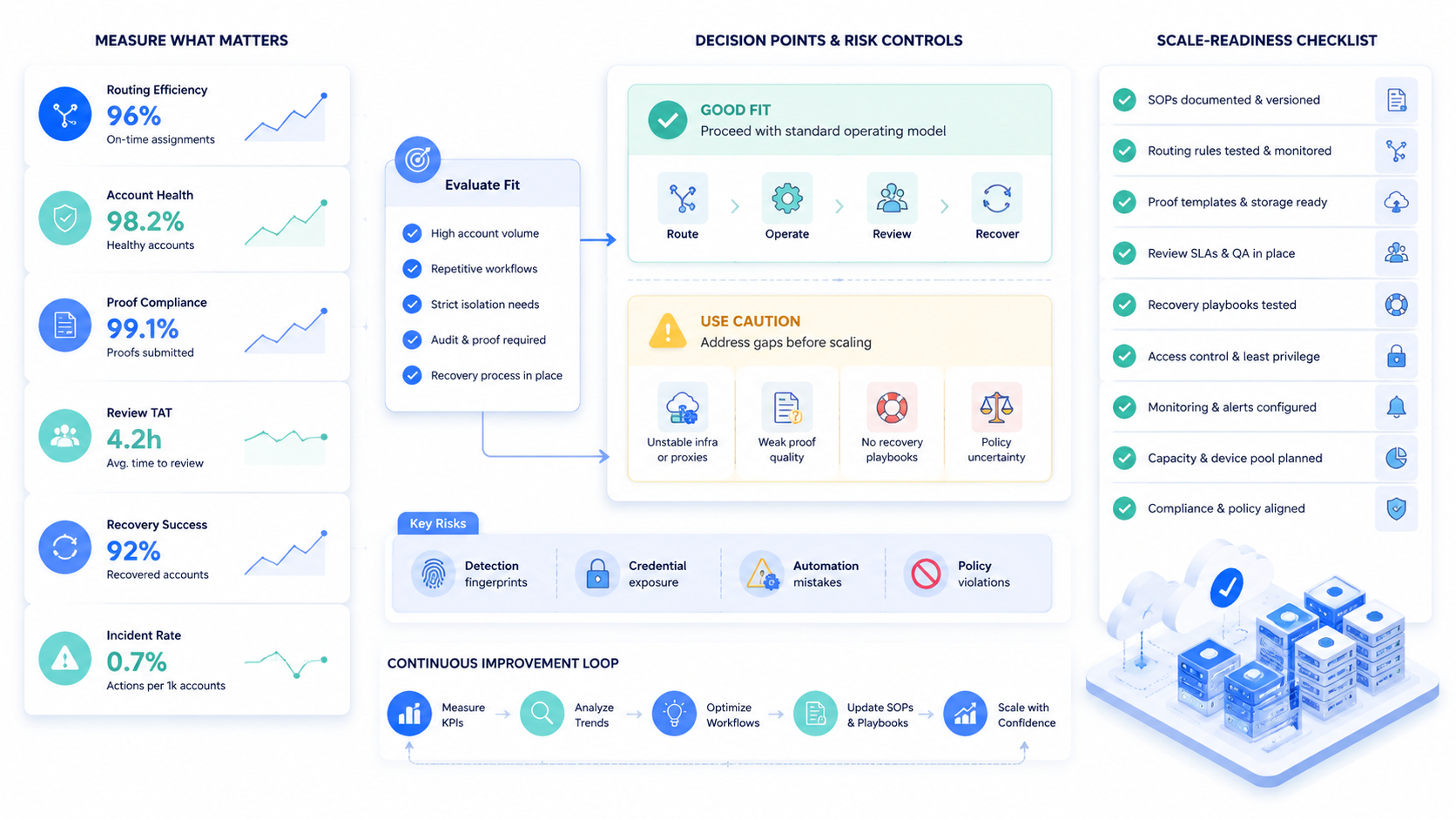
Bulk account management on cloud phones works when the team treats phones as one layer in a wider execution system. The phone provides mobile app access, the account record provides ownership, and the task record provides proof.
The review loop provides control when the team actually uses it to change assignments, refine stop reasons, and improve proof formats.
Start with a small account group and one task type. Define the device assignment, content input, allowed action, proof format, and stop reason. Then compare successes and failures before increasing account count.
The next step is a readiness check. If your team can name who owns each account, which device group handles it, what task is allowed, and how exceptions are reviewed, a bulk workflow may be ready for pilot. If those fields are missing, fix the operating model before adding more phones.



