
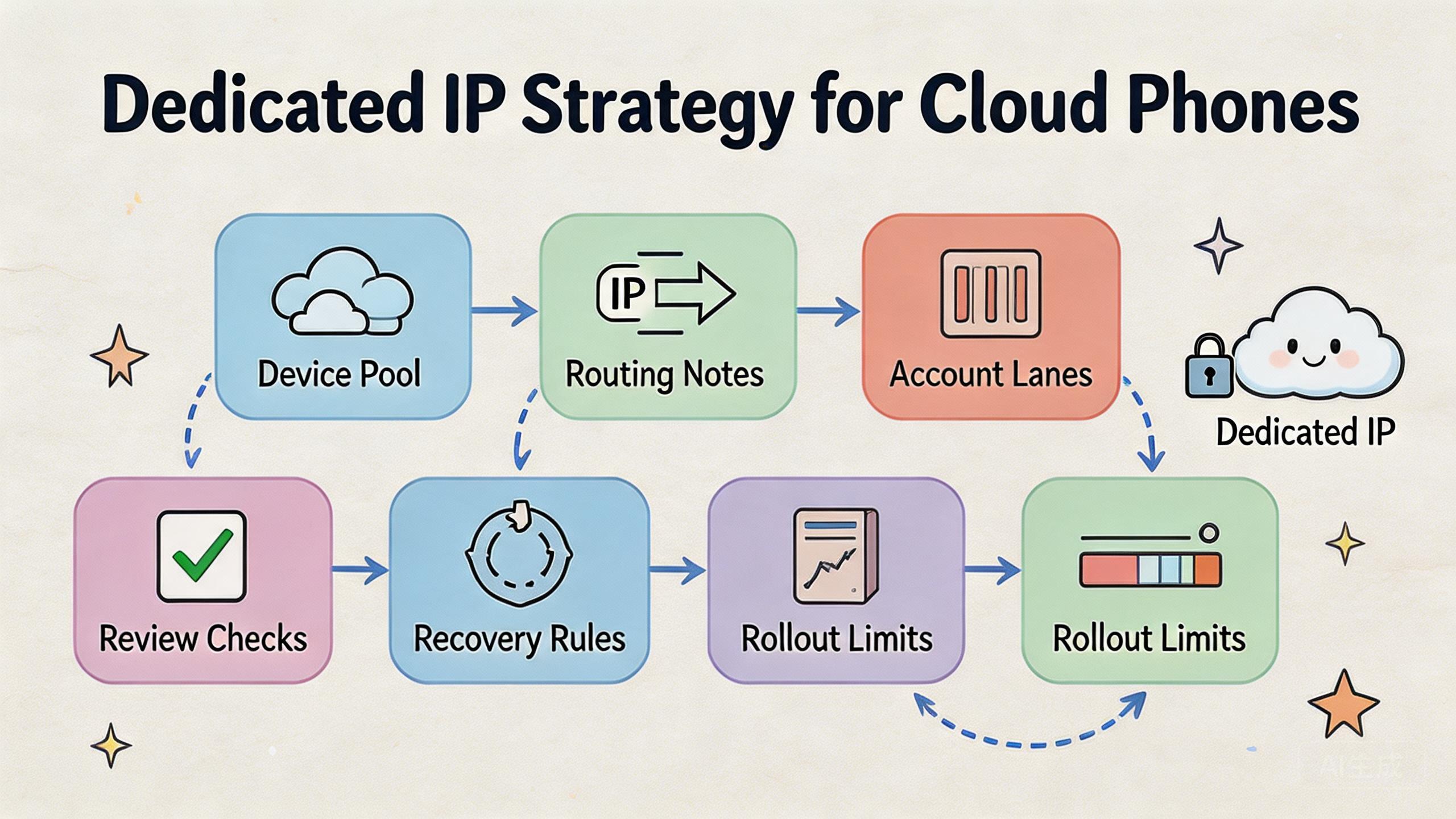
A dedicated IP strategy is a plan for assigning stable network routes to cloud phone workflows so teams can track, review, and recover mobile operations with less confusion.
For cloud phone teams, dedicated IP planning is not a shortcut around platform rules or account judgment. Treat it as an operating control. The value comes from knowing which device lane uses which route, which account group belongs there, and what should happen when a workflow fails.
The direct answer is simple. Use a dedicated IP when a workflow needs route consistency, review clarity, and stable ownership. Avoid treating it as a broad safety claim. Account results still depend on platform rules, content, behavior, device state, account history, and operator decisions.
In MoiMobi, IP planning should sit beside the cloud phone, proxy network, device isolation, mobile automation, and multi-account management layers. The IP route is only one part of the mobile execution system.
The best starting point is not a large rollout. Start with one account lane, one device pool, one route rule, and one review owner. Prove that the team can run, inspect, pause, and recover the lane before adding more routes.
Key Takeaways
- A dedicated IP strategy helps teams make route ownership clearer.
- Dedicated IPs do not remove platform, account, or workflow risk.
- The strongest setup maps one route to one clear workflow lane.
- Teams should track device pool, account group, route, operator, and review result.
- Expansion should happen only after pilot review and recovery rules work.
The core idea behind dedicated IP strategy for cloud phones
The core idea is route discipline. A dedicated IP gives a workflow a more stable network path than a loosely changing route. That can make review easier when several people operate cloud phones.
The useful question is not “Does this IP make the account safe?” A better question is “Can the team explain which route this workflow used and why?” That question is easier to answer when each route has an owner and a purpose.
Think in four layers:
| Layer | What it controls | Why it matters |
|---|---|---|
| Device pool | Where the Android workflow runs | Keeps work grouped by purpose. |
| Account lane | Which account group uses the pool | Reduces mixed history and review confusion. |
| Dedicated IP | Which network route is expected | Makes route assumptions visible. |
| Review rule | Who checks the result | Stops unclear lanes from being reused. |
The IP layer should not be isolated from the other layers. A stable route means little if several unrelated workflows share the same device pool. A named pool means little if operators change routes without a note.
Google Search Central encourages helpful content that gives people useful context rather than vague claims (Google Search Central). The same standard applies to operations. A useful IP strategy explains context, purpose, and limits.
Route planning usually works best when the team writes down three details:
- Which workflow the route supports.
- Which device pool uses the route.
- Which review rule applies after each run.
This keeps the route tied to a real operating need. It also helps managers audit problems. If a lane fails, the team can compare device state, account state, route history, and operator action without starting from zero.
Why teams search for this topic
Teams search for dedicated IP guidance because cloud phone work becomes harder to inspect as it grows. One person may know which route belongs to which phone. A team cannot depend on memory.
The problem often starts small. A few devices run repeated account tasks. One operator changes routing. Another operator uses the same device for a different workflow. Later, a reviewer cannot tell which route was expected.
Remote teams feel the pain sooner. Work may happen across shifts, markets, and account groups. A manager needs to see what happened without asking every operator for context.
The search usually comes from one of five needs:
- Route consistency for repeated workflows.
- Separation between account groups.
- Better review after failed runs.
- Cleaner handoff between operators.
- A way to compare route-related issues over time.
A dedicated IP can help when these needs are operational. It gives operators a stable route assumption to record and review. The route does not explain every account issue by itself.
Google’s SEO Starter Guide is about website structure, but the planning lesson is useful: clear structure helps people understand information faster (SEO Starter Guide). A route plan needs the same clarity.
The practical goal is traceability. A reviewer should be able to answer: which pool ran this task, which account group was involved, which route was expected, and what changed before the issue appeared.
Without that traceability, a dedicated IP becomes just another label. With it, the route becomes part of a controlled workflow.
Who benefits most and in what situations
The biggest misunderstanding is that every cloud phone workflow needs a dedicated IP. That is not always true. The need depends on the workflow, review standard, and account lane design.
Strong-fit teams have repeated work and clear account groups. They want route consistency because it makes review easier. Agencies, social media teams, QA teams, and support teams may fit this pattern when they operate several mobile lanes.
Medium-fit teams have mixed workflows. Some lanes may need stable routing. Others may not. A simple internal app check may not need the same route design as a client account workflow.
Weak-fit teams have unclear work. If the team cannot define the account lane, route purpose, or review owner, a dedicated IP strategy will not fix the process. Define the workflow first.
Use this fit guide:
| Situation | Dedicated IP fit | Reason |
|---|---|---|
| Repeated account lane | Strong | Route consistency helps review. |
| One-off app access | Weak to medium | Route history may not matter much. |
| Shared operator pool | Strong | Stable route notes improve handoff. |
| Undefined workflow | Weak | Route discipline cannot define the task. |
| Hardware-specific testing | Usually separate | Device behavior may matter more than route. |
MoiMobi is most relevant when the team treats cloud phones as mobile execution infrastructure. A route is part of the system, not the whole system.
The working question should stay concrete. Will a stable route make this workflow easier to assign, inspect, pause, and recover? A clear yes may justify a pilot. A weak answer means route notes and pool design should come first.
How to evaluate or start using dedicated IP strategy for cloud phones
Begin with checkpoints, not a broad rollout. Each checkpoint should prove that the route supports a real operating need.
Checkpoint 1: Workflow purpose
The lane is ready when the team can name the workflow in one sentence. Cleanup is needed when operators describe the lane differently.
Do not assign a dedicated route to a vague task. A useful route supports a known use case, such as a specific account lane, market, review workflow, or QA path.
Checkpoint 2: Pool ownership
One pool should own the workflow. Several unrelated workflows sharing the same devices is a warning sign.
Attach the route to a pool with a clear owner. This keeps the team from mixing unrelated account groups under the same route label.
Checkpoint 3: Route record
Record the route, pool, account group, and owner. A route that only exists in chat or memory is not ready.
Keep the record short. Use fields such as route name, device pool, account lane, operator role, reviewer role, start date, and pause rule.
Checkpoint 4: Review rule
A reviewer should know what to inspect after each run. Completion status alone should not be treated as review.
Review should include task output, account state, route assumption, and device readiness. A completed task may still need inspection before reuse.
Checkpoint 5: Recovery path
The lane needs a known pause and reset process. Repeated retries after failure mean the recovery path is unclear.
Recovery rules protect the route plan from guesswork. A lane should be marked ready, paused, under review, reset needed, or retired.
Mistakes that reduce results
The first mistake is treating a stable route as a safety promise. The route is a control, not a promise. Teams still need acceptable work, platform awareness, and review.
The second mistake is sharing one route across unrelated account groups. That may look efficient at first. Later it becomes hard to learn which group created the issue.
The third mistake is changing routes without recording the change. A route change may be valid, but it should be visible. Review becomes weaker when changes are hidden.
The fourth mistake is ignoring device state. A stable route does not help much if the device pool is messy. Device state, app state, and route state should be reviewed together.
The fifth mistake is scaling before one lane works. More routes create more records, more reviews, and more recovery decisions. Pilot one lane first.
A simple route review checklist helps:
- Is the device pool still tied to one workflow?
- Is the dedicated IP still assigned to the expected lane?
- Did the operator follow the runbook?
- Did the reviewer confirm the output?
- Did any route or device state change before failure?
- Is the lane ready, paused, or reset needed?
This checklist keeps the team focused on evidence. It avoids blaming the IP for every issue. It also avoids assuming the IP solved every issue.
Pilot metrics and route review loops
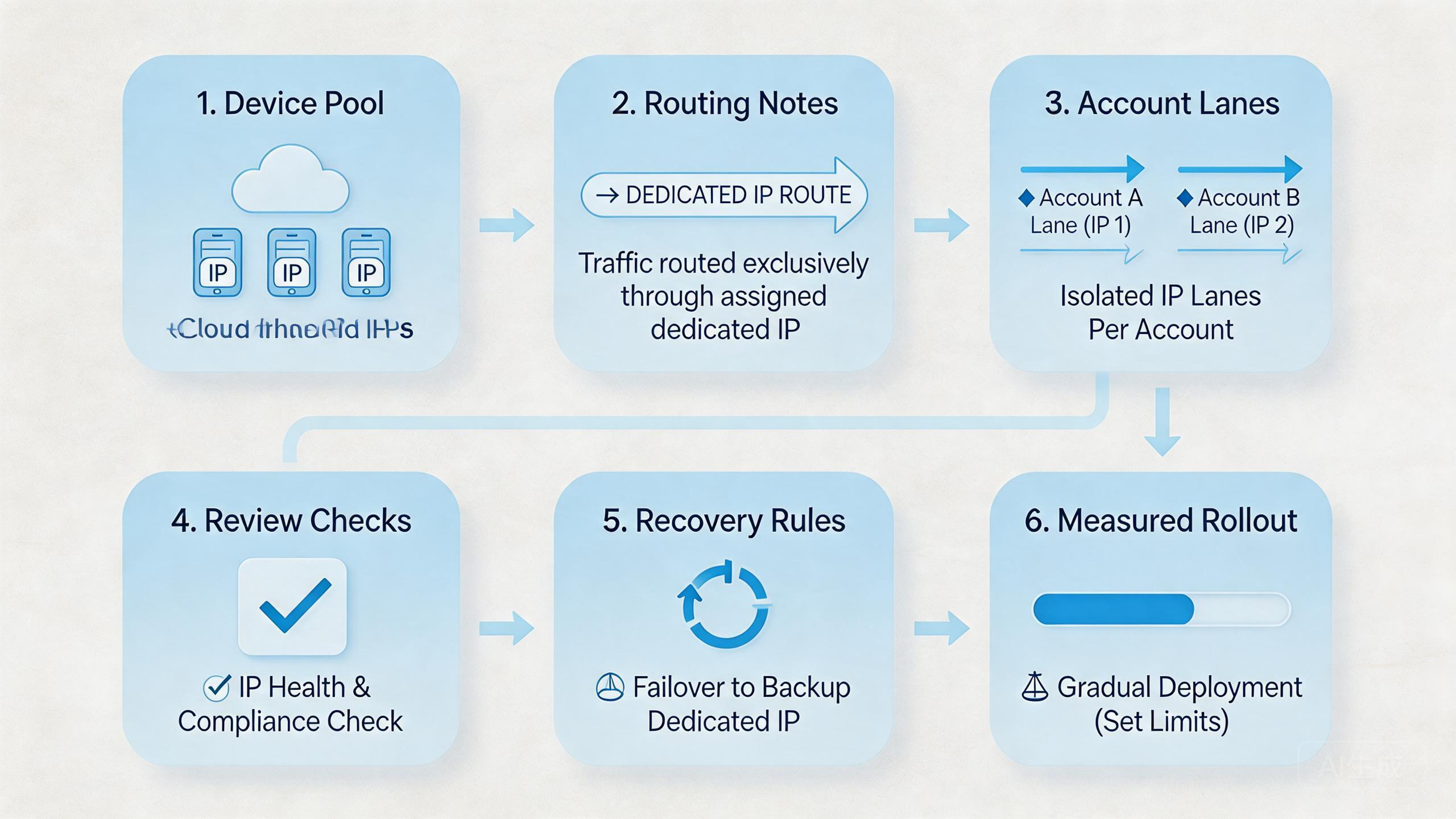
Pilot metrics should measure control, not vanity. Managers need to know whether the route plan makes work easier to review.
Track five simple signals:
| Metric | What it shows | Good sign |
|---|---|---|
| Route clarity | People know which route belongs to the lane. | Operators and reviewers give the same answer. |
| Review time | Results can be inspected without long chats. | Review is short and repeatable. |
| Handoff quality | Another operator can continue the workflow. | The runbook is enough. |
| Recovery time | Failed runs have a known action. | The lane does not drift. |
| Issue pattern | Problems can be grouped by lane, pool, or route. | Managers can see repeat causes. |
Review loops should stay short. After each run, the operator notes the device pool, route, account lane, and result. The reviewer checks the output and marks the lane status.
Plain lane status helps:
- Ready means the lane can run again.
- Paused means review is needed.
- Route changed means a routing note must be checked.
- Reset needed means device state is not clean enough.
- Retired means the lane should not be reused.
This language keeps operations calm. It also makes route problems easier to discuss. A team can compare repeated issues without searching through chat history.
Region, market, and account group mapping
Route mapping should match how the team actually works. A dedicated IP plan is weaker when it is built only around a provider list. The plan works better when it matches account groups, markets, app paths, and review owners.
Start with the account group. A group may represent a client, a market, a campaign, a QA path, or a support workflow. The selected route should serve that group’s operating need, not a vague idea of scale.
Then map the device pool. Each pool should have a clear purpose. A pool for testing should not casually become a pool for live account operations. A pool for one market should not quietly absorb another market without review.
Next, record the route rule. The record does not need to be complex. Four questions matter:
- Which route is expected?
- Which device pool uses it?
- Which account group belongs there?
- Who can approve a route change?
Regional work needs care. Teams may be tempted to assign routes by broad geography only. Region matters, but it is not the only factor. Workflow purpose, account group, operator role, and review standard also matter.
A simple mapping table can keep the setup readable:
| Mapping field | Example decision | Review question |
|---|---|---|
| Account group | Client A or Market A | Is this group still separate? |
| Device pool | Pool A1 | Is the pool still tied to one workflow? |
| Route | Dedicated route A | Has the route changed since the last run? |
| Owner | Ops lead | Who approves changes? |
| Pause rule | Two unclear failures | When does the lane stop? |
Update the table when the workflow changes. A route note from last month may be wrong after a new app version, new account group, or new operator policy.
Clear mapping also helps cost control. Leads can see which dedicated routes serve real workflows and which routes are unused or poorly defined. That makes cleanup easier.
Governance and audit habits for dedicated IP use
Governance sounds heavy, but the first version can stay simple. A basic route map gives enough structure to avoid hidden route drift.
Set one owner for the route map. This owner does not need to run every workflow. The owner needs to approve changes and keep the record accurate.
Separate operator and reviewer roles. Operators run the workflow. Reviewers confirm whether the result is acceptable. Admins change route assignments. Mixing all three roles makes mistakes harder to find.
Create a short audit habit:
- Review active routes once per week or after a major workflow change.
- Check whether each route still has a named pool and account group.
- Remove or pause routes that no longer have a clear purpose.
- Compare route-related issues by lane instead of by guesswork.
- Record who approved route changes.
Audits should also look for silent drift. A route may still exist, but the workflow may have changed. A pool may still be named, but operators may be using it for other tasks. A reviewer may still be assigned, but review may only happen after problems appear.
The audit should not become paperwork for its own sake. One practical question matters most: can the team still explain this route in plain language?
If the answer is no, pause or clean up the route. A route that nobody can explain is not a control. It becomes operational clutter.
Good governance also protects future scaling. When a new team member joins, they can read the route map and understand the system. When a problem appears, managers can inspect the lane without rebuilding history from chat messages.
Fit boundaries for dedicated IP planning
Fit boundaries prevent the team from overusing dedicated IPs. Not every lane needs one. Not every route issue is solved by more route control.
A dedicated IP is a strong fit when the workflow repeats, the account group is clear, and the team needs route history. This setup is also useful when several people review the same lane.
The fit is weaker when the task is occasional, the account group is undefined, or the team has not written a runbook. In those cases, route planning may add complexity before the workflow is ready.
The fit scan is simple:
- Can the team name the account lane?
- Can the route owner be named?
- Can a reviewer inspect the lane without asking the operator?
- Can the lane pause without blocking unrelated work?
- Can the team explain why route consistency matters for this workflow?
Clear answers suggest that a pilot is reasonable. Weak answers suggest that the team should improve workflow design first.
This boundary matters for cost too. A dedicated IP is worth considering when it reduces review and recovery confusion. It is less useful when it only adds another setting to manage.
Frequently Asked Questions
What is a dedicated IP for cloud phones?
A dedicated IP is a stable route assigned to a specific workflow, device pool, or account lane. It helps teams record and review route assumptions.
Does a dedicated IP make accounts safer?
Do not treat it as a safety promise. A route plan can support cleaner operations, but account outcomes depend on many factors.
When should a team use a dedicated IP?
Use it when route consistency matters for a repeated workflow. This route is most useful when the lane has a clear owner and review rule.
Can one dedicated IP serve many accounts?
That depends on the workflow. Mixing unrelated account groups can make review harder. Separate lanes are often easier to inspect.
What should be tracked with each route?
Track route name, device pool, account lane, operator, reviewer, start date, and pause rule. Keep the record short enough to use daily.
Is a proxy network still needed?
A proxy network may be part of the routing model. The team still needs route notes and review rules.
What is the biggest mistake?
The biggest mistake is treating the route as the whole strategy. Device state, account behavior, and review matter too.
Where does MoiMobi fit?
MoiMobi fits teams that need cloud phones, route planning, and workflow control in one operating model. The next step is a narrow route pilot.
Conclusion
A dedicated IP strategy for cloud phones is useful when it gives teams better route clarity, cleaner handoff, and easier review. It should not be treated as a shortcut around platform rules or account judgment.
The right strategy starts with one lane. Define the workflow, assign the device pool, record the route, name the owner, and create a review rule. Then run a short pilot before adding more lanes.
The safest conclusion is practical. Dedicated IP planning is valuable when it reduces confusion. It is weak when the workflow itself is unclear. Before scaling, check whether another operator can run the lane, another reviewer can inspect it, and an owner can recover it after failure.
If those checks pass, expand slowly. If they do not pass, fix the runbook before adding more routes.



