
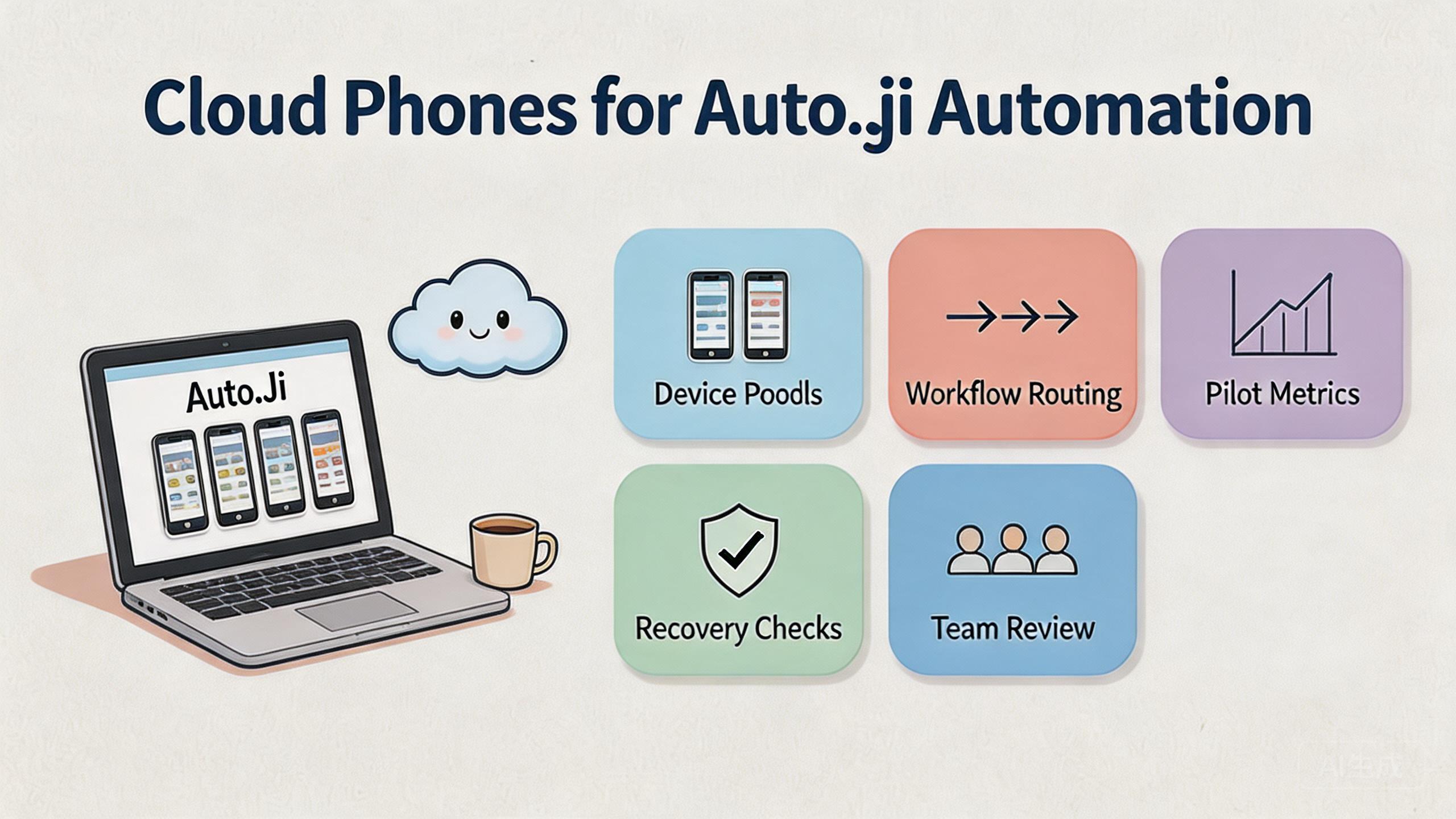
Cloud phone Auto.js automation means running scripted Android workflows inside remote devices that teams can access, review, and recover from the cloud.
The practical value is not the script alone. The value comes from putting repeatable Android work inside a controlled operating setup. Teams need device state, access boundaries, routing notes, review steps, and recovery rules before automation becomes manageable.
Auto.js workflows on cloud phones are useful when a team already has repeated mobile tasks and wants a cleaner way to operate them. They are weaker when the task is undefined, policy-sensitive, or dependent on physical hardware checks.
For MoiMobi users, the decision usually starts with the cloud phone layer. Then it expands into mobile automation, device isolation, proxy network planning, and multi-account management.
The safer working question is simple. Can this workflow run, fail, be reviewed, and recover without one operator guessing what happened? If the answer is unclear, the team should fix the operating model before increasing device count or script volume.
Key Takeaways
- Auto.js workflows on cloud phones need device control, review rules, and recovery steps.
- A cloud phone gives remote Android capacity, but team workflow design decides whether automation stays stable.
- The best starting point is a narrow pilot with one script, one device pool, and one review owner.
- Teams should avoid claims that automation removes platform, policy, account, or operational risk.
- Publishable workflows need clear fit boundaries, logs, role rules, and pause conditions.
What Is Cloud Phones for Auto.js Automation? for autojs workflows on cloud phones
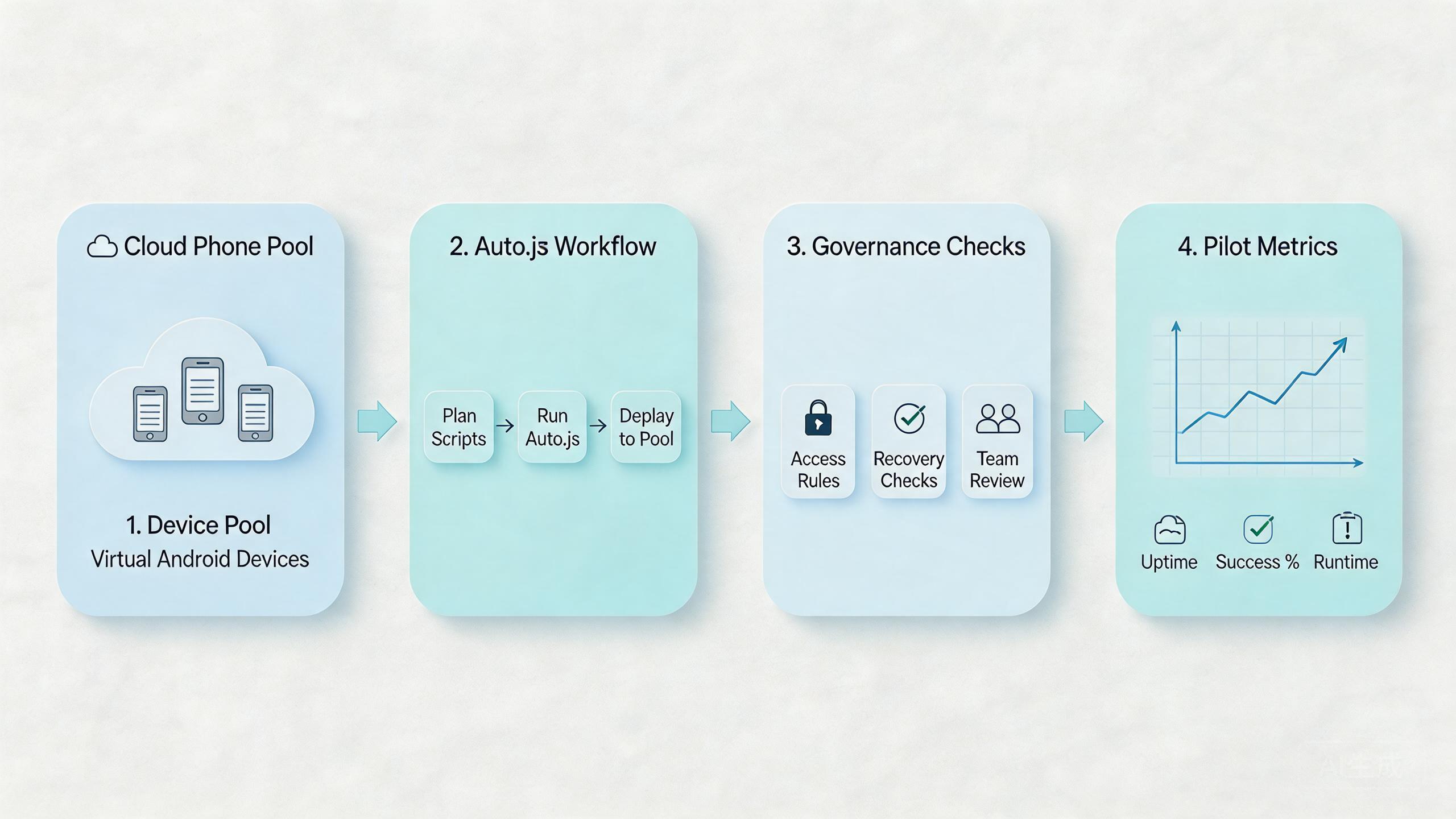
This setup combines remote Android devices with scripted workflow execution. A cloud phone supplies the Android environment. Auto.js supplies a way to automate repeated app actions. The operations layer defines who can run, inspect, pause, and repair the workflow.
The model is easier to understand in three layers:
- The device layer provides remote Android capacity.
- The script layer runs the repeated task.
- The operations layer controls ownership, review, routing, and recovery.
The third layer is the part many teams underestimate. A script can appear successful during a small test. It can become hard to manage when several operators run it across several accounts or device pools.
Google Search Central encourages content owners to create helpful, reliable pages for people instead of thin automation-first output (Google Search Central). The same principle applies to mobile operations. Automation should support a clear human workflow, not replace the need for review.
| Layer | Operational question | What good control looks like |
|---|---|---|
| Cloud phone | Where does the Android task run? | A named device pool with clear ownership. |
| Auto.js script | What action repeats? | A narrow script with known inputs and outputs. |
| Review flow | Who checks success or failure? | A reviewer can inspect result state and stop reuse. |
| Recovery | What happens after a bad run? | Operators can pause, reset, and retest the lane. |
This framework keeps the decision grounded. Managers are not only asking whether a script can run. They are asking whether the workflow can be repeated without losing context.
Why Cloud Phones for Auto.js Automation Matters and autojs workflows on cloud phones
Auto.js automation matters because many mobile tasks become expensive when every action depends on manual device handling. A cloud phone can move that work into a remote environment. Operators can then organize access, repeat runs, and review outcomes without passing physical phones between people.
The real decision is operational. A small script may only need one device. A business workflow may need separate pools for account groups, markets, app versions, or reviewers. Without those boundaries, the automation may create more confusion than it removes.
Consider a simple support or QA team. One operator runs a scripted check. Another person reviews the result. A manager wants to know whether the device is ready for the next run. If the cloud phone has no state label, no owner, and no recovery rule, the team still depends on chat messages and memory.
The workflow becomes clearer when every device has a purpose. A pool can be marked for testing, social workflow review, account maintenance, or content verification. Each pool can have different permissions and cleanup rules.
Google’s SEO Starter Guide is about search quality, not mobile automation, but it shows a useful planning habit. Clear structure helps users understand what they are looking at (SEO Starter Guide). Operations benefit from the same clarity. A clear workflow is easier to inspect than a loose collection of devices and scripts.
The decision impact is straightforward. Cloud phones help Auto.js automation most when repeated work needs shared access, visible status, and predictable recovery. They help less when the team has not defined the task, success signal, or stop condition.
Key Benefits and Use Cases
The main benefit is controlled repeatability. A team can run a scripted Android workflow without rebuilding the same setup by hand each time. That can reduce handoff friction when the process is well defined.
Another benefit is separation. Different device pools can support different workflows. A QA pool can stay separate from an account operations pool. A review pool can stay separate from a production-like workflow. This does not remove risk. It makes problems easier to isolate.
Access control also matters. Operators may need run access. Reviewers may need inspection access. Admins may need reset and routing control. A flat access model is faster at first, but it can become expensive when small changes break a shared workflow.
Common use cases include:
Run stable app paths on cloud phones, then review result state before reuse.
Keep account groups in separate lanes with named owners and reset rules.
Let leads inspect script outcomes without changing device configuration.
Give distributed teams one visible environment instead of informal phone sharing.
The strongest use cases have stable inputs. A defined app path, expected state, and review standard make automation easier to judge. A vague task creates vague output, even when the device layer works well.
The weaker use cases are usually policy-heavy or hardware-dependent. If the task relies on physical sensors, cable debugging, or platform decisions outside the team’s control, a cloud phone may only support part of the process.
How to Get Started with Cloud Phones for Auto.js Automation
Start with the smallest workflow that still proves the operating model. A narrow pilot is easier to review than a broad rollout. The goal is to learn whether the workflow can run, be inspected, and recover.
- Define one workflow. Write the app path, input data, expected output, and stop condition. Avoid starting with several scripts at once.
- Assign one device pool. Keep the first Auto.js workflow on a named pool. Do not mix it with unrelated activity during the pilot.
- Set access roles. Decide who can run the script, who can inspect results, and who can reset the device lane.
- Record routing assumptions. Keep route behavior explainable. Untracked route changes make failures hard to diagnose.
- Create a review checklist. Inspect app state, account state, run output, and device readiness before the next run.
- Define recovery steps. Decide when to pause, quarantine, reset, or retire a device lane.
The first run should be boring. That is useful. A boring run gives the team a baseline. A dramatic run may hide too many variables.
Do not expand the script library too early. Add one workflow, observe it, then add the next. This prevents the team from confusing script problems with device problems, routing problems, or account-state problems.
Documentation should stay simple. A short runbook often works better than a long internal page. Include the script purpose, device pool, allowed operator, review owner, success signal, and recovery owner.
The pilot is ready to expand when another operator can continue the workflow without asking the original builder for missing context. That is a stronger signal than a single successful run.
Common Mistakes to Avoid
The first mistake is treating cloud phones as a shortcut around process. A remote Android device can host the workflow. It cannot define the workflow, review it, or decide whether the result is acceptable.
The second mistake is mixing unrelated work in one pool. A team may run QA checks, account workflows, and social operations from the same group of devices. That looks efficient until failures appear. Then nobody knows which activity changed the environment.
The third mistake is weak review. A script may complete without producing a useful outcome. Reviewers need a check that looks at result state, account state, and next-run readiness. A green script status is not enough by itself.
The fourth mistake is unclear recovery. When a run fails, operators need to know what to do next. Should the device be paused, reset, reassigned, or reviewed? If that answer lives only in one person’s head, the workflow is fragile.
Another mistake is using broad claims about safety. Automation does not remove platform rules or account responsibility. Google Search Central’s helpful-content guidance is a reminder to avoid content that overstates certainty (Google Search Central). Operational claims should use the same caution.
A practical example makes this clear. A team runs an Auto.js task across several accounts. One account fails. Without a pool owner and recovery label, the next operator may reuse the same device. With a clear process, the lane can be paused and reviewed before reuse.
Who It Fits and When It Is a Strong Match
This model fits teams that already understand the repeated task. The workflow should have a known app path, stable inputs, and a visible outcome. Review ownership should also be clear before the first larger run.
Strong-fit teams often share these traits:
- Several operators need access to Android workflows.
- The task repeats often enough to justify a runbook.
- Account groups or app states need separation.
- Reviewers need visibility without taking over the device.
- Recovery steps matter when a run fails.
Medium-fit teams have mixed needs. They may use cloud phones for repeated Android work while keeping local devices for hardware-specific checks. This can work if each environment has a clear role.
Weak-fit teams usually have unclear tasks. A team that cannot define the expected output should not start with automation scale. It should define the workflow first.
| Fit level | Signal | Next action |
|---|---|---|
| Strong | Repeated Android task with shared operators. | Run a narrow pilot on one device pool. |
| Medium | Some tasks are remote, but some need local devices. | Split workflows before choosing pool size. |
| Weak | Task output, review owner, or stop condition is unclear. | Define the workflow before adding automation. |
MoiMobi is most relevant when the cloud phone is part of a broader workflow system. Teams evaluating Auto.js should also consider mobile automation, device pool design, and review handoff.
How to document autojs workflows on cloud phones
Documentation is the control layer that keeps automation from becoming tribal knowledge. A script can be clear to the person who wrote it and confusing to everyone else. That gap becomes expensive when another operator must rerun the workflow, review a failure, or explain why a device lane changed.
Start with a short workflow card for each script. The card should name the workflow, the device pool, the account group, the expected input, and the output that proves the run worked. It should also name the person or role that can approve reuse.
Keep the workflow card practical:
- Script purpose: what the automation is meant to do.
- Device pool: where the workflow is allowed to run.
- Input rule: what data or app state is required before launch.
- Review signal: what a human checks after the run.
- Stop condition: when the run should pause instead of retrying.
- Recovery owner: who decides reset, quarantine, or retest.
This record does not need to be long. It needs to be usable during a normal workday. Operators should be able to open it, understand the next step, and avoid improvising around device state.
Version notes are also important. If a script changes, record what changed and why. If a device pool changes, record the route assumption, app version, or account group that changed. Small notes make failure review much faster later.
Each Auto.js workflow should have one owner, one allowed device pool, one review signal, and one recovery path before it moves beyond pilot use.
The best documentation also defines what not to automate. Some actions may require manual review. Some workflows may be too sensitive for unattended execution. Some tasks may depend on platform rules that the tool cannot control. Naming those limits is part of responsible operations.
For SEO and content teams, the lesson is similar to Google’s guidance on helpful structure. Clear pages help people evaluate information (SEO Starter Guide). Clear workflow notes help operators evaluate automation state.
Pilot rollout for autojs workflows on cloud phones
A pilot should answer one operational question. Can operators run this Auto.js workflow on cloud phones with clear ownership, review, and recovery?
Measure a small set of signals first:
- Setup time before the first run.
- Successful run rate during the pilot.
- Review time after each run.
- Recovery time after a failed run.
- Number of unclear handoff moments.
These signals are simple, but they expose the real friction. A workflow may run well once and still fail as a team process. The measurement step shows whether the process can survive normal handoff.
Create one pilot scorecard:
| Check | Pass signal | Pause signal |
|---|---|---|
| Device state | The lane is ready before each run. | Operators disagree on reuse status. |
| Script result | Output can be reviewed without guesswork. | Completion status hides actual result quality. |
| Access | Roles match operator and reviewer needs. | Too many users can change setup. |
| Recovery | A failed lane has a known next step. | Failures move to chat instead of a process. |
Recovery rules should be defined before expansion. A failed run may only need a reset. A repeated failure may need a paused pool. A confusing result may need manual review before another script run.
The pilot is ready for more work when operators can explain what happened during each run. It is not enough to show that a script finished. Reviewers need to know whether the output was useful and whether the device can be reused.
Frequently Asked Questions
Can Auto.js workflows run on cloud phones?
Auto.js workflows can run on suitable remote Android environments when the device setup supports the script requirements. The important question is not only execution. A working process also needs review, access, and recovery rules.
Are autojs workflows on cloud phones better than local phones?
They are better for some team workflows and weaker for others. Cloud phones can help with remote access and repeatable pools. Local phones may still be needed for physical hardware checks.
What should a team test first?
Start with one low-complexity workflow. Test setup time, output quality, review steps, and recovery after failure. Do not start with the most sensitive workflow.
How many cloud phones are needed for the first pilot?
Use the smallest pool that can prove the workflow. Many teams learn more from one clean pool than from a large mixed pool.
Does cloud phone automation remove account or policy risk?
No. It can make workflows easier to organize, but platform rules and operator choices still matter. Avoid any process that depends on unsupported safety claims.
What is the biggest operational risk?
The biggest risk is unclear ownership. If nobody owns device state, review, and recovery, the automation may create hidden drift.
When should a team pause rollout?
Pause rollout when operators cannot explain failures, device states are unclear, or review outcomes are inconsistent. Fix the process before adding more scripts or devices.
Where does MoiMobi fit in the decision?
MoiMobi fits when the team needs cloud phones as part of mobile execution infrastructure. The next step is usually a narrow pilot tied to a real workflow.
Conclusion
Remote Android infrastructure can help teams move repeated Auto.js work into a more manageable environment. The important part is not only the script. The important part is the system around it.
Strong implementations start with a clear workflow, one device pool, limited access, a review checklist, and a recovery rule. That structure helps leaders understand whether the automation is working or only hiding confusion.
Before expanding, check five things. Can another operator run the workflow? Can a reviewer inspect the result? Can the team explain the route and device state? Can a failed lane be paused? Can the next run start without guessing?
If those answers are clear, autojs workflows on cloud phones may be ready for a broader pilot. If they are not clear, keep the rollout small and improve the operating model first.
The final check is ownership. Name the pool owner, script owner, review owner, and recovery owner before adding volume. That single step prevents many routine failures from becoming unclear team debates.



