
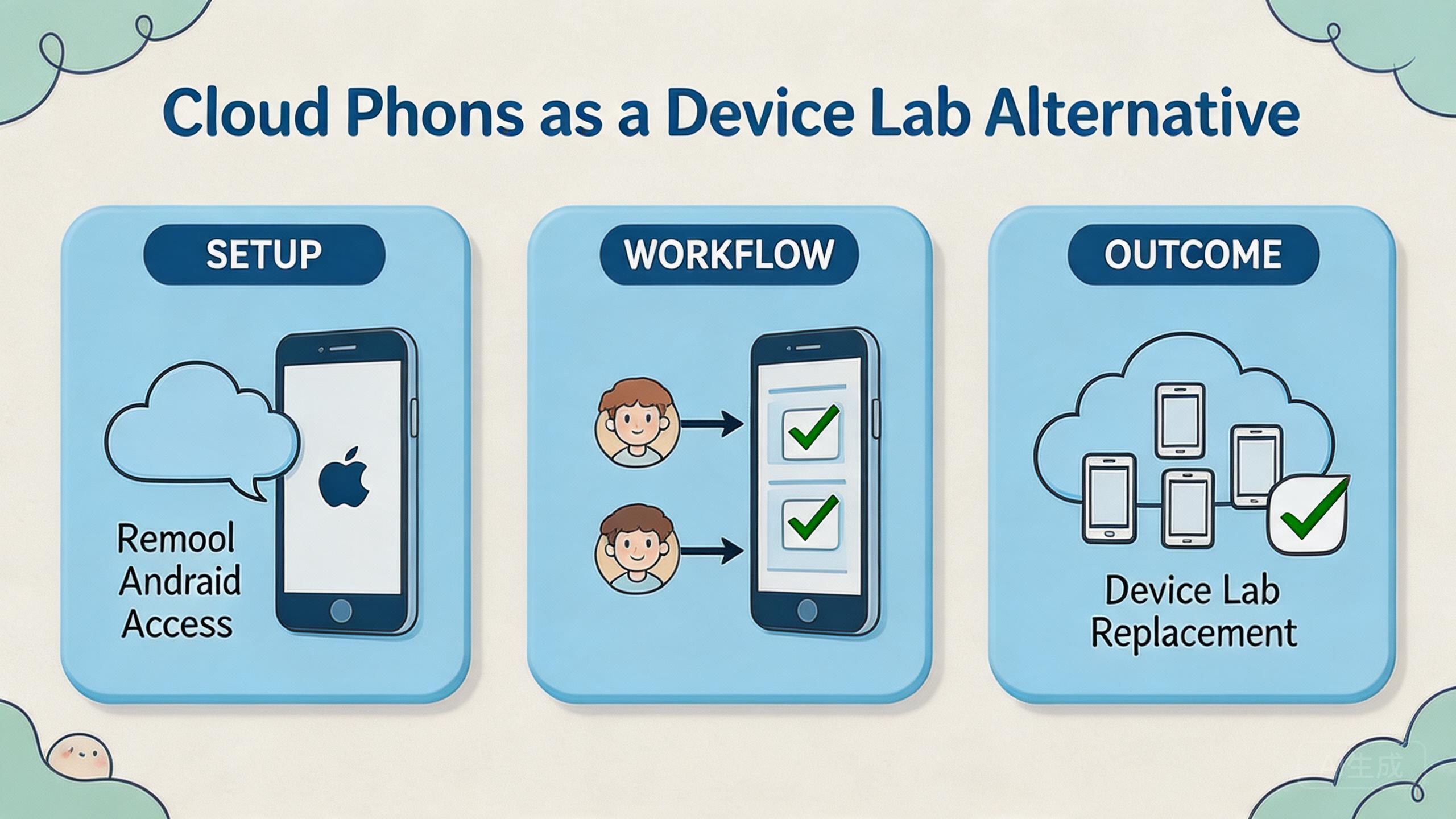
A device lab alternative is a remote or managed way to test, operate, and review Android workflows without keeping every device on a local desk.
Remote Android infrastructure can be a practical device lab alternative when a team needs shared access, repeatable workflows, and clearer handoff. This model is not a full replacement for every hardware lab. The selection rule is simple: use cloud phones when the main problem is remote mobile execution, and keep a physical lab when the main problem is hardware-specific validation.
This comparison matters because device labs are often built around local control. A team buys phones, labels them, assigns chargers, tracks app state, and manages who touched each device. That model can work, but it becomes slower when teams are distributed or when workflows repeat across many account groups.
The cloud model shifts part of that work into remote infrastructure. Operators can access Android environments through a platform. Reviewers can inspect work without waiting for a physical handoff. Managers can organize device pools, roles, and recovery rules around the actual workflow.
The buying decision should stay cautious. A cloud phone is one layer. Teams may also need device isolation, proxy network planning, mobile automation, and multi-account management. A good choice depends on the job, not on a generic feature list.
Key Takeaways
- Remote Android pools can be a device lab alternative for shared access and repeatable operations.
- Physical device labs still matter when work depends on sensors, cables, hardware behavior, or hands-on debugging.
- The right choice depends on workflow fit, review needs, recovery rules, and management overhead.
- Teams should compare total operating effort, not only setup cost or device count.
- A narrow pilot is the best way to test whether a cloud model can replace part of a device lab.
A practical comparison framework for device lab alternative decisions
A practical comparison starts with the work that must happen on the device. The question is not “Which option sounds more modern?” The better question is “Which option lets this team run, review, and recover the workflow with less confusion?”
Local device labs give teams physical control. An engineer can hold the phone, inspect the screen, connect cables, test hardware behavior, and keep a controlled bench. This is useful when physical behavior matters.
Remote device pools give teams operating capacity across locations. An operator can open a device from another location. A reviewer can check the result without waiting for the phone. A manager can organize access around pools and roles.
The decision usually has four axes:
| Decision axis | Local device lab | Remote device setup | What to validate |
|---|---|---|---|
| Physical control | Strong | Limited | Does the task need touch, sensors, or cables? |
| Remote access | Often manual | Native to the model | Can distributed users work without handoff delays? |
| Workflow repeatability | Depends on process | Stronger when pools are defined | Can the same task run again with clear state? |
| Team review | Often informal | Can be organized by roles | Can a reviewer inspect results without changing setup? |
| Recovery | Depends on local habits | Works when reset rules are defined | Can a failed lane be paused and restored? |
This matrix prevents overbuying and underbuying. A local lab may be more than enough for a small team in one office. A managed remote pool may be better when teams need parallel Android access across locations.
Google Search Central encourages useful content that helps people make real decisions, not thin pages built around vague claims (Google Search Central). The same standard should guide a device decision. A useful comparison explains fit, limits, and next checks.
For MoiMobi, the strongest comparison point is not only remote access. The broader value is mobile execution infrastructure. A cloud phone becomes more useful when paired with device pools, access roles, routing notes, and recovery rules.
Use case fit before feature fit and device lab alternative planning
Use case fit should come before feature fit. Feature lists become useful after the workflow is clear. Without a clear workflow, every option can look similar.
Start with the device job. Is the team testing app behavior? Running repeated account workflows? Reviewing mobile content? Checking a region-specific app state? Supporting social media operations? Each job points to a different balance between physical control and remote execution.
The strongest cloud fit appears when the work is repeated, remote, and reviewable. A team may need many Android environments for workflow execution, not hardware inspection. In that case, remote access and clean handoff can matter more than holding the device.
Physical labs fit better when the task depends on hardware reality. A team may need camera behavior, battery behavior, Bluetooth behavior, cable debugging, sensor validation, or lab-grade network equipment. Remote phones may support adjacent checks, but they should not be treated as the whole answer.
The fit boundary is important for budget decisions. A company does not always need to replace the entire lab. It may move repeatable Android operations to cloud phones while keeping a smaller physical bench for hardware-specific cases.
This hybrid model is often practical:
- Use remote Android pools for repeated app workflows and remote team access.
- Use local devices for hardware checks and physical debugging.
- Use shared review rules for both environments.
- Keep one owner for state, reset, and escalation.
The final use case test is handoff. If work slows down because phones are physically unavailable, remote access may help. If work slows down because the team cannot define the expected result, neither option will fix the process alone.
Operational trade-offs and team workflow comparison
A device lab decision becomes an operations decision once more than one person uses the environment. Local phones and remote phone pools both need ownership. The difference is where the friction appears.
In a local lab, friction often appears around physical logistics. A device may be on another desk. A charger may be missing. A tester may forget to reset state. A reviewer may need the same phone while another person is still using it.
In a remote phone setup, friction often appears around process design. Which pool owns the workflow? Which route is expected? Who can reset the device? What status means the lane is ready for reuse? These questions still need answers.
Neither model removes management work. The better model moves the work to a place where the team can control it. Remote pools make the most sense when access, parallel work, and review visibility are bigger problems than physical control.
Consider a mobile operations team with three roles. Operators run app workflows. Reviewers check output. Managers need to see whether a pool is ready, blocked, or under review. A local lab can support this if everyone is nearby and disciplined. A remote setup can support it when the platform and process expose device state clearly.
The workflow should also include recovery. A failed run should not lead to guessing. Someone should know whether the device must be reset, quarantined, reassigned, or inspected.
| Workflow need | Better fit when local lab wins | Better fit when remote pools win |
|---|---|---|
| Hardware debugging | Physical connection is required | Not the core use case |
| Distributed operations | Handoff is rare or local | Multiple users need remote access |
| App workflow review | One tester owns the full path | Separate operators and reviewers exist |
| Multi-account work | Account count is low | Separate lanes and pools matter |
| Recovery process | A lab owner handles every device | Reset and quarantine rules need visibility |
The operational trade-off is direct. A physical lab gives more hands-on control. Remote pools can reduce physical handoff and make team workflows easier to organize. The right answer depends on the bottleneck.
Setup cost, ongoing cost, and management overhead
Cost is not only the monthly price or device purchase amount. Real cost includes setup time, device maintenance, access management, workflow delay, and recovery effort.
A local device lab has visible costs. Teams buy phones, accessories, SIMs if needed, storage, chargers, cables, and replacement devices. They also spend time labeling devices, keeping them charged, and maintaining app state.
The cloud model shifts part of that cost into service and operations. The buyer pays for remote capacity and platform usage. It may reduce physical handling, but it still needs pool rules, role design, and review discipline.
The most useful cost question is operational: what does it cost to run one clean workflow from start to reviewed output?
Break the cost into five parts:
- Setup cost: how much effort is needed before the first usable run?
- Access cost: how hard is it for the right person to use the device?
- Review cost: how long does it take to inspect results?
- Recovery cost: how hard is it to fix a failed or unclear state?
- Expansion cost: what happens when the workflow grows?
A small local lab can be cheaper and simpler for one office. A managed device model can become more efficient when multiple people need controlled access to many Android environments. The exact result depends on workload volume, team geography, and process maturity.
Avoid comparing only device count. Ten local phones and ten remote devices are not equal if one option creates more review delay. The better comparison is throughput with clarity.
Google’s SEO Starter Guide focuses on web pages, but its broader lesson is useful: structure helps people understand and act (SEO Starter Guide). Device operations need the same structure. Cost improves when the workflow is clear enough to run without constant explanation.
Which option fits different teams best
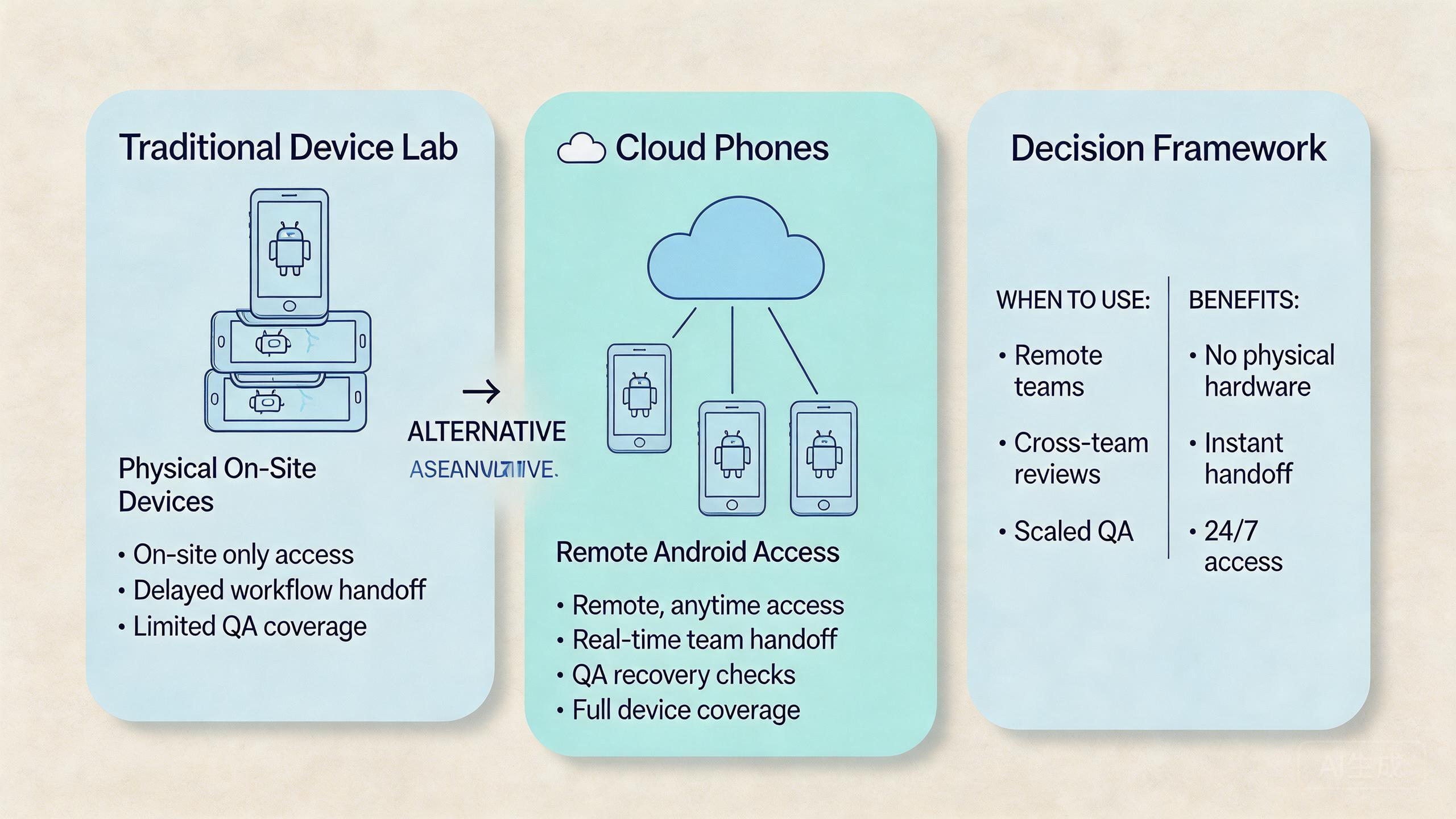
Different teams need different device strategies. A device lab alternative is not a universal replacement. Treat it as a fit decision.
Solo builder or small local QA team
A small local lab may be enough. If one person controls the devices and tests hardware-specific behavior, physical phones are simple. There is less need for a platform layer unless remote access becomes painful.
Managed cloud access may still help with repeatable Android states. It becomes more relevant when the same builder needs parallel environments or wants to avoid keeping every device nearby.
Distributed operations team
Distributed teams should consider managed remote devices more seriously. Remote teams often lose time on access and handoff. A shared device pool can let operators and reviewers work from different locations.
Rules still matter. Define pools by workflow, region, account group, or app path. Give each pool an owner. Decide when a device is ready, under review, or paused.
Agency or account workflow team
Agencies often need separation. Client work, account groups, and reviewer access should not be mixed casually. A local lab can support this with strict labeling and discipline. A cloud setup can make separation easier to manage when device pools are clear.
This is where device isolation and multi-account management become relevant. They are not magic safety claims. They are operating controls that can make review and handoff cleaner.
App team with hardware-sensitive testing
A physical lab remains important when the product depends on device hardware. Camera behavior, Bluetooth, battery drain, sensors, USB debugging, and carrier behavior may require local devices.
Remote devices can still support repeated software checks. QA leads can use them for workflow validation, login paths, content review, or routine Android access. Keep physical devices for the parts that need physical truth.
Social media or mobile workflow team
This model can be a strong fit when work depends on many Android environments, clean handoff, and review visibility. Operators should also treat routing and policy responsibility carefully. A proxy network may be part of the operating model, but it does not remove platform rules.
The best choice is often mixed. Keep a small physical lab for exceptions. Use remote pools for repeated workflows. Review both with one operating standard.
Device lab alternative comparison checklist
Buying teams need a checklist that separates convenience from operating fit. A cloud setup may look attractive because access is remote. A local device lab may feel familiar because phones are visible. Neither signal is enough.
Use a short decision checklist before choosing:
- Does the workflow require physical sensors, cables, or direct device handling?
- Do several people need access to the same Android environment?
- Can device state be labeled before and after each run?
- Can a reviewer inspect output without changing setup?
- Can a failed lane be paused, reset, and returned to service?
- Does the team need separate pools for accounts, markets, or app paths?
Physical labs score higher when the first question is central. Remote infrastructure scores higher when the remaining questions drive the work. A hybrid approach may score highest when both sets of needs are real.
One practical buying rule helps. Do not replace devices that still provide unique physical evidence. Replace or supplement the parts of the lab that mainly provide access, repetition, and reviewable Android state.
This makes the device lab alternative decision more concrete. The buyer is not choosing a slogan. It is deciding which part of the lab should move into remote infrastructure and which part should stay physical.
Pilot rollout and measurement checklist
A pilot should test the decision before the team commits. Do not start by replacing the entire lab. Start with one workflow that has a clear outcome.
Choose a workflow with these traits:
- It runs often enough to reveal friction.
- It does not depend on physical hardware behavior.
- It has a clear success or failure signal.
- It has one operator and one reviewer.
- It can be paused without disrupting critical work.
Run the pilot for a fixed window. Track setup time, run time, review time, failure rate, and recovery time. Also record confusion points. Those notes often reveal more than a single pass or fail result.
Use this scorecard:
| Pilot check | Pass signal | Warning signal |
|---|---|---|
| Access | Operators can reach the device without local handoff. | Access still depends on one person. |
| State | Device status is clear before each run. | People disagree on readiness. |
| Review | Output can be inspected quickly. | Review requires screenshots, chat, or guessing. |
| Recovery | A failed lane has a known action. | Failure creates informal troubleshooting. |
| Fit | The workflow does not need physical hardware. | Key steps still require local devices. |
A successful pilot does not prove that every device should move to the cloud. It proves that one workflow can move with acceptable control. Add the next workflow only after the first one has stable ownership and recovery.
The strongest signal is handoff quality. If a second operator can run the same task and a reviewer can judge the result, the remote device model is working as infrastructure. If the original owner must explain every run, the process is not ready.
Keep the pilot plain. Pick one task. Pick one pool. Name one owner. Run the same task twice. Check the result. Write down what failed. Fix the step before adding more phones. This small loop gives the team a clean read on fit.
Frequently Asked Questions
Can this model fully replace a device lab?
Not always. They can replace part of a lab when the work is remote, repeatable, and software-focused. A physical lab still matters for hardware-specific testing.
What makes remote Android access a device lab alternative?
They provide remote Android environments that teams can access and organize. The alternative value comes from shared access, device pools, review rules, and recovery.
Which option is better for QA?
It depends on the QA task. Managed Android environments can fit repeated app paths and remote review. Local devices fit hardware behavior, sensor testing, and cable-level debugging.
Can a team use both models?
Yes. A hybrid model is often practical. Remote environments can support repeated workflows while local devices handle physical validation and exception cases.
What should a pilot measure first?
Measure access time, review time, recovery time, state clarity, and handoff quality. These signals show whether the model reduces real workflow friction.
Does this approach reduce management work?
They can reduce physical handoff work. They do not remove the need for ownership, role rules, reset rules, and review discipline.
When should a team keep a local device lab?
Keep local devices when the task depends on hardware, sensors, cables, network equipment, or direct physical inspection. Remote devices may still help with adjacent software checks.
Where does MoiMobi fit in this decision?
MoiMobi fits teams that need cloud phones as part of mobile execution infrastructure. The next step is a pilot around one real workflow, not a broad migration.
Conclusion
Remote Android infrastructure can be a useful device lab alternative when the main need is execution, shared access, workflow review, and repeatable operations. Hardware-specific lab tasks still need a physical path.
The best decision starts with the workflow. If the task depends on physical hardware behavior, keep a local device path. If the task depends on remote access, clean handoff, device pools, and review visibility, cloud phones may deserve a pilot.
Use a cautious migration path. Pick one workflow. Define the device pool. Assign operator and reviewer roles. Track setup, review, and recovery. Compare the result against the local lab process.
Before expanding, ask five questions. Did access improve? Did review become clearer? Did recovery become faster? Did the workflow avoid hardware-specific needs? Could another operator run it without hidden context?
If those answers are mostly clear, cloud phones may be ready to replace part of the device lab. If not, keep the physical lab in place and improve the workflow design first.



