
Key Takeaways
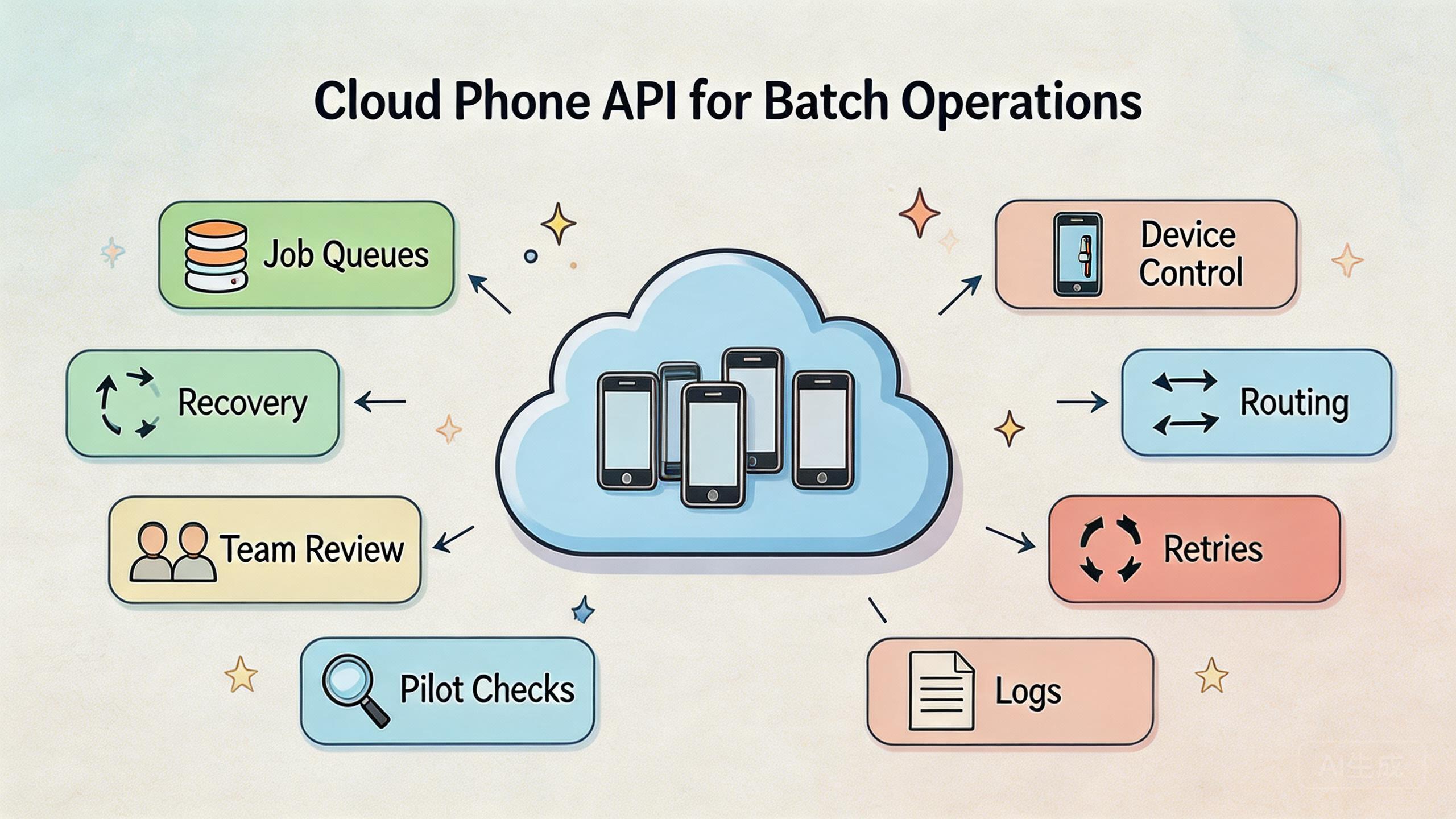
- A cloud phone API is an interface that lets teams control remote mobile environments through repeatable commands and workflows.
- Batch operations need queues, device state checks, rate controls, retry rules, and recovery paths before scale.
- The API is only useful when it is tied to clean device groups, routing policy, access rules, and audit habits.
- Teams should pilot one narrow batch workflow before connecting broader mobile automation or multi-account processes.
Introduction
A cloud phone API is a programmatic interface for controlling remote Android environments through defined requests, responses, and workflow rules. For batch operations, the API turns repeated mobile actions into managed jobs instead of one-off manual sessions.
The value is not only speed. Control matters more. A team can schedule work, assign devices, check state, retry failed steps, and record what happened. That matters when a workflow moves from one operator to many accounts, many devices, or many repeated tasks.
Batch work can look simple from the outside. A team may want to open apps, check status, run a test path, prepare accounts, collect screenshots, or execute a repeated mobile task. The hard part is making that work safe to inspect and easy to recover when one step fails.
An API helps only when the surrounding system is clear. Teams still need device isolation, routing discipline, user permissions, and monitoring. MoiMobi treats cloud phones as part of execution infrastructure, not just remote screens. That framing is important for API work because code can repeat mistakes faster than people can catch them.
This guide explains how to evaluate a cloud phone API for batch operations. It focuses on team workflows, fit boundaries, pilot checks, and recovery design. The goal is practical: know what to build, what to avoid, and what to measure before wider rollout.
The Core Idea Behind a Cloud Phone API
This API layer gives software a controlled way to interact with remote mobile environments. Instead of asking an operator to open each device and perform the same step, a system can submit a job, select a device, run a defined action, and capture a result.
That sounds technical, but the operating model is simple. This control layer sits between the workflow system and the cloud phone pool. It should know which device is available, which task is allowed, which route is required, and what state must be checked before the next step.
API design should follow a few plain rules:
- Jobs should have clear inputs and expected outputs.
- Devices should have readable states such as ready, busy, review, hold, or reset-required.
- Failures should return useful reasons, not only generic errors.
- Retried work should avoid duplicating unsafe actions.
- Logs should help a lead understand what happened.
Android work also needs respect for the mobile environment. The official Android Developers documentation is a useful starting point for understanding Android app behavior, system concepts, and platform constraints. A cloud phone layer does not erase those realities. It gives teams a remote execution environment that still needs careful control.
For MoiMobi users, the interface is best understood as one layer above the cloud phone product. The device provides the runtime. The control path makes repeated work easier to manage. The team process decides whether that path stays useful.
Why Teams Search for Cloud Phone API Batch Operations
Teams usually search for this topic after manual device work becomes too slow or too hard to audit. One operator can handle a small number of tasks by hand. A larger workflow needs a more repeatable system.
Batch operations often appear in mobile QA, campaign checks, account preparation, review workflows, and support operations. The exact task varies, but the pattern is similar. The same mobile step must run across many environments with enough control to know which steps passed, failed, or need review.
Manual work creates bottlenecks. A queue forms behind one operator. Screenshots are saved inconsistently. Some devices are ready, while others carry old state. When a failure happens, nobody knows whether the cause was the app, the account, the route, the operator, or the device.
A stable job model can reduce that confusion. A job can say what device group it needs, what state it expects, what result should be captured, and what should happen after failure.
Google Search Central's guidance on creating helpful, reliable, people-first content is not an API manual, but it reinforces a useful operating lesson: systems should serve real user needs clearly. A batch API should do the same. It should not create opaque automation that nobody can inspect.
The strongest reason to use this interface is not to remove human judgment. It is to move routine execution into a controlled path so people can focus on review, exceptions, and decisions.
Who Benefits Most and In What Situations
The best fit is a team that already has repeated mobile work. The workflow should be known before the API becomes central. If nobody can describe the task clearly, automating it through an API will likely expose confusion.
QA teams may use a cloud phone API to run repeated mobile checks. They can assign devices, start app flows, collect evidence, and review failures. The value is consistency, not just speed.
Operations teams may use it for account preparation, environment checks, or shift handoff. A lead can see which devices are clean, which are busy, and which need review. That helps when work spans several people.
Growth and social teams may use it for controlled mobile workflow support. This needs careful governance. The API should support separation, review, and routing control rather than reckless action volume. MoiMobi's multi-account management and device isolation pages explain adjacent operating layers.
The fit is weaker for one-time tasks. A single manual check may be cheaper and clearer than an API workflow. It is also weaker when the team wants the API to fix an undefined process. Code cannot make a vague workflow stable.
Repeated mobile tasks with clear inputs, device groups, review rules, and recovery needs.
Mixed workflows where only some steps need remote device execution.
One-off tasks, unclear processes, or work that depends on hands-on hardware testing.
Fit also depends on ownership. Someone must own the API workflow, device pool, logs, and failure review. Without that owner, batch work becomes a bigger version of manual confusion.
Team maturity matters as well. A group that already writes basic SOPs, reviews logs, and labels device state will usually adapt faster than a group that still runs every task by memory.
How to Evaluate a Cloud Phone API for Batch Operations
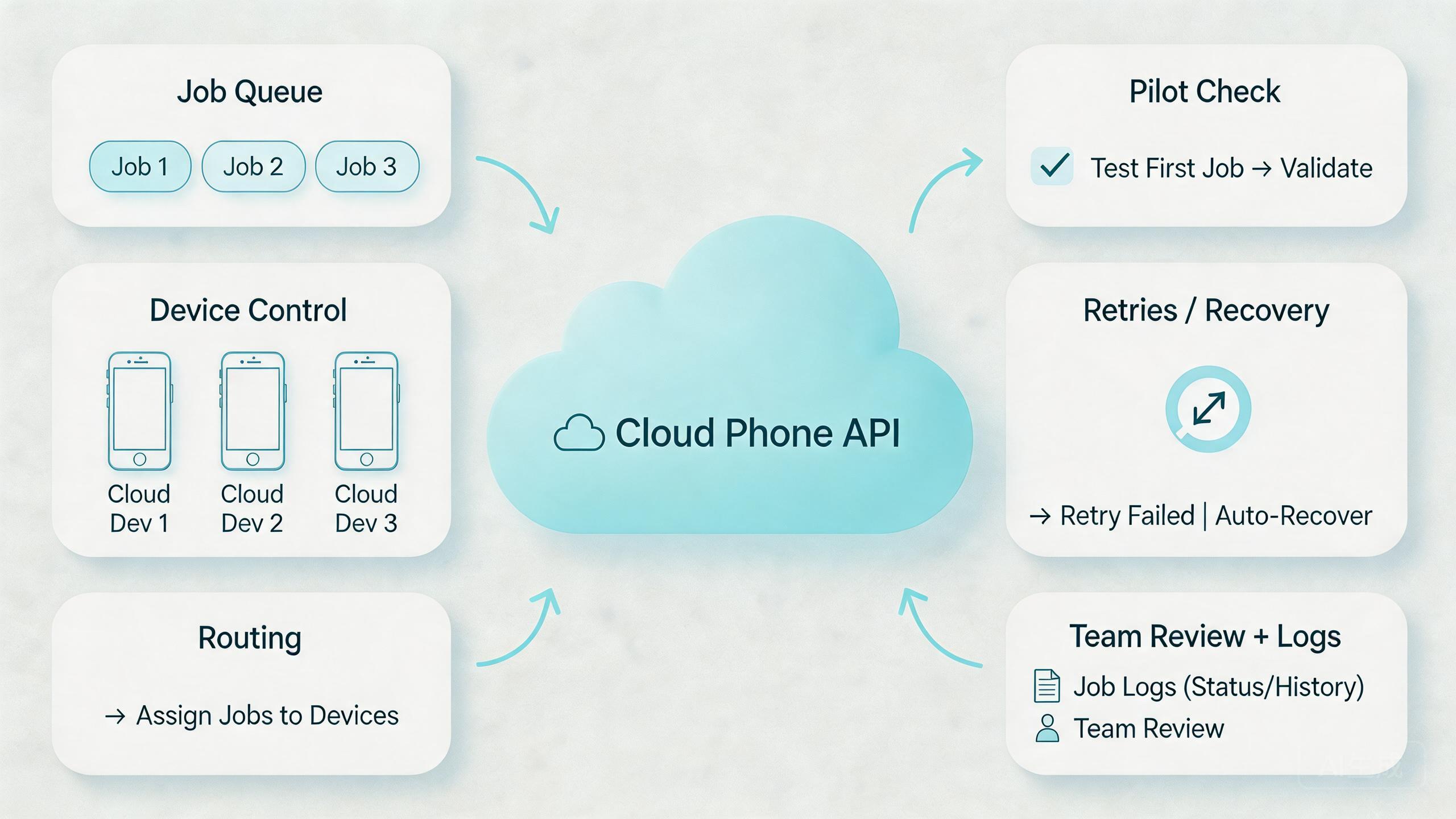
Begin with the job model. A good batch system needs a clear way to create, track, pause, retry, and finish work. If jobs are vague, every later layer becomes harder to reason about.
Use this evaluation sequence:
- Define the batch unit. Decide whether one job means one device action, one account workflow, one test run, or one device-group process.
- Map device states. Use simple labels such as ready, busy, review, hold, and reset-required.
- Set access rules. Decide which users and systems can create jobs, change devices, or approve retries.
- Align routing. Match device groups with the route policy needed for the workflow.
- Define retry behavior. Decide when the system may retry automatically and when a human must inspect.
- Capture evidence. Store logs, screenshots, status codes, or notes that explain what happened.
- Review the result. Do not mark a batch complete only because the script finished running.
Engineering teams should also respect common web API design ideas. Clear resources, predictable status responses, and useful error messages make systems easier to debug. The REST architectural style is described in Roy Fielding's dissertation on Representational State Transfer, which remains a common reference point for API thinking.
Batch work needs extra care because many jobs can fail in the same way. A bad parameter, unstable device state, or wrong route policy can affect a full queue. Validation should happen before execution, not after the queue has already created cleanup work.
| Layer | Question to ask | Why it matters |
|---|---|---|
| Job queue | Can work be paused, retried, and reviewed? | Prevents blind execution |
| Device state | Is each phone ready, busy, or under review? | Reduces hidden drift |
| Routing | Can the route policy be explained? | Improves debugging |
| Evidence | Does the result show what happened? | Supports audits and handoff |
For mobile execution, the interface should connect naturally with mobile automation. It can submit and monitor work. Automation logic can define the task. The device layer provides the runtime. Keeping those roles separate makes the system easier to maintain.
Another useful check is ownership. One team may own the queue, another may own device health, and a third may own the workflow logic. Those boundaries are fine if the handoff is documented. They become a problem when nobody can say who should pause a failing batch.
For API buyers, evidence quality should also matter. A provider may expose endpoints, but the team still needs useful job results. Status alone is thin. Better results include the device, step, timing, output, and next action. That extra context helps people decide whether the batch is ready, under review, or blocked.
Common Mistakes That Reduce Results
One common mistake is treating the API as the strategy. An interface is not a workflow. It only becomes useful when the team defines devices, jobs, permissions, routes, and review steps.
Large batches create another problem. They make failures harder to isolate. A better model often starts with small groups and a clear stop condition.
Route changes can create quiet problems. If a job runs through a different route than expected, the result may be hard to compare. Teams using proxy controls should document route class and ownership. MoiMobi's proxy network is relevant when network behavior is part of the operating design.
Retry logic needs care. Automatic retries can be useful for temporary failures, but they can also repeat a bad action. A stronger pattern is to classify failures first. Some failures can retry. Others should move to review.
Logging is another weak point. A batch result that only says "failed" is not enough. The lead needs to know which device, which job, which step, which route class, and which evidence item matters.
Security and access control also matter. API keys, tokens, roles, and permissions should be handled like production controls. A team should not let every user or script run every action. The more powerful the API, the more important access boundaries become.
Skipping the human review layer creates long-term risk. Batch operations can process routine work, but people still need to inspect exceptions. Strong systems make exceptions visible instead of hiding them inside a queue.
API teams should also avoid undocumented manual overrides. A lead may need to restart a device, cancel a queue, or move a job to review. That is normal. The problem starts when those actions are not recorded. Later, the result looks like an API failure even though the real cause was a hidden manual change.
Scope creep is another frequent issue. A small batch workflow works, so the team keeps adding tasks until the queue becomes hard to reason about. A better approach is to create separate job types. Each job type should have its own expected state, timeout, evidence, and review rule.
Pilot Rollout, Measurement, and Recovery Checks
A pilot should prove control before scale. Do not start with every workflow. Start with one batch job that is easy to describe and valuable enough to measure.
Pick a narrow task. For example, a team might test whether a device group can open a specific app path, collect status, and report results. Another team might validate account environment state before a work shift. The exact job should be simple enough to debug.
Measure practical signals:
- Queue completion rate: how many jobs finish without manual intervention.
- Review rate: how many jobs need human inspection.
- Recovery time: how long it takes to isolate and fix a failed device lane.
- Retry quality: whether retries solve temporary issues or repeat poor work.
- Handoff clarity: whether another operator can understand the result.
Select one batch workflow with clear inputs and a known expected result.
Run it on a small device group before adding more phones or accounts.
Classify each failure as retry, review, hold, or reset-required.
Review logs and evidence before calling the workflow ready to scale.
Recovery planning is the most important part of the pilot. A device can hang, an app can behave differently, a route can change, or a job can be malformed. Operators should know what to pause and who can restart work.
The pilot passes when the team can explain both success and failure. If a failed job still requires guesswork, the API workflow needs more structure before broader use.
Review the pilot with a short decision meeting. The meeting should answer four questions. Did the job run as expected? Did failed work show clear reasons? Did the team recover without guessing? Did the logs help another operator understand the result?
Expansion should wait until those answers are clear. A larger device pool will not fix weak evidence or unclear ownership. It will only make the weak points appear more often.
Daily Operating Rules for a Cloud Phone API
Daily API work should be boring in the right way. The queue should be readable. Device states should be current. Failed jobs should have a next action. Operators should not need private knowledge to understand the system.
Use a simple daily review:
- Check queued, running, failed, and review jobs.
- Confirm device pools match the right workflow.
- Look for repeated failures in the same step.
- Pause work if route, app state, or device state becomes unclear.
- Keep a short note for any manual override.
The best teams avoid silent exceptions. If a device needs human attention, it should move to review. If a job is unsafe to retry, it should stop. If a batch creates unexpected results, the team should pause the queue before adding more work.
This rhythm keeps the control layer from becoming a black box. It also helps managers see whether capacity is real. A queue with many jobs is not useful if most outcomes require manual cleanup.
A healthy daily routine also protects the team from stale device state. A phone may look available while still carrying old context. Network routing may look normal while a previous change was never recorded. One job may look complete while the evidence says it needs review.
Simple review habits catch those issues early. They also make the API easier to trust. People do not need to believe the queue blindly. They can inspect enough evidence to know whether the result is usable. That is the difference between automation output and operational control.
Frequently Asked Questions
What is a cloud phone API?
It is an interface for controlling remote mobile environments through software. Teams use it to create jobs, assign devices, check status, and collect results.
When should a team use batch operations?
Batch operations fit repeated mobile tasks with clear inputs and review rules. They are less useful for one-off checks or undefined processes.
Does an API replace mobile automation?
No. The interface can control devices and jobs. Automation logic defines what steps run inside the workflow. Many teams need both layers.
What should a batch job include?
A batch job should include the target device group, expected state, task definition, route requirements, retry rules, and result evidence.
How many devices should a pilot use?
Use the smallest group that can prove the workflow. A small pilot is easier to debug and safer to review than a large queue.
What is the biggest risk with API batch work?
The biggest risk is repeating a bad action at scale. Validation, stop conditions, and review states help limit that problem.
Should every failure retry automatically?
No. Temporary errors may be retry candidates. State mismatch, unclear routing, or unexpected app behavior should usually move to review.
How does this connect to phone farms?
A phone farm provides device capacity. An API layer helps control that capacity through jobs, states, and review workflows.
Conclusion
This API layer is valuable when batch operations need control, not just speed. The best use cases have clear jobs, readable device states, stable routing, useful logs, and a recovery path.
Define the workflow before the code. Define the batch unit. Map device states. Decide who can submit, pause, retry, and approve work. Then test the system on a small device group.
The next step is a focused pilot. Choose one repeated mobile task, run it through a controlled queue, and measure completion, review, retry, and recovery. If the team can explain both successful and failed jobs, the API is ready for more serious use.
Keep the final decision practical. Scale only when the queue is readable, the device states are current, and failed jobs have clear owners.
If the pilot still depends on guesswork, do not scale yet. Improve the operating model first. A stronger API workflow should make mobile execution easier to inspect, easier to hand off, and easier to recover.



