
Key Takeaways
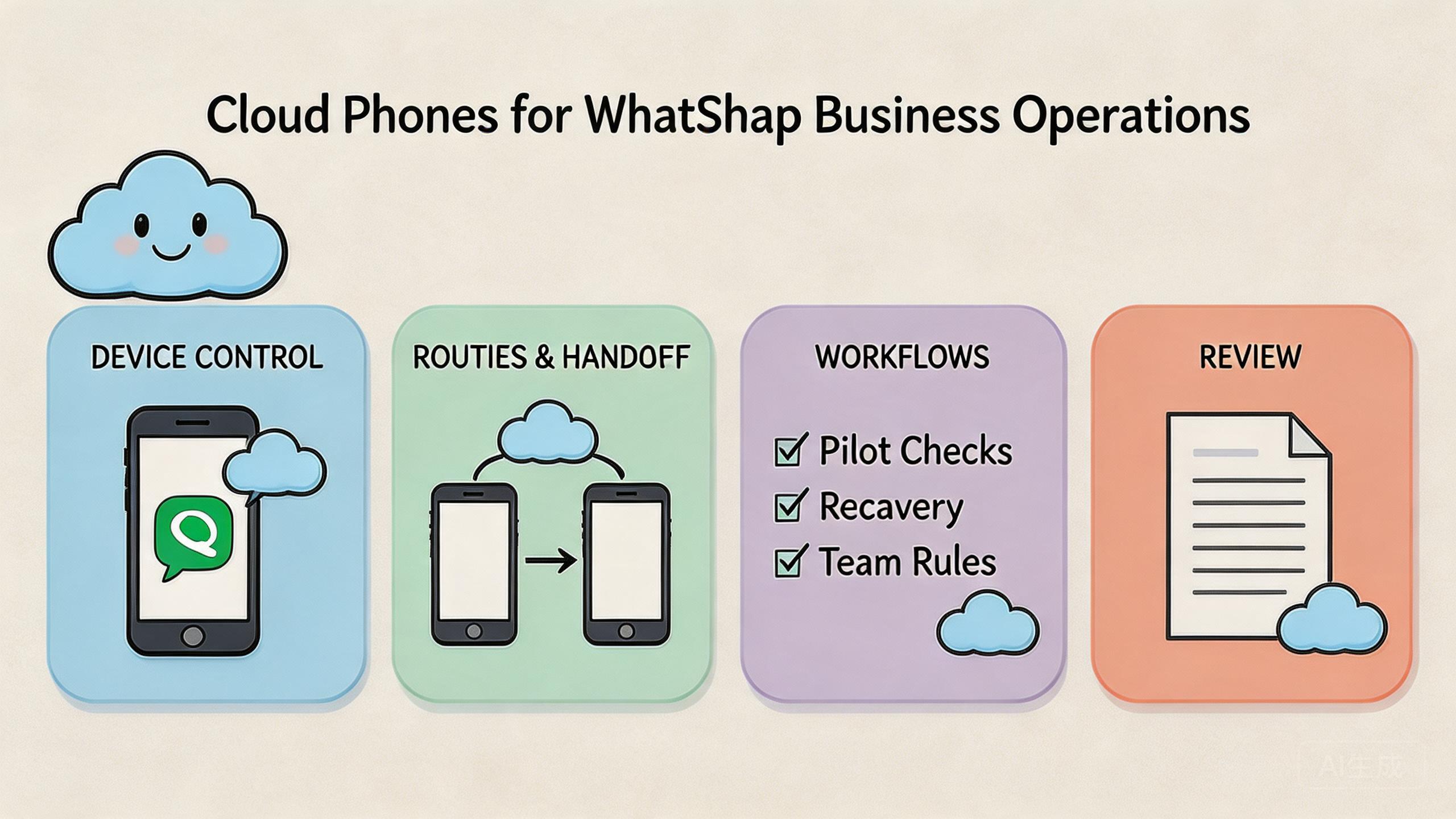
- Remote Android environments can help teams run shared WhatsApp Business workflows with clearer device control.
- The operational value is not the remote screen alone. The value comes from device state, routing, access control, review, and recovery.
- Teams should separate business accounts, operator roles, and routing policies before they scale the device pool.
- A small pilot should measure setup time, handoff quality, message review flow, and recovery time before wider rollout.
Introduction
Cloud phones for WhatsApp Business are remote mobile environments that teams can use to operate WhatsApp Business workflows without keeping every device on a local desk. This setup gives operators a browser-accessible Android environment while keeping device state, routing, and account context easier to organize.
The important word is operations. A single phone may be enough for one owner who answers messages alone. The picture changes when several people handle inquiries, review replies, test campaign flows, or manage region-specific business accounts.
In that setting, the problem is rarely only access. Teams need a way to separate accounts, keep sessions clean, assign work, review activity, and recover from failed handoffs. This remote phone layer can support that pattern when it is treated as infrastructure, not just a remote handset.
WhatsApp also has its own product and policy context. Teams should understand the difference between WhatsApp Business app workflows and API-led workflows, and they should follow the relevant platform rules. The official WhatsApp Business Platform documentation is the right starting point for API capabilities and supported integration models.
For MoiMobi users, the practical question is simple: can the team run repeated mobile work with less confusion, cleaner separation, and better review visibility? This guide explains how to evaluate that question without turning the setup into a messy phone farm.
What Are Cloud Phones for WhatsApp Business Operations?
For this use case, the term means using remote Android devices as controlled execution lanes for business messaging work. Each device can hold a specific app state, account context, routing policy, and operator assignment.
The setup is different from passing one physical phone around a team. A physical phone can work for a small owner-led business, but it creates friction when multiple operators need access. Someone may have the device. Someone else may need to verify a customer thread. Another person may need to test a campaign path.
This remote phone turns that work into a shared environment. Operators can access the device remotely, keep a consistent app setup, and align the device with a defined workflow. The device is still only one layer. Stable work also needs account rules, routing rules, access boundaries, and recovery steps.
This matters because WhatsApp Business often sits close to revenue, support, and trust. Messages may include customer questions, order context, service updates, or lead qualification. A disorganized device workflow can slow response time and make review harder.
The operational model is usually strongest when each environment has a clear job. One cloud phone may serve a support workflow. Another may serve campaign testing. A third may serve regional account review. Mixing every task inside one shared environment can create the same confusion that the team wanted to avoid.
Teams that already use MoiMobi for cloud phone operations can think of WhatsApp Business as one workflow family inside a broader execution system. The goal is not to make messaging reckless. The goal is controlled mobile execution with cleaner handoff.
Why Cloud Phones for WhatsApp Business Matters
The need appears when messaging becomes a team process. One owner can remember which phone is active, which account is logged in, and which conversation needs follow-up. A small team cannot rely on that memory for long.
WhatsApp Business work often includes several roles. One person may answer first-line inquiries. Another may review complex replies. A third may inspect campaign quality. A manager may need to confirm that the workflow is stable before adding more regions or agents.
Remote devices help when the phone environment itself becomes part of the operating system. Device state can stay tied to a workflow. Access can be assigned by role. Managers can create a review habit around the environment instead of around one person’s desk.
Routing also matters. Mobile workflows can become hard to debug when the device path changes without a record. A team may need stable network behavior, clear region choices, and a predictable process for changing routes. MoiMobi’s proxy network layer is relevant when routing needs to be part of the operating plan.
There is also a governance reason. Google’s guidance on helpful content emphasizes content made for people, with clear value and trustworthy presentation, in Creating helpful, reliable, people-first content. That idea applies to daily work as well. Messaging workflows need to serve real customers and avoid vague automation patterns that create poor experiences.
The strongest teams use cloud phones to make work more controlled. They do not use them as a shortcut around platform responsibility. That difference affects both quality and risk.
Key Benefits and Use Cases
The main benefit is workflow separation. Teams can stop forcing every task through one shared device and start assigning environments by account, role, region, or workflow stage.
A second benefit is handoff. A remote device can be easier to pass between operators when access is managed. The reviewer does not need the physical phone. The support lead can inspect the same environment. A backup operator can continue work when the first operator is unavailable.
A third benefit is repeatability. When a setup is stable, the team can document it. Shared environment rules can support onboarding, daily review, and recovery. That is hard to do when every operator changes local devices in a different way.
Use a dedicated environment for customer replies, escalation review, and shift handoff.
Check opt-in flows, template journeys, and mobile landing behavior before launch.
Separate devices by market, language, routing policy, or business unit when needed.
Give account teams controlled execution lanes instead of mixing client work in one setup.
This model also supports multi-account management when teams need clear boundaries. The important rule is to assign a purpose before assigning capacity. More devices do not help much if operators cannot explain what each device owns.
For agencies, the most useful pattern is often client separation. One client’s account state, routing, and review process should not blend into another client’s workflow. That rule also applies inside larger companies with several regions or brands.
How to Get Started with Cloud Phones for WhatsApp Business
The fastest mistake is scaling before the workflow is defined. Start with one repeatable process, one device group, and one review owner. Add capacity only after the team can run and recover the pilot without confusion.
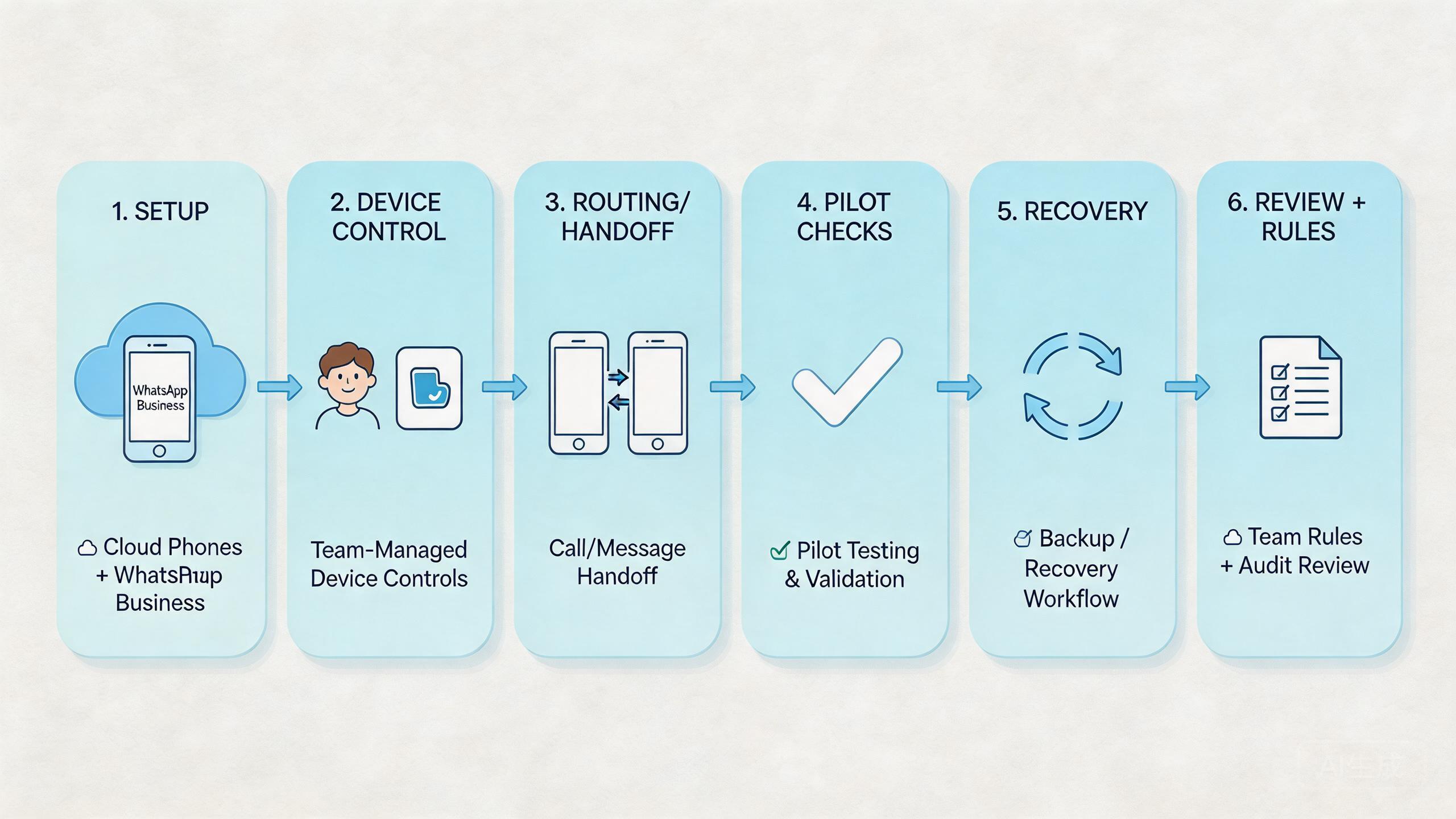
Use a compact setup path:
- Define the WhatsApp Business workflow. Write down whether the device supports support replies, lead qualification, campaign testing, or account review.
- Assign one environment per operating lane. Do not mix unrelated client, region, or role work inside the same phone unless there is a clear reason.
- Set access roles. Operators, reviewers, and admins should not all share the same authority.
- Align routing policy. Keep the network path explainable and documented before daily work begins.
- Create a reset rule. The team should know when an environment is reusable, under review, or ready for reset.
- Track handoff quality. Measure whether another operator can continue work without extra explanation.
- Review message quality. Messaging work should stay customer-centered and compliant with the platform model being used.
The WhatsApp Business Platform has distinct concepts around business messaging, templates, and API integration. Teams using API-led workflows should review the official docs instead of assuming the app workflow and API workflow behave the same.
Remote Android environments are more relevant when the work needs a real mobile app context. API workflows may be better for structured messaging systems. A local phone may be enough for a very small owner-led operation.
The practical starting point is a one-week pilot. Pick one workflow that already happens repeatedly. Assign one cloud phone or one small group. Give it a clear owner. Then measure whether the team has fewer handoff issues and faster recovery.
Common Mistakes to Avoid
The first mistake is treating cloud phones as a volume tool. Volume does not create control. It often makes weak process more visible.
The second mistake is using one environment for every task. A mixed device may hold customer support history, campaign testing state, and client review work at the same time. That makes troubleshooting slow and review unclear.
The third mistake is vague ownership. If nobody owns the device state, nobody knows when the environment is clean. A phone that is “probably fine” is not ready for a serious team process.
The fourth mistake is route switching without a record. A team may change network paths to solve one issue and then forget what changed. Later, a support problem looks like an account issue, a routing issue, and an operator issue at once.
The fifth mistake is skipping platform review. WhatsApp has business messaging rules and product-specific requirements. Teams should review official Meta guidance and avoid assumptions about what is allowed.
| Mistake | Operational symptom | Better control |
|---|---|---|
| Mixed device use | Hard to identify account state problems | Assign one clear workflow per environment |
| Flat access | Operators can change settings without review | Separate operator, reviewer, and admin roles |
| No reset rule | Old state affects later work | Use reusable, review, and reset-required labels |
| Untracked routing | Failures are difficult to reproduce | Document route class and change owner |
These mistakes share one root cause. Teams add devices but do not add operating rules. Better results usually come from cleaner structure, not from more screens.
Who It Fits and When It Is a Strong Match
This model is not the right answer for every WhatsApp Business workflow. It is strongest when the work is repeated, shared, and mobile-environment dependent.
A strong fit usually includes team handoff. More than one person needs to inspect, continue, or review the same mobile workflow. The device cannot be trapped on one desk or inside one person’s routine.
Another fit signal is environment separation. Agencies may need different client lanes. Ecommerce teams may need support, order review, and campaign testing lanes. Regional teams may need different operating contexts.
The model also fits teams that already rely on device isolation. Separate environments can make business account work easier to audit and recover. They also reduce accidental cross-workflow interference.
Fit is weaker when the business has one owner, one account, and one phone. In that case, a remote phone may be more process than the team needs. A local device may be simpler.
Fit is also weaker when the workflow is fully API-native. A structured messaging backend may be the main system of record. Remote phones can still support QA or mobile review, but they should not replace an API architecture when API architecture is the real requirement.
Use this test: if the team needs shared access, stable state, role-based handoff, and recovery review, cloud phones may fit. If the only need is one person answering one inbox, start simpler.
Pilot Checks for Cloud Phones for WhatsApp Business
A pilot should prove operating clarity before scale. It should not try to prove every future use case at once.
Start with one workflow. A support reply lane is easier to measure than a vague “WhatsApp operations” goal. Pick one account or one small account group. Assign one owner. Give the pilot a short review period.
Measure five signals:
- Setup time: how long it takes to prepare the device for the work block.
- Handoff time: how long another operator needs to continue the workflow.
- Review clarity: whether a lead can inspect the environment and understand the state.
- Recovery time: how long it takes to isolate and restore a failed environment.
- Route stability: whether the network policy stays explainable during the pilot.
The best pilot output is a decision, not a long report. The team should know whether the model reduces confusion, keeps customer work easier to review, and supports repeatable daily execution.
Recovery deserves extra attention. A device may need to be paused, reviewed, reset, or reassigned. The team should define those states before daily volume increases. Otherwise, failures become personal judgment calls.
Pick one WhatsApp Business workflow with repeated daily or weekly use.
Assign one cloud phone lane and one responsible owner.
Document access, routing, reset, and review rules before work begins.
Measure handoff, review clarity, and recovery time after each work block.
If the pilot passes, expand by workflow family. Do not jump from one successful lane to many unrelated lanes. A cleaner expansion path protects the habits that made the pilot useful.
How to Compare Cloud Phones for WhatsApp Business Providers
Provider comparison should start with operations, not feature lists. A feature may look useful but still fail if the team cannot control access, routing, or recovery.
Start with environment persistence. Can the device keep the app state required for the workflow? Can the team understand when that state changed? A remote phone that feels convenient but unclear may not support serious team work.
The second question is access control. Teams need different roles. Operators should handle assigned work. Reviewers should inspect without making unnecessary changes. Admins should manage environment rules.
The third question is routing discipline. For some workflows, route consistency is part of the operating model. The provider should make routing understandable enough for troubleshooting and review.
The fourth question is visibility. A team should be able to see which environments are active, which are assigned, and which need attention. Visibility does not need to be complex. It needs to answer practical operating questions.
The fifth question is fit with adjacent workflows. A WhatsApp Business operation may connect with social media marketing, support review, mobile QA, or mobile automation. A stronger platform supports those related lanes without forcing every process into one pattern.
Google’s SEO Starter Guide is not a WhatsApp operations manual, but it gives a useful reminder for content teams: structure helps users understand information. That thinking fits operations too. Structure helps teams understand work.
A practical provider scorecard can stay simple:
| Evaluation area | What to check | Why it matters |
|---|---|---|
| Device state | Can the team inspect and reuse environments clearly? | Reduces hidden drift |
| Access control | Can roles be separated? | Limits accidental changes |
| Routing policy | Can routes be explained and reviewed? | Improves troubleshooting |
| Handoff | Can another operator continue the work? | Supports team scale |
| Recovery | Can a failed lane be paused or reset? | Limits operational spread |
The strongest choice is usually the platform that makes the workflow easier to run and easier to audit. A tool that only adds more remote screens may not be enough.
Simple Daily Rules for Cloud Phones for WhatsApp Business
Daily use should stay plain. Each phone needs one job, one owner, one route plan, and one clear handoff note. The team should know who used it, what changed, and what must happen next.
Keep the daily check short:
- Is the right account open?
- Is the route still the planned route?
- Is the chat state clean enough for the next shift?
- Is any task blocked?
- Does this phone need review before reuse?
Small rules help because people move fast during live support work. A lead should not need a long call to know if a phone is ready. A short note and a clear state label are often enough.
Use simple labels. Ready means the phone can be used now. Review means someone must check it first. Hold means the lane should stop until a lead makes a call. Reset means the phone should not be used again in its current state.
This habit keeps the system easy to read. It also helps new staff learn the flow without guessing. Good day-to-day control is not complex. It is a set of small checks that the team can repeat without stress.
Frequently Asked Questions
What are cloud phones for WhatsApp Business?
They are remote Android environments used to operate WhatsApp Business workflows. Teams use them when they need shared access, clearer device state, and better handoff than a single local phone provides.
Are cloud phones the same as the WhatsApp Business API?
No. A remote phone is a mobile app environment. The WhatsApp Business API is an integration model for structured business messaging. Some teams may use both for different jobs.
When should a small business use a cloud phone?
A small business should consider one when more than one person needs to operate or review the mobile workflow. If one owner handles one account from one device, a local setup may be enough.
How should agencies separate client work?
Agencies should avoid mixing unrelated clients in one environment. A clearer model is one lane per client, region, or workflow type, with documented access and reset rules.
Do cloud phones remove platform policy responsibility?
No. Teams still need to follow WhatsApp and Meta rules. Remote phones can improve environment control, but they do not replace platform compliance.
What should teams measure during a pilot?
Measure setup time, handoff time, review clarity, recovery time, and route stability. Those signals show whether the workflow is becoming easier to operate.
Can cloud phones support automation workflows?
They can support mobile execution workflows when used carefully. Teams should separate automation logic from device control, then test small workflows before scaling.
What is the biggest risk in using cloud phones poorly?
The biggest operational risk is unclear state. If nobody knows which account, route, operator, or task owns a device, the workflow becomes hard to trust.
Conclusion
This operating model becomes useful when messaging work becomes a team workflow. It helps most when a team needs shared access, controlled device state, clear routing, and repeatable handoff.
The priority order is simple. First, define the workflow. Second, assign one environment per operating lane. Third, set access, routing, and reset rules. Fourth, run a small pilot and measure whether the setup reduces confusion.
Do not scale from a vague plan. Scale from a stable operating pattern. The setup becomes valuable when it makes daily work easier to inspect, continue, and recover.
For teams already using MoiMobi, WhatsApp Business can sit beside cloud phone, proxy, device isolation, and mobile automation workflows. The next step is to choose one repeated process and test whether a controlled remote mobile lane improves the way the team works.



