
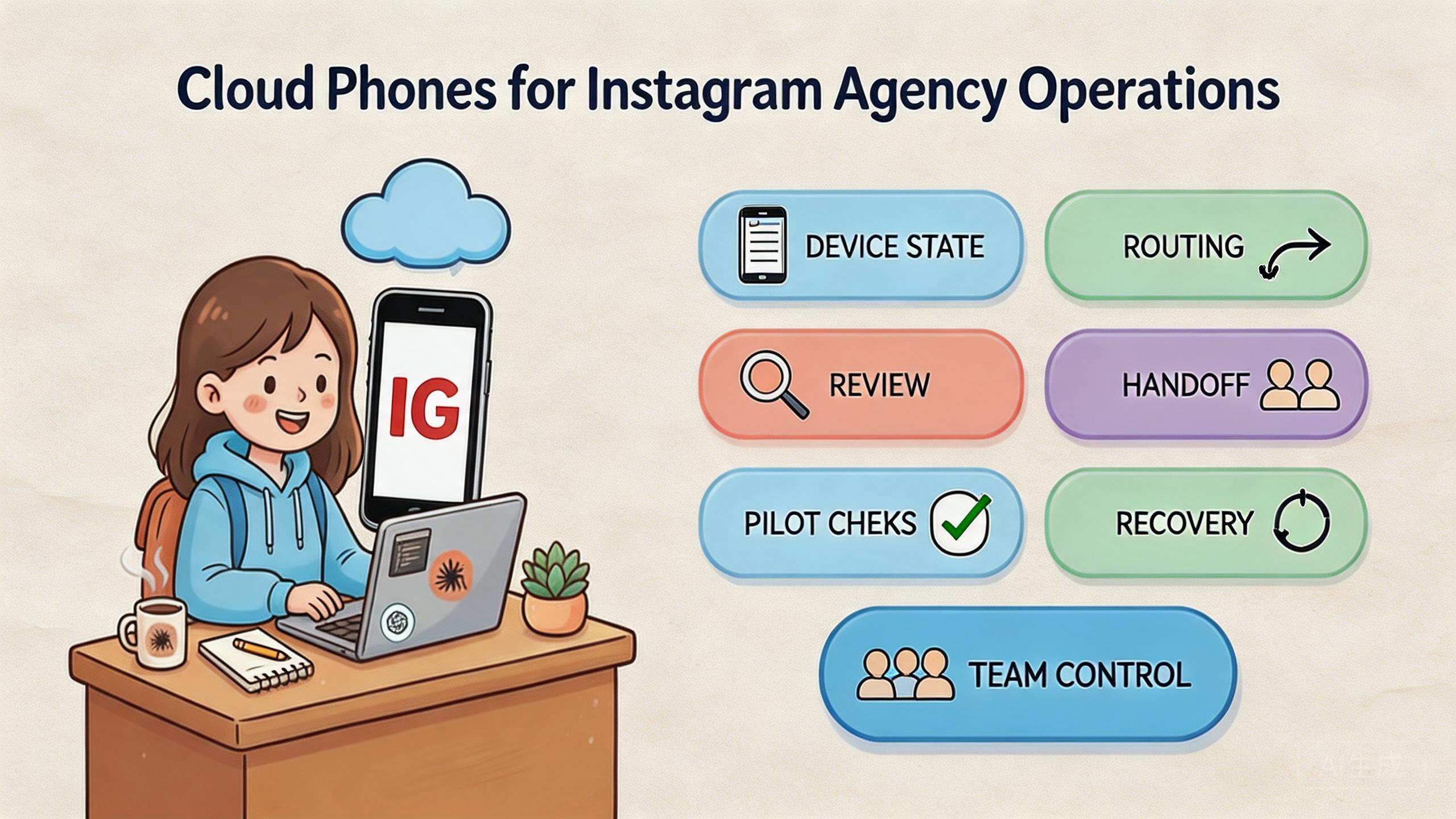
Key Takeaways
- A cloud phone for Instagram growth is a remote Android environment used to manage mobile agency workflows with clearer control.
- The strongest use case is not solo posting. It is shared access, account-state review, device separation, and cleaner handoff.
- Agencies should avoid claims that any device setup can guarantee outcomes or remove platform responsibility.
- Start with one client workflow, measure handoff and recovery, then expand only when the process is stable.
Introduction
A cloud phone for Instagram growth is a hosted Android environment that agencies use to run, review, and manage mobile Instagram workflows. It can help teams access the app remotely, assign tasks, check account state, and hand work from one person to another.
The decision matters because agency work is rarely one-person work. A strategist may plan the task. An operator may run mobile steps. A reviewer may check the result. A manager may need to know whether the phone can be reused.
Local phones can work for small teams. They become harder to manage when several clients, operators, accounts, and review steps are involved. The problem is not only access. The harder problem is knowing device state, account owner, route context, and recovery path.
MoiMobi fits this as mobile execution infrastructure. Its cloud phone, device isolation, proxy network, phone farm, and mobile automation layers help agencies build a repeatable operating model.
Google Search Central's helpful content guidance focuses on useful, people-first information (Google Search Central). Agency operations need the same discipline. A tool should make the workflow clearer, not just easier to start.
Google's SEO Starter Guide also emphasizes clear organization and helpful structure for readers (Google Search Central SEO Starter Guide). The same operating idea applies inside an agency. People should see where work sits, what changed, and what happens next.
The Core Idea Behind Cloud Phones for Instagram Agency Operations and cloud phone for instagram growth
The common misunderstanding is that a cloud phone is only a remote screen. For agencies, the useful model is broader. A hosted phone should support ownership, state control, route notes, review, and recovery.
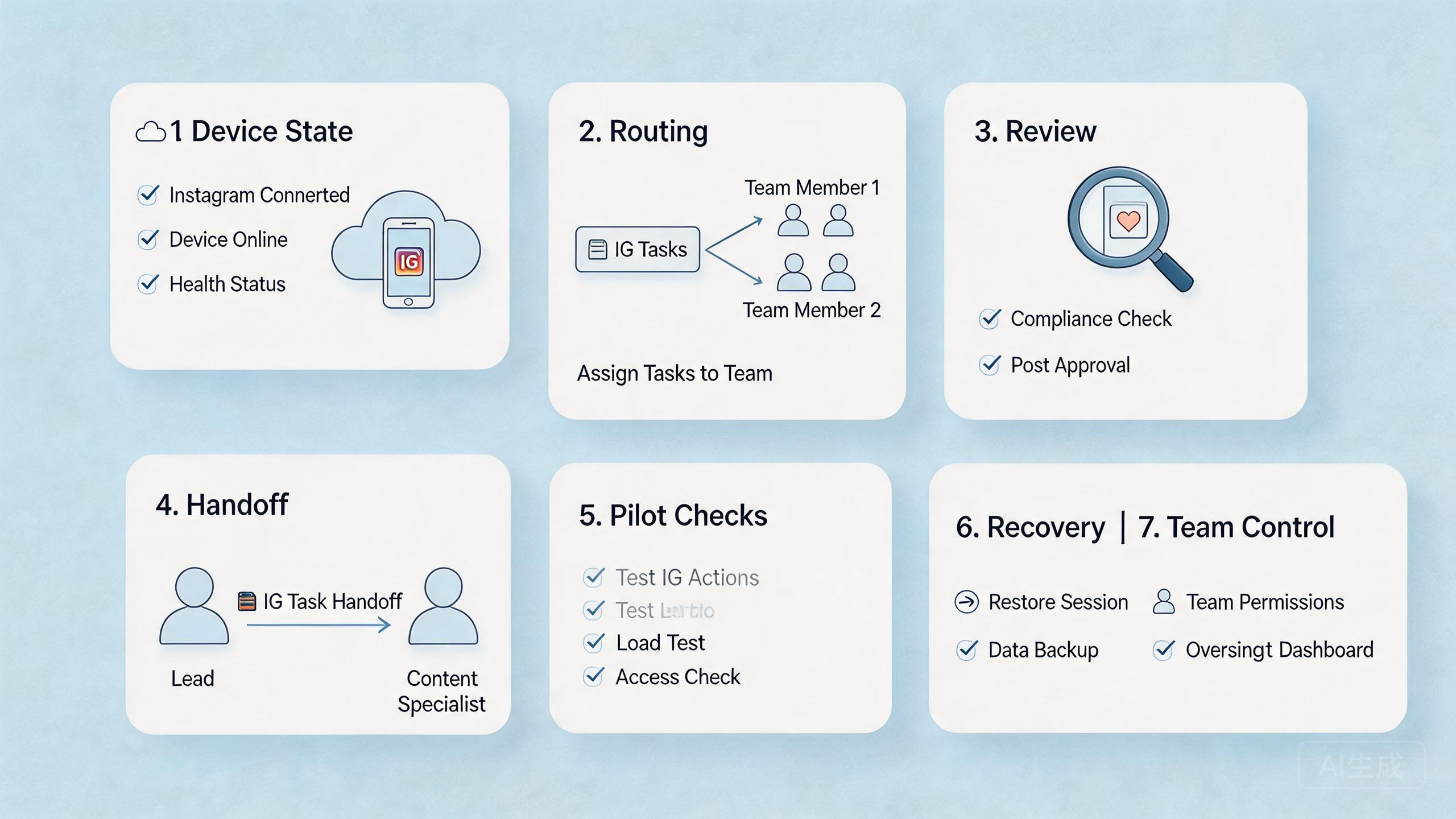
Device state comes first. An Instagram workflow may include app state, login state, account role, content review, or client-specific context. A phone should not move between client tasks without a clear state label.
Ownership comes next. Every active workflow should have a current owner. The owner may be an operator, reviewer, or team lead. Clear ownership helps prevent the quiet problem where several people assume someone else checked the device.
Routing discipline also matters. Agencies may need stable context for a workflow. A proxy network can support routing policy, but the route still needs to be visible and documented.
Review is the final layer. A reviewer should understand the task without reading old chat logs. Good review includes account task, device state, operator note, route note, and next action.
Simple operating model:
| Layer | Agency question | Good practice |
|---|---|---|
| Access | Who can open this phone? | Separate operator, reviewer, and admin roles. |
| State | Is the phone ready, active, or waiting? | Use simple state labels before reuse. |
| Account | Which client workflow owns it? | Assign one current owner. |
| Routing | Which route is expected? | Record the route or exception. |
| Recovery | What happens after a failed run? | Pause, reset, or quarantine the phone. |
This model keeps a cloud phone for Instagram growth grounded in operations. It avoids treating the device as a shortcut. The value comes from controlled workflow, not loose access.
Why Teams Search for This Topic and cloud phone for instagram growth
Agencies search for this topic when client mobile work becomes hard to coordinate. One phone may serve one operator. A growing team may need many client workflows, account checks, and review steps.
Handoff is the first pain point. One person starts the work, another reviews it, and a third person may need to continue later. Without shared state, the next person has to ask what happened. That slows the workflow and increases mistakes.
Account separation is another reason. Client workflows should not all share one unclear mobile environment. A device isolation layer helps agencies keep account context cleaner when several clients or roles are involved.
Distributed teams add more pressure. Operators may work from different places. Reviewers may need to inspect work without holding the device. Cloud access helps, but only when the workflow also has clear status and recovery rules.
Managers usually care about capacity. Capacity is not only device count. Real capacity means a phone is available, assigned, reviewed, and safe to reuse under the team's rules. A dirty or unclear phone is not full capacity.
Use these decision signals:
- Can another operator continue without private explanation?
- Can a reviewer see account state and task outcome?
- Can admins reset a phone quickly?
- Can route notes stay tied to the workflow?
- Can the team separate client tasks cleanly?
The best reason to use cloud phones is not speed alone. The better reason is less confusion. Stable agency operations depend on repeatable work that people can inspect.
Who Benefits Most and In What Situations
The strongest fit is an agency with repeated mobile workflows. The team may manage client accounts, check app states, review content, run support checks, or handle campaign operations. These tasks need access and control.
Social media agencies are a clear fit. They often need mobile app access, account review, and team handoff. MoiMobi's social media marketing use case is relevant when content operations and mobile review sit together.
Multi-account teams may also benefit. Agencies often handle several client contexts. MoiMobi's multi-account management context matters when account separation, ownership, and review are central.
QA and support teams can use the same infrastructure. They may need to reproduce app behavior, inspect a user journey, or confirm a workflow after an update. A phone farm becomes useful when several devices need to run in parallel.
The fit is weaker for undefined work. If the team does not know which tasks should run, who reviews them, or when a phone resets, the cloud phone will not solve the process. It may only make the unclear process easier to repeat.
Fit boundary:
- Strong fit: shared client workflows, repeated mobile tasks, role-based review, and clear reset rules.
- Medium fit: mixed work where some checks need cloud access and others need physical phones.
- Weak fit: one-off tasks, unclear ownership, no reviewer, or expectations of certain platform outcomes.
The honest test is simple. If the agency can name the workflow, owner, reviewer, state labels, and recovery path, cloud phones can help. If not, start with process design.
How to Evaluate or Start Using Cloud Phones for Instagram Agency Operations
Start with mistakes, not features. Agencies often fail when they buy access before defining ownership. A cloud phone should be part of a workflow, not a shared object that anyone uses at any time.
Use this step path:
- Choose one client workflow. Pick a task that repeats often enough to test handoff.
- Assign one device pool. Keep the pilot narrow. Do not mix unrelated client tasks.
- Set state labels. Use clean, active, under review, reset-needed, and paused.
- Define route notes. Record expected route or network context before work starts.
- Separate roles. Operators run tasks. Reviewers inspect. Admins reset and reassign.
- Create a stop rule. Pause work when ownership, state, or routing becomes unclear.
- Review before expansion. Add more phones only when the pilot is stable.
The workflow should be auditable. A manager should know who used the device, what client task ran, which state remains, and what happens next. If that answer depends on private chat history, the process is not ready.
MoiMobi can support this workflow by combining cloud access with isolation, routing, phone farm capacity, and automation. The stack works best when the agency treats it as infrastructure.
Automation should come after manual clarity. Mobile automation can repeat known steps, but it cannot fix unclear state or weak review.
Mistakes That Reduce Results
The first mistake is treating cloud phones as a quick fix. Better agency operations come from clearer process. The device helps only when the workflow has ownership and review.
The second mistake is mixing clients in one unclear pool. Client A and client B may need different state, tasks, or review rules. Separate pools or labels make mistakes easier to catch.
The third mistake is vague device status. "Probably ready" is not a useful state. Clean, active, under review, reset-needed, and paused are clearer. Everyone should use the same labels.
The fourth mistake is hidden route changes. A route change may be valid, but it should be logged. Hidden changes make later review harder and weaken trust in the workflow.
The fifth mistake is flat access. Operators, reviewers, and admins do different work. If everyone can change every setting, accidental drift becomes normal.
The sixth mistake is scaling too early. More cloud phones can multiply an unclear process. A small stable pool is better than a large pool that nobody fully trusts.
The final mistake is making platform promises. A device setup cannot promise growth, safety, or account outcomes. Agencies should keep claims cautious and focus on controllable process.
Plain rules help. Name the phone. Name the client workflow. Assign the owner. Record the route. Review the result. Reset or pause when state is unclear.
Pilot Checks for a Cloud Phone for Instagram Growth
A pilot should test one real agency workflow. Pick a client task that happens weekly and needs at least two people. This exposes handoff and review problems quickly.
Measure setup time first. Track how long it takes to prepare the phone. If setup depends on chat history, the workflow needs better notes.
Measure handoff next. Ask a second operator to continue the task. If they need a long explanation, improve labels and status fields before expanding.
Measure review clarity after that. A reviewer should understand the account task, phone state, route note, and outcome. Screenshots alone are often not enough.
Measure recovery time last. A failed or unclear phone should have a stop rule. Someone should know when to pause, reset, quarantine, or return the phone to service.
Pilot scorecard:
| Signal | Pass condition | Warning sign |
|---|---|---|
| Setup | Operator can start without rebuilding context. | Setup depends on private notes. |
| Handoff | Another operator can continue quickly. | Work pauses for explanation. |
| Review | Reviewer can inspect task and state. | Approval depends only on screenshots. |
| Routing | Route note is visible. | Route changes are hidden. |
| Recovery | Reset owner is clear. | Device returns before review. |
The pilot should end with one written operating note. Include client workflow, device pool, owner role, state labels, route policy, reviewer role, and recovery owner. A new operator should be able to follow it.
Expansion should follow evidence. If the workflow becomes clearer, add devices slowly. If ownership or review is still vague, fix the rules before adding capacity.
Daily Control Model for cloud phone for instagram growth
Daily control is where a cloud phone for Instagram growth becomes useful for an agency. The team should not need a long call to know which phones are ready. A short status view should show device state, owner, client workflow, route note, review status, and next action.
Start the day with phone state. Each cloud phone should be clean, active, under review, reset-needed, or paused. These labels are simple, but they reduce guesswork. A phone with unknown state should not enter active client work.
Check client ownership next. Every active phone should map to one client workflow or task owner. If two people think they own the same device, the workflow is already unclear. Ownership prevents quiet overlap.
Review route notes before work starts. The expected route or network context should be visible. Route changes may be valid, but they should be recorded. Hidden changes make later review harder.
Separate review from operation. An operator may finish the task, but the phone may still need review. A reviewer should confirm the result before the phone returns to the shared pool. This is especially important when several client workflows run in the same day.
End each task with cleanup. The operator should leave a short note: what was done, what changed, and whether the phone is reusable. If state is unclear, mark it paused or reset-needed.
Daily checklist:
| Check | Question | Action |
|---|---|---|
| State | Is the phone clean, active, under review, reset-needed, or paused? | Update the label before reuse. |
| Owner | Which client workflow owns it now? | Assign or pause the phone. |
| Route | Does the route match the task? | Record any exception. |
| Review | Has a reviewer checked the result? | Keep under review until confirmed. |
| Recovery | What happens if the task fails? | Reset, pause, or quarantine. |
This model helps managers see real capacity. A phone pool may look large on paper. Only clean, assigned, and reviewable phones count as working capacity.
How Agencies Should Compare a Cloud Phone for Instagram Growth
Provider comparison should start with agency workflow, not feature volume. A long feature list does not matter if the team cannot see state, ownership, route notes, or recovery status. The best option is the one that makes daily work easier to manage.
Compare access first. Operators need reliable remote access to the right phone. Reviewers need enough access to inspect results without changing settings. Admins need reset and reassignment tools.
Compare isolation second. Agencies may manage different clients, accounts, and roles. A provider should help separate those contexts. MoiMobi's device isolation layer matters when mixed client state would create confusion.
Compare routing third. Route notes should stay attached to the task. A proxy network can support routing discipline when teams document expected behavior and exceptions.
Compare scale last. A larger pool helps only when the workflow is stable. If handoff is unclear, more phones will usually make the mess bigger. A small stable pool is a better starting point.
Provider scorecard:
| Area | What to check | Good sign |
|---|---|---|
| Access | Can each role use the right level of control? | Operators and reviewers have separate access. |
| Isolation | Can client workflows stay separated? | State does not mix across accounts. |
| Routing | Can route notes follow the task? | Exceptions are visible. |
| Review | Can leads inspect work quickly? | Context is clear without chat history. |
| Recovery | Can admins pause or reset phones? | Failed runs have one owner. |
The right provider should make agency operations calmer. Operators know where to work. Reviewers know what to check. Managers know which phones are ready.
One final check is documentation. Keep a short note for each client workflow. Include the phone pool, owner, state label, route note, reviewer, and reset rule. A new operator should be able to read it and continue the work without private context.
This keeps the pilot simple, visible, and easier to repeat.
Frequently Asked Questions
What is a cloud phone for Instagram growth?
It is a remote Android environment used to run and review Instagram-related mobile workflows. For agencies, the value is shared access, state control, and handoff.
Can a cloud phone guarantee Instagram growth?
No. A cloud phone can support operations, but it cannot promise platform outcomes. Teams still need strategy, content quality, policy awareness, and review.
Is this useful for agencies with many clients?
Yes, when the agency has clear account ownership and review rules. Device isolation and clean state labels become more important as client count grows.
Should reviewers have full access?
Usually no. Reviewers need enough visibility to inspect results. Admin access should stay limited to people who manage reset, routing, or pool rules.
When should automation be added?
Add automation after the manual workflow is stable. The team should know the task, state labels, route notes, and recovery path first.
What should an agency measure first?
Measure setup time, handoff time, review clarity, route visibility, and recovery time. These signals show whether the workflow is ready to scale.
Who should avoid this setup?
Teams without defined workflows should wait. If ownership, route policy, review, and reset rules are unclear, start with process design.
How many cloud phones should an agency start with?
Start with a small pool tied to one workflow. The goal is proof of repeatability, not device volume.
Conclusion
For Instagram agency operations, the priority order is process, access, review, and scale. Define the client workflow first. Then assign the cloud phone, label state, document routing, separate roles, and test recovery.
MoiMobi fits agencies that need mobile execution infrastructure rather than loose remote screens. Cloud phones provide access. Device isolation, proxy routing, phone farm capacity, and automation support the wider operating model.
The next step is a small pilot. Pick one client workflow, run it through a narrow phone pool, and measure setup, handoff, review, and recovery. Expand only when another operator can continue the work without private explanation.



