
Cloud phones are remote Android device environments for mobile app testing teams that need shared, reviewable app checks. The cloud phones for mobile app testing model is not only a substitute for a local emulator. Its value appears when several people need the same type of device access, the same test lane, and a clean record of what happened.
For a single developer debugging a build, a local emulator may be enough. For a team checking releases, account states, install flows, notifications, regional behavior, or handoff between testers, the decision changes. The team needs repeatable mobile conditions, not only a screen that can open an app on a clean day.
The practical question is simple: can another tester continue the work without guessing what the previous tester did? When the answer is no, the testing setup has an operations gap. Remote device access can help close that gap when it is managed with ownership, test lanes, stop rules, and recovery notes.
Google recommends creating helpful content that lets users complete real tasks: Google Search Central. Testing infrastructure should follow the same standard. It should help the team complete a real testing workflow, not just create another place to tap through an app and lose context.
Key Takeaways
- Cloud phones for mobile app testing fit teams that need shared Android access, visible state, and handoff records.
- A local emulator can still be the better choice for direct development and isolated debugging.
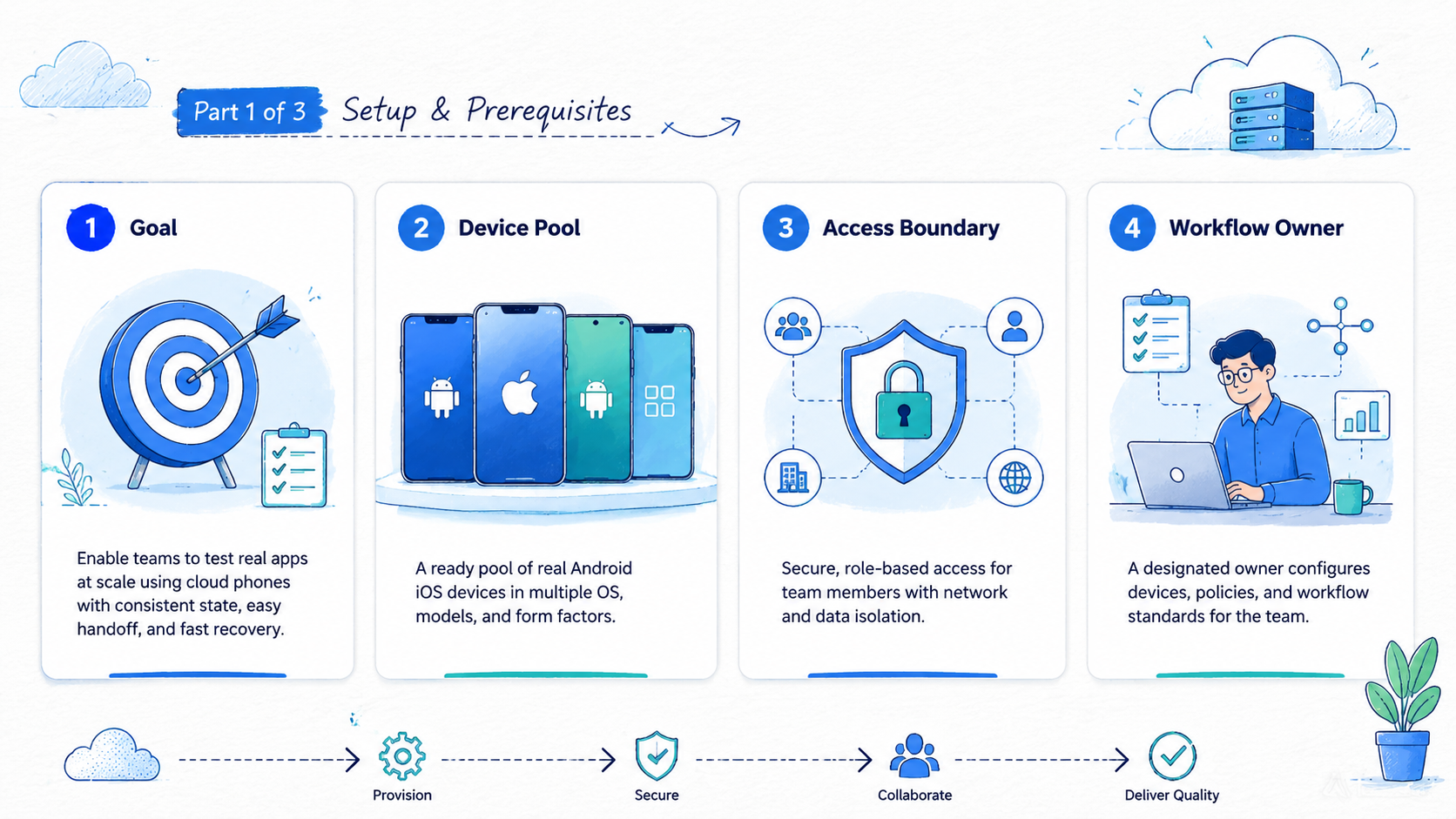
- The strongest test setup defines device lanes, app versions, owners, stop rules, and recovery fields before scaling.
- Cloud app testing works best when the team measures failed runs, not only successful app launches.
- Fit depends on workflow state, not on the tool label.
What Is Cloud Phones for Mobile App Testing Teams?
The common mistake is treating cloud phones as a faster version of an android virtual device. That view is too narrow. A local emulator mainly answers whether an app can run in a controlled development environment. Remote phone infrastructure answers whether a mobile workflow can be assigned, repeated, reviewed, and recovered by a team.
Teams usually evaluate a cloud phone when they need remote Android environments that are accessible beyond one workstation. The important part is not only remote access. The important part is whether the environment can be organized around test purpose, owner, app state, account lane, and last action.
This distinction matters because mobile app testing is rarely one clean action. A tester may install a build, check login behavior, test a push notification, switch accounts, capture screenshots, and leave notes for the next person. Each action changes the state of the environment.
A virtual android device can support useful testing when the task is narrow. It may be enough for a smoke test, a demo, or a single app behavior check. Risk appears when teams expect the same setup to manage shared testing, account state, and recovery without defining those records in advance.
Use this practical definition:
- A local emulator is a development and debugging tool for one workstation.
- A cloud phone is a remote mobile environment that can become part of a team workflow.
- A testing workflow is the record that connects device, build, tester, state, result, and next action.
The third line is the one teams often miss. Without the workflow record, cloud access can become another shared screen with hidden context. With the workflow record, it becomes easier to know which environment was used, what changed, and what should happen next.
Why Cloud Phones for Mobile App Testing Matters
Mobile app testing becomes harder when state is scattered. One tester may know which build was installed. Another may know which account was used.
A third person may only see a screenshot in a chat thread. When a bug appears later, the team has to reconstruct the test path from memory, which slows review and weakens the evidence.
This testing model matters because it can turn device access into a shared operating layer. That layer should show what the environment is for, who owns the current run, and why a run stopped. It should also make failures easier to classify.
Use a three-part framework before choosing the setup:
| Decision Area | What To Check | Why It Matters |
|---|---|---|
| Environment state | App version, login state, device label, region note | Prevents testers from comparing different conditions |
| Workflow ownership | Tester, reviewer, stop reason, next action | Makes handoff possible after a failed or paused run |
| Scale boundary | Number of devices, test lanes, parallel runs | Shows when local tools stop matching team demand |
This framework keeps the decision grounded. The team is not asking whether cloud app testing sounds modern. It is asking whether the current testing work needs a shared Android layer with visible state.
For example, a product team preparing a release may need ten testers to check the same app flow across different account lanes. A local emulator may help one tester. It may not give the release owner a clear view of which lane passed, which lane failed, and which lane needs recovery.
The testing setup should also support clarity for search and documentation. Google's SEO Starter Guide emphasizes clear structure for users: Google Search Central SEO Starter Guide. Testing records need the same kind of clarity. A reviewer should understand the result without asking the original tester for private context.
Key Benefits and Use Cases for Cloud Phones for Mobile App Testing
The main benefit is coordinated mobile execution. A team can separate test lanes, reuse known environments, and review results without depending on one person's laptop. That benefit is strongest when the testing work has repeated mobile actions.
Common use cases include release smoke testing, account-state verification, login flow review, regional app checks, content or notification review, and pre-automation validation. These tasks do not all require the same setup. They do share one need: the team must know what state the device was in when the result appeared.
For QA teams, remote phones can support repeatable Android checks. A tester can open an assigned environment, follow a runbook, record the outcome, and leave the environment ready for review or reset. The setup should make failed runs visible, not hide them behind a clean dashboard.
For operations teams, the benefit is handoff. A tester may start the work in one time zone. A reviewer may inspect the same run later.
Without a shared record, the reviewer may not know which app version, account, or route was used during the run.
For teams that run account-sensitive workflows, device isolation becomes part of the testing conversation. Isolation does not remove the need for policy review or careful records. It helps teams define boundaries between device lanes, account lanes, and test purposes before testers compare results.
For automation teams, a cloud phone setup can prepare the ground before scripts run. Automation should begin from a known screen, known account state, and known device lane. Stop early. If the app opens to an unexpected page, the run should stop and record the reason instead of guessing or hiding the failure behind retries.
The strongest use case is not "more devices." It is more reviewable testing. More devices without labels, owners, and recovery fields can create more confusion. A smaller pool with clean records may produce better evidence than a large pool with unknown state, especially during release review.
Fit Boundaries for Mobile App Testing Workflows
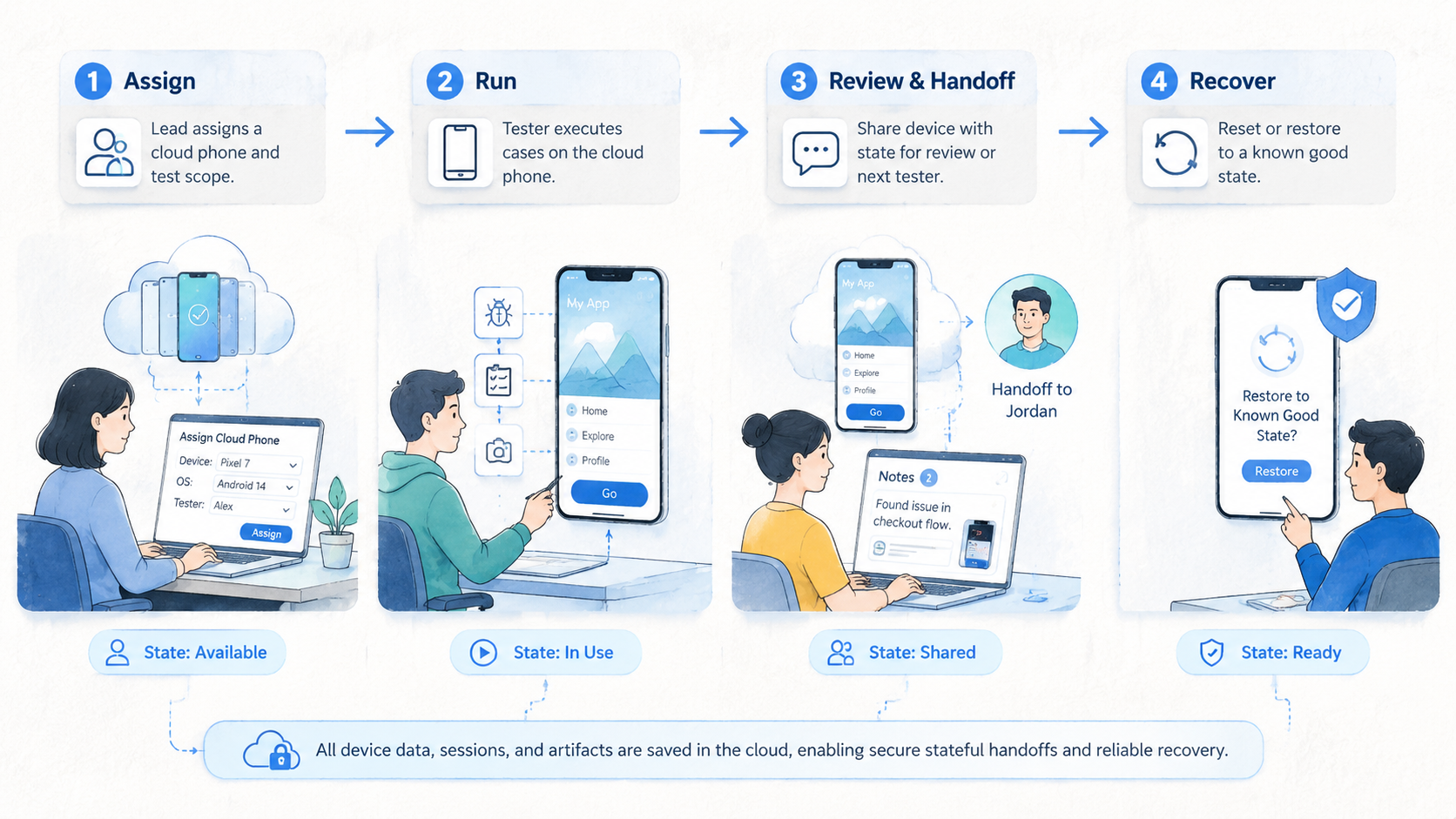
Cloud phones are not the best answer for every testing job. A local emulator may be better for direct coding, quick layout checks, or debugging one build on one workstation. A physical lab may be better when a test depends on sensors, hardware behavior, or conditions that emulation cannot represent well.
The fit boundary starts with the test goal. Shared access, parallel runs, account-lane separation, or handoff may point toward a cloud phone setup. Deep developer instrumentation may still point toward the local development stack.
Use this fit grid before expanding the test environment:
Good fit:
- Release smoke checks across several Android environments
- Shared app review by QA, product, or operations teams
- Account-lane testing where state and owner must stay visible
- Pre-automation checks that require known start and stop states
Use caution:
- Hardware-specific tests that need physical sensors or device behavior
- One-person debugging where a local emulator is faster
- Tests with unclear policy, account ownership, or reset rules
- Large pools without labels, recovery owners, or run history
The caution list is not a rejection of cloud testing. It is a reminder to define the job before choosing the tool. The wrong environment can make a testing workflow look cleaner while leaving the real state problem untouched.
Define the job first.
For larger device pools, teams may compare phone farm capacity. That comparison should happen after the team knows what each device lane represents. Capacity is useful only when the team can explain how it will assign, monitor, and recover each lane.
How to Get Started with Cloud Phones for Mobile App Testing
Do not start by moving every test into the cloud. That creates too many variables. Start with one repeated workflow that already causes handoff or state confusion.
Follow a small pilot path:
-
Name one test workflow. Choose a smoke test, login review, content check, account-state review, or notification test.
-
Define the environment unit. Decide whether one environment represents one app build, one account lane, one region, or one reviewer queue.
-
Record required fields. Track environment ID, app version, login state, tester, last action, result, stop reason, and recovery owner.
-
Set stop rules. Stop on unknown screens, expired login, missing input, failed install, unclear account state, or route mismatch.
-
Run a one-week pilot. Use a small number of environments before increasing device count or adding automation.
-
Review stopped runs. Classify each failed run as environment, app, account, route, input, or operator issue.
This pilot gives the team a real answer. It shows whether a cloud phone setup improves the testing workflow or only moves the same confusion into a remote console.
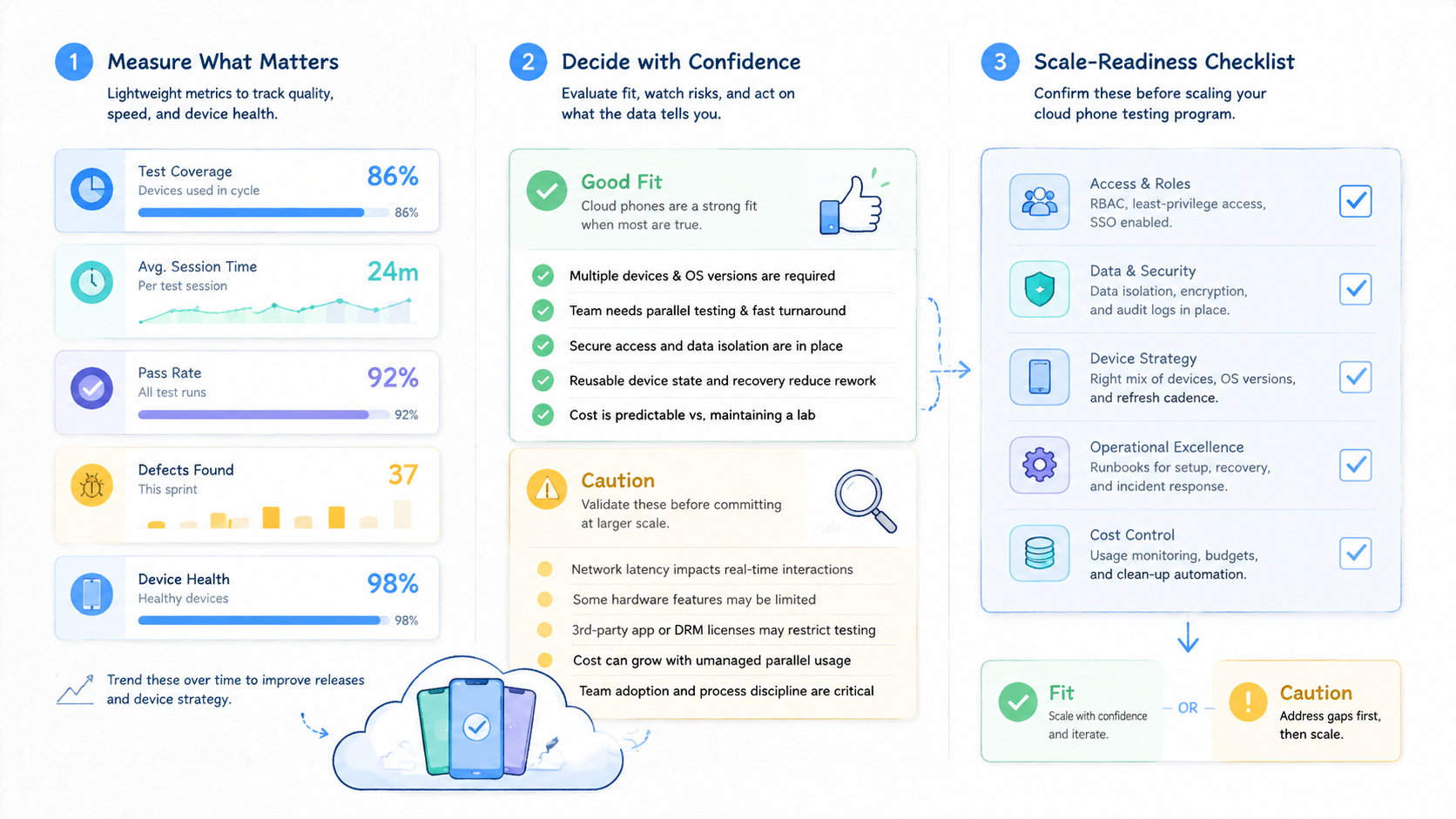
The first measurement should not be total device count. Measure completed runs, unclear stops, recovery time, and handoff success. Handoff success means another tester can continue from the record without asking for private context or rebuilding the run from screenshots.
Teams planning mobile automation should add one extra gate. No script should begin unless the environment has a known start state and a written stop rule. Clean stops count. An unknown screen should produce a clean stop, not another retry that hides the issue.
Keep the first pilot boring. A boring pilot is easier to measure. It also shows whether the team can maintain state discipline before adding more tools, accounts, or parallel runs.
Common Mistakes to Avoid
The first mistake is confusing access with readiness. A remote Android screen may be easy to open, but that does not mean the testing workflow is ready. Readiness means a tester knows the lane, the build, the account state, the expected result, and the stop rule.
The second mistake is testing only successful paths. A demo may show that the app opens and a tester can click through a flow. It may not show what happens when login expires, the build changes, a notification fails, or the next tester takes over.
A third mistake is scaling before naming the unit of work. If one environment sometimes means a build lane, sometimes means an account lane, and sometimes means a personal scratchpad, the test pool will become hard to trust.
Avoid these failure patterns:
- No owner assigned to each test environment
- No visible app version or build label
- No difference between QA lanes and account-operation lanes
- No stop reason after failed installs or unexpected screens
- Screenshots saved without environment and run context
- Automation allowed to retry unknown states
- Test capacity expanded before recovery time is measured
Routing can also become a hidden variable. If geography or network policy affects the test, document it. A proxy network should support a known route policy, not become an invisible reason for inconsistent results.
The repair is operational. Treat each cloud phone as a work unit with a named purpose. Treat every stopped run as useful evidence. Then review the evidence before adding more devices.
Pilot Measurement and Review Loop
A pilot should test the stopped path as seriously as the happy path. Successful mobile app testing does not mean every run passes. It means the team can explain both pass and fail results without losing context.
Use a compact scorecard:
| Measurement | Pass Signal | Review Question |
|---|---|---|
| Completion rate | Required steps finished and recorded | Did testers follow the same runbook? |
| Unclear stops | Low count of unknown stop reasons | Which fields were missing? |
| Recovery time | Failed runs assigned quickly | Could another tester continue? |
| State accuracy | App version and account lane matched | Was the environment reset correctly? |
| Automation readiness | Scripts stopped on unknown states | Did retries hide real failures? |
The review loop should happen before expansion. A team can run five to ten environments for one week and learn where the operating model breaks. That small sample is enough to expose missing fields, vague owners, or unclear stop rules.
The most useful review question is simple: could a second tester reproduce the result from the record? When the answer is no, the test output is incomplete. Add the missing field before increasing capacity.
Keep a separate note for environment issues and app issues. When those categories are mixed, teams may blame the tool for an app-state problem or blame the app for a poorly reset environment. Clean categories make the next decision easier.
Frequently Asked Questions
Are cloud phones the same as an android virtual device?
Not exactly. An android virtual device often refers to an emulator-like environment used for app testing or development. In this context, a cloud phone is a remote mobile environment that may support broader team workflows, depending on provider setup and operating rules.
When should a mobile app testing team use cloud phones?
Use them when the team needs shared Android access, parallel testing, state visibility, or handoff between testers. Keep local emulators for fast developer debugging when one workstation is enough.
How many cloud phones should a team start with?
Start small. Five to ten environments can be enough for an initial pilot if the team records owner, app version, account lane, stop reason, and recovery owner.
Can cloud phones replace physical device testing?
Not for every case. Physical devices may still be needed for hardware-specific behavior, sensor testing, or conditions that a remote environment does not represent. Use fit boundaries before replacing any lab process.
Do cloud phones help with cloud app testing?
They can help when cloud app testing needs remote mobile access, shared records, and repeatable Android states. They do not fix unclear test design by themselves.
What is the biggest risk?
The biggest risk is hidden state. When no one knows which build, account, route, or last action produced the result, the team cannot trust the test output.
Should automation be added immediately?
No. Define known start states and stop rules first. Automation should stop on unknown screens instead of guessing, because retries can hide the real failure.
What should the first review focus on?
Review stopped runs first. Failed or paused runs reveal whether the team has enough fields, owners, and recovery rules to operate at scale.
Conclusion
This setup is useful when the team needs more than one person's local emulator. It fits best when mobile app testing requires shared Android environments, visible state, repeatable lanes, and clean handoff between testers. The decision should start with workflow evidence, not with device count.
A good evaluation asks four linked questions before capacity grows: which test workflow runs first, what one environment represents, which fields prove run state, and what happens when the test stops. Write those answers down. If they are missing, fix the operating model before expanding capacity.
The next step is a small pilot. Pick one repeated mobile test, assign a few cloud phones, record every run, and review stopped cases before adding automation or more devices. When another tester can continue from the record without private explanation, the setup is ready for broader evaluation.



